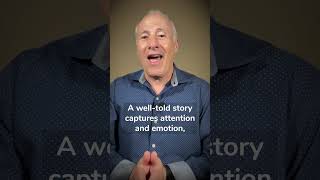
David Vogel shows how to record better audio on a smartphone by using a second phone as a dedicated recorder. Plug a microphone into the spare phone, open Voice Memos, record separately, then sync the high-quality audio with your main phone's video later. Good audio matters even when your visuals are strong.
Questions this video answers
Apple iPhone 13 Pro.
Voice Memos.
Day three.
Chapters
Do you have a way to draw collecting dust? Stick around, because I'm going to show you how you can turn those electronic paperweights into something useful. My name is David Vogel, I'm the owner of Remote Video Testimonials and Today is day three of my 30 day video challenge. For the entire month of April, I'm going to be creating a video a day with the hopes of inspiring you in your life, both personally and professionally. And today I want to share with you my favorite smartphone audio hack. You know, life's pretty funny. Ten years ago, I was discouraging people from shooting video using their smartphone. And now I have two businesses, Remote Video Testimonials and Heirloom Family Documentaries that both use smartphones exclusively to capture video. This is my Apple iPhone 13 Pro. Now, as much as I have fancy cameras for shooting photos and video, this is my favorite these days. Now I encourage everyone to use their smartphone to shoot video. However, there's one thing people overlook when creating video and that's audio. If you have great visuals but people can't hear what's being said, they're not going to watch. In many cases, the built in audio is fine. But what if the person talking is several feet away from the smartphone or there's lots of ambient noise? How do you get clear audio? Now, if you're like me, you probably have these old smartphones that you don't use anymore. You know, maybe the screen is shattered or it doesn't have the latest features, but what it can do is record audio. Now for this audio hack to work, you will need a microphone. Now, every smartphone has some sort of audio recording app. On Apple iPhones, it's called Voice Memos. You just plug the mic into your smartphone, launch the app and start recording audio. Then later you'll just combine the audio from this phone with the video from the other. It takes an extra step, but it's so worth it. I hope you found this helpful. Thanks again for watching in the comments. Let me know what kinds of video you're shooting with your smartphone and please be sure to like and share this post.