Pre-Call Planning Mastery: How to Walk Into Every Sales Conversation Already Trusted
Brynn shares an AI-powered pre-call planning framework that turns LinkedIn and company data into personalized discovery questions before sales calls. Feed prospect PDFs and research into Claude or Gemini using her CHIRP framework (Challenge, History, Impact, Risk, Priority), and get a ready-to-use report with tailored questions that build trust before you talk.
Chapters
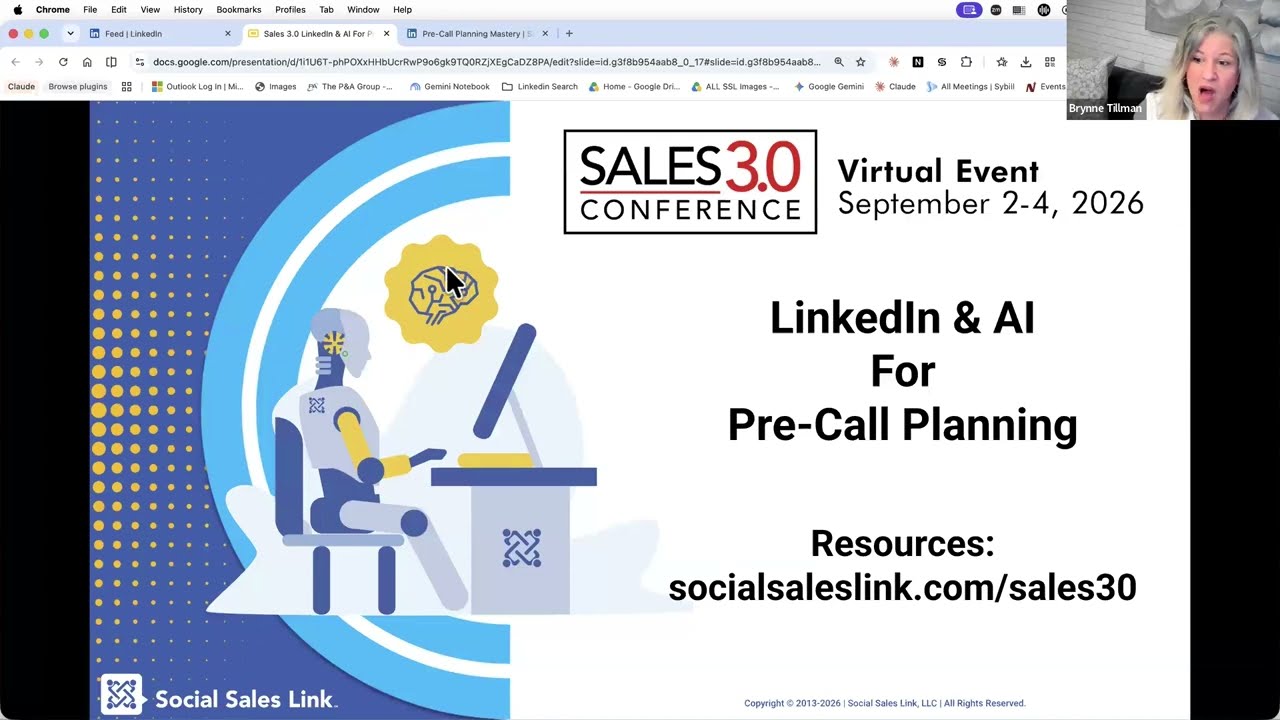
Today we are going to walk away with a powerful prompt that you can use in any of your preferred LLMs that will get you using LinkedIn and Insights better so that you are more prepared for your meetings and you can start conversations that are more relevant and meaningful to your prospects. So normally I talk about how do we fill the top of the funnel. I'm like the The very— I get people to hello with LinkedIn. Today we're going to take the first hello and make it stronger and better and more powerful. So I'm excited. So let's get started. I'm going to start with resources. Number one question I get is, can I have your resources? In fact, Gerhard, after my last program, I got messages thanking me for the resources. So now I'm obligated to do it every single time, and I'm thrilled to. So if you guys go to socialsaleslink.com/ Sales 3.0, it is going to take you here. This is the deck that you're looking at. There's also a 51-page— do not read it now— pre-call planning mastery that we are building into. You're the first to see it. It's the first version. And then you're going to see just the prompt. This is what I want you to download. Once you click on that, you are going to have a a prompt that you're going to be able to use over and over and over again that is going to help you ultimately pre-call plan in the most effective way possible. So why pre-call planning changes everything? Most meetings go sideways for one reason: we are not prepared. We didn't know enough to ask the right questions at the right moment. Preparation is the work that You may say, oh, I did a lot of work. I did a lot of research. But our manual research does not nearly touch what AI can do. So the trust starts before the call, not during the call. We've got to make sure we are prepared. So know what you know and don't know. This is one of the most important things. One of my big— and I giggle. I don't really get annoyed, but I would say, When I get on a call with someone for the first time and they say, so where are you? And I'm like, if you looked, you would've said, hey, where in the New York area are you? Right? There's a difference in that conversation. And so, you know, there are so many things that people can ask that they could have absolutely learned in advance that make people feel good, right? So the only question you should ask are things that your research can't surface. Right? And, and if your research, you know, we've heard all day little drops of, can we trust AI? Can we? Not always. So really, we ask the question and then confirm if that's accurate. I got on a call yesterday. I said, where in Texas are you? And he goes, oh, I moved to LA 2 weeks ago. That's okay, right? He didn't change his LinkedIn, and I got that. But at least he felt like I was doing my homework, and he mattered, and it mattered, right? We want a clear picture. Of the human being, not just the company, because the human is in the loop. The handful of questions that matter for this meeting are really important. If we ask questions— like, one of my big pet peeves is the old, oh, take out your yellow pad and pen and say, so what keeps you up at night? We should know. And pre-call planning and our knowledge of the industry should tell us. And enough confidence to listen instead of pitching is critically important. In fact, um, I met with this amazing group that I will be talking about, um, in the future, in the next few weeks. Um, anyone that's following me will see this. And we met in Utah and had this powwow, and I walked away with one of the most powerful phrases. Write this down. Um, now I have to remember what the most powerful phrase— I was so Um, certainty kills curiosity. I'm gonna say that again. Certainty kills curiosity. So if we just know what we know, we don't— we stop asking the right questions. And part of pre-call planning is making sure we're asking the right questions. So 4 sources that we're gonna use. If you wanna add more to this, please add more to this. There's absolutely no reason that you should be limited to the things I'm teaching you today. But we're gonna start with the LinkedIn profile PDF. These are the people that we are gonna talk to in, and we're gonna learn what they're talking about and what's in their words and what matters to them. Their company website. And if you have Sales Navigator using LeadIQ and AccountIQ and your favorite LLM. So we're also going to go through our pre-call plan framework, and you have all this available to you at thesocialsaleslink.com/sales3o. We're going to go prospect overview, company insights, relationship context, goals, challenges, and trends, buying triggers, engagement signals, value alignment, and a competitor snapshot and a SWOT. All of those along with discovery questions. Now, In this particular prompt that we've given you, the discovery questions are based on our framework, which is the CHIRP framework, which starts with what is the challenge they're facing today? What is the history of them trying to fix that challenge? How is it impacting their business right now? What is the risk of not making change? And is this a priority, or what is the priority of this in their business? If you have your own discovery questions, I'm going to highly recommend that you download the prompt and you go into the discovery questions, which is under scope where they are listed. So this is align your solutions with these discovery questions. These are ours. You can substitute these and put in your discovery questions, and it will work swimmingly. So how do we do this? You are going to go visit socialsaleslink.com/sales30. You're going to download just the prompt and you can go into your favorite LLM. I like Claude and Gemini and now I'm getting used to Copilot. So interesting. You are going to drag and drop the PDF and type the word run. This is now going to walk us through. So it says, please download and upload the PDF of your prospect's LinkedIn profile. So I'm going to come here and let's do— I was— let's do— we'll do— this was my test for today. So we'll do Dina McGee from Salesforce. I don't know her. We're connected. I don't know her, but it's my random test of the prompt today. So we're going to do it again. I'm going to come into the 3 dots. And by the way, you don't have to be connected, right? So if I went and I wanted Jake, I can still do the 3 dots and save to PDF. So you do not have to be connected to them to save the profile as a PDF. I'm going to name that. I typically would name it her name, but for the sake of time, we're just going to call her Profile 3. And I'm going to drag and drop that. The next thing it's going to ask me is for the website. If you don't know their website, you can likely follow it, find it, um, through clicking through to their, um, their business page. We know that it's salesforce.com, so I'm just going to put that in for now. If you have Sales Navigator, it's now going to ask for LeadIQ and AccountIQ. Notice it says if you don't have it, hit none or skip. You could type that in. But for those of you that do, this is really powerful. So I'm going to go into View in Sales Navigator. This is going to take me to her profile. And when I scroll down, you'll see Get Insights about Deanna. So I'm going to generate LeadIQ. And there's not a ton here, but there's a few. Now look at what it also shows me. We both have 8 mutual connections. That's great to know. And then it'll talk about what she's talking about on her profile. So it will start to, uh, so LeadIQ is going to bring in some good information. Now AccountIQ is all about Salesforce. Oh, let's get back here. Um, and I can get there in a couple of different ways, but I'm just going to click on the logo, and here I am into Salesforce. Now This actually, because it was my test, I've already generated this, but I'm going to copy it. There is a Generate Insights. I'm going to copy the summary. You can actually— there's a ton of information that you can pull right from here and you can copy and paste it over. For now, I'm just going to do the summary and I'm going to hit Enter. Now it's going to bring in who she is, right? So this is her level. the company. It's going to tell me her tenure, her role and key responsibilities. This is great if you're talking with someone for the first time. What's important to them, right? And what are their job responsibilities? Often that's listed, right? Her background, hospitality and sales background. And I go, oh, my degree is in hospitality management. How cool. That's something we could talk about, right? And I can see some other areas that she has hospitality management from James Madison. Something we can talk about. Company insights. Now you think you know a ton, right? But recent news and strategic focus, they're launching Agent Force, an autonomous AI agent. Of course, who is not? But this is something that is important in the company right now, right? And so that might be a conversation. Relationship context, 8 mutual connections, and then connection background, right? Mutual presence, B2B enterprise tech sales. Sales enablement. Great. Goals, challenges, and trends. We can go through, um, what's happening. Industry trends, major market shift, agentic AI workflows, hybrid human-AI sales. This is what's going on. Buying triggers. So internal role transition. She was promoted in May, so she's new to this role. That's a great— oh, I, I did— I know that it was a promotion. What a wonderful You know, talking point, strategic product launches, what's happening, engagement signals, value alignment, right? So, you know, where's the sale, the, the, the alignment? And then there's, um, a SWOT. So this is strengths, weaknesses, opportunities of Salesforce, and then it's competitors, right? And where they might stand out. Then it's going to ask me, do I approve this?
Why?
Because You know, there might be something that is wrong, or I don't like, or that didn't work right. And maybe I can say, oh, I really want to see their competitors like Pipedrive. What's going on with that? I can add to this. But in this case, I'm going to say yes, I approve. It's great information. And now it's going to build out my discovery questions, right? And again, this is very simple based on you know, my— our discovery, very simple version of Chirp. I highly recommend that you put in the questions that you would normally want answered, and it will word it in a way that aligns with her, um, opportunities and, and what's going on in her world. So your questions are completely relevant, and it doesn't seem like you just have these standard questions that you're asking every So if I say yes, it reflects it perfectly. It's now gonna give me a full report of everything that we just went, including the date. And we highly recommend you take this and put it into your CRM, and you can use it. And we even kind of say, give you a name, what you can name this, right? So as a Word doc for later. So I know that was fast. And a lot. But really, and I'm happy, Gerhard or Jill, if we want to have a conversation around some of this. But the bottom line is when you are connecting LinkedIn Insights, website insights, and AI, it can absolutely change every conversation.
I loved how practical it was. And I love that you just showed us exactly how to do it. So I was scribbling all these notes. Um, and thank you for also providing that free resource. That was amazing.
Oh, thanks. Yeah, it's great. And, and look, the, the bottom line is I did the hard work for you. We wrote the prompt, right? We wrote the program. If anyone is on this right now, and I don't know how many people are listening, and you have a call later on today or on Friday— no, wait, what time is this over Friday? Maybe on Monday because you're at the conference all week. So on Monday when you have your next call, You've got to try it out.
It literally—
you saw how fast it is, and it walks you through exactly the information that it needs. But if it would— oh, is that the resource?
I just downloaded it, and it's amazing. It's so comprehensive.
Oh, good.
Step by step.
Yeah, it is. And we have an ebook coming out. You actually This— you are the first to see the— this Pre-Call Planning Mastery, the 51-page guide. Literally, um, I— my team has not even reviewed it yet, so let's hope it's good. I think it is. I've been looking at it for a long time, um, and so it's not even published. You have this preview of this, but, you know, we have been playing with this prompt for 2 years, and I feel like we've really nailed it down exactly what it needs to be. The key though for you guys to make it work and take the time to do this is replace my CHIRP, my very basic discovery questions, with yours. What are the 7 or 10 questions that you want to know the answers for? Because what happens when you ask that question, but it's completely aligned to their profile And their insights, and you're talking about— you're using their nomenclature. That's how we build trust.
Yeah, that's exactly what I was thinking of earlier. We had a session on building trust, and that's exactly where I was going, where really the first step where we've got to get a green light is how do we earn the trust where people feel like we've taken the time and we're interested in what they You know, so, and it's usually that personal connection. So by doing this, you know, I see a couple things. Number one is we're connecting with them on kind of that emotional level where that connection is going to make them trust us. But then when we kind of shift into, and we've earned the right to get into the questions, more the analytical side, we're going to be asking intelligent questions that show we've done the homework. And so we're going to be earning more trust as we get into the specific questions. Just brilliant.
Brilliant. Thanks. And simple.
And simple. I'm just thinking back to all the calls that I've done with people before, and I'm just thinking like, this would have been so nice. So thank you.
Yeah.
And, and I highly, um, absolutely recommend go through the prompt. Look at like, if you really want to learn, you know, it's based on our book, which is Prompt Writing Made Simple. Yeah. It's not. It's Prompt Writing Made Easy. It'd be nice if I knew the name of the book.
Yeah.
Right. So it's Prompt Writing Made Easy.
And I like the crispy, your trademark crispy. Yes.
Love it.
Yeah.
Um, and, you know, and make it your own. Right? Like, this isn't rocket science anymore. And even if it were, AI helps with rocket science now.
Yeah. Yeah.
Crazy.
It's so, so refreshing. I just opened my LinkedIn and I look at messages from people that wanted to connect with me. And hi, Gerhard, I work with XYZ, uh, helping partners improve their payment strategy. I thought I'd reach out, uh, open to connecting. Um, and thanks for connecting. I help groups build a stronger payment offering that can also create added residual income. Is that something you have explored before? This is all so generic.
Yeah. Yeah.
And, and a lot of what we do, and, and, you know, this was a lot of what we do is we've got all the prompts and things for messages. But you will notice we won't give you a prompt that does not interview you. We are not gonna give you a prompt that doesn't ask for your input and your insights.
Love it.
It's gonna ask, right? And if we do, we're gonna tell you, go customize that prompt with your insights. Right? So It— the person in the loop also means that you are part of how you're prompting AI. Amanda said, I think that somebody asked, what do you miss by not having the Sales Navigator license? So there are some great insights if you are selling to enterprise that are absolutely phenomenal because they are pulling things in from really reputable sources. But LinkedIn also has incredible insights on Um, it really what's happening inside of an organization based on hires and layoffs and, right, like talent in and out. So there's a lot of real great value. Um, when I tested this first, I went and tested with a couple of the sponsors, and I realized that what LinkedIn was pulling was directly from their website. It was a smaller company because a little bit of smaller companies, and like I didn't learn anything more from what Sales Navigator pulled than what I pulled from the website. So if you're going enterprise where you want to get their annual report figures and you want to get like Sales Navigator is very powerful for this. If you're small, if you're SMB, for this particular exercise, I don't know that it's that important. What I will say is there are 50 other reasons why Sales Navigator is important when you're— if you are a salesperson full-time. You are missing an enormous amount of buying triggers and opportunities to engage without Sales Navigator. Job changes are— be one of the first to know when someone that you're prospecting leaves a job, or in a company you're prospecting that hires someone new, right? Just being in the know in real time is critically important. And there's 100 reasons, I think I said 50. I just doubled it. Now there's 100 other reasons to use Sales Navigator. But in this particular prompt, it's not— you'll get a lot of great information. Try it. If you have Sales Navigator, try it both ways. Run the prompt with the exact same person, the exact same company with it. And I'm a big fan of A/B testing.
Yes. I think I know why you've earned this title of LinkedIn Whisperer. Yes. Awesome.
Except I'm really loud.
You know, you know what? You, you really need to try to get a little bit more energy and enthusiasm.
Yeah.
I wanted to comment on that too. Um, maybe you, you switch, um, to Red Bull.
Yeah. I would be in a lot of trouble if I drank a Red Bull every day. I'll tell you that. Um, yeah.
You know, we don't, we, we don't need Red Bull. We just need a little time with Brynn and then she just energizes us. I don't know about you guys, but Yeah. Yeah. She's, she's a firecracker.
Thank you. I know we're over our time and I wanna be respectful, but I really had a great time. I hope you guys did too.
Awesome. Thank you. Thumbs up. Thank you. Download that link that Amanda shared so you can download Brent's presentation.
All right.
Awesome.
And I'll be in the audience now moving over to the other side.
All right.
Bye.
Thank you, Brian.
More from Gerhard
What Selling Looks Like When Your AI Agents Have the Context Your Sellers Do

Better Conversations, Smarter Support: Wearable AI in Business



When Scarcity-Built Systems Meet Abundance - The Judgment Gap in AI-Powered Sales Leadership
