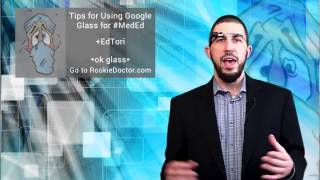
A short YouTube talk by Dr. Ed Tori (rookiedoctor.com) introducing how Google Glass can be used in medical education. He emphasizes social acceptability and privacy—advising users to check institutional policies and obtain waivers before recording near patients—and recommends practical uses such as recording informal attending teaching moments for later review and using Glass in Google Hangouts for remote, live demonstrations.
Chapters
Hey, this is Dr. Tory with rookiedoctor.com I want to go over this technology, Google Glass, and how you can use this or other technologies like it in your training and in your. In your education. Now, let me start with a massive disclaimer. This is not yet socially acceptable. I mean, imagine having a conversation with somebody holding your phone up like, hey, yeah, how's it going? Okay. Yeah. Huh. And so, oh, so how'd you do on that last test? And blah, blah, blah, right? You would not feel comfortable. Well, the same goes for Google Glass. Sometimes people don't feel very comfortable when others are wearing it. How still might we use it in our training? The first thing is make sure you're allowed to use it. Make sure you're allowed to use it in the hospital. And make sure. Or hospital or training environment or wherever you are, the classroom, you know, the clinic, whatever. I would assume that you're not allowed to use it near patients. You would certainly need a waver and all that stuff. And I mean, not only if you don't show them through glass, but it also picks up sound, so you have to be extremely careful. But where might you actually use it where it could be completely awesome? Let's say, you know, you're on a rotation somewhere and there's a particularly awesome attending that you have, and they pulled out some paper from the printer or something and started drawing on it and saying, you know, oh, here, you know, this is how you read PFTs, or this is how you read the, you know, flow, volume loops or whatever, right? So you're. As they pull out the paper and they start drawing, you say, oh, excuse me, Doctor. So. And so, is it all right if I just put. Put this on glass so that I can record this? A, I can look at it later. B, I can share it with the rest of the people in the program. And C, maybe you can use it. Maybe you can save it. And the next time you have to teach this or have to run to something, maybe you can give it to the fellows or the. Or the residents or med students. Let them watch it while you're taking care of something else. So it'll save you some time. Is it all right if I just do this here now, again, making sure you're not in an environment where it would be awkward to record, but you could record with glass. Just say, okay, Glass, record. You know, record a video, and then it will start recording. And mine did not start recording. That's good. I had that turned off. But you can record a video and record a video of the actual teaching session and, and then you have it for later. Another way is what if you could have a Google Hangout where you have a study group. Maybe you're going over something and one of you has to demo something or show something. Maybe one is in the anatomy lab and the others are not. Or maybe one is at an away rotation and has something awesome there that others have never seen. Maybe you've never seen the DaVinci robot and you want to see what that looks like. We, well, you could have a student there at the robot or someone else, a student, a fellow attending, whatever with Google Glass on as they see, as they look at things, you see it in the hangout. So that's another way you can use it as sort of like tele education, telestudying, telestudy groups, you know, have it across. Across a Google Hangout and so have others see what you see. This technology can transform your education, your training and your learning. So if you have it and you have access to it, make sure you're using it in a good, productive way. Not to get pinged with random distractions, but rather to produce great content to capture great moments in your learning and without sacrificing the actual moment and being present. Okay, so that's how I would recommend using Google Glass. Record those awesome talks that are off the cuff by an amazing attending and use them for Google Hangouts when you want to share an experience or a learning point with someone else remotely.