Breakthrough Dropbox Hacks for Your Mind and Team | 8 Minutes Practical Insights
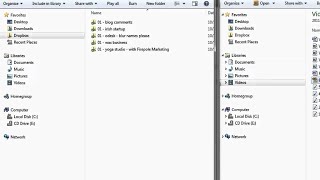
Evan Carmichael shows how he uses Dropbox for family photo sharing, collaborating with his marketing manager Maria and video editor Saad, and syncing files across devices. He pays $9.99 a month for 50 GB while his team uses the free 2 GB tier.
Chapters
Hi, I'm Evan Carmichael. Welcome to another business tools video. Today I want to talk about one of my favorite tools to run my business, and it's a service called Dropbox. So I'm going to scroll down to Dropbox. You may have heard it before, but I'm going to tell you how I use it, and maybe there's a couple insights that you can use from it as well. So let me load that up. So this is Dropbox. You can create an account. Basically what it does is it's an extra drive on your computer, and it allows you to share files with other people that you would need to share files with. So I'll give you a couple examples of what I do. So I'll load up here. So this is my Dropbox. And on my Dropbox I have different categories, so business, personal, salsa, etc. And I'll show you how I use it. So the other people have to have Dropbox for using this. So on a personal example, I have a folder that I call Dad, Mom, and Evan, and my parents have signed up for this account as well. And basically what happens is we use this to share pictures. So I have a young son just over 2 years old, and they'll often take care of him and take pictures, and we'll take pictures, and everybody wants pictures of a young child to, you know, add to their collection. So what we'll do is we'll put it into this Dropbox folder whenever we've taken new pictures. And what that will do is if I put pictures up here into this folder, it'll automatically download it to their computer. And then what they'll do is they'll take the pictures off and it'll store it in a different folder and it'll remove it from this folder. And so you'll see that it's empty because we've already taken the pictures out. This is a great way to share pictures. You don't have to ask them to click on a link or they don't have to wait for a long download. Dropbox automatically loads when you turn on your computer and it automatically starts downloading any new files that have been added to your shared folders. So if anybody's added pictures or documents, it'll automatically start putting them onto your computer so you don't have to, you know, wait and click on different links that come in. I use it for other personal reasons, so, you know, wedding pictures. We took pictures at a friend's wedding and added pictures in there, and so they can go in and download those pictures. Father's Day songs, all sorts of stuff. So that's personal side. On the business side, I use it a couple ways. So here's one example, and I tend to capitalize the ones that are shared folders so that I know who I'm sharing it with. So Maria is my marketing manager. If you click on any of these files here, this is a shared folder. So the one thing you have to watch out for is if I remove something from this folder, it also removes it from the folder on her computer. So you might want to have backups just in case. Or have clear communications as to when you can delete something. So with my parents, I'll send them copies of the pictures that I already have on my computer. So if they take it off, that's fine because I don't want to clog up that folder. So with Maria, here are some files that she's working on, marketing-related stuff for our business, and what I can do is I can load any of these files. So if I wanted to see what this interview document is, I can double-click on that, load it, Edit it, save it, and it'll save it in this folder, and then also be updated on Maria's computer. So as soon as she turns on her computer, she'll download the file again automatically, and it'll have all my comments in it. So instead of sending attachments back and forth, it's an easy way to edit files, share files that can help you with your business. So we tend to keep things in here, and Maria doesn't usually delete too much unless we don't need that those files anymore. So I can easily see the files that she needs my feedback on. She just puts it in Dropbox. The other way that I use it in terms of sharing files is with Saad, who's my video editor. And he's somebody who I hired through oDesk, which is another service that I love using to outsource tasks. And what I'll do here is, so I'll create these videos, and I'm not the greatest video editor. It takes me a long time, and I'm not really good at it, so I hired Sohail who's really good at it, and what I'll do is I'll create the videos and I'll put them in my Dropbox, and what happens is they automatically get uploaded to his computer so he can then download these automatically, and whenever he's done with it, he puts the finished version back into the Dropbox as well. So I can see here that there are 1, 2, 3, 4, 5 different videos that he's still working on that I've done. And he's finished one about Pierre Oubiniar, who's the founder of eBay, for Clientellus that I'm working with. So what I'll do here then is I have the folder also on my computer, so this is out of Dropbox, and I will drag that finished file in here so it's ready to be uploaded, and then I'll delete the source code stuff from his folder because we don't need that anymore. And it's a great way to be able to manage documents. So when we first started, he would send me files and I would have to send him files and zip it up and unzip it, and it just became a huge headache. But for this one, it's great because whenever I finish recording new videos like this one, I'll save it, I'll put it in here into my Dropbox with him, it automatically goes to his computer, he'll work on the files, he'll put it back in here, and I can just drag it over to my local folder outside of Dropbox and use it, which is fantastic. So perfect to share files with outsourced workers as well. Now a couple other ways that I use it, if I go back to my Dropbox, you can also have a public folder, and this is information that you want to share with the world if you want. So on my individual folders, if it's my parents or Maria or Saad, those folders can only be shared with those people. So I invited both my parents to to join me on my, that folder with my parents, and only we can access it. If I want to then share information with the public, you can put it in your public folder. You can see it's got a special little globe icon in there, and you can put whatever you want in that folder, but it's going to be accessible to everybody. So if there's files that you want everybody to have access to, you know, maybe you don't know how to upload it to your website, or it's too time-consuming, you can just put in your public folder and then send them a link to those files to anybody who you're working with who may not have Dropbox. And then the last way that I use it is I use it as my own personal storage. So most of the folders that you'll see, if I click on my business, they're not shared with anybody. It's just my personal online storage. So instead of using a backup program, Dropbox is my backup. So I put all my new files in Dropbox so I can access them from any device. So if I have my iPad, I can get all my Dropbox files. And if I have a computer at office and the computer at home, I can just sync them up. So if I go to the office, work on some files, save it, by the time I get home and load up my computer, it'll download all the changes that I've made. I can also access it remotely. So if I go on vacation, I can just log in to any computer and find all the files. And if you do then decide to upgrade your computer, all you have to do is install Dropbox and it'll automatically get all of those files for you instead of having to move to a zip drive or whatever and then get it over to your new computer. So I find it super helpful to back up my files as well. So those are the, the 3 main ways that I use it. So to share with other people, friends, family, and business, to have a public folder that I can share with the general public if I want to, and then as a backup system for all my files. So I hope you guys find that useful. If anybody is using Dropbox, maybe there's a couple of new ways you can use it. If you haven't used Dropbox, go check it out. I'm sure you'll get a lot of benefit from it. I've mentioned some of it here. It's free for up to 2 gigabytes, so my parents are on that free plan, Maria is on that free plan. Since I use it a lot more, I share with a lot of people, and I use it as my backup system, I'm on the 50 gigabyte plan for $9.99 a month, so still pretty cheap and super helpful as I use it to run a business. So hopefully that helped you guys. If you like the video, please give it a thumbs up. I'd also love to hear your thoughts and feedback if you want to leave a comment below this video, and stay tuned for the next episode.
More from Evan


How the Biggest Mistake in History Created A Trillion-Dollar Empire | Sergey Brin



9 Machiavelli Principles That Force People To Respect You | Machiavellian Philosophy



The First 10 Words That Instantly Ruin A Sales Conversation | Vanessa Van Edwards

The Top 1% Mindset Behind The First $5 Trillion Company | Jensen Huang (Nvidia)

