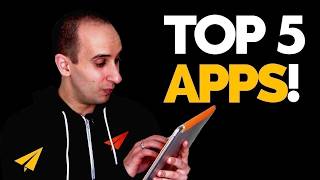
Evan Carmichael runs a 15-person remote team with no office and shares five apps that power his workflow: Gmail with a two-folder system, Evernote for notes and travel notebooks, Feedly for RSS feeds, Dropbox for file syncing, and YouTube for engaging with comments on his tablet.
Chapters
How mobility affects my business. So when I started this business just over a decade ago, I felt like I needed to have an office and a team and a place for everybody to come work every day. Fast forward a decade, I've grown my team to 15 people, sold my office, and everybody works remotely from around the world. I get as much work done on this and on this as I do my regular computer. So when Stephen Kelly, the CEO of one of my favorite companies, Sage, tweeted me asking me about how I use mobility in my company, I had to make a video response. Not that long ago, I did a Thank You Thursday recognizing one of the social media managers at Sage, Greg Tirico, as well. So I thought I'd share with you the 5 apps that I use every day on my tablet to improve my productivity and how you can too. The first one is Gmail. Now, it's not surprising to have an email app on your tablet, but I use Gmail a little bit differently. You see, I have 2 folders on Gmail. One folder is for all my important contacts. That's my team, my family, my customers, media. Stephen, if you were to write to me, you would go to that important contact folder. And I check those every single day from my laptop in the morning. Everybody else goes to a general folder, and I only answer them from my tablet. I answer them when I'm shopping with my wife at a mall. I answer them when I'm standing in line at the Department of Motor Vehicles. I answer them when I'm bored. And yes, I answer them even in the bathroom. I find it's a huge productivity boost for me that I get my important emails out every morning from my computer, and then having that general inbox for everybody else, answering from my tablet. My second app is Evernote. I keep a lot of the information about my business and a lot of the day-to-day tasks in Evernote. It's a great way to keep notes, remind yourself of things that you have to do, and keep on top of the activities that are happening in your business. Whenever I'm on the go and I have an idea, I'm launching a new Evernote note and I'm writing it down. Whenever I'm meeting somebody at a coffee shop or at their office, I'm bringing my tablet and I'm opening up an Evernote file to take notes on our meeting. That note instantly gets synced with not only my tablet but also my laptop and my computer, so I have access to that information anywhere that I go. I also have shared notebooks with people on my team as a to-do list so I can see what they're doing, what's coming up next, and how the progress is. And the mobile version is great when you're traveling. I'll open up a new notebook for every city that I'm visiting and keep track of everything that I have to do in that city, people I'm meeting, destinations I want to go to, restaurants I want to check out, all available at your fingertips. Evernote is free as a basic package, and I'm on the premium version, which is maybe $5 or $10 a month. My number 3 app is Feedly. Feedly is a free app that lets you aggregate your RSS feeds. So if you're a subscriber to any blogs or news websites, you can get all of their updates through your tablet. I used to use Google Reader and I loved Google Reader, but they cancelled it! Google! Why did you cancel it? You're killing me! But luckily Feedly was here to save the day. So I'll use Feedly to stay on top of my favorite blogs and news, and usually it's when I'm bored, and usually before going to bed, I'll usually pop up my tablet and read up on all the information I missed during the day. The number 4 app is Dropbox. Dropbox is a really cool way to be able to sync files and folders across multiple devices. So kind of like Evernote, but instead of just sharing text files, you're sharing actual big files. So for example, if I had a big presentation downtown, I could make a PDF on my computer, save it to Dropbox, and then just bring my tablet with me and load it here, and it'll be automatically synced. Just like Evernote, I also share Dropbox folders with people on my team. They could drop files in there, I could drop files in there, and anytime I want to pull them up, they're available on my tablet. On my laptop, or on my desktop. My number 5 app is YouTube. YouTube has quickly become my favorite place to be on social media. I like it because, one, the content seems to last longer. A video will last a lot longer than a tweet or Facebook post. And I just love the audience and the community that are on YouTube. My favorite part of my day is waking up every day and going to my laptop and pulling up YouTube and responding and seeing all the comments that come in. But it's starting to get out of control. I get so many comments, and I love you guys, keep commenting away, I love it so much. But I'm running out of time. I know probably at some point I'll have to give up the comments because right now I'm responding to everybody personally. If you see a comment coming from me, it's actually coming from me. So I find that having the YouTube app on my tablet as well gives me extra time to be able to respond to your comments because I love hearing from you guys. Now as a bonus app, I'm gonna throw FieldRunners in there. FieldRunners is a game that my wife has become obsessed with. I almost don't get to see this thing anymore because she's using it so much for FieldRunners. So if you want to make your wife happy, download the FieldRunners game and have fun with it. But you may not see your tablet again. So that's how my business has gone mobile. Steven, thank you for the great question and congrats on running such a fantastic business. For those of you watching, I'd love to know what are the must-have apps that you use on a regular basis. Leave your favorite apps in the comments below. And if you like this video, continue to believe and subscribe to the channel. Thank you guys so much for watching. I'll see you soon. Sign up for the newsletter for more Believe!