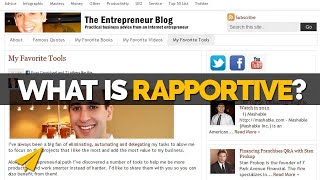
Evan Carmichael walks through Rapportive, a free Gmail plugin that pulls contact info from Twitter, LinkedIn, and Facebook into your inbox sidebar. See someone's photo, job title, recent tweets, and social profiles without leaving Gmail, making it easier to research prospects and build relationships before you email.
Chapters
Hi, I'm Evan Carmichael. Welcome to another video. Today I want to talk about one of my favorite tools that I use to run my business, and it's called Rapportive. And what it is is a Gmail plugin that tells you more about the people who are in contact with you. So there's a Gmail version, there's also an Outlook version, and let me just go search for Reportive. So this is my page of my favorite tools that I use. I showcase it on my blog, and Reportive is one of them that I use. So Reportive is for Gmail. You can use Xobni for Outlook, which I used to use. I think Xobni has come out with a version for Gmail as well, but I'm kind of stuck on Reportive. I'm hooked. So let me tell you a little bit more about what Reportive does. Click on the link, load it up here, and what it does is if you guys are used to Gmail, you'll see your normal Gmail here on the side, and then this will usually be a bunch of ads. So what it does is replace the ads with information about the person person who is in contact with you. So I'll quickly show you what it looks like on my Gmail, and hopefully I don't give away too much personal information here. So I'll click on Maria's first. So Maria is somebody who works for me, she's my marketing manager. And what you do is you see, you know, my email from Maria here. On the side, it'll show me information about Maria. So instead of seeing ads, it'll show me Maria's picture, email address, where she is, her position, her Twitter account and recent tweets. So if you want to connect with them, you can read a little bit what, what they're tweeting about. You can write back or just learn a little bit about them. You can see them, uh, if you're on Facebook together, you can see if you're on LinkedIn together, etc. So we are friends, we're on LinkedIn. You can hover over and you can see some of her Facebook comments, LinkedIn as well, we're connected, and Twitter will show within your stream here. So it's, it's pretty cool that it shows you detailed information about them instead of having to go search for them yourself online to these various accounts, and it's way better than just seeing ads. So let me go back. So that's Maria. Let me load up Louis. So Louis is a colleague of mine. He runs his own business, Last Minute Training. So here it shows again his picture. It pulls the picture in from various sources. This is pulling it in from LinkedIn, and we can see his picture here too, and we can hover over, see some information. But here's his picture, again Toronto, his company, his Twitter account, which I'm not following, so I will have to follow. And just like that, I'm now following Louis on Twitter. We are friends and we're LinkedIn connected as well, so that's great. And I'm one click away from being able to go to his Facebook page or LinkedIn page if I want more information on what he's doing. So again, way better than seeing ads and gives me a little bit of information on who this person is. Now I know Louis well, which is great. It's super useful as well when you're being contacted by people who you may not know as well. So potential customers, prospects, media— if you show information on them, it gives you a little bit better understanding of who they are and maybe some details about their lives, which might help you in closing the deal. So maybe we'll look at one more just so you guys get the sense. Let's click down here. So this is a out-of-office reply. So even though there's no actual email here besides out-of-office, it'll still look up this information. So here's Francis Fernandez, you know, president of this company, Exclaim Solutions. It'll show his Twitter. I'm not following, so again I can just follow if I want. It'll show recent tweets. So, you know, "Stayed away from booze for 45 days when I quit smoking." That was a big one for me. So he's proud that he quit smoking. Smoking, that's something I didn't know about him. So now I have information that kind of gives me greater insight into Francis's life. And this is a public tweet, so hopefully there's no issues there. And we're not connected, so I can connect if I want. He has a Flickr account. And just basically, you know, it's a great aid just to see pictures of people, see what they look like, I find, when everything's in an online world and, you know, we're getting so much email. I like to be able to see what people look like. And then be able to get deeper into some of their information, be able to one-click follow people, respond if I want, I can reply directly through here, I can retweet if I want, I can click right onto that tweet, and it's free. So, you know, best word for entrepreneurs, it's a free tool and it replaces all the ads, so there's really no lose for installing Rapportive in on your Gmail. Again, here's the link. If you go back to my page of tools, I link to it, and also Xopni, which is the Outlook version, which I really enjoyed using when I was on Outlook as well. So hopefully that gives you a useful tool to test out and put into your business. If you guys like the video, please give it a thumbs up. I always appreciate it and love seeing the thumbs up coming in on the videos. And if you have any thoughts or questions, please leave a comment under the video. I'll do my best to answer them and maybe make a video just for you. So thank you and stay tuned for the next episode.