Never Forget a Password Again: How LastPass Transforms Your Online Security
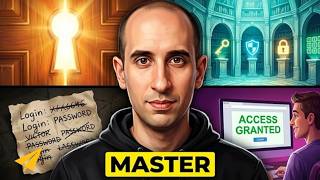
Evan Carmichael walks through LastPass, a password manager that stores login credentials and auto-fills them across devices. The browser extension generates strong passwords, syncs your vault to desktop, laptop, and iPad, and locks everything behind one master password.
Chapters
Hi, I'm Evan Carmichael. Welcome to another edition of Entrepreneur Tools where I highlight some of the favorite tools that I use to run my business. Today I want to talk about one of my new favorite tools called LastPass, and what this does is help you remember your passwords across all your different pages for your different accounts and also helps you create secure new passwords that it remembers on its own automatically. So this is my page of favorite tools, and I'm gonna just quickly find LastPass to show you guys what it's all about. The two problems that I found, uh, especially when you're creating a whole bunch of different online accounts, if it's Twitter or LinkedIn or whatever services you're signing up for, the more services I signed up for, I found that I was either using the same password over and over and over again, which wasn't really secure way to do things, or I would try to create unique passwords, but then I wouldn't always remember what they were, and I'd have a Notepad file to try to remember everything, and then it's searching through that file. So what LastPass does is automatically remember the passwords for you and will also help you generate new passwords that are more secure when you're signing up for new services. So I'll give you a quick look of what it looks like. I'm using Chrome here. When you are signed into whatever browser you're using, you'll see that there's a little LastPass extension at the top. So this is my LastPass here. It means that I've signed in. It's called LastPass because you still have to actually remember what your LastPass password is. So you have one password to remember. That's how to log into LastPass to access all your passwords. So you just have to install the extension. If you're using Chrome or Firefox, you can easily put it in. And that means now I'm logged in, it recognizes me, and every time I sign into a website, it'll keep track of the password if I wanted to. So why that's helpful, let me load a new tab here. I'm gonna go to my dashboard. And what I'll find here, these are the tools that I use on a regular basis to run my business. And I can log into any of them without having to remember my password. So, uh, let's take a look at Buffer, for example. Buffer is a great way to, uh, schedule posts to your social media. So I'm not logged in here yet. What I'm going to do here is just click Use My Buffer Account. Oh, and it automatically logged me in for me. Again, that's using LastPass. Let's see if I can slow it down a little bit for you guys here. So I'll sign out. I'll click on the Use Buffer Account. And what's going to happen here is it's going to remember my email and then remember my password. And this little star means LastPass. And you see it matches the symbol above. So it automatically remembered what my password was, 'cause I don't remember what it was for Buffer. And then I can just click sign in and it automatically remembers me and it'll bring me into my account. And you can see I've got a few videos scheduled to go up to my Twitter account. So again, really easy way to remember your logins. I'll do another quick example for you guys. Let me go to my Hootsuite. So Hootsuite is another tool I use to manage my social media. Click on yesterday's tweet. Hootsuite, and you'll quickly see a login. Sometimes it's really fast, which is great for you as a user. You don't want it to really slow down. See, it automatically pulled my email and password and it logged me in without me having to do any clicks or anything. It automatically took me right to my account, and now I'm logged into Hootsuite and I can check out all my different streams and do whatever I wanna do. So it's a great, easy way to automatically log in to all your different accounts. Now what's gonna happen is when you sign into an account for the first time, a little pop-up will come up and say, "Do you want LastPass to remember this password?" So you have the option to enable it, yes or no. If you don't want it to remember, if you have your friends coming over and they're using your computer, you don't want to remember their passwords, then you can turn it off. But for the most part, I always want it turned on and I want it to remember all my passwords to be able to log in. The next thing that I find it really helpful for is to create new secure passwords for new sites that I want to sign up for. So, let's do a Google search to find a program to sign up for. I think I clicked on one here, yeah. So here's one that I wanna sign up for. Say an example, I don't know who these guys are, I'm just using a dummy case. So this is to sign up for a reseller program. This could be anything. This could be a new LinkedIn account, a new Twitter account, any new online service, basically any website where you have to have a login and password. LastPass will help you generate a new password that is secure. So, if I'm, you know, say I want to sign up for these guys and become a reseller. Disclosure, I have no idea who Resellers Panel is and I don't recommend what they do. Just using an example. So here, if I now have to create a user login name and password, I can click on my password and you'll see that this new tab just popped up here. And this is from LastPass. It says you create a new account. You can use Generate. So what I can do here is I can either create my own password or I can have LastPass automatically create one for me. If I click Generate, it'll come up with a nice, you know, unique password that is pretty strong, a combination of letters and numbers and uppercase and lowercase, and that's great. Like, I would never remember that, but LastPass is gonna do it for me. I just click Accept and it usually brings it back into here. So I think it's because I— oh, there we go. So it shows it, uh, it automatically inputted into both the password and retake password, and then as I log into the site, it'll automatically save it for me, and I never have to worry about what my password is for this new service. Now I'm not actually going to sign up, but just so you get the idea of how it works, it's a great way to create new passwords. Now if you, you know, are on a different computer and you need to find out what your password is for a certain program, you can always go to your LastPass and you can sign in. And this is the one password that you actually have to remember. So see, as I sign in here, it'll make me put in my password. I could type that in, and it'll show a list of all the different accounts that I've used on LastPass. And you can see I've got a lot of different accounts passwords that I have saved with my LastPass, so it's great. And if I ever need to log into any of these and see what the password is, I can easily just by clicking on the link. So a great way, uh, if you're not on your computer, to be able to go in and find the password that you need. The last thing that I really like about LastPass and why I highlighted it on one of my favorite tools is if you are using multiple computers or multiple devices, it's a great way to transfer passwords in between your programs. So me personally, I use a laptop at home, and when I'm traveling, I have a desktop at the office, and I also use an iPad while I'm mobile. And when I create a new account on one computer, it automatically updates my LastPass across my other computer and across my mobile device, so my iPad. So it's great, so I don't have to actually remember it. So if you— for most passwords, there's an option within a browser to be able to remember it for you, but I like LastPass better because it automatically updates all of my different computers and devices. With an iPad, you have a special app that you load. It's a browser. It's the, it's the LastPass browser, and if you try to access any of your sites, it'll remember all of your passwords for you. And great idea because I found when I'm traveling and mobile and I have my iPad and it may not be saved in the browser history, I can easily get into all the programs and all the websites that I need to because it has my password So it's a quick way to be able to, again, remember all of your passwords and automatically log you into all your different programs. It's also a great way to generate new passwords that are secure so you don't have the same password for everything. And if you need remote access, you can always log in to find out your different passwords, and it's also awesome for multiple computers and across devices. So that's why I love LastPass. If you guys have used LastPass or are going to give it a try, uh, feel free to leave it in the comments below, or if you have a question, I always check out those comments and would love to be able to answer them for you. And of course, if you like the video, please give it a thumbs up below. It makes me want to do more of these videos for you guys, and hopefully these tools are helping you, give you new ideas to run and grow your business. So thank you, and I'll see you on the next episode.
More from Evan


How the Biggest Mistake in History Created A Trillion-Dollar Empire | Sergey Brin



9 Machiavelli Principles That Force People To Respect You | Machiavellian Philosophy



The First 10 Words That Instantly Ruin A Sales Conversation | Vanessa Van Edwards

The Top 1% Mindset Behind The First $5 Trillion Company | Jensen Huang (Nvidia)

