Webinar - How Evan Works
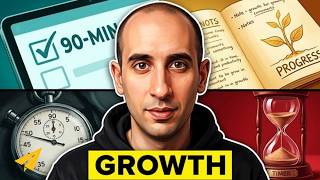
Evan Carmichael shares five habits to work fewer hours while growing a business: eliminate unnecessary tasks, batch similar work into 90-minute blocks, automate with tools like OneNote and SkyDrive, delegate to interns and freelancers on oDesk and Fiverr, and join mastermind groups. He answers live questions on email, scope creep, and hiring strategies.
Questions this video answers
Search online for local groups; if none exist, create your own by reaching out to entrepreneurs, using a structured format, and possibly referencing Brian Scudamore’s example.
Usually 1–2 weeks depending on budget; higher budgets allow longer contest periods.
Use OneNote to scan receipts (paperless), share meeting notes with the team, and store personal info like travel plans; it syncs across devices.
Install the OneNote app for full functionality or use the web version for quick access.
When clients add new work, propose either a price increase or removal of other items, and build buffer time into contracts.
Chapters
Hello everyone. We are going to get started in a couple minutes. I'm really excited to do this webinar with you guys. I'm going to be talking about how I work, some tips on how to shorten down your work week and get more stuff done. I notice there are a number of people here who have just joined us. I know a number of people are still going to be joining us call. I'm curious. We have a couple minutes before we actually get started. For those of you who are tuned in and who are on Twitter, you can ask questions with the hashtag #AskEvan. And we are also going to be keeping an eye on the chat room here, so there is an opportunity to write in some messages. I guess I want to know what some of your big challenges are. If you guys have a few minutes right now before we get started, feel free to leave a message using the #AskEvan hashtag or in the chat room itself. And what is your biggest challenge around productivity? What's the biggest problem you are facing right now with your crunched work week? And hopefully I can try to address some of these things when we go through the presentation itself. So I am going to keep an eye on the Twitter feed as well as the chat room here, and we will see what kind of questions come up. I would love to tailor it to you guys, and I am excited. This is one of the topics that always gets me excited to talk about. I know productivity is such a big important issue for a lot of entrepreneurs. So we are going to get started in 1 to 2 minutes. And again, if you just want to leave some questions using the #AskEvan hashtag or through the chat, I am going to check those out as we go along. We're going to start answering them for you. I see a number of people are already starting to write in with some questions, so that's great. Yes, one quick mention, if you cannot, if you are having problems seeing the messaging here, seeing the presentation, we have a phone number that you can call in as well. If the audio is breaking up, you are having a hard time hearing, you can call in The message has just been posted in the chat room. All right, so we are going to get started. Welcome everybody. One of my favorite topics, How I Work: An Uncommon Guide to Outsourcing, Masterminding, Going Paperless, Working 20 Hours a Week, and Rapid Business Growth. It's awesome to see everybody here in the chat window. And again, if you have questions, put them as they come up using the hashtag #AskEvan. So let's get started. I know productivity is one of the biggest issues facing a lot of entrepreneurs. We're all working crazy number of hours, 80, 100-hour work weeks trying to get our business off the ground. We're like this woman here who's chewing down at her computer. I was the same way with my first business. It was a software company. I was putting in crazy hours. Often we don't make any changes until something breaks. And for me it was with my girlfriend at the time. She had her own business. And I remember we worked all day, we worked all night, and we made an agreement with each other that we had to be finished work by 11 o'clock at night so we could spend a little bit of time together. And we thought that was normal, but that's crazy, right? That's crazy to work all day and all night and only have a little bit of time at the end to be able to spend time with your loved ones. Eventually things changed for me. It wasn't a huge split-second break and I learned some techniques that I want to share with you guys today that I've learned over the years but hopefully you guys can implement really quickly for your business. A little bit about me, I know most of you guys already know. Where is, uh, where is he? Yeah, I'll fix it. He is. He shouldn't be muted. Is he dialed in? Oh. I'm noticing a couple of comments here, people having a hard time hearing me. It's back now, Evan. Oh, okay. You can hear me? Perfect. I don't know where I lost you, but we are going to keep going on. So I'm excited to do this presentation today. It's in partnership with Microsoft. And I'm really excited because when I had my first business, again I was 19. It was a software business. And I struggled to get things going. I was pulling out $300 a month, and that's not enough. And I was at the breaking point where I had to figure out what I'm going to do. Should I keep going? Should I quit? And one of the things that changed my business around was realizing I'm not the first guy to try to sell software before. And I modeled the strategies of Bill Gates from Microsoft, and that helped save my business and eventually allow us to build it up and sell it. So I've always been grateful to Microsoft for I guess the opportunity to copy their strategies and make them work for me. So a bit of a full circle moment here to be working with Microsoft in partnership on this call. So again, questions as they come up, feel free to either put them in the chat window or at the bottom we have a hashtag #AskEvan that you can use on Twitter, and I will be answering them as we go along. So habits, let's get started. I want to talk about 5 habits that can dramatically change how you work in your business. These habits are all centered around the idea that you shouldn't be doing most of the work that you are currently doing. And there are a number of ways to break that down. But really, at least 80% of the stuff that you are doing right now, you shouldn't be doing. Either you shouldn't be doing it at all, or tools can help you do it, or people can help you do it, but it shouldn't be you doing it. And we are going to break down how that can actually help you. The first one is eliminate. So look at all the tasks that you have that you do on a regular basis, daily, weekly, monthly. A lot of those can just be flat out eliminated. You've got to think where is your time best spent. And as an entrepreneur, we're often doing everything. We're the janitor all the way up to the CEO. And you need to make sure that you have time, I call it CEO time, to spend on growing your business. That means you can't do some of the other tasks. So look at the tasks that you're currently doing and strike off at least 20% of them because they're not adding value to your business as much as other ones are. You're going to have some small losses. You've got to stop doing a lot of the tasks you're doing with your company. An example, I run mastermind groups here in Toronto. They're for Toronto entrepreneurs. We get together once a month, talk about our businesses, try to help each other out. I used to keep detailed notes, meeting notes, and send it to everybody after to say, "Here's what we talked about." And one month I was really busy and I forgot to do it and nobody cared. And I was like, "I'm doing all this work, you know, taking these detailed notes and sending it to everybody and nobody cared that, you know, I didn't do it for that month." And so I stopped doing it and still nobody cared. And so there are a lot of these types of tasks that we have in our day-to-day lives as entrepreneurs that we feel is important, but is not actually important. And so that's what I want you to focus on and eliminate. Next is chunk. Chunk is a huge time saver. And the idea here is any tasks that are similar to each other, you want to do at the same time. So anything that you do once a— like anything you do multiple times a day, you want to try to do once a day. Multiple times a week, once a week. And multiple times a month, once a month. So an example is email. A lot of us get bogged down by email. And if an email comes in, you stop whatever else you were doing, answer the email, and then get back in the flow of what you were doing before can take you 15, 20 minutes. It's a huge productivity suck. So with email, try to do it once a day. Try to find a dedicated time. That's when you do your email. and then you spend your time doing all the other more important tasks during the rest of the day. Don't try to multitask because it will massively decrease your productivity. What I do is I have 3 focused 90-minute chunks per day. 90 minutes I chose because that seems to be the amount of time that you could focus your brain in its peak on a certain activity. After 90 minutes you start to lose focus. And so I do 90 minutes to keep my brain active. It lets me stay focused. My typical day I've outlined here. In the morning is my personal time. I'll start usually at 1:00. I'll do email. 2:30 is my CEO time. 4:00 is a quick break. 4:15 project work, and then I'm done. So this is 3 focused 90-minute chunks per day. That doesn't necessarily have to be you. You could do 4 chunks or 5 chunks, but the idea of chunking your time together will massively increase your productivity. So your chunks, try to figure out what you're going to do every day. So for me, I'll start the email in the afternoon. Different days I have different things. So Wednesdays now are my video days, so I'll do things like this which is a webinar for you guys, or I'll film videos for my YouTube. Thursdays would be my meetings, so I'll meet people on Thursdays, phone calls, get-togethers. And what it also does is put you in that mindset. So if I know I'm going to do videos for the day, then I'm ready to go on my video mindset. If I know I don't have to meet anybody for the day, I don't have to get dressed up. I can go to work dressed down if I want. And it allows you to get set up for the day and do everything back to back to back. Back instead of switching gears constantly which will force you to lose your productivity. I try as much as possible to build a no-crisis business. So I try not to react to things that are coming in and try to make everything a proactive decision. And that also involves working with clients who are not emergency clients. What you're having to do is you're you're going to lose some things. You're not going to bat 1,000. And you have to recognize that it's okay to lose some things because you're going for the greater good. So here's an example of one. This is a TV show that they wanted me to guest speak on. It could be a great opportunity for me, but they wanted to do Monday mornings. And I can't do the mornings. So the mornings I had is my family time. And so I wrote back saying I couldn't do Monday mornings. I have other commitments. Do you film other days? And they said no. So here is a situation where we couldn't get our schedules to sync, and I lost that opportunity. But for me, having that family time or whatever else I have scheduled in is really important, and I don't want to lose my schedule because that allows me to be ultra productive. So while I am losing out on some minor things, I get to focus my time that I do have on building up great things. So I'm losing out on minor things but going for the big gains. And here are some examples of things that I've done in the past couple of years. I built my own house from scratch. I created a line of famous entrepreneur trading cards. I do a lot of salsa dancing, 20 to 25 hours a week, so just as much time dancing as I do on my business. I work with some branding clients like TELUS and Microsoft, and we partnered up with guys like Donald Trump and Zig Ziglar Michael Gerber, and the list goes on. And that's not to impress you, but to impress upon you that it's possible, that by focusing your time and not saying yes to every single potential opportunity, you are able to go after the bigger wins. And you have to be able to accept that you are not going to get everything and you are going to lose some minor ones. I'm going to break down quickly the day. So if I do email, That includes everything that relates to the email. So it's not just answering email, but a lot of times there is email with attachments you have to go through, or proposals you have to go through. I include that in my time. Not everybody gets a response within that day, so you have to figure out who you are going to respond to in that day. And you can also have your team responsible for having good customer service. One of the biggest rejections I guess I get from this comment is, "Well, I want to have a fast customer service experience for my audience," which is great. You want to have that for your customers, but it doesn't necessarily have to be you who is doing it. If you spend all your day on email, you're not going to be able to manage to get anything else done besides email. CEO time, this is working on your business. You have to make time for this. This is big picture, how I'm going to grow my business. If you don't do this, then you're always going to be caught on the treadmill, just running, running, running, running, and nothing is happening, or it's very slow growth. So you have to make sure you carve out time and respect it. It's your most important time of the day. You have to make sure you have time for it and not let other things get in the way. In general, it's easier to do earlier in the day. The things that happen earlier in the day are more likely to get done, and you also typically have more mental energy to help you get through it. But you have to make sure you have time for that. I have a break, 15-minute break, just get away. I also found this picture online of this baby, and I needed to find a way to use it somehow in a presentation. But just do something else. Switch gears. Get outside. Walk around. Just take 15 minutes off in between so you are not going to fry your brain out in between tasks. Then the last chunk is project work. So this is working in the business tasks that still require my involvement. So it might be doing some videos, or doing this kind of webinar presentation, things that require me to be in the business, but it's not necessarily the big picture CEO stuff. It should still be high level. It should still be something that you can't delegate to your team. If I promise to do this webinar and then I send somebody from my team, you guys probably wouldn't be too happy with me. So it still requires me to be there, but it is still pretty high-level stuff. Here is the exception, flow. You know when you are really feeling it, you are really feeling the work, you are in the moment, you are in the zone, time can fly by. If you are really feeling it in the flow, and you're in that zone, then I recommend keep going. And I bust through whatever other commitments that I had. The trick here is not to fool yourself. You don't want to say, oh, I'm really in the flow on these emails, so I have to keep going doing my emails. You know, you'd like to think that you're always in the flow, but it doesn't happen that often. It's not happening to you every day. Or if it is, then congratulations, because it doesn't happen to me every day. There are only some times when I'm really in the flow and I'm working on something and I don't want to give it up. And so I'll keep going with it. But otherwise, I stick to my pretty rigid schedule and it works. Number 2, don't answer the phone. Unscheduled phone calls is other people's agenda for your time. I never answer the phone unless it's a scheduled call. Usually I'm the one doing the calling. It's the fastest way that you can lose track of your time. People call up, you have to answer the phone, you've got to do whatever task they want you to do, and then you've lost focus from whatever you were doing before. This is the back of my business card. My phone number is not on my business card. Most people don't know my phone number, and it almost never rings because again, most people don't know it. So I have my email, I have my Twitter on my business card. But not my phone number. Now again, it doesn't mean that your team can't answer the phone. If the phone is an important part of your business, your team can still be responsive in answering the phone, but it doesn't have to be you doing everything. Schedule calls and meetings. So I have one day a week where I have my meetings. I leave 3 hours open. I always do the calling, and I'm always on time. When people call me, I find that they're not always on time. And if they're 10, 15 minutes late, what are you doing for those 10, 15 minutes? Nothing, you know, you're checking Facebook. They could be calling at any minute. You can't dive into anything super productive. So I always am the one who's doing the calling, and I'm always on time. So you have to respect that. If you're going to be doing the calling, make sure you are always on time. For meetings, as much as possible I have people come to me. And I chunk them together. So a lot of the meetings I have are at the Starbucks at the bottom of my office building, and I'll do back to back to back to back meetings. And so it's super convenient for me, and you are also in that zone of meeting people and being more outgoing than you usually are. I use a tool to help me with this called TimeTrade. And this is a cool tool that shows open spots in your Outlook. So you can load your Outlook calendar and say I have Thursday afternoons open, or Monday afternoons, or whatever slots you want to assign. And they can just pick it off and then it automatically updates your Outlook calendar for you. So it eliminates all the back and forth between does this day work, does this day work, how about here, how about there. And it also reminds them a day before. So if they book a meeting that is 3 weeks out, at least before I found that people often forgot about it. Then I might go to the meeting and they weren't there, or I would have to remind them a day before and say, hey, are we still on for tomorrow? So this tool automatically will then remind them the day before and say, hey, reminder, you are meeting Evan tomorrow. Here is the place. It also allows them to leave custom instructions. So if you want to put in, I'll put in for something like why are we meeting, just so that if we are meeting in 3 weeks you can leave a little note to remind myself when I go downstairs and meet you at the Starbucks, I remember why we are having our meeting. So here is an example. I have 2. One is an in-person meeting that is up to 60 minutes. The second is a phone call for up to 30 minutes. And I will send them this link and they can check availability. They can pick whatever time they want that works for them. And then if this is a phone number for example, what number am I going to call you at? And what are we discussing. So again, it makes it super easy to set up times in my calendar. It's free for 30 days, costs $30 for the year. There's a website, check it out. I'm not affiliated with TimeTrade at all. I just love their product. Number 3, automate almost everything else. So we've looked at eliminate. Now I want to get to automate, and the last one is going to be delegate. Automate is super important. There are a lot of tasks that you are doing that can be solved through technology. And as much as possible, you want to look at ways to be able to do that. In our company, any time I'm doing something more than 2 or 3 times, I'll look for tools to help me do it, either off-the-shelf tools that already exist ideally, or we'll custom code and create our own tools to be able to help us do it. So as much as possible you want to automate those tasks. Again, number 1 is eliminate. You don't want to automate a task that should be eliminated. Eliminate first, then work on automation. So there are a few cool tools that I want to talk about, and hopefully they give you some ideas for what you can do for your business. The first is called OneNote, and this is a tool that Microsoft offers. And what's really cool about it, the thing that first brought me to this kind of service was that it integrates with a special kind of scanner called a ScanSnap. And what it does is it scans all your receipts, all your documents, all your contracts, all your government paperwork, saves it as a PDF that you can do full text search on, and you can throw away the actual paper. So I'm running a paperless office which is amazing. You don't open up your drawers and see tons of clutter and things that you need to file away. Everything is automatically done online. It saves it on my computer and it also saves it remotely. So if I need to get access to it from a different device or from a different computer, I'm able to do it. It's great that it's full text searchable. So if you ever need to find something, you could just start putting in keywords instead of if you need to find some receipt or some document, you've got to go through your shoebox, or your drawer, or your filing system. It's just so much faster. So this is what got me hooked at the start. And there are a bunch of different ScanSnaps that you can use as well. There are different sizes. But then there are a lot of cool ways that you can use you can use OneNote to grow your business as well. I'm going to share a couple of them today. So the next one is for meetings. And again, the cool thing about OneNote is that if you have it installed on your different computers and devices, everything is automatically updated across all the devices as well as on the web. So for me, in my business I have a cell phone, I have an iPad. I have a computer at my office, a desktop. And then I have a laptop that I use when I am traveling and when I am at home. You can install OneNote and any time you update anything on any of your devices it automatically makes changes across all of your computers. So if I am traveling and I make a note, update on one of my OneNotes, I come back to the office, that has already been updated there as well. So one way I love doing it is with my team members in my company. So we are a virtual company. I have a physical office, but nobody works here except me. I have 8 people on my team. And I try to meet with them once a month to catch up, how are things going, what are they like, what don't they like, what are the next projects that we are working on, what are the priorities for the next month. And for each person on my team, I have a OneNote file. And we can share whatever we are working on. I can keep that updated. And then if I am meeting them when I am at the office, or if I am meeting them when I am at my house, I can automatically have that document updated. So think of it as a note-taking tool that is automatically updated across all of your devices wherever you are. It is also stored on the web so you can log in and get access to it even if you are not on your own computer. The last way that I really like it for is for traveling. And this is more the personal side, but I guess it is also related to business. Whenever I am traveling, I like to travel a lot. I like to take cruises and go see different places. I will always do research on the different places that I am going to. And I can open up a file in OneNote and create a new folder that might be 2013 Europe cruise. And in each one set a different note for each place that I am going to go to. And I will do all that work on my laptop or on my desktop and save it. And I can put maps on each place that I am going to and different places that I want to check out. Then when I actually get to the city I can load up my iPad or my phone, load up OneNote, and all the resources are right there. So I have the map of the city. I know where I'm going, different restaurants or stores to check out. It's all there within my hand. So it's such an awesome tool to use for traveling. And if I make a change on the fly there, when I go back to my computer it will automatically be updated. There are so many cool different ways to use this. And it's really thinking about it as an external brain for yourself. Anything you want to remember you can just shove into OneNote. And then it will always be there waiting for you when you need to get access to it. So I can go on and on and on, but we will stop there for a second and move on to a new tool. This one is called SkyDrive. And SkyDrive is a great way to back up your files and share files with your team members. So if you've ever lost your files on your computer, That takes up how much time to go in and try to restore the files, or maybe everything is gone. It's such a waste, such a waste of time when you lose your files. So with SkyDrive, the cool thing about this, again, you can have it across all your devices. So I have it on my office computer. I have it on my home computer, and then on my portable devices too. And it's a folder that is shared. So if I have a file that I'm working on at home and I know I need to go finish it up at the office, I'll just save it. You can save it in your SkyDrive folder. When you get to the office it's already there, updated, ready for you to work on again. So if you are working on an Excel file, or Word file, or whatever it is, put it in your SkyDrive folder and it's automatically going to be there. Now I also use it as backup for my whole computer. So all of my files, are in SkyDrive. So then if I ever switch computers, all I would have to do is install SkyDrive and all of my files automatically get dumped into there. So you have access to it from your computers, and you can also log in remotely. So if you are at your friend's house, or a client's site, you can log in and get access to whatever file that you need. So very, very cool. It saves a lot of time. The other thing you can do with it is share files with your team. So as I said, I have 8 people on my team. Nobody works here in Toronto with me. And we have to share files. We are working on proposals, projects, whatever it is. And so there are files that we need to share between each other. And email is such a hassle to go back and forth because you have so many different versions hitting each other. So you can set up a shared SkyDrive folder. So with each of my staff members, I have a shared folder with them, and we put all the files that we need to use in that folder. So I can always update it. They can update it. And we both have simple access to it. If I make a change, it automatically updates it on my staff's computer and vice versa. It's a great time-saving trick to really get stuff done. I also use this on the personal side. So I have a shared folder with my parents for example, And if I take pictures of my son and I want to send it to them, instead of having to shrink the files and put them in an email or send them via another website, I can just pop them into the SkyDrive folder. They can automatically download from their computer and they have it ready to go and they can do whatever grandparents do with their pictures. The last really cool thing about it that I love is you can get previous versions. If for example you deleted a file or you made a change that you didn't want to change, you can always log in to the web version and download the previous version. So this happened to me recently where my marketing manager, I asked her to make a change to a file and she updated tons of files instead of just one. And I needed the older versions of those files back. I didn't have a local copy. So you could just log in and say restore previous version. And you have it back there with you. So it's great when you are working in a team environment where you have people accessing the same file, maybe making changes that you don't want to make, or if you accidentally delete it, you can always go back and get access to it. That's all done online, so pretty cool tool. And the last one in terms of automation tools I want to talk about is Lync. And Lync is a cool way to be able to connect with people on your team or do webinars like this. We are actually all using Lync right now. This is a newer tool that I am just getting familiar with myself, but it is also really funky. I am looking forward to diving deeper into it. So there are a couple of ways to use it. One is webinars like this. So we want to have people come in and be able to ask questions and get involved and look at a presentation. So I am the main presenter. You guys can all watch. We are recording it so we can have a copy later that we can upload to YouTube or share in our SkyDrive folder. So that's a cool way to do it for webinars and video conferencing. The other is just to have meetings with your team. Again, I have a monthly meeting with everybody on my team. And I have my OneNote file open ready to kind of keep my notes. But it is also nice to see them, so it is not just chatting. So you can set up a Lync meeting between both of you. You can see each other. You can talk away, share your screen, whatever you need to do to have an effective meeting and really bring people together who are offline and otherwise not able to connect. So a cool tool that we are all using now that can also save you a lot of time. So next, that's automate. The next step is outsource, delegate. So we've eliminated a lot of tasks we don't need to do. We've automated as much as we can to technology. And now it's time to delegate. And this is a hard one for a lot of entrepreneurs. You have to give up control at some point. You can't do everything yourself. Especially the low-level tasks that prevent you from making the kind of money and providing the kind of value that you should be making and providing. There's a number of different ways to do it. I'm going to touch on a few quickly. The first is high school and university interns. So if you're on a budget, this is a great way to go. One of the first people I brought in on my team was— her name was Maria. She started as a high school intern. They do it for free. They do it for course credit. It goes with the school schedule. On the university level, they usually pay but have a higher skill level. Here, they're coming to you to learn. So you have to make sure you're giving them some training. You give them some opportunities. There is some hand-holding, but it's a lot cheaper than going out and getting a full-time staffer. Foreign language interns. This is a picture of Adis who is now in charge of my operations at my business. It's a free program. English is their second language, so that's one thing to think about. You may not want them in a communications role at the beginning, but if you have a technology role or something skill-based, they can get involved in. And they are looking for exposure to the work environment. So Adis came here from Holland and worked for me, I think, for about a year. A year on that program and then I hired him to join the team. And that was, I don't know, 8 years ago, something like that. So a great way to be able to get skilled people. So next, stay-at-home moms, part-timers. So these are a great untapped resource. A lot of stay-at-home moms are really highly skilled but are often bored. There's a lot of downtime as well being a stay-at-home mom. Looking for ways to make extra money. On their resume, they don't want to show a gap, so you know, being able to say they worked at your company is great. The one thing is they do need flexible hours, so they may not be available exactly from 9 to 5, but if you can afford to be flexible, they're a great potential resource. And it's understanding at the start that you don't need to hire somebody full-time. The first person I hired was for 1 hour a day. That's all it was, 1 hour a day to do some database work. And that freed up just over an hour a day, because he was better than me, of my time to be able to focus on higher-level projects. So if you're just getting started, you don't have a team yet, you don't have to think about the huge outlay of cash that a full-time employee will be. Think about hiring somebody for an hour a day, or 2 hours a day, or a couple hours a week just to free up your time to focus on bigger-level projects. Projects. Try to get that CEO time in. Another one is community leaders or fans. This is a picture of GT who has been with us since 2010. And we have a forums community on our website where entrepreneurs come and they post their questions and their problems and we all try to help each other out. And at the start I ran it, but it became it was too taxing on my time and so I connected with GT who was one of our most active forum members and asked him if he wanted to do a joint venture. So we partner up on the forums now and he manages a lot of the day-to-day stuff on it. I'm still involved in answering questions and posting but he basically runs it. And so you can look for opportunities to partner up with your community leaders, with fans, people who like your business, even potentially customers. Sometimes they'll do it for free or really low cost. Sometimes all they want is some recognition or you can give them, you know, paid salary or some kind of joint venture opportunity. But we're looking for creative ways to be able to delegate some of the tasks that we're facing, you know, we're getting crunched down with and hopefully it don't cost us a lot of money to do it. One resource I love using is called oDesk. And this is basically a community of people around the world who want to work remotely. So I have a few people on my team from oDesk doing specific tasks. Here are the main things that they do so you can look at it, web development, software development, writing, admin, design, sales and marketing, customer service, those kinds of tasks where they don't have to be right in front of you in the office is a great way to be able to do it. With each one you potentially hire, you get to see a picture of them. You get to see how much they cost. You get to see feedback from other projects. It's kind of like eBay. There's a rating system. So here's a person who's had some good feedback. You see how many hours he's worked, how many contracts. You can make them take tests. So if you're trying to hire a programmer and you don't know anything about programming yourself, You can look to see if they passed any of the important programming tests to get a sense of what their skill level is. So it's a great way to be able to find people. And again, they work all remotely. This is part of Big Brother, so up to you if you want to use it or not. But what it will do is it tracks their screen and their mouse clicks. So you can log in and see what they are doing for you, what documents they are opening, And that bar on the left where it shows those kind of green bars shows how active they are with their keystrokes and their mouse clicks. Now they know that it is being recorded so it is not a surprise to them. But if you ever want to dig down and see how the time is being spent and what they are doing, ODesk gives you the ability to do it. Another cool tool is 99designs. And this is great for any kind of graphic work that you want to do. So logo design, business card design, website design. You basically put in your project, so I want to create a new website, and a budget. And the cool thing about this is you only pay for finished product. So a lot of times with graphic designers, you are hiring them based on their past experience, but you don't know what they are going to give you. Where here, these guys are actually out doing the work to create your logo or your website. And it will show you examples of what yours will actually look like, and you only pay for the winning design. So some of the ones that I've done, make a website header, make a logo and PowerPoint design, create an infographic. And you can see some of them are more popular than others. So on the PowerPoint one and logo, I had 94 different people create entries for me. And here is what you are going to see. You pick your top one. So this is for a PowerPoint design that I needed. And you can see there is a whole array I guess of different choices. You can leave comments for them to say, I really like what you've done, but can you make it red instead of orange? Or I don't like how that mountain looks. Can you change it around? And they will make changes on the fly for you. Then you can send your top, 8 choices to your friends and get their feedback to say which one did you like? Help me pick a winner. So a very cool system any time you are doing anything related to design work. Next tool, Fiverr. This you can lose your time on this. It's things people will do for $5. And so some of them are serious and business. So I've clicked on the business category here. Some of them are funny and joke-like. So you can have somebody pay $5 to in the voice of Sean Connery wish your best friend a happy birthday, or in the voice of Mickey Mouse I'll call up and wish your son a happy birthday. There are a whole bunch of weird things that people will do for $5. So again, you may not want to check out the site because this is about productivity and you may lose all your productivity going here. We're focused on the business one, one that I've used as an example, transcribe audio. So I'll do some videos on YouTube and if I want the audio transcribed, there's somebody here who will do it. And so they'll transcribe up to 16 minutes of audio for $5. That's a pretty good deal. It takes them about 7 days to do it. Things to look for at the top, you can see they're a top-rated seller. You can look at their feedback. So that second arrow shows, you know, they've done 223, had positive reviews and 0 negative reviews. And at the bottom shows some of their feedback. So just like any other, you know, rating system, you want to make sure you're working with people who have good feedback and have done it before. I mean, I guess you're only out $5, but you don't want to waste your time going down the road with somebody who's not going to deliver. So some of the stuff that I've done, some Facebook posts. So here is one where they would put your name on a cappuccino cup and put your website in a crossword puzzle. So that costs $5 and I could post it on Facebook and people like it and comment on it. And some other ones that I've done, hold up a sign in New York City. I'll write your website in a plate of pasta. I'll write your name on my shoe or on my foot. The kid on the bottom left wears that t-shirt around all week with whatever website you want and he takes a picture. And he will put any website that his mom will approve. So I gave him 5 bucks and he wore that around his school for a week. So you know, questionable value I guess, but it is a good story and you are supporting a young entrepreneur. Last one that I want to talk about in terms of a habit is masterminding. So this is really important. As entrepreneurs, we're trying to do everything ourselves, and a lot of us don't have a network of people around us to be able to help us and guide us and give us advice on what to do, and it's lonely. And we're always talking about the good things with our business, right? If you go to a meeting, you're always saying, "Oh, I just landed, you know, Rural Bank as a customer," or whatever it is. It's always the good stuff. Who do you talk to about the crappy stuff with your business? Who do you talk to about the fact that you're thinking about quitting because it's too hard? Friends and family may be supportive. They'll lend an ear, but if they haven't gone through it, if they're not entrepreneurs themselves, they can't really give you some advice on what to do. So the idea with masterminding is you find a group of entrepreneurs who are around the same level as you but have different skill sets. And you get together and you help each other out and you meet. So in our groups, we run a couple of groups here in Toronto, we meet once a month at my office over dinner for 3 hours. And we basically go around the table and talk about the problems we're facing and we try to help each other out. And it works well when people come with the attitude of trying to be a resource and try to help, and also people who have different backgrounds and skill sets. So I don't want, you know, 10 people in my group who are all salespeople. I get people who are from different backgrounds. Somebody is strong at sales, somebody is strong at operations, somebody might be legal background, somebody is strong at marketing because we're limited in what we know as entrepreneurs and you want other people around you who can fill those blind spots. And so that's the first point that's really important about it. The second one is when you meet other entrepreneurs, at least for me, I find I get a natural high. I leave the meeting excited, wanting to do more with my business, and just hanging around other entrepreneurs, you get new ideas and new energy to grow your business. Because if you're not around other business owners regularly, if you work from home or you have an office but you're just surrounded by your staff, you can start to get down on yourself and down on your company and what you're doing. Being surrounded by other entrepreneurs helps keep you going. So it's important to find some kind of group, either join one that's already out there or create your own. It can make a big difference in helping you not only just stay productive but give you ideas and motivation to help you grow your business. So those are the 5 things that I wanted to talk about today. I know I— threw a whole ton of information at you guys today. We are recording this, so we are going to send out the slides to people and the video so you can watch it again and go in detail. I wanted to make sure that we left time for questions. So we talked about having questions as they come. I know the chat is built here, the Twitter, this stuff coming in. And so we are going to go through and start to answer some of these. And hopefully give you guys some help. So Ed just wrote in the chat, "How do you find a mastermind group?" So I'm based in Toronto. It depends I guess on where you're based. It's as simple as doing a Google search. The challenge here is that a lot of cities don't have mastermind groups already set up and you may have to look at doing it yourself. Themselves. An example of how I learned about it was a guy named Brian Scudamore who runs 1-800-GOT-JUNK. They went from $0 to $8 million in a couple of years. He's based out in British Columbia. When I talked to him, he said the number one factor to help his growth was starting mastermind groups. I asked him how he did it and what factors led to those groups being successful. And I brought it to my city of Toronto because there was nothing here. There are networking groups. There are groups around business coaches, but there wasn't that mastermind group concept. So you may find something in your city that you can go and join, or you may have to look at creating your own. Next question, Alf asked turnaround on designs. I assume he is talking about the 99designs. Typically, so it depends. You set the time. Usually you are looking at 1 week to 2 weeks. The longer it goes out, the more expensive it is to bid on a project. So if you are doing a website and you have $1,000 budget, you may only get a week to do it. But if you have $2,000, they may give you 2 weeks to do it. It's still pretty fast. A lot of times working with designers can be a long process. So they definitely have an end to the auction that helps keep things on track. Question from Robert, OneNote, how do I use it for business and personal reasons? So I talked about OneNote and how I use it for scanning my receipts, and I use that for I guess business and personal reasons there too, for my team, managing my meetings, and keeping track of my notes. Another cool way to use it if you are looking on the personal side is returns. So for example, if I buy a screwdriver at Home Depot, I will scan in the receipt and throw it away. Then if I need to return the screwdriver, to find that receipt I don't have to go digging through boxes. I can just go to OneNote, do a search for Home Depot, the receipt will come up. I can pull that up on my iPad or on my my phone, go into Home Depot with my screwdriver, and show them the receipt, and they can scan it and give me a refund. So you don't actually have to have the physical paper copy anymore to do any of those kinds of returns. Worst case, I guess you can also print it off and bring in a receipt, but the stores are able to handle it. So awesome, awesome tool. What else? Wow, so many questions coming in. So let's see. Do we need to visit the high schools and university websites to get the interns? So for that, the best option is looking at the schools that are around you. Where I am in Toronto, there's a school board and the internship programs are run from the school board. And so you can tell them you're an employer, you're looking to have a school a high school intern work for you. They give you a form, you fill it out, tell them the types of person that you want to bring in, and they will start feeding you potential candidates. At the university level, it's each school has their own way of doing things. So the best bet is to try to find whatever university or college is closest to you because the students are likely living close to their school. If it's too far away, they're not going to want to make the travel to where you are. So find the closest 2 or 3 colleges, universities. Talk to their career center. See what they have, potential options, if they have an internship program, and let them know that you exist. Question from Twitter, can you give a quick opinion on Lync versus Google Hangouts versus GoToWebinar? So I'm still pretty new to Lync. I'm liking it so far. GoToWebinar I know has caused me a lot of problems in the past when I've worked with some clients. And it is also expensive. So you need to have some bigger dollars to invest to be able to do events with GoToWebinar or GoToMeeting. Google Hangouts I've used in the past. The challenge with it is you can only have I think 8 or 9 people. Who can be on at the same time. Other people can sit in and watch, but they can't actively participate. So you have to go outside through their chat or through Twitter to be able to actually communicate with people. Here with Lync, you can have up to 1,000 people on a specific call, and they can all participate. So we've muted you guys Otherwise we would have a lot of crazy background noise. But there is an option to basically have everybody involved if you wanted to, and everybody could potentially be the presenter, share their screen, sharing on discussions. So if you need to have more people in on a presentation, then it makes more sense to use a tool like Lync. The guys from Microsoft are saying we can unmute if you want Evan. I don't know. Probably not a good idea to hear all those sorts of crazy noises that are happening in the background, but thank you for the offer. Next question, do you have any blog posts or ebooks written about how to start a mastermind group? I do. I actually have a worksheet on it. If you go to my website, evancarmichael.com/worksheets with a capital W, you will see a whole bunch of different worksheets that we have. To help entrepreneurs. One specifically is around creating the mastermind group and I share how I go out looking for new members, what kind of questions we ask, the structure that I use to run the meeting. I'll share the non-disclosure agreement that we use, the fees, and basically everything you need to run a meeting. So you can check that out. I think it's $7, so it's not going to break your budget as you go through. Another question, have you ideas on how to market fine art for free? I'm seeing that galleries have 500 other artists competing needing sales. This makes me tired. So that comes in from Anna. Thanks for the question, Anna. It's hard making a living as an artist as I'm sure you know. And the ones that I've seen do the best job are not the ones who are out going and trying to land individual sales and land individual galleries, but do more of the PR side of things. So you build a media list and you keep a contact list of all the people who are interested in art and report on art, and let them know your story. And let them know the things that you are up to. And hopefully you get some stories written about you or clips on TV where it is you and the art, you are talking about your story. A lot of times publications and stations will want to do shows to showcase entrepreneurs and what they are up to. So this is a great way to be able to get your name out there. And then people watching will hopefully pick up the phone and call you or go to your website. And it's a great way to bring in leads instead of you going out and forcing, trying to go and find them yourself. I know it's— It's not super challenging or super hard, but it is helpful. We had a call with him today, just some housekeeping questions about where is the email. I think somebody can unmute the line there. I don't know if they were doing that as a test just to see what's going on, but I couldn't quite hear that question that came in. So one question is how do you access OneNote from the iPad? Do you have to install the app or is it via the web? You can do both. So you can download an app and you can have everything there at your fingertips. It is probably easier than going to the web version, but the web version is great I find if you are not using your own computer but you need access to a note. So if you are traveling you are in a client's office or a friend's house and you want to log in and find whatever note or receipt that you've created, you can always log into the web version to find it. But otherwise, I find it more helpful to either use the desktop version or download the app. Let's see, what else? Question from Twitter, do you have any advice on how to avoid scope creep besides have a tighter contract? This is a tough one when you are negotiating deals with your clients. It is obviously nice to have a tighter contract, but what I usually do when I am negotiating things with my clients is when they start to add new things, I force something else to come out of it. So if they add something else that they must have, I either look at increasing the cost or saying, This wasn't part of our initial discussion and it's going to take me X amount of time to be able to do it. It's entirely possible to do it, but we have to take something else out. And so at least you're giving them an option. You're not saying no, I won't do it, or here's how much it's going to cost to do it. But you're also giving them the option to take something out. And that's happened a lot with projects that I've worked on. You get into especially the bigger projects In the beginning you have this big vision for what you want to have happen, but the project changes as you actually get into it, and it's very common. But you want to make sure you don't lose your shirt on it. The other thing is to buffer in extra time or extra supplies into your contract, because you always want to make sure your clients are happy. You don't want to leave them with a bad taste in their mouth. Even though you're following kind of the letter of the contract of what you said. So I would let them know that you still want to let them know you're doing them a favor, right? That you may take on a little bit more because you've left time to buffer that in because you want to make them happy. But you let them know that you're doing this to help build the relationship because you really like working on this project and like working with them. Don't just give it away though. Let them know that you've put that extra time in. What else? I'm scrolling through the messages here. Question from Ed, how do you manage your team without taking up too much of your time? So this all starts with hiring the right people. Some people are very needy and need a lot of hand-holding, and some people are more independent workers and can do tasks on their own. And so before I hire anybody, I'll always give them some tasks to work on. And I'll see— these would be real tasks that they would probably do for me when I hired them. And I'll see how quickly they do it. Do they take a lot of time to do it or not? What's the quality output that comes? And how much are they asking me for questions over and over and over again? Now sometimes the questions make sense, but you want to have a pretty clearly defined job requirement. That they can follow if they ride it along. So the people who are slow or who don't deliver quality product or who ask a million questions are usually not the ones that I'll end up hiring. They may be great for other companies but not for me. So I need people who can do their own projects, think on their feet, and not require too much work from me. At the beginning when I hire somebody, It's work to train, and I put in that time to train. But ongoing, there's usually not much support work that I have to do. We'll have our monthly meeting that will do a quick update and try to find projects that they want to keep working on, and see what we're going to do for the next month. And in between the meetings, most of the emails back and forth will be I guess maintenance on things that we're doing, or new ideas that we have. I don't usually have to hop on the phone or set up a Lync meeting or do a screen capture to explain something because we have gone through it already, or we do that at the monthly meeting. So it starts with you doing a better job on the interview process, but then ongoing also building in some kind of structure I'm going to load up my Notepad file of questions here, so that you're making sure you get the right people on board and you have a system that works. What else? Some very simple but clever ideas here Evan. Alright, thank you. No question there, that's good. Could you please provide some further tips on elimination? So again, the idea here is you're doing more work than you should be doing. And things that you think are important are actually not too important. And so it's looking at what you're doing. And there's a worksheet that talks about this, but you could do it on your own. Just write down typical things that you do in a day, in a week, and in a month. Things that, especially the ones that recur, that you're doing almost every day, almost every week, or almost every month. And you want to really ask yourself, does this have to get done? Does this really have to— is this super important to my business? And you should cut at least 20% of the things on that list, because there are absolutely tasks that you may think are important but do not at the end of the day add too much value to your business. From there you can look at automation and delegation so you end up doing a lot less work. But it all starts with elimination. And thinking about all those tasks and if they are really adding value to your business or not. Next question from Michael, how do you manage all your emails? So I get a lot of emails. I've had almost 20 million people visit the website and my email is on the website and I'm the one answering it. So it's rough. And I love answering emails because it's mostly you guys writing in with questions about your business. And so it gives me part of the greatest joy of my day is helping entrepreneurs. It still is really hard. And I only have 4 chunks of my time every week that I do it. So you can't find me on Friday, Saturday, Sunday. And what I find really helps, first again, we're chunking. So we are eliminating distractions. So when I sit down and I am doing email, that is all I am doing. I am doing email. And I find too, by knowing that I have a finite time to do it, so I only have 90 minutes. And to know that you only have 90 minutes to do a task makes you work harder and gets you more focused. If you think you have the whole day to do something, then miraculously it takes the whole day. But if you know you only have 90 minutes to do it, you are focused and you can get it done within those 90 minutes. So I find that helps. The next thing is I try to answer the emails quickly that don't require much of anything else. They don't require me to look at a document or do anything besides respond on that email. And then you can also look at how can you get your team involved. So there will be some questions that come into me that are related to my website or projects we are working on. That I can forward off to my team. So an example might be somebody on my newsletter writes back. I get all the responses. If you guys are on my newsletter list and you write back to me, it's coming to me. But it might be something like, I didn't get your list of your favorite books. Can you please send it to me? And that involves logging into the software tool, finding the email, sending it off to them. I'll pass it off to somebody on my team and they will do it for me. And so there may be some tasks that you don't actually have to do to yourself when you're answering the emails. What's next? Question from Lynn, how do you stay focused? Ah, focus, that's an awesome question that a lot of entrepreneurs have a hard time with. It starts with figuring out what you're passionate about as an entrepreneur. So what is it that you want to accomplish with your business and then figuring out Are the tasks that you are doing now aligned with your long-term vision? And a lot of times we get distracted by shiny objects, new opportunities coming along. We have to jump on that, great way to make a lot of money. You don't want to go after those. It's got to align with what you are doing. And then pick 2 to 3 top things that you are going to focus your time on. And have the courage to say no to the other things until you see these first projects through. If for whatever reason the project is not what you thought it was going to be and you're going to switch gears, that's fine. But as entrepreneurs, we tend to take on way too much and we do little bits of projects and we don't see things through. You'll be a lot more successful by picking 2 or 3 main things that you're focusing your time on and see those through and finish them. Get them to completion. Get them to the point where you are really happy with them. And then beyond that, don't worry about the rest of it until you finish those initial projects. I know we are at 3 o'clock. We are running out of time. There are still tons of questions coming in which is great. If you guys want, I'm just going to go to the last slide here. If you keep asking questions, if I didn't get to your question now, you can use the hashtag #AskEvan, and I will still respond later on trying to help you guys out as much as possible. So if you take the Twitter and use that #AskEvan hashtag, I will try to get back to you guys. Just a quick note, I am a judge on a new contest that Microsoft is having. It is at winwithoffice.com. You can win up to $10,000 in cash, some Ultrabooks, Windows phones, a whole bunch of cool stuff. Prizes. You just have to do a submission as to why you feel you deserve it, and some of the challenges I guess you are facing on the productivity side. And I'm one of the judges and there are a few other ones. We are going to pick some winners. And I would love to see one of you guys win some of this stuff. So thank you for joining us here today. I appreciate you taking the time out of your busy day to do it. I know we are all strapped for time, so I really appreciate it. Again, we are going to be recording it. I'm going to send you guys a copy. And if you want to keep the conversation going with the #AskEvan hashtag, I will try to get back to everybody. So thank you very much guys. I really appreciate it, and we will see you soon.
More from Evan


How the Biggest Mistake in History Created A Trillion-Dollar Empire | Sergey Brin



9 Machiavelli Principles That Force People To Respect You | Machiavellian Philosophy



The First 10 Words That Instantly Ruin A Sales Conversation | Vanessa Van Edwards

The Top 1% Mindset Behind The First $5 Trillion Company | Jensen Huang (Nvidia)

