2015 04 14 08 58 eConnect Training
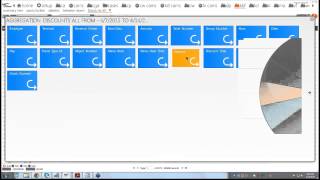
This content was created by Henry Valentino. This content was uploaded by Henry Valentino. This is a YouTube video titled "2015 04 14 08 58 eConnect Training" created on April 14, 2015, which features a training session led by Craig Frizzell and Paul Bitters. The session covers methods for identifying fraudulent activities in point-of-sale systems, including transaction cancels, voids, and negative transactions, using data analysis techniques.
Chapters
Good morning, everybody. Can everyone hear me? Okay.
Awesome. Thanks for that response. All right, let's see. Nine o'.
Clock.
All right, so good morning, everybody. My name is Craig Frizzell, and I'm with here, Paul Bitters. And, and what we're going to be going over today is how we or what we look for and how to build a case based on what we're looking for. If you have any questions, please go ahead and put them in there, and I'll be taking care of that. With further ado, I'm going to present Paul Bitters to go over what's going on.
Good morning.
Today we have kind of set up little different from what we normally do. We're going to go through and kind of analyze some of the cases that we've done here at the office, and then we're going to kind of try to simulate the steps we took to get there.
So to get started, one of the first transactions or one of the first things we do here at the office is we kind of ask ourselves, you know, if we were put in the opportunity to steal or to commit a fraudulent activity, how would we go about it? So, like, what are the top five ways that we would steal? It kind of puts you in the mind frame to look at those transactions that kind of seem out of place.
One item that seems to pop up the most when we're looking for theft is the ability to use the transaction cancel function.
We find that if employee works at one revenue center for a period of time, they begin to memorize the items that they sell. This comes easy if the employee only handles a small number of items like ice cream or hot dogs, if they work at a cart or if they work at, you know, a booth that only sells, you know, I know here in town we have, you know, ice cream parlors in every casino. You know, they do 1 scoop, 2 scoop, 3 scoop. You do that for a week or a month. And now you have, you know, every price, every transaction kind of memorized.
You might even be able to do.
You know, a family of four and know how much it's going to come out to be. Movie theaters, same thing. You sell one type of item, one ticket, or you sell popcorn or you sell hot dogs. You're going to memorize those prices because they don't change a whole lot when you do that. Then you have the ability, when you see a guest walking up to you with cash, that you can start a transaction, you know the price of it. You can do a transaction cancel as soon as the order has come through and then you can ring up a couple ways. You can ring up an item that's cheaper, say like a side of cheese or at a movie theater, maybe you ring up a kid's ticket instead of adult ticket. Then you're able to.
Make change out of your drawer by doing a no sale or however your drawer may pop. We do have some places that the.
Drawers remain open all the time.
So from that spot you can make change and then let your customer think that they've bought the right item and you basically get to keep the greater difference of the two.
So we're going to have Craig go ahead and walk through how we can use our system to try to identify some of those transactions.
With transactions cancelled, you should be able to find it on your summary view as well as your query builder. Under event type we'll start with on the summary view. Go down here. And what I'll do is what I normally do on a daily basis if I'm looking for yesterday's transactions. Great. If I just looked at the same location, I'm going to look at the last seven days worth of data. Pulls up a nice looking graph here. Let me move this out of the way.
We'll just go this.
Once I get my data, I'm going to make sure I have the last seven days applied. So this gives me a lot, much greater amount of records. So something, you know, the more data, the easier it is to see patterns. Once I get this, what I want to do is I want to aggregate it. In this case, I'm going to look for a revenue center that's doing the most transaction cancels.
And Paul and I were talking about this earlier. When you're looking at transaction cancels, you.
Got to kind of think outside the.
Box, like what would make sense and what would not make sense. In this case we're looking at locations, so what location wouldn't make sense. And we kind of came up with looking at the general story. Even though they're not the biggest piece of the pie, you may see a lot of transaction cancels. And a typical transaction cancel at a restaurant would be if they're picking up a check and doing a transaction cancel right after that. All the server is doing is looking for the right check to either add items to it or close out. So you'll see possibly a lot of pickup checks. Transaction cancels when those are. So we're looking at what wouldn't make sense and that's why we picked the general store. I click on that and it's going to pick up all the records from that location. So we already knocked down all the way down to 56 records here. And now at this point, we still got a number of people working at general store. So let's aggregate it one more time by employee.
Gives you a couple people. Now at this point, we don't have to like, think. You know what wouldn't make sense. We can just start picking off the first person second and so on. What we came across was this gentleman right here.
So we went from 56 down to 6. And we can clearly, you know, just click on the check, see what kind of happened here, because it's a zero. Let me look at the.
The associations. All right, so let's see. Begin check in part candy. Two seconds later, transaction canceled. But you can see on the next check, he rings up the same thing. So it's like, all right, well, maybe they changed their mind. Maybe they wanted a lesser weight or a different type of candy. But it's the same thing in bulk candy. No problem. We just kind of go through these and see if they make sense.
You can see the black flag right there. That's showing up right after I looked at it. And that's just stating that somebody looked at it. And if I go back over, it tells you right there, CR for Zelle @ this date, time for how long.
And you see this one, this next one's highlighted in red. And this is what we looked at.
What we look at that's out of the ordinary for transaction cancels is the time frame.
So at 15:19 or 3:19 in the afternoon, there was canvas cowboys rung up for $34.99 a few minutes later, then their transaction canceled. So this is one thing that we want to go back in and look. Maybe there's a pattern. Maybe go back 14 days and see what's going on right now. This is the last seven days for this gentleman. But that's some of the things we look for in transaction cancels is if it makes sense the location and also time frame. If it's right away, it could be an easy customer's like, I'll change their mind. But this is a few minutes after the fact that they run it up. So this is something that we'd want to highlight in red like I did. And by easily, I would just click on the flag, type in some notes, and hit update. And then it would change it to red.
Is there any questions on that one?
Excellent.
Close out of this and we'll go on to the next.
Subject.
The next one we want to talk about is voids. We all know that the ability to void can be a very tempting tool for any employee to use to steal. We have had several cases where cashiers have collected cash from a guest and then voided all or some of the items off the check. It is important to look for employees who seem to have excessive voids or, or someone who avoids any single item many times. So.
If a cashier is picking out a particular item, you might even be a big selling item like a french fry. If you look at your employees and five guys are selling a normal amount of french fries and all of a sudden you have one fella who doesn't seem to be selling as many as you, you'd think for the time period that they're there. If you look and he's voiding off those french fries, that's one of those. Just like we were talking before about memorizing prices. That's something that he has singled out that no one's paying a whole lot of attention to. Maybe we're not inventorying that particular item very well and he's picked up on it. So he knows that he can void those out more than other transactions and no one's really going to pay all that much attention. So voids are one that, that we give our cashiers the ability to manipulate to try to kind of help the process go a little faster, help the transactions go a little faster and help correct errors for customer service. But it also gives them a very valuable tool to commit.
Fraud.
Now you see here on the left hand side you got various forms of the void void. No sale is just a way to delete an item and then also open up the drawer void transaction cancel. Very similar, but in this case this is without popping open the drawer void tender. That's getting rid of how they're paying for it. This is a souvenir cup void line item. That's individual items or three voids on a certain check. One thing that we can do is for example void tender.
And just like before, I'm going to pick on the. Well on last days here go up here.
Last seven days apply. So I get more data to dig down into.
And I've got 3,366 records. That's a lot because I'm looking for. This is voids do. Here is again look for revenue center.
Go Grizzly Creek. And at this point you can go again. Either figure out which one doesn't make sense or just pick the biggest piece of the pie.
Now we're down to 240 records. Multiple people.
Aggregate again by employee.
And what you see here. Let me move this thing out of the way for me. But what this says is Josiah has got 62 or 26% of the pie. And the nearest one is 30. Just with this number alone. To this number is something that we'd want to look into.
And now we're down to 62 records, two pages worth, because we're looking at a whole week's worth. You have a couple options you can do. You can either.
Highlight the amount.
By going from lowest to greatest or greatest to lowest. You can also aggregate by date.
And see that on this date right here, he did the most, maybe something that we want to look into.
And now we're down to 30 records, a little bit more manageable. And at that point, you could go through and just kind of see what's going on. You got authorized negative transaction K.
And just click through.
What you're looking for is somehow where there was no authorization, there were some voids in there along with a void tender. If after the void tender, there is some way that the drawer opened, for example, like a no sale or some locations are able to sign out and sign in and the drawer will open. If you see that without an authorization, that's something you'd want to look at. Because normally what that means is that somebody is either returning something or doing a refund and doing it. They're manipulating the system some way and they're behalf the customer's behalf. A typical transaction, you would see like an authorized negative transaction or an authorized void. And then you would see like the cash drawer open. That would be completely normal. What would not be normal is you'd see the voids without the authorization. And then you'd see a void tender with a negative amount followed by like a no sale. Those are the ones that we'd be looking for in this case. Looks like Josiah's. Okay with the few transactions that we looked at.
Do we have any questions at all for this section?
Now, what Paul was talking about was the void line item.
Go over that very similar click on void line item. It might show up as menu item void.
Regardless, it's the exact same thing.
Now you can go back 14 days, 30 days. I normally start with seven days to see if there's a pattern. If there is a pattern, then I'll use other methods. I'll either go back 14:30 or I'll use the behavior report. At that point, you see that we have 27,000 records. There's no way that any one of us can go through that in an eight hour shift. So just like before, let's do revenue center. Which one would you like to pick?
Any of them. Okay, we'll just pick on Grizzly Creek. I think our eyes want to go that big part of the pie. Anyway. Now we're down to 2,000. Much better.
Employee.
Looks like Kimberly's our number one. But you know, she's really close to Daniel. So it's either one that you can go through.
Click on Kimberly229. Well, let's even aggregate that more like we did before with the date.
Move this out of the way.
You see on 4 11. And if nobody knew what the day was, you could easily click on your thing. Oh, Saturday. Okay. Saturday is probably going to make sense. More busy, more transactions, more voids. So now we're down to 101 records. If you have the time for this, great. If not, aggregate it again. Go by hour. Because you got to think if somebody's going to steal, they're probably going to do it when the supervisor is not there. So biggest piece of pie is right here.
So we went from 101 records down to 28. Much better. What I personally look for is these menu item voids vs this vs these voids. Not saying that these are not as important as a menu envoy, but a menu envoy is just a button that they're pushing just to get rid of the last item. They're not as.
Specific.
And to Craig's point, no one knows their location better than.
You. If you're going through this and.
You immediately notice that hey, this is every time supervisor takes a break or let me go look and see what's going on in my revenue center when my supervisor takes their lunch. You know, that can be a great lead for you to get started on something because the most important thing to commit theft and fraud is.
Opportunity.
And all I'm doing right now is just going really quickly through all the menu item voids.
And seeing if there's any kind of pattern or if a menu item void but there's still a cash drawer open.
Chocolate milk menu item, change their mind with a chocolate milk and got a souvenir cup instead. Makes sense. It's cheaper.
And when you're done, you just close these out.
There's quite a few of them.
Exit out. One thing I tell people also is when you have this pie chart showing up, you don't have to click here and then here, you just click the last one. It gets rid of both. This is the other way, basically slowing down your time. Do we have any questions on the void line item?
Real quick on query builder.
Show you what, instead of it's not going to say void line item, it's going to say menu item void and it's going to be exact same.
Items.
And you can also use the query builder to.
When we're talking about looking for a particular item that is voided, if you want to look up, you know how many times a churro was voided off, you can actually go and just look for that specific item. And that way you can be able to compare who's voiding that.
Item.
See if there is a churro.
Wait, I spelled it right. So.
Let'S try.
Apparently they don't sell churros here. So let's try.
Event type.
So the query I just did was I wanted to see a menu item void of water. If you're going to be that specific, that is one way to go about it. The other way is to literally type it up here, how it comes across the register or on the receipt.
Any questions for that?
Excellent. We'll move.
On. And as you saw in the.
Summary view, we had several ways to attach voids. Void transaction cancel void no sale. Anytime you can add one of these other identifiers to your void search, you are basically opening the door.
To look at more kind of a, more of an advanced query. And you know, if someone's doing a no sale, that's something to look at in the first.
Place. But if they're doing a void.
And a no sale now you've just doubled double the identifiers. As far as what's scary about that transaction, what would make us nervous now we're doing voids and we're popping the drawer, just like Craig was saying. So a lot of the cases that we come up with void plus no sell. That's one that we can use pretty much in a pinch to go find something interesting. If a person is doing a void and a no sell. A lot of our cases are have come from one of those type of transactions.
Another oh, and I was going to say if you don't have some of these, if you don't have void no sale, I think most do. It's one of them that we install when we put it in put the system in. But void and transaction cancel. If you don't have some of these queries that we're using today, let us know and we can set those advanced queries up and put them in your.
System.
With the void no sale. We came Across a transaction that looked a little suspicious. So I'll show you how we did this. Just like before. Click on the bar graph. Go. Last seven days apply.
And we are looking for.
All right.
Let'S see what we're looking at.
Go back.
Get a better way. Let's see what this one is.
This one you can see right here. Begin check. They avoided two items off with a negative balance. Remember I was talking about that void tender earlier? This is one I would look at. Even though you see right.
Here, authorized transaction void. This is fine. This is a complete normal check. But the thing that threw me off was right here. You got your two voids, 999. I mean, you rounded off at $10. That's an easy number to remember. Total due to negative 2158. This would be fine from this point on if it just said cash drawer open. And the customer, if you're thinking about the customer's aspect, they get their money and they walk away. Not a problem. The thing that threw me off was this void tender a negative amount. But then right here, look at the time frame. It's not far away from when they stop this check. Do a no sale cash draw open. And it's open for one second, or actually a minute and one second. Even if this was a normal transaction where they're maybe giving out change, a minute and one second is a little long to give out change. So this is why this one popped up. And also we're looking at no sales. Where would it not make sense in this case? It didn't make sense at the general store. Where they would make sense is like you have a place maybe next to arcades or some kind of games like that, where they're always going to be constantly looking for change. So you'd see a lot of no sales.
Do we have any questions on no sales or void no sales? I'm.
Sorry.
The next one we want to look at is negative transactions.
We all know that negative transactions are a normal part of the point of sale process. Especially when we're talking about merchandise revenue centers where we have a lot of returns. Kind of like what we were just discussing with Craig.
But anytime a transaction goes into the negative, it's definitely worth taking a look at.
This query can bring to light those employees who are abusing the functions that are built into our day to day operations. We all know that we have to do returns. We all know that.
Refunds happen and returns happen. But looking into those negative transactions, if an employee is doing a refund, that doesn't make sense? Or is doing a refund that is being repeated when you don't understand why it would need to be? Why are we always returning.
Televisions?
How many times is there going to be a faulty tv? Or how many times is there going to be a hamburger that comes back that's not to the guest's liking? Anytime you have multiple refunds by one person during.
Over extended period of time, that's going to be something we're going to want to take a look at. We just had a very large case where.
A cashier was manipulating just that, manipulating the refund. They had a common practice of doing refunds, but one guy was taking it further by basically still doing a refund, but doing it slightly different than what everybody else was doing. And it was that slight difference that came up in the data so that they were able to stop him from doing that.
Behavior. So what we have here is negative transactions. Either do the last seven days graph or yesterday's data. This is. I'm just going to show you another way of how I get to that seven days worth of data.
Click on yesterday's data. So it brings up the data grid itself. And same as before, last seven days. Apply.
Aggregate by revenue center and you'll see that the stroller shop comes up number one. When we first started looking at it, we're like, oh my God, they're doing a lot of negative transactions. But it also made sense of the fact that you had to leave a deposit down. Once you turn back in the stroller or the electric stroller or whatever, you get that deposit back. So there was a ton of negative transactions here. So we might. Sometimes you might want to look at it. Sometimes you might not look at it. You'd want to see like, all right, where would be a location where you'd see a lot of. Or that you wouldn't see a lot of negative transactions that you shouldn't anyway, like maybe a restaurant.
And just like before aggregate employee.
This person doing the most 18 versus, you know, half of that.
And because like what Paul was saying earlier, that you're going to know your location more than we will sometimes you might have a person come up as a high number, but it comes out to that they're a supervisor. So it makes complete sense. I'm going to backtrack because I want to show you a little bit something else that our program can do.
Get rid of the pie chart. So I have 2,993 records. What if you only wanted to look for a certain amount?
Let's try that.
Anything.
Anything. This is going negative 5 to.
0, so you don't have to flip it.
So it's a way of manipulating the system to get what you're looking for. So anything above negative $5.
So if you're looking for specifics, you could do it that way as well.
Do we have any questions on that?
Excellent.
Similar to negative transactions is, you know, there are things that we put into the POS system to help customers and to promote business, and that's where discounts come in.
I had several cases where. And usually this comes at a supervisor level when they're given the ability to do a discount. But if we have an ability to discount and we're doing that so that we can enhance the customer's experience or promote our revenue center using coupons or even regular discounts like militaries or for.
Seniors.
Or. Yeah, Craig makes a good point.
To get rid of old.
Inventory. You know, if you have an excess of something and you want to try to get it out your door, a lot of times we can discount that item off.
But those are the good reasons for discounts. The bad reasons are once your employees get used to doing a discount, they can manipulate it for their friends or they can even manipulate it for themselves. I've seen cases where there's been an old discount that hasn't been removed from the system. And no one's looking at that discount anymore. But your employees are still using it. They're still using a discount. That's not.
Something that you want to have seen on your check. So if you use our system to go look for an old discount or look for a discount that's out of place, that just doesn't belong, the system does a really good job of making those anomalies.
Pop.
So what we got here is we got various forms of how discounts are done. In this case, I'm going to click all discounts or discounts all.
Just like before. Click on a pie graph, do last seven days, hit apply.
And then I'm going to aggregate by the location or revenue center.
Look around, see again, let's see. Discounts, discounts, discounts.
Not really happy. Let's see. Yeah, let me show you a different way. This is the typical form because we're looking at discounts.
Same data.
I can also aggregate by discount and see what types of discounts there are.
Some of the discounts that pop up to us are this. Where is it open? Percent discount. This is a way of like. It gives too much discretion to the employee as how much to Take off the item. There's other ones. You'll see open dollar discount and very similar. So even though it's not a big piece of the pie, it's something that shows up like, hey, why are there any these open percent discounts? And once we get this, we got 1701 records aggregate by the location. Again.
Let's go. I'm sorry, we already got the revenue center. Let's see, we're looking for. Where are you at? Looking for a certain person here.
Let me just go right back to it. It was under Snoopy's hq.
If you don't. If you want to see more of the pie like other revenue centers, this is one option you can do too. This goes up to.
Snoopy's hq.
This one.
And see this is the funny thing about the program is like you know, during training we're trying to find a certain thing and you're like, wait a minute, we're still seeing data. Which is great. And here's Snoopy's HQ finally. All right, so this is what we'll show what we saw. Anyway.
I wonder if.
So this is how you could get to this open percent discount. I'm going to show you this one. Check specifically in a second here. But same thing. You just kind of go through these things and look and say all right, what happened here? Authorized. Okay, great, Next one. And also credit card transactions. You know, those are very hard to verify if there was any kind of fraud or theft involved.
Boy tender. Again, like we were showing before.
Open percent discount.
Visa payment. So let me show you the transaction that I actually found.
And I'm going to kind of a cheat way if you have. If you're looking for a certain transaction or a certain time frame, if you're looking for specifics, go right to the query builder.
I know the check number. I also know the location.
Snoopy, where are you? @.
Snoopy's AQ. I'm going to go back 14 days because I want to make sure I get this check and hopefully it shows up.
There we go. Okay, awesome. All right, see by default it's going to show you the latest time and the earliest time. So what I normally do is I'll click on time right away because my eyes don't work that way. I like to work top down. So get your begin check tells you what they run up. Pay attention to the time frame. 3:58 in the afternoon. This thing closes at 9:23.
So right there is a huge issue.
So this is pickup check.
5831 transaction cancelled. It was authorized 404 but then all of a sudden now it's adjusted. Sign out, sign out, pick it up again.
There's your discount.
And so forth. Any questions on this one?
Let's look at that other.
Check here. The.
5897 check. We're going to look at another check here.
Where we go there and bam.
All right, what I just did because I get a lot of questions on this. If you get rid of one and you still have this, don't freak out. Just click on this and it brings it back up again.
72588. Oh 5887. Get the right.
Dyslexia. Kick in.
Location.
Looking for discounts here.
All right, we'll come back to this one.
Let's find out. This is one thing. Remember when I applied that red flag?
This is one place you can go and find out what other pending reviews there are. Got 199.
And it should have. Let's see. There we go. Look at our time frame here. 23 KPF. Did I pass it? And I passed it.
Okay. KPF. Okay, so 225 what we're.
Looking for.
Which one?
Oh, sorry. Bear with us a second here.
Which one?
These are going on.
Right now. 1%.
Open discount.
Okay, here we go.
Open this sucker up.
There's our discount one that we're trying to look for. Alright, so you got a begin check and already there's a negative amount or an open percent discount. Where's the item? We don't even know. Just the fact that there was total due of negative 291. And this is one thing, it kind of throws us off that the cash drawer open for 16 seconds. Why for $2.91. But what was the item is the problem here? And this could be something like you see something like this, you want to ask the questions like hey, what's going on? Do I need to further investigate that employee and to see if there's any other open percent discounts? If so, yeah, great. That's why I put it depending needs further review. If it was fine, if I saw nothing else, I could easily switch this flag.
Put something like OK and update.
Once it turns to green on the homepage it will actually go down to we had 199. It's going to go down to 198 and get rid of it. Clear it out. But because we found this today, I don't want to get rid of it yet.
And you can put whatever you want here.
And switch it back to red.
Do we have any questions on that at all?
Excellent. Nope.
And kind of what Craig was going over there a little bit when we were looking at the discounts. Another thing that we look at and it goes hand in hand with discounts or any way that you might want to manipulate the check even voids. We've had cases where a check looks completely normal through its transaction. We sell an item, we get the money for the item, we close the check, the drawer closes, normally, everything looks fine. Then you'll notice on a check where it'll say pickup check. And what had happened here is in this particular case, a supervisor who was working the night shift would go back, reopen a check that was totally fine, and then void all the items off of that check or apply a discount that would make the check go down to zero. Now, if that was a cash check, then now you have a check that should have been $12 is now zero. And that $12 is free to be removed by the manager who is counting your money at the end of the night.
Pick up checks. Anytime you see a check that is picked up multiple times. Now, I understand if you're in a restaurant or a venue like that that does pick up checks a.
Lot, you have your sodas and then.
You have your meal and then you apply your discount, you're going to see a pickup check on those type of venues. But if you work in merchandise or quick service.
There'S no reason to see a pickup check two hours later when the guest has already gone home.
For the.
Okay, so pickup checks down here. Pickup check. It'll also be in the query builder under event type.
Just like before, we're going to click on the graph.
Click on a bar, apply last seven days.
And there we go. Now we have 21,203 records. This is where you could aggregate immediately and go into revenue center and look at where wouldn't it make sense? And this is the one I was trying to get to earlier, Snoopy's hq. It makes sense at restaurants because like I was saying, you're going to pick up a check and transaction cancel right away because the wrong check that you're trying to add items to or close out. But Snoopy's hq, like a revenue center that sells plush toys or whatever. That's kind of odd. And this is exactly what I did to find this 1261, I just kind of went through these things.
Pick up, check. This is odd that there's a zero balance right away. But the fact that the cash drawer doesn't open is fine. To me. So I would get rid of it.
And you can do what I'm doing, or you can just highlight the association, which is like a running receipt most of the time. It will show what happened before and after.
Okay, Void tender. See right here, the pickup check, negative 288. And then you get the 38, but it just void center. It's just voiding out the way that they paid. Void tender is also like a transaction cancel. The drawer didn't open. So this is fine.
Let me get out of this one. And then we have our 1261 check.
This is the one that drew my attention. And you can see I'm manipulating the system here. I can move this down. I can even make it take the whole border or whole screen. I mean.
So you get the plush newbie at $60, but at 358 is when it started.
And service total. So they should have paid for it within a couple minutes or so. Service total means that's going to reprint the check. Pick up check. They pick it up, all right, 404. And say, probably like, oh, what's going on with this? Oh, it's declined. Okay, great. I'll go ahead and authorize the cancel. It's canceled. Then all of a sudden, it's adjusted. Okay. Then this person signs out, signs back in. But then they pick up the check once more, pick it up again. Now there's a total due 58.31. They void tender. What is weird about this is the fact that once it's been canceled, you should not open it up again. There's no reason to open it up if it's been canceled. It just means it's canceled. You start a new check. And normally you would see like maybe the plush toy was, they got the wrong one. They wanted a different character versus Snoopy. Who wouldn't want Snoopy, right? And then you'd see them ring that up and so forth. But the fact that this lasted until 9:23, that is the one that brings a red flag. That's why we set it to a red flag pending. Because we want to find out, is this happening elsewhere or is it happening with the same people? And then look for a behavior and maybe make a case off it. Do we have any questions on that.
One?
Awesome.
So, you know.
These are about, you know, six or seven of the ways that we can kind of dig through the data and look for.
Things that kind of pop out to catch our eyes. And you're going.
To get. As you use the system.
You'Re going to have Things that pop up in your revenue center.
That'S special for your revenue center, that you're going to immediately see something and you're going to say, well, that's not right. We always say ask the question. If I'm confused, there might be a reason why there could be fraud going on or even just a policy procedure, Something that we just need a behavior that we need to correct.
So as you're going in the system every day and these five or six transactions are something that's interesting to you, you can create a behavior report that you can kind of go look at every day that compares all.
Your employees.
So what I was doing while Paul was talking is I was showing you a different way to see that pickup check. It got us to the exact same location. So you can either use the query builder or the summary view.
So this is the behavior report. And by selecting the people icon, it's going to give you everyone that has logged into that location swipe their car for the last 28 days by these parameters. Seven days or four sections of seven days, 28 days. If I click on the terminal, it's going to give you all the terminals that are associated with that revenue center. Or if I wanted to compare different terminal or different revenue centers, like four cornerstones versus Cantina. And this is where if you had multiple like revenue centers, like for example, Starbucks or similar coffee shops throughout the park or throughout the location that you're at, you could actually manipulate this and literally.
Compare each one of those. But we're going to go for people.
And while this is bringing up, this is remember everyone that has logged in for the last 20 days. So it might be lengthy.
We're going to always have a starting point no matter what. So in our case it's a begin check. Or if you had a start check, it would be a start check. And we're going to look for all those items that we discussed, starting with which one.
Transaction Cancel.
Menu item void or void. In this case it's going to be menu item void.
Void plus a no cell. That's going to be on the query events and real quickly query events. These match the exact or their exact copy of your summary view. So if there's any questions about that. Let me go over here real quick to the which one was it Void post No sale. There I am.
Negative transactions right here.
Discounts. The POS Events are all the events that can come across your registers. Not saying that depending on what type of register you have, maybe some of these will not work. But like for Example menu item, void versus void line item. So it will work. It's just how it's written. Discount.
And.
Pickup checks. All right, all right. So with the ones that we've gone over, which one? Oh, I don't want reopen, I want pickup checks. All right, so other ones that we, we talked about today, we're going to run a report and just at this location, just for, just to grab one. Once we select it, we want to hit the reports and it's going to pull up the behavior for you. You can see it's already working here. This is actually an old one, but you'll see probably a lot more people. On the left hand side you'll see the four sections of seven days at the top and underneath that will be the items that we selected if they produce any results. If there's no results, it won't even show up at the bottom. You'll have averages and the average, for example, this one, 39095 is literally for begin check during this time. The average is over here, 431 for example, this person is for the entire 28 days for this person alone under begin check and then close check is around the same for this person.
Once it loads up here. Since I can keep talking about this, anything that's in pink, which are these numbers all throughout here is above average. Here's your average, above average. Green is going to be, this is set up like a bell curve. So anything that's just around the norm is going to be green, plus or minus two deviations is going to be yellow and red plus or minus three or more. And we finally got it. So I talked enough to where it was able to load and you got to think also, I mean you're pulling data from that many people, 28 days worth of data. With all the items that we selected at your location, it will be a lot quicker. But because we're doing remote, this is why it takes or it may take a little bit longer. So these are the items that we're looking at. And the only thing I didn't discuss was anything in blue and how it comes across your screen. It should be all these numbers in this section, with the exception of zero, are hyperlinked. So if I wanted to look at a certain transaction or number of transactions, I would just click on it. And I'll show you that in a second here. For example, transaction cancel. We have this person doing 12 higher than norm. The norm is 2.89 and you got these two. Everyone else's is quite under that if you look at that got pickup checks 319, 322. These are huge numbers. Could be management. This is one thing that you would know your part DN or your location and you could literally manipulate this to get the numbers that you're looking for. Like this James Coleman. If I wanted to get rid of James Coleman because they got zeros all the way across and some of these other people I could easily just go back. I'm not going to do it because how long it took to get the report. But I would just go back and minus next to his name and get rid of him. And then I'd run the report again. So I'd get these numbers that would be a little bit more accurate. But we'll go over these 12 just for training purposes just to show you how it's hyperlinked.
And there's my 12. And I can easily either look at the association which is the running receipt and see what happened. Charge tip void, transaction cancel. And they picked it up right after that and did it correctly. Awesome. Or I could do like I did before.
And let it run the check summary.
Do you have any questions on running the behavior report?
Does it export into different formats? This is a. Let me go back to it.
There you go.
You can print the report is one thing other than that.
Yeah, you can do this is going to print as is. If you're into the grid page you can export this into an Excel sheet. That answer your question there. Dan.
The graphs. The best way to do that. And I'll just show you real quick here. Let's do an hour. Where's. There we go. All right. So you got your graph here.
The best way to do this is honestly using your snipping tool. If everyone knows where that's at. It's literally on your Windows screen. And depending on what level you have if it's Windows 7 or 8. Windows 7, you do a search for snipping tool and do that. Or Windows 8. You literally go to the Windows screen and just start typing.
Or screenshot.
There you go. That'll work too.
So let me get out of this and I'll tell you about Next month's webinar is going to be on the back of the house. So what you'd want to have is if you're interested in learning more about that, great. If not, please have your IT or your surveillance techs be ready to go for that and have any questions too.
And that is going to fall on C. I think it's May 12th.
Yeah, May 12th of obviously next month for the next webinar. Anybody have any questions at all before we end it?
Yes, you sure can. You can either email us@ investigationsconnect.com or what you could do is.
Excuse me, you can go to the web, Google search or whatever, and type in econnectglobal.com.
Under knowledge. It would be like Training center. You click on training center and it will probably ask you for a password. The password is all lowercase training. And at that point it will pull up next month's webinar, which you can actually register for it, or we can send out a mass email to everyone. So either way, and then with today's webinar, it should be up there, we'll say at the earliest two hours. At the max, we usually say about 24 hours. So if there's anything you missed or if you just want to reiterate it or whatever, it will be up there as well as all the past webinars.
Anything else, or. Or we can conclude this.
Also, do you have a Tor in a doc?
You know, that's a good question.
You know what, the best thing to do is probably go ahead and email us with that and maybe we can. Or give us a call, actually, either one. And we can figure out exactly what you're looking for.
Because we do have some documents pertaining to this. But I'm not sure if it's what you're looking for or what.
If it's certain cases. Depending on the location and where you're at and everything, we might be able to tell you what cases were referenced, but for the most part, just for.
Privacy issues.
But if it's event types or.
Something of that nature, yeah, we do have documents of that nature. So just email us InvestigationsConnect TV and we can try to help you out.
With that.
Oh, yeah, that's excellent. As a matter of fact, I think the terms that you're looking for is where is it at?
We have a doc with all these terms and basically a quick definition of each.
The best way I learned was I literally wrote down each one of these what I thought they meant and how to manipulate them. That was the best way of. When I first started, how I kind of got the system and got a lot better at it, looking for theft, looking for those behavior issues or just different things. Like with loss prevention, with video, you have the option to see how the person's acting, if they're acting just normal or just something's different with them. With data, it's a lot more difficult the best way to do it is literally, if you've ever run a register in your life, you'll know what a transaction looks like. If you haven't, then I suggest literally learning these terms and kind of get an idea of how you would manipulate them. Think like a thief if you can. Or give maybe a food and beverage or somebody that actually rings a register or can walk you through it.
Yeah, it's fine. At first it's a little intimidating, but you get to the point where, like, for us, we'll go through here.
And we're looking for, like, we have our top five or top 10 that we'll look for and we'll just click.
It's almost like muscle memory. We're looking for certain things.
And it doesn't take that long to play around with it and.
Get.
An idea.
Of what you're looking for.
And that is it. So you guys are all good. Great. If not, you can email us, give us a call.
And that's about it. And you're right. Knowing the location is definitely key. So everyone have a great day, and you are welcome.
More from Henry

Skip the line, not the security: Facial Recognition for Guest Experience & Safety



eConnect’s Red Light Green Light – The Most Advanced Facial Recognition Tool for Casino Entry


Skip the line, not the security: Facial Recognition for Guest Experience & Safety