2015 04 24 10 41 Cedar Point training
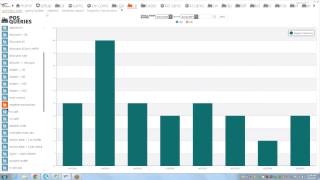
Marcus, Paul Bitters, Craig, Mike, and Chelsea train Cedar Point staff on eConnect, a monitoring tool that flags suspicious point-of-sale activity like no sales, negative transactions, and unassigned drawers. The system helps managers catch employee theft through daily reviews and targeted alerts, with examples including caught abusers Justin Cinco and Tony Perez.
Chapters
The homepage. What I tell everybody about the homepage, I really don't spend much time with it for the simple fact. I mean, it shows you some interesting stuff and I understand, I have talked with directors and I have talked with managers. If you have it up running in the background, it's a pretty useful tool. It will give you some information. But where your bread and butter is going to lie is if we click on this CP tab and then it's going to bring you to the summary page. So before I go any further, I'm going to see, do we have any questions from anybody.
Anything on the homepage?
Okay, I'll take it as known and I'll keep moving on.
Oh, I think so. We're trying to catch up with you right now, Marcus, with our screen.
Is there a video lag on your end?
So I guess the question I have to ask, are you guys actually working in PCs and laptops? As I'm actually going through the process.
Is everybody on the summary view with me?
Okay, I'll continue to move on and I'll check back in a couple minutes to see if we have any questions so far.
But with the summary view, this is where you can look at the main transactions. Working with Mike, over the past few years, we've kind of geared this in a different direction.
Originally when we started we wanted to give it only to the security department, only to the LP or the police departments. But we found after that first year that we can have a much stronger impact if we had more people involved. Because one of the biggest thing is we're a firm believer that there's 50% of the pie, that they're honest, they're good, they're hard working, they're not going to steal from us. And then there's a 10% of the pie that I don't care if they're in handcuffs, they're going to find a way to steal from you. But it's that 40% of the pie that we call impressionable. Those are the ones that we're trying to change the behavior. So if that 40% is watching little Johnny and he's still in 10, 15, $20 a day and he's never getting caught, so why wouldn't they still also have extra money in the process? And if we can get out, start talking to these employees and letting them know, hey, we are watching you. We are going to ask you why did you just do that transaction? Maybe we could change their mind.
Craig, is there anything else you want to add to that.
Control.
Unmute well, as I work on my technical difficulties here.
I'll continue to go.
Connected.
Yeah, well, technology. Sometimes we have technical difficulties.
Oh, you guys lost all of you.
Okay, I'll continue. But from the summary view, there's a couple of queries that we could dig into. And right before I pass this off to one of my other guys, who's going to dig into a few of the queries.
By default.
We could pull up a query. So if we want to look at, let's say, all discounts without a refill, if we click on the blue box, it's going to bring up the past seven days.
One of the things that we've learned is the kids don't tend to remember what's happened past yesterday. And so if you look the past 48 hours and you find a couple of questionable transactions, that's when we are hoping that you or somebody at the park level takes those different transactions, just a handful of them, walks out to the different employees and asks the question, what's going on? What happened?
Can you explain this transaction to me? And nine times out of 10, they're going to have legitimate excuses. But it's when they start to stutter or they don't want to make eye contact, or they just don't have a valid reason why they did what they did, that's when either, A, you can get Craig at the police department involved, or you could get somebody in the Turner audit and start doing a further investigation.
Oh, sounds like we have the police department back online.
Yeah, we lost you on audio, Marcus.
Okay. Are you guys still up with me?
Yeah, we're on video right now with you.
Okay. I covered earlier about the 40, 50, and 10% and changing the behavior. Is there anything else you wanted to add to that topic.
Mark?
You might go back and redo that. We didn't see any of that.
We could see you moving around, but.
We couldn't hear you hear any of it. Okay.
Yeah, the chart. Yeah.
Okay.
Okay, so I'll start back here. And basically, let me put you on mute again so I don't get the feedback.
But where I started off originally was, is.
There'S 50% of the pie that they're honest, they're good, they're hardworking kids. There's 10% of the pie that regardless of what you do, you can't stop them. They're always going to steal. It's that 40% that we're trying to get out and change the behavior. Like I covered earlier. Mike came to us after the first year because the first year, all we did was just. We gave it to the police department, we gave it to security, we gave it to loss prevention. But we realized that if we could change the behavior of the kids, we're going to affect the bottom line. And that's what it's truly all about. It's that 40%. We want to work with the 10%, whether it's security or loss prevention or it's the police department or it's us. Econnect the investigations team, we'll deal with them. But that 40%, those are the ones we want. You guys out talking to, asking the questions, saying, hey, we. What's going on? Why did you just do that transaction.
Craig? Or is there anything you guys want to add to that?
No, we're good. You can keep going.
So one of the first transactions that we can look at, and I'll also cover our impact graphs in a little bit before I give it to the guys.
By default. If you click on the blue box for the graph.
It'S going to show you the past seven days.
One of the things that we've learned is within kids don't remember past the past 48 hours. So if you're going to start digging into transactions and when you open them.
Up.
Like this first one here, an employee discount for $1.85, you guys know your part a lot better than we do at the investigation side. But as you go through the check, you look at it and you see what makes sense and what doesn't. And so we go through the first few.
Let me open this.
Do we have any questions so far as we go through these checks?
No, we're good.
Like a question I have for you guys. What would entitle an employee to give open percentage off versus an employee discount of 50% or marina discount of 25%.
You mean as far as us having an open discount? Yeah. What would entitle an employee?
Yeah, because I look at this check here, I see a crystal. It looks like maybe candies that they bought. They tried to ring it at a discount. It was. This discount's disabled. The next thing you know, they're giving an open percentage discount. Granted, it's only for 31 cents, but it's still one of those. Are they testing the water to see what they could do later on in the season or is there a legitimate reason why?
Hey, Marcus. We ran into this over at Knick Knacks and Pearls. Basically, there's a lot of candy that's brought up. They on their end may not have gotten with Charcie for merchandise to get it inputted. At that point, they know what they're going to sell it at. They know what the price is, but they have to go with a different key, get it to go.
Okay.
Which it shouldn't be that way. They should be letting us know.
Okay, Yeah, I agree with you, but it's, it's one of those. It's. This is why we ask the questions you guys. Like I, like I keep saying, you're gonna know a lot more about your park than we will. And like I tell everybody, if it makes sense to you, okay, we're good with it. It's those transactions that don't make sense. Those are the ones we want you to print a copy out, go out to that, that associate and ask them, hey, can you explain why you had to do the transaction this way? And it's one of those, the more you talk to the employees, the more they're going to realize that, hey, you know what? I can't be doing that because they're going to catch on to me.
Right. Hey, Marcus, real quick. Chelsea has something for you.
Okay.
That was older, so we had 75% off, but we already discontinued that discount and still needed the longer.
Okay, but I've already turned that discount.
Okay. Did you hear that, Marcus?
I heard it, but it was all mumbo because I guess she's wet in the back of the room away from the phone.
Yeah, she's just to the right of you. Basically, they had candy that was for sale that was discounted and then they had it at like 75%.
Right.
And then they ended up taking the discount off so that way they couldn't register it anymore. Am I right?
Okay.
Yeah.
It looks like you tried to do another discount to register the sale anyways. Yeah, because I know with knickknack, especially pearls, the last couple weeks we've been hammering them, try and get the keys readjusted so that they can't be doing open SKUs and then open retail discounts.
Okay, fair enough. And like I said, if it makes sense to you guys, great. But it's those transactions that don't. And the more we talk to these kids and engage them, the more they're not going to want to do some of the suspicious transactions that we might send to you.
So let's close some of these out.
So, Query Builder. The reason why I like to cover Query Builder and these type of training sessions is I'm sure if you guys remember from last year and those of you who are new, once the park opens. We send suspicious checks once a week and once the park goes full time, we up that to twice a week. So if you start.
Seeing our reports and if you want to pull up the entire check to see what the transaction was like, Query builder is the tool like to use.
So let's say we could type in a check number. We, we had one earlier.
This is going to be check number 636.
Let me minimize this.
And do we see the date on it? This is the 24th of today's date. So after you type in the check number, you make sure your date's set to the correct parameters. And then you would hit query.
And I didn't set my date properly.
Yeah, so I mean you guys work with the system. Hey, I've been using this almost three years now and I still make mistakes. But we've all been there. So this brings up the check. It's going to bring up all the information that you need. It's going to tell you the items that were rung up. It's going to tell you the check number, the dollar amount, terminal name, terminal number, employee number, name, revenue center object number, and everything you might need for the check.
So one of the things I wanted to show you before I pass this over to one of my guys is we send out a weekly impact graph. And as you can see, park really hasn't been busy that much. This is more of all the castaway bays. That's the one that's open right now, correct?
Correct.
Yes.
Yeah. So this is pretty much all their data. Once the park comes on full time in a couple of weeks, you're going to see where these start to spike. But it's these handful of transactions. We understand that they're necessary for the park to operate. But also on the other hand, we've learned that over the past few years, the kids have learned how to use them to their advantage.
A prime example, unassigned drawers we've seen. Craig, I'm sure you can tell lots of stories of how the kids have beaten you with that.
Absolutely.
Absolutely.
Yeah. Another one we like to look at is total do less than 15. Mike has been, has a great story about KBF that he likes to bring up when it comes to this one.
You're getting tired of hearing that, aren't you?
No, I got my team here. They haven't heard you speak about it yet.
But it's one of those. And as we all know, no sales, they're necessary evil. But if we can control the amount of no sales, that our employees are doing. It's just going to affect us on the bottom line, and it's going to give us a. It's going to increase our return investment.
From there. I'm going to let one of my guys hop in, and they're going to take you through a couple of those different transactions that you'll see on the impact graph. And.
I'll start with Paul.
Before I pass it on. Do we have any questions from the audience.
Now? We're good, Marcus.
Okay. You're good to go, Paul.
Hi, everyone. I'm Paul Bitters. I'm one of the senior investigators here at econnect. I just wanted to break down a couple of the transactions that we do for the impact graphs. First one I want to look at is no sales.
We all know that the no sales are pretty.
Helpful.
Thing to use for your POS systems. Your no sales can be helpful to get change for a guest, or sometimes if you make a mistake when you're giving out change, you can also go back in, hit the no sell button, and kind of adjust what you did.
But with that, anytime somebody pops a drawer open, uses the no sell to pop a drawer open, they.
Have the ability to go and manipulate the funds.
That are in their drawer.
So most, I don't want to say most, but a lot of the theft that we catch, the no sell is a part of the transaction, if it's not immediately after the transaction, a couple transactions down the road. So it really is one of those suspicious identifiers that if we see no sales popping up like crazy, you immediately start to ask the question, why are they doing that? So if I'm looking into no sells, I can quickly click on the graph and look at the past seven days.
And see if there's anything spiked. I mean, obviously, if you see.
On Saturday and Sunday, if your park's open for the whole week and you see Saturday and Sunday spikes, it's not that big a deal. But if you look at a Wednesday and it's beaten out a Saturday, well, all of a sudden, right away I'm going, well, hey, that's pretty unusual. Let me go take a look at that.
But if we click on the graph, usually I look at the graph right away to kind of get an idea. But then once I get past that, I will still come into the grid view and do the last seven.
As Paul goes through this, just keep in mind we're coming at it a little bit more of. From an investigator standpoint, I know for a lot of the auditors or the Managers, what you're going to want to do is either look at yesterday or the day before, drill down like he's getting ready to. And let's say you find an employee that has 25% of the no sale. Maybe you might want to go ask that employee what's going on. Sorry to interrupt, Paul.
Oh, you're fine.
So once we have our list, in this case we only have 47 records, and that's too bad. But once the park gets running and you have all your revenue centers open, this number can get up into the ten thousands.
And it's a lot of data to kind of go through. So we try to use the aggregate button to kind of dig down a little deeper on each section.
So one of the things I like to do is aggregate by revenue center. So we click on the aggregate button and do the revenue center.
We can see that Bay harbor is way higher than anybody else. So we'll go in there first.
And we see in this case it's, you know, right away we have every no sale that was done at Bay.
Harbor was done by one employee.
You know, if there's others working there you go, how can they handle their transactions and not have any. No sales, but just one employee done. So then you have to start looking at the checks to see, well, what.
Are you doing that's a little bit.
Different than everybody else.
So, you know, this looks like a restaurant. We're doing service totals, we're opening a lot.
But then at the end we do two no sells. And sometimes at restaurants it's, you know, if you're self banking, you might have this type of an instance, but then you'd have multiple employees doing it, not just one.
Yeah, there's no tender out on it either.
You know, we're, you know, we're two.
Checks in and we already want to ask questions.
We started a check, we did a no sale, we signed in, we did another no sale.
I mean, what, what is the purpose?
Without actually ringing anything up.
Is there any explanation? Craig, can you think of reason why this happened?
No, I can check with Lori. I know it's a fine dine restaurant. The servers all pretty much handle their own banks and then cash out at the end of the night. So that's something I can get into.
Paul, you said, why is it one cashier that's doing all the notices when we know there's more than one cashier over there?
Yeah.
So an application for the system. If you just print screen that thing or you snag it. Snag it. And you send it to somebody, send somebody over to Bay harbor and just ask a question. And you don't have to determine whether or not somebody was stealing or not stealing.
Just go ask the question.
And that's all we're asking you to do, is do that early inquiry before it turns into a problem.
I mean, we.
All we did was.
We did about three clicks, and we already have a moment where we're saying, you know, let's ask the question. So no. Sells are a very powerful query to.
Check, to look into.
The other one I like to look at is negative transactions.
Same thing.
I like to go a little deeper on negative transactions. You know, every place that we have.
Has.
A reason to do a negative transaction if it be a discount of some sort or.
A return or a refund. So we find checks all the time that are into the negative, but they usually are around a check that's fairly similar.
I know if we find a whole lot of negatives that come before positive, it gives the cashier the ability to do. Basically, they'll ring up.
If you're at a cart and you sell nothing but churros all day long and you know what price of your churros are, and you know how many you might sell, you can ring up four or five refund churros at a negative amount. And then let's say the first five.
Customers that come up to your door.
Or your cart, you ring them up positively. So this basically makes the drawer a zero balance, and you can keep everything that came through.
But if you're looking at the E connect system and you see these negative transactions happen in a row at the.
Beginning of a shift or at the.
Beginning of an hour.
It'S going to.
Open your eyes right away.
So, Craig, I have a question for you. As we go through negative transactions.
With Mike can testify that it's going to the different parks. Everybody does it a little differently. If a cashier or an employee does screw up on a transaction, how should it be handled? Should it be handled within the hour? Do they save them all to the end of the shift, or do they save them all to their lunchtime? When do these mistakes get voided out of the system?
A lot of times they can do it right then and there. And then there's other times where I've seen it done at the end of the night because they're running around and they're short on supervisors that can handle it. And a lot of times the auditors will take care of it at the end of the night, too. So there's real, no set pattern.
Okay. Okay. We'll just stick to our ways of. If we see a usually high number, regardless of what time of day it is, we'll write that up and send it off to you.
Okay. Hey, Marcus. The other thing, too, Mike was just going to comment on something.
Well, just when we're talking about voiding off checks or stuff that, you know, it was like an overhang or you hung up a hamburger and they didn't buy it, the question is, at different parts, we're finding. A lot of times when I'm looking at checks, if I see authorized void or author, you know, I just dismiss and say, okay, that's supervisor. What we are finding some of the parts are configured where the line cashiers can use the void. So you can't just look at a check. I usually look at a check and see authorized void and just stick right past thinking it's okay, but it's not okay. So it depends on how each park is configured.
Yeah. Now, last year, Marcus, we had some cashiers, and again, probably this year, too. They're actually cashiers and their team leads and they can handle their own voyage, which is a nightmare. Trying to keep up with that and seeing what they're doing. But hopefully they'll stand out.
Yeah. And there's another thing. Keep in mind, it is setting the codes. I mean, I don't want to bash anybody, but we all make mistakes. Or let's say a supervisor leaves their card around and has a new one reprinted. If you have access to a supervisor's car. To Mike's point, it doesn't necessarily mean that the supervisor is standing there with that card.
Exactly. I know we've had cases in the past, like last year, Subway was a good example. The supervisor, manager, clothing manager. We started seeing negative transactions as soon as we went over to start questioning him. The next day, he was gone. So I pretty much figured he was going for gas money.
So that's one thing that I'll look for for negative transactions. And that goes along kind of just with looking at voids. Another thing is because there's so many, we like to kind of set the cap $15 and see what is higher or lower than that.
So we have a query.
Or it's total due less than negative 15.
I love this query, Marcus.
Yeah, it's one of those. If we're at kbf, I'm sure you guys probably heard the story already, but it's one of those. We start digging into it and stroller refunds, lo and behold, Cinco was hitting us for about $100 a day. And we caught them day $22,000 in. And it's one of those, if we pay attention as Paul's getting ready to go through and start looking at some of these transactions every single day, and we start asking the questions, hey, you're doing a refund for the entire amount of a stroller.
Why?
And that one, when we first brought it up, you saw all these light negative transactions.
There was just a ton of transactions that were identical.
But then when you went and looked at the other employees at the same revenue center doing a similar transaction, none of those employees transactions looked exactly the same as the one who was abusing the refunds. His transactions were all identical, and he had about five times as many as everybody else together. So, you know, if I bring up this query and all of a sudden I see a like dollar amount from a like, employee at the same revenue center, and there's nobody else doing the same kind of stuff, you. You immediately want to go ask the question, you know, why?
You know?
And to the credit of kbs, when we sent a couple checks to them, they said, well, that's not okay, you know, and so then you ask a question and you can go hunt down that particular employee.
Do I have any questions about no sales or negative transactions?
No. So, Paul.
Pop up the pie chart for negative transactions greater than 50 bucks at KBF for yesterday.
Okay, hold on real quick.
You should tell them the story, though.
That goes along with it.
How many do they have, Jen?
And one thing I do have to admit, I don't know if you saw the impact draft this week, Mike, for kbf, looks like they're finally getting the numbers.
Yeah, you should take a look, because they're getting the numbers going in the right direction.
Right.
Like Paul was talking earlier, this is negative transactions yesterday.
This is for today. This is for today. We look at one guy, Tony Perez. He takes up nine of the ten of them, and they're all for the same dollar amount.
Same items, too. So this is where, if you guys saw this, just looking at it, does it make sense to you?
No.
Go ahead, Mike.
This is an example of the systematic way of how we have to use the system. Every day, somebody at the park level has to be responsible for clicking the negative checks greater than 15 bucks query, popping up the pie chart and then just taking a half an hour and look at each piece of the pie. And as you look at each piece of pie, you have to open this chat and knew exactly what these Guys are doing. And you'll come across those ones that don't look right. And so it doesn't take eight hours a day. Just somebody spend a little bit of time every day looking at each of those checks, and you'll come across.
The ones that don't make sense. The guy at kbs, his name was Justin Cinco. He started out by. He wasn't doing refunds, Marcus. He was just doing plain negative checks, Right? Just negative transactions. And so we went back to the first day that at work, and we.
Popped up the pie chart.
And he doesn't even make the pie chart. But you go through the pie chart, and you don't see much.
He goes.
The second day, he doesn't make the pie chart. The third day, he makes the pie chart.
And then as you go systematically through.
There, you see that transaction. And then it makes absolute, you know, exactly what's going on. And so if we had caught that.
Thing on the third day, we would have stopped that guy in his tracks.
As it turned out, you know, through the behavior reports some of the big guys did long term. We caught the guy, you know, 30 days into it, and he was waxing.
For $100 a day.
We caught him with a $2,000 input. We want to use the system to catch them on day one, two, or three to see that transaction and stop it before it turns into the $2,000 transaction. That's my Cinco story, Paul.
I guess.
Paul, you found it, right?
Yeah.
Well, we were actually prepping for a webinar very similar to what we were doing right now, and he kind of just popped up.
So you got bragging rights for that one?
Yes, he does.
Do we have any other questions? And we'll probably look into Mr. Perez here as soon as I'm done.
He just popped up under here?
Yes, he's definitely on the radar now.
But any other questions?
Anybody else have any questions?
No, we're good.
Okay.
All right, I'm going to pass it over to Craig and let him do a couple, too.
Afternoon, everybody.
All right, so let's clean this out a little bit.
What I'm going to be going over is the unassigned drawers, transaction cancels.
And, like, just to hop in, like Mike was saying earlier.
You don't have to spend a ton of time. And we understand you guys are busy, but all we're asking is at least somebody from Audit or maybe Craig. Minute. Craig can spare somebody. Somebody spent 45 minutes to an hour on the different transaction types, whether you divvy it up between Merch retail audit. And the police department or audit just handles it and does the review themselves. But as long as you guys are looking at it, you will come across and start asking yourself, why did this just happen? Let me go talk to the employee.
Sorry about that, Greg.
No worries.
Go ahead.
Did we lose audio again?
No. What I was going to say, Craig, is we ran into this right after we went into the system and you guys first came online at Cedar Point. We were using it and we caught a couple right off the unassigned transactions. Right away we had one kid over at one of our food stands for two or three pages in one day. So we knew he was dipping and got him for pretty close to $1300 or $1600. It was close to.
Wow, that's awesome.
Good job.
I'm going to show you a couple different ways.
I'm going to show you a couple different ways how to get to the data. One is like Paul was showing you. Clicking on the graph, it pulls up the whole week's worth of data. And like he's saying, if you saw a spike during the middle of the week, you know, you might want to check that out versus the weekends, you know, it might make more sense. So this is one way you can get to a lot of data. Pulling up the grid page from that last day.
Clicking last seven days and apply.
And there you go, you got 150 records. Or another way is.
Click out of here, just clicking on yesterday's data because essentially that's kind of what you're doing anyway and doing the same principle.
It's.
However, whatever you're looking for, if you want to see what can happen during the week or if you've been in it every single day, this is maybe a little bit quicker way you want to do it. But what we're looking at is still 150 records down here at the bottom, five pages worth. And just like Paul was saying, we want to kind of aggregate where it's coming from. And unassigned drawer, just like the definition of it, it's opening up the drawer in a manner way of like a pickup loan is how it shows up. And a pickup loan usually is if somebody needs more ones in their drawer. So they'll call for a pickup loan supervisor come over, give them more ones, they'll pay them like $20 worth of ones.
However, it's a way to just get.
More change inside the drawer so you're servicing the customer that quicker, that much quicker. Now, one of the ways that we've actually Had a case based on this was just like this location or these locations. There's no cameras associated to it. So one of our guys. One of our guys was able to be in contact with loss prevention at the site.
And what they were doing was they were finding out, like, all right, why is this person's door constantly opening up? And sales weren't matching the number of times the door opened. So what happened was it was at a location where they were selling inner tubes, like the Lazy river or something like that. And loss prevention on the scene was in contact with us saying, okay, he's working with a couple customers right now, and I see the customer hand over the money. And on our end, we saw that there was an unassigned drawer open, so he didn't ring up the inner tubes. So at that point, they were able to pull him aside and find out that he had a couple hundred dollars on him at that point. So that's one way of doing it without cameras looking for the open drawer. And what are we looking here?
And the reason why I brought up went to the statistics tab, because this is going to show you in real time if you ever want to pay attention to a terminal or if you have an employee working in a certain location.
Under the ID column, you click on that number, it's going to open up the journal tape for you. And like Craig was saying when we did work this case with KBF is we had this journal tape running, and every time he rung up the unassigned drawer, we were on the phone with the LP person, and they're like, yep, just read it to inner tubes. We're like, no, it's just an unassigned drawer in the system. So it's one of those other tools that you could use. And the thing about it is, let's say you're the manager for let's say all of the carts. You can pull up every cart terminal and have it scrolling as you watch the day. And as soon as you see somebody do a no sell, you could go out and ask that employee working that cart, hey, what just happened? Why did you have to do a no sell?
I know it was kind of quick how I got here, but you click on the statistics tab, you can either sort by terminal employee or revenue center, and then from there, you click on the blue number under id, and that's going to open up the terminal tape for you.
And here's if you're looking for, like, you know, what was open the last hour, last eight hours. However, obviously, if you have Something going on. This is a great tool. Like Mark was showing. Click on the ID of that terminal where the person that you suspect is ceiling. Once it pulls up, you can just put it over to the side, minimize it, and go back to your job. Anytime they ring something up, it's going to give you live data flowing, which is great. And then you can always go back, you have the check number and look up, see what happened.
Like, if you see this check right here, 7660, and all of a sudden they start ringing up something else. You're like, hey, why was there a void there? And just like we were showing you earlier with the query builder, you could go in, look for that check, and pull up that information. And if there's video to it, great. If not, you can get a better idea of what's going on.
So let me go back to my unassigned drawers.
And so we're back to 150 records. And I'm going to aggregate that by revenue center.
And we see that Best Day Bistro is the number one for doing unassigned drawers.
At this point, what I tell people, I'm like, maybe Best Day Bistro, maybe that makes sense for doing a lot of unassigned drawers.
If you have the time, look around the piece of the pie here and look for something like even though it's not showing up as a high amount, or maybe Snoopy's Boutique, maybe that didn't.
So you'd want to start there. But let's use the system and click on the biggest piece of the pie.
Now, we went from 150 down to 45, a little bit more manageable, but we're still looking for the number one person. So we'll aggregate that one more time. Click on employee. And we see this Jasmine Johnson, who's doing quite a few.
15.
Nearest person is 8.
And this is one of the things, again, I tell people, think outside the box. You know, is that a supervisor doing that or what? You're going to know who your people are versus us.
So you've got. Yeah, Craig, you can generally tell when it's a supervisor because they'll do an unassigned pill. Like, you know, you'll see the stands jump. They'll be going from stand to stand and stand setting up. But if you don't see that going stand and stand, they fall in one place, then you may have a problem.
Exactly, Mike. That is so true. Now, in this person's case, just by. I don't have to aggregate anymore, but I could by date, you can see right here, there's two on the 17th. 1, 2, 3, 4. A couple here, four here. This is actually normal because you've got people, if you think if they're getting ready to go to lunch, they might have to take out their drawer or unassign it or something like that. So the thing that we'd be looking for is just obscene amount during the same date on the same terminal too. Like you were saying, Mike, if they go to different locations, you'll see that like, you know, two best day. And then you got two more over here, and you got two more over here, same day.
That makes sense.
If you got somewhere there on the same day. But they're going to different terminals, that might make sense as a supervisor also.
So I have a question to anybody from Foods, actually anybody from Merch for that matter. Do they take their children when they go on break? Or what's the good number that would be acceptable in the day?
How many on a normal day would.
You say.
Well, you need to unassign the door to get it to open.
Up, Put the till in, throw it a break, come back from breaking at the end of the night. The way that it works, their till.
The money should stay in there and.
They get a break. And so if I walk into a location and the sofa is not break, I can't. I swipe my card, I can't open the door.
Hey, Craig, on the merchandise end, they have double stacked drawers, so you shouldn't see many. Maybe a couple start to shift and end. And then foods doesn't have that luxury.
Okay, good to know. So like on this day, I pulled it up because I had four, and you see the time. 9:57. 11:55. Looks like 9:57. That's the start of their morning. So that makes sense. And this last one makes sense when they leave.
Okay.
Yeah.
Open drawer right here. 9:57, 44 seconds. About a minute and a half later, they close it. And it's probably putting in their drawer. Not a problem at all.
Okay.
He said the assigned drawer and unassigned drawer both come up under pickup room.
Yes. To answer your question, Michael, assigned and unassigned cubs both show up under pickup loan.
You guys hear that?
Unassigned and assigned come up on the pickup loans.
It's a different language, but it says the same thing.
For I should have covered earlier. You have to keep in mind the Econnect software works with multiple POS terminal companies. So we kind of make our language generic, which has multiple meanings. So it's when we Deal with the customer that's using Infogenesis. We have to tell them it's going to kind of overlap with micro. So Aloha and some of the other systems that we work with.
Now, this check I have open is a little interesting because normally you have to look at the physical aspects of the register. Some will have, like, a little opening that you can put the MasterCard or Visa slip in. Others you'll see that no sale is attached to the check. In order to put the slip into the drawer with this one, you have a pickup loan right after the fact. I mean, it's only open for a second, but then you have a sign out, sign in, which opens the drawer again. And it doesn't even register that it was open. So they probably open it and just shut it right away.
It's kind of.
Kind of weird, you know, not. I can't say suspicious, but it's different.
And do you know if you're either the majority or all your cash drawers have like a slot opening for the credit card receipt?
Yeah, they should. They should all have them. Yeah.
Okay.
That part of the policy to use.
It for the credit card stuff is that part of your policy to use it, like to literally. You get a copy of the receipt, the customer signs it, and then you put in the slip into the little slot there.
From what Shannon Allison said from Food, she says if it's over 25. Yeah.
And then if it's under, then what happens?
There's usually no slip. I don't think they have to sign it anymore.
Okay.
There's no authorization with the new setups.
So, yeah, you shouldn't have a lot of no sales.
Okay.
So no matter what, anything under $25, there's no authorization. They don't need to sign it, but they also don't need to pop the draw open to put any kind of receipt in. It's just done deal, right?
That's correct.
Okay, awesome.
That's good to know. All right, do I have any other questions on unassigned drawers at all?
So as you guys are looking through unassigned pills, you're looking for the unassigned pill, and you're looking for the drawer to pop open. Then you do the math on how long the drawer was open, right?
That's correct.
Because, I mean, the idea is they're gonna unassume what you and I found.
A couple years ago.
We were watching this is somebody get regarded. The only time they fill a month or five or 10 minutes to secure cash transaction, then a credit card transaction.
Come along and then they close the door. Yeah, because a lot of times they'd work out of the open drawer, and that's where that drawer open. Greater than 30 seconds is nice to watch, too.
And so under the heading of custom query, we could build a custom query that unassigned tool would fill up and greater than. And that would help us sift through some of this stuff.
You make up a great point. Time is exactly what we're looking for. If, you know, there's a pickup loan in, like, the beginning of their shift, a minute and a half, is that enough time to put the drawer in? Yeah, it sure is. But what about, you know, in the middle of the shift, there's a pickup loan two, three minutes later? Is that really necessary? And, you know, like you said, that's exactly what we're kind of looking at. And we build those questions upon.
Right. Even if you're getting change, even if you need change, I mean, you're only going to be open for maybe a minute at the most just to put your change in.
And that's it.
That's correct.
And now what we've seen also is with. I know somebody brought up about the question about looking for something over a certain time limit, we've seen where a policy was. If a customer gave like a 20, they would lay the 20 on top of the till, gather the change out, count the change out, and hand it to the customer. And right there alone was taking over 30 seconds. So, yeah, you're right about that. So it depends on how the policy is written. And that technique is a great technique. In case the customer ever said, no, I gave you something else.
All right, so the next query I'm going to show you is transaction cancel. And we'll do the graph version of it.
As Craig's going through this, I know with doing a lot of the trainings at the park.
Some merch has some functions that foods doesn't have at Cedar Point. Are you guys the same way or do all departments have all functions?
I think the functions, especially here, I mean, there's some keys that merch probably.
Uses that Foods doesn't.
You know, we got so many promo codes and discounts that right now we have no idea what they are yet until they give us some idea what they're going to run. Last year we ran into that Marcus, I think, where we kept getting all these different oddball kind of things that would give you, you know, error messages, but they were promo codes that wouldn't register. Then you'd see the drawer pick up Loan because the kids got to a point where they were frustrated and they just popped the drawer and make change or put the promo code or whatever the coupon was in the drawer and.
Just give away free food.
Basically registering the transaction.
That's true. Yeah.
Okay. So I guess as the season goes along, we'll keep an open line of communication. If we find something, we'll ask the question or if you guys figure something out, let us know.
Okay.
Okay. With transaction cancels, a couple like transaction cancel, like the definition that would make sense is that a sit down restaurant you'll have, let's say you're toward the end of your meal and you want to add some dessert to it. The associate would go over to the terminal and basically look for your check and you'll see a pickup check maybe followed by a transaction cancel.
Actually found your check.
That is completely normal. Another one that's normal is a customer comes up and like Paul was saying, they want a churro and then a couple seconds later, even up to 20 seconds, whatever, they change their mind and say, oh, you know, instead I want the pretzel with the cheese. Okay, excellent. So you're going to transaction cancel that. Or you could void it out, but either way and start the transaction over again. Again. Typical. The one that we're looking for is the transaction cancels where like a minute, two minutes have gone by and all of a sudden there's a transaction cancel. And usually it could be followed up with a no sale or another method of opening the drawer. Sometimes it's actually been later on when they taken the money. But you just put yourself on the customer's viewpoint. What would look normal to you? If the drawer is going to pop open right away, great. The associate was able to take your money and give you change right then and there. Or if it's an even dollar amount, it's even easier. So what we're looking at for the last seven days is 194 records. And just like before, we're going to go ahead and aggregate by revenue center.
And we're going to see Bay harbor.
Is the number one.
But you know what, let's get away from a restaurant and go over to Starbucks and figure out what's going on.
There.
And we'll aggregate it looks like it might be the same person, but let's test that theory and yeah, look at that.
So I take it Starbucks is a new store getting ready to open or has it been open for a while now?
It's just getting ready to open. It's in the Hotel breakers, they're going through some renovations. Michael Simmons, he's the one that's a GM for back there. They're probably testing it.
Okay, testing it. That makes sense.
That's a great way and glad you brought that up. We could actually look at that and verify like.
Alright.
Bringing up some stuff voids it off. Brings it up boys up. This could be an example. Have you see a lot of transactions like this where they're testing prices, doing a price check like you said, testing to see if the system works. So that's good to know on our end.
Yes sir.
Hey Craig, real quick. Chelsea just pointed out, and I can see it too, she's noticing that some of the merchandise employees are showing up under food locations. Next week Callie and I are going to be hitting this park pretty hard to make sure that we can kind of rectify that problem before we go live on the ninth. Nice.
That's awesome.
So tell Marcus we'll be in contact a lot next week. Just to pass on.
Sounds good because I remember we tried to do that during an office.
Kind of hit a roadblock.
Does anybody see like a location that.
They want to look at?
I know they're running two different systems.
Anybody have a specific location like that?
If you're thinking about transaction canceled, that just wouldn't make sense.
I mean it could be a bunch of testing but that's where you get your knowledge would know.
Mr.
Potatoes.
Is that open right now or is that.
No, that's. That's definitely not open.
What about any of these locations that are showing up that are at the Wave Parker?
Yeah, the only thing that's open right now is Best Day Bistro. That's the employee cafeteria on a foods end.
Let's check that one out then.
Why not?
And then Bay harbor ends. The other restaurant that's open for food.
Okay. We don't have to aggregate this by people because it looks like Paige right here is the number one no matter what. So we can always look at her checks and see what's going on.
Slice of cheese.
I don't know about you, but I know when I'm hungry for a slice of cheese I just go to the refrigerator. I don't go to a restaurant and have a slice of cheese.
Wait a minute. Before we move any further as we go through this check, does this kind of stand out as odd to anybody?
You know, a lot of times, especially on the micros end, I'm not sure how they have the key set up. A few years ago when we had a problem, the Way the things were programmed into coasters. The two different micro systems. One was programmed one way and one wasn't. And certain keys were ringing up a certain way, which they really shouldn't have been ringing up the way they were. We found that. Okay, but again I'm. But why? There's a slice of cheese pizza. Cheese pizza. Should be a dollar to slice a cheese pizza.
Okay, so then the transaction canceled. Then they open down the sign.
That's right. And look, it's open for 23 seconds.
Yeah, you got your dollar back.
Yeah.
So these are the things that we look for, you know, I mean, transaction.
Shannon's got to go.
Oh, so somebody needs to go talk to an employee real quick. Is that what we're getting at?
Is that why Matt left?
Here's another one. You know, this one's a little bit different from the last. Still, transaction cancel. Third one down. We'll just do like four or five of these things just to get a kind of idea, see what Paige is doing. Or in this case, it's.
Trizonica. But you see that like, you know, I got a little bit longer. Transaction cancel. Is that, does that make sense? Are they testing prices? Or is it something where you're like, what's going on here?
And Mike, this is the stuff that you want us to cover. As you see, it doesn't take many keystrokes as you just start opening the checks and looking through them. Another one, Spicy cheese. Is that the same one from earlier?
No, it's a different girl.
Pasta salad. Pasta salad. I mean, Grant, there's no transaction council after that one. But it's when it doesn't make sense is when we say, you know what? Go ask the questions, figure out what's going on.
Absolutely.
No, this is right on Marcus and Paul.
That's good to know.
Because we're finding out some things about like the, you know, pick up loans, about the. Maybe the credit card slips. That was interesting to know.
Hey, Craig, hold on one second.
You got, Buddy.
Was the transaction canceled? Basically, it's like Micros won't see it. They'll click on something like they're opening up a check and then all of a sudden they might do a menu item. And then all of a sudden.
And then at that point, micro won't pick the check up at all. They get a subtotal transaction checked in.
Clear.
At that point, if you see that.
Behavior, you got to go out and.
Correct it real quick.
And in the morning, the next day.
Say, hey, I've got all this going on. We're going to get a bunch of that early on.
You'll see the numbers way up.
But what we're going to do is.
Get it down quick so everybody's on the same page. Go ahead, guys. Thanks.
Okay, just want to check something out also while I've got this up. Let's see. Date.
How long is capital?
We're still looking at page here.
I think that's what it's done.
What I'm also looking for is time frame. Remember, we're always talking about time. So the majority of her transaction cancels are within 45 minutes. Is this a time that maybe a supervisor would not be there.
Or you will be. Right.
Shannon's one of our foods managers and she's been in there every day. Matter of fact, I saw her today again. She was in there standing with the cashiers, watching them.
We're only open for the. This is the first.
Okay.
One of the tricks that we used to use when I worked at Walmart was we'd go do spot checks, just random spot checks. And this would be great if who's ever using the system kind of had a suspicion about somebody and just run over there, do a spot check. It throws them off. Plus you can see their behavior right? Then how they react to it. They start getting freaked out. You're like, hey, you might have came across something like. For example, my partner here was saying that soft drinks, if you see something where there's a ton of soft drinks being sold for, look at how easy that number is to memorize a quarter. They could be giving out anything they want. Here's a soft drink.
Does anybody have any questions with the transaction canceled or the unassigned drawers or anything else that we've covered?
Can I ask, is the transaction canceled the same as error correct?
It was kind of.
Error correct is the same as what?
Transaction cancelled.
It's usually menu item void, isn't it? Yeah. Menu item void, void, line item error correct. Those are similar.
Does that show up as transaction canceled? If a guest comes up and says, I want this piece of candy, this piece of candy, and then she says, oh, no, I don't want this, this piece of candy. So they take it off.
Yeah.
Okay. Error corrects are going to show up as a positive amount that's going to be voided versus just doing a negative transaction, that's what the difference is. Okay. Error correct. Just to see. I don't know if it's. I think it.
Let's find out.
No, some of the parts do, some don't.
We're going to see if it actually works at your location.
Error, error, decline.
Let's do the error correct.
All right.
Give me a second here.
Just try that.
And it looks like error correct didn't.
Even work at this location.
Yeah. So one of those. That's basically the way Micros is set up. That Cedar Point error correct will come across, but they're going to come across as a void for us.
This is how it's going to come across.
Can you see how you got positive amount voids.
Versus your negative amount voids? Positive amounts are error correct and the other ones are truly void.
Okay.
Oh, so I just don't want to buy a fruit trip from you guys.
Or ham and turkey or nachos.
A little much.
All right, Anybody have any questions at all?
Is that one check you guys were just looking at?
No, that was voids for. How far did we run it?
24, seven days.
That was voids for the past seven days.
Event.
Okay.
And then I did amount.
For.
Okay. Hey, Marcus.
Yes.
Hey, Marcus.
What we're planning on doing and we've been having our weekly meetings for loss prevention and then to let the managers know that as you guys do their training classes and they're going to be on some kind of a training setup that basically what they're doing is letting us know. And we'll funnel that information back to you guys to let you know that, hey, there's certain terminals that they're doing all testing.
Yes. Kelly sent me an email earlier this week about that and we're going to keep track of those and we're going to exclude those terminals when we're running our impact graphs so the dad doesn't get screwed up.
Okay.
So did we cover. Do you guys have any other questions? Because we pretty much covered everything.
Once the season gets up and running, we could do this again in late May if you guys need a refresher course as you guys hire more people people and start to use the system more.
Now we're good.
Okay. I mean.
Go ahead.
We definitely appreciate your time. Marcus and Craig and Paul, what you guys have done so far to help us out. So.
Okay.
And just like everybody else knows you could. Craig, if you don't mind, you can pass on my email. It's Marcus KellyConnect TV. Or you can reach us at investigationsconnect TV. Send in emails. We usually respond within 24 to 48 hours. And if we can't answer the question for you, we'll pull one of our developers to the side and have them answer it for you.
Okay, very good.
And Marcus, give us 30 seconds on instant alert.
Oh, if we.
Do you want me instant alerts? Yeah, we can set them up and I think where you're going, Mike, if you guys want incident alerts, let me know. I will need a cell phone or email address. The thing I ask is be careful what you ask for because if you ask for every time there's a no sell and I believe on average you guys, when the park's rocking and rolling, you're probably doing about a thousand no sales a day, that's going to be a lot of alerts. But it is one of those. Go ahead.
We got a couple folks who don't don't know what the instant alert is. Can you just touch on that real quick how we use instant alert.
So let's say let's pick transaction cancels plus no sales. Of course I picked something where we have no events.
But basically what it is every time this transaction happens, let's say you're walking the park and next thing you know a transaction plus a no sell occurs. With our software we could set it up to where either it's going to send you an email or it's going to send you a text message saying hey, on the 17th at 2108-35-seconds, this event happened. It happened at this register. And it's one of those once you get the specific information that you're looking for, that's when you can go walk over to the employee and tap them on the shoulder and say hey, I just saw you did a no sell or transaction council plus no sell. Tell me what happened. And it's one of those, it gives you the power of the software on the fly. And it's one of those other things. I don't know if Mike has mentioned we are still in the beta testing product of our mobile app where you can use it on your cell phone or a tablet. And that's another feature where you can actually have the.
As you're walking around the park and you can bring the check up and show it to the employee and ask them, hey, explain this to me.
You do have to be careful saying what you ask for. I asked him to set me up a.
For three days.
Yeah. So it's one of those if you do ask for alerts, usually my first response is are you sure you want this? Because I'll give you an example of how many results happened in the past 24 hours. And usually from there I can narrow it down to tailor it to the direction that you want. And then from there, you might receive 15 to 20 a day versus.
150 to 200 a day.
Any other questions?
Oh, keep in mind the second Tuesday of every month. We also do a webinar in May. I don't know if you have anybody in it or is interested in the back of the house software, but that's what we're covering next time. How to set up users, how to attach a server, cases, associations and all that. But we will send out the invite again shortly, and you're more than welcome to join.
Okay. That I pass out to everybody else, too, so they can watch if they want.
Okay. Did we also sign everybody up for the certification program?
Kelly and I don't want to talk about that yet.
Leave it alone. I wasn't gonna say what's happened.
No, just leave that alone.
First time we were doing it, we hit the back button. It kept making us restart our test. So we got frustrated and just started answering the questions. Let's say we didn't pass the first couple of times.
That's how you get good, right?
We're trying to figure out what questions we missed because it doesn't tell us what we got wrong.
Yeah, it's one of those. The reason why we did that function is realized people would miss maybe, what, four or five questions and then write down the answers and then speed through the test again versus actually paying attention and rereading the information.
You guys think like us.
Come on.
Yeah.
Once Kelly and I get it figured out and we get it done, we got the first three quizzes out of the way. We'll pass it on as people get more comfortable.
Okay, fair enough.
Give me some time, Craig, to get this thing or this webinar recorded online. I'm hoping by Monday I should have it done. And we'll let you know once it's ready.
Okay, awesome. Thanks, Marcus.
Thank you for your time.
Thank you, guys.
Okay, bye.
More from Henry
Skip the line, not the security: Facial Recognition for Guest Experience & Safety


eConnect’s Red Light Green Light – The Most Advanced Facial Recognition Tool for Casino Entry

Skip the line, not the security: Facial Recognition for Guest Experience & Safety