2016 07 12 08 54 eConnect Advanced Training
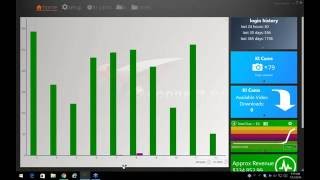
Marcus Kelley, Investigations Manager at eConnect, teaches how to spot employee fraud using the platform's Query Builder and Advanced Queries tools. He covers common schemes like voids, no-sells, and comping, then walks through detective techniques: follow the money, know your locations and staff, look for timing anomalies. Always get a second opinion before accusing anyone.
Chapters
The broadcast is now starting. All attendees are in listen only mode.
Good morning, everybody. My name is Marcus Kelly. I am the investigations manager here at econnect. I'd like to thank everybody who joins me today.
As we can see, we got a pretty good mix today. We got some people from the casino industry, some from the amusement parks, and we have a few from retail.
With that being said, can everybody see my screen?
I'll take that as a yes because I have no questions or.
I have one question off the bat and I got a yes as a response. So like I said, we've been asked by multiple customers if we can do an advanced training on site. And it's something that it took us a little time to build. This is our first series of advanced training. Hopefully again later in the year, probably around November or December, we can come back and cover this topic again. But to start.
Some of the topics, our first one is going to be Think like a thief. The reason why I came up with this one and I had my guys help me with it because it's the basic of everything we're in this for. The majority of us are here for the loss prevention side of E Connect. And it's one of those, how's the thief going to work at your revenue centers, at your locations, at your casinos? Are they going to keep the company in mind or are they just out looking for themselves? So one of the things we do here, every now and then, me and the guys will sit down, we'll have a pow wow and we'll bounce different scenarios off of each other. And you can go extreme because it goes back to the days when I used to do loss prevention at the grocery stores in the Bay Area. I'd say at least twice a year, somebody would load up a shopping cart with food and walk out, walk out the front doors like nobody was paying attention to them. So as extreme as you can go to something as simple as, hey, what about just not ringing up items?
The key thing to keep in mind is.
The thief is always going to need access to the cash. So anyway, anytime cash exchanges hands, you're at a. You had a potential vulnerability and those are the situations that you're looking for.
Also keep in mind with those who are just giving items away, that's when we'll either run a revenue report to see if this employee is working 40 hours and there's two others in the same revenue center working 40 hours. Why is employee A only making.
Five to ten dollars in sales an hour where other employees are making 30 to 40. Why so much of a drastic swing? The other one that we'll look at is how many closed checks does one employee have versus other employees who are working the same amount of hours.
Some of the other things that you can keep in mind is.
When these employees, when they are stealing, thinking like a thief, very rarely are they going to get caught the very first time they steal. Don't get me wrong, it does happen every now and then. You stumble on to a newbie who stole for the first time and it's legitimately their first time. But nine times out of 10, the reason why thieves get caught is because they get comfortable with whatever scam that they're running. Then they start getting sloppy or they start telling people outside their inner circle about what they're doing. And it's things like that that the sloppiness is where they start showing up on the reports or their overs and shorts start going through the roof. It's one of those they're at a mentality, they've been doing it for so long, nobody's ever going to catch them. And the other thing is greed.
As they start to steal more, they get comfortable to a new lifestyle, a new income, and the next thing you know, they want to make more. So they can go from $5 the first few months. So next thing you know, they're still in $25 in the second quarter. By the end of the year, Christmas time rolls around, they know they got a pretty good scam set up, nobody's caught them. Next thing you know, they're still $100 a week just to buy the expensive gifts. And then when you're still in that much, that's when you're going to get sloppy.
Another thing to keep in mind is the amount taken.
Like the poll I ran at the start of the webinar, I have some people from the amusement parks, those locations, they're probably going to steal anywhere from 10 to $30 a day. Don't get me wrong, there's going to be those cases where you might have a supervisor, you might have a team, and they might be hitting you for two to three hundred dollars a day, but those instances are rare. And on the flip side.
Nightclubs.
Casinos with high end bars, those bartenders, they're probably still anywhere from 75 to 100, maybe $200 a day. And it's one of those to keep in mind is you have to know your location to know what, what you can expect for people to steal.
So always keep that in mind.
Do I have any questions? So Far before I start moving.
Okay, seeing how we have no questions, jumping into econnect, Some of the things I want to talk about. The first one is going to be timing. So I want to show you a couple of checks. If you look at this check here, it looks pretty normal. You have a dragon roll, chili, cheese, no cheese, no onion, or add onions. And then they void the onions out. They don't want any onions. It's paid for with the Visa. This check looks fine.
But if we bring up this next one and we look at the time between the two, this one happened at 6:55 on the 9th. This one happened almost an hour later. And right here you can see where the dragon roar was voided.
The reason why I bring up this check and concerns with timing is I did the legwork on this report. Actually, it's a case I'm still working, so you're not gonna, you're not gonna know the location that I'm pulling it from. But it's one of those where I was looking for voids by this particular employee and I found this void. So with this object number, I selected it.
Ran my report, and then I found that this dragon roll, the only time it was rung up was two hours prior, but it was paid for with the Visa. So I started scratching my head and asking the questions, what's going on with this employee and this check? And so as I dug further, I found other items where they follow the similar pattern where they were paid for with a credit card. And then anywhere from 10 minutes to two hours later, the employee was voiding the items off back to cash. And as you see, the cash drawer opened and closed. And it was open for approximately, what is that, 40 seconds? And that's another thing with timing. Should it take 40 seconds to get $13, 4 pennies out of a register? Me personally, I don't think so. So during that 40 seconds, could they have conducted several other transactions? Possibly. But this is a location that doesn't have cameras, so it's tough for.
So it's different things like that that you look for. Another thing to keep in mind with timing is what type of location are you looking at? Because if you're looking at a quick serve location where you're ordering a cheeseburger, large fry and a soda, does it make sense for that check to be open for two hours? And on the flip side, if you're watching bartenders or nightclubs and you see in servers doing bottle service, does it make sense for a table that's receiving bottle service? For that check going to be open for five minutes and the next thing you know there's a $200 tip on that check. It's just the little things like that that you pay attention to and you start looking at and then you start, you have always have to ask your question, why? One of the things here that me and the guys do a lot is we dig into a case until we can understand it. And once we understand it either it's going to be, you know what, this is a legit process that they're doing.
You know what, this possibly could be a bad procedure and we'll write up a procedure report. Or number three is, hey, this employee is committing fraud and he's hitting the place for x dollar amount a day.
It's just different things. To keep your eye on.
Another check that we can look at for timing.
Let me go back here real quick.
Let me try that again.
So as you guys all know, we all know how to flag. So.
So let me try this.
I'll go back to home.
Check number 479. Let's see if I already have it open.
Oh well that's the reason why. It's because I already had to check open. That's why it wasn't coming up for me. But as we see here, we have a regular cone rung up. Four seconds later it's voided.
Over. Three minutes later another item is rung up.
So again, this is where timing plays a big part. Could it possibly be a mistake if you only find one check? Hey, you know what? Little Johnny could have came up, wanted ice cream cone, thought it was going to be 479 because he's not thinking about taxes, he doesn't know what's going on and then he doesn't have the money so he voids it and he doesn't get the ice cream cone. But it's when you start finding 5, 6, 7, 8, 9 of these checks over a seven day period and they follow the constant pattern, that's when you have to start to question what's going on at this location. Why is that one employee have so many checks where he's ringing up items, voiding it and then the next thing you know he's ringing up a lower price item.
So do we have any questions with timing?
So the next one I want to jump into is Query Builder.
I truly believe Query Builder is the next step for.
Becoming familiar with econnect because as you guys know, you're probably pretty much all familiar with the summary view and all the Queries that are built for you and then the ones that you've added. And at first this is the most practical way to use it because you're still learning the system, you're finding the quick, easy stuff that sticks out. But it becomes probably after, I say after a year or so, or for the amusement parks, probably after the first few months, you're gonna start wanting to find more and more in depth information. And this is where you can start digging deeper.
A good one to start with.
Is quantity.
You guys all know your locations, so the question becomes, should a cashier bring up more than 50 items at one time?
So let's select greater than or equal to.
Set this for the last seven days and run the query.
And as you can see at this location.
Our software is working and it's thinking about it.
We have several of them. We have 55 single dip cones.
100 pretzels. Then they were voided and then they were rung up again. And as you can see, they're on two different checks, but they were both voided each time. And it's one of those, when you start seeing items like that, the first question I always ask, are these checks being done by the same person? If they are being done by the same person, the next thing I do is try to figure out, well, why are they trying to keep track of something? Are they just borrowing the register? What's going on? What's making them wanting to do that? A prime example, I remember a couple years back at one of our customers, the way the employee was keeping track of how much to steal, he would enter, let's say the total sale for that check was $39.74. He would enter 3974T shirts and cancel the transaction. Because of how that client was set up, every time they did a transaction council, it would print the receipt. So this employee had had those receipts and at the end of the night he'd pull out his cell phone, use the calculator function, total it up, and as he was counting his drawer out, he would take out his cut and then put the rest in the revenue bag and turned into the company.
So it's little things like that that you can look for.
Some of the other things that you can look at is.
Some of the other events that we have.
Because under event type, event type.
Everything in this list might not be turned on at your location. But every now and then I like to say, because I tell my guys here, sometimes you hit a wall and you just can't find a Case this is when you have to start looking outside the box. And one of them that I like to use every now and then is report generated.
And with that you guys are going to know your locations. So the question you have to ask yourself is, are line employees able to do.
Reports? Are they able to run themselves? I know one of our clients, it was a casino and the bartenders there, they were able to run a open check report. And what we found out is whenever they had an open check and they didn't know who it belonged to, they just comp it off the slots. No big deal. Come to find out, as we investigated further with that bartender, basically whenever they got cash payment and the customer just walked off, didn't sit at the bar to drink, the cash would go straight to the tip bucket and at the end of the night they would comp it off as a slot drink. And it was one of those because they were doing so many more than other employees. For the open check report is why that employee stuck out.
So it's just different things like that that you can run. You can see here, this is a manager report for menu item sales, cashier financials.
Self employee financial.
So these are just different events. And it's a different way of looking at the data, but it makes gives you other options another way to look at the information that's out there.
One of the other things that you could do is we'll go to.
Where is it at? Void, line item.
And as you guys remember, in our initial training, if we came on site or if you've been to some of our webinars in the past, we always tell everybody aggregate by revenue center. And then from the revenue center break it down and see which employee is doing the most.
But some, but we have all these other tiles here to help you.
So instead of going by revenue center, if you're looking at menu item voids, we can go by object number.
And as you see this object number here, 9001, it's the most for the past seven days.
And as we see it's a void of a souvenir bottle at this location.
That's part of the process for voids, but something you could do with query builder. And this is taking you to the next step right here where it says object number, we can go ahead, click on that.
And then so what we're going to do now is build a query for all void items excluding that one object number.
So under the number two column we're going to click on event type.
And this is where learning Learning the event numbers is going to pay off for you. So we're going to type in 13, which is a menu item void. Now we're going to stack another condition to this field, which is going to be object number. So we're going to.
Add our object number here and then we're going to say not equals to. So when we run this query, it's going to give us all voids, excluding the 9001 object number. So when we go to aggregate, look at object numbers. As you can see, 9001 is not there. We have this one here.
9009. And then we can keep building.
So this is where you can customize queries. So we're going to add another one. We're going to tell it not equals.
Paste it. Let me get rid of this front zero.
Run our query again and then we're going to aggregate it out by object number again and we're going to see we exclude that number. So as you go through and you're getting a lot of data, but a lot of it is legit, but you just want to get down to the nitty gritty. These are some of the steps we go through here at the office to make our searches more precise. And then once you're said and done, you can go ahead and save that query, give it a title that you want so you know exactly what it does. And every time you hop into the system, you know what's going on.
So if we look at this piece of the pie here.
We'Re going to see this is for void to slice cheese basket. So these are cheese pizzas that are being voided off.
From there we can go to our aggregate tool again. And then now we're going to go by revenue center. You see, Street Pizza has the most.
So from here, and then we're going to go by employee. As we can see, this Joseph Mueller right here has a total of 60 or 43% of the transactions for all the employees at this location. And at that point, that's when you would go in, start looking at the checks, start looking at the video and see if it makes sense. And like I said before, it's one of those.
The next step is going a little further than just looking at the first four or five in the transaction. It's going until it makes sense to you. And once it makes sense to you, and you can explain it whether it takes five minutes or it takes you an hour, but either way you're going to be confident to say, hey, you know what? I know exactly what? This employee is doing this, this is a training issue. Let me call his manager, show him all the information I got and move on from there. Or if it's one of those, hey, you know what, this kid's robbing us blind. Maybe we need to do a close watch on him to catch him live, or maybe we need to just go down and shop him and see if he follows the same pattern. And either way it goes, you're building more proof for your case and that's always a good thing in the long run.
Do I have any questions about.
Query Builder? Because Query Builder is one of those. I'll probably go into more detail on our next webinar, but I could spend a good two, three hours on just Query Builder alone.
Okay. With that being said, another thing I wanted to show you guys is Advanced Queries.
This is where I tell everybody if you understand a little bit about SQL, because this is basically a combination of SQL and links, you could build Advanced Queries. It's one of those. If you don't get it, don't worry, you can always email me or the investigations team at InvestigationsConnect TV. And as long as you tell us exactly what you want, we could build the query for you. If we can't build the query, that's when we go to our developers and have them build it for us. Because there are some advanced features or advanced steps to it. When it comes to timing, let's say you only want to look at a 12 hour period. That's where they have to write additional code and that's a little bit above my my knowledge and programming so I have to go with them.
But as you see at the bottom, this is going to produce your end result event type 28. It's going to show you all transaction councils and then once all it pulls up all the transaction councils within that check, it's going to look for event type 14 or a no sell.
So every one of these results.
Is going to give you a transaction canceled and then there's always going to be a no sill associated with it.
Again, this is more advanced stuff. If anybody wants to know more about it or how to do it on their own, go ahead and send me an email. Marcus Kelly, K E L L E Y.
I'll give you a call and I can walk you through some of the more advanced steps and show you how to get going.
Another thing to keep in mind.
This next topic is called It Looks Normal. So as you're walking your casino floor or as you're walking the park grounds, and you see a transaction and it looks normal to the eye, but you get a gut feeling that something's just not right with it. Go ahead, note down the time, note the location. If you know the employee's name, note that down, pull that time frame up and review the checks, five minutes on either side of that and see if it looks normal. A lot of times, if you don't have data associated to the actual camera or if you're up in the surveillance room, you're going to see them pushing buttons and you're not going to know for sure if those buttons are actually capturing. And that's when, as you review the data that goes along with that check, you're going to know for 100% one way or the other if that was a legit transaction or not.
It's one of those. Another thing to keep in mind is if you see change or loose change left on top of a register, it might look normal for them to hit the button or act like they're touching the screen. Actually, no data is being captured, and the next thing you know, they hit a button, the drawer pops, you're thinking, okay, oh, they did a total due. So as you walk away, they're putting money in the register, but they're giving change off the top of the register. So it's just different things like that that you want to look for and pay attention to. And if you have a gut feeling, I always tell you it's always worth investigating because, hey, you never know if you're right or wrong until you actually do the legwork.
Another thing to keep in mind is no blinders. So right now, here, these are all void transactions. But it's one of those if you come across a void transaction, then all of a sudden you see a weird message pop up on the screen or pop up in the check. That's when you might want to dig a little bit further and see what's going on.
And it's just a matter of you might start down the road going one direction. Don't be afraid to go a totally opposite direction because you never know where it's going to take you. Just always keep in mind that as long as you keep digging through the data, it's always going to be there. And with E Connect, the thing about is, as you build more queries and go different directions, you're still going to have your main searches across the top for you to reference back to for later. So you kind of. It kind of keeps a bookmark for you. So when you do go down that different road. Half an hour, 45 minutes later you're like, what was I originally looking at? You just go back to that last query that you or your first query that you originally created and that takes you back to your home.
Let's see, our next one is.
Know your locations. And what I mean by that is because we're a third party, sometimes we don't. Well, not sometimes. The majority of the times when we first start, we have no clue how it's ran. And we kind of have to teach ourselves what to expect from the different revenue centers. So what we'll do is go to our revenue center list.
And we'll just pick.
Let'S see, for this one, we'll just pick caricatures. We'll go ahead and query it for the last seven days.
And basically what we're trying to do is see what kind of data comes through. What type of sales are they doing? Are they, what type of discounts are they adding? Like here they have a manual season pass discount. First question off the bat for me is why they have to enter this manually. Why isn't it coming across regular like all the other locations? And as you start going through the pages, you're going to see the different items that they're selling. Right here there's some voids. I see a no sale where the drawers open for that's 12, 17, 27 seconds. So I keep going.
And basically what we're trying to do, like I said earlier, is just get a feel for the location, the items they're selling and what we should expect. And for you guys, let's say you come back from a vacation and they put a hot dog stand in. Or you come back from vacation and it's full season now for the casino. So you got your cabanas open and it's just one of those. It's just a way to quick way to get familiar with what's going on at that location, what you should expect. And then from there you start looking for the abnormalities. The person doing the most voids on.
Let'S say color, body art or just whatever they sell there. Or like cabanas, if they're selling daybeds along with it, are they selling umbrellas to those day beds? Are those umbrellas being rung up or is the pool boy just pocketing the money and just bringing out the umbrella? It's just different things to look for and to pay attention to.
Going off topic. Well, not off topic, but going a little bit away from econnect. The next Topic we're going to cover is LP Tricks.
Something I was taught a long time ago and I teach it to my guys here when I do training, I try to pass it on to them. Always follow the money.
So while you're doing your floor walks, reviewing videos, doing a close watch, something I covered earlier, you see cash on the register. If you got the video, that's great. Go back to see where that cash came from and see where it goes. Once it's gone.
The next thing is, with that being said, let's say a bar back is getting changed for the bartender. I've had a couple cases where they would take out 200. By the time they got to the main bank, they only had a $100 bill in their hand. They got change for the hundred and they gave the bartender his $100 in change and they stole $100 from the bartender. The thing about that is the shortage came up on the bartender, not the bar back. So after we went through his entire shift, we saw twice where a bar back went into this bartender's drawer and came back with change for less amounts. And that's how we were able to catch the bar back.
Let's see. Another thing is watch to see if an employee is keeping notes after a transaction. That's always an interesting one to follow. And it's always a red flag in the back of my mind because there should be no reason for them to pull their cell phone out, use the calculator, and the next thing you know, they're given change. The register is supposed to tell them everything that they need to do as long as they enter, let's say they give a $100 bill, the total due is 86. $86.74. The register is going to tell them how much change to give. So when you see something like that, that's when maybe you want to key in on that, that cashier for a little bit longer and try to figure out why are they keeping notes? Is it one of those, do they have to keep track of every time they sell a pack of cigarettes like some of the casino gift shops I've been to? Or is it they're keeping notes because they did a no sell and they sold a red bull for $5. So at the end of the night they know that they have five Red Bulls that were sold so they can take $25 at the end of the night.
Another thing to keep in mind is know your employees.
And what I mean by that, if you have the ability to pull their work history.
That'S a valuable tool. So if you're doing an investigation and HR allows you, pull their employee files, see what they've been written up for, see what comments have been made by their managers, get a hold of their over and short reports. One of the big things that I always look for, if a cashier is spot on to the penny every single day that they've worked and they've never had a shortage one way or the other, I always scratch my head and say that's not possible, nobody's perfect, you're gonna make mistakes. But generally when they are down to the penny every single time, that means they know exactly how much is in the drawer and how much to turn in. And at that point they can manipulate the system where they could put overages in their drawer, but they know exactly how much to turn at the end of the night down to the penny. And that's what they take. And those are just some of the things to look for.
One of the other things is.
Watch the employees.
Like I tell people, are they driving an expensive car but it's 18, 19, 20 year old kid? If it's a 20 year old kid working at an amusement park and they're driving up in a newer Mercedes or a newer BMW, is it one of those? Do they come for money or have they been stolen so much they're able to afford to buy that on the same term? Same train of thought is.
Clothing. Are they wearing high end sneakers to work? Sneakers are running upwards of 150, $200 a pair. If you're working in a, at an icy location or.
A soda place or maybe even a funnel cake location, are you going to want to wear a $150 pair of shoes in there? I understand that they're still younger and they're still kids and they're still maturing, but I know my kids at home, when they buy their own stuff, they take care of it because they're, they've spent their own money. And it's the same with kids everywhere. They're going to want to take care of their own money. It's one of those. When I used to work in the casinos, it made sense for cocktail servers to drive the high end vehicles because they were working in nightclubs, they were making five, six hundred dollars a night in tips. But our regular cocktail servers and our regular bartenders work in the main floor. They were maybe making $100 a night in tips and it didn't make sense for them to drive the expensive vehicles. And so that's when we paid a little bit more attention to them to try to figure out where are they getting all this extra money from. For those of you who are in the casino industry.
When your employees get off work, are they dropping 4 or $500 into the slots at the end of the night?
Do you have communications with other casinos around you that you can call and saying, hey, can you tell me if Joe Blow is playing in your casinos? He's one of our employees here and we're just trying to do a follow up just to make sure that he's not stealing from us. If you have those Oklahomanic communications between casinos, you might get the information, but it's one of those you never know unless you ask.
On a side note, be sure you get your director's permission before you go ahead and do that. Don't tell them Marcus Kelly from Econnect told you to do it because this is just training stuff, just informational.
Another thing to keep in mind is know where your supervisors are. It's one of those if you constantly see people doing manager activities but you know the supervisor is on break, did the supervisor leave their card with the employee? Do they know the supervisor's employee ID number where they can manually punch it into the terminal to override it? And it's just paying attention to when certain events are happening. If you notice it's always when the supervisor is going on break, it might be something to look into. The other thing is these supervisors and line employees, over time they will build a relationship and they might become friends off work. And the supervisor is probably thinking, hey, Joe Blow's never going to do anything to jeopardize my job so I could trust him. You know what? I'll leave my card with them. And at that point, that's when they take advantage of the friendship and they start stealing.
Another thing to keep in mind is look for teams or groups of employees that are scamming you because it's one of those, let's say at a certain location they're known to give change or correct change. Yeah. And they use no sales.
And their average is about 30 per day. But you have one employee doing 50 that's going to stick out. But if you have a team where each of them is doing 25 per day, they're going to be right under the radar, but within normal range and it's not going to look so bad. But they're combining their money at the end and they split it. It's just different things to look for different ways. Like I said, think like A thief. What's the best way for you to take advantage of the company that you work for without being caught? And the reason why I say that is because that's how the thieves look at it. That's how they're thinking about the money in front of them. They're trying to figure out a way to get it in their pocket without getting caught. And do this for as long as they can.
Look for items that come up as a round number after tax. For example, let's say large soda sales for 479 after tax, it's $5 even. Those are different things that you want to look for. Keep in mind that the employees, as they work these locations at your company, they're going to learn what's going to be a $5 item, a $10 item, a $20 item after tax. And it's one of those, if they got teenagers in front of them, or if you're in a casino and they got somebody a little bit buzzed and they put a $20 bill up there for four beers because you're running a special, those four beers are going to get served. And you know what, there's a possibility that $20bill is going to go straight into the tip bucket instead of the register. The same thing goes for the amusement parks. If it's a $5 item and it's a 12, 13 year old kid, the kid's not going to care about the receipt. They're just going to want their soda and take off running to the next ride. And that's when you're looking for is that being rung up or is it going straight into the pocket of the employee?
Another thing to do is if you have the availability to do it, check your inventory.
Are you order over, order overing a certain product? One of the locations I've been to, they found out that they had way too many cases of pineapple juice on the shelf. What it came out to be was instead of ringing up a regular price draft beer, the cashier was ringing up a can of pineapple juice. It was like a $4 difference. So their inventory looked like they were all sold out. But when they actually went back into the storeroom, they had cases of it, stopped up, and then from there they started doing the digging where they came into econnect, pulled up pineapple juice, see who was selling the most, and then from there they started watching the video and come to find out they were actually served from beers, but ringing up the pineapple juice and all the difference was going straight into the tip Bucket. And the same thing on the flip side, if you have to order a whole bunch of a product, but on paper it's not being sold. It's one of those. That's where you start looking to see where the majority of this item is going. If it's bottled beer, and you know that Bar X is constantly doing refills on bottled beers, start watching and make sure that they're being rung up for the correct item.
One last thing I have for you before we close out is just because something seems suspicious doesn't always mean that it's fraud.
It's one of those. It's truly a good practice to have a second set of eyes look over your work before you decide to pull somebody in. Because it's one of those. I much rather have an employee walk. Or you know what? They're a no call, no show versus me doing a bad stop pulling an employee in. They have valid explanations for every single instance that I have. And the next thing you know, this employee wants to try to sue for unlawful detainment or defamation of character, saying, hey, this guy accused me of stealing. I didn't do anything wrong. Well, the way the world is today, or America, somebody's gonna see you. And I guarantee there's a lawyer out there who will probably take that case.
With that being said, that's my webinar for today.
Before I close out, do we have any questions from the audience?
Looks like I have a question here.
Let me see. I work at an amusement park and we have different departments of associates. They include food, games, merch. Is there a way to divide up associates by their job functions or just work locations? Yes. So to answer your question, when you're in Query Builder.
Let me move this out of the way so we can.
Go by, let's see, event type.
We'Ll type in 13 and then from here we can.
Go by revenue center name. So as long as you know the revenue centers. So if we want to select all Photoshop, so we'll select Antique photo.
We'Re going to add another one.
We'Re going to add Banshee photo, add another.
And then we're going to add Beast Photo. So basically, basically what we did is selected those three revenue centers.
Let me go to the last seven days.
And as you build that query.
Revenue surname span sheet. Oh, one thing is, you have to change it to or versus and.
And then run the query. So when we aggregate it out, we have revenue centers. These are the three different revenue centers. So it's one of those. Yes, it can be done. You just have to go through the list. Remember, depending on what type of search you're doing, because you're doing name search here, you have to change this one to an or, and then you can keep adding all the ones you want to. And then when you're said and done, you can save it. We could type voids at photo locations or however you want to word it.
Did that answer the question for you?
Do we have any other questions out there?
Well, with that being said, I'd like to thank everybody for joining us today. And probably by mid or within the next week or two, we'll send out another invite for August Webinar, and at that point we'll have a topic for you. Once again, thanks everybody for joining. You guys have a good day. Bye.
More from Henry

Skip the line, not the security: Facial Recognition for Guest Experience & Safety





eConnect’s Red Light Green Light – The Most Advanced Facial Recognition Tool for Casino Entry



Skip the line, not the security: Facial Recognition for Guest Experience & Safety