eConnect POS Queries Part 3 04/12/16
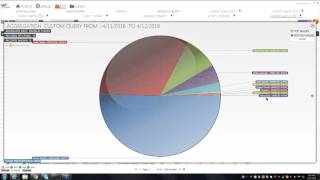
Marcus Kelly and Paul demonstrate eConnect POS queries to spot cash theft and errors. They cover void patterns, unassigned drawers, and timing checks like no-sales within 30 seconds of drawer opens. Aggregate by employee or revenue center to find repetition across shifts.
Questions this video answers
May 10, 2016 and June 14, 2016 at 9:00 AM (Las Vegas time).
Email shown in transcript as "investigationsconnect TV" (verbatim from the transcript).
Chapters
It.
The broadcast is now starting. All attendees are in listen only mode.
Hi everybody, my name is Marcus Kelly. I'm the investigations manager. We're going to get this webinar started in a couple of weeks, couple of minutes. I just want to give everybody a chance to log in and catch on. So if you get the chance, answer the poll question for, for us and we'll get back, get this thing started shortly. Thank you.
Okay, I'd like to thank everybody who joined us today. Again, like I said, my name is Marcus Kelly. I'm the investigations manager. I got some of my investigations team in on this webinar with me and Paul. He'll be doing the second half of the webinar today. Just a couple of notes for you guys. If you ever have any questions you want to reach out or get in contact with us, you can email me at investigationsconnect TV and we'll answer any emails that you have and reach out and talk to you personally if there's something that's more than an email.
As you know, for the past couple months we've been going over the summary view and covering the different queries that we have built. Today will be the last day, last part of that chapter. Just to give you an update for our next two webinars.
Let me close the poll. Actually, before we go any further, can everybody see my screen? I just want to make sure before we get too far into it and possibly have to start over and repeat some of the information.
Okay, I'm getting yeses from everybody, so thank you for answering. But our next two webinars in May, we will be covering back of house. So if you have any techs or it or basically whoever, maintenance, maintenance the econnect for you, it would be a good time for them to join in and take a look at how our support team works with it. And if you guys have any questions, that would be a good time to bring them and have them answer it. And then in June, we're going to cover the basics of econnect. So if you have any new employees that have recently started or if you want somebody to be retrained, that would be a good time for them to sit in.
With that being said, the first query I'm going to cover today is service total. There's a couple different ways of going about it. If you look on our list here.
Let'S see, we do have one service total equals zero. We also.
Also if you want to build it on your own, you can go to the query builder, select event Type you're looking for service total and then you want to hit query.
And basically service total is basically saying the way I look at it, the good, good part to it, the why the company needs it. If you have a sit down restaurant and let's say the first thing you're going to order is a couple of drinks, they're going to ring the check up and save it, it's going to give you your service total. After that you want to order appetizers, they're going to recall your check, enter more items, save it again, which is going to give you another service total. What we found in the past is there's some locations that you know, it's a quick service restaurant and there's no reason for them to save checks to create a service total. You could look at it that way. So if you run the query for service total and you have your list and then you go ahead, go ahead, ahead and aggregate it.
You can go by revenue center. And as you see most of the revenue centers here are all sit down restaurants. But if we look at this very last one, Camp store, we know this is just like a gift shop. We open it up, grant, there's only one check for a service total. It's, it actually equals zero. You can open up the check, look at a cash drawer and you see that the check was adjusted which gave it a service total. What we found, because this is one of our clients that has allowed us to use their data for training purposes. But what we found with service total is it also prints another copy of the check. And in the past we found locations where it was a buffet and what the cashier or the server was doing is they had a family of four come in. So they rang up one, one buffet.
Did a service total, they rang up a second buffet, did a service total, rang up a third buffet did a service total and then they finally rang up the fourth service total which was paid for by the family of four. They went down, they had their meal, but the cashier now had three other checks for three different combinations. Depending if a single person came in, a couple came in or three people came in. And with that being said, granted they were all the same check number, the customer is really not going to care. They're just going to pay what they owe for the three people and the cashier knows the price or the server note the price to tell them. And as we know with self banking, they're keeping all that money to themselves and then they just turn in what they owe at the end of the night to the main cashier.
Some of the other ways you could use service total. So we're going to close this window out.
We're also going to close out this aggregate page.
Actually, I should have stayed on it. But another thing we can do is we can go by employee.
And then we can also aggregate again, and this time we're going to go by check number.
Because in theory, what you should see is. And we're going to sort it by time.
So they rang it up for. And the total was 49. We see a void or we see it lower, which usually means that there's a void. So if we open the check up, we see the check start.
Let me scroll down a little bit for you.
We see our first. First service total here. They pick up the check, they apply a discount, and then the service total goes down.
And then you see, they order more items, which brings the service total back up. They void an item, then they add it.
And then we see that the tip is close to what they added for the discount. It's one of those. What we do here in investigations is if you see one, you know what, it could have been a mistake. But the one thing that we've learned is that if you go out or if you see a check like this and you go out and talk to the employee right there on the spot, all depending on your policies and procedures and what your HR is allowing you to do.
But if you talk to them.
It'S going to make the change. They know that you're watching. And with the instant information there, if you come up to this employee 20, 30 minutes after the transaction happens and say, hey, what is that? Why did you screw up with that? Or what happened? Can you tell me? They're gonna know that you're watching. And as we all know, the employees talk to each other. So if you. If you can talk to one, one to two employees a day and ask them what's going on, it's gonna open up their eyes and it's going to make them say, hey, I was thinking about stealing. Maybe, maybe, you know what? Let me wait a week or two when the attention is focused on me, or they just might not steal at all.
With that being said, do we have any questions about service total?
Okay, so I'm gonna close some of these windows out.
So my next one is going to be.
Total dues.
As you can see here, we have a variety of total dues. We have total due less than $1 or 8. Total due less than negative $15. Total due equals 0. Total due equals 0 without refills. Total due greater than 100. Total due equals a penny. Total due equals 0 plus no sale. Total due equals 0 plus a pickup loan.
The reason for all the different combinations, as we all know, everybody does not always steal the same way or commit fraud the same way. And so we've learned over the years that these variations are basically ways we've caught cut people committing fraud. And we've created these queries to basically make our jobs a lot more productive and a lot quicker. Anything with a dollar amount we can change. If you ever have any questions and you want to build some of these queries, like I said, you could contact us at investigationsconnect TV and we could either copy and paste the query for you, or we can call you up and walk you through, step by step on how to build it.
The first one I want to cover is total due equals a penny.
So let me see, for the last seven days, I'm going to hit apply.
And if we look at this one, I went through some of these earlier today. So you have a seller bar for a penny. There was no tax added. Total due equals $0.01. The cash drawer was open from 29 to 42, so that's 13 seconds. And it's one of those what I tell everybody, especially if you're working with data only, like we do for this client, 13Seconds is a long time. A lot can happen. And if they truly had a penny, if it took them five seconds or less, I really wouldn't question this transaction.
At least for the amount of time the drawer is open. But still a salad bar for a penny. It kind of makes you wonder.
And if you open up some of the other ones, you'll see some of the other queries that we've talked about over the past few months. So this was loose change for a penny. And as you can see here, the drawer was open and shut within two seconds. Not a problem.
And as you see the majority of.
These.
So there was a prepaid discount and they paid with the souvenir voucher for a penny. So most of them will make sense. But one of the things we tell all of our customers that call us up and ask us is there is no magic theft button with E Connect. Granted, it's going to take you to the queries and the information a lot quicker than other softwares out there that are available. But you're going to have to do some legwork. You're going to have to look at these checks and I tell everybody, if you scratch your head and it doesn't make sense to you. And if you have co workers in your department and they're also confused, that's when you narrow, you focus on that one employee and start looking at their other transactions to see what they're doing.
So I'm gonna close this one out. Gonna come back to the summary view page. Another one we like to look at is total due greater than 100.
And what I tell everybody, you guys know your locations better than anybody else. So you know your high end locations versus your quick serve. You know which restaurants might be steak or steak and seafood or an Italian restaurant where the average cover is going to be 150, 175 for two people. But now if you pull up a quick service and they're having checks for 1, 2, $300, that's where you kind of question what's going on. Also with that being said, we, we do also watch nightclubs and they requested that we raise that amount from $100 to any time the total due was greater than 5,000. Like I said, that number can be adjusted to whatever number works best for you. Just give us a call and we'll show you how to go through it. And basically what I would do from here, I have the page up, I'm going to hit my aggregation tool again and I'm gonna go by revenue center.
Again. Here I see the Camp store has one transaction for over a hundred.
I'm gonna click on this check.
And then I'm gonna go through it. Was paid with the Visa. Looks legit to me. So no, no, no harm, no foul.
So I'm gonna close these two out.
Another one. Total dual equals zero plus no sale.
Again, I'm gonna select the day where I have a couple of them.
I'm gonna open it up. As you see, there was a wristband refill.
Another thing again, talking about time. So this is eight seconds after the check was closed or correction, seven seconds, they ended up doing a no sell and then the drawer was open for 38. So 40, 48 seconds. Again, was that employee working out of an open drawer for those 40 seconds for the next couple of transactions or did they, were they counting the drawer to have somebody go run and get them changed? Again, these are questions you guys are going to have to ask your employees or if you have a suspicion about this employee, maybe you're not going to ask that question. You're just going to sit and wait and see how many more of these you're going to have. And you might pull this employee in for an official interview to see what they're doing. If you have other concerns that that are going wrong.
So along the same line.
We'Re gonna cover unassigned drawer or pickup loan. But it's the same theory and what I like. As you can see here, they don't have any for the past week. But it goes along the same line, what I tell everybody. For fraud to be committed, the employees have to have access to the money. Granted, you're going to have those employees who are just going to remember the prices and give a number to the customer and take the cash. And next thing you know, the cash is going to be sitting on top of their register until they leave, and then they're going to go straight to pocket. But most employees have learned that even on camera, that's going to stick out like a sore thumb. But if it looks like they're pushing buttons, the next thing you know, the drawer pops, they put the money in, and then an hour, two hours later, they do a no sell. Or at the end of the night, when they're counting down the drawer, you see them separating money off, you see the majority of it go into the cash bag and then there's still a stack of money left to the side. Nine times out of 10, that's how much they know that their money that they've either short the customer or they've stolen from the company. And that's going to go in their pocket, their purse, or however they're going to hide it or conceal it to get it off property.
Do we have any questions? With total due.
The next one I'm going to cover is void errorcorrect.
What I want everybody to know because we have this discussion a lot.
Voids and error. Correct. They're similar, but they're different.
Most locations.
Give the employee the quick access to void, that last item that they just rung up. And that's what we consider error. Correct. With the Econnect software, it's going to come up as a positive amount.
And in the same voice. Voids are usually done by managers where they've got past the subtotal stage. They need to go back to correct the check. They have to call a manager over and void off two items. Instead of a Big Mac, they just wanted a cheeseburger, but they already hit the subtotal. That's when a manager is going to have to step in. So with this void plus error. Correct. What we found is we find employees who are ringing up items and the next thing you know, they See that a cashier or the customer is getting ready to pay with cash.
And so they void it off and ring up a lower item and pop it to difference.
So as you can see here, they rang up two Cinnabons and then a.
Five cent Cinna stick and then they void off one of the Cinnabons and it's just like before. You just have to go through the data.
Go through the different checks. And once, once you come across a check that just doesn't make sense to you, that's when you start asking the questions, what's going on?
Why is this happening? And then you. And what we like to do is look for the repetition. Is this happening a lot or was this just truly a one time deal and maybe I just need to go talk to the employee or maybe I need to pull that employee's manager in and say hey, you know what? We truly believe you need to retrain this employee and get them up to speed.
So we'll look at a couple more.
Like here they rang up two or iced tea and a sweet tea. They didn't want the iced tea so they voided it off or error corrected it off and then it was paid for with cash.
Do we have any questions on void plus void error corrects?
Okay, with that being said, I'm going to pass the webinar over to Paul and he's going to go through a couple more of our summary view. Again, if you guys have any questions, feel free to ask while we're going through or something comes up later on after this webinar ends, feel free to send us another, send us an email and at the end we'll have one more poll question for you. With that being said, here's Paul.
Good morning.
Let's see what we got going on here.
So Marcus did quite a few. One of them I'm going to talk about right away is unassigned drawer. That one kind of goes with what we did with the voids and the total dues. Unassigned drawer is one of the things that we see from property to property. Sometimes it'll come up as unassigned drawer, sometimes it'll come up as pickup loan. These are good normal things for most properties. It's usually how they open up the drawer to do to put their tills in at the beginning or the end of the shift. I've also seen pickup loans used as tip outs. So if you've had credit card transactions all day long and at the end of the night you want to cash out your bartender or your servers, you can use a pickup loan to actually remove the cash from the till that equals the amount of the credit card transactions.
So those are the good reasons why we built the query is cashiers have come up with a few reasons to make this not as quite as company friendly. So if I click on unassigned drawer.
As you can see on this property, it's already going to come up as pickup loans.
So one of the things I'm looking for when I'm looking at the pickup loans is I'm looking for pickup loans that happen maybe immediately after a transaction. Similar like you would look for a no sale. Once cashiers get comfortable, pickup loans can be used just like a no sell or a way to pop open the drawer. So if I want to look to make sure that these transactions happen immediately after the cash tender.
And then also that.
These transactions.
Happen at the middle of the shift. So if I have pickup loans that are going on.
Through the middle of the shift instead of the beginning or the end of the shift, they become slightly more suspicious.
I'm just going to pull a couple of these checks and take a look and see if we have anything that gets our attention.
There's one that starts with the authorized negative transaction balance followed by a void, you have a negative cash amount. And then we go to a pickup loan. While it's interesting is most of the time when we do negative transaction balances like this, or we may want to give cash to a customer, they will do a no sale. And in most cases, no sales are authorized by a supervisor on this particular property. So maybe going to a pickup loan is a way to open the drawer without a supervisor in the area. In this case, I'm not worried about that because I do have an authorized negative balance and I have an authorized change keyboard. So just by looking at that only, it looks like there was a supervisor involved. But if I saw a pickup loan following one of these transactions instead of a no sale and there was no authorizations on it, you know there's one away where I just see that employee opening the drawer.
Here's one.
Here's one where we have a couple of jewelry rung up, season pass discount. The cash transaction looks okay. The check is opened. Fifteen minutes later we have an O sale, not so much to worry about and then pick up loan later on. So not so scary. One of the things I will do with an unassigned drawer is once I have my unassigned drawer, I can.
Look at the past seven days.
Then aggregate those results and see if there's an employee that stands out.
Most of the time. You'd think there'd only be maybe two to four pickup loans on a particular shift. If I see somebody who has a large number here that doesn't convert to two to four times a shift, unless that person's a breaker who has a reason to be removing a till over and over again, these numbers here can be quite telling.
Do we have any questions about pickup loans.
Or unassigned drawer as it was?
Another one that I want to talk about today is one of our bigger theft identifiers here at Econnect and I'm sure on your properties as well. And that is voiplus Noso.
This is one of our advanced queries. This is a query where we take, you know, voids, which we consider is a pretty good.
Identifier as far as fraud or theft or even procedure. And then you add it with the no sale. So now, as Marcus was saying, I've got all the components right away of a suspicious check or a person that might be working outside the box. And that is I have a void which may have brought my total due down to zero or lessened. And I have a no sell which gave me access to the drawer. This whole transaction type helps that transaction on camera to look normal, to look normal to the customer as well as co workers that are around as those transactions conspire.
So if I click on void no.
Sell.
Take a look at one of these checks.
This kind of is what I'm talking about. As far as data goes. We'll see the begin check here an item was rung up and then avoided rather quickly. The check was cash tendered to zero. Within a minute the check gets closed and then within another minute no sale was done to pop the drawer open. So if you can imagine how this would look on the actual line, you could have a person there who rang up the amount. The customer produces cash, they're able to void that out.
They can now go through the process and make everything look normal as far as the drawer popping open, changes made, and they're able to keep the difference on the transaction for whatever they actually charge the customer.
Anytime that you can get a void and a no sell and then even a total due zero.
It makes those transactions look very suspicious. But we always talk about how time is very, very important. So we want to make sure that these transactions, you know, a no sell usually needs to happen within 30 seconds of that transaction being closed. The further away it gets from the actual change. If you can visualize the transaction in your head, the harder that transaction looks. I mean, how long did that customer have to wait for their change? And the further that no sell goes away. Did we even pop the drawer? Is it something else? Like Marcus was saying, were we making change or were we counting our drawer or something like that?
Take a look at another one here.
This is kind of another good example of more of a procedure error. We do have some items rung up, followed by voids.
But at the end of the day, we end up with a total due of $40 and then a Visa transaction for the same amount.
And then we have a no sale following them. So this is one of those quick ways that you can do from an audit standpoint, if you have a procedure at your property, when you're done with the Visa transaction, you might have to put the slip somewhere. The Visa slip. A lot of cashier drawers have little slits in them where you can slide those.
Visa transactions into those. Or you might have to paperclip it or wherever you keep it on your station. So if I see a no sale that immediately follows the Visa transaction, we can start to ask the question, why were we accessing the drawer after a Visa transaction? Is this something that is normal, or is this something where maybe they're not doing the procedure quite the same way that you want them to? So you can quickly be able to go through your checks and see, well, hey, this particular cashier, every time there's a Visa transaction, they're doing a no sell.
And then you can reach out to that employee and try to figure out why and see if that's a procedure error or if they're doing something a little bit more.
Fraud intended.
Do I have any questions about void plus no sales?
We'll move on to the next one. I have here very similar to void plus no sell. We have void plus transaction cancel.
It's similar, but yet it has a little bit of a different taste to it in the sense that a transaction cancel is not going to pop the drawer, but it does give you the ability to kill a transaction.
Sometimes these particular Boyden transaction cancel ones look very suspicious, and other times it looks like maybe it could be the natural order of business. For example, you have a begin check.
Where the milk's rung up. We voided this milk out, and then we have a transaction cancel. This whole process happened very quickly. And this is one of those where we have to look for volume, and we also look for similar price points. One of the things we've learned is that a lot of times employees Especially new employees.
Will do a lot of this type of transaction to do price checks on items. So I'm not sure how much the milk cost or how much the soda costs or how much this T shirt is. So I'm going to ring it up really quick and I'm going to tell the customer, hey, that's 379. Then I'm going to do a transaction cancel. And because the customer is going to go do more shopping or whatever the reason might be. And that's why I said new employees do this more than anybody. If you have employee who just hasn't learned their price points yet, we might do this.
When it becomes a little bit more interesting is when I will see one particular employee who is doing a transaction cancel like this transaction on milk seven times in a day or 20 times in a day. You would think after the first time we've decided we know what the price of this milk is and we don't have to do it 20 times. Once you get to 20 times, then it starts to look like this is a button I'm comfortable with. I can ring this item up and not do the transaction correctly. So maybe I'm not ringing up any items at all. Maybe the person walks up with a T shirt and I'm comfortable with ringing the milk up really fast transcashing canceling it as soon as I know that cash is going to be produced. So it's one of those where like Marcus says, there's no magic theft button. But if we do a little groundwork and we can see that this one person on your property, you know, this person's not new and they're ringing up nothing but milks and transaction cancels, you might have something that's a little bit more suspicious than just your everyday price check.
See we can look at another check here.
And this one's another one where we have a begin check followed by a void followed by an authorization cancel this transaction and then which in turn does the transaction cancel and then transaction point. So a couple things that could be going on here. We could have a similar thing with the supervisor involved and this is just how they go about not ringing up an item. Or it could be something as simple as that. There was a supervisor there and they meant to ring up one item and they switched it. Anytime you have transaction cancels, you have a good and bad with those two. Transaction cancels are a lot more scary in a gift shop or a walk up type quick service venue than they are in say like a restaurant. See if I have A restaurant here I can look at.
Let me just go seven days here and see if I can pull out one of our restaurants here at this venue.
Well, ideally, what you see at a restaurant is just like Marcus was saying earlier, if when you're doing those service totals right, we ordered drinks, we ordered the two iced teas, we went to our terminal, we rang those two iced teas up, and then we did a service total to save the check.
If you go back to that check a few minutes later and you're that server and you want to open that check up, if you grab the wrong check or you pick up a check from a different table and it's not the check you wanted, one of the ways that most of the systems do it is you can hit transaction cancel to back out of that check. So it's not shutting down the check, it's just closing that particular check. So in restaurants, especially there again, when you have someone who's new and not used to memorizing check numbers and keeping track of what's going on, you're going to see lots of transaction cancels. At a restaurant that just are your normal order of business and not something that's too scary. That's not being said that if I see a restaurant, I completely ignore transaction cancels. Because if you're seeing transaction cancels at the end of the shift or office split checks, those can be just as scary as when you're looking at.
Gift.
Shops or quick service.
Do we have any questions about transaction cancels or void plus transaction cancel?
The last one I want to talk about is.
Still staying on the void subject and we've built a query that's voids greater than three per check.
This one's a fairly self explanatory query, but the idea here is that the volume of voids has increased beyond what would be just a kind of a.
Normal void item. So somebody walked up, said, you know, I want this, I want to order this soda. Oh, I didn't mean that. I actually wanted an iced tea or something. And then you're going to hit an error correct or a void, you're going to get rid of it and you're going to go ahead and move on with that transaction. These usually incur a lot more void three or more on a check, which can push it beyond an error correct to more of a, you know, I'm going to void out this entire transaction or maybe I'm doing a similar void during the entire day. So when I run this query, we can look a couple different ways that you can do this. So I have, you know, 939 different checks where I have more than three voids on it. I can aggregate that one down, maybe pick an employee that's doing it quite a bit.
This particular employee has 22 of those checks. And then I can click on their check and see, you know, what went on with that. So I have a begin check, fries and chicken tenders, Both those get voided. Then we ring up a cheeseburger combo that got voided. Then we got a chicken tender combo followed by their items rung up to a Visa. So this one looks okay. I don't really have any issues. There's a lot of voids. But if any of you have as large a family as I do, and we went to a theme park with three children and they can't make their mind up at the window, sometimes we can make a few cashiers pull their hair out. So I can see how a couple voids aren't that crazy in that context. Now, if that timeframe, as we say, pushes longer, right? If I have, let's see if this one's any longer.
That one's still only a couple minutes. But if I'm seeing a good five to 10 minutes.
Between the transactions as they're rung up, or if I see a T shirt rung up at five o' clock and then I see that one voided off and then a soda rung up 20 minutes later and voided off, and then this check is open for two hours is something that we might want to worry about. Or if it's the same item, you know, maybe you see a check, it gets picked up and the only thing rung up on it is, you know, a particular T shirt or a particular price point. And that one gets voided off continuously as the day goes on, that's when these voided checks look a little bit scary. Also, if you have a, you know, some places I have seen some properties will have, if it's more than two voids on a check that it requires a supervisor. So you might see a check that has, you know, two or three on it. And then as soon as it gets to the limit where they would need a supervisor, all of a sudden they stop voiding and they do some other sort of transaction, cancel or whatever. And basically to avoid the supervisor having to go over and approve it, so you're able to look and say, well, hey, I got a bunch of these three times. There's, you know, maybe they were trying to finish it before it got to the four void maximum or whatever. And just like Marcus said, all of these queries can be adapted towards your property. So if you're more interested in a check that has seven or more voids on it, we can change that to where.
You have a query that's a little bit more property specific.
Do I have any questions about voids that have three or more per check?
So I believe this is going to conclude our query.
In depth query look that we've done for the last couple months. If there's a query that we missed or a query that you guys are still interested in as far as your property goes or that you'd like a better explanation of, please email us any questions about those queries to.
You can email us at investigationsconnect TV and we'll be glad to go ahead and answer those.
I just launched one of our polls so that you guys can answer that as we close. But like I said, any questions or any added stuff for us, go ahead and email us at investigationsconnect TV and we'll be glad to answer any of those or go in more in depth on those particular queries that we covered today or any other day.
And just one more reminder, like I said, at the start next month will be Back of House. June will be just a basic overview of E Connect. So like I said, let your techs know, let your IT people know and we always, as you notice we always ask questions. If they have any questions, tell them that's the best time to bring them and we'll get those questions answered for you. Our actual support team will be doing that. Me and Paul both tell our customers and when we're on site training we could teach you how to do the investigations but our support team is going to be the best on teaching you how to how to work and manage the back of House for any help that you need. Once again thank I want to thank everybody for spending the time and joining us today and I hope everybody has a good day. Thank you.
The dates for the next webinar it's the second Tuesday of every month.
So in May it will be the 10th, May 10th, 2016 and June will be June 14th, 2016 at 9 or 9am Again Vegas time.
Once again I'd like to thank everybody for joining and have a good day.
It's.
It.
More from Henry

Skip the line, not the security: Facial Recognition for Guest Experience & Safety





eConnect’s Red Light Green Light – The Most Advanced Facial Recognition Tool for Casino Entry



Skip the line, not the security: Facial Recognition for Guest Experience & Safety