eConnect: The Anatomy of Theft - Episode 1

Webinar by EConnect (Feb 2017) demonstrating how to use EConnect software to detect cashier theft and fraud in point-of-sale systems. Presenters (Robert Conde, Marcus Kelly, Jeremy McGowan, Dave McCormick) demonstrate live POS scenarios—three-or-more voids, total due zero with cash-in, under-rings, low-total (e.g., <$1.08) schemes—and describe querying workflows and video verification.
Chapters
Sam.
It's.
Morning. Like to welcome everyone to our first webinar of 2017.
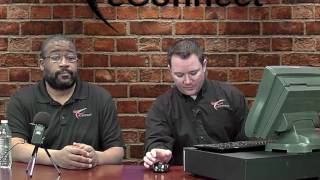
This is a new format for us. We're going live to where everybody can see us, call in and ask questions. So bear with us. We may have some technical difficulties today. My name is Robert Conde. I'm the director of investigations here at EConnect. I'm joined today by Jeremy McGowan, one of our investigators. How you doing? Marcus Kelly, our investigations manager.
How's everybody doing today?
And then back in the back who could possibly mess everything up is Dave McCormick, our director of marketing.
Today we wanted to really bring a new feel to our webinar. We wanted to talk more about how to use the software to catch theft as opposed to just how to click through the software and how to run queries and aggregate those results. So in this setup we have here today, the reason we went with live is we have a POS terminal right behind us which will allow us to recreate different events. We have our software hooked up as well, so we can run through our software and from there we'll be able to show you different examples of fraud and theft.
So without further ado, I say we get started with our first query that we want to go over.
Hey, Bob, just a sec. I just want to chime in. For Those in the GoToWebinar, feel free to go ahead and type in questions. Or a little bit later in the show, we're going to have our dial in line to dial into. That will be your hotline. So we'll put you on the air. You can ask any questions you want live.
So we're going to go ahead and get started with our first query. Our first query being three or more voids on a check. Now, in everybody's summary view at the very bottom, you should have a query called three or more voids per check. And what we're really looking for is really any check that have three or more voids. Now this can be completely legitimate. Someone could walk up and order a whole bunch of stuff and then change their mind or the price be too high. But we're looking for the ones that don't look legitimate. So what we're going to do is we're going to recreate right now using our POS terminal, one of these types of transactions so you can see it live. We'll discuss it and we'll go from there.
So for this first transaction, Jeremy's going to come up, he's going to order several food items. You're going to see Bob bring it up and then we'll go through and discuss what we're looking for as a transaction.
Alright, I'd like to get a plate of wings, bass, beer and a shot of whiskey on the side, please.
So as you can see, Bob's gonna ring it up, everything's gonna look normal on camera. And as you see with our data stream, we have the begin check.
We have our buffalo wings rung up, very first item.
Followed by a shot of Whiskey. And the third item is going to be the Bass beer.
16.65.
All right, there's 20 for you.
And as you can see, Jeremy kind of waved them off, told him to keep the cash. But as you're watching Bob live and you've seen what he's doing, he just went to pocket with the money or maybe even his tip bucket, but now he's voiding the items off. And the thing that you have to keep in mind when you're looking for transactions like this, it's the timing.
Okay. The other thing you can look for, as you're looking at the screen, you can see the three items being rung up, you can see the three voids that took place. Now there's a couple different ways we can go with this. The first way is I can wait for somebody else to show up and order items and continue to add to this check. And that's where the timing comes into play. The other thing I can do is I can tender this to zero and I can go ahead and I can press pay and I can put 20 bucks in.
And you'll see that right there on the screen. My total due was at zero. My cash in was 20.
One of the things you want to remember, for any theft scheme to take place, they need to have access to the money. So by tolling out and putting $20 in as the payment, it's going to kick the drawer open and that's going to give the cashier the potential to commit fraud or steal from the register or even leave the drawer open and continue to work out of an open till.
So anytime that you see a cash transaction where a total due is zero, you know that that's going to be hinky at best.
Especially if you see, if you see.
Cash in the transaction, cash being passed from the customer to the, to the register attendant, and the total due of zero, any type of cash movement with a total due of zero, that's something that's going to pop out and you're going to really want to watch for.
And for those of you who don't have access to video, whether you're in the audit department or you just don't have cameras at your location. If you see the same employee constantly bringing up total due of zero, but putting in a cash amount.
That'S the time when you probably either want to go out in the field and do a live observation or pass it on to your surveillance department where they have the cameras and they can look at the video.
And once again, if you guys have questions, we are live right now. And there's going to be a number at the bottom of your screen. You can go ahead and call in. We can take your calls and answer any questions you have on this. Keep in mind, whenever we're searching for these within E Connect, there's multiple different ways we can search for a lot of these.
I can go back and I can bring up that same order and I can cancel the transaction. We can look for void plus transaction cancel. We can look for total due zero. We can look for three or more voids per check. And so what we'll go ahead and do now is we'll actually go into the Econnect software and we're going to go ahead and do a search for this particular check that we just did.
So we'll go enter our point of sale and we can go down to voids, three or more per check.
We can graph it out and we can see that we have one of those today.
We can take a look at the check and we can see that the three items were rung up. And then a few seconds after they were rung up, about 20 seconds later, they were all voided off. And then it was tendered to cash, total due of zero.
So we can take a look at this.
And you can see the customer. Well, you can't really see the customer in the shop, but you can see me over here ringing everything in.
And it's one of those, if you notice on the check. Another thing to keep in mind, when a check is voided all the way out, it's always good every now and then just to take a look at the very next check, if it's within a few seconds, just to make sure that maybe there wasn't a mistake and it wasn't rerung.
And see right there the cash comes in, it goes straight into the tip bucket. No money ever goes to the drawer. And the reason that's important is if there's money coming in that's not making it to the cash drawer, but products going out. That's latent theft. Now, some cashiers are a little better. They're still going to wring it up. They may void it off. They'll hit transaction cancel and no sale. They'll put the money in the cash drawer, but they'll have different ways of tracking their money, whether it be coins.
On top of the register, coins, paper clips. Even today, with the proliferation of cell phones being everywhere, people are using their notepads on their cell phones or even the calculator part of the cell phone to keep track of everything.
Yeah, so that's like another way of looking at it is if it's a messy register, it's one of those either clean it up or go investigate. Why is it so messy? Why do they have notepads? Why. Why are they constantly writing after a cash transaction? So it's just different things to pay attention to.
All right, so we're going to go ahead back to the software again.
Actually, Bob, I got a couple callers on the line. Do you mind if I patch one in?
Sure, go ahead.
All right.
Hello?
Standby.
Caller, you're on the air.
Hello?
All right, so remember what we said at the beginning, that we're probably going to have a few technical difficulties. This is a prime example of. One caller. Are you there? Are you online?
Standby. That's not an error. That was. We're doing everything right. Standby. I got another caller.
Hello?
Hi, my name is Steve Costa with Jack Entertainment. I've logged into the E Connect.
Web meeting, but I'm not getting anything.
All righty. I'm going to go ahead and let Dave take that. Dave, can you take that call offline?
Yeah, stand by.
All right, he's going to take care of you, sir.
All right, folks, when you do call in, if you have a technical issue, please let Dave be aware of the technical issue. And if you have questions specifically for us or comments about the software, let Dave know that and he'll pass it on to us, and we'll be more than happy to take your calls on the air.
Okay, so going back into our software, like we said, there's multiple ways that we can do a search for this. Another way we can look for this as total due equals zero. Everyone should have that query in their system. This query is going to return false positive sometimes depending on what you sell, your park. If you have any admissions that are.
Free, VIP passes for the nightclub, maybe free refills, they're comping off drinks, so.
You will get false positives. But if you can narrow down locations that have those, we can usually get rid of those.
Those.
But once again, we go to total do equals zero, and we're going to see that exact same check that we just did. So whenever we first came out and trained most everybody here, if you've attended webinars, we told everyone there's multiple ways to get to the same result. And that's why we encourage everyone to come up with your top five. What are your top five queries that you run? Everybody should be different. It should be what you like, but eventually everybody will come to the same result.
The beautiful part about this software is the fact that you can get to the same end result with multiple different types of queries, multiple different types of searches. It's all about your personal preference, how you're most proficient with the software and what gives you the best and most efficient results.
So we ready to take a look?
Yeah, let's take a look at that video. So now what we're going to show you guys is a video clip. Clip one, Dave, of actual theft that took place that was found using three or more voids per check. This was one that our live analyst team uncovered. What you're going to see is a gentleman's going to approach. We'll have the cashier come up in just a second. He's going to order two chicken strips and two fries. And right now you can see that the cashier rang up those items and he's going to turn around and begin to fill that order. Meanwhile, in the bottom right corner of your screen, you can see the.
Customer getting cash out and he's getting the cash ready to pay for his meal. And just a moment, we should see the cashier return.
You'll also notice that the customer doesn't have any idea what the transactions are supposed to look like or what the employee is supposed to be doing. So the employee doesn't really have any concern that the customer is going to see what he's up to.
And keep in mind, just because this is like an amusement park, the same thing is going to happen at a nightclub or a bar. The customer is going to be more interested in everything that's going on around them versus what the cashier is actually doing.
Dave, can you rewind that a few seconds by chance.
Whenever he comes back, which should be in just a second here, you're going to see the food get delivered. You're going to see him take the cash from the customer, and then you're going to see him go immediately to the tip bucket. We've talked to everyone about having slush funds or using tip buckets to make change. This is a prime example. He goes in there to make change. You'll see the guy lift up his right hand almost to wave off to say, you know, don't worry about the change. And when he does that, that cash gets folded up and goes right down to the left out of camera view, presumably in his pocket. The items get all voided off and their system is set up by default to cancel transaction if nothing is added to it within a certain time frame. That's why you see the transaction cancel down below. But once again, also going back to, we could look for a void plus a transaction cancel. This check would have come up in that same query. So once again, if you have questions regarding that, we're going to go ahead and move on to our second query. But you can call in. We have a phone number that will pop up on the screen and you can call in and ask any questions you'd like.
So moving on, we're going to go to an under ring. An under ring is just that you're purchasing an item that costs more, but you're bringing in an item that costs less so that I can keep the difference as a cashier.
So what's going to happen in this clip is Marcus is going to come up here and he's going to walk up to the register and he's going to order a creme brulee. But what you're going to see happen is that our.
Register attendant here is actually going to ring in a cookie for a much lower price than the creme brulee.
Taking a look here at the data, see him begin to check. 648.
You wanted a creme brulee, right?
Yes, I did. All right.
Now, on these under rings, one of the things to watch out.
For is also the pass six bucks.
So he takes the six dollars.
Now you're going to see the way that he's able to change this order. So he's voiding out the creme brulee, which was a $5 ticket, and he rings in a 95 cent cookie for a total due of a dollar and five cents. He takes the $5 change due is $3.95. But as far as Marcus is concerned, he just bought a $5, $6 creme brulee. So from Marcus perspective, the transaction was completely legitimate. But Bob here just participated in the profit sharing program without your permission.
Exactly. So I just made four bucks. And it's an easy way to steal. We've seen it at all of our customer sites. If you Have a low dollar item or an item that's considerably lower than everything else. It could be something as simple as a beer. At a bar the beer is going to be 6 or $7 whereas a soda is $1.50. They may bring up the soda, serve the beer. It's really common when it comes to mixed drinks because if you order a whiskey diet and I can just bring up the diet and I can keep the difference of the whiskey, it's one of the things that's going to happen all the time and keep an eye out for it as easy to do.
And just because your customers are getting a receipt doesn't necessarily mean they're actually looking at the receipt. But if the customer doesn't get the receipt, then the employee that just perpetrated that piece of fraud is walking away scot free. Unless you have the ability to go back through the data with Econnect and find these incidents.
And for everybody with bars at their locations, I'm sure you've all seen where they're going to pour top shelf liquor charge or actually ring up the amount for a well vodka say and then profit the difference. So it's the same thing. So one of the other things to pay attention on is always check your inventory. Are you ordering more of the top top shelf liquor but your sales don't match to it? So that's something else to keep in mind when you're doing doing your day to day operations.
So we're going to go ahead and we're going to log into the Econnect software and show you how you would find this particular fraud. If you look in here, there's going to be a query that set up as total due less than $1.08. Now we understand that some locations aren't going to have dollar or menu items that cheap. Some are going to have some that are even cheaper. And if you do, this is a very simple query to make. And if you need to make a query where the total due is less than $5 or less than 50 cents, let us know, we'll help you with that. But in this case, this total due less than $1.08 will work. And if we graph that out, we're going to say that we do have one or two checks today.
This one right here is going to be where we rang up the creme brulee for $5. You see the void and then you see a cookie rung up and then it's $10 to $5 cash.
Something important to notice with this check. Some cashiers will actually ring up the correct item first, not knowing how the customer is going to pay for it. And then once they see that cash will be coming in, that's when they're going to void it off and ring in the lower price item. Because they know they can take that money versus the check being paid for with the credit card.
Exactly. So if we go back and take a look at this check, whenever you do your review and you watch the transaction, the main thing to see is what is the customer served. Now, in this case, since we're doing this live, I don't have a creme brulee to serve to Marcus, but if you were looking at your bar, you would see the creme brulee being served, but only seeing a cookie rung up. And it's really easy to determine the difference between a cookie and a creme brulee. Same thing with the bar scenario Marcus is talking about. If you see the bartender turn around, grab the top shelf liquor, pour it out, but they ring up the well. Well is usually easy to spot. So it just takes a little bit of looking and you'll see that we focus a lot on the data. The data will tell you stories. If you see time gaps, in this case there isn't a huge time gap, but if there was a bigger time gap between here and here, when it's getting rung up and when it's being voided off and then rerung as something different, it'll tell you they're either trying to think about how to do it, they're trying to make the adjustment, they're trying to, trying to do the math in their head. There's a multitude of scenarios that can take place.
It's one of those with econnect. We've kind of changed the game. Before, it used to be watching video for eight hours straight, hoping something happens. Here. We're telling you, go through the data first, find what you believe is questionable and then go back to the video for verification to see if it's a policy procedure, if it's just a lazy cashier or if it's truly theft.
Yeah.
Could you imagine how long it would take to be able to go through hours and hours worth of video and trying to manually aggregate every single 95 cent item that a cashier rung up to see if they were higher or lower than everybody else's 95 cent item totals?
So we want to make sure that we're still using the aggregate button. We're not going to cover that today. Most everyone who's attending this webinar is been to either multiple webinars or trainings with me or the team over here. And you know, the biggest thing to remember is always the aggregation button.
So let's go ahead and let's take a look. We have another clip from a customer site where we use this query of total due less than $1.08.
This is at a coffee shop. Most people who buy coffee typically know what their coffee costs every single morning when they show up. So right now we can see that he's serving just a regular coffee. And once again, if you have questions, please call in. You see the cash hit the counter right there. The coffee gets served. He gives the customer a dollar back, which is nice of him. And then I don't know if you can read what's on the right, but he's going to bring up a water and a cream cheese.
And again, it goes back to what does the video tell you? Do you see cream cheese going out? Do you see a cup of water? Or did he actually serve a coffee.
And he saw all the extra cash go right into his tip jar? And so this was an easy one to find. Once again, just using that query and taking a look at the video and paying attention to what's going on or what's being sold.
With queries like this, it's very easy to be able to use econnect to search for specific menu items that are not typically sold just by themselves. Like just a cream cheese being the only item on a check, or sprinkles or sprinkles or some sort of syrup topping or an add shot, things like that that are typically sold in conjunction with other menu items. But then again, the caveat to that is you need to go back to the check prior to that to make sure that the guy didn't order a coffee and then come back and said, oh, I want a shot of hazelnut syrup in my coffee.
And then.
But if there's a significant delay between the last check and this one that only has a cream cheese or an add shot to it, that is definitely suspect and worthy of taking a look at.
Well, the other way to look at it is let's say you uncover one of these events and you want to really dive into which one. If there's more of these, we can narrow this down to where we can just search for cream cheese. You know, who sold the most cream cheese at that revenue center. We can aggregate those results. And if this guy's using using this method to steal, he can do it all Day long and he's going to sell 10 times more cream cheese than everybody else.
Absolutely. It might not also just be the menu item that he's at, but most people have a pattern of behavior that they stick to. So the cream cheese being 95 cents, 96 cents, whatever it might be, also look for those price point items because you might have three or four different items in that venue that have the same price point. And he's developed his method of theft based on the price point and not specifically based on that item.
And like Bob said, with you searching for specific items, Econnect is not only a loss prevention tool, but it could be used as a tool to praise employees. So if you're up, if you told all your employees to upsell, let's say a shot whenever a beer is ordered, you could do a search for, for shots to see who sold the most for the past 30 days. And then you can give them an attaboy or maybe even give them a raise or however you do your recognition. So there's multiple uses to E connect.
All right, once again, the numbers at the bottom of your screen. If you have questions, please call in. We'll be happy to answer your questions. So we're going to go ahead and we're going to move on to our next clip and we're going to go over transaction cancels. Now transaction cancels are a bit interesting. In most point of sale systems they can be used.
The correct way and they can be used not the correct way. So the most common way you're going to see no sales, especially if you have a sit down style restaurant, is if I go up to Marcus and he's sitting down at his table and he orders a drink, I go to the register and I bring up his drink. And then as I'm bringing you your drink, Jeremy sits down and I go get Jeremy's drink order. And then once I've given them both their drinks, given time, I walk back over and say, what would you like for dinner? Marcus places his order. When I go back to the register and I start punching on the register, I've got to pick up one of my two open checks. And if I'm picking up my check and I actually pick up Jeremy's check, I can't put Marcus dinner on Jeremy's check. So I've got to cancel out of that. That's going to come up as a transaction cancel. So anytime you see pickup check followed by transaction cancel, completely legitimate for the most, for the most part.
What we're looking for.
More from Henry

Skip the line, not the security: Facial Recognition for Guest Experience & Safety




eConnect’s Red Light Green Light – The Most Advanced Facial Recognition Tool for Casino Entry


Skip the line, not the security: Facial Recognition for Guest Experience & Safety