eConnect Training Pos Queries 02 09 16
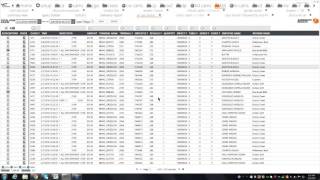
Marcus Kelly, Craig, and Paul walk through POS queries used for fraud detection and employee performance monitoring. The training covers how to run these queries in different business scenarios.
Chapters
And may now speak to any other organizers or panelists on the line. When you are ready to begin the presentation, press the Start Broadcast button on the Go to Webinar control panel to allow all attendees to hear you. This system will notify you once you begin your broadcast.
The broadcast is now starting. All attendees are in listen only mode.
My name is Marcus Kelly. I'm one of the E Connect Investigators here at the company. Let me give it a couple more minutes for a few more people to sign in. If you haven't had a chance to answer the poll question, please do so and we'll start shortly. Thank you.
I'd like to thank everybody for joining us today for our webinar. My first question, I just want to make sure everybody can see my screen. If you can't, please let us know by either raising your hand or asking a question.
Well, seeing how I don't have anybody with their hand raised or any questions.
Well, we have one hand raised. Let's see.
People can see your screen. Okay, so I am showing the screen.
As we go through. If you guys do have any questions, seeing how the screen is visible to almost everybody. If you can't view it right now, it looks like it's going to be on your end.
Today.
By the request of past webinars, we've had a lot of people tell us that we've been repetitive, so we're trying to change it up. So for the next three months, we're going to cover basically the summary view page, all the queries. Well, the majority of the queries, what they mean, how we use them, and how they can be effective for you.
As you see on my page. Now, this is typically what it's going to look like when we first come to your property to do training. We're going to set you up with some of the basics, some of the ones that we found most useful, and one thing that we've learned over time. As you use econnect, you're going to want to add more queries to the summary view page and you're going to be able to expand your list. So just to go through the main ones that we like to do, checks open greater than an hour, discounts greater than $5. We like to look at all discounts manager comp. Some locations have that active in their system, some don't. Negative transactions. Another one that it's a hit or miss just depending on which POS system you're using and if the key is actually active. Open food, open liquor, reopen check spill is another One, it can come up multiple different ways. We have seen waste, we've seen spill wastage. It all depends on the verbiage that you're using.
Total due less than a dollar or eight. That's a pretty standard query. We like to add in total do equals zero and total do greater than 100. For all three of those, you can set the dollar amount to what best works for your property. If you do have any questions at the end, you can reach us at InvestigationsConnect TV and we'll call you up and walk you through on how to adjust those queries.
Some of the other common ones, transaction councils, void void plus no sell.
Three or more voids on a check and walk out. If you're a sit down restaurant or if you're a bar. We found those pretty common.
As we move on and start digging into some of these queries. Do we have any questions so far?
Well, seeing how we have no questions, we'll start. And if you ever do come up with a question as we're going through the information today, please raise your hand or type in the question and we'll answer it for you.
This is one of our clients. It's an amusement park and we have some certain queries. They can be customized for you. The first one I want to cover is 999 souvenir refill cups. Less than 3 per check. As you can see, we get no results. This is a query we built probably three years ago. And the main reason why we built it is we found a lot of the locations.
Were selling the souvenir refill cup for the wrong price. Some of it was trading. There was actually a few cases where it was fraud and what they were doing, they were selling it at the discounted price and pocketing the difference. But as we start to monitor this type of activity and write reports and send it out to this park, we were able to lower that number. And as you can see now for the past seven days, they're not even ringing it up anymore like that. And this is something that you can customize for your own property. If you have any specials that require, let's say it's buy two beers, get one free and you're noticing that they're just doing it one for one. You can have us build a custom query to find those items for you and those type of discounts. So as you start going through the data to find out what's going on at your location, you'll know that, hey, these are people of interest. We need to watch and we need to determine is it just a procedural issue or are they actually trying to beat the system?
Do we have any questions for this first query?
Okay, moving on. Our next query is all day dining. This is another one where we found that.
Let me open it up for you. We found that some employees have found ways to beat the system. Whether they are printing it out, buying it at home and then bringing it in and ringing it up for somebody that's paying full price. Because with the all day dine, the way it works for this location, I believe it's every hour and a half you get a entree for free at select locations. So if you spend the money to buy this all eight dining pass for basically $32 plus tax and your typical combo runs about $16.
After the first three hours, everything is going to be in the profit for you. So if you're working an 8, 9, 10 hour shift, you can do this multiple times and over time you'll notice that you can sort by name, you can see the locations and you'll be able to dig in and see which employees are doing the most. On the flip side, it's one of those if this is an item that you're upselling at your park and trying to get them to buy while they're standing in front of you versus just buying the mill, you could track it that way. And you can give kudos to the top five employees that sold the most for either seven day period or the past 30 day period. One thing to keep in mind with Econnect, we are more than just a loss prevention tool. I like to tell everybody we also you can also use it to reward employees, congratulate them, saying hey, good job. It's a lot easier to run the query for all they died in aggregate by employee name. And then you're going to learn which employee sold the most for whatever time frame you're looking at.
And with you going out and talking and touching the employees, they know that a that you're paying attention and actually watching what they're doing. And some employees might see it as hey, the corporation actually does care about me because they're taking the time to do their research and notice that I'm upselling and that's what they asked me to do.
Do we have any questions about the all day dining quarry?
Okay, moving on. Our next query that I'm going to cover is checks open greater than two minutes. Again, all of these queries you can customize for your location. Whatever works best for you. One of the main reasons why we built this query is this location has certain sit down restaurants that we know. A check should be open for more than two minutes.
It's understandable that if you go into a Starbucks.
McDonald's or any quick service type restaurant, the time the check is open and closed should be under two minutes. But now if you have sit down locations like Johnny Rockets or a Buffalo Wild Wings, and you know that they're going to order appetizers, they're going to order drinks, they're going to order their main course and then maybe dessert at the end and then maybe a few more drinks afterwards.
The check should be open at least half an hour, 45 minutes to an hour. And if you go ahead and aggregate this out by location and you see some of your sit down locations are starting to trend high. With these checks open for this short period of time, you can start digging in and seeing which employees are doing it. And what we've seen before in the past is.
We have a cash paying customer, the employee writes down all the information, they're breaking procedure by calling the order back to the cook, the cook's making it without a receipt, and the next thing you know, they're ringing it up for the customer to give them a check. But everybody's human. Hey, they might forget an item or two or they see that the guests left $60 knowing that it was probably only going to be a $50 bill, they might purposely only ring up half of the order so they can increase their tips at the end. And it's just one of those, I tell everybody that the true fraudsters or the crooks out there, if they spent as much time thinking of ways to beat the system, they'd probably be a manager or who knows, they might even may have found a cure for cancer. But you always have to remember the crooks are looking for the easy way out and the way to beat the system.
Do we have any questions with this, Corey?
And let me check. So we have no questions. So moving on.
Our next one is going to be.
Cash tender, followed by reprint.
And the reason why this is an important query to take a look at every now and then, we've seen locations that have buffets where the cashier will ring up one buffet.
Save the check.
Reprint it, cash tender it, and then the next time another cash paying customer comes in for just one buffet, they already have the check in hand so they don't have to ring it up. And this works for many different locations. Even in retail, if you have employee hitting keystrokes on the terminal next Thing you know, they cancel the transaction because they've already reprinted, let's say a hoodie, hoodie receipt. They can hand that out to the customer, hit no sell, make change out of their till, and on camera, it's going to look good. But once you start going digging through the data, you're going to see that, hey, you know what, this item was never rung up. And they were just going through the motions trying to make it look like they actually did something correctly.
Just like all of our queries. Like, I keep, I bring, I keep bringing it up because we can customize it for any situation that you're looking for. And that's one of the benefits of having E Connect is you can tailor it towards your specific needs for the location that you're working at.
If there's no additional questions, I'm going to talk. Pass the webinar over to Craig. He's another one of the investigators here, and he's going to walk you through his groups of queries and let you know what he has. Thank you.
Good morning, everybody.
So my query is what I'm going to go over.
Start with having to do with discounts. I'm going to be looking at the discounts, all discounts, however you have it set up at your location. For example, like we went to the summary view, if you have discounts. All right, down here, I clicked on.
It.
Last 7 days, hit apply and get a lot of information down here. You can tell right here, how many records there, how many pages, how many records total. But what I'm looking for is I want to aggregate that down because the reason why I'm doing this, I'm looking for specific discounts. But the discounts all just kind of gives you every single thing that is going on at your location.
Normally this little gold bar is set at the 15, but I'm going to bring it up to at least 24 because who knows how many discounts I have at a certain location.
And right here I can see what's kind of important. All right, we have a season pass regular. Okay, that's pretty normal. But what are some of the ones that we'd be looking for?
Open percentage discount. You have employee discounts, kids eat free. You're looking for maybe 100% geod waste. Just random weird thing, not special.
Open dollar discount. These are just a quick way or a quick reference that you can go in there and say, all right, how are my discounts applied? And then go in there and say what kind of looks odd? And then dig in Further there. And this will actually lead us into my next location of cash discounts.
Now cash discounts, what you're going to look for, get rid of this one.
There we go. Cash discounts. What we're looking for here is when there's a cash transaction along with a cash discount, it's just, you know, looking back at everyone's background and their knowledge with this, the best way to steal is with cash transactions. So if you got cash transactions and all of a sudden a discount is applied like this, for example, open percent discount, that's a nice even dollar amount. Something I'd want to look into.
Season pass maybe, maybe not. Employee discount.
Which kind of leads into another one. Where are they actually employees? Do you have video attached to that data? If not, or is it a location that specifically tailors to the employees? Great. If not, could it be where they're sweethearting? For example, taking care of their friends, families, people that do not work at the location and just giving them an employee discount or going back to the cash transaction. You can, for example, you have a cash transaction, I give them an employee discount and I just pocket that difference. Because it's a cash transaction, it's really.
Easy to see.
Get out of the cash discount. Do you have any questions about either the all discount or the cash discounts?
Okay, I get no questions. So I'm going to go ahead and lead into little bit more of the employee discount part of it. Now we talked about sweethearting, taking care of your friends, family or just people that don't work at that location. But you've got a couple other ideas too where you can use after the payment. For example, like a sit down restaurant, normal routine.
Get rid of this one.
Discount plate.
There we go. Okay, so for example, at a sit down restaurant a typical transaction should be.
Person brings over the receipt, you sign it and it goes away. However you pay. If you pay cash or even credit in this case, what you would see on the data, like Marcus was talking about a check open over two hours. At some point after that payment was entered in you, you'll see the check would be picked up again and some form of discount would be applied to that.
What that does is that takes care.
Of the server on the end of the transaction by patting their tips a little bit higher. So what you'd normally see in a typical transaction is once the payment is taken care of, then the close of the check would happen. If there was a discount applied to a normal check, you see a pickup check or reopen check discount applied, some form of payment and then codes of check the ones we're looking for. Is that some kind of discount after the fact of payment.
Another option is prior to a tip. So for example if I'm again at a sit down restaurant and you see on there tip included say $50 meal, I'm going to give 10% of that, so $5. But then also there's a discount of an item or something was voided off.
In whatever amount and all of a sudden the tip is adjusted to reflect that amount that was discounted off. So there's another way of padding your tips.
Do I have any questions for the that at all?
Excellent. Okay, let me go to the last one on my list. This one is cheese dip but it is site specific. For example.
Let'S see Starbucks, you can get cream cheese. This is just another form of looking for like maybe a total due of less than $1.08. And like Marcus was talking about earlier, you can adjust those amount something that's under a dollar after tax, a dollar a $8ish around that area. One of the cases that we found was happened to be a Starbucks and they actually had video where a person comes up and I think anybody can kind of relate to this. You go to we'll say any coffee shop and if you go there on a daily basis or a regular basis, you know what you're going to get and you know kind of how much it costs each time. It shouldn't.
Vary at all. So on the video what we saw with this case was a customer came up, got a tall coffee, put down some money in normal transaction. Now perspective of the customer, they see the server pushing buttons on the register. The register opens. If they get changed, great. If not, then they walk away. But in this case what happened was the server got the talk coffee first, handed it to the customer, waited there for a second, got the money from the customer and did a no sale or actually I'm sorry rang up a cream cheese, gave the difference and then threw the rest in the tip jar.
Let's see what we have. One question, let me look at this real quick.
Can you provide an example of a regular or normal transaction versus one that looks suspicious or irregular for comparison?
Let's see.
To answer your question we could, but we are more just going over the basic data. Is there any.
Specific query that you would like for us to look into? Because after the webinar I can email you copies of the check to show you what a normal one looks like versus a suspicious. And basically to wrap it up In a nutshell, what you're going to look for is your time sequence. So you should see a begin check, you should see an item rung up, and then you should see that check closed out to some form of payment. The irregular ones are going to be, you'll see the first two items rung up and the next thing you know, that check's going to sit open 5, 10 minutes and then either it might be a transaction council or they might apply the employee discount and then it's tendered out to a lower dollar amount. But like I said, once this webinar is over, I'll find a couple samples and email them to you and I'll let you look at them. Does that answer the question for.
Okay, I'll be sure to email you when we're done.
Alright, now for this example, like to give an idea of what we would look for. Even though we see cheese dip like crazy and it's lowercase, you know, capitalized, whatever, what we look for, for one, we could aggregate it down to see who's doing the most, what location. But just to kind of give you a quick reference of what we're looking for is like, all right, well ordered a pretzel and cheese dip.
Okay, that makes sense.
But if you see something where cheese dip, cheese dip, cheese dip. It's kind of odd. Why did they order just a cheese dip if you have video attached to it? Great, you can verify. All right, maybe they ordered a pretzel prior to that and they wanted to come back and order an extra cheese dip or something like that. But those are the kind of things we're looking for. Just who's doing the most at what location. And then when you look at the transaction, does it actually make sense?
So same thing with the Starbucks scenario I was giving you with the cream cheese. We had one person that was selling a lot of cream cheese just kind of looked over at the transactions, the association of the check and did it make sense and you know, a quick reference. If they had video, you could look at the video or look at a few videos and maybe found something. Maybe not. But it's just one of those things that we have is a multitude of queries that we use at our disposal to just look at things. And like Marcus was saying earlier, you may start off with a certain number, but once you play around with the system, you're going to start seeing how the data comes across on your specific system and you're going to start making your own or just trying different things, looking for different things. Do I have any questions at all over. Those are the ones I went over. Discounts, employee discount, cash discounts, cheese dips.
Okay, at this time, I'm going to go ahead and pass it over to Paul.
Thank you very much.
Hello, everyone. My name is Paul. I'm one of the investigators here at econnect. I'm going to go through a couple that are.
A little bit more could be property specific.
First one I have is, we just have it labeled here. It's called Amber Room. All this query means in this case is we were looking for any place from this particular property that did either room service or type of takeout orders. So the idea was if I'm the manager of a certain section of my property and I'm in charge of, let's say, all the Starbucks on my property, or if I'm in charge of all the bars, I can build a query to where I'm only going to look at the revenue centers at my property that I care about. So maybe I'm not as interested in the gift shop if I'm a food and beverage manager. So this particular query, we put together the three different revenue centers that this manager was interested in. So in this case, if I aggregate this query out and I do it by revenue center.
You'll be able to see that in this query I have this Amber Ways, which is a restaurant, Amber Waves Bar, which is the bar attached to that restaurant, and then the room service, which is also kind of in the back of that restaurant. So if there's a particular aspect of this revenue center I want to look at, I can actually break it down even further or be able to compare each one of these revenue centers to each other. And you can do this, like I say, on your property, if you're interested in just your bars on your property, you can go to Query Builder, add each revenue center that you're interested in to this particular query, click Save as. And now on your summary view page, you're able to just walk in and click and go right to those revenue centers that you have a huge interest in.
Do I have any questions on how to maybe create a revenue center specific or employee specific type of query? Because just like a revenue center, we can do it the same. If you have interest in a certain set of employees or a certain set of supervisors, you can build a query where you're just pulling out those particular people and you're seeing.
Those transactions for that person. I always say if you're doing an investigation and you're interested in Joe Smith's no sales at one particular revenue center. You can build that query out so that during your investigation you're able to open up E Connect. You're one click away from that particular query. You write into your investigation and you can see what happened maybe on the last couple days or your days off. Any questions on how to build one of those queries?
Okay, the next one I want to talk about is very similar to what Marcus was doing earlier. This is checks open greater than two hours.
This is one of them that we like to give every property that we hand our queries out to. It is specifically designed to look for checks obviously that are open longer than two hours. Some of them that we build will say greater than an hour. It really depends on your property as far as what you're exactly looking for. So if I click on checks open greater than two hours, I'm able to aggregate. Now.
For example, if you have a lot of restaurants, restaurants, having a check open that's greater than an hour is not that big a deal. But if you have a gift shop or any type of quick service type of.
Revenue center, those things are going to instantly pop out as well. That's unusual. Why would I have a check open greater than two hours at a gift shop? This should be buy my T shirt and I'm on my way. So one of the first things I like to do is I take all my revenue centers, aggregate this checks open greater than two hours by the revenue center. And now I can instantly look and say, well, let's see, I got a Johnny Rockets. That's a restaurant. Amber Waves, that's a restaurant. I don't need to sweat those so much. But if I come down to the bottom here and I see I have, in this case, it's a fruit cart. This is where we're going to just walk up. We're going to buy a bottle of water and we're going to buy.
A piece of fruit or something like that. Well, why is that type of transaction taking longer than an hour? And then when I open up a check, I'm going to see, in this case, at 10 o' clock, we sold a fruit salad that was voided off. In this case, it looks like we had an authorized change keyboard. That's what ended up opening the checkup later on Cash zero. If I saw a ton of these transactions and there was eight or nine at this fruit cart by the same employee, it would be something that I would want to investigate further. Even though I have an authorized keyboard change, there still could be something going on at that register. Maybe it was actually paid for by cash. And this is how we pop the drawer at the end of the night to go ahead and take out my $5 for each transaction.
And now just to say that I'm interested in a fruit card or I'm interested in those quick service places, it doesn't mean that just because it's a restaurant that I'm not interested in a check that's open in two hours. If I do look at one of those checks. Anything over two hours. So even at a restaurant, a check that's open for four hours, that's interesting too. I mean, that's something where we could look to see if.
Maybe we had something that was voided off towards the end of the check or a discount that was applied after what would be a normal time? If you order drinks, you order food, you eat your food, that might be an hour, hour and a half. But if something happens at the three hour mark that includes a void or a discount, maybe there's something a little bit more going on in that particular transaction.
Do I have any questions about thing two? I mean, that's something where we could look to see if.
Maybe we had something that was voided off towards the end of the check or a discount that was applied after what would be a normal time? If you order drinks, you order food, you eat your food, that might be an hour and a half. But if something happens at the three hour mark that includes a void or a discount, maybe there's something a little bit more going on in that particular transaction.
Do I have any questions about checks open greater than two hours?
The next one I'm going to talk about. It sounds kind of funny, but for this particular place, it's called geode waste.
And what a geode is, if you're not sure. A lot of these theme parks, they sell those really decorative rocks and what they'll do is they'll crack a rock open and you'll have kind of like a gem or crystallization on the inside. Sometimes what you'll get is a dud. So if they break them open, the rock won't look very pretty inside. And they'll basically waste that off as saying, well, that one wasn't a really good one. Let's grab you another one and try to get you a decent looking rock.
So that's how it works in this case at the theme park. But you also have spillages and waste at your bars or your restaurants. So if you go to pour a drink, you know, maybe the liquor or Beer didn't come out right. You want to say, well, I don't want to give that to a customer. I'm going to get rid of that. We're going to comp this off as waste. Or if you hand a drink to a customer and they instantly spill it, usually you don't make them pay for another one. We're going to go ahead and give them a new drink. Either one of these cases, it gives the cashier the ability to comp off that particular.
Now, that's the good reason, right? That's the good customer service reason of why we have a waste or spill. What we can do bad is we can either give drinks to our friends, top them off a spill. That way the inventory looks okay. It might even look okay to surveillance or someone who's maybe even another co worker. He went to the register, he typed some stuff in, drawer popped. It all looks good. But in the grand scheme of things, we could end up doing something that's a little bit more shady. So this waste will make you show. If I'm going to look at my spillage report, I'm going to list a waste report and I'm going to see, is it one particular employee? Just looking at this one, I have five different employees doing it over the last seven days. I might not be so scary. If it was one particular employee for the whole week and he's the only person doing waste and he's not a supervisor, this might be something that we want to take a look at a little bit closer. If I have any questions on why waste or spill? Another thing with waste and spill, too, is timing. Did the spill happen instantly or right after it got sold on a previous check? Did we re ring it and do a spill? That might make some sense. But if it's done later on, or if it's done.
Where you could see cash payment but yet you still have it done, any of those are good identifiers to why waste would be bad. Any questions about spill and waste?
Next one I want to talk about. Is.
Drawer Open Greater than 30 seconds?
This is a good one. A lot of times when we're out on training, we'll ask, how long does a particular.
Transaction take? If I walk up to you and I say, here's my $20 bill, can you make change for that 20?
How long would that take? And if we just close our eyes for a second and we count to, say, 15. 15 seconds. How long does that seem? I know when I do it, 15 seconds can seem like an eternity. But when I Go up to a cash register and I take my 20, I open the drawer, I make 4, 5, 1, 2, 3, 4, 5, handed to the customer. That happened in well under 15 seconds. So anytime a drawer is open greater than 30 seconds or 60 seconds or even a minute.
Or a minute and a half or whatever, it shows you that there's something that might be going on. It might be if we're counting our drawers, beginning or end of the shift, that's not that scary. But if we're in the middle of a shift, in the middle of a transaction, and the customer gives me a 20, I got to make change for whatever they just purchased. You're talking about a 15 second window. If anything, that goes over that and we're starting to see one particular employee, that might be a little bit scary. It matters on which revenue center. If you're looking at a particular revenue center, and it's the natural order of business, every time they do it, it takes like 30, 40 seconds because they have to add a coupon or they have to do this or that. That might be just what's going on at that revenue center. Or it could be training. It could be this is just how they were taught to do things. Might not be the best thing, but it is just how they were taught. But we can pull out. Like Marcus says.
Econnect is not just for incentives and it's not just for loss prevention, but it can also be for policy and procedure. You know, we might correct an error that one particular employee is doing just to make everything more efficient or to keep away from what could be theft, you know, in six or seven months down the road.
But definitely when I'm looking at a check and I'm just looking for a cash drawer being open, I'm just going to go instantly down. I'm going to see cash drawer open, what time it was cash drawer closed, what caused that drawer to open? In this case, this particular person did.
7, 8, 9, 10, no sales after a check was closed. You know, this is an employee that I would like to go take a look at just to see why that drawer was popped so many times, what was the purpose, and how long was it open? Correcting one mistake or putting my Visa receipt in a drawer might only take me two seconds. But why did I have to pop it a second time? And a third time in such a quick succession would be pretty interesting.
Any questions about why I'd be interested in a drawer open greater than 30 seconds?
If you guys think of questions later in the day or if there's a query that's on your list that's kind of been bugging you and you don't really understand why we're looking at it or why it's important.
Feel free to send us an email, let us know that you're interested in that query and we'll make sure that both that we can handle it for you in an email or that we will also cover it on the next webinar. So there's one that we haven't got to yet. We want to make sure that we've covered all the possible queries that we've come up with. So we're going to take this month's webinar and the next couple webinars and go over as many queries as we can that interest you and that we can show that maybe you can add to your property.
Your econnect summary view should be an ever growing tool. You should always be adding and even removing as things have a natural ebb and flow to your property and things that you want to look at.
I got one question here.
The person asked, was this webinar recorded and do we have access to it? Yes, we are recording it as we speak. I would say.
Later this afternoon it should be posted on our website. If you want to access that. The best way to do it is you go to our website. On the top row there's a bar that says knowledge. If we click on.
The word knowledge then there's a section there that says training. And then once we click on training it'll actually ask you for a password. And the password to that is training, all lowercase. And then you'll have access to all of the webinars that we have done, including this one. Like I said I'd wait until later this afternoon. I jumped over it to our.
Web address is econnectglobal.com econnectglobal.com and like I said, once you go to that website, you're able to go to knowledge and training, type in the password for the trainings, which is training, all lowercase. And then you'll be able to access those webinars.
Or you can also send us an email at Investigations.
InvestigationsConnect TV and we'll be able to send you instructions on how to do that as well.
Do I have any other questions about any of the queries that we covered today? Or.
Definitely shoot us an email if there's one in the future that you'd like us to cover. We'd be happy to do so. I do have one. As we close out today, I do have one.
Extra poll here I'd like you guys to look at and go ahead and answer for me. I'd appreciate it. And then.
If there's no other questions, we'll say adieu for today.
Thanks, everybody, for joining us today.
More from Henry

Skip the line, not the security: Facial Recognition for Guest Experience & Safety



eConnect’s Red Light Green Light – The Most Advanced Facial Recognition Tool for Casino Entry

Skip the line, not the security: Facial Recognition for Guest Experience & Safety