eConnect webinar Training 9 8 15
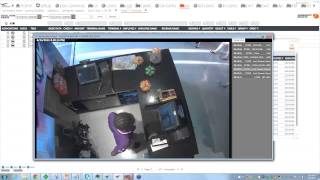
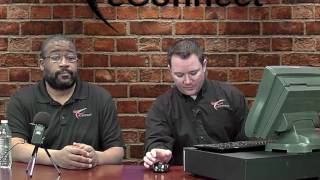
Marcus Kelly, Craig, Donald Henderson, and Paul Bitters show investigators how to spot employee theft using POS queries. They walk through real cases: checks totaling under $1.08, zero-dollar transactions, void patterns, and discount abuse. The key is pairing data with video footage and checking who has permissions to make changes.
Chapters
Once you begin your broadcast.
Sa.
The broadcast is now starting. All attendees are in listen only mode.
Good morning, everybody. My name is Marcus Kelly. I'm one of the actually I am the investigations manager here at Econnect. I have some of my team with me here today.
Let me close this poll right now just to answer the question for you.
The answer to the question is false.
A advanced query is looking for two lines of data. With today's webinar software, top queries that we like to use at the Econnect office, we'll go through some of our favorites. Just to start off, just so everybody knows, basically a simple query is looking for one line of data. Anything in this one line you can look for. And so by creating an event to query, basically we're looking for two actions. So let's say we are looking for anytime the total due on the check is zero and then there's a no cell that follows it because those are going to be on two different lines of the check. That means it's going to be an advanced query.
Like always. If you guys think of anything that you would like to see, feel more than free to either call us at Econnect or you could send us an email at econnect or investigationseconnect tv. We'll follow back up with you, dial it in, try to get you the precise query that you're looking for. And from there we'll email it off to you and you can install it and you can have it up and running in your software.
Before I pass this on to the first investigator, Craig, do we have any questions from the audience?
Well, I'll take that as we have no more and.
I'll pass this on to Craig.
Good morning everybody.
My selection is going to be total due less than $1.08 service total and total due of a zero dollar amount. First one I'm going to show you and talk about is total due less than $1.08 KBF.
You want KBS? Okay.
It's okay. So what I'm going to look for is I'm at one of the amusement parks right now. Let me clear this void. Plus no sale and looking for. Here we go. Total due less than $1.08. Click on it. And what this is is this query was made for a specific location that happened to have this issue going on. But it also goes throughout the locations that you're well, throughout the revenue centers at your location. For example, if you had a side of cheese, I've seen some where they actually sell a cup of Ice, slice of bread, cream cheese, something like that, that after tax comes up to $1.08 or less.
So before I. Let's see, I'll show you the check here.
This is the one I came across this morning.
Make it a little bit bigger for y'.
All.
Alright, so begin.
Check.
You've got a couple orange juice smuckers tresemme. And then all of a sudden they start voiding this off.
Within the same minute.
Bam, bam, bam.
And now they ring up coffee to this. I mean it seems a little suspicious for the fact that I've got all this stuff being rung up and all of a sudden you're like, let me void all this off because it's coming more than what I have on me and ring up a coffee for 75 cents. This one just happened to be at an employee restaurant. So this is the thing that you want to kind of look for. And with that, let me lead this into one of the video clips I have.
There we go. Now I'm not going to tell you.
Who this is, but you can see.
Exactly where it's at.
So let me lead into this saying, how many people out there are coffee drinkers? Pretty much a good majority are. So if you go into a certain coffee place daily where they know your name, you know their name, you're going to throw down this exact same amount of money that you do every day for the same coffee. This is where it can kind of get lackadaisical. So what you're going to see on the data is that, well, on the video you're going to see a person ask for a cup of coffee. But look at, see what they get rung up and what was actually given to them. Push play.
You got your coffee being poured right now. Oh, there's some money being thrown down.
Employee hasn't rung up anything yet. Gave me too much. Here we go.
So bring up an ice water with a cream cheese.
Now I used to work at this type of revenue center and the way they do their tips is they pool their tips. So what he did was he gave them coffee, which the coffee thing was right here. Poured out the coffee rings up in ice water for nothing, plus a cream cheese. Now in no time did we ever see a cream cheese go out. Cash of a dollar, whatever was extra, throws into the tip bucket right here and they pull their tips. So this is one of the things that we came across and we noticed that this individual did this quite often. So these are the things that you can look for, looking for that total due under $1.08.
Do I have any questions for that?
Wanted to make sure I didn't close up the. Yeah.
Questions.
Okay, cool. No questions at all. All right, so the next one I want to go over is going to be service total. A service total is a way to reprint the check. For example, if you're at a sit down restaurant and you already had your main entree and you wanted to add something to it, a dessert, extra coffee, drinks, whatever it is, when they find your check and they add that to it, they're going to reprint that check to give you the new total which comes out to a service total. Now what we're looking for is service totals where they have a dollar amount, let's say $100 or whatever it is, and then the next service total it goes down, which could show a split check. Where at that check you go to a restaurant, you have multiple people sitting there and you have multiple ways that you want to pay for that check. Me and Marcus go out, we have dinner, I want to pay for my half, he pays for his half. There's going to be a split check where there's also a service check on there or service total showing that new difference or that new outcome. Another option is if I'm at a buffet. And this is where a scam we came across where two people come up, they pay cash for their buffets and then the next two just happen to want to pay cash to, instead of closing out that check, they can actually reprint that check or hit service total and get a copy of it and give it to the new customers. So that's the kind of things you want to look for. And let me show you what check we came across as Craig is pulling up this check.
Another example that we found was we had another employee at a different buffet where there was four people in line, all in one big group. So she rung up the first person as one buffet, she saved it.
And then recalled the check and then rang up the second person.
As a second person saved it. A third person as a third, fourth as a fourth. So she had multiple checks floating around. And then on top of having the three different checks, whenever a party of four came in and they were paying for cash, all she had to do was recall that check and then save it as a service total and it would print out for her. And those are the type of things you want to look for to see if people are taking advantage of the system.
Okay, so here's a check that we came across.
Alright, so you got some Multiple items being rung up here. And the search I did was service total of greater than three per check. So here's the first service total 94 96.
Come down a little bit, add some more item to it. Now it's $106.16 service total, which reprints the check. Come down here, pickup check, pick up check, add some water to it. And now we have a service total of $94.96, which is less than the 106. A difference of what, $12 or so. So this is where to us this.
Is a split check.
You've got a couple people, like you're saying sitting down in a restaurant, they want to pay for it different ways, whatever. At this point, you'd have to actually go in there and find out the time at which this was split off. And it looks like a round 1542. But you'd also want to look right here 1510 to about 1542, looking for a check around this price that went down to, you know, like went down $12.
I mean, as you look at this check, it could be something as simple as this server had four or five checks open and you see that sweet mama pun for 1049 that was added, it could have been added to the wrong check. So this server had to go back in, split that item off, put it to the right check, and then close it out. And that could be the $10 difference. But it's one of those is when you see multiple checks like this from the same employee time and time again, that's when you want to start looking a little further, investigating, start asking the questions. Or if you guys have cameras at your locations, start reviewing video to see. To see what's really going on.
Do we have any questions on this type of check?
Okay, my next one is going to be total due of zero.
Once this is loading up. And these are all queries that you can actually either build or that will come standard in your system when it's first installed.
2,953. Okay, this is the check I came across earlier. I'm going to show you association so I can show you a different view of this. All right, so 2953, this check was picked up at 2351. And then all of a sudden three items were voided off it, bringing the total down to zero. Now let me open up the actual check summary and kind of get a better idea of what's going on here.
Here we go. All right, so at 13:11 or 1:11 in the afternoon, a 6 inch cold cut was rung up. And then there was a souvenir reactor, $5, which was immediately voided off, rerung up again, followed by a refill. Bring in the service. Total 1492 at this point. This would print up the copy of the check.
Now this is where it gets interesting. Now, at 2350 or 1150 at night, the items pick up or the check is picked up, the items are voided off, bringing the total due down to zero. Now, some of the times you don't have to have a no sale or pickup loan or any other way of opening the drawer right away to take the money from the register. It could be something as simple as, hey, close at night. I'm in charge of pulling my till and counting it down. As long as there's a certain amount in the till, anything extra I could take. So this is one of the things that this particular check came across as suspicious because just as a time frame from 13:11 all the way down to 23:51, that's why to us, it was a little suspicious. Now we have two different names on here. This could have been a mistake. And then this person right here maybe is a manager or supervisor, has that authorization to do that. But like Marcus was saying, if you have more of these type of checks showing up, then there could be something to it.
Also, keep in mind, just because you have two different names, there's a possibility those two employees could be working together. So you could have a team hitting you. So it's one of those always go in with an open mind and just don't go in with blinders thinking that, hey, this would never happen. This employee would never steal from me. They've been with me since day one. But you never know. Like we always tell everybody when we do train on site, our software.
Doesn'T have the magic button that says, hey, here's the thief, but it gives you the information to either a, look at video if it's not associated with E Connect, or B, if you don't have video at all and you only have one or two of these checks, go out and talk to your employees. Because after a while, your employees will know that you're watching. And the behavior change is a big part of the E Connect software.
Did we have any questions on this one? The total due of zero.
With that, I'll be passing this over to Donald. He'll be going over his top three. Thank you.
Good morning, everyone. My name is Donald Henderson. I'm also an investigator here at Ethernet. Today I'm Going to go over three.
Of my top queries.
One of them is going to be a simple query. The other two are advanced. The first one we're going to check out no sales.
Here we go. Now, no sale can be used for a number of different purposes. It could be for customer service, maybe popping the drawer open to give a guest change, or it could be used for other circumstances. We have a nice video here we'd like to show you.
This gentleman. While we were reviewing no sales, we just happened to come across this little transaction here. So I'll go ahead and play this. And.
You can see there's no guests at the register. He's just doing his own little no sale, and.
He scoops out what appears to be $22.
We actually reviewed his transactions from earlier in the day and came across an instance where he actually did use the total due zero, which Craig discussed, and a no sale and actually rung an item up, voided it off, hit the total due equals zero, bagged the item, took the lady's money, about $22, and put it in the register. So we were able to remove this gentleman from employment here.
Just a side note to everybody that's on the conference, if you are one of our customers where we do monitor your site, keep in mind that we got permission from this company to show the video. So if you're worried that we're going to show your video cases that we catch, that's not a concern. We don't do that. We get written permission first before we show video, just so you guys know.
All right, that being said, moving on to void plus a no sale. You can see in this check here, an item was rung up and it was voided off. A couple seconds later, the transaction was tendered down to zero, as Craig was pointing out. And very soon after, a no sale opened the drawer for 11 seconds.
Having watched that video and discussed what Craig was talking about, you can see how this might look a little bit suspicious to us.
And keep in mind all these queries that we are going through. Some of us have done retail loss prevention. Some of us have done grocery store loss prevention. Some of us have come from the casino and watched employees or bartenders or we've watched the nightclubs. But these are all different queries that we've used in the past, and they've been productive. And like we were saying earlier, if you guys ever want us to build a query for your site, please feel free to contact us. And like I said, we'll respond back and try to get it dialed in and build the query that you want.
All right, and for my final query.
We'Re going to go with transaction cancel followed by a no sale. And you can see here, in this instance, it's a little different than the total due equals zero. In this case, they rang up the item two seconds later, the transaction was cancelled about 30 seconds later, just long enough to maybe bag the item and take the change. And no sale open the drawer for about 40 plus seconds.
On a side note, with that, you got to think of like, the data is great, it definitely tells a story. But think of the perception of the customer, too. The customer, they're going to think, oh, they're ringing up, they're pushing buttons, the drawer opens, everything looks legitimate. But when you look at the data, it completely tells a different story.
Thank you, Craig.
And another thing that you'll notice is that we're doing similar searches but with different transaction types. And the reason why we do that is all depending on how your POS system set up. Some employees might not be able to do voids, but they found the workaround of, hey, you know what, I could just cancel the transaction and do a no sell. And I get the same effect. And on the flip side, some employees might not be able to do transaction cancels, but they can do voids. So they go about it that way. And it's just one of those. You have to think of the different ways and the different permissions that the employees have that they can use as to how that can be used to beat your system.
Okay, does anybody have any questions for me?
All right, I'm going to pass it on to Paul. Thank you very much.
We're just going to take a two minute break here and let you answer one more poll question from us.
Drop down.
Okay, thanks for answering that poll question for us.
If the people on our webinar today, if you happen to mark none, we'd like to change that. We'd really like to have you contact us and see if we can't do an advanced query for you. If there's something on your revenue centers or one of your revenue centers that's a tad out of the ordinary and, and you just would like to see if we can break that down or get a little closer.
We'D be glad to help you. So if you said none, just go ahead and give us a call or an email at investigationsconnect tv and we'd be glad to try to set up one of those advanced queries for you.
My name is Paul Bitters. I'm another investigator here at E Connect. I have three queries here that I'd like to talk about. First one I'm going to go through is discounts.
Discounts as we know, are ways that we bring people into our revenue centers. And I always say we try to use them for good. We try to promote our business and we try to promote.
Different ways to bring people into our revenue center. But they can also be used for evil. If you have a person on your staff who gets used to how to use coupons or how to use discounts, what can be intended to do a good thing turns out to where they can be taking money on the back end.
Keep in mind, discounts also, it's. It's gonna be something for your audit team because if you have coupons that are supposed to be attached to the receipt, it's what we like to call creeping liberties. But you're supposed to attach it to the receipt. Let's say the employee does it once but never attaches a coupon to it. He never hears back from audit next week. He does it twice, doesn't hear back from audit. And then you'll notice over time that he's going to continue to do this, but doing more each time. So it's kind of two parts to keep an eye on it. And this is one way to get to it before it gets too bad.
And that's correct. One way that we can use the software is we'll go ahead and we'll click on.
Discounts all. Well, every place that we set up, we have some sort of discount that we kind of preset up because everyone has some sort of discount or comp that we like to take a look at. Here we have a list of discounts. One way I like to do it is you can aggregate results. Some places you can use discount, other places you can use basic data. But either way you will break down the different types of discounts that are available on your property.
And here we can see a bunch of different discounts that we have.
We have senior discounts. We have.
In this case, we only have senior.
And keep in mind, when you go by basic data, you're going to see a lot of the same discounts, but it's going to be for different dollar amounts. Is why you're going to see senior discount over and over again. Because it's one that's most regularly used for this one of our customers.
Another way you can do it is if you just sort the basic data, then you'll get your large groups of different types of discounts.
Another way we can do it here is if we type in directly what discount you're looking for.
Keep in mind, when you search it in the basic data field, you need to be need to space it and type it exactly how it shows up on your receipt or in our basic data column.
So I pulled up this one. This is actually a fire and rescue or fire and police discount.
We've seen them where if you have discounts. For example, I did a training at a.
Casino, and at this casino, at one particular bar, where every time a patron was coming up, the bartender was ringing that patron up with a veteran's discount. And this was every time. So either they had a military base underneath the casino, or this person was abusing this particular discount. And it may not even be something that they're doing right out of the till. They may just be able to abuse the discount and say, listen, this is a $3 item. I'm giving you a discount on that. Even though you're not showing me any proof or anything, but I'm giving you a discount. And in that they'll have a chance to maybe get a greater tip from the customer.
But this particular revenue center was a fire police discount. And this was the case where after.
We'Ve had them, where after the actual transaction is complete and the person has left the counter, you've had management come by, or not even management, or maybe supervisor on duty come by and void the whole check or apply the discount to it and then keep the difference. So anytime you see an excessive amount of discounts, it's something that you might want to go take a look at just to make sure that everything's on the up and up. And if you have cameras, if you're giving away something like a veteran's discount, you can go look at the camera and see if an ID was produced or if someone's in uniform for the police and fire, Anything that would give you a tip off to make sure that. That the discounts are being done correctly.
And along the same lines, let's say instead of firing police, let's say we are looking for senior discounts, if you know your locations near a high school or whatever. But it's supposed to be for 55 and over. That's when, like Paul said, you can quickly mouse over it and take a look to see if the person receiving a discount is older or not.
Okay. Maximizes.
Yeah.
Okay. The next one I wanted to talk about today is negative transactions. Kind of along the same line.
We use negative transactions to.
You know, basis can be set to be voids.
Or void tenders or anything like that, where instead of ringing up a positive transaction, you're ringing up a negative transaction. But in any case, when these transactions turn out to be, I always like to look for duplicates. If you have anything where all of a sudden you have the same dollar amount that's popping up a lot, it may not just be your random void or your random return, it may be something a little bit more.
Scary. So what we do is we can click on the negative transactions.
Yeah, I'm going to click on the bar graph. We look for a day that's got a bunch of negative transactions. So we'll go ahead and select this day.
And then if there's, you know, if you want to break it out a little bit further, you can actually go back.
Seven days and see what we got here.
As you can see.
At this park, they've actually paid to hold data indefinitely. By default, you're only going to have 90 days worth of data. But if you do want to upgrade and have more storage, the good thing about it is it allows you to truly crunch numbers, truly look for trends. But it's all personal preference, what your property wants to have.
No, and it's a good thing too. If you're looking week to week, you could find those employees that maybe are being pretty aggressive week to week. But the trickier employees might only be looking to steal or remove small increments. So you might be looking at maybe 10 to $20 a month. Maybe it's just what they want to do for cigarettes or gas for that month. So if you are able to back up and look at 30 days, you might actually see a pattern that starts to materialize where this person is just doing it just enough. They kind of supplement their income a little bit.
Okay, so here we are on negative transactions. A couple ways we can do it just before is I like to sort by amount. I like to try to see if I can get a big number.
So as we look through, we see if there's any of those duplicates I was talking about. And right away, if we take a look, we're already seeing a couple of this one down here, it's got several that are the same number. So we can aggregate and see who happens to be the employee that has the most of these and see if they're the same guy. And sure enough, we have the same guy that started to have duplicates. Now we know that he has the most refunds. So if we click on his piece of pie. We can investigate further to see if this would be an issue or not.
In this case, he works at a stroller shop, so having returns is not crazy. But then again, if I go back to amount.
First thing we'll pick up is he's got quite a few 55s. If we investigate even further, we can look at the checks and see. And this particular employee we were able to deduce was doing refunds in a different manner. What he was doing was refunding on, like, what do you call them?
Electric wheelchairs.
Right, the electric wheelchairs. So most people, when they would come to return their electric wheelchair, they were getting partial refunds. They were getting, like, their deposit back. In this case, he was refunding everything. He was giving them back their deposit. So like we were talking before from a customer perspective. I got my deposit back, you got your stroller. I'm moving on to my next event. But in this case, instead of the company getting the rest of the money, this particular employee was keeping the difference. And that adds up quite a bit over time if you're doing four or five of these a day.
Any questions on negative transactions?
Okay, the last one I want to talk about is.
Basically, it's voids, but it's voids, just like we were talking about before. Any way that you can use to manipulate the drawer or pop the drawer after a void so that the customer perception is, hey, this was a good transaction. I got whatever I ordered, I paid for it. You look like you did what you did. Even from a surveillance standpoint, if you're watching down and you see the customer walk up with a food item or T shirt or something, and you watch your cashier go through the motions, they're going to hit the buttons, they're going to give change. All this stuff is going to look normal on camera. But what's nice about our software is we get to see the data alongside. So if something would look normal, normally just looking on a camera, our software is going to pick up where it doesn't quite look normal.
So one that I like to do at one of the parks.
They do a thing called miscellaneous change. Basically, it's a function where if money is laying on the register or if a guest walks away and leaves a couple cents, they're allowed to ring up that 3 cents that got left behind, ring it up as a miscellaneous change. The drawer will pop. They can put the 3 cents in the drawer and close the drawer, which is fine. It keeps your counter tidy and it makes so money's not laying around. But what some of the employees have done is they've learned how to manipulate the miscellaneous change. And if a customer walks up and they pay for something, they're able because they know the prices, they know the change, they know they're able to pop the drawer using miscellaneous change instead of ringing up the item and then make change. Customer thinks everything's fine and they get to keep the difference on the transaction. And I'm going to show you what I'm talking about here.
So here we have a customer walking up, he's going to buy this funnel cake.
And here our employee can tell that he's going to pay with cash. She rings up one funnel Sunday, she voids a funnel Sunday and does a miscellaneous change for 10 cents. She puts in the money, makes change because she's done this a hundred times and she knows the exact amount of change she's going to give the chest change. He's got his change, he's happy, he's got his phone cake. Good times. She now managed to make any difference between whatever he paid for that she's going to be able to keep at the end of the night.
And a lot of times you'll see too, they got a cell phone. She can keep track of her transactions and how much she's made for the day and be able to take out the correct amount at the end of the night.
Do I have any questions about how miscellaneous change works or anyway, you can use anything if it's no sale or if you have a coupon type function that enables you to pop the drawer or anything that your particular revenue says has and pops the drawer. And that's what we talk about if it's called an unassigned drawer or if it's called a pickup loan or anything that you see when you're using the software that you have tons and tons of this particular.
Transaction, it's always something to go look in because volume is one good way that we like to look for stuff.
Donald, he wanted to cover it earlier today, but I didn't know if we'd have time or not. One of the ways that we found was total due of a penny because there's one of our customers where the first year we worked for them we caught five or six employees during their season still in via no sales. So what the location did was took that ability away from line of employees. So what did the employees do next to pop the drawer? They would type in open item $0.01 total due because they know they're not going to get questioned if the drawer is off by 12, 13 cents. But on the flip side, that's giving them access to money. And when we go out and train, the only way that these employees are going to steal is if they have.
Availability to the cash. And they think they come up with pretty creative ways of doing that.
So.
Do we have any questions before we end this webinar today?
Oscar, if you can go ahead and type your question in.
Click on the.
Question, go up.
And the question mark.
Oh, this one.
So the question is, how do you make an advanced query? Pretty much what it comes down to it is.
We take the information that you're looking for and we find either the object number or the event type. And then on the back end side of, yeah, go to setup for me on the back end side. Let's see, go to cp.
We know some of the code here, some of us are better at it than others. Go to.
Where you at.
Yeah, so, and then what we do, we'll put it in into the code form, which basically tells the software, hey, this is what you're looking for. These are my time frames, these are my parameters. Give me a result. And like I said, if you're familiar with it and if you can look at it and you do have access to the setup side or the back of house side I like to call it, this is where you can go in and tinker with the different queries to build them the way you want them to look. But part of the service of having E Connect is you guys can reach out to us at any time and we can build the queries for you as long as we know exactly what you're looking for and what type of results you're expecting.
And keep in mind, it is a very easy thing via email to copy and paste and plug right in this query field. It'd take you about 5 seconds from email to query, to putting the name in, to hitting save and your query is done. So the time is what we'll spend making sure that the query runs correctly and runs properly. But to want to add it to your system to get it up and running from us won't take any time at all.
Do we have any other questions or. Oscar, does that answer the question for you?
Okay, so with that being said, we're going to conclude this webinar, just to let everybody know, October, we're going to be covering the basics of E Connect. So if you have anybody new to the system or somebody who needs a refresher, somebody who hasn't taken our certification.
You can have them attend that one and then you can let your techs or IT know that come November we're going to do another back of house training with and that'll be our support group leading that webinar.
With that being said, one last thing. This webinar is being recorded, so we are hoping to have it up and on the site by the end of business today, if not by 4pm our time, probably around 7 or 8 tomorrow in the morning.
I'd like to thank everybody who attended. You guys have a good day.
More from Henry

Skip the line, not the security: Facial Recognition for Guest Experience & Safety



eConnect’s Red Light Green Light – The Most Advanced Facial Recognition Tool for Casino Entry


Skip the line, not the security: Facial Recognition for Guest Experience & Safety