webinar 10 14 14
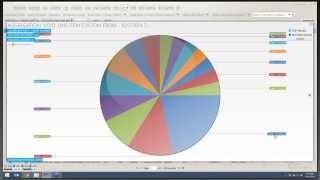
Robert Connie and Marcus Kelly show how to catch employee theft using POS data and video. They walk through specific red flags: voids, no-sales, repeated small-item transactions, and tip-bucket manipulation. They explain the Econnect queries to surface suspicious patterns and how to pair video evidence with the numbers.
Chapters
The broadcast is now starting. All attendees are in listen only mode.
Good morning. I'd like to welcome everybody to this month's Econnect webinar. My name is Robert Connie. I'm joined here by Marcus Kelly, the investigations manager at econnect.
Today we've been asked to go over cases created by Econnect and how we uncovered those cases or found those, what queries we ran and what we didn't. We're going to give everyone just a couple more minutes to show up before we get started. And while we do, if anybody has any questions that you brought either from the past webinar or questions that we've yet to answer for you, please feel free to send them in the questions section or the chat section. We will get to them. Today we're going to kind of bounce around a couple different places. We've got some videos. We're going to show you first, some video clips of theft that we've uncovered. And then once we show you that video clip, we're going to kind of backtrack from there and show you the steps that we took to get to that point.
This should help you in finding theft. And ultimately, the whole idea here is that you guys start to share the ways you find theft, the ways you uncover different scams and share them with us, because we can learn something from you, just as you can learn something from us.
Keep in mind, also me and Robert, we usually end up at the same endpoint, but our starting point is usually different. And with some of these cases, we'll explain that there's multiple avenues you could have taken to get there, but still ended up with the same result.
So the first case we're going to start with was a case that we just had recently.
And we'll start with this video here. I'm hoping everyone can see my screen. If you can't, let us know.
And you'll see in this video, we have.
The registers here. There's a person, there's a gentleman over here at a Camera View that's purchasing, going to purchase some items. He's actually going to order two chicken tenders and two fries.
And we'll see the employee signs in, rings everything up. He's going to turn around. Customer is going to put a 20 on the bar.
And the one, and one more one for $22.
And in about.
15, 20 seconds or so, you're going to see that same employee come back. He's going to pick up the money, and the money's going to go in his left hand. Just keep an eye on his left hand.
Alright, so there he picks up the money and he starts to look in his tip bucket. That's his tip basket there. The customer kind of waves him off, which to me is saying, no, don't worry about it. Put some money in his left pocket and if you watch this data over here.
You'Ll see that he.
You'Ll see he voided both those items off. And then after a certain amount of time, it will automatically transaction cancel back out. So he pocketed that money. So the way this was uncovered was.
We end up having several transactions where he did this. And so, I mean, I can go through and show you each one, but they're basically the same thing. He begins the check, brings up the items, voids the items off, and this essence, he starts another check.
And.
So he voided these items off. And then if you look at the time, a few minutes later, he rang up another one, voided it off, rang up another one, and he ended up having someone pay for it. The thing about it is the person who bought this stuff.
The money never hits the drawer, he voids it back off.
So to go backwards and show you the way we looked into this.
Went into our POS tab, we ran a query. Now most of you should have this query set up on your summary view. If you don't, instead of just going straight to the summary view and clicking on it, I'm going to show you how to create this query. So in this query we're looking for transaction cancelled.
Transaction cancels usually happen whenever you leave a check open and you walk away from register and the register automatically signs you out, or if you sign out of a check while it's open before it's been tendered.
And the other thing to remember, this is one of the cases that we're talking about. We could have gone a different way. If we would have looked for voids and started following this employee for all of his voids for the day, we would have came up with the same results. And that's what I'm talking about. There's usually multiple ways to end up with the same same result.
So what we're going to do is we're going to go down to where it says Event type identifier and we're going to click the plus symbol. Now once I come into my Event type identifier, the Event type identifier gives me all the type of POS transactions. Now be aware that all of these that are in our system may not work in your system.
You have to keep in mind that we work with multiple POS systems. So we have multiple event types. And like Robert said, some might not be active in your system or some just might be turned off. That's all how your POS is configured.
So we're going to come down to where it says transaction cancelled. We're going to go ahead and query those results.
Now, once we have the results, we can obviously go through each one of the results. As you guys know, I'm lazy. I don't like to do that. So we like to aggregate.
So we come up here and we hit our aggregate button and all we did was we separated out by employee. And as you can see, we have two employees that accounted for over 11%.
Well, we looked at this employee, Tim, and we realized he wasn't doing anything wrong. He was just leaving his register signing too long, which is more of a policy and procedure violation. Then we saw employee 4949, clicked on it, and then we simply came in and took a look at the transaction. As you can see, this is the end of the transaction. He's not even touching the register. And the register automatically signed him out.
And this was one of those. We saw the register sign him out and we're like, wait a minute, why does he have all those voids in that transactions? So we went back to the beginning of the transaction or where the first void occurs and follow the video from there.
And so you can see this is the video clip we watched a few minutes ago where the customer puts the money down. The items have been rung up.
And when he comes back, if you watch his left hand, it should be somewhere in this area here. You're going to see go to his pocket.
And then he's going to void out the items. And if you watch, it will tick down from the top.
So there's a payment. Him looking for change.
Holds the money, goes to his pocket, and there's our voids.
Okay, any questions on this first one that we've just covered?
All right, if anybody does have questions, just go ahead and feel free to type it in. Oh, I got a hand raised. Give me one second.
All right, Brandon Davis, we're going to grab you first. Your mic should be turned on. Go ahead and talk.
Brandon, are you there?
All right, I can't get Brandon's microphone to work. Let's go ahead and grab Brian.
Brian, are you there?
Brian Wunderlich, are you there?
Alright, well, if you guys get your microphones working or you want to type it in, just type in your Question.
Or go ahead and raise your hand again. I'll get your question.
All right.
So now we're going to move on to our next video clip.
Now, this video clip was a case, obviously from last year, and it does take a few minutes for this clip to run through. So there will be a little bit of dead time. But just to prepare you to look through this check. As you see, we'll have the begin check. They'll ring up the chicken tenders, and she'll void them out. She'll ring up another chicken tender, barbecue sauce, chicken tenderloin, and then void all three of those out, then serving up an extra tenderloin.
And then she'll bring in a barbecue sauce and apply an airport discount.
I'm going to jump ahead here if I can. She's going to ring all these items up, and then she's going to receive, I believe it's seven dollars from the customer. She's going to take that seven bucks and she's going to put it right up here on top of her register.
The money goes on top of the register. Unlike most locations that are running Micros or Infogenesis, one of those POS systems, whenever they close up this check, it's going to print for the cooks in the back to make that meal. Once she's just done, we found out later, she ran back and told the chefs to go ahead and fire those four extra tenderloins. So she's back there doing that. She's going to come back up here in just a minute. So I'll go ahead and fast forward a little bit.
And this is one of those where, if you notice as you walk your property that people are allowed to call orders back to the cook versus the cook waiting for the receipt to print. That's a procedure you might want to look into and try to figure out what's going on right here.
There's her calculator. Turns out this lady, throughout the day was doing this over and over again, and she needed to calculate out how much money she owed herself from the register, because she would continually just do this, put the money in the cash register and take it out later. This happened to be the first one we found when I was searching through it because I was looking for voids. And this one check had a ton of voids on it. So if we watch.
She's going to void all this out.
And you'll see that the total due is zero. This is another one that another way you could have got to the same results.
So she takes out all this Extra money. And then the one thing I always tell people is check your drawers because if you watch this top drawer, that's shut, once these cashiers work with them enough, they can actually force them open. She's able to force that drawer open. So we got to this one by looking at voids and we also got to it by looking at total due equals zero. Whenever we ran the queries, she was popping on both of those queries as our top offender.
So obviously I don't have this data because from another location, but we're going to go ahead and simulate doing the same search for that query. So what we would do is come into our query builder.
And we would look for total do equals zero.
And we would select a date. Now the way we typically will run this is we might go through and look at these, but I have a really small data set. So I really, I'm a firm believer that the more data we have, the more of a story it's going to tell us. So I want to go ahead and extend this data set out for the past seven days.
Now once I've done this, I'm going to go ahead and aggregate and here's where the way I do my investigations or Marcus investigations will differ. Like I said, we'll end up in the same location, but we'll go two different routes from here. Typically I'm going to go ahead and aggregate it by revenue center. Now I'm going to select my biggest revenue center and then I'm going to go ahead and take that result and aggregate it again by employee.
And so I've identified in this, I'm pretty much going to look at those four employees. I'm going to start with this and work my way around and this is how I'm going to identify which employees I want to focus on. The other thing is, as you use your system more and more frequently, you're going to start recognizing certain names that pop up. So we can go ahead and look and take note of these few employees and then we can come back over to our query or our summary view and we can run our void.
Query.
I'm gonna go ahead and extend it out for the same seven day set.
And I'm gonna aggregate it by revenue center.
And.
Luckily enough they are, they don't even fall in this top set. So that's a good thing. They don't show up in both locations. But if you do, you'll start seeing some employees that tend to overlap.
But by drilling down into the data can really help us identify who we want to focus on. And so this is all that was done to catch this lady was we went through and we looked at the voids and we looked at total duplicate 0 from the same revenue center, identified a single employee that was leading the pack in both and found that she was stealing.
Keep in mind, the way Bob did it is different than how I generally do because I usually go through employees first, try and look for one employee that's just taking up a bigger piece of the pie than everybody else for the top 15. And usually those top two or three employees are the ones I focus on and try to figure out why they're so much higher than everybody else at the location that I'm looking at. And like Bob said, usually we end up running into the same employee, just different routes.
All right, so look, do we have any questions?
Anybody want us to run through how we got to these results again?
Now, keep in mind the. All right, we do have a question. Go ahead and type it out, Max. Oh, Maxine, sorry, the window wasn't open all the way.
While Maxine is typing out her question, there is one other thing that we've recently added. And if you were running, if you get an update on your newest version, you see how these checks have multiple voids in them, just like the check with the lady we had stealing. Now, we can actually take this data and aggregate it. We can aggregate it by check number.
And so we can see which check number has the most voids. I've got one check here with 12 voids on it. And now I take a look at this check. Is someone keeping a check open for a long time and voiding a lot of stuff off? Are they voiding stuff off because the customer's paying for it? What's going on with that check? And it makes it a little easier for us to identify any problems we might be having.
Maxine, let's see if we can find your microphone and turn it on for you.
Maxine, are you there?
Maxine, I've got your microphone turned on.
Can you hear me? Yes. Okay, this is TJ in from Maxine. Okay, I just typed the question now.
On your guys where it says the employee name. Ours doesn't show the employee name. So my question is, is that an econnect issue or Micros issue? That usually means that we're not getting the information from Micros. What I would ask is that you go ahead and email our Support team. That's SupportEConnect TV. Let them know, address what the issue is. Tell them that you're having an issue. It's not displaying an employee name.
And that you would like to receive that employee name. And usually it's something within micros that we can fix. Okay. Okay, thank you.
All right, we got a question that came in. It said the first example didn't show specific items that were avoided, but the second one did.
How can we get that at our property to reflect the actual items were avoided over generic items avoided? So, as you guys know, we receive the data from the POS system. Obviously at this location, they're running a POS system that sends us over the exact items that were voided. If we go over to our other location.
And we look at these voids, it just says void. The POS system doesn't send us the information to let us know what item was voided. And unfortunately, since they don't send it to us, we aren't able to know what it is that they're voiding off.
These are two different POS systems between these two different properties on these cases that we just showed you.
Hope that answers your question, Robert. Any other questions before we move on to the next query?
All right, so we're going to go ahead and move on. And this case is an interesting case. I'm assuming many of you do go to get coffee in the morning on your way to work. You probably have the same routine. You either stop at Starbucks or another chain or even McDonald's or a gas station. You pick up your coffee, you know exactly how much that coffee is going to cost you every morning. This kind of is the reason why we ran this query. And this happens to be at a coffee shop.
Person orders a regular coffee, customer knows what it is, they hand the cash over.
The employee hands over the coffee.
Brings up an ice water and a cream cheese for 59 cents.
And this also will work for other.
Locations where let's say you're selling frozen frosting or a side of cream cheese, something that's inexpensive, but people just wouldn't buy a loan. They would use it as a topping.
And so what we did was we found this by looking for total due less than $1.08. The reason we pick $8 is you usually have some type of item at your location that's a dollar. And we usually throw in tax. Usually it's up to be about A$8.
We ran this query.
And obviously, like I said, once again, I can't show you exactly what we did.
But we can go in and run this query. And you see these queries and these are a lot of queries that we include whenever we install your system or if we come out and train you or look at your system, we'll make sure you have these queries. And it's because we run this query and once again, we're going to aggregate the data. In essence, I'd probably aggregate it first by amount, because if someone is selling that same cream cheese over and over again, I'm going to end up with that same amount each time. Then once I get that amount, then I'll go ahead and aggregate it again by employee to try to find that one employee that's selling a lot of them. So Cheryl Smith had 27 checks where the total due was 96 cents.
And as you see, the aggregate tools are pretty powerful tools because we all know that data overload. If this was 10 pages worth of data, we wouldn't go through every single line to see what's going on. But if we can narrow it down to just 27 lines of information that we have to review, it makes it quick, it makes it precise, and it doesn't wear us out where one search will kill you for the rest of the day.
And so that's how we're able to narrow down and identify who it is. Now, like before, there's a lot of different ways to get to where we want to get to. So I can select this 96 cents and then I can aggregate it by revenue center instead.
Once I've aggregated by revenue center, then I can try aggregating it by employee. All I'm doing each time I aggregate is I'm really narrowing down and drilling down into finding the people I want to focus on. Now, obviously, Cheryl Smith is the only one of three employees, but if you have three employees, it should be doing about the same. In this case, she's doing 57% of all of the total dues less than $1.08 at that location.
So now we can go in and focus on each one of these transactions and see what is she doing exactly.
Does that make sense to everybody? Do we have any questions?
All right, if you have a question and would like to speak, go ahead and raise your hand. If you don't want to talk and you just want to type in, feel free to type in your question.
All right. Now, if we do move too fast and you want us to explain how we got to that again, let us know. Obviously, we're in this system every day full time, so we do move through rather quickly.
All right, the next one we're going to show you is.
A Video clip from last year, I believe. Let me go ahead and pause this real quick. So there were a lot of issues we uncovered at this location. Obviously you see two people working at a bar with one register pretty much everywhere I've ever been. That's a no go and a red flag off the bat. Tracking these two was rather difficult. But once you started really looking into the data, it really became easy to find theft. So in this case, we were looking for no sales.
As you can see over here, we have a no sale that popped up in this transaction. So go ahead and watch this happens. We're focused on this guy and this girl as a cashier. He walks up, he orders a Corona.
He hands her the money.
She accidentally signed out of the other girl. So she has to swipe back in. You see the sign that pop up here that she has no sale. The cash drawer opens and then she starts guessing at what the change should be.
So now the drawer owes her the difference from the change she just gave. I'm going to guess around 225 or.
325, 675 for a beer.
So.
In this type of transaction.
Once again we went in and we have our list of queries that we used. If you have no sale in here, which you should, you can have us click here. If you don't, I'm actually going to make sure to show you how to make that query. Close all these out real quick.
And keep in mind, a lot of these queries that we're running, well, some of them are, but most of them are simple queries. And we've covered this before. And what we mean by simple query is that one line of data you see on the grid page, any part of that one line is searchable. Now if you want to look for two things within the side of a check, that would be considered an advanced query. And that's when you would send the email to Robert or myself and we would create that for you. And then we send it back to you and you'd be able to install into your system so it could look for those items that you want.
Alright, so to run this query for no sale like before, there's always two ways to run it. We can either click on basic data and you can type in the word no sale. This is going to run the query for no sale and it's going to return results.
Also keep in mind, if you're typing in words for basic data, you have to spell it exactly the way your system prints it out on the receipt or else it won't show a result.
Okay. The other way is we go down to event type identifier like we did before. We hit this drop down and we'll go find no sale and we'll run that query. Same results, two different ways to run it. The bigger the data set. The reason we use event type identifier is with the larger data sets, it's actually just looking for this number as opposed to looking for words, which computers are a lot easier for computers to look for two numbers than it is to look for a word and how you spelled it.
So once we ran the query for no sale, once again, we aggregated it. And the way I do it is I aggregate it by revenue center first. Marcus prefers to find an employee first and then drill backwards. I prefer to go to revenue center and go the other way. So I would select Revenue center, select my largest to start. Obviously, if I didn't find anything, I go back and select my next one and my next one, then aggregate it again by employee. Okay. By drilling down, like I said, you're going to get bigger chunks of pie, which is what you're looking for. Obviously, this employee in green, probably not someone we need to focus on. We might take a look at them once we looked at these other two, but usually if they're at the lower end, we're not going to worry about looking at them.
Also, keep in mind, just because somebody's taking up a big piece of the piece does not necessarily mean they're doing something wrong. It most likely means that they're just the one who's doing the most hours there or during that time frame. They just happen to happen to do it the most. But it's still one of those. You can go out and you can ask the questions, hey, what's going on? To try to change behavior. Or you can let it sit and come back to it a couple days later to see if this employee is continuing to trend high and truly figure out what's going on at that revenue center.
Now, remember, most of everything we're doing, the first couple of transactions cancels, total due equals zero or voids.
In order for someone to steal, they have to have access to the money, whether it be the money coming from the customer or access to the cash drawer itself. And the one we just watched at this bar, she had no sale. It gave her access to the drawer. She was able to make change. The one we watched before that, with the total $2, 8. He needed a way to make it appear to the customer that he was ringing it correctly until the customer walked away or make it to the camera. So that if you're watching that live or watching a review, you see a customer come up, buy something, you see him put money in the cash flow and you assume everything is fine.
And that's where our data plays a vital part. Because when you just have a camera alone, that $8 transaction, it's going to look perfectly fine. But it's when you see the data and you see.
A cup of water and cream cheese and you're like, wait a minute, he got a cup of coffee. Why is he bringing up cream cheese? It gets you to ask yourself the question, what's this employee doing?
And that's really what we train everyone to look for. If you look at something, if you look at a video clip, you look at the data and say.
What'S going on there? What is that? What are they doing? When you sit there and you ask yourself what's going on? Obviously something's wrong. If you look at it, everything looks normal. You're not going to think twice about it. You're just going to keep on moving through. We're looking for that moment where you say, what the heck's going on here?
So anybody have questions on no sales or on this transaction that we have.
Here or building a simple query.
Give everyone just a moment.
See if anybody's typing me a question or not.
All right, if no one has any questions, we'll go ahead and move on to another video clip.
All right, so our next clip was an interesting one. This was actually.
One that was caught during training. And as you can see on the right hand side, when we take a look at the data.
The check we're going to look at is this check right here, 1406. And we see the begin check. We'll see a gin, two gin meringue. And we see the timestamp that we'll have about 45 seconds or so before.
The rest of the transaction plays out.
And because it is a bar, it is a little more difficult to follow. But I'll try to make sure I move the mouse to.
Show you guys what's going on here.
And keep in mind you'll feel a check that there's two voids. This is another one where if you were looking for transaction councils, you probably would ended up at the same endpoint because you're gonna see it begin rung up, avoided and then canceled. It's the curiosity in the loss prevention that we do is how we verify all the transactions and make sure it's A legitimate void. The items weren't served, money wasn't handed over. Those are the different things that we're looking for. And once we say, you know what, this one I can see it's truly a mistake, let me move on. Or you know what, hey, they paid for this one. Let me find more like it.
So she came over here and she took an order from a couple guys that were on this side of the bar. She's grabbed the gin and filled it up. Now she's adding tonic to the drink.
And we'll see her come over here and she'll put the drinks up here on the bar.
She's going to ring this up and if you watch her left hand, it appears she's going to say 24. Or her right hand, sorry, 24. That's the total of the two items that were run up here.
Watch this same area. You're going to see two bills come up. So obviously it's at least $24. We know that's what the total due is. So it's at least $30 or sorry, $25. So that's a 20 to 5. It could be a 20 to 20, it could be a 20 to 10. We don't know.
And she'll circle back.
And obviously we can't hear what she's saying or tell what she's saying, but she makes a motion like do you want change or no change?
Once that's done, she's going to come back to the register, she's going to void out those two gens and she's going to make herself a note. As you guys know, there's always telltale signs about how people seal today. Do they.
Write a note down? Do they do something? What do they do to determine that's what's going on?
Just put the money in the tip box.
So the way this one was found. Once again we go into our query builder.
And like we said before, there's a couple different ways we can look for transaction canceled.
Look for menu item void. In this instance, I believe it was a transaction canceled that started us out there.
Looks like my network connection was lost. Hopefully I didn't lose you guys for too long.
From here we can click on the transaction canceled. We can start reviewing these if we'd like. Or we can aggregate it by revenue center.
Johnny Rockets is our biggest. Then we'll aggregate that again by employee.
Also keep in mind if you do have any.
Sit down restaurants, some of our event types will have dual meaning. For example transaction council. We all know that if you save a check and then that cashier or server recalls it and says, oh, that's the wrong check. They cancel that transaction. That's one meaning. Or the other meaning is you ring up five items, the customer says, you know what, we don't want it. And then they'll cancel the transaction. So keep in mind there will be dual meetings for some of these event types.
Does anybody have any cases they'd like to share or talk about?
We put together just these five cases that we uncovered. And whenever you use our system, if you drill down into the data, they will tell you a story and you will find people are doing stuff they shouldn't be doing. The guy that we did the query on for a $8. Yeah, he was stealing maybe a dollar, maybe $2 a transaction, doing a handful transactions a day. So it wasn't stealing a lot of money, but it was still losses for the company. You got to remember, whenever you're dealing with those type of losses, you're also gonna have shrinkage. You're gonna have inventory that now isn't there because it was sold, but there was never money taken in. And what usually ends up happening is once that happens is the company has to raise their prices because they bought this much in inventory, but they only made this much money from it. So obviously their margins are off and they'll usually adjust from that. So stealing a few bucks a transaction does have an impact.
On the rest of the company.
Anybody have any questions, comments, concerns?
All right, well, since we don't have any other questions, we'll go ahead and we found one more.
Video or case that we created last year for you to take a look at. This one was an employee that was out at working a stand.
And she was. How did you find her voids or no sales?
This one was.
Started off with manager overrides.
On and also no sales. But it was one of those. She was doing multiple things and a lot of it was. She was. The main thing that stuck out for me with the no sales was prep and money. And if you.
I'll sure took it out.
Yeah, this one's another one case that's a year old and I'm a little rusty with it. But what she ended up doing, she would ring up the items for the customers and as they walked away, she would just wear them out and set the money off to the side and.
Watch that area right there where that penny slot is.
She's going to stick her hand up underneath that dollar bill. And she had already prepped the money to steal so now the money is in her right hand and it'll go into her pocket.
And it's one of those, with our experience, some of the things that we've noted is a sloppy cash drawer is one thing for us, what she was doing that really caught her eye is she was moving money around, folding up bills. And those are the different red flags that we look for. And when you see them, they stick out like a sore thumb. And I asked my question, why, what's going on?
And as you see she's going back for more money.
And anytime you have this type of sloppiness in the drawer where money is just kind of strewn everywhere, you know, there's all these signs you can look for whenever you're watching your video.
And it's one of those the data is going to tell you, but video is also going to be a great helper. But it's one of those when you combine the two together, it's going to be a powerful tool for you.
Anybody have any questions?
All right, well, if no one has any other questions, if you could go to the questions section for me. I'd like everyone to type in what they would like to see on next month's webinar. Give us some ideas of what you would like to go over, what you'd like to see, what you'd like to learn, anything about the Connect software.
We last month people asked us to go over some of our cases that we've had and busts we've had. So that's what we did this month. Last month I believe it was Behavior Report. Month before that was Query Builder. So whatever you guys want to learn about, we are, you know, we like to take your suggestions and cover what you guys want to see.
Yeah, if you guys want to know how to do the technical side, the setup side, that's also an area we could cover. Just we want to, because we're a user based company, we want to make sure we're answering the questions for all of our users.
All right, we had a question that come in that says can the queries from Infogenesis be copied over to Micros?
Paul, I believe the question is yes or the answer is yes to that question. I obviously had to play with it. The main thing we'd have to look at is going to be if you go to pos, go to the Query Builder and we look at these event types. When I clicked on Transaction Cancel, you see the number 28 pops up here.
Service total and service total is 22. So this is Infogenesis. Here. So let me go over. Look at a micro site now. And obviously, every site's gonna be different. Transaction cancel was what number? 28. So it's still 28 on this microsystem. Now, each system is different. Obviously, your. IT has the ability to change those things up, but we in general, yes, it should copy over. If it doesn't, you let us know, and we'll make sure to get the queries corrected for you.
All right, so it looks like we've got a few people that want to know about cases.
Daniel's asked a question about following a check that's been split.
That one is a little more difficult, Daniel. And we're actually working on developing that further to make it something that is a lot easier to track in the system. If you give us a call, we'll try to walk you through the way we follow it. But we are making adjustments to fix that.
How can we delete videos from cases, Allison? The main thing about our cases, and we'll go over this next month, we'll make cases. One of the things we do cover next month in our webinar. When you go into cases, it's really going to depend on your permissions. Okay. If I want to delete this video clip, I can, because I have permissions to delete this video clip, depending on, like I said, your user access you've been given will determine whether or not you have the ability to delete anything. I can actually delete this whole incident file based on permissions. I can edit this and add to it, and everything's in our access control. And so it limits what you can or can't do. And that really isn't up to us at each location. It's really up to either your technical person or your director, whoever set forth those rules. So if you want that change, you let us know. We can take care of that.
All right, so it looks like we have some good ideas for next month's webinar. So next month's webinar, we'll be sending out the invite soon. Please bring any questions or concerns you have with you for the webinar so we can go over those. And if there's anything, any other questions you have, you can feel free to email me at bobconnect.
Or you can email Marcus, Marcus Kelly with the EY Connect tv. If you have any support questions, you always can email supportupportconnect tv and we'll always be able to help you. And if there's nothing else, if anyone else has any other questions. We thank you guys for joining our webinar this month and we'll talk to you next month.
All right, Chip, I saw a question come in from you. It says, why is it not possible to run a query with both line item voids and no sales?
If you give us a call here at the office or email us, that query is possible. It's going to be an advanced query.
You have it built already?
We already do have the query built. We can get you the data or we can get you the code for it and get it into your system today. So give us a call once webinar is over. And Michael? Yes, this will be available. It'll be on our website. I'm going to try to get it up today. If I can go by tomorrow, you can go to econnetglobal.com training and the password to get into all of our webinars and training videos is training.
All lowercase.
All lowercase. So it will be available on our website. Like I said, I'll try to get it up today at the latest. It'll be up tomorrow.
So once again, thanks everybody and we'll talk to you next month.
More from Henry

Skip the line, not the security: Facial Recognition for Guest Experience & Safety




eConnect’s Red Light Green Light – The Most Advanced Facial Recognition Tool for Casino Entry


Skip the line, not the security: Facial Recognition for Guest Experience & Safety