Final AR Project Prototype V1 1
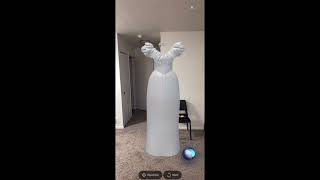
Hrithik Sanyal demos Wedding Bliss, an AR wedding planner controlled by voice. You create a profile, pick a theme, customize pieces like changing a dress to blue, see virtual try-ons, and get a cost estimate all through spoken commands.
Chapters
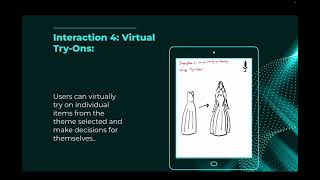
Hello everyone, my name is Hrithik Sanyal and this is my final AR/VR submission. So for my ultimate personal assistant, I chose AR wedding planner assistance and I named the project as Wedding Bliss. And it's a mobile-based AR application that works on voice commands. So as you could see, there's a small icon down there which gets enabled when you say, "Hey Bliss," and listens to your prompts and commands and gives you the suggestions. So let's get started. So the first page is the data privacy notice. I'll say, hey Bliss, I agree. So now comes the profile page. You need to create a profile. Let's do it quickly. Hey Bliss, name Sam, date of birth 3rd November, city Ann Arbor, country United States, email xyz@umich and plan standard. So yeah, as you could see, it has created the profile and it says welcome and let's get started. Hey Bliss, let's get started. So the next question it asks is whether you are a bride or bridegroom. Let's answer. Hey Bliss, bride. So yeah, now we are at the home page. Where it tells us what all are the prompts which we could say. Like there is explore theme, there's customize theme, finalize wardrobe, virtual try-on, and estimated costs. So let's explore them one by one. So first, let's explore the themes. Hey Bliss, explore classic theme. So it's awesome working on your theme. So it would take some time to work on our theme and give us suggestion. Awesome, we have it. So this is the classic theme. As you could see, we have the wedding card here, we have the wedding ring, the gown for the bride, and the wedding cake. I really like this theme, but I am not sure if I like the white color. So let's explore some other themes as well. Hey Bliss, main menu. Yeah, so we are back at the home page. Let's try some other theme. Hey Bliss, explore modern theme. So it's working on our theme again and it would bring up some suggestions. There we are. So now we have the modern theme. So you see, we have the wedding card, we have the wedding ring, the wedding gown, and Here's the cake. I am quite sure that I like the classic theme better than this one, but I really like the color of this gown. Let's see if we could do some customization. Hey Bliss, main menu. So now we are back at the main menu and let's see if we could customize the dress from the classic theme. Hey Bliss, customize dress from classic theme. Yeah, so we have the dress here with us now. This is the dress we had in the classic theme, but I don't want the color. I want the blue color from the modern theme. Let's change this. Hey Bliss, change color to blue. As you could see, we have the same gown from the classic theme, but in a blue variation. And this is something I really like. And yeah, I now I'm 100% sure that I want to go with the classic theme. Let's go back. Hey Bliss, main menu. Yeah, so now again we are at the home page. Let's finalize the classic theme. Hey Bliss, finalize classic theme. The classic theme has been finalized. Now let's look at the estimated cost of the classic theme. Hey Bliss, Calculate classic theme cost. So yeah, that's the estimation of individual items as we could see on the screen, and it looks pretty good. And let's go back to the main menu. Hey Bliss, main menu. So yeah, we are back at the home page, and let's do some quick virtual try-ons. Let's go with the ring first. Hey Bliss, try ring. As you can see, now we can try the ring from the classic theme we selected, and it looks really nice. And I finalize this, and now let's try the dress. Hey Bliss, try dress. So yeah, as we can see that the user can now virtually try on the dress. So she's trying on the blue dress which we updated. Hey, so now we have virtually tried on both the dress and the ring and it looks really good. So let's finalize the virtual wardrobe. Hey Bliss, add the classic theme to my virtual wardrobe. It has been added to my virtual wardrobe and now let's see the virtual wardrobe. Hey Bliss, show me the virtual wardrobe. So yeah, that's my virtual wardrobe. We have everything here added to our virtual wardrobe. We have the wedding card, the wedding ring, we have the wedding gown, but with the variation I've changed the color, uh, to blue, and we have the wedding cake as well. So everything has been added to my virtual wardrobe. And yeah, that's my demo for my final AR/VR submission. Thank you.