ChatGPT Finally Works While You Sleep & More AI News You Can Use
Igor Pogany covers ChatGPT's new Scheduled Tasks feature that runs prompts automatically, plus interactive visual generation, thinking-level modes, and Gmail integration that can now send emails. OpenAI also streamlined model selection, while Anthropic shut down its Fable tier and Decart AI released a free world model you can drive in real time.
Chapters
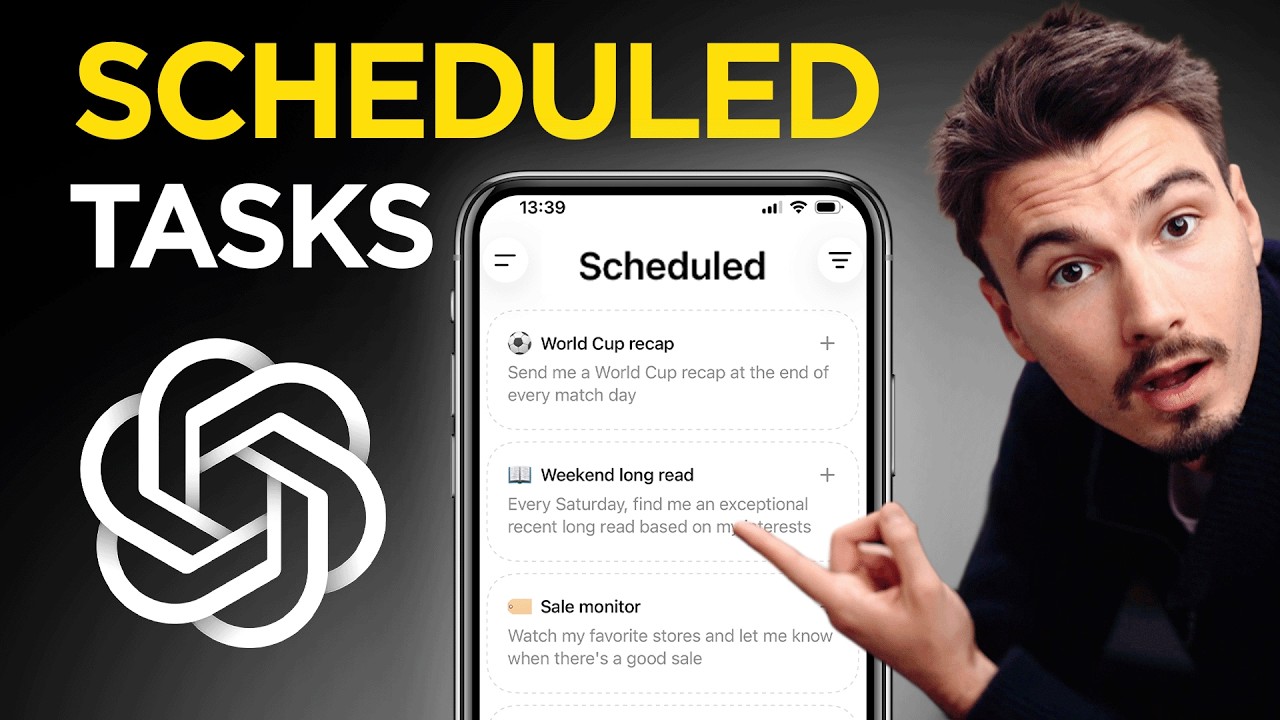
This was a great week for generative AI. And I have some interesting things to show you here today. Amongst a plethora of ChatGPT updates, you can finally schedule tasks properly. Oh my god, can't wait to show you this. They made a few quality of life improvements. And the Gmail connector can now actually send emails. When I look into my sent emails, hello, I hope you're well. Yeah, it did it. Amongst that and the Fable-5 discussion and a Chinese open source model that came out that is As good as GPT-5.5 or Opus 4.8. Yes, you heard that right. It's been a very interesting and practical week. So let's get into it in this week's episode of AI Music News, where we look at all the releases in generative AI, we filter for the ones that actually matter to a non-technical consumer trying to use this stuff, and then I, Igor Pogany, have the honor of presenting it back to you. Let's begin. And our journey this week begins with the scheduled tasks, a big and long overdue update. They had a version of this, but in short, it was so bad it wasn't even usable. I'm not going to go any further into that, but just know that the new version actually works. You can access it in the sidebar. There's a new tab called Scheduled, and within here you can see, well, if you're brand new, a bunch of suggestions on what you could get: a World Cup recap, or a daily news brief, or you could set up alerts for concerts. All of these are great ideas, and usually the sweet spot spot for these scheduled tasks, especially as people get into them, is a combination of doing some information research and Googling and then filtering that for your taste or needs. That's why all of these examples follow that formula. Hey, I'm interested in the World Cup, particularly maybe one team, and I want to get all the updates about what happens. Give me a summary every day. And then it gets your personalized summary. So what I did is I used the daily briefing preset, which honestly is very, very basic. All of these prompts here are like one or two liners. It's gonna be up to you to add more context to that. But that's the point of this video. The point of this video is showing you the scheduled tasks. So if you create a new one, here under edit, you can see the layout. There's a prompt up top. This is kind of the basic prompt that it comes up with. There's a frequency, which basically says how often this is supposed to run, and a repeat. So here's how it works. The repeat field dictates what shows up underneath. So if you have it set to daily, it gives you an option. Do you want it in the morning, afternoon, evening, or night? Okay, now if I set it to hourly, which is the maximum frequency, and the frequency of this will depend on which plan you're on. So you might not see all of these. But on the Pro plan with hourly, I could say every 2 hours, for example. And if I go to custom, actually get less choices than with the others, it only turns into daily, weekly, monthly. So really, you want to make your choice in the first one, and then the rest makes sense. Also down here, you can set when this expires. They did make a comment in their release notes that they might turn off some of your tasks if you haven't used used them in a while. I mean, I get it, they just don't want millions of people running tasks on a daily that they don't even use. But basically, you set this to never. And now every day in the morning, I will receive a daily news brief that looks something like this. I ran the first one here for you. Again, it's based on this prompt. And it, yeah, finds Fable 5 and Mythos 5 stories. There's all the other stuff. And that's a feature I recommend you start with these daily news briefings. I recommend you add some of your own context. And over time, my goal would be to refine the prompt so that these results actually match my interest. If I'm looking at the results and I'm like, okay, 2 out of 4 stories are completely irrelevant to me, then you have some work to do in the prompt to make sure that those 2 stories would be filtered out on the run tomorrow. That's how you improve it over time. It will take a little bit of work. Probably the easiest way to do that is just to copy this prompt into a new chat and then give it context on what you're trying to achieve with the daily task and what stories you didn't like and how you could modify that prompt. Prompt now, it will help you. All right, next ChatGPT update, they added interactive visuals. And somebody at OpenAI basically took their mouse and keyboard, went over to Claude, saw the feature. They're like, oh, this is great. Copy, ChatGPT, paste. King in the castle, king in the castle. Because this is a feature that Anthropic released a few months ago. And yeah, here you can see some comparisons between the same prompts being ran both in ChatGPT on the left and Anthropic's Claude on the right. Across like 5 test prompts, we found one difference where Claude actually failed on this one. Create a scatterplot showing the 2025 and 26 NBA teams. And then while plotting the payrolls, ChatGPT actually nailed it while Claude made a mistake here. I mean, that's one case, the others looked really good. Then in another case, ChatGPT refused to make a pie chart that we asked for. But then on this comparison, there was a little bit of overlap of the text in ChatGPT while Claude nailed it. Potato, potato, the different implementations pretty good. These visuals, as a reminder, are meant to be a quick visual aid while you're exploring a new topic. So for that, it's amazing that they have them now. And they work pretty well in both services. Okay, next up, they made some model changes too. I actually really like this change. Look, they just cleaned things up. When you pick your model, they removed some older ones. So that's good. But then even if you're on GPT-5.5, which is the newest one, and probably the default that everybody should just be using all the time, unless you have a really, really, really particular reason that's based on your experience. And when within the model, you now get these options, instant, medium, high, extra high, or pro. And then behind pro, there's a pro extended that actually hides in there. So if you're a pro account, this is kind of a good button to know. This is how you make ChatGPT work the hardest. It will also take up the most compute from them. So they hid it away here. The release notes show this beautifully. You can see the before on the left side and the after on the right side. So basically what happened is all of these different levels of thinking were removed. And now it's just something a bit more intuitive. And in short, if you're not familiar with what these do, it's just basically how often AI prompts itself before it answers to you. So on Instant, you're gonna ask it, hey, give me 10 ideas for XYZ, and it's gonna give you 10 ideas right away. If it's on Pro Extended, it's gonna generate those 10 ideas, but then it's gonna ask itself like 50 or 100 different follow-up questions to stress test those ideas or evaluate if it actually read your intent correctly and how it could make these better. That thinking process that goes in the background really changes based on what you give it. So if I ask for 10 ideas for a dog food brand, um, the, I suppose. You're gonna see this is gonna think forever. And if you click it, you can see the thinking process. And if you want me to save you some time, any question that is not complex, just stick to the lower ones. The added value is barely there with these. As soon as you go into something that would take a human hours to work through, that's where you can go to these higher ones. That's a good rule of thumb. Just know that ChatGPT takes the freedom and a little bit of flexibility there too. So you can see even though the biggest thinking model here, it only thought for 40 seconds because this is a simple problem. So they're not going to waste their compute just because you tell them to. But the higher you go, basically, the more possibility of compute being used on your question you open up. Whereas if you go to instant, it's always just going to be just that. And the rest is a ladder in between. Few more super minor updates. On iOS, when you were sending messages with attachments, you couldn't change anything. So when you attached an image and you wanted to change the prompt next to it, not possible. That changed now. You can long press the message, as you can see in this example from a teammate adding a chain to his dog, and you can update the prompt and keep working with attachments. Really nice to have. Another brief one again on mobile apps is if you long press the send button, you get to pick the intelligence level. Looks something like this. And it's actually really good to know and not very obvious. Back to desktop, there's two really interesting changes that I want to show you. Remember Canvas, kind of the word editor built into ChatGPT? Well, they've been phasing that out. And there's some weird things about it. If I switch the model to like GPT-5.3, for example, you will see the canvas is still available here under more. If I change it back to GPT-5.5, I will go on the more and there's no canvas. So what they're doing is they're trying to interactively insert it. When you write something like an essay or some other long-form text, see, it appears here automatically. And then if the text is really long, there's also a dynamic table of contents that appears on the left side of the screen. It's a beautiful table of contents implementation. And this word editor in here is also kind of nice. As a reminder, if you full screen, there's this button that says add to library, and then you could add your essay into the sidebar here library. You have the Penguin essay, and then I could easily keep working with that or just save it for a later point in time whenever I create something that's worth saving. And then finally, ChatGPT, and this is a really fun one, the Gmail connector now has the ability to actually send emails. So this would be under plus, more, and Gmail. If I enable that, send an email to info@apple.com, ask them when the new Mac Studios are coming out. I sent an inquiry about the upcoming Mac Studio release. Wonderful. When I look into my sent emails, hello, I hope you're well. I wanted to ask whether Apple has any information it can share regarding upcoming Mac Studio models and their expected release timing. Yeah, it did it. So this is not the most useful example in the world. I realized that, but what you could do is a one-two punch. Let me show you something fun with the scheduled task that we talked about earlier. Go to scheduled. And then you could do something like this where you set up an email scan. It was actually one of the recommendations. Where you can scan your recent emails for anything that needs your attention. In this particular scan, I set it up to focus on events. The frequency of the scan is once every hour. And when it surfaces an email like this one, this is just my burner email address that I kind of use to sign up for random stuff. I'm going to an event in Cannes next week. We're looking forward to that. And it found an email with my badge barcode in there. Now, this is not something I would want to reply to because it's just informational. But if you wanted, you can now combo it with the Gmail connector and just say reply XYZ. Z. And this is a way that ChatGPT can keep rescanning your email inbox and you can just reply right in there. It's not fully automatic, but it makes your life a whole lot easier if you have a lot of emails and you can filter. One note of warning: connectors are notoriously unreliable, meaning they'll get the job done 8 out of 10 times, but then sometimes things will slip through the cracks. So don't think of this as your complete email operating system, more like it's a really simple way to get a lot of them done, but then still go into the inbox and look at if everything actually got pulled in and handled. But it's pretty neat. We're getting there. I'm looking forward to the day where automating your entire email inbox is gonna be as simple as this. Right now there's custom solutions in particular apps that help but still take oversight. And hey, if you're enjoying this video, make sure to subscribe. It really helps out the channel. Let's look at the next thing. Let's look at a few more stories that happened over the last week that I want to talk about. One of them is the Fable story. I mean, last Friday we made the video on Fable with all the different use cases. I think it's amazing video showing you what it actually can do, what it did for me, what it did across the internet. A few hours after the video came out, Fable was taken down, right? US government said, hey, this model is too powerful for anybody who is not a US citizen. And then Anthropic just turned it off because it was just a simpler thing to do. I think the big learning from that is that with Fable, there's a whole new tier of model, Fable or Mythos tier. And it's just a question of probably days or weeks until a competitor comes out with a level that powerful or Anthropic reenables it. So for now, we don't have access, but it is a new level. And talking about new levels, there's one open source model this week that I should bring to your attention. GLM 5.2. Have you heard of this? It's not often that I bring up open source models on here. They really have to be exceptional. And this one is. 1 million token window, like some of the best models out there. And agentic coding performance close to Opus 4.8, above Opus 4.7. Honestly, depending on the reasoning level, it's almost the same. And agentic coding is one of the benchmarks that matters the most because that's a lot of what agents do. It often also translates to agentic reasoning and how well the system works. This is unbelievable. Basically, what this means is we have an open source model that you can run on your machine. Yeah, if you have a $15,000, $20,000 machine that is as good as Opus 4.8, but it's fully private, fully local, doesn't cost you any API cost. Amazing stuff. And it's just available for free out there under MIT license, which is a fully open source license. I guess one important nuance is that it's available for the API now, and the full open source open weight release is coming next week. No more API bills. It's kind of crazy if you do a lot and pay a lot for APIs these days. And last story, and this is a really fun one, is Oasis Free by Decart AI. It's a world model, and you can drive around in it. How about this? Let's take this foggy coastal bridge, generate a new world, and look at that. With WASD, you can kind of just drive. And they made this for self-driving cars, I think initially. But as you can see, I could kind of just go left and then I'm inside of the bus, I guess. It's really interesting how well this is stitched together. And the use cases for this are only going to become apparent over time outside of self-driving. The point of this originally was creating unusual driving scenarios, which I think I'm doing a good job at right now, actually. And we're in the fields. One last note is that this does render in real time. So all of the stuff you see, that tunnel just got produced for me. All right, that's all the new interesting stuff in AI this week. I think it's really interesting how these scheduled tasks are sort of popping up everywhere. It's not just agents using them, but also consumer products getting them. And it's definitely the direction that this is heading in. If you solve a problem once, you shouldn't have to resolve it over and over again. That's kind of the point of infinite intelligence at your fingertips. So yeah, I'm gonna keep a close eye on all these scheduled tasks, scheduling features, cron jobs, whatever you want to call them, because I think it's a big opportunity for individuals to get a lot of time back with AI. And that's what we're all about here. All right, my name is Igor Pogany, and I hope you have a wonderful day. You can use— Igor's here to help you figure it out.








