ChatGPT's Memory Update Explained & More AI News You Can Use
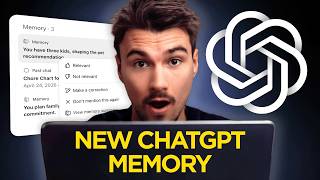
Igor Pogany breaks down ChatGPT's redesigned memory system, which now shows a summary view similar to Claude's format, and lets you edit or delete stored memories. He compares how each AI remembers information, demos the Creative Production plugin for image generation and Canva integration, and covers Nvidia's new AI chips and Adobe's Photoshop updates.
Chapters
So this week in AI, OpenAI is making serious moves to, well, catch up with the competition. They overhauled and seriously upgraded the memory system inside of ChatGPT. Everybody who uses Chat needs to know about this today. And secondly, they're making major upgrades to their Codex app. That is essentially their agentic ChatGPT. And they even announced that they will be merging it into ChatGPT. Let's talk about all that and how YouTube is reshaping the homepage with AI functionalities. This week's episode of AI News You Can Use, the show where I look at everything that happened in AI and then you get a breakdown on Friday about the stories that in my opinion are most relevant. Let's begin by talking ChatGPT memory because this impacts everybody with a ChatGPT account and they just improved it so much. I love it. You might know this by now, but I'm a huge proponent of context management. I think it's what unlocks the capabilities of AI and ChatGPT has been the app that was kind of behind on this. Especially when compared to Claude. If you're not exactly sure what I'm talking about when I say memories, it's the automatic functionality within, well, every assistant, ChatGPT, Claude, Gemini, where it looks at some of your chats and takes pieces of information about you, like when you mention your name, your profession, or anything else, and then puts it into a bucket that it calls memories. These memories are then used as context in new chats so you don't have to re-explain yourself. And ChatGPT just changed the way it works Well, forever. Because what we used to have is these simple lines that it just extracted from chats. Name is Igor. Igor is a high-performing GenAI teacher and YouTuber who wants daily objective AI-focused news briefings. That was just a task I was working on. This is what it was before. Whereas if we look at how Claude had this set up over the past few months already, you will see that if I go to the settings and under capabilities, I look at view and manage memory after I turn on these toggles. You will see that this is more of a report. There's work context here, personal context here, top of mind items, a brief history of what I've been up to recently, and so much more. And what ChatGPT did today, they implemented a similar format. And I want you to know how this is formed, and I want you to know how to edit and use this to your advantage, because it is very important. After all, this is information that will be added to every one of your chats. If you have this turned on. So if you're in your ChatGPT account, you'll see this announcement, more relevant personalized replies, just what I told you. And the way you can find them is by clicking on your profile, going to personalization. And then if you scroll down a little bit, you will see this section on memory. If you have memories enabled, I believe many accounts have this on by default because it's just so useful. Then now there is a new memory summary section where you can click manage. And now you will see the same thing that Claude has this format that is more like a report. It's not as lengthy as Claude's, but there's good stuff in there. There's an overview, there's information on our company, how I do content creation. And you can see up here updated 1 hour ago. Quick fun fact, this is actually a system that trickled down from all of these agents that ran on standalone computers that got popularized over the past few months, OpenClaw, Hermes. And they have this memory functionality that is referred to as dreaming, where I don't know, on some fixed schedule, let's say once a day, it kind of looks at your past chats. And it looks through them and extracts information and then adds it to, well, something like a bucket of memories. Now, to be fair, Claude was the first one to do that inside of their web application. But now eventually, as kind of the laggard here, ChatGPT has a twin here. And that's exactly how it works. It refreshes on an interval that has not been announced and updates these. Now, what do you need to do as a user? What do I recommend? First and foremost, read through this. If there's a word in here that is inaccurate, that inaccurate word is going to be poisoning all chats from here on forward. Me looking at this, this actually looks exactly right. Actually, the newsletter has 100,000s of readers. So I will select this, say make a correction, and confirm that, and it updates it. I'll add info here. And then also this information is outdated. And that way you would go through the whole thing. And if something's just completely wrong, and you don't want that mentioned again, even if it comes up in chats, So for example, this tool we phased out recently. So I'm going to say don't mention this again. And that's how you would update them. Now I am curious, what is the difference between my ChatGPT-generated memories and my Claude-generated memories? Now this is not going to be perfect. Going to do a temporary chat. I'm just going to add the memories from chat. And run a quick little comparison prompt. By the way, a little prompting tip. I like using this a lot. Score them on various criteria like, and then I give one and it kind of comes up with others. Look at that. Recency, specificity. It's a great way to evaluate and compare different ideas or decisions. And there we are. Now, before I look at this, I want to say I do have different types of chat with Claude and ChatGPT. So this is not exactly apples to apples. Yet, I am interested in how this will score. In terms of comprehensiveness, Claude wins. And I would agree. I mean, just in terms of length, it was longer. Recency, how can it even score that? Specificity, Claude was more specific. Yeah, for sure. I mean, again, specificity and detail, there was just more there. Instructions Claude ChatGPT can act on. Ooh, I want to kind of elaborate on this one. And then this is interesting. ChatGPT says personal life coverage, it's way higher. Now this is probably because I have more personal conversations in chat. And this is probably what will turn to the types of conversations you have. That's the type of memories that will be formulated in there. So if you maybe have a lot of personal conversations, but you want to use ChatGPT more and more for business, then add to those memories and tell it, hey, ask me some questions about my business and add those to my memory summary. And it will do it. And then these are very comparable. Okay, final two points on memories. I thought this was really interesting. Time structure. The Claude version is layered chronologically. Top of mind, recent months, earlier context, long-term background. I did always like that about Claude memories. Whereas ChatGPT creates more like a general profile on you. So actually the ChatGPT version is how I teach this in courses or webinars or bootcamps. We set up a static file with details on you. The difference is it's so much more comprehensive than both of these. And there is also a bit of a temporal layer, as in like your backstory and your motivations. And I do think that is the better way to do it. But you have to be really comprehensive. Like that type of memory pairs really well with a permanent document that is multi-page with the static details. Does that make sense? By the way, before we move into Codex actually doing things inside of ChatGPT and how they're planning to merge it and the actionability piece of the memories, let me just briefly tell you that if you want to learn how I teach context management, and if you want me to introduce you, I wouldn't even say to AI, more like this world of actually building things with AI, creating systems, well, I created a few courses that bring you into that world and that show you exactly how I set up my context. And it's all available inside of the AI Advantage Club, a community and learning platform that is designed to save you time with AI. You can get 30 days of access for just $1. I'll put a link in the description below. For context management, I'll do the start here video, then the quick start course to get up and running, and then the level 2 navigator course. All of that should take you less than 2 hours. And I guarantee to you, even if you have years of experience with ai.structureofprogression with my tips and tricks are going to show you how I manage context, which even experienced users are usually surprised by how well structured it is and how it can even improve agentic workflows at the highest level. Just go to the link in the description, $1 for the first month, then it upgrades to $37 a month. Anyway, back to the video. Okay, so what's the difference in terms of actionability? Just highlighted that about these memories. I'm curious about that. It's the gap between memory that describes you and the memory that changes behavior. The Claude version talks about standing tasks, which is interesting. That's actually context from my Cowork account, yet it feeds into my Claude account. It shouldn't even be there, honestly. Output format rules. This is really good. I do like that that is in there. If you wanted to make your ChatGPT memories better, then you could have it quiz you on output format rules and add those to your ChatGPT memories too. I think I'm actually going to do that for my own account. And these two don't seem very relevant. All right, I hope you got a good understanding of memories and how to make them work better for you over time. When it comes to availability of these memories, this will come to all users, including free accounts within the next 2 weeks. Right now it's only paid plans in the US. I'm on a paid plan and now I have a VPN to move over to the US so I can show you this. But every user will have this soon. And now let's have a look at what Codex is doing. And I want to start with the headline, which is OpenAI at their recent June 2nd Intelligence at Work event announced that they're going to be merging Codex into the ChatGPT app or parts of it. Essentially, they're going to be doing, just like here with Memories, what Claude has done with Cowork. There's going to be one ChatGPT desktop app, and it's going to integrate these Codex features where it just, you know, creates files and runs plugins and connects to all these connectors and runs on a schedule, automates things. But inside of ChatGPT, now this is the ChatGPT app, not the ChatGPT web interface. Now here's the thing, they're not just going to be merging Codex functionality, again, which is currently another standalone app, it's this one right here that we'll be looking at. But they're also going to be merging ChatGPT Atlas functionality. Now that's a name I've not heard in a long time. A long time. Which is another app, a third one, which automates browser usage. So it's like an agent inside of your Google Chrome. All of that will be merging into the ChatGPT app. I don't know if they're going to phase out Codex or Atlas. I don't know about that. But they did say that the ChatGPT app is going to get features from here. So if we look at what Codex added this week, It's gonna kind of give you an idea what you can expect inside of ChatGPT 2 to 3 weeks from now. And make sure to subscribe because we'll definitely be covering that. I mean, that's one of the most exciting developments. Because right now when it comes to consumer-friendly agents, it's really Claude's game with Cowork. There's no real competition for super user-friendly agents that anybody can tinker with. So Codex, again, this is ChatGPT that can do things. It has access to any folders. So if I go in here, I could now do things, right? It could create files inside of this folder, etc. But what I really want to look at today is one thing, they added a bunch of these plugins. And there's different ones. There's data analytics, product design, sales. I want to look at creative production because OpenAI does have the best image generation model. And this looked amazing in their demo. If you're curious to check out the other ones, which would be understandable, you can go to this link. I'll put it in the description. Codex for every role, tool, and new workflow. And then here you have demos for, for example, data analytics, where it kind of connects to your platforms and it can create some analysis. I find these things don't demo as well. That's why we're gonna do this creative production one, which is supposed to create like a whole board of images. You can select some, you can edit them, and then you could bounce them over to Canva where it splits it into the layers so you can finish it. I thought this was kind of neat, but there's ones for product design, a sales workflow too, where it uses your meeting transcripts and builds a transcript processing pipeline. Okay, and what I did is just go to plugins, I hit the plus, and now this plugin is installed. And I'll just say something like, I need ideas for an upcoming AI hackathon with friends where we build custom apps for our personal lives. Let's just let this work and see what we get. Okay, it gave me some ideas to select from and even created this little widget where I can actually click the buttons and send it to Codex. As you can see, this is a more actionable and in-depth version of ChatGPT really. I'm curious to see what we get from this plugin here. Okay, so this really took a while, 12 minutes to generate. I think it ran into some troubles with the image generation. But hey, it did work. Check that out. I have a bunch of visuals. Hey, for a hackathon with friends, this is kind of neat. I guess I'm going to select this one. I also like this one. I guess I could remix it. Oh, make it an editorial desk. Send that prompt to Editas. See, this is kind of nice. And this is what the plugin does. It just combines these different tools and abilities. And I bet it has a version of this little editing dashboard in there too. And really, this is like version 1 of a custom designer app of a sub-application of ChatGPT made to creative assets. So if I like this image, and then in a second, it will produce the new one. Maybe also like this one. I could now say open in Canva or Figma or inside of the folder that it lives in. Honestly, this barely changed it. Was that prompt too similar? I guess I could have changed something more dramatic. But yeah, I think you see the point. We'll select the 3 images that we like. And now I could open it in one of these other apps. For example, if I say Canva, just write this follow-up prompt to do exactly that. I would need to have the Canva connector enabled and I could keep editing it in there. These already exist inside of the folder, as you can see right here. Not bad. And that's just one functionality of this Creative Production plugin. Definitely a lot more to explore here. And really curious to see what happens once this gets integrated into ChatGPT and matures up a little bit. Obviously, this is just them getting started with what a consumer app inside of Chat could look like that actually does things and has access to a computer. So go try out some of these plugins if you want today. Final note is that they published one more that is not going to be available on any consumer plan. It's only in the business and the enterprise Enterprise plans. Enterprise people won't be able to just get. And the business one, you need at least 2 users, $25 a month subscribed for a year. So you're gonna have to spend $600 just to get access to the business plan. But that now has a sites feature, which is essentially something like a Lovable and Replit competitor where it just builds out sites really well. Again, this plugin is a business and enterprise thing only for now, but they're, they're making these left and right. And so is Anthropic. I expect 6 months from now, it's going to be really matured up and easy to use instead of mobile applications, eventually even locally, agents doing things. Exciting times, and all these companies are racing to make it as good as possible. Okay, to round out the video, here's just a few super quick stories that were on my radar this week that I wanted to share with you. First of all, YouTube is really moving into AI. In the US, they're testing a new homepage tab where you can prompt your way to a custom homepage. I personally enjoy YouTube the most when the subscription feed used to be a thing. Now it changed so much that it's not usable the same way. And while I don't love this new AI feature, I like to see them experimenting. And there's a new way to search too, just similar to the new Google AI search, where you can search for something and it compiles an answer based on multiple videos that have the answer within the transcript, and it just creates this custom page for you. It's kind of neat. We tested it. You can see it here on screen. Additionally, Nvidia had a few interesting announcements in the hardware department. They're doing new chips for AI-specific PCs to run models locally. They're going to be coming in fall to a bunch of Windows-based computer brands to compete with Apple's M5 and beyond chips that have been very dominant in the space. Asus, Dell, HP, Lenovo, Microsoft Surface, and MSI. And also interestingly, Adobe is re-architecting Photoshop and Premiere specifically for these new chips. Then if you want to have a view, these were all the other things that kind of popped up on my radar, but what I talked about are the ones that I think are most relevant. And with that being said, my name is Igor Pogany, and I hope you have a wonderful week. AI news you can use. Breaking down the stories you actually care about. AI news you can use. Igor's here to help you figure it out.








