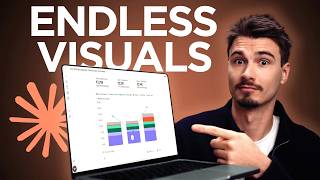
Igor Pogany shows how to use Claude to create interactive visuals and shareable web apps in two steps. First, ask Claude to brainstorm five visual representations for your topic, then pick one and have Claude build it. He demonstrates with a cost-of-living comparison between Vienna, Lisbon, and Phoenix, turning the result into a standalone artifact with a URL that works without a Claude account.
Chapters
I'm sure you've experienced this with AI. You ask it to explain something and get back a wall of text like this. But what if instead of guessing how to explain a topic, the AI first figured out the best way to show it to you and then actually build it? And that's exactly what today's video is about. It's really simple, but a complete shift in how it works for you. So here's the deal. This is a single prompt that turns Claude into a visual learning assistant. And honestly, I'm not even sure why this isn't just the default. Well, actually, I do know. They want to save money and this is token intensive. So usually they just give you text. But if you ask for it, here's the trick. You simply say, I want to understand topic of your choice. Figure out what visuals would be most useful for me to understand this deeply. Give me 5 options. Now, why does this work so well? Normally you ask for a visual or a result right away and you just hope that the first one is useful. But with this prompt, you make Claude brainstorm first and build Second, it thinks through 5 different ways to show you the topic and you pick the winner. I use this technique all the time, not just for visuals. I just ask for options and then I give it the freedom to show me some alternatives. By default, it's set up to just give you one thing without even knowing if it's the best one. And basically you're separating the brainstorming from the creation. And that's the whole secret here that you can apply across other domains too. Let me actually show you the step-by-step. All you need is a free Claude account. I'm going to drop in a topic that I've actually wondered about, which is comparing the cost of living between between Vienna, where I used to live, Lisbon, where I live now, and Phoenix, Arizona, that I'm actually looking at for my future. So I just paste in the prompt with my topic and hit enter. It won't make anything yet. It just pitches me 5 options. And this is the key. Now I get to choose based on what's actually in my brain without having to communicate all the nitty-gritty details. So here's 5 options. And one thing to note that usually Claude will suggest its favorite at the bottom. So I always go straight to there. My pick for depth, combine two and free, which is same lifestyle, free price tags, and the purchasing power chart cost versus local salary. So as you can see, some of these other options are good too. You could do it based on spending. You could have an interactive slider calculator. But I'm just going to go with Claude's recommendation here. I'm going to use the words it used, combine two and free. And that's it. Now it will figure this out for me. And now look at this thing. It pulled in over 50 search results for the various cities and conversion rates. And it gave me the prices in euro. If you're in the US, it's about a 20% difference. So Vienna would be just shy of $3,000 a month, just like Lisbon, and then Phoenix sitting at $3.6K. And then created this visual breaking down the cost of living with a one-bedroom in the center and even adding the median net local salary, showing you that, yeah, if you make your money in Portugal and spend it in Lisbon, it's just not gonna work. Amazing, no? So much better than a wall of text. And here's the thing, if I wanted another one of these visuals, I would simply say, make it number 1, and it would do it for me. So this is what Anthropic would call an interactive visual inside of your Claude conversation. But we can go further with this. And I want to show you that there's something called an artifact inside of Claude. And it's very powerful. Let me explain the difference because they look similar on the surface, but they're built for two different jobs. So this interactive visual, you can think of it as a whiteboard sketch. Fast, they're part of the answer. And they're perfect when you just want to understand something quickly, like this cost of living comparison. But they live inside of the chat. You can see they are a part of the answer, but an artifact is the next level up. Instead of a sketch inside the conversation, it's a proper standalone web app that opens in its own panel next to the chat. And here's the thing Anthropic won't tell you because it would cost them a lot of computing power. You can turn any interactive visual into an artifact, but again, making those takes more time and more compute. So I noticed sometimes it shows up under these three dots, but the best thing is you just learn the word artifact and you say, make the visual an artifact. And watch Claude, well, develop an application. It starts coding for you and it hosts that code on a standalone site that gets a web URL. Yes, that's exactly right. It turns it into a website that you can share with anybody. And they don't even need a Claude account to see it or use it. As you can see, it has been built in this panel and to make it shareable, to host it on the internet, Click this little down arrow up here and you need to click publish artifact and then say publish and copy link. And voilà, you have a web link. I'll put this into the description of the video. You can look up my cost of living comparison or make your own, or you click up here, customize and use mine as a starting point and remix it in your own Claude account. So we just created a quick whiteboard sketch that was super useful, no? And then simply by using the keyword artifact, you turn it into a real shareable file. Thing. You do that if it's something you want to keep or polish or actually hand off to somebody else. And there you go. Steal this prompt. Also steal the idea behind it of splitting your process into one, brainstorming with some options, and then two, actually doing the thing. And next time you want to dig deeper, understand, or create something, use an artifact. You'll be surprised by how versatile they are. You could add buttons, sliders, and really upgrade it further. All right. If you enjoyed this, make sure to subscribe to the channel. We make tutorials like this every single week. My name is Igor Pogany, and I hope you have a wonderful day.