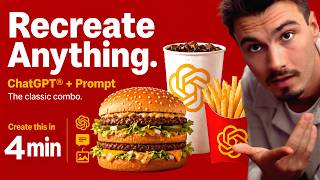
Igor Pogany shares a one-sentence prompt that reverse-engineers any image into a ChatGPT Images 2.0 prompt. Upload an image, ask ChatGPT to analyze it and write a prompt that would recreate it, then paste that generated prompt into a new chat to get a near-identical image in seconds. Works on free accounts and phones.
Chapters
I need you to look at this McDonald's ad on the left. Now look at the one on the right. One of them is real. The other one was made in ChatGPT in about 30 seconds. And I didn't need to spend 10 minutes writing some crazy detailed prompt to get it because ChatGPT wrote the prompt for me. And I'm going to show you this exact one-sentence trick that pulls this off. It's one of the craziest things in AI I've seen yet. And today you're learning it. And also, I hope you're enjoying this slick studio that we get to shoot from. But here's the thing. ChatGPT Images 2.0 came out and the biggest question everybody has, okay, what can this thing actually do? And the second biggest question The question is, how do I write prompts for it myself? I'm no expert. This trick answers both questions at the same time. Ready? Let's get into it. So here's the deal. Instead of you sitting there staring at a blank prompt box trying to describe an image you have in your head, or you don't even know what to describe, you flip the whole thing around. That's how this works. You start by giving ChatGPT an image you like and you ask it to reverse engineer the prompt for you. Then you take that prompt paste it into a new chat and it'll generate something nearly identical. And here's the cool thing, it works on two levels. One, you can recreate specific images, which is wild on its own. Look at the McDonald's ad. In my head, I would have thought this won't actually work, but it does. And two, after you do this 5 or 10 times, you start to learn the language ChatGPT Images 2.0 actually responds to. You see how it describes lighting, composition, typography, product photography, all of it. So you become a way better prompter without ever reading a prompting guide, but by actually doing it. All you need for this is the following: a free ChatGPT account and an image you want to analyze. That's it. When in doubt, look for ad campaigns of popular brands or maybe something you saw on Instagram. Just screenshot it, crop it, and you're ready to go. All right. Ready for the prompt? This is what makes all of this work. We'll include it in the description of this video so you can copy-paste it easily. But here it is. Analyze this image and then write me a prompt that would get ChatGPT to actually create this image. Reverse engineer the prompt. That's it. No tricks, no special formatting. And let me show you this magic in action. As I type this out inside of ChatGPT and upload an image of this McDonald's ad, again, you could pretty much put any image ever into here. I think with the exception of celebrities, those still don't go. But a few weeks ago, OpenAI actually silently loosened the restrictions on this model. So more things work than you would expect. And you hit send. That's it. In a few seconds, ChatGPT spits out this really detailed prompt describing the layout, the red background, the arches positioning, the Big Mac, all the other details, the Better Together headline, everything, including the I'm loving it tag in the corner. It just picks it all up. It's how diligent and detailed this thing has become. It just doesn't miss. Now what I'll do is I'll copy this prompt and open a new chat, paste it in, and Again, hit enter and let ChatGPT generate the image. And look at that, a few seconds later, to me looking at it like this, it looks identical, no? Now look, if you put it side by side and you start pixel peeping, sure, you can see some layouts shift a little bit, the burger is positioned differently. I actually think this burger looks better than the original one, but the brand feel, the colors, the typography, the composition, gosh, it's almost identical. It's nuts, to be honest. You could do this to any ad, any image. You could just Go start with the result that you like, reverse engineer the prompt, and regenerate it for yourself. And of course, you could change that prompt in the middle to make any adjustments. Insane. So the next time you see an image online and think, huh, I wonder if ChatGPT could do that, now you have a surefire way to find out in about 30 seconds. And yes, this works on your phone too. So there you go. One sentence, infinite possibilities, and probably the fastest way to learn what ChatGPT Images 2.0 is capable of. And if you want more AI tricks like this, be sure to subscribe to the channel because we do this every week. All right, my name is Igor Pogany, and I'll see you very soon.