New ChatGPT Apps Actually Work & More AI Use Cases
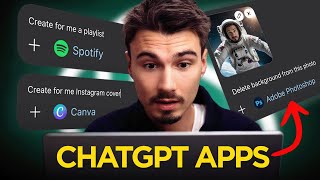
Igor Pogany demos new ChatGPT features including a year-in-review summary and embedded apps, plus Quen, an image model that automatically splits photos into editable layers. Also covered: Claude's browser-controlling extension and Google's Gemini integrations.
Chapters
Welcome to 2026. This week we'll be looking at all the newest AI releases, including new ChatGPT applications and this image model that splits any image into various layers automatically. It's actually really interesting, but before we do that, I just wanted to quickly say thank you for joining me on this journey in which we get to explore all the newest things that happen on the bleeding edge of consumer AI applications. It's been over three years and in case you were looking for episode, last week on Christmas Eve, we actually for the first time in a long time, decided to skip a week as it was super slow and me and the entire team spent some time with our families. So today we'll cover everything that came out in the past two weeks. Let's begin with another episode of AI News. You can use the show that rounds up all the releases features in the generative AI space. We filter for the best ones and I get to present it back to you. Let's begin starting with ChatGPT. And they have been shipping consistently throughout the last months, as you might have noticed with all those Gemini releases over the last months that you might have been following in the past few news, you can use episodes. ChatGPT doesn't stop, they keep shipping. And there's two new things from them that came out over the past two weeks. One of them is this fun little a year with ChatGPT Roundup, which is just a fun way to summarize all your interactions and show you some potential prompts that could help. We'll talk about that in a second. It's actually really great. But secondly, and this one holds so much potential is new ChatGPT apps. They finally started releasing more and more applications which if you're not familiar, they're trying to build this sort of app store behind ChatGPT and they started adding new ones on. Plus, I think about three weeks ago, they also finally opened the doors for all developers to submit their applications. So really in the upcoming months you can expect a whole lot more apps like the few that I'm going to show you right now to be integrated right into ChatGPT. And the way this works in practice is if you look at the interface, you can go down here to Settings and then under Apps you can see all the various apps that are available here in the top right, I could say add more and you can see an app store like interface with a bunch of new ones available here. You can filter and there you go. That's about 10 times more apps than we had like a month ago. I'm going to show you some concrete examples, but the bottom line is this. None of these are going to be a complete game changer for you. But nevertheless, you might want to try out and explore the ones that align with apps you're already using. If you're airtable user or a notion user, well, just go in here and click it and connect your account. It can be useful. What it basically does is it allows for ChatGPT to access data and sometimes even tools from some of these applications. I showed you Photoshop a few weeks back, where you can literally edit images and use Photoshop tools inside of the ChatGPT interface. They really went far to integrate some of these things, but at the end of the day, it's just going to be step one and two. Then you're going to be finishing in Photoshop, which you can do by clicking a simple button. In that, in the case of some other applications, like for example, Spotify, it's actually quite simple. They allow ChatGPT to use certain functionality that usually is only accessible in Spotify, like playlist creation. So very simply, I could be working on a project, let's say I'm writing a New Year's message to my teammates about our plans in 2025. Obviously this lacks a lot of context, but if I do something like this, I could go down here, enable the Spotify app and just say create a playlist to go along with the message. And this will use Spotify service that creates playlists to do exactly that inside of my account. And it's actually really good. I mean, I barely finished speaking and here I have a playlist already a 2025 kickoff momentum mix. I guess it should be 26, but that's fine. The point here is this. This works well because Spotify's playlist creation functionality works well. Now I can access it in here. Now I have yet to discover one of these that is a complete game changer or something that I would strongly, strongly recommend you try out immediately. All of these are fine, but in the example of Spotify, creating playlists wasn't something I was struggling with or something that felt cumbersome. I guess it's just now in here, I think these apps really start making sense in the next phase of where ChatGPT is heading, which is more like this universal assistant that has access to your apps and that you talk to something like Siri or Alexa powered by an LLM with all of these apps in there. Does that make sense? Right now we're in this in between stage with More and more of these being added. But I do have to say this implementation of the apps is a way better one than what we saw with plugins was like two and a half years ago. It was almost identical concept if you don't remember plugins. It was basically apps, but you had to kind of select the plugin that you want to use. And it never brought the interface or the functionality into here. It sort of just linked out and did stuff on the website. This is way better because it actually brings the app into ChatGPT. And again, I just recommend opening this up and seeing if there's some apps that you're already using. If that's the case, just enable them and see what they can do for you right inside of chat. All right, so that's apps. And then there's one more thing which is your year with ChatGPT. If you have not tried this yet, I strongly recommend it. It's so fun. It's similar to Spotify wrapped, if you're familiar with that. You the images of how many hours of music people listen to and what their favorite albums are that everybody's sharing across social media. And when I did this, I found that it was surprisingly accurate, which made me think that hey, yeah, like ChatGPT really does know me. And OpenAI has all of this data on me that is accurate. Three big themes of 2025, building systems, teaching through creation projects to platforms. All of this is right. Those are the big themes. And here you can see my chat stats. Top 3% messages sent. Not bad considering I'm using all big platforms. It's like 18 messages per day just in chat. I should get a life working on it. And I wanted to share some of these follow up prompts. They do really represent the channel and my usage. Well, look at this one. Okay, what now? This is one of the most powerful prompts. If you don't know what to do next, you could just say okay, what now? And it suggests what it could do next. I really love this one. Also make it simpler. I'm surprised it doesn't say make that into concise bullet points. I use that one all the time too because I don't know, I want to get stuff done quickly. And then this award for most likely to automate his own award ceremony. Yeah, I do turn everything into systems and therefore I am the strategist. And this image, I mean I'm looking into a camera with a laptop here and I have a coffee machine next to my hotel room bed right there with a kite up in the air. This is scarily accurate, except with the kite up in the air. But that's going to be the first activity I am going to look to do when back in Portugal. So, yeah, this is scarily accurate and you should try yours, too. Okay, next up, we have a really cool application. This is an image model from Quen. But what it does is you give it an image and it splits it into various layers. Now, we've seen versions of this kind of ish. There's been functions, you know, auto selecting and extracting something, but you just give this thing an image and it doesn't try to help you or something. It just does its thing and splits it into all the layers that it sees. Now, we were discussing what this could be used for, and we arrived at a really scary conclusion that at first I was even hesitant to share in the video because it does undermine human work. But then, look, at the end of the day, I don't think there's any way to stop progress. And the spirit of the show is showing you these things so you can get ahead of the curve, so you can find your own AI advantage. So definitely want to. And we'll keep sharing things like this. We talked about this being really good to dissect graphic design that already exists. Magazine covers, YouTube video thumbnails, posters, whatever it might be. You can just throw them into a model like this that splits it into all the layers, much like musicians would do with splitting out stems from a song. Right where they maybe just want the bass or maybe they just want the vocals. You can do the same thing here. And I'm going to give this a quick shot. I'm just going to go ahead and try this on a movie poster. Star Wars Rogue One in this situation. And let's see what we get a few moments later. Okay, so this is what it did. Okay. White background. Then it extracted the entire image. Okay. And it got the logo. And I could download it like so. Okay, that's good. It's not great. I was hoping for it to cut out the various characters and stuff. I have to say, in our testing before this live recording, it actually worked better. You can see from some of these examples that it usually extracted more layers than even necessary. And it just works well because you just have to try. And also, this is the worst an app like this will ever be, which is kind of scary, but also cool. If you're creating graphics to use as well, this can really enhance the possibilities and therefore your creativity. Okay, let's see what's next. So beyond that, there's a bunch of small releases that I want to mention here, but maybe we don't have to linger on them for too long. If you're new here, we call this Quick Hits, and this week we're going to start with Claude in Chrome. So this is a very specific thing, if you're not familiar. I reviewed this like 2 months ago when it launched into early preview and it actually worked super well. It's a Chrome extension that remote controls your browser. I found this one to work better than all the AI browsers and now it's finally available to everybody. So if you really wanted to try that, you can go ahead and do that. And there was one more thing that I want to try over the next week, which is you can use Claude in Chrome from within Claude Code. Claude Code is their coding agent that is extremely popular amongst developers. Now it can remote control your browser through this little extension. If this works well, it might be worth a standalone video soon. Let's see. If you're a Claude Code user, go give that a shot. If you're not, you can finally go and try the Claude Chrome extension on all paid plans. Beyond that, a friend of mine was just telling me about this very specific app that works really well. And this is not sponsored. I just wanted to feature it because he was really excited about the opportunities with it. And in my mind I was like, yeah, but you could probably do this with something like Nano Banana with some smart prompting. But then I look deeper into it and these specialty apps, they do give you better tooling and allow it to work quicker. So this one is for staging. So for real estate agents, it can do very specific things quickly, like enhancing the water in the pool, changing the weather. Now, yes, you can prompt for these things with the right models, but I think it's worth pointing out that if you have a specific use case like this, there's probably an app out there that does this better than what you could achieve while quickly doing something with Nano Banana. Plus, it's so much easier too. If you work with real estate, this one might be worth exploring. Then we have a few more Gemini+ Notebook LLM updates from Google. Always excited to cover those because I really love NotebookLM. As you know, one of them is that you can link your notebooks from NotebookLM inside of Gemini. At first I was like, why would you even need this? But I guess the big point is you can combine multiple notebooks and if you build context in the notebooks, you can now just really easily bring it into conversations. That you do in Gemini and then maybe create an app from it. Those would be the two main use cases, I think. But it's really nice to see these products converge. I mean, over time with this, like, Ultimate AI Assistant, AGI or whatever, all of this is going to be one thing, right? And these features bring it together slowly. It's kind of interesting to watch. Useful tool. And another one is the ability to go from Notebook LM to Google Sheets, so you might know that they added a bunch of functionality. It started with the audio overviews where you created these podcasts. Now you can do slide decks and so much more. And now they also have the ability to create a sheet from a notebook. Seriously, beyond your main AI assistant, whether that's ChatGPT, Gemini, Claude or whatever, Notebook is the one app that everybody should explore. I think most viewers of the show have done that at this point. If you haven't, it's worth it and it's free. It just opens up a world of possibilities where you can add a lot of data and turn it into podcasts, cheats, slide decks really easily. And that's pretty much everything we have for this week. I hope you found something that was interesting or inspiritive to you. We're going to continue doing the show throughout the year. Looking forward to way more releases, so you have a lot more videos like this to look forward to. My name is Igor Pagani, and I hope you have a wonderful start into the new year.








