You Need to Hear This Update...
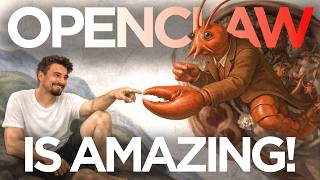
Igor Pogany set up OpenClaw, an open-source AI agent that runs autonomously on his Mac Mini to handle research, email, and content work without prompting. It cost him $300 in API credits in a single day and requires massive structured context to work, but he's seeing real productivity gains. The setup is fragile, risky, and mostly for advanced users right now.
Chapters
Okay, we need to talk about Open Cloud, the agent that works on its own, gets things done, the thing that has been in everybody's subconsciousness ever since the word AI became a mainstream term, a personal assistant that has access to a bunch of tools and just figures stuff out and just gets it done on its own. So this is not going to be the typical video where I show you use cases and demos and I do have my computer here. And when, if necessary, I'll pull up my OpenClaw and share something from within there with you. But mainly, I just want to speak about what's happening in the world and what this thing actually is. And if it's actually this revolutionary moment in AI that people have been waiting for, the moment where people's work gets actually replaced, not supplemented like ChatGPT has done, but actually end-to-end work replacement? The short answer to that is yes. Yeah, this is the moment. This is the tipping point between work assistants and personal assistants. And I've been on this wild journey where I picked up a Mac Mini right as this went viral a few weeks ago and installed it. And I shared my opinion here on the channel saying that it's not everything that it's made up to be. But because this thing is open source and because people have been experimenting and because also apparently there's a learning curve, My initial impressions do not match my opinion now. And that's why I'm making this video to share what I found by diving into OpenClaw every single night, day. It kind of ruined my sleep schedule and replaced a lot of the repetitive processes in our company end to end. It's doing the research work of certain people that I work with for years now fully, and I don't have to touch it anymore. I'm starting to expand into other domains and I just look at the results of it and I'm like, I can't believe this is actually happening, and it's not intuitive. I don't recommend you go try it out yourself. I think I would be actually quite the opposite. So mainly I want to share my thoughts and my experiences here with you. Yesterday I spent $300 on Opus credits just running OpenClaw on my Mac Mini back home, remote controlling it from here. I'm in Phoenix, Arizona right now. But the common thread amongst everything I'm going to say is like, it's not easy, intuitive, or maybe even worth it for most people to get to the point of getting it to work. But when you do, it just works and gets things done. Like actually. So let me zoom out a bit and let me talk about the good and the bad because there's so many mixed messages. And I see so many people just talking from a place of trying to sell you this dream of an AI assistant. But I'm gonna give you my most grounded take, a take that's grounded in a few years of doing this full-time and obsessing over AI. And a take that is also grounded in a few weeks of trying to figure this out most days and finally getting it to work. And I actually found that even amongst my peers, I'm surrounded by these like AI-obsessed nerdy people who make a living of teaching this and experimenting with this. Even amongst that group that I would consider, you know, at least amongst top echelon of people figuring this stuff out, even in that group, most people still didn't manage to get it to work for themselves. The ones that have are faced with sleepless nights and a complete existential crisis where you just realize you have to reevaluate society, your environment, your work as you know it. Because we've seen these like sparks of AGI before, right? ChatGPT becoming really capable or these GPT-4's coming out, or there was the moment where OpenAI's voice mode came out and everybody was like, oh my God, there's going to be AI that is emotionally intelligent now and it's going to be just doing things and assisting us. This is a new paradigm. And then it was just sort of a better dictation feature and most people don't use it anyway. So things just went back to normal. But this is different. I think it's really important to look at the landscape in AI to contextualize this conversation. So really there's 5 levels to this. There's AI for everyday answers. This is people that just get started with AI. They have an account and they use it sort of like Google, maybe to write write emails, a few basic things. That's where people get to intuitively. Then there is AI for daily work. That's where you start getting into prompting and features and context engineering using Project GPT. You get really proficient, you get a 20-30% boost in productivity. It's incredible. This is what I've been teaching for the past year. So worth getting there. Beyond that, we have AI for prototyping. This is where you start getting into vibe coding and you're kind of creating dashboards and visuals and websites and you can turn ideas into prototypes of ideas. In no time. Beyond that is AI for building apps. This is also vibe coding, but essentially you're making the thing do something. So it uses API or connects to data sources and it becomes a tool, not just a prototype of something that how things could look like, but actually does things. But it does require a person to interact with that app. Maybe you can schedule some things, but it's an application that does together with a human. And that's what all these 4 levels have in common. You need human input, right? Even if you're using AI for daily work, Hey, you prompt it, then you take the results and then you work with the results. You might get 5 times faster or 20% faster, whatever it might be, but your input is a part of it. But at this final level, AI as personal agent, this is the level that we're talking about today. This is the frontier. This is the bleeding edge of AI. This is where everybody wanted it to go. It's a hyper-intelligent personal assistant with the ability to act for you. It has its own computer, it has its own browser, it has its own tools, it has its own Notion account, email, heck, maybe even its own credit card. And it goes out there and it acts. That's what we're talking about. About today. That's a stage that everybody hopes for when they get into AI. That's why there was this whole like automation hype that then fell off and people realized that, hold up, it's actually not worth automating stuff because the task takes me 20 minutes, but creating the automation takes 4 hours and then I have to service it regularly when updates happen or anything changes. That all hype was around an attempt to get an AI as a personal agent. OpenClaw is the first thing that I see as an actual AI personal agent that works. For me, I'll give you examples throughout the video on things that like actually fully work. But keep this pyramid in mind as we go through this video and as we talk about some of these implications of the first AI personal agent that I would consider actually productive. All right, let's get into it. First of all, I want to start with what works. So if you're watching this video and still don't have an exact idea of what we're talking about here, well, concretely, we're talking about this open source project that is now named OpenClaw. Before it used to be called ClaudeBot. And it's basically an AI with all permissions that you can imagine. Like literally AI with a full computer. Now is it secure? Absolutely not. No, I don't care what kind of tutorials are out there or what kind of thing you're following. This is not secure by any stretch of the imagination. Even if you set up all the firewalls and use all dedicated accounts, the thing is most likely connected to your network. And you most likely have some touchpoints with it via shared Google Docs or whatever. So no, it's not secure, but it's just this AI that has a complete computer. A lot of people are buying these Mac Minis to run it on that computer. And rather than just telling, let me show you, this is my setup. So as I said, I'm in the States right now, but back home in Lisbon, Portugal, I have a Mac Mini setup that is fully dedicated to OpenClaw. And that's where I experiment. I remote control it with TeamViewer here on my machine. So I'll just go to my recent connection to my Mac Mini here. And there it is. This is the desktop computer that I have at home. This is what you would see on the screen if you sat in front of it. This is the user-friendly chat interface in which I can talk to it. But then also I have the Telegram connection set up so I can remote control it through my phone too and talk to it anytime. That's the basics. If you want more education around the basics, there's a ton of videos out there. I made a video when it came out on all the basics, but I'm here to talk about the capabilities and what impact this sort of has or will have on the world and what worked for me. Because as I shared, most techie people that I know that play around with this arrive at the conclusion that this is not worth your time, that it does not work, that it's overhyped. That was my conclusion initially too. That completely, like completely changed now. And only a fool would not change his opinion when presented with new information, right? And I've learned so much as I went through this journey of learning this thing and figuring out what works. So I want to share a few things that have worked for me here and what it concretely does. Okay. And then we can talk about some of the problems, caveats, the negatives. God knows there's so many of those. But what has worked for me is by me seeding it with so much context that it's almost impossible for it not to succeed at assisting me appropriately. I think that's my main learning over the past few weeks. Now, over the past few years, you might know this channel was built on ChatGPT education and prompting and context engineering later on. It's essentially about communicating what matters in a situation, what context matters so that the AI can help you appropriately. Now, my early mistake was not giving enough of that. I thought just answering those basic questions and maybe giving some details on me and my work would be enough. What I ended up doing is giving it about a dozen markdown files that are multiple pages each on me personally, the company that we're building at AI Advantage, the various parts, moving pieces of that, the vision of that, the vision for me personally, various processes. And it just started there. Then I continued to feed it with databases and previous videos that I made. It was pulling dozens of YouTube transcripts. All of that was before I let it do a single thing. I let it soak in my entire life like a sponge. And I'm not talking like any proprietary or private data here. I'm just talking like Hey, look at my last 40 YouTube videos, pull all the transcripts, extract the patterns, tell me how I make videos based on the actual facts. Look at our research database where we get together every week and look at every AI release and then go ahead and compare what you see in the research database versus what actually made it into the video and how it was presented. How did I weave it into a storyline? What examples did I provide when I showed it off in the video? In other words, learn about me and my work at a level of depth that goes beyond what I would be even able to communicate. If someone asked me, if you can do that, if you have that data, that's a big one, right? We had a beautifully organized research database that I could feed it. I had all the public videos out there that I could feed it. I had all of these markdown files that I've developed over years of trying to be as specific and clear as possible on different aspects of my life in order to succeed with prompting, in order to teach and lead others on how to succeed with prompting and AI themselves. All of that together. Plus a bunch of tools, which we can talk about next, got it to a point that if I ask how it can help me, the suggestions when it follows through on them just become end-to-end solutions, better ones than I would be able to do myself. Now there's a few more pieces that I really want to highlight so that, hey, if you want to go on this journey and experiment yourself, you even stand a chance. Because I think as is, if you just download it and watch some of the basic YouTube tutorials that I've seen out there, you're gonna end at the same conclusion that I arrived at after a few days of playing, which is Yeah, this is not worth the time, not worth the money. So the next piece is Opus 4.6. It's the one that makes it really work. I don't care what other people tell you with, you know, running a local model, KIMI, etc. It might be good for lower cost tasks, but Opus 4.6 does two things. One, it makes this damn thing work in a way that goes beyond anything else that I've experienced with other models. I've heard ChatGPT 5.3 is good. I haven't experimented with that, full transparency here. And the second thing it does is it drains your wallet. Yesterday I spent $300 on Opus credits. Just to run this thing. And yeah, Igor, I know you can like log in with a Claude account. And sure, you could cut corners here and log in with OAuth, which is your subscription with Claude. So you could pay $200 and just use it like that. But you're not going to get the token window, aka the memory that is 1 million tokens large with Opus 4.6 through the API. That's the difference between paying $9,000 a month for this thing through the API versus $200 if you use it for your account. But it just doesn't have this extensive memory. And I'm just telling you the different ingredients. This is not a recipe to a success. I'm just telling you what I threw into my soup, what made it work for me. And if you do want to replicate it, you can try it out. But my recommendation, I can tell you at the end of the video, is going to be for 99.9% of the people, this is just an interesting thing to watch from the sidelines, not worth actually doing it yourself because it's just so damn complicated sometimes. But we'll get to that in the negatives. When it comes to skills that I gave it, I still consider myself like an advanced beginner maybe at this. Look, I haven't figured all of this out. I'm just sharing where I'm at and what made this work for me, okay? But basically what I found extremely useful is to give it a Notion account with its own workspace. And that's directly connected through the API also. So it doesn't need to use the browser to remote control that and make that happen. It can just kind of spawn up these spaces and this research database that it populates now where it measures things like content velocity across the internet because it references hundreds of sources every day and just does that. Again, this is not too use casey. I'm kind of just touching on a few things that I'm doing with it. But Notion really helped. Another one that really helped is giving it its own email address. I can tell you the service I used, it's called AgentMail. I'm sure there's alternatives, but when I set up a Google account, it got banned and then I set up a new one. And got banned again. Apparently they really don't like agents using Gmail accounts. So this is built for that and just works. Also, I'm still using it on the free plan, which is kind of neat. Then I have the Brave Search API. And wait, there's actually so much more. I gave it a Google account, but now I don't use it for email. And that has worked okay with Google Docs and etc. I tried to connect Google Drive through the API, but I haven't succeeded so far. I've had like 6 attempts. It's quite tricky. And then I got blocked out of one account and now I'm in another. So I'm still struggling with that piece. But I think the really important ones are Google account, email account, Notion account. And then I'm going to be looking into Slack tomorrow. And then the Brave Web Search API is also fantastic, obviously, for it to have internet access beyond just the browser that it remote controls. Then it has this browser that it remote controls where you have the OpenClaw extension and you can basically give it full access to a browser that way. Oh, by the way, it just finished my afternoon scan. You can see this is just one of the many cron jobs that I have set up at this point. It scours the entire internet, all the sources that I've been looking at over the past years. It finds the most important stories, filters it by what I have been actually featuring on the YouTube channel over the past years. And then it emails my head of research, Daniel. It updates my Notion database and it generates 10 B-roll images for each one of those stories. So my video editors, once they get into the editing, they already have a bunch of B-roll ready to go. And all of this is not just automatic because we've seen automation. All of this is automatic and frictionless and reliable. So what made all of this work for me? I think it's the context. I think it's this understanding and this correlation and this analysis that it did on the data between my research database and all the YouTube video transcripts, plus the dozens of pages of context that I provided it with on my life and what we do at the AI Advantage and how we teach people, what's the idea, what's the mission, what's the methodology, what kind of goals do we want to get them to. All the stuff that I've been teaching over the past few years in relation to ChatGPT, all those documents where every time I was telling you that, hey, it's really important to get super precise on your context, and even though it might be overkill for the versions of AI that we have now, it's going to be a version in the future where all this context is going to pay off. And that time is now for the first time. To be clear, within a few weeks or months, there's going to be consumer-grade applications. And within a year or something, I guess there's going to be enterprise-grade applications that do exactly this. My point is that this is the first prototype where anybody got it to work. And it's clearly incredible. But again, even most technically inclined people can't get this to work reliably. I think part of that is related to maybe some of the ingredients that I just outlined missing. Like most people don't go that deep on their context. But secondly, I think it's also the task that they're applying it to. And this is where we get to my list of problems. And I'm just kind of going off memory here, just figuring that, hey, if I don't remember it, it's probably not important and it's probably not worth your attention in this video. But really, when we talk problems and negatives with this, like I could go on for an hour. There's so many complications, especially for normal consumers. Like first of all, the setup happens through the terminal. And even if you make your way out of there into this web interface or you successfully link it to your Telegram, you're going to have to problem solve over them all the time, even in the basic things like linking a certain API. And if you don't have previous experience with applications like Claude Code and are not familiar with how subagents operate, how their context windows are different from your main chat, how markdown files are formatted and stored, and also being comfortable with what is actually inside of your context window right now versus what is just stored as a memory and might be referenced if you prompt for it because your current context has been wiped. If all of that is not something that you're like really comfortable with, then I'll just straight up say you can try this, but don't come in with an expectation that you're going to make it work. Try it and see it as a learning opportunity. As an opportunity for growth and exploration and adventure. But don't come in thinking you're actually going to replace some tasks because all of those things are prerequisite at this very early stage to even have a chance at getting to a point where this can start bringing value to you. And I don't care what all the make $10K a month with ClaudeBot or automate away half your life with ClaudeBot type of people are telling you on the internet. The reality of it is this thing is very complicated and borderline impossible to make work for most consumers at this point in time. I'm just saying it can be done if you're curious enough and have some you know, resilience, but I wouldn't recommend it. It's not going to be a pleasant experience, especially when you come in with an expectation of getting to this version of your personal assistant that you were always dreaming of or getting to results that are going to save you time. Okay, enough of the negativity. Let me actually tell you with what I envision here and where I think this is going to go, because, you know, a lot of this channel is about use cases and ways you can utilize this today. But I like to think that it's also about looking into the future and preparing you for what's coming so you can be ready. So I think what's coming is a more user-friendly version of this, of a personal assistant that actually gets things done end to end, does it on schedule, and it plugs into your world via these different applications. Right now, the state of that is still very primitive. I mean, you see these applications or connectors, whatever they call them, inside of ChatGPT, inside of Claude, you can connect it to your Google Drive, you can connect it to your Google Doc. But the problem is it's like this fragile connector. And unless you're very specific, it doesn't even get all the data. That's very different from having its own computer with a browser that is open and then having access to that browser where it can scroll through, get every single line. That's very different. With these connectors, information gets lost in the connection. That's at least my experience of them. This has the full deal. It is a computer, like goddamn, it's a Mac Mini sitting there and the agent has exclusive access to that Mac Mini. So what I think is going to happen is that ChatGPT, Claude, Gemini, they're all going to be evolving towards this future where it's closer to this, but it's actually user-friendly. Now, as I pointed out, this is an absolute security nightmare no matter what you do. If you disagree with me on that, then please leave a comment below and teach me how to make this secure. But honestly, from everything I've seen, I'm no security expert, but I don't think it's possible. It's just the Wild West of these personal assistants right now, and that's just how it is. You can't have the opportunity of the Wild West and the security of established society with rules and norms that have been there for hundreds of years, right? So that's one piece. I think OpenAI and Anthropic and Google are going to like move towards this feature and try to make a consumer and also enterprise product out of this, obviously. But the second piece is now everybody's gonna steer and redirect their ships more towards this idea. You're gonna see people building skills for this. You're gonna see model makers make models that run really well on maxed out Mac Minis, like KIMI K2.5 now. But then ultimately, I think what this means is that this whole AI replacing people narrative has just accelerated at a rate that nobody would have or could have predicted. Like, literally a few folks that I talk to, business owners, they too are getting to a point where somewhere between 10 to 20 to 30% of the tasks in their company can just be done end to end with this. I do have to contextualize this by saying that I am biased, that I'm surrounded by a lot of creators and a lot of online entrepreneurs. I think if you're in toilet seat manufacturing, that would be a different deal. But for a lot of these online businesses and a lot of these information and knowledge-based businesses that happen exclusively through the computer, it's just too damn good right now. And if we know anything about AI, it's that it's not going to stop just because some people are scared of its capabilities. This thing is open source, and some of the best open source models are Chinese. So it doesn't matter what the US decides. It doesn't matter what kind of laws pass. This is happening. And it makes me anxious because I just think about where the world is going to be 3 months from now as people figure this stuff out, make it more user-friendly. I don't know what that future looks like. I know that me and you are most likely going to be on the good side of it because we're tinkering with this, or at the very least, we're staying on top of what's happening. But honestly, from what I've seen this week, it's over. That's at least what it feels like. Like this is the AI personal assistant that does things and it actually gets them done. Not kind of, not, oh, I have to fix something because it breaks regularly. It's just once you have it set up, it runs by itself and it works so much harder than any human could ever. Damn, it's just a machine. And that to me is both fascinating, exciting and scary at the same time. All right. If you enjoy content like this, subscribe to the channel. I'm going to be following up on further learnings. Every week we do News You Can Use where we share newest updates of capabilities that I would recommend to a consumer. And that's it. Talk soon.








