DEF CON 17 - Nicholas Percoco and Jibran Ilyas - Malware Freak Show
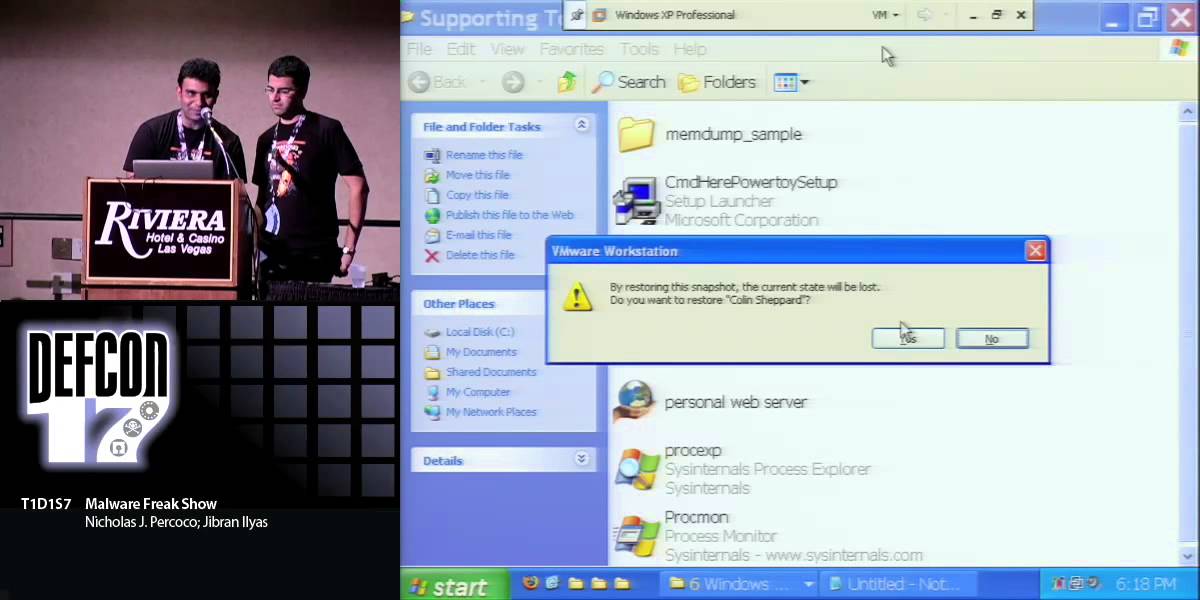
The DEF CON 17 talk "Malware Freak Show" by Nick Prococo (SpiderLabs) and Jibran Ilyas walks the audience through real‑world point‑of‑sale (POS) compromises discovered in a Las Vegas casino club, a New York hotel chain, a video‑poker kiosk environment, and a Michigan restaurant. The presenters explain how their incident‑response team acquires malware (live memory dumps, disk images, live analysis), then dissect two primary families of malware: a commercial keylogger that is repackaged, hidden, encrypts its logs, captures screenshots, and exfiltrates via a cheap SMTP server; and a memory‑dumping tool that parses process memory for Track 1/Track 2 credit‑card data, creates encrypted RAR archives, and communicates over SSL to a server in South Korea. Detailed demos show installation vectors (open RDP/VNC, default credentials, flat networks, lack of segmentation, outdated AV), the attackers’ use of SFX archives, PuTTY, PsExec, and custom anti‑debug/anti‑VM tricks. The talk also introduces “credentialed malware” for kiosk systems, using voucher tokens to trigger single‑function or multi‑function commands (odds shifting, credit manipulation, data exfiltration). A final sample from a Michigan restaurant reveals an IRC‑bot‑controlled POS sniffer that uploads captured traffic to an FTP server in Germany. Throughout, the speakers emphasize the persistence of these threats (up to two years), the ease of propagation once a successful tool is built, and the lack of basic security hygiene in many merchants. The presentation ends with conclusions, mitigation suggestions, and contact information for SpiderLabs.
Chapters
Okay. Thanks, everybody. This is Malware Freak Show. I'm going to run through briefly the agenda here. So, we're going to talk about who we are, how do we get the malware, analysis outline. I'm going to go through some samples. That's where you're going to see some demos. This is going to be a— we have 50 slides and 4 demos to go through, so we're going to be going through this rather quickly. And then we're going to finish up with some conclusions and give you a list of some tools we like to use. So, Who we are. I'm Nick Prococo. I'm the head of Spider Labs. I have about 14 years information security experience. My world of, you know, information security and things like that started about 15, 16 years ago when I started dabbling around and running EFNet IRC servers back when I was in school. Used to dabble around with IRC bots. Wrote a bunch of bots that emulated Eliza, trying to do the Turing test online. Even had a bot get asked out to prom. So, and, and this is, this is Jibran Ilyas.
Hi guys, I'm Jibran. As, uh, you can read, I've done, uh, hundreds of security incident responses and, uh, just recently I, uh, got a master's degree from Northwestern University. So as you can see, I'm a good boy. Uh, and, uh, we'll be, uh, taking you on a ride. So hopefully everyone's ready. Go.
Okay, so, you know, who, you know, who Sputter Labs is. So basically, um, we're a team within Trustwave. We've done incident response, penetration testing, um, application security tests for Trustwave clients. And And sort of the mass, the volume that we've done, we've done hundreds of security incidents we've responded to. We've done thousands of ethical hacking exercises and hundreds of business applications have been tested through our labs. So how do we get the malware? Now, we didn't set computers up on the internet and just allow malware to— allow people to hack them and get malware on the computers. The malware we're going to show in these— in the next several slides is actual malware that we took out of environments that were compromised environments. These environments were confirmed compromised. The data was confirmed taken from these environments and used for fraudulent purposes out in the real world. And so we're going to take you through that. And really the basic method of acquisition, we do a lot of live analysis, memory dumps, disk imaging, and then of course take all that stuff back to our labs either in Chicago or London and churn through it to be able to produce some results. So analysis outline. We tried to organize each of these samples in sort of a cohesive manner. So basically, We're going to go through the basic architectures and really be able to try to tell a story about the environment these were taken out of. So what did the architecture look like? What were the problems that we saw within the environment? What tools were found? And really, what did the hackers leave behind? What were the traces that we found? And then of course the installation vector. How did the tools get into the environment in the first place? And then do some static dynamic analysis, show you what we learned about the malware and how did data get out of the environment. And of course, what you're probably really looking forward to seeing, we're actually going to demo this stuff live. So we'll jump into Sample A. So now, basically, this environment, this was a casino club in Las Vegas. So it's someplace not too far from this hotel. You know, visually showing you the visual aspects of the environment so you can see what the environment looked like. You have sort of over on the right-hand side of that screen, you have the internet, right? Everybody knows what that is. And then you have a firewall, you know, sitting out there. And basically a back-of-the-house server. This is a server that You know, it basically is used for processing the data that's being transmitted and used by the front of the house systems. And so the POS terminals you see, these are things that range from little small, you know, bulky calculator type devices that people are swiping cards through up to your touchscreen computers that are being used in clubs. And specifically in this environment, these were the touchscreen systems. You know, when you go to a club, go to a bar, server takes your credit card, they swipe your card through the system, they type in what you have, you know, a couple of beers, a martini, and they— and off goes the data. And so that's what was being used here. So what were the problems that were found in this environment? So, you know, very, very basic stuff. So remote desktop was allowed from the internet into the club point of sale system. So the previous slide I showed you this point of sale server out there. Remote desktop, wide open from the internet. We found common passwords, weak passwords in the environment, and specifically the point of sale system that was being used and the point of sale system name, and the name of the system was also used as the password. So we were able to And also, basically, you know, it makes it very, very easy for the people to, I guess, you know, the IT guys to admin these systems, but it made it easy for the attackers to get in. We found out that antivirus hadn't been updated on the point-of-sale systems for at least 8 months. So that was a big problem there. And then, of course, you know, basically the customer data we saw in the system was carried over from 2 previous owners. So if you think about this, you're running a restaurant or basically in this case you're running a bar. And you go out of business. Well, you're going to try to sell the stuff on eBay. And so this happened twice with these systems that we looked at. Someone sold them up on— sold them online or they sold them to somebody else and no one bothered to wipe the systems. So we found customer data from 2 previous owners that were live on these systems. And of course this casino's network was very, very flat. The club that we investigated was connected right on the same exact flat network as the reservation systems, the same exact flat networks as the fast food places that were in the lobby and the gift shops. Wide open. Anybody who plugs into any of those networks can navigate to any of the systems in the environment. Tools we found in the environment, we're gonna go into more detail. You probably can't read this anyways from after the 3rd or 4th row, so we're gonna skip past this. What was the installation vector? Basically, installation vector. How did the attacker get into the environment? Well, of course, remote desktop. We already talked about that. The target account was POS user. The attackers that are launching these attacks, they have a whole laundry list of the point of sale username passwords available to them. They know exactly what the default passwords are. Scan out there, found remote desktop, default username and passwords and they're in the environment. Basically, once they were in, they downloaded an SFX archive and basically from a website that we actually were able to navigate onto and it was still up and running when we were doing the investigation, but it was DrugZeller and we're not going to show you the rest of the name there. But basically, SFX archive had a keylogger and PuTTY executable within it. The other interesting aspect is that the attacker then went and purchased, using the bar's computers, went online, purchased an SMTP server to install it on the club point of sale system. As noted, that was on the previous slide. Really, the only way into the environment was remote desktop. The only way out of the environment was through the point-of-sale system, the point-of-sale server. The front-end terminals had no ability to get out of the environment. And then, of course, they used VNC to manage those systems because the point-of-sale terminals had no keyboard and really no mouse. And so, if they needed to manage it or do upgrades, the IT folks would just VNC from the point-of-sale server, and that's how they would get in the environment. Here's a, here's a listing of the directory. You wanna take this?
Sure. So as you can see, we, uh, got into their, uh, server and we see a lot of interesting tools. Uh, basically these are, some of them are keylogger executables, some of them are remote desktop crackers and so forth. So, and this is a screenshot as, uh, Nick just told you that they, uh, they actually bought an SMTP server from, uh, the, the merchant's machine. So that's a screenshot for that at $69 that they spent. And anyone wanna guess whose credit card they used? Uh, That, that's from the merchant. Alright, so what does xxx.exe do? Alright, so what they do, this is basically a packer, a packed SFX archive. So when they installed it, they installed it in a folder that's, you know, that's, uh, in Program Files Outlook folder so they could get hidden from, uh, you know, IT administrators and, you know, security administrators who are looking for, uh, malware. Uh, so as you can see, uh, Windows Security is one of the other folders that they install their things in. What's Uh, C:\Windows\System32, malware favorite. Uh, and then other one, you know, the attack— the hackers that are lazy, they basically install it in C:\Program Files\BPK folder. Um, so basically this keylogger has, um, you know, ability to hide from Task Manager, Start menu, system tray. So all, you know, if a regular person, regular IT person takes a look at it, you will— if you were to take a look at it, you wouldn't be able to tell that a keylogger is running on the system. So, uh, Um, and basically the file, uh, that they store the credit card track data that they steal from the systems, uh, it's actually encrypted. Statically encrypted file which could only be opened by Keylogger's, uh, log viewer. And that's a great way to hide the data so, you know, if a regular person is looking at BPK.dat file and even if you try to open it with Notepad, uh, you won't be able to see the contents because it's all encrypted. Um, and Keylogger, you know, that's one of the more interesting things, uh, about the keylogger when we were investigating it. It takes, uh, screenshots at, uh, regular intervals. So basically, uh, not only that it had, you know, my screenshot, uh, you know, activities of, uh, my activities, it also had attackers' activities. So when the attackers were going into their website, it was taking screenshots every 30 seconds and it was, uh, storing in a hidden directory. Alright. Uh, so basically now I'm gonna show you some of the options of this, uh, keylogger. Um, as you can see, it's a, it's a commercially available keylogger, but, uh, they had it, uh, they had a very, uh, customized, uh, version of this keylogger. So as you can see, you can hide this, uh, program, uh, icon and you, there's a, there's a key combination that only the attacker knows to get the, this op— options menu up. And you could even hide it from, uh, Control-Alt-Delete. And, uh, basically you can run on Windows startup so that the keylogger comes up even when you boot up the systems. Alright, that's another screen. That's basically for the visual surveillance that I was talking about. You know, it's— didn't even spare attackers' activities. So they were taking screenshots every 15 minutes. Um, and medium resolution. They didn't want anything big. Uh, they were kinda nice. Um, this is for, uh, the emailing of, uh, the key— the logs, the keylogger output. And basically, uh, what this is saying that every 30 minutes, Uh, they were sending logs via email. Uh, that's another screen. Uh, now the attackers, uh, basically they could have, uh, monitored every single key typed on the keyboard, uh, on the hacked computer. But they, um, they, they wanted to cut their work. So they basically started monitoring just the applications that contain credit card data. So on a point of sale system, they only put, uh, you know, one application that was known to process credit card transactions. So, As Nick said, if you go to a bar and you swipe a credit card, the application that actually processes those transactions, that's the application that they were monitoring. And, um, do you want to go ahead?
Yeah, sure. So basically these are some of the logs that we collected. Basically this is, you know, from this keylogger. We had to black those out, but those are actually track data logs from the actual swipes that were going on inside this bar. But basically, you know, the keylogger was then emailing this off to an email address, a Montana email address. Montana, you know, at a very— at a free email domain. Here's some other screenshots here. One thing interesting is that you can see that the attacker was actually also tripped up in their own keylogger. I mean, when they were logging into their own FTP site, we were able to obtain their password. And the other thing here, you can see where they were actually copying and pasting the serial code or the serial key for the keylogger itself. when they're— not for the keylogger, but for the SMTP gateway. Here's some other logs we obtained from the SMTP gateway. You can see some things going on where they're actually sending that data out, sending it out to, you know, various— to the email address. We had to black out a lot of things here to protect the innocent, but you can see sort of the data going back and forth. So right now we're going to jump into a live demo and Jibran's going to take you through sort of the installation and the execution of the specific piece of malware.
Alright. Alright, so we're gonna do a live demo for you in our, uh, VMware machine. Um, okay, one thing that, um, uh, we didn't mention was that the POS terminals themselves, they weren't able to go online. So, what they had to do to get data out was to install, they installed an SMTP server on the back of house server. 'Cause they had internal communications. So, the extern— uh, the SMTP server was running on a private IP address and And that back-of-house server which had connection to the internet, that's, that was acting as a, an email proxy to send data out. Alright. Okay, you guys can see everything okay? Alright, so we're gonna jump right into the malware. It's a keylogger malware demo that we're doing. So if you see this icon, uh, who wants to guess what this application looks like? So it's, it's an obfuscated application.
PuTTY.
PuTTY, there you go. So, uh, On the face of it, it looks like a PuTTY application, but, you know, behind the scenes, uh, you're— I'm gonna show you what it does. So, basically when this malware runs, it, uh, installs a keylogger and you would actually see an SFX archive, uh, you know, being, uh, cracked there. So, I'm gonna open 2 folders basically. Um, the one is gonna be a temp folder and one's gonna be, uh, C:\Windows\Security folder and that's the folder where the keylogger installs its files in. So, uh, here's the key, uh, the security folder where the files are gonna go. So I'm just gonna run this and then minimize this folder. So as you can see, as you guessed it, it's, uh, PuTTY on the, uh, front end. You don't know what happened in the background, right? Uh, so if I close this, you'll see that the keylogger files are put in, uh, the security folder. And this temp directory where the SFX archive, uh, was kinda, um, uh, extracting, you can see this is, this has the PuTTY application. Alright, so what we're gonna do is we're gonna show how attackers take the data. As I mentioned earlier that they were only monitoring the POS application. So I'm actually gonna go to the folder where the POS application resides. Um, and that is this bin folder. Uh, so, you know, if I put something in notepad.exe, it won't, uh, uh, detect because it's not monitoring notepad.exe. So what I have to do is basically copy Notepad, uh, from System32 folder. Alright, so I'm gonna copy Notepad from System32 folder. I'm gonna place it in this, uh, bin folder because this is one of the processes that they're, uh, monitoring. And I'm gonna change its name to, uh, payment application. And then I'm gonna open this up. And I'm gonna feed track data to this file. So this, this is basically, you know, we're, we're kind of, um, tricking the malware to think that this notepad.exe is a point of sale application. So anything that I swipe in here. So these, uh, magnetic stripe readers, uh, that you guys see on bars, these are basically keyboard input. So when you swipe credit cards, uh, here, it base— the computer basically takes it as a keyboard input and that's how it logs. So I'm gonna swipe, uh, a credit card.
Uh huh. And Um, here.
Alright, so one thing I wanna show you is that, um, you know, once— when we looked at this file, this folder before, the BPK.dat file was in there. And as you can see, you know, as I swipe a credit card here, uh, you'll actually see, um, uh, basically this, the this bpk.dat file, file is gonna grow. So right now it's only 1 KB and I'm just gonna keep swiping the card. Hopefully DarkTangent doesn't mind.
Uh-huh.
Alright. I think we got enough of it. Maybe you could, uh, memorize it. Okay. So now we're gonna go back to that folder where, uh, the keyboard, uh, keylogger is, uh, putting its output file and this is the security folder. And As you can see, it's 2, uh, kilobytes right now. So I'm gonna try to open this with, uh, Notepad first just to kinda show you that, you know, if you're a regular security administrator, uh, what you're gonna see in this output file. Um, so here we go. I'm gonna open it with WordPad and all you see is just garbage. So all this data is, uh, encrypted in the keylogger's, uh, format. Okay, so what we're gonna have to do to actually see the data is actually install the keylogger and we're gonna install a legit version, uh, in a bit. And that legit version is in my supporting tools. So I'm gonna install the trial version. This is basically a 5-day trial. Uh, don't try this at home, obviously. Alright. I have to agree to the terms and I'm gonna call it Legit Keylogger.
Heh.
Alright. So now I'm installing the Alright, so we're gonna just install, uh, you know, launch the installed program so we can, uh, view the log file that the attacker, uh, created. And as you can see, they wanna thank you for being attacked. And there we go. We're gonna go to options, logging, view log. And as I mentioned before, all the output is being stored in C:\Windows\Security folder.
Uh-huh.
So, uh, we're gonna go ahead and So I'm gonna go ahead and open this log file in, uh, C:\Windows security folder. And there you go. So it's, uh, the keylogger is basically monitoring 2 processes, explorer.exe and iber.exe, which, uh, I mentioned this is a point of sale application process. We basically just tricked it, uh, tricked the malware to think that notepad.exe is actually iber.exe. So all this tracked data that you can see, Uh, they're taking it home. And that's basically how they ta— take the data. Now one, one thing I wanna mention here is that, uh, now that security controls are being widely adopted and the databases of these pu— point of sale applications are being encrypted and the data is being, uh, encrypted in transit. What I mean by that is from, uh, front of house machine to the back of house machine. Uh, the only way for them to take the data is the data in transit.
Uh huh.
And this keylogger is a perfect way to do it because as soon as you swipe, uh, you know, it's intercepting, uh, the track data. So that's, uh, basically concludes the, uh, keylogger demo. And you can actually save this file as HTML or whatever you want when you have it on site. And then they basically sell these credit cards to the black markets.
Alright.
Jump back in. Yeah. Alright, so I'm just basically gonna, um, Go to my snapshot and as you can see, my snapshot's name is Colin Shepherd. He's probably around somewhere. He's my boss. Thank you, Colin. Alright, so while it restores, um, we're gonna jump on, uh, the second piece of malware that we found. We're gonna demo that as well later on. But, uh, for now, we're just gonna, uh, suspend this machine and take it when, uh, when it's ready. Nick, is that ready? Okay.
Go back in.
All right.
Okay. So now the second piece of malware we obtained from a hotel in New York. So we're going to go through that example here. So basically the architecture, as you see here, looks rather similar to what we saw in the casino, the casino club. But one minor difference here is— or actually a major difference is that this was a chain of hotels. And so there was more than one environment connected here. So you sort of see the router there leading up to corporate. That's a key aspect of sort of how this compromise took place. But then you also see we also have multiple machines here. We have a gift shop, a restaurant, a bar, central processing server. One thing to note when we are sort of looking at the problems here, when we have done these investigations, we've often stayed at the same hotel that these investigations are taking place. And people on our team have actually noticed that when you plug into the hotel room, oftentimes you're actually able to reach all these servers that are around the environment. So, you know, the IT administrators probably made one major mistake by actually plugging the switches in the wrong place. So keep that in mind when you are actually using hotel internet access. We have also seen the wireless internet access plugged into the same exact network as the reservation systems in a lot of the hotels. But basically the problems we saw here, the firewall was a consumer-level firewall. So this is sort of a major hotel. that was using a consumer-grade firewall for their firewall. It basically allowed RDP into many, many systems into the environment. A couple of things. Hotel management systems and the point-of-sale systems hadn't been patched in a number of years. In this specific case, since 2004 and 2006, they had not run any updates in the environment. Weak username passwords. Actually, the administrator password was nimda in the environment. which made things probably easy for the IT guy to remember, but it also made it very easy for anybody who's trying to guess that password. They had no antivirus and no anti-malware or anything running on any of these systems. Really didn't matter much because, you know, like you've seen in Jibran's demo and what you'll see in some of the other demos, a lot of the malware that we find was custom created or just compiled directly before they actually put them in the environment. So, you know, having antivirus in the environment really wouldn't help there. But again, no network segmentation between any of the environments at all. Tools found. Some things to note here. Basically the stuff that's highlighted in black, we're going to show you some things in more detail about it. But there are some other tools basically that were associated with this attack as well. So installation vector. Again, this was remote desktop. Remote desktop live on the internet. Basically targeted 2 different accounts. You had your administrator account. The backup account was targeted. And then SQL debugger account was targeted as well. Again, they downloaded the attacker And then basically one key difference here is that they didn't just target the one environment. When they got into the environment, they actually, you know, basically were able to connect to all the other environments in this chain of hotels. And they used PsExec to deploy their— to deploy this malware. One thing to note, you know, this malware we're talking about here is actually memory dumper malware. So it's a bit different than the keystroke logger. It actually targets memory. So we're going to show you more of that. Some static analysis. Now there's 2 components to this malware package. There was a communication component. And basically this service or this piece of the malware actually ran as a service. It makes an SSL connection over to a system in South Korea. And basically had some anti-debugging features built into it. So basically if you tried to run it through Explorer, it would do things like try to lock the workstation, try to, you know, terminate any processes that are running and close all terminal sessions and basically try to disrupt what you're trying to do. If you're trying to run it as a— run it through Explorer. It also checks to see if it's running in VM. So it sort of thwarts the things that we're doing here. So we're actually not going to demo this aspect of it because we're using VM as a demo. But basically, if it detects VM running in the environment, it actually tries to shut itself down and shut down the entire computer. It also has, you know, all the strings it was using to search for things in the environment. It actually encrypted them and then decrypted them upon run. Other interesting things. So when we ran this tool and actually decrypted the strings, we found this little bit of— a little note that the attacker left here. So one thing interesting is that basically he said, I currently do not know what I intend to do with this, but I accepted the fact I must do some limited experiments. So it's pretty interesting that limited experiments included about 80 hotels. Basically here, this is the real active Complice that we're going to talk about and we're going to demo. Um, this is, you know, winmanagement.exe. Um, it was basically a normal Windows binary. Um, it referenced a lot of things in it. You know, Winsock API. It had some FTP commands in it. And then one thing you probably see very small down there, that's actually the regular expressions, um, to search for track 1 and track 2 data. And, um, track 1 and track 2 data, for those who aren't familiar with it, if you pull out your credit card out of your pocket, the data that's stored on the back of your credit card in magnetic stripe, um, is essentially, um, it's not encrypted. It's essentially just encoded on the back of that card. So, Just like Jibran showed you in the Notepad demo. But basically, this piece of malware is going to parse memory, and every single time it finds Track 1 or Track 2 data, it's going to log it to a file. So, you know, basically, you know, some things— we're going to walk through this stuff because he's going to actually show you this. But basically, the big item here is that it's designed to monitor 1 of 8 point-of-sale systems. Now, we've seen later versions that sort of expand their scope, but the attackers really know what they're looking for. They're not just sort of taking a guess and saying, let's launch it in the environment and just start dumping processes. This executable actually was compiled with the intent to find one of 8 different point-of-sale systems and take the data out of memory. So some more data here about sort of the data, how the data got out of the environment. So basically the tool itself, another process that was sort of used in conjunction with this was actually creating encrypted RAR files. Something we really noted in our investigations was that the encrypted RAR files, we didn't know what the passwords were. So, you know, we went through a cracking exercise and found it easier because we took memory dumps. We actually found the passwords in memory on several of the systems we obtained. And then using the same password scheme, basically use the server name, the system name in their password scheme, we were able to then decrypt all the other locations' RAR files. Really, when it was all said and done, there was about 350,000 cards that we obtained from the RAR files that were pulled from these systems.
Thank you.
And then sort of propagation, like I mentioned earlier, the attackers were just basically able to leapfrog from this one single environment and deploy this tool on all the other environments that were sort of in the chain of systems. So here's Jibran with the live demo.
Okay. All right. Before I do this demo, I just want to ask, how many people have memory in their computers? All right. So this is going to be fun because You know, this malware is taking the data from the memory. So, you know, how, how are secure applications that you're running, you know, even if you're running TrueCrypt and all, you know, there's a point in time where your data, it remains unencrypted in the memory. So watch out for this. Alright, so I'm gonna resume my virtual machine. Okay, so this, this is not a single executable. This is gonna have, uh, 3 pieces. Uh, to this. And, uh, I'm gonna demo all 3 of them. Alright. So as you can see, there are 3 files that this, uh, malware uses to steal, uh, credit card track data from the systems. That, uh, CSR SVC, this is the actual memory dumper. And as Nick mentioned, uh, there are about 8 point-of-sale applications that it's monitoring. And, um, we're gonna So we're, we're gonna do the same thing again. We're gonna try to trick, uh, this malware to think that notepad.exe is one of the point, point of sale applications. This dnsmgr.exe that is, um, that was compiled on the box, this is basically a track data parser. So when you have huge memory dumps, uh, from the processes, it looks at the memory dumps and it looks for, uh, credit card track data and then it takes it out of that file. That winmgmt.exe now, this winmgmt.exe, if you're not familiar with it, it's basically a network administrator, you probably know that it, it's a legit Windows file, but in this case, uh, they, they, they're using that, uh, as a malicious purpose. Th— that's their binary, not the one that's found on our machine. Okay. So we're gonna go with the demo.
Mm-hmm.
Do, do, do. Okay. So as we can see, there are only 3 files here right now and it's gonna increase, so watch out for that. Um, so basically this winmgmt.exe, if you run it as a standalone binary, it won't run. It will give you an error. Uh, to install that, you actually have to have the install switch. And once you do that, as you can see, uh, it installs it as a service. So what these— the intent of the malware is to stay persistent on the system because, you know, they're taking the data in transit. So they wanna have their presence in the system even after you reboot the systems. So, it's installed as a service, so again, if you're a regular IT administrator, you look at the service, you're not gonna doubt the service because it says Windows Management Help Service Install. Alright, so luckily we have, uh, these, uh, malware writers, uh, have a debug option and they coded— so, we're gonna run this malware in a debug mode. So basically, just, uh, look out for 2 things here. Uh, so what we see here, we, we see 3 files. So when I run it in debug mode, it's gonna create a memdump folder which is gonna be the location that memory dumps are created in. And then you're gonna see 2 more processes here in the task, uh, in the system tray. So it's gonna be that memory dumper and the second process is gonna be the TrackDataParser. Alright, so let's go ahead with that. Okay, so as I promised, We got the memdump folder. Now notice it has no file in here because, uh, it, it's not finding the process that it wants to monitor. But it's got these 2 applications, wonderful applications that are gonna monitor, uh, the system for track data. And they run pretty much hidden from the system. It's just that I'm running it in debug mode, that's why you're seeing all this data here. Alright, so what we're gonna do is, um, we're gonna First, I'm gonna just run, uh, the tr— you know, I'm gonna feed, uh, track data to notepad.exe to kinda show you what it— the malware does with it. Poor DarkTrack agent. We got him again. Okay. So as you can see, I'm feeding a legitimate, uh, track data to this, uh, Notepad application and this malware is not responding. It's not doing anything. Uh, otherwise it would say something.
Uh-huh.
Uh, uh, in here where it's monitoring. So, we can tell that it's not monitoring notepad.exe. So, what we're gonna do is, uh, basically trick the malware again and, uh, rename notepad.exe, uh, as the name of, of a point of sale application. So, I'm gonna go to this system32 folder again. Notepad.exe, I'm gonna call it CDI.exe which is, uh, point of sale system application. Uh, And now, I'm gonna have these 2 here again. CDI.exe. So as soon as I do that, you're gonna see that it's gonna create a dump. And this dump is being created in this, uh, memdump folder. And you can see it has the name of the application, which is, uh, it's thinking that it's a p— point of sale application. And it has the process ID and the name of the dump. So right now in this, uh, folder, we only have a dump for about 238 kilobytes. But this dump is gonna increase as we feed data to the point of sale application. And we're gonna see it right now. So CDI.exe is running right now. Uh, and I'm gonna feed track data to it. 1 and a 2 and a 3. Okay. So now that I've, uh, fed track data to this, uh, Uh, payment application process. Um, you know, pretty soon we're gonna see here that this, uh, it's gonna create another dump and, uh, it's gonna find tracked data in the file. So it usually takes a dump every 2 minutes, but in the interest of time, I'm actually gonna trigger this application to create a dump. So I'm just gonna save this app, you know, this file as trigger the dump. All right. Yeah. We'll stay simple. So, what you're gonna see pretty soon, actually you see it right now, the malware is pretty fast. It's running faster than, uh, I'm running. So basically it's found, it has found track data 1, uh, track 1 data. And, uh, you know, pretty soon you're gonna see an attacker output file which, uh, they take home in the same memory dumper folder. So as you can see, it's, it just created a file. The, this file wasn't here before. dirmon.chm.
Uh-huh.
So, uh, Uh, and this is basically, you know, it looks like a help file. So again, they're trying to, you know, fool the IT administrators or security administrator because they're, they'll think, okay, it's a CHM file, how harmful could it be? But we're gonna open this in, uh, Notepad. So, so you're gonna see how easy, you know, what, how neat of their output is. So I'm gonna open this in WordPad again. And there you go. So basically what they're taking home is, um, Um, you know, this neat of a file, grmon.chm, and it's, it tells them that, hey, this is where the dump was. Uh, I found, uh, track 1 data and then I found track 2 data and, uh, the data is there as well. And it's, it's pretty good at, uh, sorting out duplicates as well. So if, you know, it's, it's doing a lot of things. So that basically concludes our, uh, memory dumper malware. Now, one thing to keep in mind is that, you know, I've, I've shown you the demo for only the track data.
Uh-huh.
What But just imagine how much stuff goes through your memory. You know, if you're using Firefox, you're typing in your, uh, social security number. You're typing in, um, you know, your password. Even, even the passwords that go through SSL, they can be in the memory. So anyone who uses memory in their computers, you gotta be careful here. And, uh, it's basically, you know, uh, it has PGP keys, TrueCrypt keys. Basically everything that, that you type.
Um-hum.
And one thing that I wanna, uh, mention here is that the keylogger malware, you know, even though it's, it's all nice and stuff, it's only, it only grabs the input that you guys feed to it. So if you're typing in the input, that's what keylogger's gonna get. Memory is a little different. Memory is actually more risky. I call it a keylogger on steroids basically. Because not only that your input is being monitored, the input, you know, the, the party that you're communicating with, like if you're in, uh, on, on your phone and you're, uh, texting somebody, you know, AIM, chatting with someone on AOL. You type in some info, your, your buddy types in some info, that's gonna stay in memory. So if you're parsing for the right stuff, uh, memory has a, a lot of good info. So just watch out for that. So that basically concludes our memory dump of malware. Nick's gonna show you another malware which is even more interesting, so watch out for that. Alright.
So, uh, Okay, so now we're going to jump back— we'll jump into the— back into the presentation. You got to refresh that.
I'm going to suspend the machine. Okay.
So the next piece of malware that we're going to talk about, basically it's based upon some investigations we performed, and it's based upon more of a proof of concept. And basically the investigations that we've performed Oh. So, basically, the investigation we performed, various systems have been attacked with what we're calling credentialed malware. And sort of to define that for you, we're going to go into the next slide. But just something to note is that what we're showing in this demo, we're not talking about any vulnerabilities in any video poker system. We didn't find any vulnerabilities in video poker systems. Just sort of leaving that as a disclaimer here for everybody in the room. But really, the purpose of this demo is to talk about and introduce the concept of credentialed malware. And so, what is credentialed malware? Just like any other piece of malware, but the idea and concept that once you get this malware into a system, you as the attacker or the person who's running this malware is now able to dispatch credentials in the form of tokens to other people to be able to use it. And you could set roles and risk— roles and tasks that they're able to perform. Specifically, this type of malware is targeting kiosk-based environments, so places where where you're not able to maybe get information out via network interface, but you're able to walk up to that system and actually perform some transactions. So basically, these tokens are being used as authentication tokens to trigger various aspects of the malware. And then, of course, in the organized crime world, you could think of a sort of hierarchy where you could then rent these tokens to do various functions. And you could then shut them off, turn them back on, and control who has access to this malware that you now have on a system. So to sort of introduce that concept, we decided to choose a video poker system. So to show the architecture here, we have over on the left-hand side or the sort of the green screen there, you have the video poker desktop. And so that's the video poker system that everybody probably walks around the casino. You see it, you know, 1,000 instances of them sitting out there. And then over on the left-hand side, the credentialed token that we're going to use in this demo is actually a voucher. So everybody has seen vouchers before. Um, we have some of them here printed up. Um, it's a $20 voucher. So basically, you insert it into the machine, it allows you to play the game, you lose all your money, and then you, um, and then you sort of get up and go home. Um, in this case, now we have the casino network and we also have the casino itself. So some common problems in this type of environment. Um, you know, you're talking about physical access to these devices. So number of machines in the environment, um, you know, does the eyes in the sky actually watch the repair people? You know, you walk around casinos, you see people opening up machines all the time. Something jams, you know, something's broken, something burns out, they're replacing boards. Who's watching those people? Are they keeping track of what they're actually doing? Unique passwords are difficult to manage. You know, in our investigations looking at systems in hotels and casinos and other various places, they use the same password on every single system. Do you think that the password's unique on every single video poker machine? Probably not. Also, you know, are you running antivirus on these video poker machines? Probably not. And then, of course, under the hardened case, you have, you know, really it's just a— it's a low-end PC. Are there keyboard ports, USB ports, you know, what is there? And then, of course, what OS are they running? You know, we don't know. You know, how often are they patched? Probably not very often. So, installation vectors, possible scenarios here. Physical attack, someone walks up who has a legitimate, you know, need to get into the system. They install a USB key fob or something in the environment, install the malware, you know, executes and now it's running on the system. Another scenario is the malware is placed on the system from the distributor or the manufacturer and it's there running live. Now, one thing to note is that, you know, the tokens that we're going to talk about and show you, that's what's used to actually trigger this malware. So you as a normal user walking up to the system, you're not going to be able to know that the malware is running on the system at all. Basically, the token concept, what we're introducing here is sort of, you know, multiple types of levels of things. So we're talking about Single function, you know, authentication cards, we're talking user vouchers. Basically, that triggers one aspect of it. This may be given to a mule who you say, go to these various video poker machines, insert it into the system, and basically, you know, tell me what it says on the screen. That might be one function of a mule. A multifunction could be someone who's actually deployed this malware, they're able to do other commands and run various other things. And, of course, if the malware doesn't see a user voucher in place, they actually— it just continues on. It thinks it's someone's sitting down playing a game. Nothing ever really happens. So the functions we put into this demo here. So basically, your keyboard input is very limited. You walk up to a video poker machine, you have the hold keys, you have your deal, your max bet, and some various other keys, but you don't have a full keyboard. So you have to take— really take use of those if you're going to write malware for this. So examples here, we have, you know, you hit— if you authenticate with the video poker machine, you hit the hold 1 button. It uninstalls it. So you can sort of wipe the tracks that this malware's, you know, been running on there. Hold, you know, hit number 2, it displays stats on the system. It tells you how many uses have been taking place with this malware. It tells you, you know, various other things. Then, of course, you can modify the credits and the thing that's even more interesting is being able to modify the credits or shift the odds. And when you modify the credits, you can enter in what you want that system to actually have on it and then, of course, cash it out.
So propagation.
similar type of thing. If these things are all networked together, what can you actually do from there? Um, I think we talked about it in some other demos. So basically here we're going to boot up the, the video poker machine and show you this live.
Alright. Alright. Okay, so I'm going to— I'm back to my virtual machine and we're going to see the video poker malware. And, uh, don't try this here because, um, you could get in a lot of trouble. Alright. So, Okay.
Okay. So we have the malware booting up here. So while it's booting up, we'll— or actually, this is the video poker system booting up. So while it's booting up, really to show you— talk a little more about the vouchers. So we have the— in my hand, I have the $20 voucher. This is a legitimate voucher that we're going to use. We have one of the user vouchers. This one will actually trigger the single function. And then we have a voucher that actually will trigger the multifunction card. So we're going to go through and actually swipe those in.
Okay.
So here goes the $20 voucher. Jibran is going to enter it into the system. There you go. So we got the $20 voucher going in. See, there's 20 credits on the screen. So now we're going to go ahead and play. I'm going to max bet it. See the bets go $20 there? Of course, what happens? It happens to everybody here as you go through and then you lose. So now we're going to swipe the single-use voucher through the system and show it— see what happens there. Single-use voucher active— is intercepted by the malware. It actually pops up the display stats here so you can see information about the voucher or about the system that we're looking at. IP address tells you the name of the malware that's running on there. Sort of the odd shift sort of concept of actually changing the odds on the system. And of course then you just sort of, you know, move on and you clear it out and it goes back to a regular screen. Next piece, we're going to actually demo the multi-use voucher. voucher here. So now a couple of different functions here. So now this pops up a menu like I showed you earlier, the menu of doing various things. The first thing we're going to do is actually option 3 and it tells us it shifted the odds +1. So basically, it put it in our favor. And you sit down and do that and you clear the screen and now you start playing. You may have— in various aspects here that they actually may be able to rent someone a voucher that actually only lets them do that. So they can only shift the odds. They You can't do anything else. And so you can put a price on that. Now we're going to run that— run another multi-use voucher through the system that's going to let us do something else. So we're going to pick option 4, clear through it, and we're actually going to be able to go through and actually modify the credits. And we only have 5 keys to play with here, so, you know, really combinations of 5, 4, 3, 2, 1. So we're going to actually modify and add 54,000 321 credits to the system. And of course, you see in the bottom left-hand corner, we've added those credits. In a normal scenario, you maybe want to bet that— bet those credits or maybe you want to cash out. And so—
Cash out.
So now we've cashed out and our system's cleared. No one has any knowledge that we've actually done this. I'm sitting in front of it in a casino.
Okay.
Okay. So now we're going to jump in. We have— we only have about 8 minutes left, so we're going to quickly go through the last one.
Alright.
And see if we actually can, can actually show you that demo.
Okay. Alright, so this last sample we have is, uh, a restaurant in Michigan. Um, basically the similar problems as the first 2 malware. You know, uh, these little merchants, they don't have a full-time IT staff, so they have, uh, a third-party ID integrator. uh, supporting them. So they like to come into the systems with ease. You know, they don't like to travel anytime there's a broken printer. So they have, uh, VNC open from outside so they could just control all the machines from outside. Uh, similar thing, uh, you know, no egress filtering, no outbound filtering on the back of house server and the point of sale terminals with full internet access allowed. So the problems in here were, you know, obviously VNC was allowed from outside which is a big no-no. Uh, Uh, the systems had weak password. Uh, actually for 18 of those restaurants in Michigan, the integrator was using the same password. And the passwords were basically— the credentials were admin and support. Uh, pretty simple. Uh, the point-of-sale terminals were not running antivirus server. Uh, there was unrestricted internet access and basically, uh, same passwords for all the systems in the region. Uh, this is basically the malware list, uh, from that system. Uh, And, uh, what I wanna show here is that this malware is kinda special because what it does is it has an IRC bot and, uh, when you install the malware, it, it looks for a POS application version and then it tells, it creates the malware on site and it tells the malware to monitor the ports of that specific point of sale system. So, uh, this IRC bot does that and then there's a custom packet sniffer. And then all the, uh, data is being, uh, placed in, uh, C:\export folder and then upload it to, uh, FTP server. So basically for this, uh, malware, the, even the attackers had to install Microsoft .NET Framework. Uh, I thought that was pretty funny. Uh, it was only sniffing, uh, the, the TCP traffic on 4 ports and then basically, uh, the files were, uh, IP address dot send dot cap and IP address read dot cap. And the data was being uploaded to a server in, uh, Munich, Germany. Um, you know, I don't think we're gonna have time to show the malware.
Yeah.
So we're just gonna go to the conclusion slide and, uh, we're gonna—
5 minutes.
Yeah. Actually, we'll just do the conclusion next and the comments. So, um, just wanna show you the additional comments here. We, um, got that we, we actually, um, told, uh, FBI about it and the server was raided and we found out that 18 of the locations were sending data to that, uh, particular FTP server. And, uh, we are basically investigating about 6 of them right now. So, uh, So, we're gonna hit the conclusions, uh, right now. Uh, so as you can see, malware is dominating computer memory as their target to extract sensitive data. One thing that I forgot to mention on the memory dumper malware was that, you know, I've, I've basically seen— I have a pretty, um, funny relationship with these malware writers. Basically, I've seen them grow. Uh, you know, that, that I've seen the malware grow. So before, malware used to take the full kernel dumps and put it in, uh, uh, the memory dump.
Uh-huh.
And then, uh, the, the hard disk. And the, the, you know, as you can imagine, when it creates too many dumps, uh, the system's gonna run out of disk. So, do you wanna guess what the solution of the merchants was when they were seeing low disk space on their servers? Add more disks. Add more disks. You got it. So they basically purchased, uh, Western Digital drives. They were putting data in and they were deleting actually their legit files. So they were deleting their accounting files to fit, uh, you know, to accommodate the attacker's, uh, memory dumps. So, uh, So that was kind of funny. And, um, as I said, you know, they, they've, they've grown. They've, they've, and it's gonna keep growing. So watch out for this memory dumper malware. And you heard it here first. Uh, you're gonna see this memory dumper malware grow a lot and take a lot of your personal data. So watch out.
Sure, yeah. And, and the other aspects here, you know, really the, what we're finding is the companies are really not learning. So, you know, many of the investigations, like you saw from the initial, initial initial way that the attackers are getting in the environment. These are simple tactics. I mean, guessing passwords using RDP or VNC. Very, very simple. But historically, what they were doing before was basically smash and grab is done. They're not popping into the environments and actually just deleting, just moving the files off the system. They're actually sticking around for a very long time. We did mention in some of the examples, some of these attackers were in these environments for up to 2 years. sitting around and doing the things that, before we actually were brought in to do the investigation. And then really, we're finding once the malware proves successful, once they're learning in one environment that this stuff is working, they're really going out there and rubber stamping this stuff all over the place. And we often see one environment turn into 5, then turn into 10, and then turn into 80 or 90 that are all infected with the same malware doing the exact same thing. So here's— this is something you can actually download once you're— you can actually download the presentation. But these are some of the tools we like to use. And of course, our contact information. You can email us or visit our website. And we're going to actually have a copy of the presentation posted there as well.
All right. Thank you so much for— thank you so much for being here. Hope you enjoyed it. Thanks, everybody.
More from Jibran

PTI Social Media Lead Jibran Ilyas at the Media Panel at Yale University in USA
EP179 Teamwork Under Stress: Expedition Behavior in Cybersecurity Incident Response | Cloud...





Jibran Ilyas || International zoom Webinar | Cyberspace: The Future territory of National Security


DEF CON 18 - Nicholas J. Percoco & Jibran Ilyas - Malware Freak Show 2: The Client-Side Boogaloo