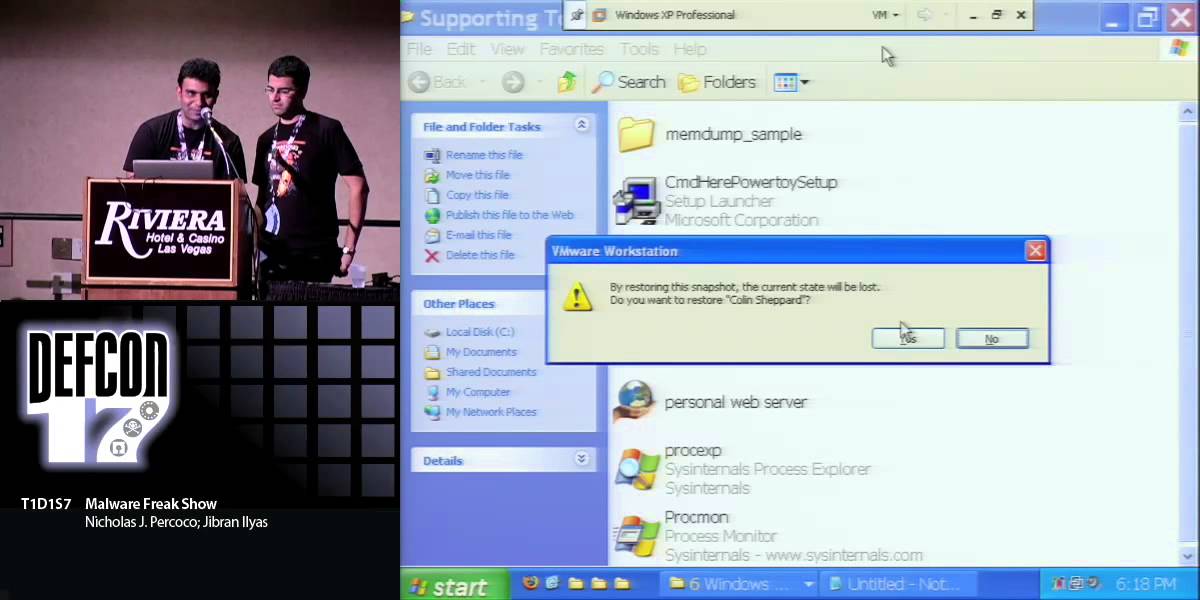
DEF CON 18 - Nicholas J. Percoco & Jibran Ilyas - Malware Freak Show 2: The Client-Side Boogaloo

Nick Percoco and Jibran Ilyas walk through four real malware campaigns that show how targeted attacks work. Attackers stay in networks for an average of 156 days across 200 incidents in 24 countries, stealing credit card data and credentials using rootkits, credential stealers, and social engineering. Modern malware is custom-built per target and includes anti-forensic tricks like file-time spoofing and packing.
Chapters
Okay, everyone. Welcome to Malware Freak Show 2. So here's the agenda for you. We're not going to really walk through, you know, each bullet by bullet, but just one thing to note is that this is a continuation from a talk that we did last year at DEF CON 17, and we wanted to dig a lot deeper and expand it to some various different classes of malware, but also show you some new things that are going on in the world of malware development. So we're going to spend a lot of our time during this presentation during the sample analysis. So just keep in mind, so there's going to be a lot of demos, We have 4 demos for you this year. So a little bit about us. I'm Nick Prococo. I'm the Senior Vice President and Head of Spider Labs at Trustwave. I have around 15 years experience in information security. I built and lead the Spider Labs team at Trustwave. Some of my areas of interest are targeted malware, attack prevention, mobile devices, but really from a business and social impact standpoint. And this is Jibran.
Hi, I'm Jibran Ilyas. I have been in this industry for about 8 years. I got my— recently got my master's from Northwestern University. And when I'm not doing work, I'm actually doing work, which is anti-forensics, artifact analysis, and real-time defense. So, turn it over to Donnake.
Sure. So, to go over introduction here, so basically, you know, we had a very busy year. We, as a team, we visited over 200 environments, 200 incidents, and that spanned about 24 different countries. So we had about hundreds of samples to pick from. And we worked together to pick what we thought was the most interesting pieces of malware that we saw over the last 12 months and present those to you— for you here today. So we have some new targets. And so if anybody attended the talk last year, we talked about the target environment, showed you how the environments work from a technical standpoint. We're going to fast forward a little bit past that and really describe just the environment at a high level and spend a lot of the time focusing on the malware itself. And with the new targets we have are a sports bar in Miami, an online adult toy store, international VoIP provider, and a U.S. defense contractor. So one thing to note that we realized during this— the preparation for this talk is that malware developers were very busy over the last 12 months updating and making enhancements and making changes to the malware that they had been developing. Really, it's many improvements they made to avoid mistakes, and we're going to go into those in a lot of detail in this presentation. But we were really chatting and thought maybe they saw our Freak Show last year, because we pointed out some flaws, and they seem to have improved them over the last year. So what is a Malware Freak Show? Basically, the bottom line question is sort of answered there, but basically we have access to breached environments. Now, these are actual environments that were confirmed breaches. Very important information, very valuable information, very valuable data was taken out of these environments using malware. And so really historically smash and grab was used where an attacker would break into a website or break into a physical location and steal data. They just take the data and run off with it. Today they don't do that very often anymore. What we found is that on an average of 100— they spend an average of 156 days within these environments. So this means that they hack into a, you know, say, e-commerce site and they'll be on that e-commerce server in their database for an average of 156 days before someone catches them. So that's something really, really important to keep in mind. Also, when they're in that system, they have a lot of time to explore. And so they run into business systems, systems that are not the run-of-the-mill systems, maybe they're custom developed and they have a lot of time to develop their malware and craft them to target those specific environments.
Okay.
And that sort of leads us to the next bullet there is that custom and targeted malware is now the norm. It's not the exception. I think when we were doing cases, say even investigating cases like 5 years ago, smash and grab was the norm. And then we started seeing things ramp up. And nowadays when we go out into the field, it's basically every single case has malware involved with it in some form or fashion. So basically, you know, the reason we're doing this Freak Show is basically to gather information, perform analysis on each piece of malware, and then the real benefit is to learn about the sophistication of the authors. And so— and learn about the sophistication of the current threats. And so the whole bottom line goal there is to rethink the way we alert, detect, and defend in these environments. So what I'm going to walk through, before we get into the demos, I think it's important to walk through what we feel is sort of the anatomy of a successful malware attack. Now, what we did is we took it— took a look at the malware that we saw that was successful in the last 24 months and sort of came up with sort of a blueprint. Like if you were to sit down and decide, I'm going to write a piece of malware and I want it to be successful, not just make a lot of noise and crash things and a lot of bells and whistles goes off, but you want to have something that's a targeted custom piece of malware that's going to be highly successful in getting data out of an environment. We put together sort of the steps here that we thought were what the malware authors were actually using. So we're going to go through this— go through each of these steps here. So step 1, we have— the authors have to identify a target. And so you're not just going to sit down and write a piece of malware with no target in mind. And so, there's a lot of information out there. There's, you know, intellectual property, there's bank account information, there's PII information, there's HIPAA information. There's a lot of information out there that attackers could focus on. But the— in the real world or in anything, the end goal is for someone to get money, right? You know, you're not just going to write a piece of malware and unleash it. You may, but a lot of the cybercriminals and the organized crime groups want the cash. They want to get cash in the end. So, the 2 big focuses that we see is credit card data. That's one piece of data they're looking for. And then also ATM and debit card data. Now, in the credit card world— in the credit card data world, the data exists in clear text in many locations and environments. It's not supposed to be in clear in all environments post that it's— after it's been used, but we often find it is. And we'll talk a little bit more about why that is. But basically, the cache itself, you sort of see this chain that's on the screen there, that's sort of what I sort of call the malware food chain. And basically, the cache is at the end, right? So, when you have track data, which is the data that's stored on the back of your credit card, When you have that data in your possession, you can go and clone a card. You then can go and commit some sort of fraud, right? You go to a store, you buy a plasma TV, you now have a plasma TV in your hands that you bought with a stolen credit card. But then you have to— you could either use that for your own use, but in most cases, they want to get cash. So then they have to go and sell those goods to somebody else to collect the cash. In the ATM and debit card world, the data looks very, very similar. There's PINs that are associated with ATM cards, but the data itself looks It's basically identical. But the cash is much closer to the criminals. They get a hold of ATM card numbers and PIN numbers, and they can go to a machine and take out the cash. They don't have to find a buyer for that. And so, you know, we hear about large organized crime groups who go and they'll hit a large number of ATM machines all at the same time, and they'll literally suck cash out of those machines. And now they have that cash. No one could— they don't have to worry about going on the street and finding a buyer. They have that cash and they can move on to their next operation. So that's where you've identified the target. So it may be a bank, an ATM network, or an organization that takes credit card information may be your target. Now developing the malware, so really we break these things down into sort of the big 3. These 3 functions are basically going to help you obtain the data in the best— in the most efficient way. So a keystroke logger, a network sniffer, and a memory dumper. And so we're going to go through those. I'm not going to talk in detail what those are because when Jibran does some of the demos, We're going to touch on the network sniffer and the memory dumper. Everybody here probably knows what a keystroke logger is. It records keystrokes, but they're using this— but the attackers are using this in a little bit different way. And so I'll just touch on that real briefly, is that when the data itself is being inputted into a system, there's— the data itself is being inputted via keyboard-type device, a swipe device. If anybody ate here at one of the coffee shops or someplace and you saw them swipe your card, That data is actually being input into the system just like you would if you typed it in. It's just being read off the mag stripe and input in the system. Nothing really special is going on. And so then we also sort of have there sort of disk parser with a question. We often don't see that. Now, there is data sometimes stored in the system, but it'd just be easier to take the file and leave. The persistent types of attacks are going to use things that are going to try to access data when it's being used in an active state. If you think of a system that is obtaining data, encrypted, it's releasing data encrypted, it's storing data encrypted. What's the best— what better way of obtaining that data than through things when it's either on the network in the clear, if it's in the memory in the clear, or being entered into the system in the clear? Some other design considerations, naming convention. Blahblah.exe is not the best name to use if you're trying to be stealthy in an environment. You need to choose something like svchost.exe, that's much better. Most IT administrators that are looking at their task manager are not going to notice that as something out of the ordinary. Also, slow and steady wins the race. And we're— you know, the attackers and the attacks using malware that we see are very successful. They don't jump in there and make a lot of noise and start doing a lot of damage. They're going to stick around for a while. The malware is going to run and just collect data and siphon it out of the environment. And then, of course, persistency. When they reboot a box, you don't want to have to reinstall your malware. You want to be within that system. And maintain persistence through many, many reboots. And then data storage as well. You got to make sure that the data you're collecting is not going to fill the hard drive of the system. So here's some— here's step 3, basically infiltrating your victim. So we have a couple of different ways. You have basically the physical way and we see these attacks, you know, you walk up to a computer, you stick a USB key in and it basically puts the malware on the system. That's a physical way. The easy way that we often see is sort of remote desktop and default passwords. We see those all the time. Now the malware itself that's being installed has complex properties. The attack vector is very, very simple. It's something that should not be there, but we see that hundreds of times in many environments. And then you have the uber way. You have basically the 0-day. And we do see that from time to time, but in most cases the attackers are going to use vulnerabilities that are rather old. Things that have been around for a very long time And basically, they're just available there for the attackers to take advantage of. Now, finding the data. The software we found holds the secrets. If you're on a system, you're looking to find out where that data is stored within the environment, the Task Manager is a really good tool. You can see the processes that are very, very busy. That usually is a place where there's data being processed, and that's where you can then hook your memory dumpers into. And then the folders. You know, the processes folders, temp files, we still see those containing a lot of data. Configuration files that contain debug parameters, you turn the debug parameter on, on a system and sure enough it starts logging all the activity that it's doing to the hard drive. It's typically there for someone to troubleshoot it but it makes the attacker's life pretty, pretty easy. And then of course the wire. In most environments that we run into, even financial institutions, the data on a local network is often not encrypted. Now, it's encrypted when it goes across the internet to other locations, but when it's on a local environment, there's— many organizations don't feel that it's important that they encrypt that data as it's being transmitted between systems. So, that's a big environment— big place where you can find data. Then getting the loot out, basically once you try to get the data out of the environment, many— most of these environments have little to no egress filtering. So, you don't have to worry about just trying to, you know, it's just limited to, say, you know, port 80 or 443, but that doesn't mean use 31337 as the port you use to send that data out. Don't reinvent the wheel. Use what's commonly available, common internet protocols, and it— because really, the IT security professionals that are going to look at those firewall logs are going to look for freaks. They're going to look for things that look out of the ordinary. If you're sending your data out of port 80, they're probably not going to notice it very quickly. The last step here, basically covering your tracks and obfuscation. We find this is rather sometimes optional, right, from a successful malware attack. Like I said earlier, we found the average of these— average of these attacks lasted about 156 days. That's a long time for someone to be in the environment before someone noticed it. So being, you know, trying to be covert and trying to cover your tracks, not always extremely important but it can help. Now, some notes though, don't be clumsy. You know, this is successful— you know, something to teach— to take away as far from a— The successful malware writer has to put within their malware. Basically, you know, crashing systems, that's sort of bad. You know, filling up disk space is really bad. And, you know, we've—
And, you know, filling up disk space, you know, you might get away with because a lot of the clients that we see sometimes actually aid the clients. We've seen an instance where, you know, the attackers were kind of filling up the disk space and guess what the IT guys were doing? They're installing another terabyte hard drive and then another one and then another one. And, you know, that's not it. So when they, you know, spend enough money like $300 on hard drives, they're like, yeah, let's delete the 2003 accounting data, 2004. And finally, they picked up the call— the phone and said, hey, hey, Trustwave, we need your help. So, it's kind of a note there.
Yeah. And then just then command prompts popping up. We've seen some malware that's poorly written that does those types of things. That's just stupid, right? You have things popping up. We actually received a call from somebody who said, You know, I think there's something going on in our system and it was because the mouse was moving around by itself. So, you know, making things obvious to the end user, even to someone who's not technical, is not a good sign. But then you want to mess with the investigators and the cops, right? So you don't want to make things easy. MAC times, you're going to modify those to match the install dates of a lot of the utilities or the files that are in Win32. We're going to show you this. A lot of these new attributes attributes here came into play in the last 12 months when they started doing these things. Obfuscating output, we're going to show you that in some of the new malware samples. Packing, basically, you know, packing the bag of tricks using packers. You don't have to pack the custom malware you wrote because AV is never going to detect it. But if you're bringing along some other utilities, you have to actually pack those in order to really, you know, be covert in some fashion. Basically, automating but randomizing events, and we're going to show you some things that are going on And some of the latest pieces of malware, but most of the malware writers today are going to— are basically lazy, right? So they're going to install this malware and they don't want to keep coming back. And so they want to stay— they want to watch a website or watch an FTP directory and just collect the data as it flows in after they've installed this malware in many, many environments. So, you know, randomizing those events can help avoid detection as well. And then rootkits. So that's one of the latest pieces we've been seeing in this type of malware is they're getting away from executables and diving down into using rootkits. So now we're going to jump into some demos. And so, like I mentioned, we're going to spend a lot of time, you know, a lot— a big portion of the presentation in the demo aspect of it. So let's talk about this environment, you know, real quickly. This is the memory rootkit malware. We gave this guy the code name Captain Brain Drain. It is basically, you know, it looks like a normal Windows file name. It's sort of— they get the win for file name, you know, choice. It is a— targets Windows platforms. Now, the key features, I'm not going to talk about that because Jibran's going to demo all of those for you in a couple of minutes. But I am going to talk a little bit about the environment. This was a Miami sports bar. It was an elite location, had a lot of celebrities that frequent that location. The IT operations was outsourced to a third party. This is not uncommon. Most organizations below normal enterprises outsource everything. And so they have no— they have really no ability to manage these systems themselves, so they're going to outsource it to another company. When we talked to the owner, we actually, you know, we talked to them and asked them about security, about what they do with their systems. He basically said he was getting notices from his bank about online security and compliance, and it basically gave him a headache, so he just basically tossed them in the garbage. He basically admitted that to us. And then the other sort of byproduct here is that the point-of-sale system was also the sports bar's DVR. It was also the DVR server. So if you ever wonder what goes on in a Miami sports bar after hours, You really don't want to know. I mean, you know, if you sit in a bar and you see sort of this long, you know, flat, hard, sturdy bar and you're sitting there having a drink and eating some food, if your fry falls off the plate, the 5-second rule does not apply. So now we're going to jump into some demos.
All right. So, can everyone hear me okay in the back? All right. So, are you all ready for the demos? We've got about 4 demos and I want you to say, hell yeah, if you are ready for the demos. Are you ready for the demos?
Hell yeah!
Am I ready for the demos? No. I got to move this cup. All right. So without further ado, let's go into the demos. Okay. So the first sample I have is— it's called the Memory Rootkit. So as Nick mentioned, you know, a lot of malware, you know, now that databases are getting encrypted, We can't really do just smash and grab. So what the attackers need to do now is basically maintain persistency in the system and they basically dump the memory where the data resides unencrypted. So you guys are getting very lucky. You guys are going to see an actual malware that is going to install itself as a rootkit and steal data from the memory. So without further ado, let's go on to it. Do, do, do. Let's see, is the resolution okay?
Yup, it's fine.
Yeah, okay. Okay, so I'm going to go to the folder that has the memory rootkit malware. I call it memkit. And let's actually see what samples it has. So it's got a loader.exe which is basically a file that loads the rootkit into the kernel. Then you've got ram32.sys. And actually, you know what, this demo is going to be really interactive. We really planned prizes for you guys but we lost all our money in blackjack last night, so the most we could do is give you a Twitter mention if you answer a question. So, ram32.sys, who wants to take a guess what this file could be?
Rootkit.
This is actually— the actual rootkit that gets installed. And searcher.dll, that has They track data expressions and, you know, whatnot to enable to search the data on the hard drives. So, let's actually see what loader.exe is all about. So, I'm just going to do— run a strings command on loader.exe and I'm going to show you what it has. So, as you can see, the usage of this, attackers, you know, they program really neatly too. So, they have like a whole usage area in the program. I is to install the system driver. It must be in the current directory, so they're helping us out. as well. R is to start and resume the capturing. So if you have the malware on the system, if you want to start or, you know, stop, there's an option right there. S is to stop the capturing and U obviously is to uninstall. And they also tell you, hey, it doesn't uninstall until you reboot. So, pretty helpful there. Okay. So now, what we're going to do is just load this Rootkit into our kernel. So, as you can see, loader.exe, I just give it an -i switch and it's installed— it installs RAMSYS32 driver. Now, we want to run this. We want to start this, right? So, loader.exe -r. So, so far so good?
All right.
So, now we're going to go to this Windows folder where malware actually dumps the files. So, I'm going to sort my files by date modified, you know, because the file should be created right now. As you can see, we don't see any files. So what I'm going to have to do— and actually, can I let you guys answer this? What do I need to do here? Show it in files. Show it in files. All right. You guys are on this, right? Okay. And I'm going to sort this by date modified again. Oh, no. No, no. It's not the demo. There's one more thing that the malware has. Anyone wants to take a guess of what that could be?
The Microsoft system files.
There you go. You're getting a Twitter mention. All right. So, we go to View again and we uncheck this box, Hide Protected System— Operating System Files. We do that, it gives us a warning, but what the hell, you know? Just go with it. Okay. So now we see a weird-looking file. Can everyone see it? 7152. whatever the random digits are. And it's 0 KB right now. So, why it's 0 KB right now? Because we haven't sent any data to the memory for the malware to attack. So, I'm going to open this file in TextPad, favorite text editor, and—
All right.
Are you part of the team? Okay. So right now, there's no data there because in the memory we haven't processed any track Yeah. So, what I'm going to do is I am going to go to my pending payments folder and I'm just going to, you know, open some checks. So, this is basically— so, these are basically the temporary files like when you swipe your credit card at a bar, at a restaurant, at a hotel, you know, these temporary files get created but just for a very tiny, you know, maybe a millisecond and then it goes to the database or it just goes to the memory and then to the application to the database. So, these are some files that I'm just going to load up in my memory just to kind of see what's out there. And basically, in my all transactions, I'm going to say— since we don't have a real point-of-sale program, I'm going to say all payments processed. All right? Cool. All right. So, I save this and now we go back to this file and—
Text bad.
Text bad. It's alerting us that, hey, some application has updated this file. Now, we didn't write anything to the file, right? So it's got to be the malware that did the job. So we're going to reload it. And here you go. So we see, you know, credit card numbers, the names. And this is basically the pattern of track data, track 1 data and track 2 data. Now, this malware has an additional feature. Now, a lot of the companies like are investing in DLP software and, you know, credit card data scanners. Who can tell me what's wrong with the track data format here. So there's one really tiny thing that this malware does and it's a really neat feature. So if you see here in the first line after these numbers right before the tangent of arctangent, we see— we see a percentage sign. In track 1 data format, in the real data, in the real file that I opened, we see a caret character. Now, this is actually a big indicator for Track 1 data. And a lot of DLP software, they code this into them so— to be able to detect Track 1 data. So what the malware is doing is replacing all the caret keys and replacing it with a percentage sign. So if anyone is searching for Track data, they won't get it. And, you know, you guys might be wondering why people don't just search for cardholder data. And that's because a lot of times when you search for cardholder data, you get a lot of false positive, a lot of noise. So a lot of people just search for Track 1 and Track 2 data. So that's one thing that they do. And then also, if you look at the Track 2 data, so in here, there's an equals to sign, right? So guess what the malware does to the equals to sign?
Money.
Damn right, they turn it into money, right? So that's basically how neat their output is. As you notice, like, you know, my file, my actual transaction file, had a lot of other stuff, but when the malware runs and it searches the memory for the data, it basically parses out just the track data and it puts it in this neat format. And the last feature of this malware that I want to demonstrate is that since Nick mentioned, you know, they don't want to come in every time and, you know, rotate the files themselves, so it has an automated feature. So what it does at about 10:00 AM every day is that it changes the file. So let's Let me change the file size— the system time to 9:59 and I'm going to make it AM. So, right now we see the date modified 7/31/6:24, right? So, right when the clock hits 10 o'clock, this basically becomes 0 KB and the new time is 10 AM. So, any guesses what happens So, this is our file. Now, it's got no data. So, what happened was this malware actually rotated the file and it created a new file with today's date. So, it says S/2010/7/31 and this is the file that has all the data. So, if I just do word wrap, you'll see the exact same data that you did in that file. So, that's basically it for the memory dumper malware and we're going to move on to the next malware now.
Okay.
All right.
Let's jump back into the presentation real quick. So this next piece of malware is basically a Windows credential stealer. So we gave it the code name Don't Call Me Gina. And, you know, you'll see when we're going through this why the file name is sort of a good choice as well. But again, the target platform is Windows. Now, the victim here, just to set this up a little bit, this was an online adult toy store. They had about a 100-person company. They had some stores as well, some physical locations. But they decided to outsource all of their hosting to a— basically, and development, to a low-cost provider. And it was sort of a well-known provider. They found the information about that company in sort of the back of a tech magazine. It looked really great. And just like everybody else, when they're shopping for for hosting providers. And basically, they found that there was a— there was remote desktop enabled, which basically was a terminal server. And so, just to set it up a little bit, the attackers broke— were able to get into the remote desktop or system or the terminal server that was used by the hosting provider to get access to all the other— all the systems they were hosting. And so, I'll set that up for you. And then, one other piece is that at the end result, the attackers were able to then modify the adult online books— toy store's website so that it would query the database when you called a certain page and it would dump all the latest transactions into a webpage for them to then go and download. Now, the attack itself from the— from the— from the Gino functionality, Jibran is going to demo that, but I just wanted to set it up and show you the first part of how they got in and sort of the end result. But the real meat of the malware is actually in the middle and what they're able to do.
Alright, so we are ready for demo number 2. Are you ready for demo number 2?
Oh yeah!
Alright, so by the 4th demo we should be here than track 1, alright? So, alright, so this is, this is, this is actually one of my favorite malware, and actually this relates to all of us because, you know, a lot, a lot of, a lot of us, you know, if we don't use Windows XP computers, we, we touch it at some point in time because they're so damn insecure. But anyhow, so I'm going to show you the pieces of the malware and— I don't know why when I do it first time it doesn't do it. Anyway, so call it Gina. And let's actually see what's in this package. So we've got fsgina.dll. Now, who can tell me what msgina.dll— anyone have heard of msgina.dll? What is that? It's the vulnerable login process. Yeah. So it's basically, you know, it helps with the authentication process, right? So when you see that screen with your name on it and says, hey, come enter your password so I can steal it, you know, that's— that's MS-Gina or, you know, a slight variation of it. So FS-Gina is basically a variation of MS-Gina. It tries to get loaded with MS-Gina so that it could capture the passwords upon legit logins. Now, fs-gina.reg is actually an automated script. If I you know, just run this, the malware is going to load in the registry. But I'm actually going to— I'm going to be nice enough and I'm going to show you guys exactly which key it changes in the registry. And this timestamp.exe, that is actually a piece of malware that actually changes the time of the malware files. So, I'm going to copy these 2 files, FSJina and timestamp, in the— in Windows System32 directory. So, what we're going to see is that these 2 files basically, you know, they show up at the top, right? So, a lot of times when we were investigating a Windows computer, you know, for a friend or your mom or your grandmom, whatever, you basically go through to this Task Manager or Windows System32 folder, right? To check, hey, you know what, is there a malware infection there? So, likewise, you know, attackers know that and what they try to do is basically try to hide their malware around the time when operating system was installed. So this timestamp utility actually does that for them. So, I have this command here that is going to change it. But I'm going to tell you a reason why I chose this time, Saturday, 4/13/2008. Not— it's not because it's my birthday, but it actually has a meaning. So, I'm going to go to System32 folder and actually— check the time of msgina.dll. Now, if I'm a good malware author and, you know, I'm actually on the system, I want my FSGina, like the fake SGina, to have the same time as msgina. So it's basically 4/13/2008, 10:42 PM. So what do the malware writers do? They do the same time. So if you notice right here, FSGina right now has—
4:13.
Date modified of 6/16 and date created of 7/31. Right when I run this command here, it's going to change the time. And look what it changed it to, 4/13, 10:42. So, yeah, now, you know, if you're the hacker, you would want to delete timestamp.exe. So when someone does this, date modified, date created, sorted by that, you don't see any malware, right? And FSgena basically shows up With, you know, all the other files. It's lost in the System32. So, now to infect FSGina into Winlogon process, we actually need to change a registry key. And the registry key that you need to change is you go to HKEY_LOCAL_MACHINE\SOFTWARE\Microsoft and it's— a lot of people would think it's Windows, but it's actually Windows NT. So— What's the registry key? You go to Windows NT, CurrentVersion and find Winlogon folder. And basically, all you need to do is add a string value and you call it Gina.dll. And when you add Gina.dll, you also have to give a path. So, I do a lot of typos, so I'm actually going to make sure that I— Just copy and paste. All right. So what we're doing is we're saying, okay, add another registry entry. So when winlogon.exe loads with the operating system, it's going to load MSgina but it's also going to load FSgina. And FSgina is the— going to be the malware that is actually going to take the data. So, now that it's here, I'm going to reboot the computer and we are going to log on to the system to see if it actually works. Yes, sir.
So while it's rebooting, I guess it's going to take a couple of seconds for it to reboot. It really sort of raised the question about sort of third parties, right? We see a lot of environments, especially organizations who don't have the ability to manage their own systems, putting a lot of trust in third parties. And we see a lot of those third parties letting people sort of astray. I mean, they say that they're supporting the systems correctly. They say they're securing the systems. But they're actually not. And so when we see these environments, really the organization was compromised because a third party left their perimeter really, really, really, really lax. And so I think it should be coming up soon. But basically, that's the main takeaway from this piece of the demonstration is that once that file is on the system, it not only left that one organization exposed, but all the clients that had— that were accessed through that terminal server also were exposed as well.
Right. And remote desktop, I know, when it came out, you know, everyone jumped on it. And still now, you know, we see a lot of the environments that say, okay, yeah, yeah, it's remote desktop but it's secure. It has encrypted session. But, you know, just to get to remote desktop, if you're running remote desktop on port 3389, your chances of getting pwned are really, really high because what the attackers do these days, they're looking for remote entry points, right? They're looking for low-hanging fruit. So if they're— if they get remote desktop, VNC, PC Anywhere, yeah, believe it or not, a lot of people still use it. And so they basically write, you know, cracking programs for remote desktop. And, you know, once they get into one, it's their way then. So what I'm going to try to do now is try to log on with like, you know, fake credentials. I'm going to say, hey, DEF CON, blah, blah, blah. And, you know, just try to log on. But just to kind of show you that all the fake logins, the malware is not going to care about. So we log in with the correct credentials. And when we go to Windows System32 folder, what I'm going to show you is that there's going to be a file. And the file is going to be just plain text file. And we'll see how clearly we can see the username and password. So, you go Windows, System32. All right. So, you see like on 7/31, it created a new file, users.dat. So, let's, you know, double-click it and see what it has. Do, do, do, do, do. There you go. So, all it has is my machine name, then it has TW, that was the username. the password. So basically, you know, you saw me writing DEF CON and, you know, all those other fake ones. It only captured the one that it needed to and that was the legit one. So with that, we're going to go to the next demo. It's called CTA. Actually, Nick's going to talk about it.
Okay. So in the interest of time, I'm just going to go over this very, very quickly. But basically, the— this environment was an international VoIP provider. So they had a lot of customers. They had 2 different methods of sort of taking data into their environment. One was via kiosks where people were buying sort of these prepaid cards, and another method was on a website. And so basically, in their hosting center, they had a server that was processing all of this data. Now, one thing to note about this data center, when we went to do our investigation, we actually walked up and out came about 20 cats out of the data center because it was really at a— it was at a barn in the middle of nowhere is where this hosting provider was. And so, we were sort of confused why all these cats were sort of— were living there and living around these servers. But then actually just last week, I was watching on television with my son and out came a commercial. It was Cats vs. Dogs 3D. And I sort of had this revelation. I was like, you know, that's what was going on. The cats were running the ISP. And so, we'll jump in to the payment switch demo of the Kleinstein Transit Authority.
All right. So, are we ready for demo number 3?
All right.
You're kicking at them. All right. So, hey, we got a background change. Awesome. So notice how we have this cool backgrounds for every load malware. Cool stuff. Okay. So, we will go— this time it's perfect. So, I'm going to go to the directory that has pieces of malware. I know we are running short of time. Actually, So, malware freak show sniffer. Okay. So you see hider.sys. Now, if you learned from the past, hider.sys is a rootkit. System32.dll that has the configuration settings. Win32 is one of the special programs that you'll see. WinServ32 is actually the controller. So, what I'm going to do is I'm going to actually show you the settings of this malware. And this is again pretty— System32.dll.
What is this?
Here. So, as you can see, the settings are such that the log would be in Windows directory, System40.log. Here's a command line for a malware, win32.exe, with these options. Now, with looking at just this— these commands, can you guess which tool it is? All right. It's basically NGRAP. So, they've changed the name for NGRAP and they're running— it's basically a sniffer malware, right? So, it's going to sniff the internal network for confidential data. Now, this password, don't know yet, but hostname hackers dot— you know, we had to change a little just for this demo. But hackers.spider.com, there's a username and password and, you know, off you go. So, let me clear this screen and actually run the malware. So, nothing happened. The malware runs pretty silently. What I want to show you here is that if you— check the Task Manager, you're actually not going to see it. And last year, I know someone asked me the question, you know, if you don't see it in Task Manager, would you see it in Sysinternals Process Explorer? The answer is no. This piece of malware, you won't even see it because what all this malware is doing is loading the rootkit and actually starting it, right? So, I'm actually going to show you the file that it is supposed to store data in. And here you go, System40.dll. Right now, again, there's no data because we haven't done any network transactions or cardholder data. So, I am going to go to my fake point-of-sale application and communicate on port 5500. So, I'm going to go to this payments folder. It's going to ask me, what's your username and password? There, I'm a legit user. So, I'm going to just, you know, browse through certain checks, temporary checks. And let's basically see what's out here. So, Dark Tangent, he's got his card stolen again. This poor guy, Colin Shepherd, he's got his card stolen. And this guy doesn't need cards because he has a lot of cash. And yeah, so, you know, again, you know, these attackers are freaking killing it, right? So, we go to this file. And as you see, our file is updated. So when we see the output, we see that this is basically ngrep output. So if you use ngrep our, you see basically the interface name, the poor man's regular expression for track data, and, you know, the IPs that it was communicating to. So now that file is there, what do attackers do to actually get the data? Now, in the previous malware, what you guys saw that the attackers still had to come into the system. To actually take out the data. Now, this is one better. They're— and we'll see how. So, I'm going to change the system time because, you know, the malware writers— that's one of the shortcomings of this malware actually. They basically transferred the data at around the same time every day. All right. So, 59. And I'm going to give you 10 seconds to kind of pray for the demo. to work. So this is our FTP root directory. This is where the malware should dump data. And this is actually, you know, we're running a local FTP server on the local machine. So it's 1 o'clock. Let's see, 1, 2, 3, 4, 5, 6, oh, oh.
AM.
The demo is not there.
It's AM.
Oh, it's AM. Okay. Okay. Good call. All right. So we're going to change it to— you're getting 2 Twitter mentions. Okay. Perfect. So this time, I'm actually going to do a good job. So hit apply. And let's see. Now we got 3 more seconds to pray. 3, 2, 1. 1.
Uh-oh.
Keep praying. Keep praying. All right. We got it. Okay. Now, there's this one last feature that I want to show you. Now, if I try to extract these files, so this is what the attackers get, right? So, I try to extract it here. Oh, there's a password. Now, remember we had this one config file a long time ago? strings.exe and I'm going to just— there we go. So, we had this weird-looking password. It looks like someone from UK, but— What's the password? We're Piccadilly and we try this and boom, it works. And this is basically the same file, the System40 file that we had over there. So that's about it for this different malware. Now, the last piece of malware is the most awesome, so you better stick around for that. And Nick's going to tell you about the background, but that is going to be super. It's called Dwight's Duper, so. All right.
Okay. So we have a couple of minutes. I think we have like 6 minutes. All right.
We're going to do this.
So we're going to go through this. So basically, so let me set this up. This is a client-side PDF attack. Now, the difference between this environment and the previous 3 environments, the security posture in the previous 3 environments was basically horrible. This environment is a US defense contractor. They have a very high level of security. They had nothing allowed inbound. The only thing that was allowed outbound was port 80 and 443, and everybody had email access. And so, to really set this up, the employees at this organization received an email that had an attachment, and everything else sort of went from there. Now, we couldn't really use U.S. defense contractors' details and things like that in this demonstration, so we chose a different company. So let's go to the demo now.
All right. Last one. Are we ready for demo number 4? All right. So, okay. So basically— yeah, so we couldn't choose the defense contractor, so this is the company that we chose. And again, so this is basically Jim Halpert's desktop, all right? So who likes Dwight? All right. You guys are going to love it then. All right. So this is basically Jim's mailbox. Basically, you know, he's got emails from his teammates, right? So, first email is from Michael Scott, you know, he finally got the lost ending. You know, then we've got a weird one here from Kelly Kapoor and that's 194 KB. And that says, continuing from lunch conversation. All right. So, let's see what it's about. Oh, that's— that's pages full of rants again, all right? And this last one. And you know, a lot of people— a lot of us get these announcements, right? HR announcements. And we, without thinking twice about it, we just click on. And this looks pretty real. It has a disclaimer. It says that it's going to be released at 9 o'clock. So before running this PDF file, I'm actually going to show you the temp folder that it actually has. So, if you go to this temp folder, what you're going to see, what actually happens behind the scenes when we run this PDF file. So, here we go. It's an announcement. Jim Halpert opens up his PDF. The PDF closes for a second and it opens up again. And now the file name has changed. And as you can see, Dwight Schrute has finally been awarded the official position of Assistant Regional Manager. But Jim, Jim. Jim has been pwned, right? So as you can see, there's a folder called Goldmine and, you know, there's a RAR file, you know, RAR files are usually sent out. So let's see what's in the Goldmine folder. Bank account details, bank statements, client lists and commissions. Oh, if Dwight's looking at it, Dwight crank logs it. And with that, it's got Firefox passwords, IE passwords, and just about everything else. And guess where it comes from. It's basically— what the attack is doing is basically taking all the files from the My Documents folder, it's RARing the folder into Goldmine and sending it out. And this is basically, you know, the FTP server again, this is where it sends out. And again, you know, there is a password on the FTP server. And so Dwight gets this data and he basically has all of Jibran's information. So guess who's going to win the sales prize this year? Dwight Schrute.
All right.
And that's about it for our demo. This was our 4th demo and thankfully all of them worked. Thank you.
Yeah. So just to sum it up. So what we learned here is that customization of malware is the key, right? So we're seeing customized malware targeting environments like you saw in the U.S. defense contractor example. I mean, that's very, very customized, targeted in that environment, specifically crafted to basically own those employees at that company. And then, you know, slow and steady wins the race.
Right. And then basically, you know, you saw the anti-forensic features. They don't have to, but they do it anyway just for the brownie points. Automation is another big thing. And you know what? They're not slowing down. And, you know, the funny thing Nick mentioned at the beginning of this talk, last year we gave them our freak show. And the shortcomings that we gave last year, they basically went ahead and corrected the malware. So, you know, if you come next year, we might have DEF CON Malware Freak Show 3. And thank you guys for being such a wonderful audience.
Thank you.
More from Jibran

PTI Social Media Lead Jibran Ilyas at the Media Panel at Yale University in USA
EP179 Teamwork Under Stress: Expedition Behavior in Cybersecurity Incident Response | Cloud...




Jibran Ilyas || International zoom Webinar | Cyberspace: The Future territory of National Security