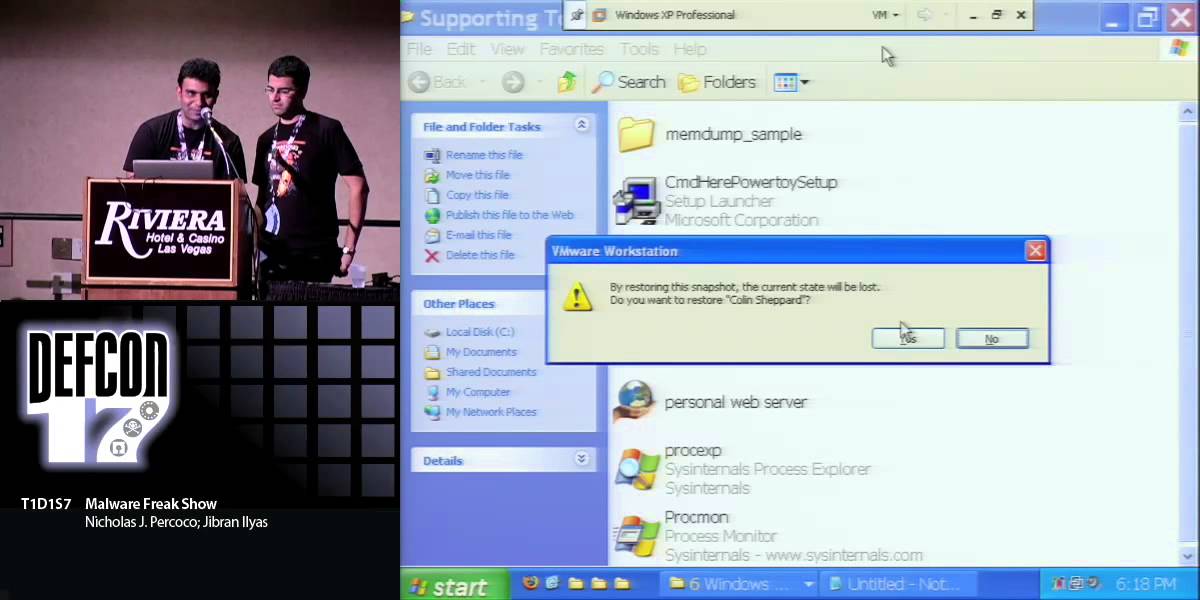
DEF CON 19 - Nicholas J. Percoco, Jibran Ilyas - Malware Freak Show 3

Nicholas J. Percoco and Jibran Ilyas from Trustwave SpiderLabs demonstrate four malware families targeting POS and enterprise systems. Cameo steals credit-card data from grocery stores over HTTP; another kit dumps memory from bar systems with timestamp spoofing and encryption. Attackers now hire skilled developers to build custom tools instead of using crude off-the-shelf malware.
Chapters
So this is Malware Freak Show 3, and, um, I'm Nick and this is Jibran. And so let's just—
Hi, guys.
Let's just jump right in. So instead of, you know, spending time on the, on the agenda, we'll just skip right past that. Um, the inspiration for this talk is basically something called System Intruder. And for those of you who are familiar with Bedroom Intruder, um, there was a parody created by this guy, guy we know named Zack. And we were gonna play the song right now, but since we're a little short on time, we're gonna save it to the end and we'll, we'll play it for you guys. So brief introduction, you know who we are. Um, I'm Nick Prococo. I run the Spider Labs team at Trustwave. Um, I started my career in the '90s, um, doing InfoSec. Started out really doing penetration testing back then. Um, this is my 4th DEF CON talk and I have 2 more this weekend. Um, one tomorrow and one on Sunday. Um, it's a Droid talk and a mobile SSL talk as well. I'm also the primary author of Trustwave's Global Security Report. So if those of you familiar with that, it's, uh, it's an interesting read.
Okay, and I am, uh, Jibran Ilyas. I am the senior forensic investigator at SpiderLabs, uh, Trustwave. I have about 9 years of experience and this is my only talk, uh, at DEF CON this year. Speak— uh, I've spoken at, um, Black Hat, SecTor, and Source Barcelona before and I happen to have a master's degree from Northwestern. So, just wanted to brag about that.
So, uh, So really, we wanna talk about, you know, why give a freak show? So what is this talk all about? Um, well, we, we perform a lot of investigations on an annual basis. We go into a lot of environments where there's targeted malware, uh, malware that's not, you know, ticking off any, any bells and whistles from the, from the AV engines that are installed in those environments. And we really wanted to be able to bring this to you, bring live demos to you guys and be able to show you what, um, sort of the state of the industry from a malware development standpoint looks like and what the real criminals are using to, to exfiltrate valuable data out of, out of corporations. Corporations and, and other environments. Um, basically the real big takeaway here that we see is, you know, the, uh, the exploit world is, is, is basically commoditized. You know, the criminals are going after, they wanna buy exploits, they wanna be able to use those to get into environments, but they're really putting a lot of effort, a lot of development resources into developing malware. Um, it's, it's become a, it's become a rather big business. They, um, they will put money into those, um, into those, into that industry. They will hire really highly skilled developers to make this malware for them. And just as if you had a, if you have a business and you want to create a business piece of software, you may outsource it to some developers and, and build it to your specifications. They're doing the exact same thing. So really, what is this talk about? Um, well, we've, this is the 3rd iteration of this talk. So has anybody seen any of the other Malware Freak shows before? Oh, so we got, we got a handful of folks.
Yeah.
Um.
We got, we got frequent, uh, Freak Show points for you at the end, so just see us.
The, um, we, this is the 3rd iteration of this talk. You know, 2009, um, we, we demoed a, um, a keystroke logger, a custom keystroke logger, a memory dumper, and early, early version of a memory dumper, and then a video poker piece of malware, and then a network sniffer. Last year we demoed another memory dumper, one that got a little bit more advanced, um, some login credential stealers, a network sniffer again, and then a client-side piece of malware that basically targeted PDFs. Um, it was a PDF attack. So this year we wanted to bring it a little bit more personal, you know, bring it really home to ourselves and the people who are in the audience. And so we're really talking about some new targets. So this year we're talking about your grocery store, you know, places you shop every day. Um, Um, your favorite bar, places where you like to get drunk, and your work, and then of course your smartphone. So this is all about you in this, this iteration of, of Malware Freak Show. So when we talk about sort of the evolution, so what have we been seeing? Now, in, when you talk about evolution, you typically talk about, you know, 50, 100, thousands of years. Um, what we're talking about here is just 3, and we've seen a dramatic change in the, the piece of malware that we've been following, the malware authors, the malware that, malware that's being used in the various targets. um, that we're talking about over the last just 3 years. I mean, it's— when we, when we first started following this and, and, and putting together this freak show, we saw sloppy malware developers. We saw, we saw people that were, you know, just literally testing the waters, trying to, um, basically find, um, find ways to exfiltrate data, try to automate things that they were trying to do on a manual basis. Um, but it was very, very, um, it, it was very, very early on. They were also not being covert. So they were being blatant. We'd see things like NetworkSniffer.exe installed in environments or, or, or, you know, MemoryDumper.exe. I mean, they were very, very, you know, early, early on. And then also a lot of noisy output files. They would create these files that would be gigantic, especially when we're talking about the memory dumper world.
Yeah.
They would dump, you know, 2 gig files to the drives and literally just fill up the hard drives on the systems. And then they were easily detected. You just look in Task Manager in Windows and you can see them. They were blatant. um, in front of you. In 2010, they started to get tricky with their, with their file names. It wasn't anything that was super complex, um, but they were trying to change things to make it a little more difficult for administrators. You gotta think of the, the, a lot of the targets where these criminals are going after. We talked about your grocery store, your favorite bar. Um, these aren't sophisticated IT environments, and so all they have to do is fly under the radar of the people who they're targeting, and they, and they're doing a pretty good job of that. They were doing a pretty good job of that in 2010. Um, they were, they were also placing things inside system folders to make it a little bit more obscure. You know, if you place something in the root directory of a, of a drive and it's, you build up and you fill it up with a whole bunch of files, um, someone may find that. Um, they've, the attackers found if they put it in the, in the system32 directory, it's gonna be a little bit more obscure. Not, not for most people in this room, but for the people that they're trying to target. The, the victims of, of the criminals who are targeting these organi— targeting people. And of course the output was mainly in plaintext. Um, we, we'll, you'll see some things in, in 2011 and in the stuff we're gonna demo now, but mainly they were just putting plaintext files. The data they were trying to exfiltrate was just written to disk. No, no major issues there. Um, the advanced tools that they were using, you know, basically advanced tools that we would use, um, could easily detect their activity. Um, they were being a little bit more obscure. They may not show up in Task Manager, but we can detect them. And then automated exfiltration. That's sort of the key. If you're a criminal and you want to attack, say, 25, 30, 100 organizations, you're not going to manually connect to those organizations every single day and download the data. You want it to be automated. You want it to send the data to you. Just sit back, relax, watch TV, and collect all the data that you can out of these victim organizations. So then when we talk about 2011, so this is a little bit of a preview, so I'm not going to go into too much detail, but we talk about 2011. The malware developers have grown up. Um, either that or the, or the criminals have decided to pay more money and hire better developers. 'Cause we, we saw some really, really, really interesting techniques this year. Um, some zero storage. So we're talking about them writing files to disk. Um, we're gonna show you some examples where there's literally the only footprint that's on the system is the piece of malware. There's no evidence of the, of the data that they were actually handling and exfiltrating out of the system. And then where data is stored, they're using encryption, um, to store that data on the system. And they're using more efficient methods. So you hire better developers, you can go, you stop having 500K executables and you get them down to just a few K, which makes things much more efficient and much easier to place on systems. And then of course automation. So automation's everywhere today. We just started seeing, you know, inklings of it in 2010, but now today it's basically automated everywhere in the system. So Jibran, do you want to take some specific pieces of malware, some of the evolution we've been seeing?
So, you know, there are some folks that came to our 2009 and 2010 talks and you guys might realize notable features. So, like Nick mentioned earlier, uh, 2009, it was just really basic. You know, we were seeing keylogger.exe, uh, networksniffer.exe. So they, they just didn't care. They, they knew that once they got into the organizations, they knew that organizations didn't have enough ID staff to even look at those, uh, executables. Um, the, the FTP credentials were not packed in the binary. So we could just do strings and we could see, uh, all of the malware features like, okay, what it does, Uh, where's the FTP? What is the FTP username and the password? So, um, lots of sloppy work. Uh, output was just plaintext .cap files, so that, that kinda tells you that they really didn't care much. Um, then in 2010 they, they actually did one better. They, um, they started matching, uh, like, uh, you know, svchost.exe. Anybody knows what that is?
No.
Okay. So basically they just started naming their, uh, malware applications like legitimate Windows names. compressed and password protected. But again, the password was right in the binary. You know, you would see something like RAR-HP and then the password. So that was still pretty easy. Night— nightly auto exfiltration, uh, appeared for the first time. I think one of the malware that we, um, demoed last year had that. Um, but the 2011, which I cannot wait to show you guys, uh, it's, it's, you're gonna have a ball, uh, watching these, uh, demos. Um, so there's no output on the disk.
Uh-huh.
So like some of the malware, uh, sniffers that you're gonna see is that there's, you know, malware takes the data in one hand, sends it out from the other. Uh, it basically has 2 buffers. It takes the data, steals the data and sends it out. Um, and basically it's a real-time exfiltration and the exfiltration is no longer on like FTP ports or SMB ports. Exfiltration is on port 80 which, you know, in a lot of even mature organizations port 80 and 443 are allowed outbound. So So the malware writers have realized that and they, they fully, um, you know, take advantage of that. Um, encryption and encoding of output data. That is like a really, really key feature trend in 2011. You know, before, um, you know, as, as forensic investigators we would do disk analysis and we would search for, um, you know, Social Security data or credit card data and we would, you know, just find it in the disk. Uh, you know, there would be a file and then we would track backwards. encrypting the data, those disk scans are useless because all the data that's stored on the disk is, is basically encrypted or encoded. Um, so that was for the sniffers. The memory dumper, um, you know, in 2009 we demoed, uh, the 3 executable files and there was basically no anti-forensic capabilities, plaintext output right on the root, you know, system32 directory. 2010, single executable, it was a kernel rootkit so they did get a little smarter. Uh-huh. Uh, But, um, the output was still in plaintext. So, and, you know, the output was, uh, if you had to sort the files, you would actually see the latest date on that, um, output file. So you would still, it's pretty easy to detect still. Now 2011, you know, it's, it's the return of the 3 executable files. So it's like a full malware kit, you know, one binary does something, the other binary does the second thing, and the third binary basically completes the package. gonna actually see that. And then everything is timestamped. So if you're looking for files in like system32, the most recently accessed or mo— most recently modified, you won't get to see it. It's 'cause, 'cause the malware writers first timestamp the, uh, binaries and they match it with the system installation date. So, you know, system32 directory has a lot of DLLs, right? So if, if they match those dates, you're, you're probably not gonna doubt, uh, those files. And last but not the least, that, that output, um, again is encrypted. So if you're So you have to actually crack the encryption to get— figure out what kind of data they're, uh, they're exfiltrating.
So when we're talking about the malware landscape today, so this is more continuing on from 2011, so we're seeing some anti-forensic features being built into the malware. I think you just, you just talked about the timestamping component, but we see other features as well. And then of course the stolen data is encrypted. Um, the encryption algorithms are getting more advanced. I think some of the early versions we just saw, you know, using like XOR, um, to basically, you you know, encode that data. Um, but we're seeing things, you know, more, more, more sophisticated there as well. Um, mainly because if you're, if you're, if you're an attacker and you're going after a site and you're, you're har— you're harvesting a whole bunch of data, even if you're storing it locally, you don't want someone else to come along and grab it and steal it from you. So might as well protect the data that you're stealing from those systems. And then, um, and then of course malware as a, as a DLL. Um, we started seeing that. We're gonna demo one of those as well for you. So now, you know, like we've seen in previous years, we wanna spend a great deal of time in this talk, you know, doing actual live demos for you. So So I'm gonna introduce each of these demos and then Jibran's gonna fire up, um, and bring up the, um, bring up his VM, um, instance of each, um, each environment and he's gonna demo those live for you. So basically what we're talking about here, this is your grocery store. Um, this is a place where all of us probably go to on a weekly basis, buy our milk, buy our, buy our butter and, um, buy our beer. And, and, and basically, um, this environment, um, this is where we see a, a piece of malware called Cameo. And we're not really sure why the attackers called it Cameo. We see it called Cameo over and over again in a lot of environments. Um, but we gave this guy the code name Best Supporting Actor. Um, like Jibran talked about, this is a, um, this is a sniffer. Um, and this is something that has very little visibility on the system itself. And so when you think about a grocery store environment, um, it's— this is actually pretty sophisticated for some of these environments that we've seen, like the grocery stores and some of the retail environments. Um, this is something that you don't really need to be that sophisticated to target a grocery store. There's— I don't— I haven't been to a grocery store that has an IT security person hanging out in the back room. Um, you know, this is just, you know, check cashiers and, and then the store manager. But we see environments where they— this malware is placed on either a central system in the environment or on all of the lanes. So when you're checking, you know, you're buying your beer and they're scanning it and you hand them your credit card, they're swiping that and literally in real time your data is going from that register, um, across the network out to the attacker's systems and they're then archiving that into a database and sorting it out for sale, um, almost instantaneously.
Right. And, and part of, part of the things to, to note is that, um, you know, the grocery stores, they don't, you know, sometimes you won't even see Windows computers there. You would see the Ethernet, you know, point of sale swipes, right? So obviously they, they don't, um, have the, the, this malware is designed for a Windows box. So basically all the data that's going across, uh, on Ethernet, uh, to a server, um, you know, in the manager's room, um, they wanna place that malware there. So this malware has to be at the aggregation point of the data. Um, so—
So with that, you wanna bring up the demo?
Yeah, let's do it. Okay. Alright, so this is the exciting part of, of the talk and, um, I'm hoping, I think you, you all will, uh, enjoy it a great deal. So, so what we're gonna do, um, obviously, you know, we, we have 4 demos, uh, here and, um, have, have you guys been to a talk with demos before at DEF CON?
No. No.
Yeah, so, uh, this is the first time. Um, we hear there's a very, very low percentages, uh, with the, with the, the success of the demos. So, um, you know, we're gonna do a collective prayer to the demo gods and, um, we're gonna do it in, uh, you know, before each demo. So, um, so I'm gonna, I'm, I have, um, so I'm, I don't know. When I say, what time is it? We all have to say, demo time. So that will please the demo gods, alright?
Alright.
Alright. And, and this room is packed, so I better hear like a huge cheer. actually, we, we have an incentive for you guys. So whoever cheers the loudest, not only do we give a, a Spider Labs t-shirt, but also a pass to our party.
That's right.
Yep. Awesome. So you did it the first time. There's, there, there are 4 times, so you better make sure or be, better be awake, 'cause, um, alright, so are you guys ready? Alright. What time is it?
Yeah!
There you go. You guys are very Good in the first time, that's, that's exciting. I think we're gonna have a lot of fun. Alright, so as, as I said, um, this is, uh, a grocery store, right? Does it look like a grocery store? Do you see, uh, your common things? No.
Well, that's awesome.
Okay, so first I wanna show you, uh, the binary. Um, so the binary is called cameo.exe. Uh, I'm gonna do, uh, I'm gonna show you the size. This is only a 24 uh, binary. And if you mouse over this, you know, you see keyword sniffer MFC applications. Like, that kinda tells me that this, this is probably like an off-the-shelf product but they modified the code and then they, they made it so that, um, it's, um, it has some anti-forensic features. So, what I'm gonna do is, uh, copy, um, this binary to, uh, my desktop.
Copy.
Copy. And then I'm gonna the Windows System32 folder. That's typically where a lot of the malware run from, right? So, and then we're gonna start the command prompt and actually browse to that directory. Everyone following me so far?
Yeah.
Awesome. Cool. Alright, so I'm gonna start, so basically to run, uh, to install this malware, um, you basically just type the malware name. Uh, the malware writers, they, they actually code it so that it's installed as a Windows service. Can anybody tell me what's the advantage of being installed as a Windows service. So it runs in the system? Yeah, so when, when you reboot the system, the malware comes back. So, so here you go. I'm gonna start Cameo.exe. Notice, uh, we didn't see anything. Uh, the malware is running. So, um, what I wanna do now is actually show you— you guys familiar with, uh, ProcMon? It's a Sysinternals tool that kinda monitors, uh, the activities of a process. So, uh, gonna say that, hey, I only wanna monitor whatever camion.exe is doing. Hit apply and this is basically it. So right, as you can see, the malware is running, uh, but it's not, it doesn't have any disk activity, uh, at this point. So, um, I also wanna start my Wireshark because remember I told you that this malware actually sends the data outbound on port 80? So we wanna see what data actually goes out of the network.
So, uh, Right?
Okay. So even at Wireshark, I don't wanna monitor the whole, uh, network, the whole grocery store, right? So I wanna just filter for everything that's going out on port 80. Um, anybody know a filter that we can feed it to Wireshark that just gives us, uh, port 80 traffic?
TCP.port.
TCP.port, yep. Equals 80, right? So that's what we're gonna do. We're gonna say, okay, you know what, you're sniffing, this is, this is me sniffing the traffic to figure out what the malware actually sends out. So I only have, uh, one interface so that's easy. And then I'm gonna say tcp.port equal 80. So now the sniffer is only gonna show us what goes out on, uh, port 80. Alright, so now that we have our sniffer set, um, I'm gonna, I'm gonna jump to my host machine and actually, uh, show you a file with, uh, credit card data. So that file is basically called check3.txt. So as you can see, there's, there's not only just credit card data, but, uh, what we call credit card track data, the magnetic stripe data on the back of your credit card. Uh, so what, wha— why this is useful is because, uh, if, if, if you steal someone's track data, the magnetic stripe data, what you can do is you, you can code that on your credit card and then wherever you go, let's say you go to a Best Buy or, you know, where, whatever expensive place, uh, you can buy like a $5,000 plasma TV and they'll ask you, hey, show me your ID. So on the front of the card it's your name, but behind the scenes this poor victim is gonna get charged. So this is the file that I'm gonna send, uh, on the network and this is the file that the malware's gonna, um, intercept. So, uh, So I'm gonna log into the FTP server there. So I'm gonna send the data on FTP server and then we're gonna see the data go out on port 80. Alright?
Yeah, so, so this is very similar to what you see in a grocery store when you, when you swipe a card at a lane in a hardware terminal. It's sending that data to a central processing server. So that's basically what Jibran is gonna simulate here.
Yup. So I'm basically feeding the data to that aggregation point, right? And this happens for all of those, uh, you know, grocery shop terminals. So I'm just gonna say check3.txt, just, just put it there. And then we're gonna go back to our, uh, screen here, um, and go back to Wireshark and voilà, that worked. So the demo gods have answered. Uh, we, uh, so we have this weird looking traffic, right? Um, it, the, some traffic is going to this FD, uh, fdm.php. Um, so right now our attacker server is the internal IP cause know, we didn't wanna send the data out, even the test data. Um, so this is basically the packet that we're gonna follow and see what the output looks like. So I do a right-click on it and I go follow TCP stream. So this is basically the packet. As you can see, it, it's a POST, um, and the user agent is Kamiya. It's sending it to this IP address. Notice it's an internal IP, but in the real world there would be an external IP like in some Eastern European country. Um, so this is basically the packet. uh, that I should not name. Uh, content length, um, and then this is the data that's going out. So can you, can you see anything? Can you make anything out of this data?
Okay.
Thankfully not. Alright, so I'm gonna copy this output, uh, this output. So this is basically the data that's going to the attacker's server. So what, what, how do we, um, crack this? So we basically at Spider Labs, uh, our researchers cracked the code, um, and we're gonna see how, uh, this data looks like. So I'm gonna go to my Cameo directory, create a new file called malware output, right? And basically paste the information that I saw in, um, the TCP stream. Okay? And what, what I'm gonna do now is, uh, basically copy, uh, a script. It's basically a Perl script called Cameo decoder. Um, put it here and browse to this directory.
So, uh, Okay.
So the way to run it is, uh, you basically do camiodecoder.pl. Uh, that's the Perl script that we wrote, uh, to crack that, um, data. And I'm gonna feed the malware_output.txt. So that's the file that had the encoded data. And then I'm gonna say, can you please put all that data in decrypted_data.txt? Okay, so the script runs and it basically decrypts the data. And then I'm gonna Now we have this file that has the, uh, encoded data and now we open the decrypted data and what do you see here? It's got an IP, uh, source port, then it has that full, uh, credit card number, actually magnetic stripe data that we saw earlier. Got it? So, so that's, that's how sophisticated the malwares are getting. As, as you can see there, there's no storage on the disk. It basically takes the data on one, on one buffer and then every, every 30 seconds it sees, hey, is there data on my right hand? If, if there is, then I'm gonna send it from my left hand. So, uh, it's kinda like charity, you know? Uh, but, um, yeah, so that's it for the Cameo malware. I'm gonna turn it over to, uh, Nick Percoco and he's gonna, uh, show you about the, the second malware. Alright, so before we do that, I'm gonna set up my snapshot.
Okay, let me bring up the Yeah.
Mm-hmm.
Okay. So let's go into the—
oop.
There we go. Okay. So the next piece of malware that we're going to show you, um, this is targeting your favorite bar. Um, so obviously I would think everybody here has been to a bar before. And when you, when you go and you buy a beer, you start up a tab, you hand your credit card to somebody. Um, and basically Um, it, it, your, your card is being entered into a system and then it's being processed. Similar to what we saw in the grocery store, um, but that's, that's happening in, in a bar. And so the, the type of malware here is different. This is not a network sniffer, this is a memory dumper. Um, and then this, memory dumpers are designed to obtain data while it's in memory, as, as the name sort of, sort of tells you. But the big key factor there is that we see this being used in environments where data is being encrypted to a system. It's being encrypted while the sys— while the data is on disk in the system.
Uh huh.
by design, and then it's being encrypted while it's being sent to, say, an upstream processor or upstream system. So the, so the criminals, um, sort of scratched their heads for a little while and thought, you know, how are we going to get access to this information? And they started developing a memory dumper. And so we call this, this memory dumper the, um, the son of Brain Drain, um, because last year I think we demoed Brain Drain. This one's a little bit more advanced.
Yeah.
And so to not, you know, not steal any— Jibran's thunder talking about the key features, I think, are you up and ready to go for the next demo?
Yeah, sure.
wanna, wanna do your chant?
Alright, so the demo gods were very, very, very happy. I just got a message. So we're gonna do this again, but this time we're gonna do one better, alright? We're gonna raise our hands and say demo time when I chant. What time is it? Demo time! You guys look fantastic. Thank you so much. Alright, so, alright, so we're gonna start the same way. I'm gonna show you the binaries. So this is the memory dumper, uh, malware kit. So as I mentioned that you know what, they have multiple binaries doing the job. Um, so let's see what each of them looks like. There is winboot.exe. So this is basically the controller. This is like the master malware I would like to call it. So this is the one that gets installed as a, as a Windows service and we already discussed what Windows service does, uh, to the malware. It comes back every time system boots up. And, uh, when it runs basically the only job that this malware, this piece of, uh, uh, executable has is basically starting the 2 other, uh, binaries. So this first binary that you see, CSR SVC dot EXE, uh, that has a list of, uh, executable names that are known executables that handle credit card data. So it has the name of the most common, uh, point of sale applications. So, you know, in it, you know, when you go to a restaurant, you go to a hotel, you go to a bar, uh, you know, you see a typical, uh, Uh, kinda systems. I don't wanna name any, um, of the software but the attackers know, uh, about all of them. Uh, at least all the popular ones. So they basically say, hey, you know what, rather than dumping the memory of like a, you know, 4 gigabytes of the whole computer, we don't wanna create that much noise. So what we're gonna do is, um, pick those processes and just dump the memory for those particular processes so the footprint is less and, um, then they delete that dump too after they parse the data out of it. So this, the CSRS we see again, it dumps the memory of a particular process. This last piece, inetmgr, uh, that is the piece that actually looks at the dump. So if a dump is 500 megabytes, attackers don't wanna, you know, transfer 500 megabytes cause, you know, guess what, at a grocery store or a bar, the bandwidth is not that awesome. So they don't want 500 megs of data coming for like 4 credit cards. So what they do is they, uh, they they write this application which is like a Perl, uh, application they've converted it to EXEs with Perl2exe and this piece actually looks at the dump files and it parses out only track data. And then this is the piece that actually does the encryption, um, and, and some other features which I'm gonna show in a minute. So, uh, without further ado we're gonna run this, uh, memory dumper malware. Uh, Okay, so see these files? winboot.exe. So this is winboot.exe. So, so basically the, the malware writers, they, they actually followed, um, a lot of good coding skills. So the, the install— installation for this malware is basically an install switch. winboot.exe/install. And guess, guess what you see? Windows bootloader installed. You know what? I, I wanna show you something. really cool, which I love about these malware writers. They, they try to freak you out. So, um, what you're gonna see, uh, when you see the service, um, Windows Boot, yeah, so this is the one. So as you can see, the path to the executable is the path that we were in, winboot.exe. And guess what it says? It manages the loading of the Microsoft Windows operating system. Right? And better yet, if this service is disabled, The Microsoft Windows operating system will fail to start. So, you know, this is the first year that they've got all the spellings right. They, they usually mess up on the spellings. So it's a huge year for those writers here. Okay, so now that this malware is installed as a service, uh, we have to run this. As I said, you know, they're, they wrote, wrote the code brilliantly. They also have a debug feature to this. So, uh, So, I think someone was queuing their, their code. Alright, so we're gonna run this in, uh, debug mode and what you're gonna see here, um, is basically, you know, these 2 pieces haven't started yet, right? So, when I run it in debug mode, uh, there, there's gonna be 2 new processes and you're gonna see that right on the, um, the system tray here. Alright, so winboot.exe, hey, I wanna see debug. So now as you can see, there's, there's 2 new processes. Uh, A new process, CSR SVC, and also the inetmgr, right? So the— I don't know if you could see it, uh, that far. It's saying basically it says state loading, please wait. State monitoring. So the malware's kinda saying, okay, you know what, I'm ready to, um, do the dirty work, uh, but you gotta do something for me to do anything. So right now the malware's just sitting idle. I mean, it's monitoring, but it's, it's it, it's not showing any output because we haven't processed any of the sensitive data. So as soon as we do that, uh, you should see something here. Okay, so I need a volunteer here who's gonna come to our bar. Um, and as you can see, um, we have a pretty cool bar, the whiskey bar. So who wants to come to the whiskey bar? There you go. We got a brave soul here. Yeah?
Yeah. Yeah, come on up.
Okay, so while, while he's coming, uh, I'm gonna Um, because this is not a point-of-sale application, we don't have a payment processing application here. Uh, so we're gonna trick the system. We're gonna say, um, you know, let TextPad be our payment application. So instead of textpad.exe, I'm gonna say become pbtsrv.exe. So TextPad is our payment application. So I'm gonna open this.
Uh-huh.
And And now I'm gonna ask our volunteer to actually swipe a card. Actually, what kind of beer would you like? This is a bar, so.
Bud Light. Bud Light.
So he wants Bud Light, and sorry I couldn't provide a cuter bartender, but. Okay, swipe the card.
The other way?
Yeah. There you go. I'll help you out. Okay. So I wanna show you that this guy wants a lot of beer.
You want a real one? Yeah.
Okay. So I'm gonna Well, you want to use a real one? No, no, no. Well, this is a gift card, so. It's a gift card? Okay.
Okay.
Go for it.
Here you go.
Alright. There we go. What does it say?
A gift for you.
A gift for you. Awesome. Okay. There you go. Thank you very much. Uh, we don't have Bud Light today, but you know, you're re— so why not?
Here you go. You get a t-shirt.
So he gets a t-shirt. Thank you so much for volunteering.
Okay.
So now, so now, so now we have, uh, got this data. Um, obviously PBT, uh, serve. Now, now if we watch the, these processes, it says, hey, can anybody read it? It says, hey, in this memdump folder there is a dump file and in that dump file I found track 1 data. Alright? So we're gonna go to our folder, uh, which has, so now notice there are 2 new, uh, things here. Memdump and inetinfo. See that? Okay. So one thing I wanna show you, this is a really, really key feature. Um, inetinfo is actually the malware output file, but notice that the time on it is June 1st, 2005. Right? And not only the modified time, but the create time is also June 1st, 2005. So if you're looking for more recent changes to your system, gonna detect this file, right? Because this— and basically we just wrote data to it, so as we modified we didn't, we didn't see anything here. So let's actually, um, check this out, uh, this— the data in this file. I'm gonna open it with Notepad and guess what you see? Garbage. It's just, you know, that data is encrypted. So what I'm gonna do is, um, uh, go to my spiralize script files and basically, uh, I'm gonna Show the desktop. So I'm gonna run the decryptor. Ah.
Got 'em all selected.
Got 'em all selected, okay. Well, there we go. Freak Tools maybe? Yeah, there you go. SpiderLabs INAT decrypt and I'm gonna copy that to MemoryDumper. Alright, so, uh, Okay. So this is my script that's gonna decrypt the data that we saw. Um, and let's say that I wanna feed inetinfo.chm file and then the output become, you know, output file, the name I'm gonna give is decrypted, uh, data.txt. Okay? So let's see what decrypted data has. So basically, uh, that's how neat the output is. So, uh, It basically says, memdump pbt-srv, uh, .exe 2992, that's the process ID. Um, and actually, you know what, I'm gonna open it, um, for a better viewing. Ch-ch-ch. There you go. Alright, so basically, you know, we're— it's, it's, it's not the hacker saying Trustwave Spyder Labs 2001, that's our script. And, uh, memdump, uh, and then the PBT SRV dot EXE 2992. Um, Mr. John Smith's credit card is here. Not only track 1 data, but track 2 data as well. So, um, that's about it for the memory dumper malware. Um, and we're gonna move on to the next one.
Okay. I don't, I don't— And when you talk about, you know, these, these hitting you personally, um, I actually once got a call from Jibran who asked, um, were you at this club in Las Vegas, um, last July? And I And does your credit card end in these 4 digits? And I said, well, why? And he said, well, you probably should need to call your credit card company. Your credit card was exposed in this breach. So that does happen from time to time. So, um, the next one we have here, and I think we're running a little short on time, so we have, we have 2 different demos that are remaining.
Okay.
Um, we have this WebCheck DLL, um, and this is, this is basically targeting your work. And this is where, this is, this is, this is basically an example of of, of how you hear about critical files being exposed when corporations are, are having, you know, data leakage problems. This is a piece of, piece of malware that actually will attack that and, um, and, and, and gain access to it. So do we have that demo and then we also have a, have a mobile demo.
And I think the mobile one is pretty short. We can show you that demo in 3 minutes. But this, this malware is pretty, pretty subtle malware because it only has a DLL file. So notice when we mentioned that, um, a DLL can do a lot of damage. uh, you're gonna see that here. So, um, let me show you the, the malware. It's called the WebCheck DLL. Basically, it, you can install this malware with a simple registry, um, hack. You can, um, and I'm gonna show you what this, uh, registry file has. So this is basically the folder in the registry that it tries to modify. And, um, so I'm gonna do it manually so you guys get to see it.
Okay.
So I'm gonna So what I wanna show you here is that the name of the malware is webcheck.dll, which is also a legitimate, uh, Microsoft file. Uh, if you mouse over that, you basically see Website Monitor. Uh, and it's only 10 KB. So, uh, local machine, software, I'm gonna find this registry key. Okay. So basically the legitimate file, uh, you know, Windows Explorer, uh, uh, whenever it runs, it basically loads this file, webtech.dll, but it loads it from System32 folder. Uh, what our malware, what we're gonna do is, uh, we're gonna paste, um, you know, copy and paste this file in the Windows folder and we're gonna tell the system to run this file, uh, out of, uh, Windows, Windows folder rather than Windows System32 folder. So, it's a pretty simple hack. Um, I just placed a file here and so this is the legitimate file. So I'm gonna tell the system, Uh, basically do, you know, load the WebCheck.dll but from the Windows, um, folder. Um, so obviously, you know, if we had time we would have restarted the system and sho— showed you, but I think the quick hack I could show you is, uh, if we just close, if we end Explorer and reload Explorer it should work. If it doesn't we have to cheer louder. Okay. So, uh, So basically now, now, uh, when explorer.exe, uh, has started, um, notice we, we did the, the hack. So now, now explorer.exe has to load webcheck.dll from Windows folder. So the malicious one. Um, basically this, this malware, uh, stores the data in the root of the, um, the drive. But, uh, it has the hidden attributes. Not just the hidden attributes, but also the system attributes. So we have to, we have to Hide, we have to uncheck this button, which again is a Windows no-no. So notice you have this file, page file, um, that, what's page file in a Windows system? Virtual memory, right? So you're gonna see an additional file, uh, if everything goes right. So we're gonna go to our company intranet, right? And it says intranet.mycompany.com, so, and we're gonna try to log into this folder. John Smith, one more. And then I'm gonna type in my password and it sends me to the intranet folder. So in the confidential folder, I'm gonna upload a file and that file basically you do a lot of activity from your browser, right? So basically this malware is targeting your browser. So anything that you're doing in the browser, uh, better watch out because it's, it's, it's trying to steal that. So I'm gonna, you know, put this document there. So let me show you the contents of this document. It basically has some confidential information. It says, President arrives at DEF CON on August 5th, will attend spider's party. So we're gonna process that to the browser, right? I'm gonna upload this file and then go back to my, um, C drive. Do you see page file there? Basically 18K. Um, so right now it's not, um, exfiltrating any data because the malware writers have, uh, coded in the malware itself the time to exfiltrate data. So I'm running a local FTP server with kind of a patched malware. Uh, uh, so that it sends the data to an FTP server, but I'm running it on the localhost. So this is where you should see data around 2 AM. So I'm gonna change the time to 1:59:50 AM so that we get 10 seconds to pray. And basically the minute it hits, um, 2 o'clock, uh, we should see something.
So, uh, Not possible.
Okay, it worked! Awesome. Okay, so we, so we have this file now. Um, you know, uh, notice the page file disappeared. Now it's only page. Um, the page file's gonna come back, but in the meantime there's a zip file here. So you, we should be able to extract this file here, right? So we say extract. It says, hey, no archives found. You, you know, you're, you're a sucker because this file is not a zip file.
Alright.
Alright. So basically what I'm gonna do is, um, copy this, uh, file and I'm gonna go to my Ruby folder because that's where we wrote the code. And— okay. And this is basically the decryption script. So I'm gonna put it in the bin folder and pretty quickly I am gonna run this so you guys actually get to see the data. before we have to leave. Alright, so see ruby.bin. So I'm gonna say ruby decrypt this and the data is like, I think it starts with a C or something, right? Ruby.bin. C29. Okay. There we go. And I'm gonna say decrypted data again. Decrypted.txt. Okay, so the script runs. It tries to decrypt that data. It And then, uh, we go back to the same folder, uh, to actually check that. And here we go. So no, what was, what was the keyword in that file that we can look for?
Capture.
So basically here, uh, you see a file upload, but you know, all that data malware basically captured. And, uh, you know, you can't open this file. Even if you wanted to open this in TextPad, you would see garbage. So you basically have to write a decryptor to actually any, any sort of data. So just, just imagine like what, what we get, what we do in our browsers. We p— pretty much do everything in our browser and if the malware is only 10 KB and can take, uh, stuff from the browser, it's pretty cool. Okay. What encryption? That's what I wanna know. What encryption? I'll let you know. When you get this t-shirt, I'll let you know. It's pretty, uh, okay. So I think we're gonna wrap up.
Um, I think we have They'll be over in Pavilion number 4 for the Q&A session. Yeah, so Pavilion number 4, we'll be in the Q&A session. We may be able to show you some of the last pieces of the demo, um, during the Q&A time. Yeah, there's a— we have a mobile malware demo as well that we're trying to fit into this presentation. So basically, um, we're done, um, and, um, and basically the closing things here is next year we predict a lot of other— a lot of not new, more advanced activities. And, um, and thanks for coming.
Alright, thank you.
More from Jibran

PTI Social Media Lead Jibran Ilyas at the Media Panel at Yale University in USA
EP179 Teamwork Under Stress: Expedition Behavior in Cybersecurity Incident Response | Cloud...




Jibran Ilyas || International zoom Webinar | Cyberspace: The Future territory of National Security


DEF CON 18 - Nicholas J. Percoco & Jibran Ilyas - Malware Freak Show 2: The Client-Side Boogaloo