053 LinkedIn Music - LinkedIn Live 2024 with Joe Apfelbaum
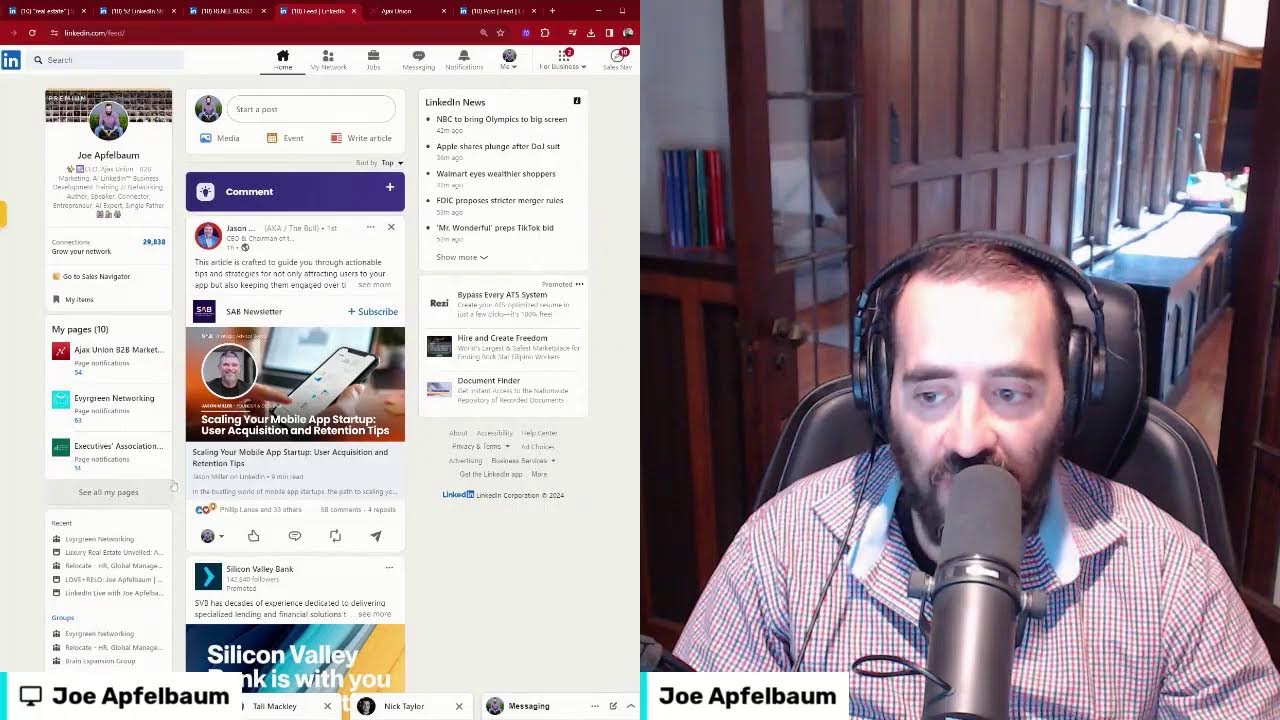
In this 35‑minute LinkedIn Live session, Joe Apfelbaum showcases AI‑generated music, explains how his Evvy AI platform creates content (music, posts, comments) in seconds, and walks viewers through a detailed LinkedIn‑to‑CRM automation pipeline. He demonstrates pulling LinkedIn profiles, summarizing them with AI, importing the data into his CRM, tagging contacts, and launching email/text sequences for specific niches (e.g., real‑estate agents). Throughout the live, he engages the audience by asking for locations, prompting chat commands (e.g., "write automation"), and offering free trials, replay access, and a 14‑minute demo of his AI tools. He also illustrates a systematic engagement strategy: liking, commenting, endorsing, and tagging high‑profile LinkedIn users to stay top‑of‑mind, repurposing old posts, and using AI to generate personalized comments and posts. The session emphasizes the massive exposure possible by strategically commenting on low‑comment posts of influencers, and the importance of a well‑structured CRM to manage 30‑40k connections. The overall message is that leveraging AI and automation on LinkedIn can dramatically amplify personal branding, lead generation, and revenue.
Chapters
Today, and the reason I'm excited is because I'm gonna play a song for you and tell me what you think. I got motherfucker. Yeah, so persistent, baby. This is so good. Link up. Heavy AI, baby. Heavy AI rolling down the street with my— No need to be alert. Let me show you how to grow. What do you think? You like it? That's AI-generated music. That is insanity. And that was like 3 seconds. It took me 3 seconds. Did you like the music? Did you not like the music? I'm curious to know what you thought about it because Revy AI is a powerful platform that has taken the world by storm, and we are helping people be able to leverage artificial intelligence, leverage LinkedIn with AI. It's just really, really fantastic. And I'm, I'm so excited about what's possible with artificial intelligence. I don't know about you, but I'm doing so many incredible things like generating music and creating content and creating poems and doing a bunch of different things. I'm curious to know, what are you using AI for today in your business? And if you're not using AI properly right now, maybe you wanna join a program that will teach you how to properly leverage AI to do things correctly. I mean, check out this song right over here. I'm gonna play you a song right here. This is a rap song, an AI rap song. It's just phenomenal. Like the music that you can create in literally seconds is just mind-blowing. So I'm gonna play for you a song, but I wanna know where you're dialing in from. So first, go ahead and let me know in the chat where in the world you're dialing in from. I'd love to hear from you. Lincoln. Hi. Is this, is this, is this, is this live now? Yo, it's just incredible what you can do with technology these days is just phenomenal. Let me know where in the world you're dialing in from. Curious to hear from you in the comments here. I'm gonna show you how I use a CRM together with LinkedIn, but I, I wanna make sure that you guys are watching this live now. Because somebody told me today, he said, Joe, how do you create an email sequence to your LinkedIn connections in a way that they will be able to see more about you via email without stressing out, without wasting time, and just have it send emails out to your LinkedIn connections? Like, how do you take all your LinkedIn connections, put it into a client relationship management program, And just make it work. Make the system work. Create text message marketing. Create email marketing. Just really, really build it out in a way where you can start making sense out of your LinkedIn connections. So I'm curious to know if it's something that you want to learn. If you want to see it, just say show me automation or write automation in the chat. I'm curious to know if you guys are interested in Seeing this, this automation technology, I can show it to you. I've published an article with the 57 LinkedIn strategies, the 52 LinkedIn strategies that I shared inside the LinkedIn Accelerator training program. And people have been asking me for the replay of that. And so I'm definitely gonna make the replay available for those that want the replay. I'm gonna give you guys a special deal on the replay. Um, so if you want that information, I'm happy to kind of share it with you. Let me log into Do a little bit of a review of my LinkedIn posts. If you wanna log in with me and see what I'm doing, I'm gonna share my screen right now. All right, so this is my LinkedIn screen right now. Let me just make it a little wider for you so you can actually see what's cooking over here. So this is what LinkedIn looks like right now. I don't know if you, you're, are you guys able to see my screen? You know what, let me, Yeah. Let me see if I can put myself next to the camera. Let me see if I can put myself side by side here. All right, now you can see my screen and you can kind of see me. Let me just make it skinnier so you can see it a little bit better. This is better, right? This is good, or you want it a little bit smaller? Okay, this, I think this is good. All right, all right, so let's, let's see what's cooking over here. So the first thing I'm gonna do is I'm gonna go to my profile and I'm gonna show you that on my profile I have a couple things. Number one is I have a verification badge. You see it says Joe has verifications. If you wanna verify your profile on LinkedIn, Just write verify in the chat and I'll tell— I'll send you the link on how you can verify, uh, your profile. If you want to see all of somebody's stuff, you just go to their profile. If you want to see all the recent stuff that they've done, and you scroll down to the section called activity, like you see here it says activity, then you scroll down and click on see all posts, and then you can actually see somebody's— all of somebody's posts. Like you can literally see everything that they've ever done. So I love going through people's posts just to kind of check out what they've done in the past. So I'm going to go here and, for example, take a look at who liked my recent post. So for example, Paul liked my post. So I'm going to go to Paul's profile here. I'm going to click on it. And this is Paul's profile. He's a top facility management voice. That's— so he's a top facility management voice. I scroll down and now I see that he posted something a day ago. I'm going to click on that post that he posted a day ago, and I'm going to go ahead, I'm going to give it a like. Actually gonna give it a heart. And then I'm gonna use my AI tool to generate a 20-word comment for him very quickly. So I have to sit down and think about what to say. The AI just writes it for me. I press post, and in this way I'm able to stay top of mind with Paul. I'm also going to, uh, look at Paul's profile briefly, just kind of grab his profile, look at his profile. I'm gonna copy information right over here. I'm gonna hit summarize profile. And it's gonna gimme a summary of his entire profile. So this way I have all these bullet points. Now what I'm gonna do now is I'm gonna go into my CRM and I'm gonna pull Paul's information from my CRM right over here. I'm gonna do a quick search for his name. I see his Paul, his name is here, his email address, his cell phone number, all his information's already in here. I see that he's an Heavy AI premium client. I see I have an opportunity. He's a prospect for me. And I have a follow-up date to kind of follow up with him. I have notes, I have tasks. This is a very powerful system. So if you're not using a system like this, I'm gonna press copy. I can copy this entire summary, drop it into my CRM so I have it later. Very powerful. And I can do this for all of my LinkedIn connections, every single connection that I have on LinkedIn, and put them into a pipeline, whether it's a networking pipeline, whether it's a prospecting pipeline. Whether it's you marketing to them. So for example, I am marketing to real estate agents. So for example, I'm going to go to real estate agents. I'm going to type in real estate and I'm just going to search my first-degree connections for real estate. I'm going to click on people and I created an entire series for real estate agents. I'm going to click on first-degree and now I see Michelle is here. So I'm going to pull up Michelle's profile. Michelle works for Compass. She's a sales agent for Compass. I'm gonna copy her name. I'm gonna go back into my contacts and I'm gonna search for Michelle. And as you can see, I have Michelle's cell phone number here, her email address, and she's in a sequence called Real Estate Agent Series. You see the sequence on the, on the right over here? It says Real Estate Agent Series. So if I click on this, you'll notice that she received an email that says, glad we connected on LinkedIn. I am glad we are connected on LinkedIn. I'm reaching out to my real estate contacts on LinkedIn because I've been helping real estate agents be able to use AI on LinkedIn. I created an AI assistant called Evvy AI. Not sure if you heard of it. My goal is to get real estate professionals to watch the demo of how AI works because it can really help create exposure in real estate. Would you be open to checking out the demo? I can send you a link, Joe Apfelbaum. Also, it's featured, it is also as a feature video on my LinkedIn profile. So I'm going to modify that because it's supposed to say featured video. So I'm gonna go into the automations. This is, these are my automations. I'm gonna find that specific workflow. Um, I'm gonna look for the real estate workflow, real estate professional series. This is the real estate professional series. And this is, this is the actual workflow that I have over here. Uh, as you can see, um, zoom, I can zoom in and outta this workflow so you can see what's going on. So I'll show you what it looks like. The first thing I do is if I add this tag, to that LinkedIn connection, then it puts them into a series and it starts sending them an email every 3 days. You see? And I could also send them a text message as well in between, and I can tag them. And so this is the first email. I'm gonna scroll to the bottom of the email and I'm gonna write featured video. You see featured video? And, um, and then, then I just save it on the bottom over here. You see where it says save action on the bottom? I save this action. And then I save the entire series. Okay, so now this series is saved. So if I want to go ahead and go back into the workflow, go back into the contacts, you'll see I have 30,000 contacts because I have 30,000 connections on LinkedIn. So I'm going to go back into finding another real estate agent. I found another real estate agent. Here's another real estate agent from Compass. This person's name is Stuart Gale. So I'm gonna copy Stuart's information, go into my CRM. I'm gonna find Stuart. Now I notice for Stuart, his email address is not here. So what I'm gonna do is I'm gonna go into LinkedIn and I'm going to grab his email address from his contact info. You can see his email address is right here. His cell phone number's right there. So I'm just gonna copy and paste it into the system because he's connected for me since 2022. And I'm going to make sure that he now gets my— Real estate agent series. So I'm going to go here and I'm going to go to tags and I'm going to type in real estate agent. So he's a real estate agent. So I tagged him as a real estate agent and now I'm going to type in Compass because he works for Compass. And now I'm going to also add him to the real estate series. Real estate series. And now as soon as I add him to the real estate series, you're going to see I sent him an email. You see that? That email already went out. If I open up the email that I sent him, you're gonna see it's, it's, it has the word featured instead of feature. So it was updated with the latest version and now Stuart Gale got an email. I'm also gonna go ahead and send him a message here and I could also follow up with a call. Um, are you using LinkedIn often? Okay, so I'm gonna send him this message to kind of nurture him. I do see that the last time I sent him a message, he opened it up at 7:12 AM on August, August 16th. So I haven't messaged him in a while, but he also hasn't been posting on LinkedIn. The last time he reposted something was 6 months ago. Um, I'm gonna endorse him to just kind of get his attention. And the last time he got a recommendation on LinkedIn was in 2011. So he's not really, he's not really using LinkedIn very often. Uh, but at least now I am communicating with him and putting him into a CRM and Trying to get him and the other real estate agents that I am connected to on LinkedIn into this series. I have 3,600 people with the word real estate in my first-degree connections, and I'm gonna go through them one by one and learn about them and build a relationship with them. 'Cause really that's the key. The key is not just spraying and praying, but actually building relationships like I did with Paul. And I picked up the phone and called him and, you know, he's a client of mine already, but he wants to potentially use this particular CRM that I'm talking about. And so I wanna give him access to the CRM, show him how to use it, set it up with his LinkedIn connections and, and build those relationships that way. So if you're interested in, in learning more how to do these types of things and how to use technology like this, I'd be happy to show you. Just write automation in the chat and I'll be happy to show you. Let me see who liked this post. By the way, guys, give this a like so I can, so I can pick you up from the likes. The way that you can see all my posts, you go to my view profile here. And then under view profile, you can actually see all posts by clicking on show all posts. And then what you can do is you can click to see who liked it. So I see Damien liked it over here. So I'm going to pull up Damien's profile over here. And I see Damien is in Seattle. He has 80,000 followers. That's very, very impressive. I'm going to pull up this over here. I'm going to see what list he's in. He is in over 30,000 first-degree connections list here. I have him on a list, uh, of over 30,000 connections. So now what I'm gonna do is I'm going to summarize his profile. I'm gonna click on summarize. The AI's gonna read his entire profile and provide me with bullet points that I can add to the CRM. You can see he has, um, his email address and phone number and, and all his information over here. You see the, the, it pulled up a summary for him here. I have his full summary here. Now I'm gonna copy this and I'm gonna say, I'm gonna I'm gonna send it to him and I'm gonna say, what do you think of the summary? What do you think of the summary that Evvy AI created about you? Okay, so now I just sent him this question over here and I'm gonna give it a little thumbs up and a little smiley face here. And let's see if he answers me asking him about this summary. I'm gonna listen to his thing over here. Let's listen in. Damon Pistalko. That's how you pronounce his name. Now I'm going to check to see, um, if I have his contact information in my CRM. Okay, let's go into my CRM, see if I have his contact information. I do have his contact information. I updated it. Last activity, I sent him something one month ago. Let's see what I sent him a month ago. I sent him a message that says, Damon, thank you for being my connection. Do you ever see my content? I'm big on engaging on LinkedIn. Looking forward to staying in touch with you. So now what I'm gonna do is I'm gonna send him a message and I'm gonna say, thanks for the like today. I'm gonna say, Damon, thanks for the like today. Have a great weekend, Joe. Okay, now I'm gonna send him this message here. I just sent him an email from my CRM. So I've sent him a message before a few months ago, but now I'm gonna send him another message. And if I wanna add a note or if I wanna tag him as a LinkedIn connection, I can tag him here, uh, on the type of connection he is. I can see that he is an engaged LinkedIn user cuz he's engaged on LinkedIn. Um, I'm also gonna tag him as Joe Apfelbaum's LinkedIn connection cuz I can import other people's LinkedIn connections into my CRM from my company. So that I can keep tabs on them. So for example, if they were a Tammy connection or if they were a Mark connection or Robert's connections, I'll put them all in here and I'll know how I can kind of get through to them and build a relationship with him and those connections in a different way. So as you can see, this is a powerful way for you to be able to stay top of mind with people and build relationships and kind of get to know them. I see he, the last time he posted was 6 days ago. I'm gonna check out his post from 6 days ago now just to kind of see what it was. It looks like it was some type of LinkedIn Live or some type of event. That's cool. This one was 4 hours ago. He has a post from 4 hours ago. I'm gonna go ahead and give this a like, and I'm gonna drop a short comment on his post over here. See what he wrote over here. Join us live for 30 minutes, blah, blah, blah. I'm gonna say excited to hear how Alma and Jocelyn are supercharging their SEO. SEO is the key to visibility. Kudos to Damon for spotlighting This. Okay, I'm gonna press post and now I just tagged him in the comments and I left him a comment just like that. So this is a powerful way to stay top of mind with people, to build real relationships, to get to know people. I love going through my relationships on LinkedIn and kind of getting to know people. So I'm gonna go through the comments and just kind of show you. So for example, Olga. She's been leaving comments for me. One of the ways that I stay top of mind with her, first of all, I'm gonna save her profile over here into Evvy AI. You see I saved her profile. I'm also gonna summarize it so I can put the summary into my CRM. And as you can see, the last time she posted was 4 months ago. That's a long time ago, but she does have skills that I can endorse just to kind of show her a little bit of love. I'll save it later. I'm gonna press endorse. And now she's gonna get a notification that I endorsed her for digital marketing. Again, it's a way that I can stay top of mind with my network and build those relationships out. I'm gonna go to my network and I wanna see that somebody just hit connect for me here. I'm gonna inspect this person's profile. I see that this person's in Utah. You can see this person's in Utah. I click over here, I see, okay, this person's in Utah, give me a thumbs up. From her photo here, I see that she works for a company called Signals. I don't know what Signals does. She's— oh, she's a marketing intern part-time for Signals. And it doesn't look like she has much going on in her profile. It looks like she got a recommendation in January from Alec. While I didn't manage her in Greenhouse, her grit and determination certainly stood out. Okay, cool. So what I'm going to do is I'm going to press accept. And I'm gonna send her a message. Congratulations on being nominated for Demand Gen Leader in the summit. I'm Tali, Signals of a Host event. I'm here to celebrate your achievement, blah, blah, blah. Oh, look at that. Demand Thought Leader, Joe Apfelbaum, vote and nominate. Okay, I'm actually gonna ask her to check out my demo of Evie AI. Let me know what you think of my demo. Let me know what you think of my demo, 'cause I want people to check out the demo of Evvy AI. So I asked her to kind of check out the demo there. So I connected with her, asked her to check out the demo, and let's just see what happens with that. Here are the 52 strategies that I mentioned earlier. So check this out. They're powerful LinkedIn strategies. So here's the 52 strategies. I actually sent these 52 strategies via email to these 11,000 LinkedIn subscribers. You see these LinkedIn subscribers? These are actually real people, and most of them are not even connected to me on LinkedIn, but many are. And whenever I create a LinkedIn newsletter, they all get a message. They all get an email from LinkedIn with the actual newsletter. So they all got These 52 strategies. As a matter of fact, Jeff, one of my clients, asked me for this and I said, I'm gonna give him a special deal on this. So here are the 52 strategies that I taught. LinkedIn poll strategy, how to identify leads using LinkedIn polls. Reply to inbound InMail with strategic DM. I love this strategy. Featured networking one-sheet document strategy. Who looked at your profile, QR strategy, Calendly booking links search strategy, connections dashboard strategy, LinkedIn Live strategy. So right now I'm doing a LinkedIn Live, but that's a LinkedIn Live strategy. And I walk people through how to use LinkedIn Live. And right now I have dozens of people watching this LinkedIn Live, including you. So let me know, let me know where you're dialing in from. I'm curious to hear from you. It looks like Craig just gave me a like. Thank you so much, Craig, for giving me a like. I appreciate you. I see you have 39,000 followers. You're doing great on LinkedIn. Thanks for being one of the first clients of Evy AI. I really appreciate that. I'm going to check out his post over here. I'm going to check out Greg's post. I'm going to give it a nice little comment over here. He said the Edmonton chapter of EO has selected a few openings for blah, blah, blah. I'm going to tag him. The Strategic Alliance Program sounds like a game changer. I'm going to press go and you can see I just Left a comment. I'm one of 105 people that left a comment on his post here. I'm also gonna give him a heart. And as you can see, when somebody leaves you a comment, that is powerful. It's powerful when people leave comments. I'm a member of Fort Worth SAP, 7 chapters. So these are real, real people that are in the comments here going for it. So I'm gonna go here. I'm going to send him a message to Don Williams. Um, I'm going to say, love what you are doing on LinkedIn, Don. Okay. Now what I'm going to do is I'm going to scroll down and I'm going to drop a comment on his post because I want to stay top of mind with Don. You see that? I'm going to give it a like over here. YouTube, are you out there? I'm going to press generate and I'm going to generate a comment on this connections post right here. Don, your journey resonates deeply with many of us in the marketing world. It's a stark reminder of the volatility of the digital space. Okay, I'm going to press go. Now what I'm going to do is I'm going to look at his profile again and I'm going to give him an endorsement, which we will get notified in a different place for my endorsement, but I'm not going to endorse a standard skill. I'm going to go down and endorse a non-standard skill. Standard skill that he has over here that he hasn't gotten many endorsements for. I love doing that. I love going down, finding one that's related to, related to something that I think would be great, like LinkedIn, like strategic partnerships. I'm going to click on endorse. So I just gave him an endorsement for strategic partnerships. He doesn't need more endorsements for sales. He has so many, but he can use more for strategic partnerships. And so I just left him an endorsement for that. I'm not going to endorse all his skills at once because he only gets one notification each time I do it. And so I'm very strategic when I go ahead and do that. Now, what I'm also going to do is I'm going to go to one of his previous posts over here. I'm going to find an older post where that's a little more, you know, that's a little bit better. It's a little bit of a better post. I'm going to scroll down. I like this one over here. How do you show your gratitude? I'm going to give it a like. And I'm going to drop a comment here. This is gonna bring up an older post from him, which is gonna remind him, you know, from a month ago. It's like, oh my God, Joe just— Joe's looking through my stuff. That's pretty cool. So I go ahead and leave a comment like that. And now he gets notified that I left him a comment. That's pretty cool. And so how did I do that? I do that because I go through the people that are engaged on LinkedIn. And I start building relationships with those people. If you're getting value, write value in the chat, hit the repost button so more people can see this. Now, if I wanna write a post on LinkedIn, one of the cool things that I can do on LinkedIn besides stay top of mind with my connections, which I absolutely love staying top of mind with connections, is writing posts. So what I can do is I can go back to one of my older posts that I've written in the past. And I can have Evvy AI just rewrite that post for me. But I'm part of a group of people that are sharing each other's content over here. So I'm gonna go ahead and he just shared this here. I'm gonna go ahead and leave a comment here. Friday post, grateful for the week. Ellie, kudos, kudos, blah, blah, blah, on facilitating such a wonderful transformative vision day. So I'm gonna go here. And I just left him a comment related to that that came from his— he created a little group inviting people to like and comment on his post. So I went ahead and supported his post. He is an EOS implementer. He's also an Evy AI Premium client. So I'm going to type in Evy AI Premium, and he's engaged as well. So I'm going to tag him as engaged. And now he is tagged as an engaged. He's also EOS. I'm gonna do EOS. He's also an EOS member, so I tagged him as EOS member. So now I have him tagged here. So if I want, I can go see all my saved profiles, you see, and he's gonna appear here as a saved profile. So if I ever wanna engage with his content, I just click on see recent activity and I can see his recent activity. I don't have to go wonder if I want to, find influencers, I scroll down here to the influencer section here. You see that? I click on influencers and now I could see all the people. I'm gonna go to 50 at a time. I could see all the people that are influencers on LinkedIn. For example, Gary Vaynerchuk and Alex Hormozi and Ivana and Cody and Richard Moore and Reid Hoffman and Jeb Blum and all these people that are That are just players, players on LinkedIn. Gary Vaynerchuk has 5.4 million followers here. He only has 8 comments on this post. So I'm gonna go ahead, be one of those 8 comments. I'm gonna be comment number 9 on a post that has 5.4 million followers, but only 8 comments. Jumping all over LinkedIn, jumping over from LinkedIn to join the live, Gary. Excited for the chance to win a collectible. Okay, so he wants people to go to this live. What is he saying over here? LinkedIn friends, I'm on live right now. Click here. Let me click here and see what happens. Fanatic Show. Let's see what's going on here. V Friends. So he's driving people here to this place. Okay, I'm not gonna, I'm not gonna compete to that. I'm also gonna leave a comment here. She, here he has 4 likes. So I'm gonna go ahead and say, taking a page from Gary Vee's book, networking is the key. Kaylin McManara is on my, is on my radar now. Thanks for the nudge. Okay, so now I tagged her. So now I'm gonna go to her profile, Chief Business. She only has 3,000 followers, but she was tagged by Exciting news. Okay, I'm going to leave her a comment just like that. And I'm going to go, good as the VaynerMedia for truly setting the bar. You crushed it. Good job. So you see that? I just left a nice little comment. Now I'm going to do Alex Hormozi. Alex Hormozi has 300,000 followers. He's the author of the book, $100 Million Offers. I love Alex Hormozi stuff. I'm a big fan of his content, so I'm going to support him with a comment and I'm going to create exposure around the people that are commenting here. I'm going to write boom, right? Boom, just like this. And now Dan also gets notified that I commented on his stuff. You see that? So I not only comment, but I also engage with the commenters. So these are engaged LinkedIn users. I want to make sure that they know that I'm commenting. And so I'm dropping comments on these posts as well. So I'm going to go here. I see Ivana posted a week ago. I want to stay top of mind with Ivana because her ideal clients are my ideal clients. I'm going to go ahead and hit generate. Authoredop is a new tool, game changer for pros, a sharper than LinkedIn must-try for anyone serious about networking and prospecting. I'm going to go here. Free tool, About Me Writer for LinkedIn. Why is this tool so important? Okay, click here. Let's check it out. About Me Writer for LinkedIn. Okay, that's cool. I'm gonna click here. Let's see what they wrote here. I'd be curious to see how it works. I've not seen it. It's not AI, it's an editor. Okay, good. I love that editor. I'm going to go here. I'm going to see if there's anything else that I can comment on here. Okay. Let's just see what we got going on. So she hasn't really been posting much on LinkedIn, which is fine. That's okay. Cody Sanchez, she has 223,000 followers. I'm going to go ahead and drop a comment on her post, her most recent post from 7 hours ago, how to buy a biz. Okay, I'm going to go here. You've distilled the seller financing into great advantages and boom, there you go. Richard Moore, also 83,000 followers. I'm going to drop a comment here. On his recent post, Richard Moore, you nailed it. Okay, there you go. And then I want to drop a comment on Reid Hoffman, the founder of LinkedIn. Thrilled to see you at the helm of such a transformative project, Reid. Okay, and I'm going to say boom. James. Okay, so this is one of my clients, and he's also commenting on Reed's post here, which is cool. But as you can see, he has 2.6 million followers but only 11 comments. I'm one of those 11 comments. I'm 2 of those 11 comments. I'm 2 of those 11 comments. That is crazy. That is crazy in terms of exposure, like the level of exposure that you get from doing things like that. Like, wow. Most people have no idea that you can do that, that you can use artificial intelligence to create exposure on your profile. And so if you guys are watching this right now, just go ahead and drop a comment and let me know that you're watching live or that you're watching the replay. Would love to hear from you. Would love to see you in the comments. All right, so this is Jeb. Jeb is a sales trainer. I wanna make sure that I'm in the comments of the sales trainer. I'm gonna go ahead and drop a comment. AI can do a lot of things, but it can never be you. Absolutely, Jab. The ultimate assistant amplifying our human in sales. AI's the ultimate assistant. It's our empathy, creativity. Let's leverage tech to make us uniquely human. Okay, so that's great. And then Austin here, he's, he has 100 comments. He has, I don't even know how many followers he has. Why doesn't it show his followers? Let me refresh. 1.3 million followers. Look at that. I teach people how to land amazing jobs. So I'm going to go here. I'm going to click on this and I'm going to just— how to turn rejection into job offers. Alan Beckson insights on flipping rejections to offers are spot on. Okay. I'm going to like this one over here, generate a comment for him. Now he gets so many comments. He's never going to notice the fact that I commented on his stuff, but his connections will, his connections will notice that they will get notified about that. My connections will also get notified about that. So that's extremely powerful to do things like that on LinkedIn. So if you're not, if you're not leveraging this properly, look at Bill Gates, for example. Have you guys seen Bill Gates's posts or Lewis Howes's posts or Jasmine's or Kevin O'Leary? Or Alex Lieberman or Chris Donnelly or Nat Berman. Look at these pe— look at these incredible people. Look, look at Bill Gates. Bill Gates has 35 million followers on LinkedIn. That is maybe the most followed person on LinkedIn. He might be the most followed person on LinkedIn. That is— think about that. Think about this dude, 35 million followers on LinkedIn. Wow. Wow. So powerful. And, and I can comment on that and I have the opportunity for thousands of people to see my comment. That's powerful stuff. Look at Pete. Pete has 218,000 people, so it's not a ton of people, but it's quite a few people. Um, and what I'm doing is just dropping, offering support. That's what I'm doing. I'm literally just offering support to Pete. And my goal is to build a relationship. He said new AI. Released this year: GPT-4.5 Turbo, GPT-5, DALL-E 4, Sora 2 voice engine. This is great. This is great. Okay, so let's do this. Let's drop a comment. Now, for whatever reason it ever doesn't work, you just stop it and just start it again. That's all. Sometimes it's not gonna be perfect, but you know, it works most of the time. Okay, so I'm gonna click on Lewis Howes. I'm gonna drop a comment for Lewis. I love Lewis's stuff. Lewis has really, really great content. I love his content. Really, really useful content. Now, every single thing that I do on Evvy AI gets recorded on Evvy AI. So if I click on see all activities, you're gonna see all of my activities. So these are all my recent activities on Evvy AI. Comment, comment, comment, comment, comment, comment, comment, comment, comment, comment, comment, comment, comment, comment, comment. Can you leave this many comments if you're a regular person? Can you leave this many comments on LinkedIn? I don't know. I'm, I'm on LinkedIn Live for 35 minutes and you can see how many comments I already left, creating a tremendous amount of exposure on my profile. So if you're not, if you're not properly leveraging these tools, if you're not properly leveraging a CRM, To help make sense of your connections, of your relationships, of your opportunities, of your conversations, then you're missing out. You're missing out on your ability to be able to grow your business. This is a huge— there's a huge opportunity here. There's a huge, huge opportunity. Uh, let's see what Talia said. Talia didn't say anything to me yet. She didn't reply to me. Okay. There's a huge opportunity. Look at that. Stefan King. Also added comments. Jeremiah liked my comment. You see that? And he's also on my LinkedIn Live right now. Behavleen liked my— oh, she commented, it's amazing, wishing you every success. Faisal Ahmad liked this post. Look at that. So I'm gonna go to Jeremiah's profile just to kind of check out where he's from. He's from the UK. It looks like he has 800 followers. Jeremiah, you can have 30,000 followers on LinkedIn just by adding 30,000 connections. That's powerful. So 10 hours ago you posted this. I'm going to check out the post that you posted here. I'm going to go ahead and give you a like. Then I'm going to drop a comment here on your post. This is Jeremiah's post. And I say, Jeremiah, love your tenacity in marketing. Every setback is a set— every setback is a setup for a comeback. Keep pushing forward. Okay, so I did that. He's talking about, you know, just not wanting to do it anymore and blah blah blah, not giving up. And as you can see, all these people left comments encouraging him and building relationships. Now I'm going to also find the people that I personally have a relationship with because they're my clients or they're my connections. You see that? And then I'm going to go find their posts and drop comments on their posts. I'm gonna find people, drop comments on their posts, and when I drop comments on someone's post, they are compelled to go to my profile and drop a comment on my posts as well. That's just, that's just literally what happens. I see that happening all the time. Now, I didn't— I don't know if you know this, but you can actually search. I'm going to search ChatGPT. You can actually search through people, through your own posts. So if I click on posts I search ChatGPT, I click on posts. I can actually click on all filters and then I can scroll down. I can click on me and show results, and I will show every single post that I've created with the words ChatGPT. So I'm gonna scroll down and find a post that I like related to ChatGPT. So I'm gonna find the post that's popular. One million of the 930 million people—that's how many people I want to help leverage using LinkedIn and AI. Okay, all right, that's cool. I've been chatting with great going to Orlando training 390 people. Look at this: I am traveling to the Yale Club this morning to give a presentation to a group of successful. Here are the topics that I'll be covering. That's cool. Promote yourself in the da da da. Two point four million dollars in revenue in six months—that's the power of AI. I love that. Robots are coming. That's a good one. I was having a conversation with Brent Tillman yesterday about our upcoming Sales Navigator Summit. Explore collaborative articles. Ever wonder how to get a Top Voice badge on your profile? I like this one over here. So what I'm gonna do is I'm gonna copy this right here. I'm gonna copy that. And this is from what, 3 months ago? I'm gonna right-click on this. I'm gonna save the image as, I'm gonna call it Collaborative Articles. I'm gonna save it in my LinkedIn images folder. And now I'm gonna go back into LinkedIn and I'm gonna click on media. I'm gonna go to my LinkedIn images folder. I'm gonna grab that Collaborative Articles picture, and then I'll just paste this. So this, this was written by Evvy AI. I can just literally repurpose this right now, just like that. And now I repurpose this. Now what I'm gonna do is I'm gonna click on the 3 dots here. I'm gonna hit copy link to post and copy link to post. And then, then I'm gonna share it. So there's a lot of places that I can share my LinkedIn post. To get comments. Where are those places? Well, some of those places are in like the messages. So I could find group messages like this group message over here. So they, this company, this JD thing added me to this group message or this Sprint Booster. They added me to this group message or this one right over here. They added me to that group message over there. Um, or this Link Booster message over here. You see that? So I just, I just literally just copy and paste just like that. And then these people get notified that I posted. And what I'll also do is I'll find people's posts that the post that they posted there. So for example, this person over here, Kat, I'm gonna click on her post and I'm gonna drop a comment for her. She only has three comments over there. I'm gonna drop a comment for Cat Casey. It's like that, Cat. Your dive into Gale Gate is phenomenal. Okay, so I just dropped a comment for her. This is from two hours ago, and she put it over there. Now I'm gonna click on this like. You should be the next. You should see the next we are building. I'm gonna say tell me more. Tell me more. I just featured. This on LinkedIn Live. Watch me. Okay, I just featured this on LinkedIn Live. Watch me. I'm gonna press notifications and I see AI is truly amazing, isn't it? You see that? So Jeremiah just left that comment here. Guys, if you're having fun and you're loving it, put some dollar signs in the chat. We'd love to see you guys in my chat right now. So I can feature some of you. I love finding people's posts. Look at this one over here. This one has 263 comments. I'm gonna leave the 264th comment here, and that'll create more exposure for my profile. Every single time you leave a comment, I'm gonna say, as a marketing professional CEO, I find that a clear mind is crucial for strategic thinking. The steps outlined are practical and truly transformative. Thanks for sharing, Chris. Okay, great. Social media is beautiful and tragic for creativity. Okay, this is Alex Liebman from the Morning Brew. I'm gonna drop a comment. What's it gonna say? Alex, you've hit the nail on the head. Creativity thrives when it's authentic and unique. Okay, great. I'll, I'll just message him like that. Let's see what people are writing over here. Joe Apfelbaum, I really love what you're saying. Love the tenacity. So he replied to me. Fantastic. This is Kevin O'Leary from Shark Tank. Look at this. I'm going to go to Kevin O'Leary from Shark Tank. I'm going to check out his posts. Boom. Like that. So you guys saw the way I repurposed a post from the past. I don't have to sit there and think about what to post because I have posts that I've already done in the past that I can repurpose, but What I can also do is I can take this post, copy it, go into Evvy AI, click on the post writer, paste the post in, change the tone of the post. I can make it philosophical. I can change the goal of the tone to make it promotional. And then I can hit generate and it's gonna write a hook, it's gonna write main points, it's gonna write a call to action, and it's gonna write hashtags. That, my friends, is power. That, my friends, is power because it only takes about 10 to 15 seconds to write a post. You see, in the vast tapestry of human endeavor, it's a thread that connects us all. The pursuit of recognition is what— look at that. That's a little philosophical. You see, if I want to change the tone from philosophical to educational, I just press regenerate and it'll change it to an educational tone. If I want to change the persona, I could change the persona. It's really powerful what I can do with these particular tools. And most people are not properly leveraging it. And if you start leveraging it, you're gonna start getting more exposure. So I highly recommend you take the time to think about how you can use AI to your advantage to help you be able to succeed more. Most people are not using AI properly, and I want you to learn how to leverage AI. So it looks like I just got a comment over here. I just got a like and a comment. I'm going to give this a like. I'm going to like my own post. Inspiring, he wrote. I'm going to go here. And as you can see, I'm going to reply. I want to reply to him. Ellie, your enthusiasm for marketing shines through. Keep networking. And over here, Jeremiah returned the favor and left me a comment after I left him a comment on his post. And now I'm going to hit generate and I'm gonna say, Jeremiah, thanks for tuning in. Your enthusiasm is contagious. Just jumped off your live. Amazing insights. Okay, cool. So as you can see, I'm already getting replies to my post over here. 27 people saw it in the past 4 minutes. That's the power of LinkedIn. You have dozens of people see your content, connect with you, Build a relationship with you. And as a matter of fact, I have special personas. I wanna show you something cool. I have special personas that I have created that have a specific call to action. So for example, if I wanna drop a link to the demo of Evvy AI, right? I have the link to the demo and I want to be able to promote my product and I wanna create a, Inspirational tone. I just hit generate. It'll read this post and it'll promote my product, the power of AI to amplify our voices, and it'll just give a demo of Evie AI right there. Look at that. It just dropped a demonstration video. The AI wrote an entire comment promoting my, my Evie AI on my own post, but it wrote it in a powerful way. Check out the Evie AI demo. Let's keep the dialogue meaningful and our insights sharp. That's— I don't know. If you're not impressed by that, I don't know what to tell you. I just don't know what to tell you. This is a great, great person here. I love this person. So I'm gonna make sure to look through her posts from the past and drop comments strategically, especially on the posts that don't have many comments. So I'm going to promote my book to her under this particular post. I'm going to tie it together. Renee, you're echoing the Entrepreneur's Anthem. It's all about leveraging the— no, no, no, check out my book. Okay, check this out. So I kind of promoted my book under her post and I'm the only one that commented on this. So if anyone finds this post in the next 24, 48 hours, or whenever they go through her stuff and they find this post, they're going to see me. Promoting my book under this. That, I don't know what to say, but I think that's powerful. She just liked my comment over here. I love that. Looks like Jeremy already is getting on it. I'm gonna see if he posted. He posted 4 hours ago here. I'm gonna reply to his post. I'm gonna give him a little sign here and I'm gonna say generate, and it's actually gonna read his post and drop my book into his post just like that. So I absolutely love connecting with people, building relationships. Look at what she, look what she wrote over here. She wrote, precisely, precisely as we heard along the breakneck of AI innovation, it's important to realize that the delicate balance between trust and perception has shifted. Glad you found that insightful. Okay, now I gave her a celebration. Now what I'm gonna do is I'm going to acknowledge her once more. I wanna scroll down. Find another post of hers because I have her attention and she's using LinkedIn. Another post of hers, give it a heart, be one of 30 people, and then give it a like, which is one of let's say 5 or 6 people because I see that she's commented on herself a lot. So I'm one of 5 or 6 people that left her a comment. Now I'm going to go like that. Casey, you've illuminated the protocol of clarity and the beacon of the fog. Just as in networking, our connections are our currency. Mastering ESI and harnessing the power of innovation, blah blah blah. Okay, and I'm going to press post, and now I just promoted my book, but at the same time acknowledged her. Very powerful. For other left comment, I've been wondering commented on my post. Oh, look at that! So she just commented on my post as well. I've been wondering about justice. I'm just going to look at the tag and see if it can help me amplify my voice. I'm going to say yes, you can find it at www.linkedin.com/advice. Let me know how it goes. Boom. Okay. I just found her one called advice. I just gave her advice. I gave her the advice to find the advice article, the advice link. So I'm going to go back into messaging and I'm going to find some more people that I can promote their content. So for example, Ivan, Ivan posted this post over here 22 hours ago. So what I'm going to do is I'm going to give it a heart. And I'm gonna drop a beautiful comment here. Now I also want to, I also wanna build a relationship with him. So what I'm gonna do is I'm gonna go to his profile and I'm actually going to accept his connection request. Do you see that? And now what I'm gonna do is I'm gonna click on message and he says, we're both in JVM, would love to connect and collaborate. Sounds great. Do you have, A calendar link or should I just call your cell? Okay. I said, do you have a calendar link or should I just call your cell? Okay. So I'd love to— he wants to collaborate with me. We're both in a joint venture mastermind group. This can turn into hundreds of thousands of dollars in new revenue for my business. This relationship right over here. This is extremely powerful if you learn how to use these tools like LinkedIn to build these relationships. Now I don't have a lot more room. To connect with people. You can see I only have 161 people left that I can connect with. So what I'm gonna do is I'm going to start removing connections that are not very active. So for example, I might go into my CRM, I might find Sarah. I'll see I have a total of 159 Sarahs. So I'll find a specific Sarah, like for example, Sarah Doherty. I'm gonna find her LinkedIn URL in my CRM. I'm gonna pull her up. I see that she is in Hartford. She's a strong communicator for HP Enterprise. And I'm gonna send her a message over here, see if she's even active. Are you using LinkedIn actively? Okay, I just sent her a message and I see she reposted stuff, but she really hasn't been posting. She hasn't really been posting. Don't miss it, DR. That was a month ago she posted that. She's just basically sharing a lot of things on LinkedIn. Oh, life is short. Just had very nice former colleague and friend Ed, always had a huge smile. Okay, I'm not gonna comment on that. Happy Dog Day is definitely making the world worth a presentation. Okay, so I'm gonna go in here and I'm gonna copy this. And I'm going to just drop a cute, short little word. Sarah, our furry friends do add special joy to our weekdays. Okay, so I'm just going to drop a comment here. So yes, this was from 7 months ago, but this will bring her a smile back to her face because I want to bring that back up to her. Now what I'm going to do is I'm going to go to contact info, grab her Yahoo email that's right here. If I want her proper email, all I gotta do is hit save contact. I see that no email is saved over here. That's fine. I'm gonna drop her Yahoo here. I'm gonna press save, and I just saved her email address here. If I wanted to tag her in an automation, I can tag her. I can send her an email. There's a lot that I can do. I haven't had a conversation with her. And when did we connect? Let me click on contact info. We connected back about a year ago. Okay, so what I'm going to do is I'm going to actually send her the demo of Evie AI. I'm going to refresh here and I'm going to pull up a template to send her the demo of Evie AI. It looks like people are commenting on my stuff here. That's great. Let's see. Okay, so now I'm going to go in here, grab the demo. So I have a bunch of different templates. Okay, we just created a video. Glad we are connected on LinkedIn for over a year. Sent you a DM, but not sure if you check it. Would you mind watching and dropping a comment? I'm going to press send, and now I just sent her an email. To watch the demo video of Evvy AI, and hopefully she'll get it and she'll watch that video. And if not, I can add her to an automation or just remove her from LinkedIn, but still have her in my marketing system and even update her email to a different email or her cell phone number. I can pull up her cell phone number from big data if I need to and text her and build a relationship from that way. You know, that's, that's a powerful way to connect with people. I'm gonna go here and I'm gonna add a tag, a LinkedIn connection tag, 'cause she is actually on LinkedIn. She's not super engaged, but at least I tagged her as a LinkedIn connection. And then I can go back to the rest of the 159 Sarahs that I have and continue to keep building relationships. All right, well, that's what I got for you. I hope you have a great weekend. I know I'm gonna have a wonderful weekend. Thank you very much for watching this. And I hope that you got some value. If you did get value, write value in the chat. Let me know if you want the replay to the accelerator program. Let me know if you want a free trial to our CRM. Let me know if you wanna watch the demo of my AI. I have a 14-minute demo I can send you. Just leave comments below. I do check all the comments. I do make sure I reply to everybody. And if you wanna learn how to create music, like the music I started this video off with, say, Joe, I wanna learn how to create music, and I'll make a little video on how to create music using artificial intelligence. Thank you very much for watching this. I appreciate you, and we'll talk again soon. Thank you.
More from Joe




How to Beat the Algorithm: Remove Hidden Watermarks & Scale Content with evyAI






