056 LinkedIn Success - LinkedIn Live 2024 with Joe Apfelbaum
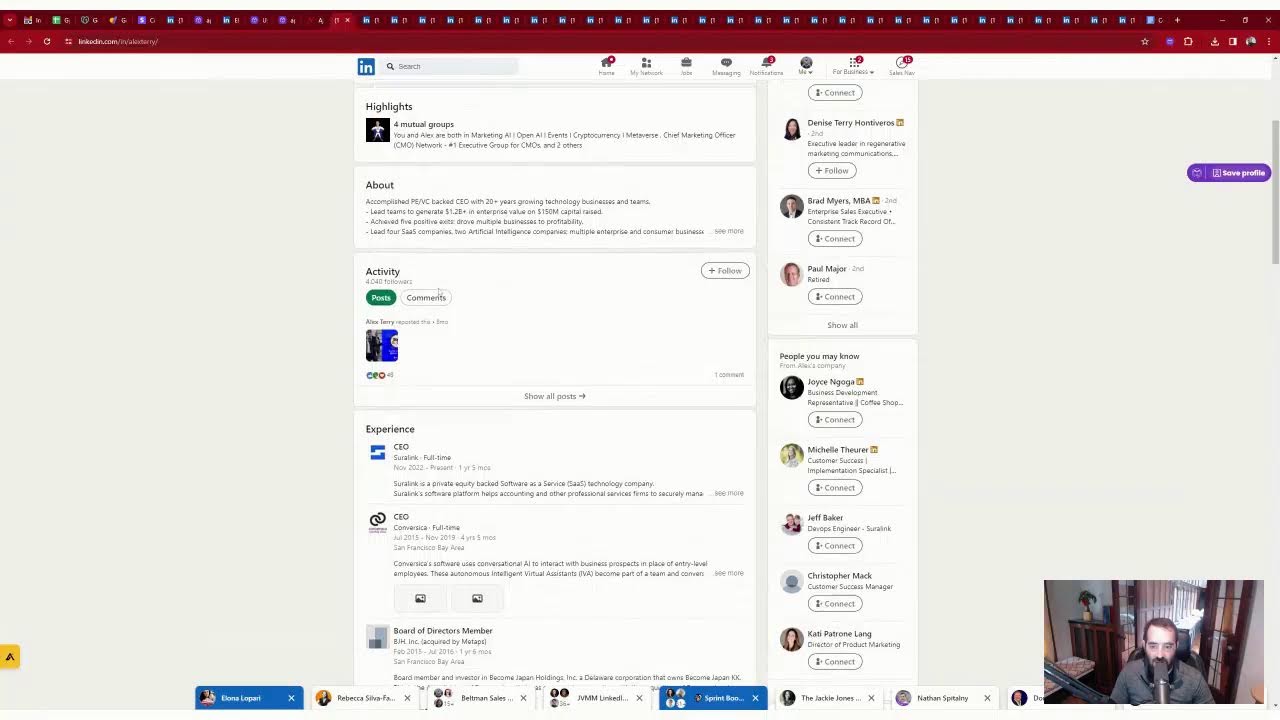
In this 27‑minute LinkedIn Live session, Joe Apfelbaum emphasizes that successful LinkedIn networking requires courage to move beyond passive connections and systematic relationship management. He defines fear as "false evidence appearing real" and urges viewers to take bold actions—commenting, liking, reposting, and reaching out via phone, text, or email. Joe outlines a three‑part LinkedIn strategy (plan, target audience, promise) and stresses the power of storytelling and an optimized profile with recommendations. He then demonstrates his practical workflow using a CRM integrated with his AI tool, Evy AI, showing how to save profiles, tag contacts, track birthdays, send personalized messages, and automate outreach sequences. Throughout the demo he imports LinkedIn connections into the CRM, creates tags (e.g., industry, series), builds email and SMS templates, and uses AI‑generated summaries to personalize communication. He showcases real‑time examples of engaging prospects, securing podcast invitations, and converting connections into leads and referrals. Finally, Joe promotes Evy AI’s affordable pricing, free trial, and additional features like a post writer, idea generator, and learning hub, inviting viewers to try the tool and request 30‑day free CRM access. The session concludes with a call to build 10‑20 relationships daily to accumulate thousands of meaningful connections by year‑end.
Chapters
Building relationships on LinkedIn does take time. It's not overnight. They say that overnight success is 10 years in the making. I have some relationships that I've known for 10 years, and only now, 10 years later, am I really getting deep enough in order to do business with them. Let me ask you a question. Do you have the courage to reach out to your LinkedIn connections via phone, text, WhatsApp, email, in person, direct message? Do you have the courage to really connect with them in a meaningful way? Or are you kind of afraid? After working with over 1,000 companies teaching how to use LinkedIn, what I realized is that a lot of people have fear. And fear stops you from taking action. Instead of having fear, what you need is courage. The courage to leave a comment, the courage to give a like, the courage to repost, the courage to share something on LinkedIn that's on your mind, to share a question, to share a thought. Fear stops everything. Do you know what fear stands for? Fear stands for false. Evidence appearing real. Sometimes we find evidence in the world that something is scary, but the truth is that evidence is false. It's not real. Fear stops you from taking action, and what you need is courage, courage to share your voice. I'm on a mission to help 30,000 people on LinkedIn this year be able to share their voice together with artificial intelligence. Right now I have 6,500 people using our AI, Evie AI, from 33 different countries around the world. I actually went and counted all the different countries. Now I thought we had more countries, but the reality is we have 33 countries right now. We even have a tiny little country outside of— Iraq. Africa. I don't know if you ever heard of this country, but I, what I can do is I'm going to post all the countries that we do business with. This country here is called Mauritius. I don't know if you ever heard of Mauritius, the country, but it's a tiny little island. And, you know, I was like, oh, is anybody even on LinkedIn from Mauritius? Like, who's even on LinkedIn from Mauritius? And then all of a sudden I see that there are 37,000 people in Mauritius that are using LinkedIn. It's not the same as the United States where we have over 150 million people using LinkedIn right now. Uh, well, there's a billion people on LinkedIn. LinkedIn's an extremely, extremely powerful software, powerful technology. And if you're not leveraging it right now, it's because you don't have the right strategy. So let me break down what a strategy for LinkedIn includes. Number one, it includes a plan. Number 2, it includes who are the right people. And number 3 is what is the right promise? Once you have your strategy in place, then you need to tell the right stories because stories sell. They say features tell, but stories sell. Then you need to have the right profile. If I take a look at your profile and your profile's not optimized, I'm not going to be impressed and I'm not going to want to connect with you and build a relationship with you. Often I'll check to see if you have any recommendations on your profile. I'm curious to know, how many recommendations do you have on your profile? Let me know in the comments below. I have close to 500 recommendations on my profile, and my goal is to be able to cross the 500 mark this year and eventually get to over 1,000 recommendations on my profile. And these are from clients, these are from vendors, these are from networking relationships, people that know me, like me, and trust me. And those are the people that ultimately are going to refer business to me. A lot of the people that you're hoarding on LinkedIn would be relationships with you if you took the time to actually build a relationship. And most people are not even willing to analyze their LinkedIn connections, like download their LinkedIn connections into a spreadsheet or put them into some type of technology or CRM and start going through connection by connection and sending messages and making phone calls and building relationships. You know, relationships. They don't, they don't just flourish alone, just like a garden doesn't flourish alone. It's not gonna just automatically flourish on its own. You need to sit there and manage those relationships and inspire them and nurture them. And you need some type of networking automation software that will help you be able to take all the right actions. So for example, when somebody sends you a connection request, what do you do? Do you put their contact information somewhere? Do you actually build a relationship with them? When somebody buys your product or service, do you actually take the time to connect with them on LinkedIn? Did you know that you cannot get a recommendation from somebody that you're not yet connected to on LinkedIn? If you're not connected to someone on LinkedIn, you cannot get a recommendation from them. So why not take the time to actually connect to your relationships, to your clients, to your connections, and get to know them, get to know who they are, get to know what they're about, get to know What they like, what they don't like, who they're looking for in terms of a client. Do you have people that you are looking to build an actual meaningful relationship with? And if you don't take the time to actually build a meaningful relationship with people, you're not going to benefit from what that relationship can provide you with. And in my case, it's leads. In my case, it's referrals. In my case, it's word of mouth. It's getting on podcasts. It's connecting with people in a meaningful way that allows you to be able to go even deeper. And, you know, for the longest time I just thought, hey, I'll connect on LinkedIn and maybe I'll do something with it later. Maybe I'll connect later and build a relationship later. You know, I just want to say that when you, when you take the time to put yourself out there in a meaningful way, Then suddenly things start coming out of the woodwork. I'm gonna give you an example. I'm gonna share my screen right now. I'm gonna share a window with my direct messages. So here's a direct message I just got from Murad. Do you guys see this direct message? Let me know if you can see my screen in the chat and just say, Joe, I can see your screen. I'm not sure if you guys can see it. Also, let me know where you're dialing in from. I'm curious to know where you guys are coming in from right now. I'm always curious to know where people are, are sliding in from. Okay, let me just click on this, maximize this, minimize this. Oh, that's cool. Check this out. I'm able to maximize the screen and minimize the screen. I'm just, I'm just messing around with the software. Okay, I could even maximize and minimize my audio. That's really cool. Okay, so this guy over here, Maroud, said, um, I would love to talk about Evie AI on my podcast. Thank you for your comment. Your tool is impressive. Uh, I'd love to talk about Evie AI on my podcast. When can you, can we have a chat about it? I'm going to say yes. Okay. I'm going to say yes, of course. Um, he just sent me this message on LinkedIn because I left a comment. So let's go to his profile and see Amsterdam in the Netherlands. He literally just, uh, I just left a comment on his post here. So check this out. I just left a comment on his post. You see that? Okay. I'm going to say thanks for the DM. I am on LinkedIn Live right now. If you want to join me, come on. Okay, so I'm gonna send him the link to my LinkedIn Live so he can join if he wants. And this way I can have a conversation with him right now in real time. Thanks for the DM. I'm on LinkedIn Live right now. If you wanna join me, come on. And by the way, if you wanna join me, just come on. If you're watching this LinkedIn Live and you wanna be on my LinkedIn Live and ask me questions live, just I can have up to 10 people on my LinkedIn Live. So that's a great idea. I can just invite my connections to join me. So if you want to join me, just go ahead and click on that link and then you can join me and I can put you into the stream and you can promote your business on my LinkedIn Live. How cool is that? All right. So I'm on LinkedIn. I'm going to show you a little thing that I do. So I go on the top right, I click on saved profiles. So these are the profiles that I save on LinkedIn. And if I want to stay top of mind with someone on LinkedIn, I'll save their profile. So for example, this woman, Tamar, Tamara, I wanna stay top of mind with her, so I'm gonna check to see if she posted anything. So the last time she posted was a week ago. I'm gonna click comment and I'm gonna, you're gonna notice that I'm probably the only person that ever commented on this post over here. You see that? Tamara, your recap ignites inspiration, the fusion of AI and customer-centric strategies, blah, blah, blah. We are not connected yet. Oh, looks like she connected with me on LinkedIn. Fantastic. I've been wanting to connect with her on LinkedIn. Um, thanks for connecting with me on LinkedIn. So let's see what I'm going to write. Um, thanks for connecting with me on LinkedIn. It's helpful getting to know you. Would you be okay if I booked, booked a call on your Cal? I already have the link. Okay. So now I already have her link inside my calendar right now. Now, how do I know I have my link inside our calendar? Because I added her to my CRM. So this right here is my CRM software. So I'm just going to quickly show you her profile inside the CRM. So I'm going to click on this, Tamara. And as you can see, I have her right here, opportunity created for networking. And she's in a pipeline of people that I want to network with. And I have her calendar link right over here. I'm going to say, I'm going to send her that calendar. Is that The right link. Is that the right link? You see that? I just clicked on that. Is that the right link? And now I sent her that. So now she have a new connection. She's already in my CRM. I added her before we added the connection. Um, and I want to build a relationship with her and get to know her. Now there's lots of things that are constantly happening on LinkedIn that you need to be aware of. So for example, one of your connections writes a post or one of your clients, she is a client of mine. When your clients writes a post, you can leave a demonstration video to your product here. You see that? Check out how it works. She's already a client, so I'm not going to share that. Instead, what I'm going to do is I'm going to share a link to my book. So in this case, I'm gonna choose this and it's gonna read her post and link back to my High Energy Networking book. Your insights and necessity of legal protection and contract workers, the freelance and network, high energy networking. I explore the power of relationships. So check out my book. So now I promoted my book over here, uh, under her post, but she's already a client of my AI. So now I'm gonna promote my book and get her to go ahead and buy that. That book. That's really, really useful. So check this out. I'm going to go over here, over here. I'm not going to promote anything because this guy gets annoyed if I promote stuff under his profile. He's not a client of mine, but he did present at my LinkedIn Influencer Summit more than once. And his clients are my ideal clients. So I make sure that I'm constantly leaving comments on people's posts like that. And that gets me opportunities on podcasts, That gets me tons of opportunities. And if you're not, if you're not doing this stuff, then you're truly missing out because if you can just get on and just talk to people and build those relationships, you know, you click over here under my Top Voice badge, you click on Try ChatGPT for LinkedIn, just like that. You get access to Evvy AI and Evvy AI is extremely affordable. There's a free version so you can try it out for free and if you like it, you can upgrade for $29. And if you click yearly, it goes all the way down to $15 a month. This is the most affordable tool for leaving comments, writing posts, saving profiles. So check this out. I'm going to log in and on the left side, I'm going to click on save profiles. I also have a post writer, an idea generator to come up with ideas, a profile optimizer. And if you pay and upgrade to premium, you also get a learning hub with a bunch of different links. So for example, if you want to see everyone that has a birthday on LinkedIn, You just click on LinkedIn birthdays inside our learning hub, and it will show you every single person on LinkedIn that has a birthday that you're connected to, that you can just send 'em a happy birthday message, build a relationship with them, tag them in the comments. You can see this over here. And then I also make sure to notate their birthday in my CRM so that my CRM can automatically send them birthday messages every single year. This is really, really, really useful. If you haven't been using this, I highly recommend you consider using some type of tool to take all the birthdays of your LinkedIn connections and get them organized. So you see on March 23rd, I did not send these people birthdays. So I'm going to quickly open up all their profiles like this, as you can see. I did not send them birthday messages on March 23rd because I believe it was a Saturday. So I'm just popping their profiles open. You can see I have a lot of people on March 23rd that experienced a birthday, and you can see all the profiles are opening up on top there. LinkedIn might not like it that I'm opening up so many profiles, but that's okay. They don't have to like it. Now I'm going to close this and I'm going to open up one at a time. And every one of these people that I have over here experienced a birthday on March 25th. So I can look up these people inside my CRM and just send them a quick little message. So what would you send somebody that experienced a birthday on March 23rd? Well, what you'd want to do is you'd want to send them some type of a message. Now, for some reason, this guy over here is the CEO of eXp Realty. That is really, really cool. That's very important for me to know. So what I'm going to do is I'm going to copy his name. I'm going to put his name in my search box of my CRM. You see that? It's going to come up because he's my LinkedIn connections and I imported all my LinkedIn connections into my CRM. I'm going to— this person is not currently employed. They're unable to pull it out. So I'm going to copy his name and I'm just going to do a quick Google search. just to kind of see a little bit of information about him. And as you can see, all his contact information is currently available online. Okay, it's all available right over here online. So, right, let's connect. So I have his phone number, his address, his website. I'm going to go back to Google and Google shows me nathan@abbottrealtygroup.com. You see that? I'm going to copy that right there. And I'm just going to put that into my CRM right here like this. And I'm going to hit save. Now what I'm going to do is now that I have his email address from a simple little Google search, we're already connected on LinkedIn. So I'm just going to add him to a specific series that I created called the Real Estate Broker Series. So I'm going to go into tags and I'm going to type in Real Estate Broker Series. You see Real Estate Series. And that's going to automatically start sending him emails every 3 days. So he's going to get a series of emails from me every 3 days. I'm also going to tag him as a real estate agent. I'm also going to tag him as a LinkedIn connection. You see a LinkedIn connection, Joe Apfelbaum LinkedIn connection. So he's one of my LinkedIn connections and his birthday was March 23rd. So that's really, really cool to be able to do that. If he's in eXp Realty, which I think he's been in eXp Realty for 3 years now. So I can also tag him as eXp Realty. eXp Realty. You see that? eXp Realty. So eXp Realty has over 100,000 agents, and I want to be able to target those agents and build relationships with those agents. So it's really cool to be able to do things like that and to be able to tag things in your CRM. If you're not doing things like this, I highly recommend you consider doing them. A lot of the times when you click on contact info, it'll show people's cell phone numbers there. So in this case, he has a cell phone number. I'm just going to drop his cell phone in here like this. And now I'm going to refresh my CRM and I'm going to be able to simply send him a text message as well. So I'm going to say, Nathan, Nathan, it's Joe Apfelbaum. I see I missed your birthday on March 23rd. Hope you enjoyed. Glad we are connected on LinkedIn. Okay, so now I'm going to copy this. I'm going to hit send. So I, I just sent this to him. Now I'm going to go into my conversations and templates. And I'm gonna add a new text message template here. And in this case, I'm just gonna put a custom value of user first name, uh, contact first name. You see that? And I'm gonna say missed birthday SMS. Okay, so that's the missed birthday SMS, and I'm gonna press save. And now I just have a missed birthday SMS message that's ready to go. for any of these people right over here. So Nathan is done. He's tagged. He's in my CRM. I put his cell phone number in the CRM. I put his email address in the CRM. I got it from Google, but it's also in his LinkedIn, just like that. He's in Florida. I can tag him as a Floridian. I tagged him as eXp Realty. I'll come back to this later. I'm going to close this now. Now I see Michelle. So who is Michelle? Michelle works for Williams-Sonoma. She's a senior retail executive. And a culture change agent. Do you see that? She used to work for Macy's. So I'm going to build a relationship with her. I'm going to click on message right over here. You see this? I'm going to build— I'm going to click message and I'm going to start building a relationship with her and just kind of get to know her a little bit. So as you can see, I have not sent her a birthday message yet because again, March 23rd was her birthday. So I'm going to say Michelle, It's Joe Apfelbaum. I see I missed your birthday. Glad you enjoyed it. Glad we're connected on LinkedIn. So you see, I did that. Now what I'm going to do is I'm going to go in and look up her contact information just to see when we connected. We connected in 2019, so that's quite some time ago. Um, I'm going to just send her an email, um, as well, just wishing her a happy birthday and making sure that she's properly in my CRM, tagged correctly. With her information in there. So this way I have no issues. So I'm just going to search up her name. Her name is Michelle. Um, I'm going to cite William Sonoma. Okay, so I'm just going to write Michelle. And what was her last name? Let me look it up again. Michelle Vlah. So I just type in V-L-V-L-A. She's right over here. I'm going to drop her Yahoo email address right there. I'm going to press save. I see we connected November 2019. You see that all her information's over here. So it's really powerful to see this information about someone, read about them. If I want to create a summary of her, so let's say she's a potential client. I see that she's a developer, she's a change agent, she's into apparel, she's located in California. I'm going to click on summary and my AI will create a summary for her. I see she's not very active on LinkedIn, which is fine. She hasn't really posted. She reposted something 10 months ago here, but she does have endorsements and recommendations and so on. So I'm going to copy this information and I'm going to put it as a note in my CRM on her record right over here. And then what I'm going to do is I'm going to just send her a A quick email just wishing her a happy birthday. Um, happy birthday. Now I have templates for this, but I just wanna show you, even if you're writing things quickly. Happy birthday. I see I missed your b-day on March 23rd. I had my AI create a summary of Who you are. What do you think? Okay, so now I just sent that. I'm going to say Joe Apfelbaum. I'm going to press send, and I just sent her the summary. So I just wrote happy birthday, and I sent her a summary of this that just left my Gmail. It got into her Yahoo from my Gmail. And again, we're building relationships. She's an executive at Williams-Sonoma. And who knows what that's going to turn into in terms of the relationship. She went to the University of California, um, and she has lots of relationships. So there are people that I can connect her with and build relationships with. Okay, let's go to the next person. Jerry. Jerry Wade is a first-degree connection of mine. He has 4,000 followers. He's a financial planner for On Point Planning. Let's see when we connected. I'm going to go here, see when we connected. It looks like we connected quite some time ago, um, in 2019 as well. So what I'm going to do is I'm going to go ahead and also add him to the CRM. And as you can see, this, this is a little bit of a process to go and do this, but if you do this correctly, and if you do this on a regular basis and even just 5 or 10 people a day, um, what's going to end up happening is over time, you're going to get all of your connections. Into your CRM and tagged correctly. And if you do that correctly, then you never know what's gonna happen in terms of like the people that you're gonna— Jerry Wade. Jerry Wade, why is he not here? He should be here. Jerry space A, on point. Jerry on point. It's so weird that he's not on here. Let's see all the Jerrys. How many Jerrys do we have here? I have 40 Jerrys on 2 pages. So I'm gonna look at all, all Jerrys in one page. I'm gonna do 50 at a time. And I'm gonna look for Jerry Wade. Jerry, Jerry, Jerry. Jerry A. Wade. Here he is. I don't know why it didn't come up. Oh, 'cause it's called Jerry A. Wade. Okay. I'm gonna delete Jerry A. Wade. And he put it all as his first name. That was the problem. Okay. Um, dude, this guy put everything as his first name. So Jerry A. Wade, he put in his first name. So it's, that's why it doesn't come up as Wade as his last name. So I just corrected that and now I'm gonna give him a buzz and just build a relationship with him. You see that? Um, I'm also gonna let him know that I missed his birthday. Um, send him that message saying, uh, oh, I did send him the birthday message. Oh, that was last year. Damn, Jerry, I missed your b-day this year. Did you enjoy? You see, damn, Jerry, I missed your b-day this year. Did you enjoy? Okay, so now I'm gonna check to see what he's up to. 54 minutes ago, he posted something on LinkedIn. Nobody commented on this. I'm just gonna give him a boom just to kind of remind him that I exist. Okay? Just a little bit of a boom. Okay, now I'm gonna move on. Um, Alex Terry. Alex Terry is a CEO of a fast 10 most innovative AI companies. Ooh, that's impressive. He's a CEO of Suralink. When did we connect? Let's check. I'm gonna click on contact info. I'm going to check when we connected. We connected on September 13th, 2019. That is pretty impressive. Okay. Now I'm going to check out what he's doing. I'm going to pull up his information here. I'm going to refresh the page. Let's see what comes up here. I don't know why this is not showing this here. Let's just show me who, like where he is. And this person is not currently employed. Hmm. Hmm. That's so weird that Apollo's doing that. Um, okay. Well, anyway, Alex is the company of Siralink, so I'm gonna copy his information and look him up in my CRM and see if we've had a conversation recently. And it looks like he's in my CRM already, but we have not had a recent conversation. So I'm gonna drop him a link to his personal email address. And again, just building that relationship one person at a time. I'm gonna let him know that I missed his, um, that I missed his thing. Oop. I see I missed your b-day this year. How was it? Okay, so this is the benefit of putting in the actual birthday here. So he was on the Inc. 5000 in 2019. So he's an Inc. 5000 CEO, which is very impressive. So I'm going to tag him as an Inc. 5000 CEO, Inc. 5000 CEO of an Inc. 5000 company. I'm also going to tag him as my LinkedIn connection. And if later, later what I'm going to do is I'm going to email all the Inc. 5000 CEOs that have birthdays in a particular month. You see this? Because you can document their birthdays, build relationships, send them emails, connect, and all that type of stuff. That's really transformational when you start realizing, okay, how do you segment your connections? How do you take your connections from point E to point B so you can create little mini segments and really connect with people in a meaningful way? And again, most people are just not spending the time doing this. And if you don't spend the time doing this, then you're gonna, you're gonna really miss out on opportunities, on major opportunities to build those meaningful relationships with people. Well, anyway, I really hope that you guys enjoyed watching this. This was a 27-minute video on how to leverage LinkedIn together with artificial intelligence. If you want access to the CRM, just let me know. Send me a message. I'll give you 30 days free access to the CRM. If you want access to the AI, I'm happy to also give you access to my artificial intelligence tool for LinkedIn. It's called Evy AI, evyai.com. You can check it out for free with no credit card required. My only request is that you watch the demo in my featured products on LinkedIn. I have a featured item on LinkedIn, so, um, if you can watch that demo, that would be really appreciated. And once again, thank you very much for watching this. This was episode 56 out of 244, and I hope you got value from this. I'm going to continue networking, building those relationships, tightening up my connections, making sure I'm putting everybody into a little tag and group and send messages and collect contact information and create notes and build those relationships one person at a time. Remember, if you build 10, 15, 20 relationships every single day, just build those relationships. By the end of the year, you've built thousands of relationships. Think about that. Every little message you send out, every connection, every email, every text that you send out, that turns into an opportunity later on. So I hope that you enjoyed this. Thank you for watching this, and I'll see you on the next one. Boom.
More from Joe




How to Beat the Algorithm: Remove Hidden Watermarks & Scale Content with evyAI






