6 Commenting Strategies for Linkedin // evyAI.com tutorial
In this live tutorial, Joe Apfelbaum, CEO of Ajax Union and creator of the Evvy AI LinkedIn assistant, demonstrates how to leverage artificial intelligence to boost LinkedIn exposure through six distinct commenting strategies. He walks viewers through the Evvy AI interface, showing how to generate context‑aware comments with GPT‑3 or GPT‑4, how to train the AI with personal personas, and how to use built‑in tools such as hashtag search, keyword search, influencer lists, first‑degree connection filters, industry author filters, and feed sorting (recent vs top). Throughout the session he engages with participants, offers real‑time examples (e.g., commenting on a Thanksgiving post, replying in Spanish, tagging influencers), and explains premium vs free tiers, pricing, and his goal of building a 1,000‑member premium community. The tutorial blends practical step‑by‑step instruction with live interaction, emphasizing that AI can draft high‑quality, personalized comments in seconds, allowing users to stay top‑of‑mind with target prospects while spending only a few minutes per day.
Chapters
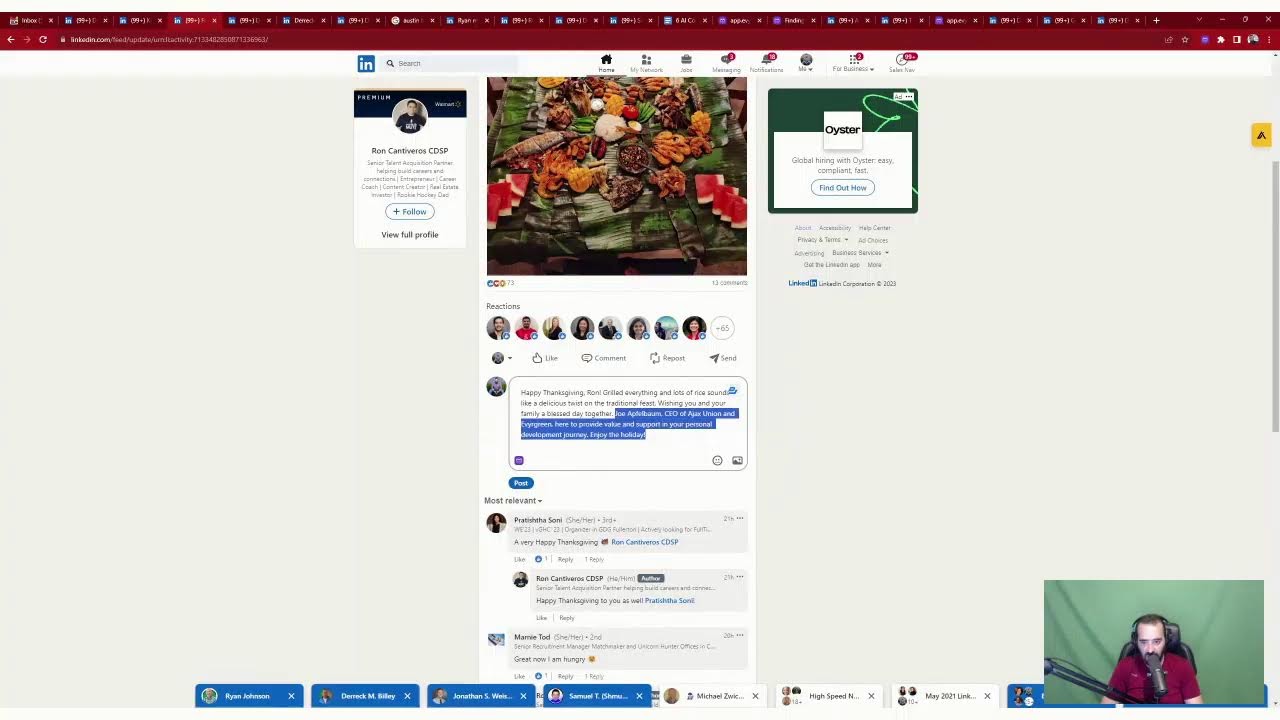
him how to be able to use LinkedIn to get more exposure with artificial intelligence. Because I told him, I have a LinkedIn AI that I've been using and it really helps me a lot. You know, using AI is really, really a game changer and most people are just not using it. So today I want to show you how to be able to use artificial intelligence in a way that will help you get more exposure. But first, let me tell you a little bit about me. Hey everyone, my name is Joe Applebaum. I am the CEO of Ajax Union, a B2B digital marketing agency, and I also developed an application for LinkedIn called Evvy AI. And I want to show you how this application works because it's really a game changer. I feel like a lot of people are not leaving comments on LinkedIn because they don't have time or because they, they're just not sure how to How to do it, and, or they don't know what to say. And with AI, you can really know exactly what to say at any time. So if you want to be able to draft comments with AI, check this amazing tool out. It's called Evvy AI. And, and leave me a comment. Let me know where you're dialing in from, what you're up to. Would love to hear from you. All right, so I'm going to share my screen real quick and hopefully you guys can see it. So you see, Michael said, He wanted me to help him. I said, I'm going to go on LinkedIn Live and kind of help him out right now. All right, so if I'm on the feed and I want to leave a comment, so check this out. I click on comment and then there's a little purple icon here. You see that purple icon? I click on it and then I simply hit generate and that will read the post and it will generate a simple little comment just like that. Wow, Tracy's success in social media is amazing. You should be proud of how you helped her. Okay, so now I press post, and now I just left a comment for Harrison, and I stay top of mind with him. Now, why would I want to stay top of mind with Harrison? Well, Harrison has thousands of followers, and he's very active, and he has a community of people that are liking and commenting on his stuff. So what I want to do is I want to make sure that I'm top of mind with Harrison, and Harrison knows what I'm up to. And by me leaving a comment on his post, It helps me be able to stay top of mind with them, but I don't have a ton of time to leave comments. So what I do is I use artificial intelligence to help me draft an intelligent comment. Of course, I read it before. Uh, I have 2 different options here. I have GPT-3 or GPT-4 because I'm paying for the premium version of Evvy AI, which I highly recommend. I said, I absolutely agree, Ed. Automation could be a game changer. Um, it's about working smarter, not harder. And by the way, Evvy AI is about working smarter, not harder. And so I can, with just a couple of minutes, I can be dropping comments here. And I actually recently did this with my team. We pulled out a clock and we said, all right, let's just see how long it's going to take us to leave a bunch of comments. And in just 5 minutes, I was able to leave 12 really, really strategic comments on specific people's posts. So It's a real game changer if you want to be able to leave comments on LinkedIn, but I'm going to give you 6 strategies right now that will help you be able to do what you need to do. Now, if you want to see all the people that are commenting on a particular post, you can just go to my profile and then you scroll down and you go to the actual post. So I'm going to click on show all posts over here and give this a like if you're live here right now watching this. I see we have over a dozen people watching this right now. Give it a like so I see who you are. I'm going to give it a little heart. You can give it a little round of applause. Um, I'm going to reply to Jacob. I am using eviai.com. Check it out and you can upgrade at app.eviai.com/upgrade. Okay, so makes it really easy now. So I just replied to Jacob. Jacob asked a question. Now who's Jacob? Jacob is one of my connections. Now, if I see that Jacob posted something on LinkedIn, I see he commented 1 minute ago on this thing. Oh, he commented on my thing 1 minute ago. And then the last time he commented was 2 days ago. If you only have, say, 1,000 followers or whatever, it's because people are not following you because you're not being active on LinkedIn. If you can strategically start commenting on LinkedIn, that can be really a game changer. And I actually wrote a document today. This is the document that I wrote. I'm not sure if you guys can see this, but I'll try to zoom in here. I'll try to zoom in here. Okay, so I wrote up this document and this document, it says 6 AI commenting strategies for LinkedIn to get more exposure. So which one of these 6 do you want me to focus on right now? 'Cause I don't think I'm gonna be able to do all 6 in this video here. And then I have some bonus commenting exposure tips and then I have mega bonus commenting for referral, client referrals. Okay. And each one of these can be an individual post. Each one of these can be an individual article. Each one of these could be a video. Tell me which one of these you want to see. Number 1, number 2, number 3, number 4, number 5, or number 6. Let me know in the comments. And I'm gonna check in on the comments right over here to kind of see what you guys are saying. And by the way, it's just so weird that you can only— you can only see— so like, if I click on this post over here and I see my own video, I can't see the comments that are here. But in order for me to properly see the comments I have to go to my profile, click on view profile, then I have to scroll down and say, right, show all posts. You see on the bottom here, show all posts under my activity. And then I can click on comments and I can see the comments that I've left. That's the only way for me to be able to see these comments that I left. So let me know what you do for a living in the comments so that you guys actually show up and I actually present your profile as well. And also let me know, do you want me to show you how to search for posts related to specific keywords and leave comments? Do you want me to use hashtags to find posts that target your ideal clients and leave comments on them? Do you want me to comment on influencers that have the same target market as you? Do you want me to show you first-degree connections posted in the past 24 hours and leave comments on that? Do you want me to show you industry author posts with the search filter to find ideal clients' posts and comment on them? Or do you want me to show you how to do the feed recent versus top filter So put 1, 2, 3, 4, 5, or 6 in the comments, and I'm gonna refresh right over here just to kind of see if you guys are with me. Or maybe there's nobody watching, and this way I can— I'll decide which one I want after. If you guys, if you guys are not deciding, I'll just decide for you. But if you can help me with a comment and let me know which one you want to see, it'll help me be able to make this live even more relevant to you guys. Now, by the way, Ricardo said he's an attorney. I'm going to pull up Ricardo's profile here just so I may review it. I did create a poll here for those of you that want to get over 20,000 followers. Just vote here that you want to get over 20,000, or if you have 20 to 30, vote here. If you have over 30 and you want to monetize your audience, vote over here. So go look at this poll that I wrote up over here, and if you click on the 3 dots, And you click on copy link to post, you can just find it inside the comments here. So I'm gonna remove the little question mark with the words, and I'm gonna press post. And now you can see, you can click on this, and you can actually see that right there, right then and there. Okay, so Ricardo said he's an attorney. Awesome. Everyone write what you do for a living. Thank you so much. And I'm gonna tag him, Ricardo. Okay, I'm going to click on that. That's how you tag somebody. That's how you mention somebody on LinkedIn. I'm going to click on his face right now. You see Ricardo is based in Washington, D.C. He's based in Washington, D.C. You see that? And he posted one day ago. So if I want to drop a comment on Ricardo's post, this Thanksgiving post, I could sit there and say the same to you, thanks, whatever. Or what I can do, I can have the AI come up with a very nice Uh, Thanksgiving greeting for him. So this way I don't have to do it. And now it says, Ricardo, your words resonate with the spirit of Thanksgiving. And I tag him and I press post. And as you can see, that literally took me just a few seconds. Instead of me sitting there and writing stuff, I know what I want to say and I trained the AI properly. So if you want to see my AI training guide, just write AI training in the chat and I'll show you how to train the AI to know who you are. Because that's really important. That's a very, very important piece. Um, thank you too very much, buddy. No problem. Okay, so I'm curious to know what you guys do for a living. Go ahead and put it in and let me know which one of these 6 things you want me to do. 1, search for posts. 2, use hashtags. 3, comment on influencers. 4, first-degree connections 24-hour strategy. 5, author industry post strategy with the search filter. Or Feed recent top versus, um, I think I'm gonna do the, the feed top versus whatever. I think that's the one I'm gonna do. But tell me which one you want to see. I'm curious to know in the chat because I don't know that I'm going to be able to get to all of them. Now I'm going to refresh my recent activity over here. It's really important for you guys to bookmark your recent activity so that you can see if people are leaving comments for you. Um, let me see what people have been commenting here. Again, this is the only way that I can really see the comments that are going on. Um, so do me a favor, tell me what you guys do for a living. Sorry, can you go back to the list? Jacob said, of course I can go back to the list. Um, here is, you know what, as a matter of fact, I can put the list, I can try to pull the list out and put it side by side. I'm not sure. And it's not working. Trying to pull, for some reason my computer is not really allowing me to move things around in the way that I wanna move them around. Um, but you know, it's neither here nor there. Okay, um, let me see what else you guys wrote over here. Let me close this. Um, real estate negotiations, originations. Look at that. Dottie says, can you show the list again please? Of course. Okay, so 2, 3, 4. We got 2 here. AI training. Carrie wants to see the— okay, so Carrie, I'm going to show you the AI training. I'm actually going to open up Carrie's profile. I'm gonna open up Carolina's profile. I'm gonna open up Dottie's profile, so this way I give you guys a little exposure as well. So guys, please comment, um, and if you guys go to my profile, hit the repost button right here so people can watch this live right now. Um, hit that repost button. Let me see if we have any people that reposted so far. So far, Raba— Robbie Hassan Babu reposted this live. So hit that repost button, it's right over here. You don't have to put your notes in, just hit the repost, and then we'll see a bunch of different reposts. And we'll get more people here networking and building relationships under this live here. Okay, so let's rock and roll. So you guys want to see, it looks like how many 2s did we have? We got a bunch of 2s. So let's go to 2. Okay, so here's the list. 1 is search, 2 use hashtag, 3 comment, 4 first degree, 5 author industry, 6 feed versus top. Okay, so we're going to do number 2 for now, but let me know what's the second one you want me to see because we're going to start with number 2. So use hashtags to find posts. that target your ideal clients and leave comments. Okay, so that's the one we're going to do right now. So let's go into, um, let's— I'm going to refresh this over here, but this is Carrie, by the way. Carrie, hello! Who do you help? How do you help them? In the chat, let us know. I love that Carrie's a first-degree connection. I love that she has 2,000+ followers. I'm going to check out her recent post. She hasn't posted recently, so Carrie, my recommendation for you is please leave a post, create a post, On your LinkedIn. And it's really easy to create a post. And if you create a post on your LinkedIn, you're much more likely to be successful. And we do have a post writer. If you go to app.evi.ai.com and you click on post writer here, you can just write what you want your post to be about and it'll create a post for you. So for example, for you, Carrie, I would say create a post about being a How? Okay, I'm just gonna copy this right over here. I'm gonna copy your title and I'm gonna go into Evie AI and I'm gonna say create a post about how to be a good, a good whatever you wrote over there, workforce development consultant, or yeah, just like that. Or how to find a good workforce development consultant. Okay, so I, I like that better. How to find and hire a good workforce development consultant. I'm gonna just press friendly tone and I'm gonna press generate and I'm gonna use the less smart version, 3.5. Uh, I'm also gonna copy this out and then I'm gonna use the, the smarter version. All right, but let's go back into LinkedIn. Guys, write what you do for a living in the chat, hit the repost button so more people see it, and reply to other people's comments here. All right, so let me go into this particular strategy here. So if you want to do the hashtag strategy, the first thing you need to do is you need to make a list of hashtags that are related to your industry. Do you guys have a list of hashtags? In the comments, make me at least 3 hashtags that are related to your industry. So for example, for me, It would be hashtag LinkedIn, okay? Because I'm talking about LinkedIn, so I want hashtags that are related to LinkedIn. I'm also talking about ChatGPT. So if you search hashtag LinkedIn, you'll notice that people are posting things related to LinkedIn. You see hashtag LinkedIn. So I just did a search for the word hashtag LinkedIn. You see that? I did hashtag LinkedIn, and it finds me all the posts related to that particular hashtag. Now if I, for example, Click on one of those posts. For example, Yasi Axelrod's post over here. Okay, I click on Yasi Axelrod's post and I see his post. He wrote, "Oi Hashem yishmar." I'm gonna click on Yasi Axelrod. I actually know Yasi Axelrod. He's a great center of influence for me, and he may not know that I have an amazing AI tool. I'm gonna follow him back. I'm gonna click on Save Profile. Because one of the best practices is for me to save a profile. I'm going to write that I network with him. He's referred business to me in the past, a pretty, pretty nice piece of business. So I'm very grateful for him. So I'm going to write networking. Okay. And now I have him saved so I can always comment on his stuff. And I found him through a hashtag, right? So I just searched hashtag LinkedIn and I found him. Now what I'm going to do is I'm going to leave a friendly comment. You know, with it related to Happy Thanksgiving. And it says, have a wonderful time reflecting on your blessings. Thanksgiving gives us a time in life, blah, blah, blah. And I'm going to tag him. I'm the only one wishing him a Happy Thanksgiving here publicly. Okay. Just think about that for a second. I'm the only one doing this. I'm the only one wishing him a Happy Thanksgiving right now. And that helps me be able to stay top of mind to get more clients from, you know, with him. So it's really essential for you guys to kind of do that. But let's go back to that post. Let's go back to that. Oh, I just closed it. Okay. By the way, I'll go back to it in a second, but look at this. Hey LinkedIn community, are you struggling to find a good workforce development consultant? Well, you're in luck because I got some tips for you today. First and foremost, it's crucial to define your organization's needs. Next, do the research. Then don't be afraid to ask for references. Then when interviewing potential clients, ask them blah blah blah. So I would, if I was Carrie, I would copy this out and I would paste it into like a Word doc or into LinkedIn, and then I would make a post out of this. So I'm just going to send Carrie this post for her that she can then use. And Carrie, if you like the post, then just use it, post it. You know, it's like, you know, you have a post, why not? Right, Carrie? And I would highly recommend you guys get app.evi.ai if you guys are not using it. Definitely use it. You don't need a Chrome extension to do that, but if you do want to download our Chrome extension, it's built into LinkedIn and you can save profiles, organize them into lists and so on. All right, let's get back to what we were doing before, which is searching a particular hashtag. So you'll see that certain posts don't have hashtags and certain posts do have hashtags. So for example, if personal development's a hashtag that I like, I would find that hashtag. And I would go to linkedin.com/feed/hashtag?keywords and then equals the hashtag. Okay, that's the URL. I'm actually going to drop this inside the, my recent activity here. So I'm going to click on recent activity, posts and activity under me. Then I'm going to scroll down to the comments over here. By the way, guys, tell me what hashtags you want to target and and put a link like this to that hashtag, because I want you to learn how to do that. I want you to learn how to save these links of hashtags and bookmark them so later we can find out those hashtags, okay? Now I'm going to do, instead of most relevant, I'm going to do most recent so I can see all the recent comments. If you guys are enjoying this, write value in the chat so I can see that you guys are enjoying this. And let me know what hashtags you want to search for. It looks like Dottie's a leadership coach. People want to see number 2. Carolina, we're doing number 2 right now. We're doing the hashtag strategy. Carrie wanted to see number 2, so we're doing number 2. Guys, write what you do for a living in the chat if you haven't done that already. Go ahead and do that. That's a really great thing for you guys to do. And this way we can actually see what people are doing and we could network and build relationships. And my goal is for you guys to get to know each other and build relationships with each other. So if you haven't hit the repost button, Go to my recent activity and hit that repost button here. So we get a couple more people onto this live now, and that will help get the word out and help more people be able to leave comments strategically. Okay, so let's go back to this comment thing. So we have linkedin.com/feed/hashtag?keywords=personaldevelopment. Now I can follow this hashtag and I just followed it over here. I don't need to follow it, but if I do wanna follow it, I could follow it. If I wanna strategically bookmark this hashtag, I can just click on bookmarks. And I could bookmark it into a folder called LinkedIn. I just bookmarked this hashtag so I have it in my bookmarks and I can always go back to it later. Now, if I wanna leave comments here, I just press comment. I press Evie AI, I press generate, and this will read this post. Now, this is a Spanish post. You see that? It's a Spanish post and it's replying in English, which is actually pretty freaking cool. If I wanna reply in Spanish, I'm gonna say, Reply in Spanish, just like that. I'm gonna press regenerate and this AI is gonna read the post and reply in Spanish. I just replied to a Spanish comment in English and then I converted it into Spanish just like that. Guys, write wow in the chat if you think that's beneficial. And by the way, my first language happens to be Spanish, so I understand Spanish. I read Spanish. It's really, really powerful. So these are people that are into personal development. None of them have any comments on their posts. I'm the only one commenting. Guys, this is a secret weapon. I am— these are people, not people I'm connected to. I am staying top of mind with them, building a relationship with them, tagging them, mentioning them, being the only person that's commenting on these posts. This is powerful. You don't need to do this a lot. You do this maybe 2 minutes a day. Like literally give me 2 minutes of your time. Provide some value in the comments to people that you're not even connected to. You don't think they're gonna look at your profile? You don't think they're gonna check out what you do for a living? This is really, really powerful. Okay? And you can make the comments longer, shorter, change the language, change the tone. You can train the AI and maybe we'll do a little bit of training on how to train the AI today. If you wanna see me train the AI, right? Show me how to train the AI in the chat. so that I can see that. But look at this. I found that focusing on personal development and practicing generosity, as you suggested, can indeed spill over into business. Okay, very powerful, very powerful. 4 minutes ago. Let's just look into who Ryan is. Okay, I'm— I just tagged Ryan, but let's just take a moment and look into who— right, you guys got the point. I just left a few comments. Ryan has 2,000 followers. Ryan has 2,000 followers. Ryan is in Arkansas. He targets SaaS business owners. This is great for me. This is really, really great for me. Why? Because I am top of mind with him and he's a potential client for me. He's using LinkedIn Sales Navigator. He's paying for LinkedIn. I have a LinkedIn Sales Navigator bootcamp coming up in February. I can offer him my services, or I have a digital marketing agency that works with SaaS companies. That want to scale over $10 million. He could refer them to me. I have a lot of reasons for me to connect with this guy. And this is an easy way for me to do this in a way that is not like pressure-y and selling or anything like that. You see that? Build a relationship. I could even book a strategy session with him right over here if I want to talk to him. And he'll talk to me because I just left a comment because he sees who I am. Now, if I want to pull him up and just message him just like this, I can just message him. I can say, nice post, dude. Love what you are doing. Okay. I just wrote, I just sent him a direct message. Now I'm going to build a relationship with Ryan. I'm going to call him up. I'm going to have a conversation with him and I want to turn him into a friend. That's really what LinkedIn's about. Now he might end up becoming a client. He might end up becoming a referral partner. You don't know what's going to happen as a result of me doing this type of work. But if you're not doing this, you're not going to get exposure. So I just showed you one strategy. I'm going to show you 6. I don't know that I can show all of them today, but what's the second strategy you want me to show you? By the way, did you guys like that strategy? Didn't like that strategy? Would you use it? Write value in the chat. Okay. Ricardo wrote in-house counsel, corporate counsel, lawyering. Sorry, I have to go back to the list. Okay. Let's go back. And by the way, Jane, thank you so much for commenting. I really appreciate you. Ron, thank you for commenting. I really appreciate you. Jacob, thank you for being engaged over here. Ricardo, thank you so much. Okay, let me, um, let me go back to the list. You guys wanna see the list again? Okay, so we showed you cert— use hashtags to find posts. If you need the top 100 hashtags of LinkedIn, just write 100 hashtags in the chat, right? 100 hashtags. I will give you a spreadsheet with my top 100 LinkedIn hashtags. I'm not going to charge you anything for it. I'll give it to you for free. Why am I going to give that to you? Because I care about you, because I want you to be successful, because I want you to use this hashtag strategy that is just incredible. Again, 2, 3 minutes a day. Don't spend your whole day on this because you're not even going to be able to follow up with the amount of people that are going to respond to you. These are people that are not getting any comments on their posts, that they're posting regularly, and they're using strategic hashtags that target your ideal clients. That's the key here because you want ideal clients. You don't just want people that waste their time. You want people that are paying for LinkedIn. You want people that are paying attention, people that are active. There's 60 million people that are active on LinkedIn every single day. They spend 17 minutes plus a day on LinkedIn. 60 million. There's a billion people that log into LinkedIn every month or every 2 months, but there's, um, but there's 60 million people that are logging in daily for 17 minutes minimum per day. So Really, really beneficial to learn how to use this tool. Over 3 million posts go up every single day. Filter the ones that are the right ones and leave comments. And with AI, you could just leave comments in seconds, especially if you know how to train the AI. Okay, so which one do you want me to do next? Do you want me to do 1, 3, 4, 5, or 6? 1 is search for posts related to specific keywords and leave comments. Number 3 is comment on influencers. It looks like a couple of you wanted me to do comment on influencers. Let me see what you guys are saying here in the chat. And you guys are watching everything that I'm doing right now. So, um, if you guys are getting value, write value, hit the repost button, go to my activity, look at the previous poll that I did and vote on that poll, um, so that more people see it. If you haven't hit the repost button, just go to my recent activity, click on repost, and you'll be able to see that. Okay, so let me click on comments just to kind of see, and then I'm going to do recent comments relevant. I'm going to do recent, most recent. Okay, Carrie, I'm going to send you that 100 hashtags right now. And the same thing with Jane. So these are the 2 people that want it. I'm going to send it to you via the DM. Let's pull up Jane's profile real quick. Jane, thank you so much. Oh, looks like me and Jane are first-degree connections. That's awesome. I love that. Let me look at her recent post. This is from 11 minutes ago. Friday networking. I love this. I'm going to check out her recent posts. Okay, Friday networking insight, the magic of small suggestions. Love that. So now what I'm going to do is I'm going to leave a comment for you in a very strategic way. I'm going to use the goal of providing value in the comment. I'm going to be friendly and I'm going to use my training that it knows who that I am, Joe Apfelbaum. Absolutely agree. I found that the smallest gesture can have a significant impact. Okay, that's good. That's a really good comment. Now I'm going to click on Jane, add her name, click on it so this way she gets notified. I'm the only one that left a comment here, the only one in the past 13 minutes. Okay, and I want to build a relationship with Jane. She wants 100 hashtags. I'm gonna, I'm gonna send her a thing and I'm gonna say, um, check out www.hashtag. Okay, and this is my gift to you, Jane, for commenting and being engaged. And by the way, I wish you happy birthday in February. So you are an Aquarius. Jane is an Aquarius. No wonder why she didn't respond to my happy birthday wish. I don't know about you, but I love Aquariuses. They're my fave. My business partners won. I know them well. Okay. By the way, what is your astrology sign? Let me know in the chat. I'm curious to know. When I'm a Scorpio right now, we're in Sagittarius season. It looks like so. If anybody's a Sagittarius, please don't comment. I'm kidding. I'm kidding. I'm kidding. Oh my goodness! You guys are so funny. Yeah. Drop a comment. Let me know what you guys are up to, and let me know what you do for a living. If you're just tuning in right now, what we're doing is we're talking about six strategies for LinkedIn to be more successful. I showed you guys one called the hashtag strategy. I'm going to do number 3 now because Ricardo wants to see number 3 and Dr. KD Wagner wants to see number 3, the Gold Star Mom. All right, so let's go to number 3. What is number 3? Number 3 is comment on influencers that have the same target market. Okay, so let's go into app.eveai.com. I'm going to click on saved profile. So as you can see, I saved Yasi's profile. I put him in here under networking. I like saving the profiles of my connections. And the reason I like saving their profiles is because I can click on filter a list and I'm going to type in influencers now. And I'll show you how to do this without Evvii AI. But I have these influencers here. I have Bill Gates, I have David Meltzer, Reid Hoffman, Richard Moore, whatever. I have these people that are influencers, Alex Hormozi. So if I click on Alex Hormozi's recent post directly from there, from Evvii AI, Now I'm able to just pull up his recent post. So 21 hours ago, he posted something over here. He wrote, the obvious truth took me to blah, blah, blah. If you put enough winners on a team, you'll win. Okay, so now I'm going to have the AI write a little comment for me because again, I'm not, I can't think right now. Alex Hormozi, surround yourself with winners. High-performing B2B marketing agency. The collective energy and expertise drives results. Winners indeed win. Okay, cool. All right, so I'm leaving a comment. 100 other people left comments here, but this regularly gets me new followers, new exposure. This is a really powerful strategy. If you guys aren't doing this type of strategy, I highly recommend it. Following the influencers in your life that have the same target market as you, really beneficial, and then dropping a relevant comment. Now, I always read the comment before I actually post it. It's not a substitute for hard work. Okay, um, as an entrepreneur, I found the most rewarding path often involves more work. Okay, good. All right, I'm going to post this over here. And so I'm just leaving comments on this influencer's post. Now if I close this window, I still have all the other influencers here. So for example, Ivana is an influencer in my life. She only has 10,000 followers, but she's an influencer because all her clients are ideal clients for mine, and I want to support her posts. Okay, so I'm going to click on this. This is from five days ago. I'm going to click comment here. She wrote CTAs and signatures blah blah blah. I'm going to generate a comment over here while I read this from straightforward follow insights. Okay, great insights as a marketing CEO entrepreneur. I completely agree. It can find CTA overwhelming. Your strategy to add value is very concise, very good. Now I like tagging myself in the comments, so this way people can read it and go to my profile faster. And I also like tagging the author so that they get notified. Now I press post. That was a very nice comment, very well-written comment. Really, really essential to do things like that. I'm going to click on notifications just to kind of see what's going on there. So guys, let me know who your influencers are. So for example, one of my influencers is Gary Vaynerchuk. I happen to have Gary Vaynerchuk right over here. Do I have Gary Vaynerchuk here? I could have sworn I had him. Okay, let me go back to Gary Vaynerchuk, click on his profile. Uh, I'm gonna say— oh, I already saved him. I'm gonna add him. Look how quickly I can add him to a list. So I'm gonna add him to the influencers list right here. I just added him to the list and now he's gonna be on that list. Now what I love about Evvy AI is you can even summarize someone's profile with AI, or you can see their recent activities once you install the Google Chrome extension. So if you want the Google Chrome extension, so just write I want AI in the chat and I will send you the ability for you to be able to use Evvy AI in a direct message or in a reply. But Gary Vaynerchuk, 6 minutes ago, posted this. 6 minutes ago. I'm going to click on comment and I'm going to use my AI to drop a comment. Very simple. I just basically decide if I want to use the smarter version or the faster version. I chose the smarter version of AI. Absolutely agree. As an entrepreneur, I found that fostering Okay, good. So now I just left a very nice comment for him. Now I can also see who else commented here. You see that Derek commented? I can reply to Derek's comment as well. You see that? I can have the AI read Derek's comment. Derek, you're absolutely right. Leading with kindness, blah, blah, blah. You see that? Now I am replying to Derek and I'm building a relationship with Derek. Now, if— do you guys see what I'm— do you guys see what this is? I'm having a conversation in one of my influencers in their comments and building relationships with people. Now I'm going to go to Derek's profile. I just discovered a new person. He's in British Columbia, Canada. Again, he has a gold icon. That means he's paying attention. He's paying for LinkedIn. I see 1 hour ago he posted something over here. I'm going to build a relationship with him. No one commented on this. Zero comments. I can just quickly click on the AI and just drop a comment and support him. You see that? If you post something and no one leaves a comment and you're the one that leaves a comment, that's really, really beneficial. Okay? Now you could also send the person a message. You click on the more button, you click on message, little thing pops up over here. Great comment on Gary's post. You don't think he's going to follow me? If I just sent him a message now and built a relationship with him. Now I'm going to tell him about my bootcamp later, but I'm not going to do that right now. If I want to book a call with him, look, I could just book a call with him right over here. Just like that. Again, this is a person who's active on LinkedIn, who wants to network. I see exactly what he's up to. He's an ideal client for me and I found him in an influencer's post, okay? So that was strategy number 3, okay? So strategy number 1 was use hashtags to find posts and target your ideal client target market. Strategy number 3 was comment on influencers that have the same target market as you. Tell me who your influencer is. I'm curious to know in the chat. Tell me if you know who your influencers are. This is Ricardo here. Ricardo, thank you for being here with me today. I appreciate you. Thank you for commenting. I highly recommend using Evvy AI to rewrite your about section. Right now your about section is not written that well. You can use our tool Evvy AI right over here. You click on Profile Optimizer. You just can use your persona and train the AI, or you could just drop in your name, company name, what you do, and press generate, and it'll write up a whole profile for you very well, very well written. So Ricardo, I highly recommend you do that. All right, let's go back to posts and activity. Let's click on that and let's see, let's see what you guys are commenting about. Guys, write what you do for a living in the chat over here. Most relevant, most recent. Let's see what you guys are doing. I want to be an influencer one day, Ron said. Uh, Dottie showed me her influencer Sammy. I'm gonna open it up in a new window. Ricardo said another influencer is Laura Frederick and Roston. Okay, cool. Carrie gave me the influencer Austin Bellocq. I don't know who that is. Dr. Katie said I need an influencer. Awesome, I appreciate you guys. You guys are so nice that you're commenting right now. I love When people engage. And if you guys haven't written your sign yet, put your sign below. We have an Aquarius, are the best people. We have a Capricorn. So Dr. Katie's coming up, your birthday's coming up. Guys, if you want the 100 top hashtags of LinkedIn, write 100 hashtags in the chat. And if you want my AI, just write, I want your AI, Joe. I highly recommend getting your— the AI. I don't want to help everybody. I don't want to go viral. I really don't. My goal is never to go viral. My goal is to help the right people be able to be successful. So I love that this guy has 1.3 million followers. I teach people how to land amazing jobs. Oh my God, perfect. Okay, he posts. Oh my God, he got 4 comments. Holy crap. I'm going to save this profile. This is great for me. This is great for me because I want all of his clients to use my AI tool. Now I'm going to save him to influencer. Okay, I'm going to press influencers over here, and now he's in my list of influencers under Evie AI. So if I click on saved profiles and I go to select list and I go to influencers and I click here, you'll see him and Gary Vaynerchuk are going to be both over here. So now I click on see all recent activity, it loads all his recent posts in one click. That's why I like Evie AI, because it does everything in one click. And I'm going to give him a little heart so I stand out. You see, he only had likes. I give him a heart. I'm going to click on comment and then I'm going to click on this little Evy AI box. I'm going to press generate. It's going to read his post and in about 2 seconds it generates a comment. Great advice. Creating 30 minutes each day as a CEO in the marketing, as I've seen firsthand the power of consistent content. Thank you very much. And I'm also going to tag him so he notices me. Okay, I'm going to tag him. That's how you tag somebody. Nobody else is tagging him. Nobody else is leaving these really well-written comments like that. This is a very, very smart way to be able to get exposure. All right, so, all right, so what's the next one? So we did use hashtags, we use comment on influencers. Guys, which one do you want? 1, 4, 5, or 6? Let me know in the chat. Do you want to search for posts related to specific keywords? Do you want to find first-degree connections posted in the past 24 hours? Do you want industry posts search filter, or do you want recent versus top? Let's see what you guys want next. Again, I'm just doing things that you guys want here. That's my goal here today. So let me know what you guys want and I'm happy to do it. Somebody said, Joe, how do I upgrade to use Evvii AI Premium? It's very simple. You go to app.evvii.com/upgrade, app.evvii.com/upgrade, just like that. And you have 3 options. You can just get 20 generations for free. You could try it out, or you could pay $29 a month. Or if you wanna pay half price, you just pay for the year and you get it half price. So I recommend you guys grab the annual because it's only less than 50 cents a day. And you get unlimited posts, comments, replies, everything. So that's, that's the— we're gonna be increasing this price very soon, but right now it's Black Friday. Grab the deal. And I highly recommend you guys sign up to our tool because it's really a game changer. So I'm going to press post and I'm going to post a comment to that. Guys, go ahead, get premium. And we're also adding lots of bonuses to people that have premium. We're going to be giving you guys access to a LinkedIn 101 course. We're going to be giving you guys access to a special community of engage— a special engagement community. There's a lot of different things we're going to be adding to premium. And my goal is to get 1,000 people in premium this year and early next year, and just really have them engage with each other and build a real community of people. And that's how I can build a sustainable app. It's very hard to develop this type of app, and I need 1,000 people to, to be using it in order for me to really build it out in the way that I want to build it out. So the more people use it, the more value we get. So join the community, be part of AVI Premium. It's not a huge investment. And you know, you'll start using it more often. Okay, cool. Enough with that. Now let's get into number— okay, let's just see what number you guys want to see next. I'm going to click most relevant. I'm going to click most recent. Okay. Can you post me a link? Of course I can post you a link. Here's the link. How does it differ from ChatGPT? It's built into LinkedIn with a Chrome extension, Jane. That's how it's different from ChatGPT. It's built into LinkedIn and it has all the prompts ready to go, so you don't have to worry about that. Do you recommend to GPT 4.0? I do recommend upgrading to GPT 4.0. It's not that expensive to upgrade to that, so I do recommend upgrading. I just sent you guys the upgrade so that you guys can become premium members of Evie AI if you're interested. Um, okay, so David said number 1. Okay, let's go to number 1. We didn't do number 1 yet. Search for posts related to specific keywords. Okay, David said number 1. Jane said number 1. Okay, so let's do that. Guys, what is your keyword? Put your keyword in the chat. I'm curious to know what is your number one keyword for your business. So for me, it's B2B marketing. Okay? I want people that are into B2B marketing. Okay? That's the keyword that I want to target. I also want the keyword LinkedIn training. That's another keyword that I want. I also want the keyword AI. Chrome extension. Okay. I also want keywords related to LinkedIn tips because I love dropping LinkedIn tips. So guys, tell me your keyword in the chat. I'm curious to know what your keyword is. Go ahead and put it in the chat. I'm going to click on most recent. I'm going to click on most relevant just to kind of see what you guys are Commenting about most recent. Okay. Hiring. Okay. So there you go. We got job search, hiring, um, leadership. Okay. These are all great words. I'm gonna, I'm gonna look up leadership real quick for Dottie. Um, and I'm gonna click right over here. I'm gonna press leadership. I'm gonna search leadership. Now, when you search leadership, you have the opportunity to click on, uh, 10 different filters here. You see posts, groups, people, jobs, whatever on top. I'm going to click on posts. Okay. The reason I'm going to click on posts is because I want to see all the leadership posts on LinkedIn. See Gary Vaynerchuk pops up over here. That's great. These are, these are all the posts that have the word leadership. Now I have different options. I can sort by latest or top match. I can sort by the date. I can sort by the content type. So you can search videos, images, job posts, newsletters, live videos, documents. You see that? You can search by member, so you can search the word leadership in particular members. Now there are many other filters that you can click on. So if you click on all filters, LinkedIn will pull the filters up on the right side here. You see that? So I recommend checking out all the different filters they have available. We're not going to get into all the filters, but for the most part, my recommendation is just clicking on comment and just dropping a comment. I highly recommend dropping a comment. And you can do this in like 1 minute. You can literally drop a bunch of different comments. So I'm gonna hit regenerate 'cause it included my name here. I can delete my name from here, but sometimes the 3.5 version does funky stuff. It's not as smart. The 4 version is much smarter. It also costs us 10 times more. So when you can, use the 3.5 version, but if it's not coming out right, upgrade to 4 and then you could use the 4 version. So as you can see, I am starting to comment on these posts over here in a very smart way, and that helps me be able to stay top of mind for this particular keyword. So if you guys are not using search, this search strategy, I highly recommend bookmarking these searches related to leadership and things like that, and then just dropping comments on these posts over here. Very, very beneficial. And if you want to drop comments on videos, You just go to the top and change to videos. And these are usually going to be popular. If you want, instead of top match, you do latest. It's going to show you ones that are less popular that don't have any comments because they just did. So this guy posted this related to leadership. He literally posted this now, like instantly, just this second. So fresh off the presses. So if I want to get exposure, this guy's using LinkedIn right now. He just, He just published this. Key Dong, your post really highlights the importance of effective leadership. My mentor's Jim Rohn said, and it even puts a now question: How does it know that my mentor is Jim Rohn? How does it know that? Guys, how does it know that my mentor is Jim Rohn? Does anyone get? Can anyone guess? This has to do with the AI training I gave it. So if you go to Evie AI and you log in to the app. Section, you click on personas, you'll see I trained it to be many different people. So if I want, I just trained it to be me and I click on edit. Oop, did I just delete my training? No, I'm going to press edit. I'm going to scroll down over here and it says my mentors here. You see all this is my training. So his mentors include Tony Robbins, Dale Carnegie, Jim Rohn. So I actually included this in my training data. And so I trained the AI to know that I'm in the industry of marketing and the keywords, the tone, the background, But I also have personas on behalf of other companies, like, or company pages and different personas to be able to do this properly. So highly recommend you consider creating personas within Evvy AI, and that'll make your life a lot easier. Oop, I'm not going to delete this. I'll just show you. I created a persona for Evan. You see key attributes, what he offers, what he does. So if I want to write a post on behalf of Evan, I can write a post and so on. All right, now it says over here, click here to learn how to fill your history. I'm going to click there and it's going to show a blog post that teaches you how to do that. Get real unique voice that matters. It explains how to do this right over here. Train your voice. So this is the AI training. If you guys want this article, just write AI training in the chat. I have multiple articles that explain how to do this and I can share them with you. I'm going to go later to the chat and see everyone that wrote AI training, and I could even help you train your things. So if you sign up to Evvai Premium, I'm happy to invest in you and make sure that you're using this correctly and that you're actually being successful with LinkedIn. So let me know if you're going Premium in the chat. I would love for you guys to become part of my 1,000 engaged LinkedIn users. And the only way for me to do that is for me to know that you're invested in this mission of helping me get to 1,000 Premium users. We have thousands of people that are using our app, but they're not all investing in it. People that pay, pay attention. So I want you to invest in it so that you actually use it. And it's, again, it's less than 50 cents a day, so I highly recommend you doing that. Okay, so I'm going to click on most recent just to see what you guys are saying over here in the chat so I can interact with you. Dottie said AI training, AI training premium, AI training. Is the video— is there a video or training on how to use AI personas? We actually do have a video on how to do that, yes. And if you sign up to premium, we'll be happy to send you that video. Dottie says, you taught it. I never used the search strategy, the hashtag search strategy. What's the best way to utilize Evii to post to my company profile? Ooh, I love that question, David. David, I love that question. That is such a great question. So what's the best way to use it to post to your company page? So you guys probably already know how to post to your company page, But if you want to create a post, you click on Post Writer and you click on the persona. For my example, I'm going to do Evy AI and I'm going to do educational, create a post about, and now I'm going to just tell it what I want the post to be about, the 6 AI commenting strategies. I'm just going to use that for an example and I'm going to do that just like that. I'm going to press generate and what it's going to do is it's going to consider these 6 strategies that I already have and it's going to write the post in a friendly way That I can post on the Evie AI page because I put the Evie AI training in there. Boost your LinkedIn exposure with six commenting strategies. Are you looking to increase your visibility on LinkedIn and connect with your ideal clients? Look no further. I'm here to introduce you to six powerful strategies. Let's dive in, and it breaks them all down. It says ready to put these commenting strategies. Try Evie AI, your intelligent LinkedIn assistant. Ba ba ba ba ba. You see that? I'm going to press copy. I'm going to copy this particular post right over here. And then I'm going to go into the Evvy AI company page. So the Evvy AI company page is going to— I'm going to go to my homepage just to kind of show you where you can find your company pages. You click on see all my pages and you'll see this is my Evvy AI company page here. So I am an admin on my company page, so I can start a post. You see that? I can start a post. I'm going to press start a post and I'm going to paste this post right in here. You see that? I'm gonna paste this post right in here, and now I'm gonna just press post. And now I just posted on this Evie AI. So I'm gonna share with you guys this link so you guys can see it. Um, I'm gonna press the 3 dots. I'm gonna press copy link to post. You see that? And now what I'm gonna do is I'm actually gonna give it a like myself. And I'm going to go to me, my activity. I'm going to drop it in the comments right over here in the comments of this post right here. Actually going to set— let's see where David was. David, this is great information. I signed up a few days ago. Awesome. Thank you so much, David. Let's see. I need an influencer. I want to be an influencer one day. Okay, let me just Go in here and find David's. I'll just go here and I'll reply with this just so you guys could see this comment over here. So you have it for later for this post. And I would love for you guys to all go and give this post a like and leave a comment on this particular post. I'll post it here as well. And the reason I want you guys to leave a comment and a like is because I want you guys to go read that post and see the quality of it. And then let me know which one of those 6 strategies you learned. That's how you can find it. Just go to linkedin.com/company/evyai. I think that's the company page. Company/evyai. Okay. I think that's where, yep, that's where it is. Company/evyai. Yep. I'll drop the link to the company page and please follow that company page as well if you don't mind. My goal is to get 1,000 people that are our clients and our fans to like that company page. So right now we have about 100. So if you're a client or a fan of this, just go ahead and like that company page. I'm going to be doing lives on the company page as well. So if you want to get notified, go ahead and get notified. And if you guys got value from this, hit the repost button. Just go to my recent activity, go to my profile, go to my profile, scroll down, see where it says recent activity right over here. Click on show all posts. This is the only way to do this. Click on show all posts. This way you can see all the comments and all the resources that I've been leaving here and then click on the repost button. And if you click on comment, you'll be able to see all the comments that people have been leaving and you'll be able to connect and build relationships with these people. All right, so you guys want to learn how to do AI training. I have a call starting in just 5 minutes. I know it's, I know we're middle of a live here, so like, well, how is it relevant that I have a call in 5 minutes? I just happen to have a call in 5 minutes coming up, so I'm going to have to end this live, but I want to come back later today possibly. Or maybe on Sunday. When should I come? Should I do it later today, or should I do it Sunday or Monday to do the a live how to train the AI thing? When should I schedule it for today, Sunday, or Monday? Let me know what you guys think in the chat. I'm curious to know, and I just want to give a couple of shoutouts to people. So I want to give a shoutout to Jane. Jane, thank you so much for engaging with me. I want to give a shoutout to Tina, to Dr. K.D. I wanna give a shout out to Dave. Thank you, Dave. I really appreciate you. And thank you for signing up to Evvy AI Premium, Dave. I appreciate you doing that. Today's conversation that we had was the following conversation: 6 strategies for LinkedIn to get more exposure with AI. That's what we talked about. So go back and watch this. This is Dr. KD Wagner. Talk to KD. She has a little link over there. If you guys are not posting stuff, I highly recommend you post stuff on the AI using AI. I just showed you guys in this video how to do that because it looks like she's reposting stuff, but maybe she's not really posting stuff and a post is not the same as a repost. So I'm going to try to find an actual post. I can actually give you, if you tell me who your target market is, Dr. KD, I can just help you create a post in like, you saw how quickly I created a post like in a second. Just like boom. Gold star mom, public speaker. Are you suicidal and depressed and alone? Need a purpose in life again? How to find a purpose in life. You just paste that into Evy AI, it'll write you a post just like that. Boom. And we're going to, once we get 1,000 people to sign up to Evy AI, we're going to implement an ideation tool that helps you create ideas. So we're not doing that yet because in order for the business to really be viable, we need 1,000 clients. And so if you sign up, you're actually going to be helping yourself because we're going to be adding many more features. Highly recommend you guys go to evyai.com, click on Add to Chrome, get started, log in, use the account, and then upgrade to premium. And the way that you upgrade is by going to app.evyai.com/upgrade. That's how you upgrade to premium. We have the free version, which gives you 20 different things that you can do, and then the trial ends. And you could sign up without a credit card even, but I would just recommend upgrading to either monthly or if you could afford it, just do the annual because it's half the price of the monthly. If it's not a big swing for you, just do the annual, but I totally get it. Times are tough now, but you know, $29 a month is not an expensive thing for you to be able to leave comments, write posts, leave recommendations, send messages. Like there's so many things you can do and this complies with LinkedIn's terms and conditions. Because it only drafts the stuff for you. So as you can see, if I go to Ron's profile and I see he posted 22 hours ago and I wanna leave Ron a comment, I don't have to sit here and reinvent the wheel. I can literally just click on boom, comment generate. It'll read his post for me and it'll generate a really smart comment. Happy Thanksgiving, Ron. Glad everything worked out. Um, I'm gonna delete I'm gonna delete where it says over here, Joe Applebaum, CEO of Ajax Union, here to provide value for your personal development journey. I'm just gonna write, I am Joe Applebaum. Happy Thanksgiving. Grilled everything sounds— the rice sounds like a delicious twist. Okay, perfect. You see, I kind of promoted myself over here a little bit in the comments. That's okay. You can let him know what you're about, especially if this is a new person. We're not even connected. You know what I mean? I'm not even connected and he has over 23,000 followers. That's amazing. Ron, you're doing amazing. I love that. And you're working for what? For Walmart? You're a talent acquisition partner for Walmart? OMG, you're amazing. I'm gonna connect with you right now. I'm gonna add a note and I'm gonna use Evvy AI to connect with you just like that. You see that? I'm gonna hit generate. It's going to read your entire thing. Hey, as a fellow talent acquisition professional. No, I'm going to hit regenerate. I'm not a fellow acquisition today. As a fellow entrepreneur, I'd love to connect with you. Perfect. Okay. I love that. So you saw the way it did it wrong and I hit regenerate. That's awesome. I love that. Okay. And I want to build a relationship with you, get to know you, see how I can add value to your life. You see that? That's amazing. But do you guys see the way I created that custom note? Just write wow, powerful value. Write something in the chat. Would love to see you guys comment in the chat, and I'm going to go back and comment on everyone's comments and build relationships with you guys offline. Let's see. Oh, it looks like hey, I really appreciate it. Just trying to help and inspire. I see you very much further along than I am, and you have a great following. I'm a solo entrepreneur. I'm going to write thanks. I want to support your growth if you are open to. I have resources for free. You can watch and read. Okay. I just, I'm going to build a relationship. You'd see this guy. I found him through that one of my 3 strategies. I have 6 strategies and I have many more. I have many more bonus strategies. So let me know if you want me to do it Sunday, if you want me to do it Monday, if you want me to do it later today. I love going live and I want to notify you when I'm going live. So if you're watching the replay, just write replay. If you want me to notify you when I'm going live, I can send you an email. Just write notify me. You can drop your email if you want or your cell phone number. And I'll be going live a lot coming up this year. I'm really committed to helping get 1,000 people to be able to do this stuff properly. So I wanna support you. That's at the end of the day what I wanna do. I wanna support you. I wanna make a difference for you. I want you to get your next client. I wanna hear those success stories and I wanna make a difference in your life. So thank you for being here. I gotta go to my 9:30 call. It's already 9:31. I'll talk to you soon. Boom.
More from Joe




How to Beat the Algorithm: Remove Hidden Watermarks & Scale Content with evyAI






