Download the FULL INC5000 2024 List with AI - 113 LinkedIn Live 2024 with Joe Apfelbaum
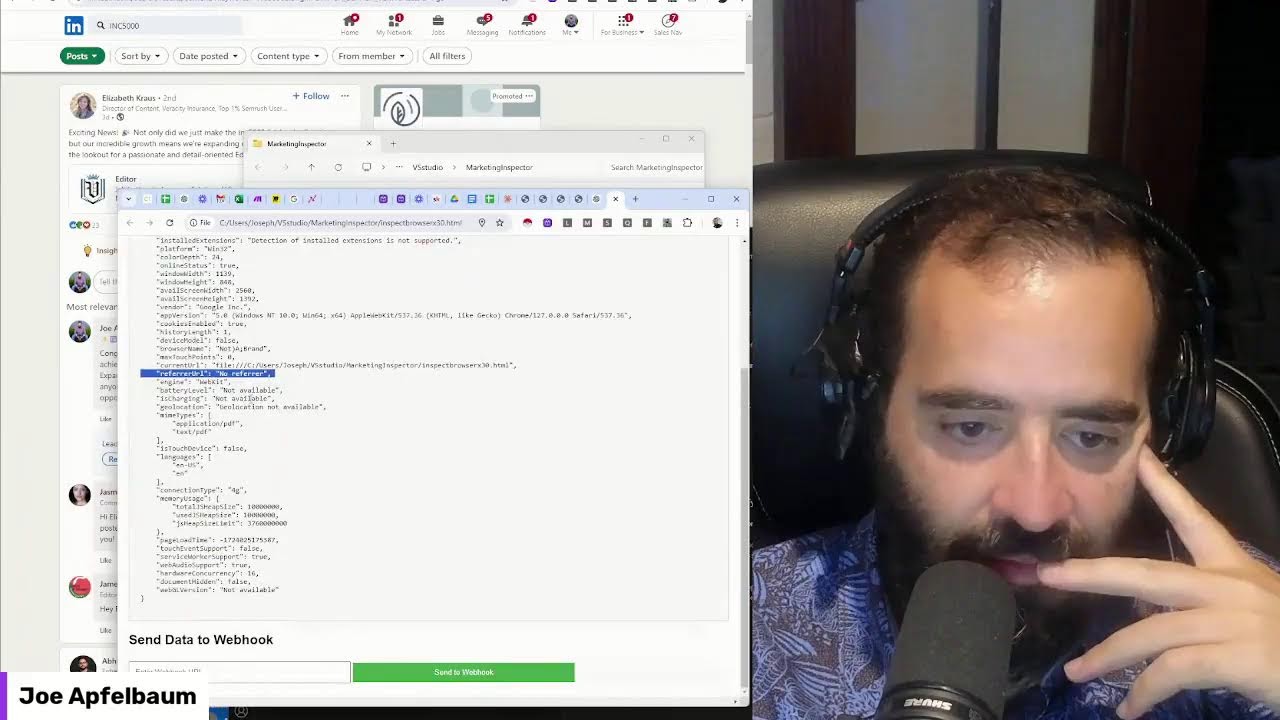
In this 1‑hour live session, Joe Apfelbaum, CEO of Ajax Union, walks viewers through a hands‑on workflow for extracting maximum value from the Inc. 5000 fastest‑growing‑companies list. He begins by showing how to locate Inc. 5000 mentions on LinkedIn, then uses Claude and ChatGPT to generate dozens of insight ideas (industry trends, growth strategies, client‑acquisition angles, etc.). He demonstrates building pivot tables in Google Sheets/Excel to break down the 5,000 companies by industry, state, city, founding year, and employee count, and he extracts high‑value signals such as the top industries, geographic hotspots, and companies with >1,000 employees. Joe then automates a prospect‑outreach pipeline: scraping CEO names, LinkedIn URLs, emails, and phone numbers, enriching the data with tools like Apollo, and loading the contacts into a CRM for personalized LinkedIn comments, InMail, and email outreach. Mid‑session he pivots to a technical deep‑dive, building a browser‑fingerprinting HTML page that collects a wide array of client‑side data (user‑agent, screen size, language, hardware concurrency, geolocation, etc.) and sends it to a webhook, discussing privacy implications and how marketers might use such data. Throughout, he engages the live chat, asks for audience interaction, and showcases the power of no‑code AI automation to turn raw list data into actionable marketing intelligence and outreach campaigns.
Chapters
So let's review what to do with the list of the Inc. 5000 fastest growing companies in America. Allow me to first introduce myself. My name is Joe Apfelbaum. I'm the CEO of Ajax Union, a B2B digital marketing agency, and I'm obsessed with the Inc. 5000 list. I've been tracking the Inc. 5000 list for the past, I would say, let's say 12 years or so. And I absolutely love Doing all things Inc. 5000. So let's just look in the past what we've been doing. I'm going to search Inc. 5000. I'm going to do a little bit of search. I'm going to do a quick little search over here. I'm going to click on posts on LinkedIn. You know, you can search through posts and I can see people are saying excited news. Not only do we make the Inc. 5000, blah, blah, blah, blah, blah. So I can search all the people that have written the word Inc. 5000 here, and I'm going to go ahead and congratulate all of them, and I'm going to use AI to help me congratulate them. So I'm going to go here, I'm going to click on this, and I'm going to do a little bit of congrats on making the Inc. 5000. It's a remarkable achievement. You see that? So I'm going to go through all these people and, um, just congratulate them on making the list because it is a huge, huge accomplishment to make the Inc. 5000 list. I don't know if you know that. We made the list not this year, but we made the list in the past, and it's been So exhilarating to be able to have that type of growth. Now, I did an analysis of the list. I reviewed every single company on the list to determine which one of them were on the list for, say, 5 years in a row. Okay? Because I've been monitoring the list every single year. And I've noticed that 90 of them, of the 5,000, 90 of them have been achieving the being named on the list every single year For the past 5 years. 90 companies. Think about that. Who are those 90 companies? Who is the CEO of those companies? Am I connected to them? Have I, have I said, wow, 5 years in a row, amazing, well done. So what I'm going to do is I'm going to research those companies and I'm going to identify how many of them I'm actually connected to, how many of them I'm not connected to, and I'm going to go ahead and build a relationship with those people by scrubbing the list. Mm-hmm. Against my own connections. So I have the ability to use tools, no-code AI automation tools, that will help me be able to make sense out of the entire list. So if you're not using these tools, you're really missing out. You can see how many people here are talking about the fact that they're ranking on the Inc. 5000 here, right on LinkedIn, right now in real time. And I'm the one that's commenting on all their stuff. But here's Here's something else that we're gonna do today. We are actually going to ask ChatGPT and Claude and several others to help us understand what to do with all the people on the list. So let's pull Claude open, for example, right over here. So we have Claude and we're gonna say, I have a list. I have a list of the Inc. 5000. By the way, if you're watching this, if you're watching this online right now, give this a like. Okay? Give it a like and leave a comment. Write fastest growing companies if you're interested to see insights about the fastest growing companies. Okay? I'm going to say fastest growing companies in 2024. Can you tell me what type of insights I can provide my clients about the list. Give me at least 30 ideas related to these, uh, 30 ideas. Please, um, consider the— that these are the top 30 companies on the list and summarize what you are about to do in detail. Okay, I'm going to paste it. I just pasted the top 30 companies on the list. Why? Because I have them right here in a spreadsheet and, and with all the different fields and everything. Okay, so now I'm going to press go and let's see what Claude does. Now what I'm going to do is I'm also going to Do the same thing with ChatGPT. So I'm going to go into ChatGPT. I'm going to say chat.openai.com. I'm going to paste the 30 companies with all their information. I'm going to take the same prompt that I gave Claude. I'm going to copy the prompt. I'm going to paste it in here. I'm going to hit go, and then I'm going to press go. All right, let's just see what this does. I'm going to provide you with a unique— I'm going to provide you with 30 unique insights and ideas that you can offer your clients based on the top 30 companies. These insights will help focus on industry trends, growth strategies, marketing opportunity, market opportunities, and potential collaboration. Industry trend analysis, highlight emerging trends within the fastest growing industries such as healthcare software. Okay. Growth strategy, discuss growth strategies, leadership insights. Okay. So these are all business models, provide a breakdown of different business models, risk assessment, market disruption, client acquisition strategies, data-driven decisions. Okay. These are okay. Um, examine the data patterns and trends, uh, identify unique industries represented in the top 30. Okay, so let's see what it says over here. Now I'll look to provide 30 insights. Industry dominance, healthcare, financial, heavily represented top 30 indicates strong growth in these sectors. Tech integration, rapid growth rates, recent foundations was founded in 2019, suggesting the newer companies can achieve rapid growth by identifying and capitalizing around. Okay. Da da da da da. I'm gonna say, give me thirty ideas that I can derive from reviewing this list using pivot tables. If I had the entire list in a Google spreadsheet. Or if I had the list in Excel, I'm just going to say in a Google spreadsheet. Also, if you don't have too many ideas about that, tell me other things I can do with the data using Charts, etc. What insights can I pull that would be interesting with the data of all of all 5,000 companies? I'm going to press enter. So my prompt was terrible. I had a terrible, terrible prompt, and because I had a terrible prompt, I got terrible results. But now. It's going to give me better ideas because I gave it a little bit of a better prompt. So 30 ideas for analyzing 5,000 data. Create a pivot table showing the count of companies by industry. Okay, so let's do that now. Let's go ahead and do that. So I'm going to teach you guys how to create a pivot table in Excel. This is how you do it. Because I have the list of all the industries over here, you see I have 5,000 industries. I'm going to go here and I'm going to select all of this so it basically says shows me everything. Then I'm going to click the little plus sign here and then I'm going to say Actually, I'm going to go here and then I'm going to say Data. Is it Data or is it Insert? Insert Pivot Table. Now it's going to say, do you want to insert as a new sheet or existing sheet? I'm going to say new sheet. And then it's going to say, what are the rows? Okay, so the rows is going to be Industry. Okay, so it's going to be— show me Industry. And then the values is going to be Company Name. Okay, so the value is going to be Company. So it's going to show me all the rows and it's going to show me by company name how many of each one. So I'm going to say count company name and do descending to see how many we have of each. Okay, so these are the top industries. These are the top industries. So there's 594. So that's a good idea. That's not— that's a good idea. Just in the chat, write good idea. Do you want to see the top industries? I'm gonna, I'm gonna take the top— how many industries do we have here? Oh, there's only 35. Okay, so I'm gonna take these 35 industries and I'm going to go on LinkedIn Uh, and I am going to write about it on LinkedIn right now. Let's see if— oh, here's LinkedIn. I'm going to go here on LinkedIn and I'm going to go to my profile real quick. And you know what, maybe I'll do this in a, um, a newsletter article. Um, if you're interested in seeing the newsletter article, just write interested in the chat and I'll send you that newsletter article. And you know what, maybe I'll just build the newsletter article right over here right now in real time. Let's see who's watching this. It doesn't look like anybody's watching this. If you're watching this, say watching this in the chat. I'm going to put this in the chat, see if this works. Oh, that came out so bad. Oh, look at that. Industry of company names. Industry list of top Inc. 5000 companies by industry or whatever. Industry. List of top Inc. 5000 by industry. Very interesting. Okay, so software companies are way on the top of the list. We got a lot of advertising companies, a lot of IT, healthcare, construction, financial services, HR, consumer products, logistics, food, manufacturing, government services, real estate, consumer services, retail. Education, legal, security, travel, energy, um, insurance, health products, engineering, telecommunications, media, AI. AI is 15. Well, this is gonna change next year, so I'm gonna pull the list again next year, and I expect this to majorly, majorly change next year. Yep. All right, so I'm gonna hit post. You guys can check that out. Um, I put that in the comments of this video, so you can definitely check that out. Now, if you need any additional insights, I'm definitely gonna be preparing a document with all these insights. So let's, let's start the process of preparing that document. So I'm gonna go into Google Drive, I'm gonna hit new, and then I'm gonna click on this here and I'm gonna say, um, Inc. 5000 2024, 2024 insights. By Joe, by Joe Apfelbaum. Okay, so now we have a document. So if you want to see, if you want access to this document, let me know that you want access to it. I'm going to copy and paste. Ctrl+C, Ctrl+V, paste unpasted. Okay, so now we did it like this. I'm gonna hit Ctrl+Z. I'm gonna hit Ctrl+Shift+V. That didn't work. I'm gonna go back here. Ctrl+C, go back here. Ctrl+Shift+V. Paste without formatting. Okay, that worked. All right, so now I'm going to go here and I'm going to say, here are the fastest growing companies in America by industry. Okay, so now what I'm going to do is I'm going to take this and I'm going to go here and I'm going to go into ChatGPT. And it's going to give me all this stuff over here because I gave it a terrible thing. And I'm going to say, I did a pivot table on the 5,000 companies. And I checked to see how many are in each industry. Here is what I got. What explanation can you give me in detail? All right, let's see what it says. That's going to give me the explanation of the fastest growing company by industry. The data provides a clear snapshot of which industries are currently leading growth in the US economy as represented by the companies of the S&P 5000. Distribution across industries reveals significant trends and potential opportunities for businesses in investors. Here's the detailed dominance. Okay, so here we go. So now I have some content here. This is great content. I'm going to take this and I'm going to paste this right over here. Great content, right? This is all amazing. The data provides a clear snapshot of which industries and leading growth within the US economy represented by Companies listed by the private companies listed on the Inc. 500. The distribution across industries reveals significant trends and potential opportunities for business investors. Here's the breakdown of the findings. Leading the chart, this industry encompasses a wide range of services catering to business, such as consulting, B2B services, blah, blah, blah, software. Oh my God, this is great. This is great, great, great content. The detailed analysis helps understand, da, da, da, da, might consider investing, capitalizing on those. Now, what I'm going to do is, let's see, geographic influence, and I'm going to say here is the full list of— here is the full industry list by category and count. Enjoy. Okay. So now what I'm going to say is, Based on this, based on this data and you knowing all the fields that you have from the available for all 5,000 companies, give me 30 additional insights we could get from the list. Now, if we had— if we were to do pivot tables to get these types of insights using Google Sheets. All right, let's see what it does. All right, average growth rate by industry Top industries by state. Ooh, I like that. Industry dominance by metro area. Years of list by industry. I can definitely do that. Industry growth trends. Specific state growth leaders. Regional growth hotspots. Metro area dominance. Industry diversity by state. Wow, that's a pretty good one. Pretty, pretty, pretty good one. Um, yeah, uh, city growth leaders. This is incredible. All right, this is powerful stuff. Company size. All right, let's see what else is going on. Um, average company by industry. Okay, year founded analysis. The distribution of companies based on their founding year to identify which decades or years produce the most successful companies. Oh my goodness, let's look at that. I like that one. I like that one. No? And by the way, what we can do is we can keep this, keep this little dashboard here. That's cool. But I can have AI basically do this whole thing itself. Like I don't, here's all the previous years here. Sheet 5, previous years and more previous years. Okay, let's go back here. Pivot table. Okay, so we have PivotTable 2. Let's do— oh, dashboard. Oh, this is— oh, this is it here. But this is a problem because this data is no good. So this data is based on some outdated BS. Um, we're gonna go to here, we're gonna open up a new one here, and we're gonna do, um, Analysis. We're going to do analysis. So we're going to put this first. Okay, so here we have the analysis. We have industry analysis. Okay, so that's good. We're going to grab pivot table 2, put it right here next to analysis, and we're going to change the pivot table and then paste it into analysis. Okay, so we got industry, uh, years founded. I'm going to grab that, put this here. Same thing. I don't know, why is, why is this so big? Why is this so big? Years founded. And then we're going to do count by company name and then descending. I always do that. Wow, look at that. Look at that. Most of the companies were founded in 2019. Holy moly. Most of the companies— what happened in 2019? Well, right before COVID Most of the companies started right before COVID and had an explosive growth. That's crazy. And then look, 2017, 2018, 2016. So 2017 had more than 2018, 2016, 2015, 2014, 2012, 2013, 2010. And then we had all these stragglers over here. Wow. Some of the companies in 1982. They've been around 1970, 1950. Which company has been around since 1959? Just hit the list. I want to know that. Wow, 19— 1870. Okay, 1870. So this could be like a pop quiz. Which company on the Inc. 5000— oh my God, 1870, 1870. I'm I'm so curious. I am so curious right now. Entire list. Let's go find 1870. Control F, 1870. All right. What is this? What? The thumbs up guys? A legal company? Brandon Dawson? Inpain.com? What is inpain.com? It sounds like a personal injury law firm. South Carolina. A distinguished law firm, personal injury law firm, renowned for its advocacy for personal service. Interesting. Very interesting. Well, let's just look it up. Let's look up the website real quick. InPain.com. Wow. Wow. Wow. Look at that. Interesting. They don't even have LinkedIn over here. They really could use LinkedIn. Um, let me just see what they have going on here. Let me see, who's the CEO of this company? About Us, Our Attorneys. Let's see, Brandon Dawson, this dude right here, Managing Partner. Oh, look at that, I have his email right over here. Boom! Oh my goodness, oh my goodness. Let me see if we can grab his email and put it over here somewhere. Where are the emails go? Where do the emails go? Where do the emails go? Where do the, where do the, where do the emails go? 1873, we'll go, we'll get back to that. Uh, why are the headers not locked in? Let me do View, Freeze, Row 1. This is so good, this is so good. All right, so let's go over here. We got the LinkedIn, we got the Twitter, so So the LinkedIn's for what? For the company LinkedIn? Yeah. Company Twitter, Facebook. Okay, so we got New Jersey, business model, key clients. Let's see, the link to the articles. I'm going to do email. What else? What should we get? We should grab their email. What else should we get? What else is important over here? I think the— The CEO's LinkedIn URL. No, shouldn't we get the CEO's LinkedIn URL of each one? I think so. I think that would be really important for us to do. Just grab every single CEO's LinkedIn URL. I think that'd be epic if we did that and then just kind of just threw it right in here, you know? Um, let's make another column to the right and do a link, uh, CEO LinkedIn URL. URL. Let's, uh, let's get the CEO LinkedIn URL. Oh, I wrote link URL. LinkedIn URL. Okay. Got the CEO LinkedIn URL, the email. What else was on there? Oh, his phone number. Yeah. Hell yeah. We need his phone number. We got to call him and congratulate him. 1800. Um, so we'll go to email. So we'll do CEO's LinkedIn URL first, then email, then phone. CEO phone, and I'm gonna do CEO email. Okay, so we got the CEO's email, the CEO's LinkedIn URL, the CEO's phone number. I like that. No, isn't that good? So let's go back to 1870. Ctrl+F 1870. The only company on this list from 1870. Let's go to the email section over here. CEO. Let me turn this off over here. Let me go back over here to the right. I don't know why it keeps bumping me. I'm gonna go in here and paste his email here. So now we have his email. Let's go find his LinkedIn URL. Let me grab his cell first. I think it's a cell. I don't know if it's a cell or not. Let me just search it right here and see what comes up. Oh, he has an extension. All right, so we'll find his cell. Thumbs up, guys. Let's get his cell phone number real quick. This way I can send him a text message and say, dude, congrats. But let me see, uh, this is what I'm gonna do. I'm gonna do site:linkedin.com just to see if he comes up here. All right, let's just see if this is him. Um, wow, this guy, this guy's name is also Brandon Dawson. I had no idea. I had no idea. Oh, that's cool. Does he post on LinkedIn? 2 days ago he's posting. Oh, I'm gonna— I need to, I need to keep this open. I'll look at it later because I know that guy. I've seen— have you seen him in ads? He like, he does. Let me send him a message. I'm sending a message through Sales Navigator. Impressive seeing you. Do you help HVAC? Okay, I'm gonna hit send. So this is like me— oh, I couldn't send him one. You reached your limit on InMail sends. Ugh, I hate that. Yeah, because I sent 800 this month. All right, so let me just, let me just save them into my Apollo here. Access email. No email? What? He's the CEO of 10 Health, 10x Systems. Contact. That's ridiculous. Apollo, what are you doing? Apollo, give me his information. Enrich email. You cannot enrich it. You can enrich it. What's his cell phone number? Enrich. Okay, so I got his cell phone number over here. Let me put it, uh, add him to a list. What am I going to add him? I'm going to say review, pending review, review later. I'm saying August 2024. Okay, so I'm just going to add him to review later. I'm just I'm just gonna add him to this one list, this one guy to this one list because whatever. Moving on. ADD moments, ADD moments. All right, so let's go back over here and let's type in InPain. There we go. Is he not on LinkedIn? Wow. How's that even possible? Let's look at InPain. InPain. Dawson Signal and Ward. What's this? Oh, inpane.com. Okay, so I found— oh, so that's Dawson Miller Dawson. Who's this? Dawson and Ward. Oh, this is the name of the— this is the company. This is the company. Where are they located? Where are they? South Carolina. Yeah, sure. This is the company. This is in South Carolina. So I'm going to copy the name of this this, uh, this company over here. And I'm going to go back over here to the LinkedIn company page because for some reason they didn't list— they don't list it on their website, they don't list it on the Inc. 5000, but I found it because the name of the company is MDW Legal. And over here he calls it the Thumbs Up Guys, but it's really MDW Legal. That's, that's who it is. All right, so let's go back over here and then let's go into the company Damon follows us, but let's go into the actual employees of the company and see if we can find Dawson here somewhere. Okay, members. So we have some members here. Marketing director, this is who I wanna meet. I'm gonna open that. That's who I wanna meet. Rachel, Patrick. Okay, we got Kyle. Okay. All right. So I can't find Dawson here. I can't find him, which is a pain in the butt. Let's see if, let's see if the marketing director's email is available. Cause that'd be cool for me to reach out to him and say, dude, why? Yeah, right here. MDW Legal. Let me just, um, let me add him to a list. Let me add him to review later list. Okay. So I just added him to review later list. I'll check him out later. But this is cool. Let's see what he said. You're in a good position. Oh, he posted 5 months ago. A flash flood warning. I just got an alert about a flash flood warning. Okay, so I got his email here. I'm gonna say, I'm gonna send him an email right now. I'm gonna say, did you guys hit Inc. 5000? I was looking Through the list, Ross, and I think I saw you guys up there. Am I right? If yes, congrats. I got some ideas about your LinkedIn presence if you want to chat. Anyway, talk soon. Bye. All right, send email. So I just sent an email to Ross just like that. One email to Ross from doing a little bit of research to a company that's highly qualified from 1870. 1870. I'm going to review this in more details. I'm also going to drop a comment over here so he knows that I, that I see him. I'm going to go here and I'm going to use Evie AI to drop that comment. So I have a list that'll keep me busy for basically the rest of the year. Okay. I have a list that will keep me busy for the rest of the year, but we, we need to get back on, on, okay. We got so carried away here with the CEO, this thing that we just did here. Um, but let me, let me see how many, oof. This is so crazy. This is really, really crazy. I'm going to go in here. I'm going to close this. Okay, so years founded analysis, analyze the distribution of companies based on their founding year. Okay, so we did that. And now what we're going to do is we're going to go here, we're going to click on PivotTable 2. We're going to copy this pivot table, put it into our analysis here. Okay, so this is year by company. Let's see what else ChatGPT told us. that we can do. Leadership insights by industry. Okay, so leadership backgrounds, correlation between founding year and growth rate, if there's any correlation. Top founders by state. We should do— we should see like what companies are most popular by state. That wouldn't— that'd be cool. That would be an interesting factor. Wouldn't you wanna see that? Yes. Just write yes in the chat if you'd wanna see that, if you think that that's a helpful stat. For analyzing the Ink 5000 list, guys. Let me know in the chat. Am I the only one watching? No, nobody's here. Okay, good. If you guys are here, say I'm here or something in the chat. Like wave your wave your flag. Wave the flag. Just start waving the flag and say, hey dude, I'm watching this. And if not, not say I'm not waving the flag. I'm not even here. Kwame liked this, so maybe Kwame is watching. But who knows? All right, moving on. I'll check this again in a few minutes. Who's sending me messages? Oh, brilliant, thanks. We'll do this in October when I'm back from the Japan trip. Looks like perfect what I need, just not clear with my client. Just need to clear it with my client. I'm gonna say thank you. Safe trip. All right, let's see what happened over here. Cassie said, thank you, Joe. I'm gonna say you're welcome. Jody said, hope all's well with you. All's well. Sandra said thanks. I'm gonna say you're welcome. Josh says must be just working to get out of our house, hit the market a couple weeks. We're here for 25 years. Wow, that's a long time. Okay, Moisin said thanks. I'm gonna give him a thumbs up. David sent me a voice note which I want to listen to. Let's listen to this It's a 14-second voice note, so let me put on a headset so I could hear it. Hi Joe, quick question for you. Do you know of any AI software that can listen to a class that's given in 2 languages, let's say Hebrew and English, and pull out the Hebrew and pull out the English? You would need to do this with Whisper. Using OpenAI. I didn't try 2 languages at once, but I'm sure you can do it. Okay. Let's see. Frank said, thank you. I'm saying you're welcome. Wayne says, Joe, clicked on the link on your class on the latest post and this pops up. AI Circle. Yeah, yeah, of course that pops up. Anytime you click on any link that is outside LinkedIn, LinkedIn will warn you that you are leaving LinkedIn. That's normal for every website. That's literally normal for every website. It's like, dude, I'm getting a warning that I'm leaving LinkedIn, man. Dude, I'm leaving LinkedIn. I'm like, of course you're leaving LinkedIn. Oh, Al said he's watching. Oh, thanks for watching. I appreciate you saying you're watching. Thank you. This is Al. Hello, Al. Let's see what Al's up to. Al's birthday is June 6th. That's cool. Says it right there, front and center. His email's right over here. Al, I don't know why when I email this email, it bounces back. I did email you to your other email, but just so you know, when I email the email on your on your thing, it just bounces. I don't, I don't see it. I mean, I don't know why it bounces back to me, but just FYI, you could try to email me. Um, I would recommend that you should get recommendations. I know it sounds weird to recommend recommendations, but I definitely recommend that. And then if I go here to Apollo and I, um, and I check the over here, look at that. This is your cell phone number. So I'm gonna copy this and I'm gonna put you in a sheet right now so I can look you up later. I'm going to click on this save profile. It's going to pull all your information. Then it's going to go in here. I'm going to press edit, add your cell there. I'm going to hit save, and then I'm going to say send to CRM, and it's going to put you in a spreadsheet for me. Cool, right? Isn't that cool that I built a nifty little, um, a nifty little tool like that? I created that myself with AI. That's crazy. My brain is melting from that. Okay. Top founders by state. So let's do that. Let's do top founder by state. So let's pull up the spreadsheet. Let's go to the pivot table. Let's delete this and let's do by state. Where's state? State long, state short. Should we do state long or state short? We'll do state short just to kind of keep things kosher. But the truth is I want state long because I'm gonna be able to read it. I think it'll look nice. And then we do count by company name and then we do descending. Okay, so we see the ones that are the most popular on top. So look at that, California, Texas, Florida, New York, Virginia. Obviously California, I think California, Texas, Florida, New York are always the ones on top. What surprises me is the next 10, to see who's like in the next 10, you know, like who's in the next dozen states over here. Virginia, Illinois, you know, like those. And then, you know, New Jersey's on top. I would consider New Jersey part of New York. So if you combine New Jersey, New York, New Jersey, and Connecticut, that's crazy. Uh, but Connecticut always falls way, way, way down on the list. You know, Connecticut's nowhere, nowhere up here. Is Connecticut even on the list? Connecticut didn't even make the damn list. Let me just see Florida. Let's just look at Colorado. I don't even see Connecticut on the list. Don't tell me Connecticut did not. Oh, here it is. 33, 33 companies in Connecticut. Okay. Not bad. Okay. So I'm going to copy state long. I'm going to go to the analysis and I'm going to paste it here. And then I'm gonna have AI do an analysis between this, this, this, and combine the 3 and tell me what insights it finds in the analysis of the analysis. Isn't that cool? All right, let's go back here to AI and try to find more. Okay, so we did this leadership diversity. Okay, okay. We're gonna check gender for each one. So I'm gonna have a, a, a thing run to check the gender for each, for each person. Common business models. Key clients, client combination by region, correlation between client growth, tech adoption by industry, innovative hubs, tech versus non-tech growth, industry disruption. Okay, AI growth trends. Let's see what else. Company size, average company size, average company size by industry. Calculate the average number of employees per industry, highlighting that there are certain industries tend to have larger or smaller companies. Okay, I can do that. Uh, oh, employee growth rate. Analyze employee growth rate by comparing the number of workers from previous numbers to the numbers of each company's industries at rapid growth. Employee growth, average company size by region, top employers. Top employers, largest workforce. Oh, I like the top employers. Let's see who the top employers are. So how would we do that? We would, um, we would go in here, we would go to the pivot table, we would delete this, and we would do companies. We would do companies, company name, and then we would say Count. Let's see, workers, workers. And then we're going to say sum of workers descending. And then we'll say filter. Just show me the top 500 because I don't need to see every company. Filter for— let's see if we could do add a filter. Um, growth rate, uh, staff, employee workers. And then we see showing all items. I'm just going to say, oh, show me only 1,700. Yeah, these are the top 700. Okay, good. Any employees over 1,000 employer— over 1,000 employees. So these are the ones over 1,000 employees. That's cool. 700 companies. That's cool. That is a cool one. Uh, let's go to analysis and let's paste this up here. Okay. So these are all the employees with over 1,000, all the companies with over 1,000 employees. Look at that. Wow. Let's just quickly look at these names. Do I recognize any of these companies? I'm going to quickly just look at this. So we have PEO companies. Let's see. Partown. I can also break it down. I can break this down by industry too. Salads and Go, Evony. These are the companies I really, that I would prioritize going after. Like if I were you, I would go after these companies first. Let's see. AccessXP. ABA Centers of America. That's cool. You know what's funny is usually I recognize Dialpad. Oh my God, I use Dialpad. Banyan Software. Let's see who else is here. It's crazy how these companies— Monogram Health, they're on the top of the list, um, and they only have 1,000 employees. Let's see, Best Egg. We're only at 200 over here. Oh, it's showing all 700. Oh my, so these are more than— these are less than 1,000 employees. It's just showing the top 700. Documents. Let's see. 300 employees. Let's go down all the way down. All the way down to 700. Oh, it just keeps going and going. Okay, so it's showing me everything. Show me, oh, show me the entire list. Okay, there we go. Oh, it's showing me the top 1,000? No, it's showing me all of them. Ah, how many employees was that? 130, 1.3 million employees? 1,377,374, wow. Wow. The 5,000 fastest growing companies represent 1.37 million employees. That's super impressive. That's super impressive. I should write that down here. I go to the top here. I sign. Did you know that the fact that the Inc. 5,000 fastest growing companies in the U.S. Together have 1 point— over, over 1.3 million workers. Wow, that is super impressive. Talk about the economic Activity and impact that these companies make together. Over 90 of them have been on the list for over 5 years. I have been monitoring And analyzing the list for the past 12 years, I can say that I do see trends in many sectors. By reviewing this list now with AI support. Okay. Interesting, right? So now I'm prepared to publish this, but at least I just got some really good insights for the top here. Like it's a good hook, you know? All right, moving on. So we got, uh, so what do we have so far? If you guys are joining us here live, we have, uh, Inc. 5000 list by industry, year founded on, um, what states are most popular, what companies have the most employees all the way down to the bottom. And I don't know, I, I told it not to show me all of them, but it shows me all of them. So go figure. Oh, maybe I didn't. Maybe I just showed 726 items, but Maybe— oh, you know what? I didn't say show me only 1,000. I should show me everything. Ah, showing me everything minus 10,101. So let me just do clear all, and I'm gonna say 1. Oh, these are all that they have 1,000. There's so many numbers. There's so many numbers. I'm not gonna be able to do this. There has to be a better filter. Oh, condition. Select all. Okay, I'm just gonna do by condition. I knew that that was here somewhere. By condition. Okay, so number is greater than, greater than, greater than 1,000. Okay, value is greater than 1,000. How many are valued greater than 1,000? Uh, only 192. That sucks. Well, these are the 192 companies that are greater than 1,000. Okay, it sucks but it works. You know, it's like, here are the 192 companies that are greater than 1,000. All right, so delete that, paste that, and then it should only go to 192 here. Good. Good. All right, so at least I know that. All right, let's review this one more time. Midway Staffing. Staffing, a lot of staffing companies I see here. Ford's Garage, what's that? We have some restaurants. Climate Pros. Prep Kitchens. Parker's Kitchen. I see a lot of kitchens over here. I see pest control, lending services. Interesting. Very, very, very interesting. Okay, moving on, moving on. Let me, let me just pick a random company. Let me just pick a random company. I'm just going to pick this one right over here, Arco Construction. Ctrl+F. Let's go to the list. Let's look up Arco Construction here, the entire list. Ctrl+F. F, Ctrl+V, Arco Construction. So there, let's just look them up real quick. Okay, so they're number 2,991. The guy's name is Jeff Cook. Here's his website. Here's his LinkedIn URL. Let's look up— let's look at the— oh, I don't even know what I just did. Escape, delete, copy, Ctrl+C, paste. All right, so this is Arco Construction. They are based in Missouri. Okay, so let's just look up the people that are in the company. Okay, so we got the vice president of the company there. Let's see if we could find the CEO. So Jeff Cook, let's look up Jeff Cook. Jeff Cook. Look at that, found co-founder and CEO, the 6 connections. What? Why? Why does he only have six connections on LinkedIn? He's very successful. Oh, look at that! He's been on the list. Look at this. He's been on the list. Let me tell you. Let me tell you. Think five thousand twenty twenty four. Save. Let's just copy his email. Let's get his cell phone. Let's see if we can grab his cell. Oh, that's his direct line. That's not his cell. Oh, that's okay. We don't really need a cell. Um, I'm going to go in here. I'll get a cell somewhere else. I have so many places to get information. Um, let me, if I close this thing, it's going to go away. So let me just double-click in here, paste this, put this in here, and then I'm going to grab his LinkedIn URL and then put him, you know what I can do is I can have a Chrome extension that automatically finds all the Inc. 500 people on LinkedIn. And then saves them to a spreadsheet automatically. Oh my God, that would be epic. But let me just let me just put his LinkedIn URL here. Why not? Okay. So, you know, we know, we know, we know. Let me email this guy right now. Let me send him a quick email. So nice to see you made the list again. Let's say Jeff. Congrats, Jeff. So nice to see you made the list again. What are you doing to celebrate? Anything fun? I'm gonna hit send. And if he doesn't respond to that, he doesn't respond to that. Trust me, I've been emailing the guy. Let's see. Downloading your app. Oh, that's so sweet. I'll say thank you. I'm gonna do it. I'm gonna use, I'm gonna use this little, uh, thank you so much for downloading my app. I really appreciate you leaving that comment and saying that. That's very kind of you. Okay, this is a little, a little cool thing that I use. That I can just talk and the AI writes it up. How cool is that? I just press Windows H to do that. Posted 2 minutes ago. Oh, look at that. And she has her, oh, she has her phone number. She has everything over there. Ooh, I like that. I like that. What does she also have in here? She didn't even put it here, but she puts it on the post. Angela, put it here too. But I'll just save your information into my CRM now. Watch this. Guys, watch this. Because I see the information's right here and I wanna save it, I'm gonna go here. I'm gonna copy this just like this. Copy. I'm gonna go back to her profile, click on this, click on Save Profile. Actually, edit. Edit. Paste, save, send to CRM. Okay, just sent it to CRM. So now I saved her information including her phone number and email. Cool, right? All right, moving on. Next, another ADD moment. Okay, industry by growth, average, average size by region, top employers. So we did top employers, city growth leaders, identify cities that are the home to the highest concentration of high-growth companies. Okay. Metro. So we can do cities too. Industry growth trends. Let's do cities. Might as well. We have the list here. We're going to do pivot table 2. We're going to take off company name from here. We're going to take off workers. We're going to take off workers. And we're going to do— we could also do the top 500 companies. I mean, we can have fun with this. Let's go to rows. And then we're going to do city. City, and then we're going to do values companies, and then we're going to do count companies, and then descending by city. So these are the top cities. How many cities are there? Oh, there's a lot of cities. Let's just do the top, the top 100 cities, or the top 100 and 123 cities. Why not? I'll just show you how to do that filter. You go to filters And you do, um, city, and then you filter showing all items. You go to filter by condition, and you can see text is empty, text doesn't contain. Um, I would just say it's greater than, um, let's see, 100. Uh, let's say 100. Let's see what comes up. Nothing. Oh, that's count. All right, it's not gonna be a greater than thing. Is exactly, does not contain. Where's it gonna say the first X rows? How do you say the— show me only the first X rows? Okay, so let's see. Is empty, is not empty, text contain, text does not contain, date is, is before, greater than, less than, is equal, formula, custom formula, custom formula. Oh, custom formula is show me the first X rows. I don't even know how to do that in ChatGPT. I'm going to ask him. This is what I do. I go to ChatGPT. I'm going to say, what is the formula for a filter to just show the first 123 rows in Google Sheets? Is there a custom formula for that? Show further, yeah, you use a custom formula in the FILTER function. You can say FILTER A1 through Z equals 123. Oh my God, that's so cute. Let me see if that works. Did it show the first 123? No, it showed everything. Equals A through Z123. Filter. I don't know. It didn't work. It still shows everything. I'm going to say still. If the FILTER function is still showing everything, you could use array formula with INDEX. All right, let's just see what happens. That didn't work. Now it shows nothing. Now it shows nothing. I'm doing it— the filter in a pivot table. Add a custom helper, row equals 1. In the original data, add a custom helper, something like row equals 1, and the first cell in the column, enter the following formula. Okay, that's a nice little hack. Setup will limit the pivot table to the first 123 rows. Okay. Yeah, but that's not helpful. That is not helpful. All right, so we're not going to do this. So maybe we don't do values by company name. We do need to do values by company name, but the filter we don't need to do by company name. So let's do value by company name. And then the filter, we could just say, let's see, filter by, filter by something that has a number in it. Ooh, you could filter by anyone that has the first 123 ranked. Oh my God. Less than 123. Let's see that condition. Less than, less than 123, 124. Oh my God, I did it. Oh, less than 124. Oh, anyone that ranked less than 124. No, that's stupid. That's the first 124 companies. Okay, count by company name descending. All right, let's just put all the company names there for now. I'll figure this out later. Moving on. Next, um, what else are we doing over here? Let's see what people are saying. Let's go back to the notifications. Let's see. Oh, we have 30 comments. Oh, that's the other one. That's the other one. Let's see what people are saying. Jim says, um, all right, all right, all right, all right, all right. Let's see what else is going on over here. Renee says area sales manager at Toll Brothers in Austin, Texas. Congrats on your work anniversary. Um, did you hear about it? All right, let's just see what she's up to. Toll Brothers. What is Toll Brothers? Oh, she's connected to my daughter. That's so funny. It's so funny that she— is she connected to my daughter? It doesn't show. So weird. It shows it over here. She's connected to Nachama Applebaum. OMG, look at that. She posted 2 months ago. What'd she say? I told brothers we believe that— what? By the positive impact I make on the community. Oh, that's so nice. That's so nice. Does she have any recommendations? I'm gonna endorse her for sales strategy, see what she does. She'll get a notification. So I send her a message, she gets a notification here. I send her an endorsement, she gets a notification here. So you get— she gets 2 pop-ups. Isn't that cool? All right, moving on, moving on. Gary Vaynerchuk said something here. I wanna go ahead and drop a comment for Gary Vaynerchuk. I always leave comments on Gary Vaynerchuk's posts. Okay, moving on. Are people using my marketinginspector.com? I created a marketinginspector.com. Oh, it's getting late. I should go eat something. I'm hungry. But I created a marketinginspector.com scenario here. I'm gonna go to scenario. I'm gonna check marketing. And I'm going to check this and I'm going to look at the history just to see. All right, August 18th at 2:09 PM, 9 AM. Okay, so over here it was used a lot. So how many times was it used so far today? Oh, 3 operations. 1, 2, 3, 4, 5, 6, 7, 8, 9, 10, 11, 12. How many of these were me? Let's see who used it at 2:09 PM. We're going to go to details. We're going to look at the execution log here. This is what I wanted to look at. Craig. Oh, maybe that was me. That could have been me. I should really check some more info if it was me or not me or something like that. I don't know. Maybe I can capture IP address. Huh. I wonder if I can send IP address or some other data to the webhook as well. Can you send the webhook IP address of a person that submits a form? Let me ask here. When submitting a form, When submitting a JavaScript form on an HTML web page to a webhook, can you send IP address? Yes, you can send IP address submitting the webhook to JavaScript. You'll need to gather IP address first since JavaScript running on the browser doesn't have direct IP address access to the security protocols typically need to fetch it with an external service. Here's an example of how you might do it. Get the IP address using an external service. Submit the form with the IP address to your webhook. Let's just see what it says here. Um, api.ipify.org. Fetch it from an external service. When the form is submitted, to prevent the action from using event.preventDefault, handleSubmission with JavaScript. Okay. What— I'm going to say what user— what unique user identifying things can What can we get from JS without using external API? Without external APIs, the type of unique user identifying information we'll gather in JavaScript is somewhat limiting due to privacy and security. However, you could still collect some pieces of information. Browser agent. Okay, width, screen width and height. Language. Time zone, I like that. Cookie. Cookie. Local storage, local storage identifiers. User ID, user ID 123, local storage get item. Canvas fingerprinting by unique individual canvas element in the data image to generate a unique hash that can be used for user identification. This is more complex and considered a form of fingerprinting. Huh, that's interesting. Uh, canvas, canvas fingerprinting. I want to look into that more. Device memory provides information on the device's RAM. Cores. How many CPUs? Browser plugins. A list of installed browser plugins. What? Oh, wow. Oh my God. You can get a list of installed browser plugins through— no freaking way. No freaking way. No way. Make me an HTML website that shows me all this data upon loading the website, the website, and include a box to enter a webhook. with a button that says send to webhook. So when I enter the webhook URL in the box and hit send to webhook, it sends all the data as a JSON. Okay. Oh my gosh! No freaking way! My mind is blown right now. Right now, my mind, my mind is blowing up right now that I can do this. This is insane. I want to see how this works. This is. I'm such a hacker. This is crazy that I can do this. Okay, I'm gonna hit copy. I want to open up Visual Studio. I'm going to call this— I don't know, what should I call this? Explorer. Open a folder. Where's the folder? Where is this folder? This Mr. Folder? Where are you, Mr. Folder? Where are you? V Studio. I'll just open this whole folder. Okay, oh, here it is. It's already open. So why is it telling me it's not open? All right, so Marketing Inspector. Let's just do it under Marketing Inspector. New file. We're going to call this inspect browser data.html. Ctrl+V, save, and then right-click, reveal, open. Wow. Okay, so this tells me that my screen is this big, that I'm in— that I'm speaking English, that I got 8 gigabytes— 8 gigabytes of memory. I have way more than 8 gigabytes of memory, but whatever. Canvas data, which is cool. And then web rigging not available, web rendering not available. Where is the User agent, Safari. Oh, Chrome. Show me that I'm using Chrome. This is a canvas fingerprint. Okay. Show me a list of— okay, so that's what I got so far. Can you show me a list of installed extensions too? Here is what I got. Okay, to collect the data, modern browsers generally do not expose information about installed extensions to privacy. However, in older versions of some browsers, you may detect in the DOM elements and change a person's environment as certain extensions make. Since it's no longer reliable or ethical in modern development, we cannot collect the list of extensions directly in JavaScript in a standard compliant way. However, you can still collect and send REST data that you have. Below is an updated HTML that shows you the data collected and a placeholder indicating the limitation and extension detection— indicating the limitation around extension detection. Okay, let's just see that. Let's just see what we build. Mr. Hacker, new file, extension detection.html. Because I, I'm doing this because I need to know From my perspective, like, can people know what extensions I have when I go to their website? You know, legally, like, are they, are they legally, can they, I don't know, is it like even possible? And this says it's possible. Um, okay. Extensions detected, not supported. Okay. All right. Good. Good to know. Good to know that modern browsers don't allow this information to be sent. But it would be nice to know if they do allow it or don't allow it. That's interesting. Um, what other information? Okay, so I'm going to say data collected. What other information can you collect? That's it. This is all the data you can collect. Uh, give me 10 more pieces of information. Let me go to here. Give me 10 more things we can collect. And add it to the HTML file, please. And to— here is what I got so far. Here are 10 pieces of information you can collect. Here are 10 additional pieces. Operating system. Ooh, I like that. Do not track. Okay, I like that. Color depth. Browser online status. Browser window size. Available screen size. Browser vendor. Browser version. Cookies enabled. History length, the number of entries in the browser's history session. Oh, that's good. Updated HTML. Wow. Wow. This is, this is crazy that you can see this updated HTML and JavaScript, right? Let's copy that. That I had no idea you can do that. That is, that is insanity that you can see that marketinginspector.com. And we're going to go to new file, inspect browser data x10.html. Okay, save. We're going to go here. We're going to close Close that. I'm gonna do X10. Wow. Look at all this data you're able to collect on someone. I wonder if, I wonder like who collects this? Like, I wonder like which, like, does Facebook collect this? Does, does Google collect this? Like who collects this information and stores it on people? You know, history length 1, cuz I just opened this. Wow. Available screen size. Oh my God. Okay, so let's make the screen really, really small like this. Hit refresh. Oh, it told me how big my browser window is. Now let me make it bigger. Refresh. Wow, it tells me how big it is. That's epic. Okay. Oh my goodness, that's insane. It's showing me I'm using Windows. Detection not included. Now it's showing me I have 16 cores. I wish it was a history and I could see what it showed me before. This is crazy. Vendor is Google. Wow, that's insane. That's insane that you can see all this. Okay, what else? What else can we see? Give me 10 more. Should we do— give me 10 more? Should we just give up on this now? Let's say give me 10 more. Give me 10 more things you can check and add to browser and add to HTML and JSON. Let's just see what it does now. Here are 10 more things you can check: hardware model on mobile devices, browser name, max touchpoints— detects the number of simultaneous touchpoints supported by the user's device. Current URL, refer URL. Wow, I like this. I like this browser engine. Oh my God. I can say if you didn't come from the referral URL, I'll send you back there to fill out a form that, or show a form if it didn't come from the form. That's epic. That is epic. Browser engine, battery status, geolocation. No, no. Okay, I don't know what meme types are. Touch device detection. Wow, so this will have x20 in it. This will be x20. Ctrl+A. Actually, we'll just copy the code. Wow, we're learning new things here. We're learning new things. Inspect browser, x20.html. Okay, I'm becoming like a developer here. Like, what are we doing here? What are we doing? Let's go here. x20. OMG. Oh, it wants to know your location. Allow. Refresh. Allow. Allowed. Geolocation not available, but I wrote allow. Battery status not available. No referrer. Oh my goodness. Oh my goodness. Oh my goodness. Um, that's insane. File. The current URL is my file. Wow. So I could send all this information to a webhook. That is insane that I could do this. Browser name and not a brand. What does that mean? Not a brand. False, not touch. Ooh, I should try this on my laptop and see because my laptop is a touchscreen. Oh my God. So I can say if it's a touchscreen, I can show a different type of Environment. Oh man, that's crazy. Device model false. Okay, show me another 10 things. Oh my God, we got to do x30. We got to do x30. Should we do x30? I'm learning so much about this. I got to do x30. Write x30 in the chat if you want me to do x30. All right, let's go x30. Let's go. Show me Another. You know what? Let me go up to the top and just copy the copy this. Give me another ten things. There we go. Oh my God! Navigator languages, network connection, Wi-Fi or 4G. What? What memory usage, page load time, touch event, service worker support, Web Audio API support, hardware concurrency. What does that mean? Okay, document hidden. Oh wow, WebGL version. Okay. Copy code. Let's do X30. New file. Extension detection. Oh, that's not extension. Inspect browser X30.html. Oh, shoot. It gave me some garbage over here. I'm gonna do Ctrl+A, delete. Let's go back over here and see if we can— oh, did I delete the whole thing? Copy, paste. Oh, okay, it's not working. Oh, maybe it says continue generating. Hang on, let me go to the bottom. Oh shoot, I closed it. Oh my God, let's get back there and see if we can continue generating. Did it have a heart attack? Okay, good. All right, good. Okay, so this is getting long. I don't know that the AI is going to be able to handle this much longer. All right, let's just see. X30. Oh my goodness. 4G. Not true. I'm on Wi-Fi. It wants to know my location. Allow. Page load time. Okay. So this, this is a lie. Meme types PDF. I don't even know what that means. It probably explains it there, but now it's getting really boring. I do like this current URL thing. And I like referrer URL, like knowing if it came from a referrer or not. That's good to know. It's good to know a lot of this stuff. It's good for people to know what people know about you. Yeah, you can use this data in marketing for shizzles, for shizzles. Memory usage. Service worker support. Hard work and currency. Interesting. All right, well, thank you so much for watching this. I hope you guys enjoyed this. I'm gonna continue working on the Inc. 5000 list, but as you can see, I'm totally going down a rabbit hole here. Uh, if you like watching me go down the rabbit hole, just say rabbit hole in the chat and I'll go down the rabbit hole more often. Thank you for watching this. I'll see you guys in the next one. Bye.
More from Joe




How to Beat the Algorithm: Remove Hidden Watermarks & Scale Content with evyAI






