How to create an overview of your business to share!
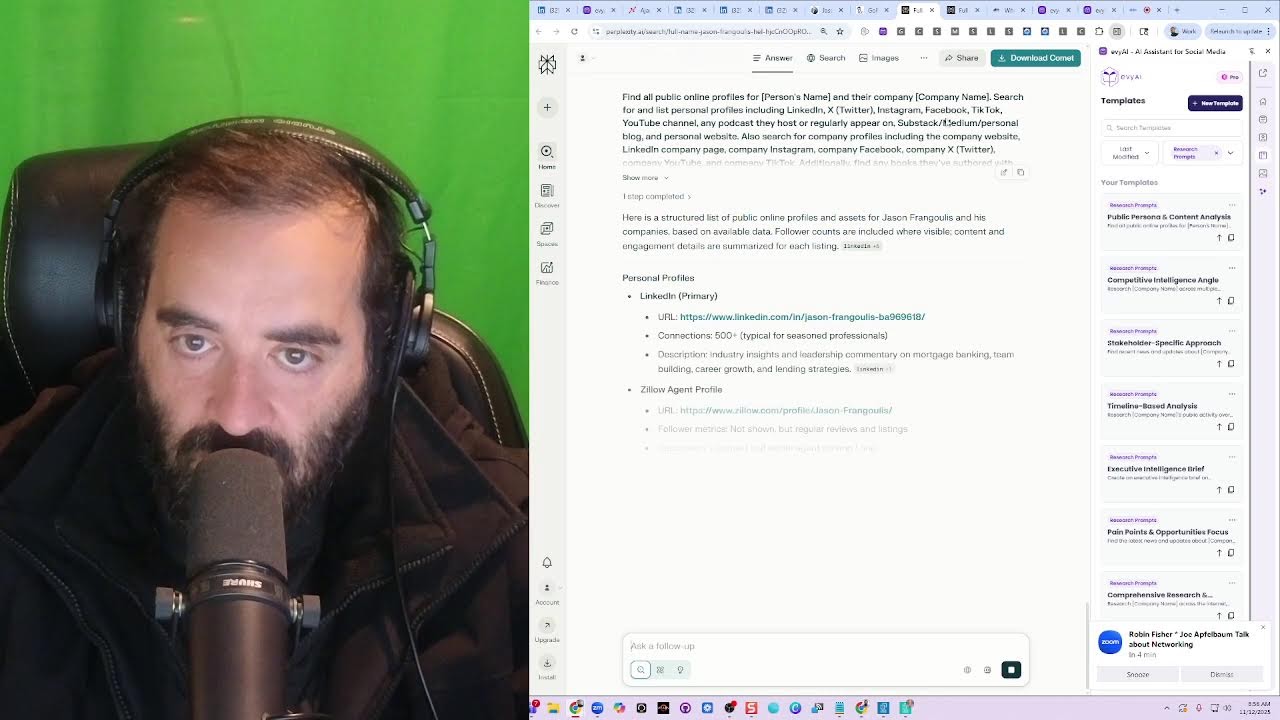
In this live tutorial, Joe Apfelbaum demonstrates how to use Evvy AI—a suite of AI‑powered tools for LinkedIn—to build a business overview, generate content, manage contacts, and drive sales. He walks through a real‑world interaction with a prospect named Jason, showcasing the Bundle Plus offer (two Evvy AI licenses, $10,000 training, community access, and $5‑per‑day pricing), commission possibilities, and the step‑by‑step workflow for capturing LinkedIn interactions, adding notes, and syncing them to the GoHighLevel CRM. Joe also highlights multi‑platform streaming via Restream.io, the Evergreen Networking System training program, authentic commenting, profile optimization, research prompts, and the vibrant community of over 1,400 members that fuels relationship building. Throughout, he emphasizes authenticity, the value of automated research, and how the platform streamlines outreach, lead nurturing, and partnership development.
Chapters
start using artificial intelligence properly, what you need to learn how to do is how to communicate with AI as if it's your actual assistant. Most people, they don't have an assistant and they don't know how to work with an assistant. What if you had an extremely intelligent assistant that can help you with everything? What if you had Evvy AI, your sales assistant? Let me show you the way that I work with a variety of different tools that helped me be able to properly have a conversation with artificial intelligence to understand my business fully. Quick background about me. Let me just first take you to my LinkedIn. If you go to joelinkedin.com, J-O-E-LinkedIn.com, I'm gonna go there right now, and you look at my profile, you'll notice my title, CEO, Evvy AI, AI trainer, business development training, B2B marketing via Ajax Union, Networking connector, author, speaker, entrepreneur, AI expert, and father, single father of 5. Okay, because I have 5 kids here. So the real question I have for you is, have you prepared an overview of your business? If you haven't yet done this, this is something that I highly recommend you do. I have a video here that does an overview of my business. This was from 3 months ago, this video here. So it's time for me to create a new video as an overview of my business. But before I go ahead and do that, I want to educate and train some type of artificial intelligence to let it know exactly who I am, what I do, where I, what I'm about, and give it a really, really good training, like almost like a brain dump of everything that's about my business. And then watch me organize that entire brain dump. And the question is, can I do that in just a few minutes? Like how long would it take me for me to explain to somebody every aspect of my business, why I built it, what the features are, how it works and all that jazz. So the first thing that I'm going to do is I'm going to use an assistant that helps me be able to type up everything I say. The one that I like to use the best is called otter.ai. Ever heard of it?
Otter. O-T-T-E-R-A-I.
Okay, so let me go find it, the website. Okay, this is what it looks like. It's right over here. This is what Otter looks like. I'm going to press record over here, and now it's going to start recording. Now what I can do here easily is name the note. So I'm going to say overview of my business, eviai.com. Okay, so now I named the otter. So now I have it recording over here, and I'm simply just going to put it right here as a tab on the side of my browser. Okay, so I have it recording in the background. It's typing up every single thing I say. Today I want to show you an overview of Evy AI, my business, how it works. Evy AI, evyai.com, is your sales assistant. It's here to enhance your online presence. It has both a web app, a Chrome extension, and a mobile app. And it's here to support your sales activities, enrich your connection data, monitor activity, create personas, generate comments, ideas, craft posts, and 10x your online exposure and productivity. It's meant to save you time and effort, improve your visibility, and build Credibility. See, the biggest problem that people have is that they want to use tools like LinkedIn, Facebook, Instagram, but they don't have the time to do the necessary activities. So what are the activities that someone needs to do on a regular basis to be successful? So for example, I want to leave a comment right over here. You see, he said, investing time and care into relationships creates lasting value. In the boardroom, relationships with stakeholders and teams and partners are true assets. So if I want to build a comment on this right here, how do I do that? Well, step number 1 is I open up my assistant and it sits on the side of my browser here. Now, once I have the assistant on the side of my browser, I could click into this box and the assistant knows I'm trying to leave a comment. Then I can press generate. The assistant will then read the post, generate a comment, and then I can press the insert button. It'll insert that. Building relationships is like playing a strategic game of chess. Each move counts, and understand your stakeholders is the key to success. With you, it might be more like Twister. Let's play. Okay, how do you strategically nurture your professional network in EO without people thinking you are soliciting them? Answer that one. Okay, and then I'm going to press comment. Do you see the way I did 80% of the work with AI and 20% I customized it so much that there's no way that you use AI for this? You know, with you it might be more like Twister. Let's play. I mean, does AI talk like that ever? Does AI ever ask questions about EO without solicitation? It would be very, very hard for entrepreneurs, organization, for like someone in EO to think that this would be AI. But you just saw that 80% of the work was done by my assistant. You get, you see what I'm saying? So step number 1 is learn how to properly leave comments with an assistant. And if you can leave thoughtful comments, that's powerful. When leaving comments, you can include a goal. There are many different goals available inside Evvy AI. There's address concerns, address misconceptions, ask questions, build rapport, build relationships, encourage action, encourage debate, encourage engagement, encourage sharing, establish expertise, highlight the author, highlight the partnership, offer support, offer tips, promote product, provide feedback, provide resources, provide value, reinforce branding, respond to criticism, share anecdotes, share news, share opinions, share stories, share empathy, share values, share voice, share— spark curiosity, or use inclusive action. So there's a lot of different goals that you have when you're commenting. There's also lots of different tones. The way that you sound authentic is by using your authentic tone in that moment. So how are you feeling right now? Are you feeling analytical, assertive, authoritative, challenging? Are you feeling conversational, curious, educational, empathetic, curious, funny, happy, informative, inspirational, metaphorical, motivational, narrative? Are you feeling normal, persuasive, philosophical, reflective, sarcastic, sincere, visionary, whimsical? Are you feeling any of those things? I'm going to feel a little reflective. And then there's something called a persona where it's endless. You can have custom training with the AI telling it exactly how you want to sound. So if you're on Facebook, for example, I would select a Facebook post response and I can easily find this guy on Facebook. Now, how do I find a contact from LinkedIn to Facebook? Evvy AI makes it really easy. You can literally select any name. Right-click on the name, click on Evie AI, and then click on social search and find them on any of these platforms: LinkedIn, Facebook, Google, Instagram, TikTok, X, and YouTube. Because when you right-click on a name, there's a submenu that says Evie AI, AI assistant for social media. And then you could either send the text that you highlighted to the Evie AI side panel, or you can hover over social search and it'll give you that selection of 7 different types of searches you can do. So if I want to search him on Facebook, I just select Facebook and it will usually do a search on Facebook for this particular person. And if it finds the person on Facebook, then what I can do is I can easily search for them and build a relationship with them and get to know them if they happen to be on Facebook. I happen to know that he doesn't really want to use other social networks other than LinkedIn. So even if I search for him on Facebook, I'm probably not going to find his profile right away. He might have a profile, but it's not something he wants people to be using anytime soon. Now I'm actually getting a phone call right now, so give me a second, everybody. Is everything okay?
Yeah, just give me a second to pick up some options.
So you can call me when you're done.
Okay.
All right, let's stop. Let's stop Facebook for a second. Do you see the way it kind of typed up everything I said so far? I just showed you one element of our, of our thing and everything is typed up. I can easily take this and take it to the next level. Now I have a question for you. If you're watching this right now, tell me, was that one thing that I just shared useful to you? I actually shared 2 features. I shared how to comment with artificial intelligence, and I shared how to do social search and find people on other platforms. So I'm going to go here and just take a look to see. It says Remy is watching this. The selections are interesting, Remy said. Thank you, Remy. I appreciate that. Now I'm going to go ahead and give myself a little heart here because why not? And then I'm going to go into Remy's profile and just look up Remy a little bit. Now I see Remy's following me, but I'm not following Remy yet. What I do want to do is I want to connect with Remy. So what's the easiest way for me to connect with Remy? Before I connect with Remy, I want to tag her in my, in my AI over here. So I'm going to type in here LinkedIn Live. Okay. So I'm going to click LinkedIn Live because she attended my LinkedIn Live and commented on it. I'm going to press save profile. Do you see I just saved her profile? I'm saving her profile here to the side. And when I save anybody's profile, whether I'm connected to them or not connected to them, it helps me organize people in a meaningful way. So do you see the way I now can enter her email, her phone number, and even a quick link? Now on the side, I get a card with every person's first name, last name, their title, and all their information tagged. Now let's take a look at this card. This card has different options. There are 3 buttons on the top right corner of the card when I save a profile. When I click on those 3 buttons, I get Open Card, Copy Profile URL, Edit Profile. If I press Edit Profile, it allows me to add additional information here like her company name. So over here I'm going to type in RCL Media LLC, and I'm going to press Save. I just saved her company name here as well. In addition, I can add her email address if she makes it available. So if I click on contact info here, I can find her email address. Sometimes people put their email and their phone number and everything here. In this case, she didn't. She did put her website, however. I'm going to go to her website just to kind of check out her website. I see she has a nice little website over here, which is very cool. I'm going to click on contact on her website, see what information they have available under contact, and you see she has a phone number here. I'm going to select this phone number and I'm going to put the phone number in just like this and press save. So now I have a phone number. I don't know if this is her cell phone or the office phone or whatever it is. I'm going to click on about just to kind of see what here. I'm Remy, the founder. It's very likely that this is her cell phone. A lot of small business owners put their cell phone there as their main phone number so that people can call them. Now in terms of email address, how do you find someone's email address? Well, often people will put their email address on different platforms. Maybe sometimes they'll put it on Facebook. You see the phone number is here as well. I can look to see if the phone number is under the About section. The email address sometimes is like hidden over here somewhere. It looks like this is a mobile number indeed, because it does say mobile over here. Now what I'm going to do is I'm just going to close this up here. And instead of me doing the research, you see I'm manually doing research, I'm going to have the AI do the research. So on the top right corner, it says AI Research here. Under the awareness and networking tab. So it's the card on the right side is formatted to have a variety of different things. It has her name on the top with the tag that I tagged her with. After that, it has awareness and networking. Then it has a section called AI research with 7 different agents, including ChatGPT, Claude, Grok, Perplexity, Copilot, You.com, Findy. Then there's a section where I can add and delete lists. From this particular person. So I can add them to any list I want. I have many custom lists. Then I have the ability to enter their email, their phone, a quick link. Now what I love about quick link is I can autofill the recent activity link. And so a button will appear under the quick link section. When I click on it, it'll load up all of her recent posts with one click. And so this means what I can do is I can easily leave a comment on her posts in a very, very fast way. I'm going to go ahead and tag her in this comment. I just left her a thoughtful comment on the post. And besides Social Insider, she has my comment there and I'm top of mind with her. 41 minutes ago she posted and I'm the only one that basically commented besides the page that she mentioned on the post. Okay, so back to what I was talking about, which is AI research. I'm going to go ahead and choose Perplexity to do the research. And with one click of a button, I just searched the entire internet and found tons of information about Remy. Remy's a fractional social media director and founder of RCL Media specializing in strategic social marketing campaigns, blah, blah, blah. Now, do you see how many details I have here? I have phone numbers, I have websites, I have contact information here. I have so many great things. So what I'm going to do is I'm going to copy all this information. I'm going to click on the networking tab and I'm going to add this as a note. Now, what I want to do is I want to find out information about whether she was on any podcasts or not, because a lot of the times, especially people like Remy, she's going to be on podcasts, giving up a lot of information about her life. And so I just went and searched up her top 10 podcasts that she's been on and all the events that she's gone to. And I'm going to take all that information, including the citations, and add it to the networking notes. So inside her card, there's a section called awareness and a section called networking. When I click on the section called networking, I have notes, summary, introduction, and resources. When I click on notes, I have the ability to add notes and I can add as many notes as I want. When I press add a new note, I can put in HTML-rich notes in there. I can even speak those notes. So I could say she was on my LinkedIn Live recently and she left a thoughtful comment. I really appreciate that very much. And now I'm researching her, featuring her on my LinkedIn Live. And I'm going to press log notes. And I just logged this note. She was on my LinkedIn Live recently. And she left a thoughtful comment. So now I have all these notes and I'm actually training my artificial intelligence to understand the relationship I have with Remy. You get it? I'm training this AI. And so what's missing now here is her email that I wasn't able to find readily. I'm going to click on the networking tab and click on summary, and I'm going to click on summarize profile. And what this will do is this will start looking where it can find any additional information that maybe wasn't available publicly on the web. Maybe it'll find that information right on her profile or somewhere else where I'm logged in to be able to summarize that information in a meaningful way. The other thing I'm going to do is while it's preparing this little summary here, I'm going to click on the 3 dots on her profile and I'm going to hit connect. When I want to connect with someone, I often want to write a note and often I don't know what note to write. So I'm going to click on add note over here and then I can speak into the note. So I'm going to click back in content on the right side of the side panel. There's a little picture of a house called home. Then there's content, then there's profiles, then there's templates, and then there's image gen. I'm going to click on content and it's going to reopen the content section. It's automatically going to know that I'm inside a note trying to leave a note to the connection request. So it says invitation on top. There's a little reset button next to where it says invitation where I can reset it and it'll just say AI writer, but then I can reset the context by clicking into the note. And it'll know I'm trying to make an invite. I can also select my goal, my tone, and my persona. In this case, I'm going to send her a message as if I'm the CEO of my marketing agency, Ajax Union. So I could look through all my personas, or what I could do is I could just search Ajax Union and then boom, I select CEO of Ajax Union. Instead of being reflective, I'm going to be persuasive. And then what I'm going to do is I'm going to say something here. Thank you so much. For joining my LinkedIn Live today. I clicked on a microphone next to where it says Command to Evie AI on the bottom right corner of the content section, and I can choose any LLM. I have the ability to choose ChatGPT. I have the ability to use GPT-4, 5, Claude, Gemini, Grok, and many others. And what I can also do is I can select my language. I have the ability to select English, both the US and the UK version, Arabic, Czech, Danish, Dutch, Finnish, French, German, Hebrew, Hindu. Italian, Japanese, Korean, Mandarin, Norwegian, Persian, Polish, Portuguese, Romanian, Russian, Slovak, Spanish, Swedish, Urdu. You see how many I have available there. And I can also inject templates into the command box. If I have prompts that I already have saved in the past, I can search through my templates and add additional templates there. In this case, I used a microphone to talk to AI. And it said, thank you so much for joining me on my LinkedIn Live. I can inject this content directly by placing the insert button into the note, or I can press generate and it'll generate from that command to Evvii AI. It'll generate a thoughtful note. Hi Remy, thank you so much for joining my LinkedIn Live today. Your work in strategic social media marketing and content creation is impressive. Let's connect and explore B2B marketing strategies together. So I press insert here. And then I press send and I just sent her a thoughtful connection request. Now, as you can see, I'm going to go back to my notes here. As you can see, I've been talking for the past 20 minutes or so, 18 minutes or so, and look how much content I now have because I'm training the AI on exactly what Evvy AI does, the AI assistant for social media. This is pretty incredible that I'm now typing up everything that I say. So I can properly create an organized video around everything that Evvy AI does for our clients. So this is extremely powerful. So now I'm back to Remy's profile and I sent her a connection request. I'm waiting for her to accept this connection request. I'm going to refresh to see if she accepted. She still hasn't accepted my connection request. Hopefully she'll accept it soon. It's so interesting to see everything that she does for a living. But what's more interesting is that if I click on the profile section of Evvie AI, and then I click on networking and I click on summary, I have a detailed summary of who she is, who she helps, company insights, growth areas, notable projects, relationship building conversation starters, both professional and personal, and so much more. This is very, very exciting. And the reason why this is exciting is because now I have so many incredible details about this person, both on the notes section that I picked up from AI. You see all these notes over here, and also in the summary, creating an incredible summary that allows me to be able to really get to know this person deeply and build a meaningful relationship. Now, there are plenty of other tools that I can click on to find additional information that we teach you inside our training. To be able to search through databases to find people's email addresses. So if I want to find her email address, what I can do is I can click on this LinkedIn logo on the bottom under— it says Social Search within her little card because I have the ability to open up her LinkedIn profile with a click of a button. And then once I'm on her profile, I can find one of the tools that I have that allows me to find people's email addresses, click on View Email, and now I have her email address. And I can save her email address right into Evy AI. And because I saved her email and her cell phone number into Evy AI, I can then push one button that says add to GoHighLevel and it'll throw it into my CRM. We have full native integration into GoHighLevel, which is one of the most popular marketing automation platforms around. We are adding HubSpot. We are adding Salesforce. We are adding Pipedrive. We're adding many more. For right now, GoHighLevel is what our clients really requested, and so we added a button under the social search section inside everyone's card in their saved profiles called Add to GoHighLevel. And to customize your card, in order to customize your GoHighLevel integration, you just have to go to your profile by clicking on the little settings tab on the bottom right corner, and then go to your account and click on— scroll down to GoHighLevel, and then just enter your location ID and your API key and press save, and this will then be attached to your GoHighLevel instance. If you go into her card and click networking and then click introduction, you'll notice that I made a beautiful introduction about her. And I do see that she accepted my connection request on LinkedIn. And when somebody accepts your connection request on LinkedIn, you can click on contact info and you could see additional information. Now she did share her email address here in her contact info section. I already got it from another source. It's the same email address. But I already received it from a different source. And that's part of what we teach inside EvvAI. We have robust training on how to use LinkedIn and additional tools to help you be able to get all the information you need, even if you're not connected to someone. And we have meetings literally every day teaching people how to properly use LinkedIn together with other prospecting tools to help you be able to achieve success with LinkedIn. So we covered a couple things. Number one, we covered how to comment on LinkedIn with artificial intelligence. We covered both how to comment on the feed. We also covered how to see someone's recent activity by using the open link feature, open quick link feature within Evvy AI. Once you save someone's profile to a list, you can then open up the quick link and open up all their recent posts and then quickly leave a comment. We also covered how to be able to use the connection customizer to write a custom connection note when messaging new connections. And as you can see, Remy already accepted my connection request because she went from first— she went from second-degree to first-degree connection. Now I'm going to show you how to send a direct message to somebody. So because Remy connected with me, I want to send her a DM. I'm going to click on message over here. I'm going to click into the message box. Evvii AI will automatically know I want to send a message. So I'm going to switch to the content section inside the side panel of Evvii AI by clicking on content on the right side. Then I notice it says message on top. That means Evie AI already has the context and knows the conversation. I'm going to clear out the command box because I have the pin icon that says remember prompt inside the command box. I'm going to unpin that so Evie AI forgets the current comment. And then I'm going to click on the clear button, which is the picture of the garbage can where I can clear out the previous command prompt that I asked it to remember. And then I'm going to click into the command box and I'm going to click on the microphone on the bottom right corner next to the generate button. And when I click on that, I'm going to start speaking and tell it what type of direct message to leave. So I'm going to click on the microphone now. Wow. Thank you for connecting with me on LinkedIn. And I appreciate you attended my LinkedIn Live today. I wonder what you thought about it. Now I'm going to press this little up arrow and it's going to send this custom text that I added here right into the DM. And when I press send in the DM, It automatically will send this message that I spoke into AI. Now, you could type all this up, but personally, I am much, much faster on the computer when I talk to AI and it types up what I say. Now, what I could also do is I can press generate over here, and this will generate a message off this command. You see, the message that it generated was a little different. It says, thanks for joining the LinkedIn Live, Remy. Your expertise in social media marketing is inspiring. Let's dive deeper and remember the right strategy will save you a decade. You got this. Okay, so this is a little more customized, a little more professional message than what I said over here, but I wanted to be a little more authentic. And so I use this more authentic method here, which is literally just using my voice. But if you want something a little more professional rather than authentic, you can send it into the AI, what you said, and then the AI will kind of customize it. The other thing that you can do is you can select your goal, your tone, and your persona as well for the messages. So if you want to send a very specific type of message, um, like birthday wishes, building a relationship, clarifying their role, gratitude for connecting, holiday greetings. So I'm going to go ahead and click gratitude for connecting. You see that? And instead of being persuasive, I'm going to be professional. And then I'm going to go to my network on LinkedIn. I'm going to click on my network. Then I'm going to click on connections. And then I'm going to go to, for example, Janelle Anderson. I'm going to click on message and I'm going to say something like, really grateful that we were able to speak and do joint venture partnerships together. I'm going to press generate and now it's going to generate a message that says something like that. Really grateful for opportunity to connect, Remy. Excited about our potential joint venture partnerships and providing B2B marketing. Your expertise in strategic social media marketing is impressive. Let's make impact together. Okay, so now it's thinking I'm still talking to Remy because it's still attached to the Remy talks. I clicked in here, now it knows I'm talking to Janelle. I'm going to say, great to be part of JV Grow Together and glad we got to talk. I'm going to press generate over here and let's just see what happens. Great to be part of JV Grow Together, Janelle. I'm excited about the potential of our new connection and exploring opportunities together. So Because I clicked into here, Heavy AI knew that I was sending a message to Janelle instead of Remy. Before, it thought I was talking to Remy. So now it customized it for Janelle. I press that and I press send. And it sent it specifically with the goal of gratitude for connecting. Whereas with Remy, you know, I didn't tell it I was gratitude for connecting. There are many, many goals that you can have. Holiday greetings, learn about their services, mentorship requests, network expansion, profile view thank you. Service offering, thank you for engagement. There's a lot of reasons to message people on LinkedIn, and we basically give you all those reasons inside the dropdown. So that's a very powerful guide helping people be able to select reasons to message people. Okay, and so we just covered another feature of Evy AI called the messaging helper that suggests replies to direct messages on social media based on your last message received. So if I go into my mailbox inside Evie AI, I can select— there are many, many messages that I've been sending over here. You see, I can keep going down here, find messages from people. You see, Steve Ramona, Janelle, Moshe, Kendra. I'm going to click into Kendra's box here. I'm going to click here. I'm going to press gratitude for connecting, services offer. May I send you my last class? That I just did for my community about how to leverage LinkedIn with artificial intelligence using prospecting methods. I'm going to press generate. I'm going to go in here. Integrating emotional intelligence AI is a fantastic concept that aligns well with the paradigm shift you mentioned. May I send you our last class in leveraging AI for prospecting methods? Might offer valuable insights for your clients. I'm going to hit send. I'm going to say, here it is, www.evyai.com/webinar-replay. Let me know what you think.
Okay.
So I just put in this webinar-replay. Now, if I want to save a template into Evy AI to be able to send people templated messages, the fastest way to do this— I'm going to say, yeah. Okay, the fastest way to do this is on the side of Evie AI, you can click on where it says templates. Okay, so there's home, content, profiles, templates, image gen, and then there are 3 little dots called generate and insert in case you want to be able to just quickly generate and insert things into Evie AI. So if I want to click on templates over here, I have lots of different templates. So I'm going to just search webinar. Inside my templates and just see what comes up. I have the webinar replay for 5/28. I have webinar replay for 4/1, and I just have a standard webinar replay. Watch our recent webinar replay at evaai.com/webinar-replay. You can learn more about how to grow your business with LinkedIn and even watch me do live prospecting calls to book meetings. I think you will enjoy it. enjoy this one. Okay, and I'm going to press save, and I just saved this. Now if I have this webinar replay thing, what I could do is I can go into the backend of Evie AI by clicking on the up arrow on top of the house in the side panel on the top right corner. There's an up arrow called Open Evie AI that takes me to the app.evieai.com/dashboard. Inside the dashboard, you can click on templates And if I search webinar in here, I'm just going to search webinar replay. I can actually select a keyboard shortcut. In this case, I'm going to select a keyboard shortcut called Alt+5.
Okay.
So I'm going to take Alt+5 webinar replay. I'm going to do Alt+5 just like this. I'm going to replace the keyboard shortcut for Alt+5. And I just set a keyboard shortcut to the webinar replay. Template. So if I go into here and I go Alt+5, I just injected this template. I just injected this template into here by just pushing Alt+5. How crazy is that? So this saves me a lot of time when I'm doing things. Okay. So I'm going to click on Dr. Jerry. I'm going to click on message. How are you? Yeah, I just sent him a message saying, how are you? I'm going to save him. I'm going to type in networking. I can just save him as a person that I'm connected to in networking. He's in Kirkland, Washington, which is very interesting. All right, I want you guys to think about this very, very deeply. What did we cover so far? We covered the comment generator, we covered the messaging helper, We covered the connection customizer, right? We covered these 3 things so far. Now let's cover the post writer. Let's write a post. So if I want to write a post on LinkedIn, I need to think about what to write. So if I go back into the Evvii dashboard by clicking on the up arrow on the top right corner of the extension, there's a section called idea generator. When I click on idea generator, I want it to give me some topics for things to talk about. So I can select my goal. My goal is networking. My tone, my tone is going to be narrative. And then my persona, I can create a custom persona or I can select one that's already here. In this case, what I'm going to do is I'm going to create a new persona just to teach you how personas work. So before I do the idea generator, I'm going to go into personas here on the left side. I'm going to click on add new persona. I'm going to call this persona Joe Heavy.
Heavy. CEO.
Industry, I'm going to say marketing. And then my tone is going to be philosophical. The keyword is going to be AI assistant for social media. And then the background and history, I'm just going to talk to it. Act as a CEO of a social media assistant artificial intelligence startup. That helps people in 40 countries around the world be able to leverage artificial intelligence as an assistant for their social media. It includes both a Google Chrome extension, a mobile app, and a web platform. And it helps people do simple things like draft comments to make it faster to leave comments on social media platforms like LinkedIn and Facebook. It also helps you write posts really effectively with a hook, main points, call to action, and hashtags. It even generates images using the latest Nano Banana technology that allows you to create images that look exactly like you with perfect words. In addition to that, it helps you send direct messages. It helps you customize connection notes, and it helps you organize your connections into lists on LinkedIn, and it helps you research them and document everything about them in a meaningful way using artificial intelligence AI agents. The best part of the whole thing is that we have a community with over 1,000 engaged LinkedIn users that meet every day, support each other, and build their business together. A little background about Joe. He is a single father of 5, multiple serial entrepreneur. He built multiple multimillion-dollar businesses. He's a professional speaker, a certified Google trainer. He even trains LinkedIn employees on how to use LinkedIn. So he has deep expertise on LinkedIn. Some people call him the LinkedIn Daddy. And he's very authentic. He loves to build relationships, get to know people. His father wanted him to be a rabbi, so he studied in Israel for many years and he became a rabbi, but then he realized that he actually wants to be an entrepreneur and build businesses. That's what he's passionate about. And after building many successful businesses, now he's teaching people how to use LinkedIn and teaching people how to use his artificial intelligence technology that makes it really easy to leverage LinkedIn in a meaningful way. Joe's very passionate about helping people not just do marketing, but also networking and prospecting. He went from being afraid of putting his photo online to now having tens of thousands of followers across his social media platforms. He also used to be afraid of professional speaking and public speaking, and now he's a professional speaker that is sought after by organizations like Entrepreneurs Organizations, Young Presidents Organization, Vistage, and many other organizations that hire him to speak to groups of CEOs and executives on how to use artificial intelligence and how to use LinkedIn to be able to maximize efficiency and effectiveness online. Joe is an open water diver, which he recently learned how to do. He is a wonderful human being that loves to give. He believes that the secret to living is giving. He's very into personal development, and he enjoys networking, building relationships. He wrote 5 books. Each one of those books are powerful books that people enjoy to read, including High Energy Marketing. Another title is called High Energy Networking, his most recent book. And of course, he also wrote High Energy Purpose because Joe is deeply spiritual and loves connecting with people in a meaningful way. He understands that there's a very big difference between doing and being. And Joe likes to be very present with people and connect deeply with them and build deep, meaningful relationships. He's a member of the Executives Association. A member of Entrepreneurs Organization for over a decade, and he's a contributing member to many boards as he loves to give back and make a difference for people. Joe loves to make introductions for other people, so he's always encouraging, inspirational, charismatic, and of course he loves to have a good time. He doesn't believe in working. He only believes in playing and having a good time, but at the same time getting things done in a meaningful way. He's very professional, but at the same time, he likes to joke around and have a good time. So if you're looking to connect with Joe, make sure that you get to know him a little bit, learn about him. He goes on LinkedIn Live very often. He's on LinkedIn Live almost every single day, sharing his thoughts, doing live prospecting calls, and building deep, meaningful relationships with people. He also loves his 5 children and he loves being a daddy for them. And that's why people call him the LinkedIn Daddy or the Artificial Intelligence Daddy. Because he loves his 5 kids and he loves being a father figure for them. And he kind of loves giving to other people as well and kind of supporting them, protecting them, and providing for them. And he's looking to continue to build his community and make a difference for more people. So that's a little bit about Joe. You can check out his website at evyai.com.
Okay.
evyai.com and watch his webinars at evviai.com/webinar or follow him on LinkedIn at joelinkedin.com. And okay. All right. So that's, that's that. I'm just going to finish it right here. 4,864 words. Do you see that? I'm going to go to the top, press Save Persona. So I just saved the persona. I spoke the persona into the background and history. The only 3 things you really need to do here is the person's name, the persona name I should say. In this case, I called it Joe EvAI CEO. The tag, whether it's a company or a person, and then the background and history, which is essentially your prompt. I put a 5,000-character prompt explaining everything about me, and I'm going to press Save Persona. And as you can see, I just saved the persona into Evy AI. Now from the dropdown on the right side, when I click on content, I can easily select, I can easily select that new persona by clicking on the personas, clicking on the refresh button so it pulls all the new personas. And I type in CEO and I can do Joe Evy AI CEO. When I click on that, it knows that I'm talking about that. So let's go back to the idea generator and let's go ahead and select, let's search for Joe EvAI CEO. And now I'm going to press generate ideas, ideas about networking. And then I'm going to click here under networking. I'm going to choose personal stories to see if it can pull my own personal stories based on the persona. Okay, so I won't hesitate to reach out to a LinkedIn stranger. Every connection shapes turned into meaningful conversations. I'm gonna zoom out a little bit here. In a world where digital interactions dominate, remember a personal touch can make all the difference in your networking efforts. I'm gonna go ahead and hit generate post and let's just see if this takes all the training I just gave it and throws it in here. In a world where digital interactions dominate, it's easy to forget the power of personal touch. Years ago, I was just another face in the crowd, hesitant to put myself out there. The idea of sharing my thoughts online was daunting and public speaking terrifying. But something shifted when I realized that behind every screen was a person just like me, craving genuine connection. I remember the first time I posted a personal story on LinkedIn. It was like, it was about my journey from being a rabbi to entrepreneur. I was nervous. But the response was overwhelming. People reached out and shared their stories, and suddenly I wasn't speaking to a void. I was part of a conversation. This experience taught me that authenticity is the key to meaningful networking. I really liked this. This is a really nice post. I'm going to press copy on this post. I'm going to go into LinkedIn. I'm going to click on the homepage of LinkedIn, click on start a post, and I'm going to just simply paste this. Now this works inside the mobile app. This also works. On our web app. This also works on our extension. If you click on the extension here, you'll notice it says post here on the top right corner now. So you can do the same thing in here, give it a prompt, hit generate, and boom, it generates a post. And then you can insert it directly into here. I'd love to hear your thoughts. How do you balance technology and personal connection? Now I want to create an image. The way that I create an image is using the Evie AI image generator. So I showed you how to use the idea generator, and I showed you how to use the, the prompt generator. The post writer. Now we're going to click on ImageGen on the right side and we're going to select an image. So what type of image should I select? I do love this image over here. And so I'm going to tell it, instead of using this image, I'm going to select an image from the internet. I'm going to look for the AI Advantage image. Let me see if I can find it here. I'm going to click on this little up arrow here, the upload image. I'm going to click on where it says Downloads. Not going to click on— I'm going to click on Photos. I'm going to type in AI Advantage. I'm going to press Open. And this adds Tony Robbins to this. I'm going to click on this little up arrow. I'm going to press down. I'm going to press Images of Joe. I'm going to choose this image. So I'm selecting my image. Okay. Put. Put the image of Joe, which is the single image, together with some of those other people like Tony Robbins and Dean Graziosi, and put them all standing together with a big banner that says, HeavyAI.com in gold letters and a purple background. All the other people are cheering for them while they are on stage doing power moves. All right, let's just hit generate and see what it does. I'm curious to know what's gonna happen here. This is the first time that I'm putting 2 images together in this way with multiple people and addressing specific faces to see if the AI is smart enough to know who Dean Graziosi is and Tony Robbins and who I am in a single photo and putting us on stage with evviai.com behind us. Wow. Okay, let's press the copy button. Let's press paste over here and let's just see what it does. Wow, look at that. It put me together with Tony Robbins and a bunch of other people. Now it's not exactly Tony Robbins. It kind of looks like him, but it's not him. And he's much, much taller than me. So this doesn't really make sense. It's not realistic, but I do love this. I do love this. And I don't know if it used the faces of those people in the background, but we're definitely going to keep this here just like this. And instead of saying, in a world where digital dominates, easy to forget, I'm just gonna write, it's easy to forget the power of personal touch. Let me take you back to a moment that changed me forever. The personal, da da da. Today I lead a community of 1,000 engaged LinkedIn users. We support each other, insights, assessment, and power. I'm gonna say Jane Lehman even told a story about how I Called her after hearing she was going through a difficult time. Yes, I call people. It's not scalable, but watch my webinar in the comments and you will see how I do it fast. So if you're feeling overwhelmed with digital noise, remember that your story matters. Share it, engage it with others, and build relationships. I'd love to hear your thoughts. How do you balance technology? Drop a comment below the conversation and look out for our webinar replay. Okay, I'm going to press post, and I just posted this amazing post right here. You see that? I just posted this. Now I'm going to press comment, and I'm going to press Alt+5. And I just left a comment because I pressed Alt+5. I remember that template that I set up a few minutes ago. I just pressed Alt+5 and that template showed up in the comments of this box. Unbelievable, right? And so you saw me create a persona. You saw me write a post. You saw me generate an image out of multiple images. Just unbelievable what I was able to do so far. And I'm just getting started. I didn't even start showing you all the amazing things that we have to offer inside Evie AI. So it would take me quite some time. As you can see, I'm already going this— I'm about 45 minutes into this conversation and I just showed you a couple of things. What did I show you? I showed you the comment generator, the post writer. I showed you the messaging helper and the connection customizer. Those are 4 features I showed you. I still haven't even showed you the ability to optimize your profile because you can go into Evvy AI. You can click on Profile Optimizer, put in some information about your profile in here, hit generate, and it'll generate your profile. Do you want to see? I'm going to write, create a good profile about Joe Apfelbaum. I'm going to press generate right here and watch what it does. I didn't even select a goal. I could have selected branding, lead generation, marketing services, networking engagement, profile editing, and thought leadership. I could have selected a tone. There are many different tones and I can select, of course, a persona. So the AI knows exactly who I am because I created that persona. And look at that, it gives me a headline. It gives me an about section. It gives me my experience, my skills, and actionable advice for my profile just by clicking a button. So could you imagine if you had access to all that? And by the way, You can go to evviai.com right now and try this completely for free. That's the crazy thing about this. You don't have to pay to try. You can try this for free. And if you want to pay, it starts at just $15. Like, it is super affordable, super affordable to get started with Evvii AI. And we do have some more premium features for people who need training and support and so on. Let's just see what people have been commenting here, because it looks like we've had quite a few comments. We have Diana, we have Jason, we have Rick. Thank you, thank you, thank you. Jason said, what program are you using to go live with? I'm going to click over here. I'm going to click on message here. I'm going to say, I go live with a few different programs. Do you use a PC or a Mac? Okay, so I'm engaging Jason into a conversation now. Now the other thing that I'm going to do is I'm going to click on contact info, and you can notice he has his cell phone number and email address here. So what I'm going to do is I'm going to save Jason. I'm going to click on Live right over here. You see LinkedIn Live. I'm going to press Save. It's going to save him into Evvii AI. I'm going to go ahead and I saved his card into Evvii AI. I'm going to click on Profiles. I'm going to go ahead and open Jason's card. And then I want to enrich it with his email and phone number, which we know is right available on his profile. So we're going to click on Networking Summary. We're going to summarize profile. It's going to open up his profile, grab his phone number, email address, his website, which I love that he uses Popple, by the way. So I can download his whole business card into Evy AI with a click of a button as well. So it's automatically saving everything into Evy AI. Once it saves everything into Evy AI, I could push it into my GoHighLevel CRM. And I'm going to show you the way I open up my GoHighLevel CRM in just a second. And then I'm going to pull up his profile. So I'm going to click on awareness. I'm going to hit send to GoHighLevel. It's going to send all of Jason's information from Evie AI into GoHighLevel. And once I have that information inside GoHighLevel, what I can then do is I can open up his profile inside GoHighLevel and it looks exactly like this. Like I'm going to pull up GoHighLevel in front of you. It looks exactly like this. You see? And then I can push the call button and just make a phone call to him right now. So I'm going to put on my headset so you can So I can hear this because I don't know what it is, if it's actually calling or not. And let's see if it calls Jason or not. It looks like it's calling. Hey, Jason.
Hello, how are you?
You are live on LinkedIn Live with Joe Apfelbaum. How are you doing?
I am well. How are you?
I'm doing fantastic. Thank you for leaving a comment on my post. You have 11,000 followers on LinkedIn. That is very impressive, my friend.
That is. I appreciate that.
And I'm grateful that we connected on LinkedIn. I see you're helping mortgage loan officers level up their careers and referrals and commissions. Do you only help people in New York or do you help people in—
All over the country.
Okay. We definitely need to set up a meeting so I can help you help more mortgage and loan officers because I have some pretty incredible strategies. What do you solve for them? What problem do you solve for mortgage and loan officers?
Joe, hold on one sec. Okay. Hold on.
Okay. So now, as you can see, I'm having a conversation with Jason. He's a respected leader and innovator in the mortgage and real estate industry, known for helping mortgage and loan officers advance their career, boost referrals, and increase commissions. This is his target market. These are his key services. This is how he helps clients, empowering loan officers by sharing actionable strategies, tools, and insider knowledge to help them create new opportunities, build stronger relationships. So I have ideas for him.
Hey, sorry about that.
Okay, cool. So, so you, you're, you're doing the elite listing agent and focus on mentoring mortgage loan officers, right?
Correct. And, and real estate agents.
Okay, cool, cool. And real estate agents. But I love your focus on mortgage brokers, by the way. And mortgage brokers want to meet real estate agents. So when you tell them, hey, I have a whole list of real estate agents in my system, they'll be like, okay, okay, now I'm paying attention, correct?
Um, not necessarily. I teach them how to, how to get the business from the real estate agent without ever asking for anything from the real estate agent, but giving the real estate agent everything.
Amazing.
It's interesting. Yeah.
I love that. I love that. And, and I personally can introduce you to some people that are mortgage brokers. So for example, my best friend, 305-494-5454, his name is Yitzi. I'm gonna put in his bruise. So here, I'm gonna tag him inside a message and give you his cell. I know his cell by heart because he— because I've known him since forever. So I just sent you his cell.
I think I'm already— I think I'm actually in conversation with you, but go ahead.
Great. I just sent you his cell and his— I tagged him inside the message on LinkedIn so that you can reference my name and that we spoke. I always love giving first, giving referrals to people first before I do anything. And so if I can introduce you to someone who I know very closely that can do business with you and refer you to tons of people too, because he's inside all these mortgage communities and whatnot, that could be very lucrative for you.
All right.
I also have another mortgage broker that I'm working with in Rhode Island. His name is David Bayan. And I have another client who's a mortgage broker that I could happily introduce you to. So I definitely know quite a few mortgage brokers. I have one that I'm going to be having lunch with soon. named Scott. Um, so I'm— I have a lot of mortgage brokers that I know in general, and I would love to get to know more mortgage brokers because mortgage brokers need to learn how to use LinkedIn. And what I do is I teach people how to use LinkedIn to get more clients.
Okay.
That's my system and my process. By the way, how did we connect originally? Do you remember?
I'm not sure.
We connected back in 2019. Um, and, and so, okay. So you asked me, you wanted to know, how do you do LinkedIn Live? Why do you want to do LinkedIn Live?
Well, I wanted to know what program you were using for LinkedIn Live because I was, uh, because, because I'm actually, I'm starting a series today, actually at noon called, um, uh, Broker Nation Live, uh, where, you know, I want to just have an open discussion, kind of like a roundtable discussion with, and I want loan officers from both lenders and brokers. To have a discussion and, you know, like a Q&A session about, you know, like, I want lenders to inquire about what it's like to be a broker. I want brokers to inquire what it's like to be a lender. I want to talk about the pros and cons of both because I think that there's a lot of misconceptions about both. So if you can get it from, you know, if we can kind of have an unbiased discussion about it and just talk about, you know, real, real-world activities and examples. I think, you know, because I think, you know, there's probably a lot of loan officers that are with a lender that probably should be with a broker and vice versa, that are with a broker that probably would be better with a lender.
So all the people that are on your team, they're all people that you recruited to become part of Go Rascal, am I right?
Well, I wouldn't say that all the people that would be on my team would be, you know, but everyone that I talked to, it's, it's It's never about— how do I explain this? It's never about joining GoRascal, right? Obviously, I think it's a great opportunity, you know, and I'll talk about that, but it's about having conversations, creating relationships, and all of us helping each other as much as we could.
You built GoRascal?
I did not build GoRascal. No.
Okay.
Are you— John Mallons and David Williams are the owners of GoRascal. GoRascal is amazing. Sound like a freight train right now coming through. It's only going to grow and more and more people will know about it.
So are you working for them as kind of like their brand ambassador?
I'm working for them. Yeah, you can say that.
Okay. Oh wow. So you work for GoRascal and your goal is to get more brokers into GoRascal and you're using thought leadership to do it. Am I Right?
Using what leadership?
Like thought leadership.
Yeah. Well, you know what I mean? Again, never going to pressure anyone to do anything. Right. So there's going to be—
You're a recruiter. Your goal is to be able to bring in 1,000 mortgage brokers into GoRascal. That's your goal, right?
That would be. Yeah. But—
Amazing. And every person you bring in, you get a commission for every person you bring in, or you're just getting a good salary and you're happy?
However you want to, you know, assume it, that's fine, right?
Yeah, yeah, yeah. I get it.
I get it.
I'm trying to figure out the best way to help you monetize this position in a way that will help you be able to get the most bang for your buck. I think it would be worth it for me to talk to you about multiple fronts. I think there are multiple conversations we need to have. Do you mind if I have my assistant book a meeting for us, for me to kind of walk you through, A, how I do LinkedIn Live, I use a tool called restream.io, and I use a variety— I use a variety of other tools, and I train my people on how to properly do this. You know, I would love to show you some of my trainings. I actually have an amazing program right now called our Bundle Plus. Have you heard of our Bundle Plus program?
No, Joe.
I'll send you the link to it. It's basically we're giving a ton, a ton, a ton of value to people for just a few hundred dollars a year. Hang on a second. I'm gonna, like, you haven't used Evvy AI yet, correct?
No, I have not.
So our Bundle Plus is literally our best offer that we have available where we give you 2 Evvy AI licenses. But the crazy thing is, is that we walk you through step by step how to use LinkedIn. We give you a community of 1,000 people. that can engage on your content, build relationships, and help you be able to download all your 11,000 people, identify who are the mortgage brokers, who are the real estate brokers, organize it into lists, research each person with a click of a button, create unlimited really, really good content and images for you, and help you be able to have a strategy to get those 1,000 mortgage brokers in the door for GoRascal. And typically we charge $3,600 per license. We're giving 2 licenses away for just $1,968 and throwing in $10,000 worth of training on top of that, plus a community, plus a bunch of other bonuses. So if it's something that you're interested in, I sent you the link. I think it would be, you know, for a limited time only, it's available for just $1,968 for an entire year. So that's $5 a day, but it's just a thought for you to look at. But the more, more important thing for you, Jason. Is that I want mortgage brokers to sign up to that because they can benefit so much. So that's something that I can pay you commission on if you're interested in taking some commission. I pay a good commission on every person you bring in the door. So I do see— I mean, you don't need that.
You don't need that part of that. I mean, listen, if there's a synergy there and there's, you know, there's a way that you and I can work together and help each other in that way. That's good. Yeah.
OK, I get it. I don't know how you operate, so I'm getting to know you just a little bit. We've been connected for over 5 years, and I'm getting to know you, and I see that you're a real stand-up guy.
Right. Yeah. I mean, I try.
OK, so here's what I'm going to do. I'm going to have my assistant reach out to book a meeting with me and you to go a little bit deeper, maybe at the end of this month, maybe right after Thanksgiving or whatever, because I'm traveling today, and I'm going away for a couple weeks to Europe. I'm not gonna be around. But I want you to look at that offer I sent you in the DM when you get a chance and take it seriously to maybe consider joining our Bundle Plus. And if you guys can afford to do that and you guys wanna do that, then I can do some pretty incredible things for you.
All right, well, yeah, let's, I'll take a look at it and I'll reach out and let's connect when you get back.
Awesome. I appreciate you very much, Jason. Look into Restream.io. The reason I like Restream is because I'm streaming not just to LinkedIn right now, Jason. I'm also streaming to YouTube, to Facebook, to Twitter, all at the same time. So it's going to all of my social networks, Jason, all at one time.
Right.
Pretty cool, right? And if you need it set up correctly, we teach our students inside our Evergreen Networking System. That's our $10,000 training program. It's all included in the Bundle Plus, by the way. So I won't charge you for that, but we teach you step by step how to do this, and we have training sessions every day.
Sounds good. I will take a look.
All right. Thank you very much, Jason. I appreciate you, and thanks for commenting on my, on my LinkedIn Live today. I really appreciate that very, very much. That means a lot to me.
Sure. Absolutely.
All right. We'll talk again soon.
You're welcome. Thank you. Bye-bye.
Who commented on my LinkedIn post just now. And I simply built a relationship with him. You see, I built a nice little relationship with him, turned it into an opportunity, made him an offer. I'm going to have my assistant Jen book a meeting for when I get back. I'm going to go ahead and text her right now. Book a meeting for me and him to discuss the Bundle Plus on Around when I get back. He works with mortgage brokers. Okay. So now what I'm going to do is I am going to click on notes over here inside Evvy AI, and I'm going to leave a note. I sent him an offer for the Bundle Plus. I think I could really do a lot of work with him because he has 11,000 connections on LinkedIn. I really think he's going to benefit tremendously from getting trained on how to properly use LinkedIn and get another 1,000 mortgage brokers in the door. He works with both real estate agents and mortgage brokers. And I just appreciate the guy. He's just a good guy. He's a good dude. I like him. I want to get to know him more. I want to learn more about him and about the company that he works for. I want to get to know the CEO of the company called Rascal that he works for. I want to get to know all the mortgage brokers that work for that company as well. There's a whole list of mortgage brokers. I want to do presentations for them. I want to just teach them how to use LinkedIn to grow their business. I'm so passionate about that right now. And so, um, I'm going to have Jen on my team set up a call with him for last week of November for me to build a deeper relationship with him, get to know him, see if I can onboard him onto Evvy AI, maybe make him an affiliate. He said he doesn't care about the commission. Which means he's just such a giver and he's just like me. You know, I don't care about the commission. I just refer business. So I just appreciate him and I'm looking forward to connecting with him and getting to know him deeper.
Okay.
I just logged that note there. I'm going to copy this over here and I'm going to insert this into the WhatsApp with— for Jen to see. Now I can click on here and simply push this little up arrow. And it'll go into GoHighLevel notes. So here I'm going to press add a note. I'm going to press add a note. I'm going to push the up arrow right here and I'm going to press save. And that just saved the entire thing into Evie AI, into GoHighLevel for Jen to see. You see that? So not only is it saved into Evie AI, the note is also saved into GoHighLevel. So I got his contact information. From LinkedIn. You saw the way I saved it into my CRM and I'm building a relationship with this dude. That's what I'm doing. That's— I'm doing that step by step. Now I'm also going to leave a comment on his post. And it's really easy to leave comments on people's posts on LinkedIn with Evvy AI. You could simply go to their profile. He looks like he's going to go live in 12 hours. I'm going to look at this over here. I'm going to press attend. And I'm going to click like over here and I'm going to leave him a thoughtful comment. It was really great speaking to you today. And I'm going to click in here. I don't know what's going on. It was really great speaking to you today. I don't know why it's not doing it. I'm going to close it. I'm going to close the extension. I'm going to reopen it. I'm going to click in here. It was really great speaking to you today. Looking forward to learning more about you and good luck with your live.
Okay.
I'm going to press the up arrow here. I'm going to write LinkedIn Live. I'm going to tag him. I'm going to press comment. Okay. So this is an authentic comment. Be authentic. That is very important. You got to be authentic. One of the most important things that you can do. All right. I showed you guys how to do a lot here. On LinkedIn, how to optimize your profile. Let's go back to Evie AI. What did I teach? Let's go back to Evie AI. What did I teach? Where are we? On the homepage of Evie AI. Scroll down. Okay, so I taught you comment generator, post writer, messaging helper, profile optimizer, connection customizer. You saw the way I also saved profiles into Evie AI. You saw the way I tagged them. You saw the way I organized them. You saw the way I left notes. I summarized them. I pushed contact information from Evvii AI into my CRM. You saw the way I did AI research on a person and how I found all the information about them online in a click of a button. You see all this information that I have about Jason?
Right.
I'm going to take this information about Jason and I'm going to save it as an additional note inside his card inside Evvii AI. I could use keyboard shortcuts that allow me to be able to easily allow me to be able to easily build relationships with people in a meaningful way. So if I want to find that every podcast he's ever been on, I just pushed a button and it showed me every podcast he's ever spoken at. And because he's a recruiter looking to recruit people for the company Rascal, he's an excellent, excellent guy for me to help out. I can deeply help him, but I have to learn about him. I have to know what articles he's written. I have I have to learn what podcasts he's been on. I have to learn everything about him. He's a prolific content creator across LinkedIn, industry publications, and real estate platforms with a strong following due to his practical insights and leadership in mortgage banking and real estate. You see that? Every article he's written, I have the whole list right here. I'm going to have the AI analyze all this later, but I first save this into little cards here, and then I can have the AI analyze everything. I do have additional research prompts in my templates. So Evvy AI has templates, which we discussed already. So I have a category called research prompts, and I have one called the public persona and content analysis research prompt that will not only analyze him, but also his company across Instagram, Facebook, TikTok, YouTube, podcasts. Tell me what books he's written. Do you see I have his agent profile on Zillow, his LinkedIn, his Coldwell Banker American agent profile, his Mortgage Solutionist profile, his LinkedIn profile. I have the company page. I have the company page website. I have everything right here. His phone number. I'm going to copy all this information and I'm going to save this under his card as well, because this is super valuable for me to have all the information, not just about him, but also about his company. Now I have to go talk to Robin Fisher now for a couple minutes. So I do appreciate you guys joining me here today. I still didn't even get into our community. We have a community. With over 1,400 people that we build deep, meaningful relationships with. Right here is our community. And we have lots of prompts that we give away. We have systems that we give away. People are in here introducing themselves, building relationships, getting to know each other. Look, we have 796 comments on this post over here. So really powerful to kind of get to know everybody and get their phone numbers and email addresses and build relationships with real people. And that's what it's about. If you want to generate more business in your life, you want to get more clients, this is the method to do it. Go to eviai.com, book a meeting right now. You can go to strategy.eviai.com/meet, strategy.eviai.com/meet, and you can book a meeting right now with one of our specialists, and they'll be more than happy to support you in your journey. The other thing you can do is you can send the word demo To 973-841-8868. And that demonstration video will show you exactly how we use Evvii step by step. So I highly recommend you do that. We have strategy sessions that happen every single day. And if you want to sign up to Evvii, we have lots of different options and lots of different trainings. So make sure you book a meeting with us so that we can support you. We have posting parties that happen on a regular basis. Where people are supporting each other on LinkedIn. So I just want to take a moment to thank you for watching this today. My name is Joe Apfelbaum. If you want to contact me, just send the word demo to 973-841-8868, and we'll send you a demo video. We'll book a meeting with you. Thank you very much for being in my life.
More from Joe




How to Beat the Algorithm: Remove Hidden Watermarks & Scale Content with evyAI






