How to get clients with AI in 2026
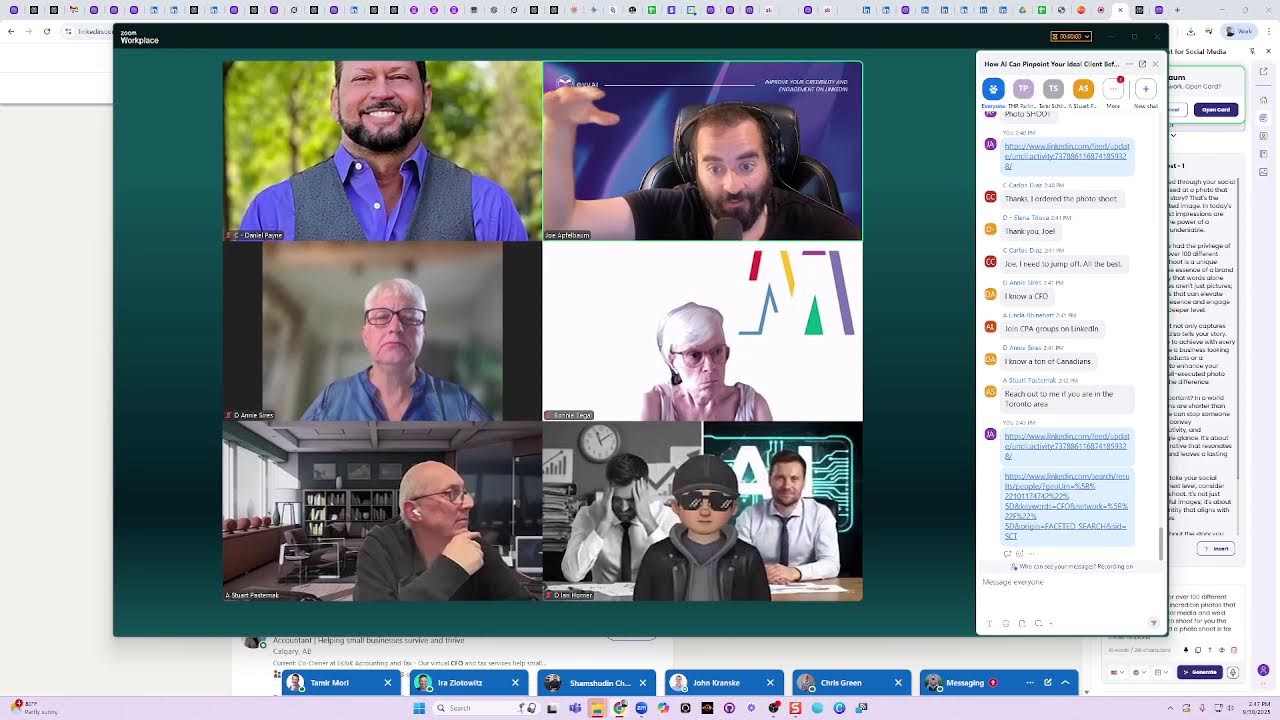
In this live webinar, Joe Apfelbaum walks participants through a comprehensive AI‑driven client acquisition system for 2026. He begins by stressing the importance of pinpointing ideal clients before prospecting and demonstrates how Evvii AI’s ImageGen can create hyper‑realistic, personalized images that boost connection rates. He then showcases the Perplexity agent (and other LLM agents) for deep LinkedIn prospect research, enriching profiles with contact data, demographics, firmographics, and conversation starters. Joe outlines his Evergreen Networking System—Branding, Building, Booming—covering goal setting, business and marketing plans, and LinkedIn strategy, and stresses SMART goals. He promotes the Bundle Plus subscription, detailing pricing, bonuses (community access, Evergreen System, Sales Navigator bootcamp, etc.) and a limited‑time discount. Throughout, he engages the audience with interactive polls, live demos (image generation, one‑sheet creation, keyboard shortcuts for commenting, birthday wishes, and quick LinkedIn searches), and calls to action for upcoming goal‑setting sessions, a marketers cruise, and community events. The session blends instructional content, sales pitch, and real‑time Q&A, illustrating how AI tools can automate outreach, content creation, and relationship building.
Chapters
In this training, we're gonna be talking about how you can pinpoint your ideal client before even start prospecting, because most people are wasting time talking to the wrong people. We're gonna talk about qualifying leads. We're also gonna talk about image generation and how you can properly use ImageGen to be able to connect with people in a very meaningful way. Have you guys made Your images yet? Have you guys done your images with artificial intelligence yet, or you need to do your images? I'm curious to know where you guys are holding in the world of image generation. Are you guys already like savvy with ImageGen or getting started with ImageGen? A lot of people are using tools that are just not really ideal for them, and it's not really looking like them. It really doesn't like look like them at all. So I'm curious to know what your experience is with image generation in general. And Jen, it looks like we're at 100. So, um, are we at 100? We're almost at 100. Okay, good. The note-takers are taking up too much room, Jen.
Yes, Jen. Um, Joe, we are removing the note-takers and also we are removing people who are talking.
And it just takes time, Joe, because the list is constantly recirculating.
Okay, got it. And it's, it's better than it looks.
Thank you. All right, I appreciate that. I appreciate that, everybody. So, um, so I'm curious to know, what is your goal for 2026? Okay, a lot of people are saying, okay, does not look like me. Mark said not yet. What I've noticed about ImageGen is that it won't look like you if you're using the wrong model. So for example, I'm gonna load up an image right now that looks exactly like me. Guys, can you see the way this looks like me? Can you see the way this looks like me? This looks exactly like me. And the reason why this looks like me is because I used an image generation software within Evie AI that's extremely expensive, but super high-end, super high-end. So this is extremely expensive technology, but we decided to go all out and not use the cheap versions of AI that are out there that cost maybe 2 or 3 cents or 5 cents. This is much, much more expensive, but it does the best job ever in terms of like text and faces. You know what I mean? You ever like ask ChatGPT to write something and it writes the text half messed up? Even though ChatGPT got pretty good, it still messes up the text and the words are not crisp. This technology that Evie AI is using is the best technology that's out there and it does an amazing job at capturing the perfect face and also editing images in a magical way. So I'll show you how I do this in just a moment. And I'm also going to give you guys over 150 different prompts that you can use within Evie AI to create the perfect image gallery for yourself that you can use any place that you want very, very quickly. I want to know your goal for 2026. And the reason I want to know your goal for 2026 is because it's coming really, really, really fast. 2026 is around the corner. We're about to enter the 3rd quarter of the year. Do you guys realize this? The 3rd quarter of the year starts tomorrow. That means we only have 90 days left in order for us to be able to work on our goals. And networking only works if you have a nurtured group of people that you can nurture. And it takes time to nurture those people. That doesn't happen overnight. That's why Networking is something that you need to do way in advance in order for you to be able to accomplish what you need to accomplish. You need to do that way in advance. So my question to you is, do you have your goals or do you need to set goals? If you need to set goals, come to our session tomorrow at 10:00 AM. We have a session on goal setting, on how to set your goals properly to be able to be successful. On LinkedIn. We're going to have a goal setting session tomorrow at 10:00 AM. It's a 2-hour session and talks about strategy. Part of strategy is having a business plan, a marketing plan, and a LinkedIn plan. And part of that is understanding your goals. Because if you don't have clear goals as to how many clients you want, how much each client is worth to you, who those clients are, all that stuff, you're not going to be able to hit those numbers. Do you know what I mean? It has to be very clear in your mind. And your offer also has to be very clear. If you don't have clear goals and a clear target market and a clear offer, like one of the questions I ask people is like, what are you offering? And often I get more than often than not, 80% of the time when someone's not hitting $100K in revenue, they say it depends. That's the answer. It depends. It depends. It depends. Depends is a really great diaper that people can wear, but it's not a really great answer to being successful on LinkedIn because you need to have an extremely, extremely clear offer. Like for example, if somebody says, Joe, what are you offering people? I'm going to say, I'm going to offer you something that'll get you on 5 conversations every single day, guaranteed. 5 conversations every day. We call it the Bundle Plus, and we're going to give you a special deal on it. 5 conversations a day. By the way, how many conversations do you have a day? Do you have 1 a day? Do you have 0 a day on average? Do you have 1 a week? 1 a month? Or maybe you're having 5 a day. Now, Tom Wells says he has 5 a day because Tom Wells uses Evvii AI, and Tom Wells has our pro version of Evvii AI. He's giving me 2 thumbs up, and he's an excellent networker. I see the way that he networks. And he's posting every day and he's engaging every day and he's networking every day. So I see the people here that are using our technology and showing up. That's really powerful. By the way, if you don't have your name on your, um, on your Evie, on your Zoom chat, we're probably going to have to remove you because we don't know who you are. So no offense. If you don't have your name, if like, for example, we have a guy named Windows 10. Just right-click and add your name, or you can— or we're gonna put you in the waiting room until your name gets changed, because there are people in the waiting room that are waiting to join now, and we only have room for 100, and we're at 100. So we're probably gonna have to remove you. And no offense, you can come back on when you have your name or you communicate with us through chat. Okay? Same thing with @Joe. Like, if it's just J-O, your name, we don't know who you are. We're gonna pop you in the waiting room. No offense to you, and so on. Same thing with Irene and all the other people that we have no idea who you are because you might be my ex-wife. That's the problem. You might be spying on me. We have a problem in the house. We have a big problem.
Irene, hey, Irene.
If we don't, if we don't know who you are, we're gonna have to put you in the waiting room until we figure out who you are. So just let us know who you are. Put your email in or something. Let us know that you exist in the chat. And if we don't hear from you in the next 2 minutes or so, we're gonna have to move you. Again, no offense to you, with all due respect, we just need to let other people in that we actually know who they are. You get what I'm saying? And I'm not the type of guy that needs anonymous people looking at me. I want my friends to look at me. I want my family to look at me. I want the people who love me to look at me, not people who want to attack me in any which way or form. So we need to know who you are. With that being said, with all love and with all respect. Okay, moving on. I'm going to share my screen real quick because I want to show you some really interesting things that you can do and add massive value to you guys today. So how do you identify your clients? You need to identify your clients in different ways. If you go to somebody's profile on LinkedIn, sometimes you don't get all the information about them. Am I right? A lot of the times I don't have a lot of the information. So what I do is I use one of Evy AI's agents called Perplexity. There's many different agents that we have. We have 7 different agents, but I'm going to use one called Perplexity. And then I'm going to determine if this is an ideal client for me or if it's not. And the way that I can determine if this is an ideal client by figuring out who this person is. So I got their name, their summary, their target market, the key services they provide, how they help clients. I have all their contact information, conversation starters, potential business opportunities. notable achievements and everything about them that indicates to me whether or not this would be an ideal client for me. Now, is this research, research that you want? If you want this type of research on literally every person on LinkedIn, just say, I want the research. Um, Mike said, is Perplexity the best LLM? It's the fastest one. So if I'm doing research and I need the research instant, I'll use Perplexity. If I want deeper research, I'll use Claude. or Grok, you have unlimited access to all of them to do research with all of them using Evvii AI. But this allows you to understand who you are actually looking at. Because again, on LinkedIn you get some information, but it's not scouring the web and collecting everything about them. Now let's say for example, I was talking to Laurie and Laurie's here right now. Laurie does websites for people. So if you need a website, just write, I need a website, and Laurie will help you with your website, right, Laurie? That's what you do. You help people with websites. She's giving me 2 thumbs up there. Laurie's also going to be with me on a cruise. We're going on a cruise together with 450 other entrepreneurs like Laurie and myself and, um, and a few other people. Selena's also going to be on the cruise. Um, so if you guys want to come with us on the cruise, um, just hit me up privately letting me know that you want to come on the cruise and I'll send you details. You don't have to pay for the event on the cruise. You just have to pay for your room and board and you get unlimited food and 450 other people that you can chill with for 8 days. So it's amazing. It's called the Marketers Cruise. So if you want to come, let me know. There's only a couple rooms left. So if you're interested, let me know. It's happening in January. So it's 8 days of networking. But what I want to indicate to you is like, if you don't have a very clear target market, like if you're not super, super clear on who your target market is, you're probably not going to be able to find them on LinkedIn. I want research info and I want info on the cruise. Okay, we're going to send you info on the cruise and all the details. And we're also going to let you guys know about a special deal we're having about something called the Bundle Plus to be able to get unlimited research and a few other features. But let me show you something interesting over here. So if I go to LinkedIn and I know that Mark is my ideal client, what I'm going to want to do is I'm going to want to make sure that I save Mark as a prospect inside Evy AI. So I can actually save him as a prospect. You see, I'm going to click prospect over here. I click prospect. And then what I can do is I can also have Evvy AI enrich this prospect with all the information from their profile. So their email address, their phone number, anything that it can find on their profile, I want to be able to enrich his card here. You see? So it's going to summarize it and explain to me what I can do.
Add to the card.
Oh, you can't see the card on the right side? Let me close it and reopen it. Hang on a second. I'm going to go here and open up the card. Do you guys see that? I'm going to click on networking.
Thank you.
Now, can you see it now?
Yes.
Okay, fantastic. Thank you, Rick. So now this tells me everything about this person and it indicates to me whether or not they're going to be a good client for me. Now, if I go to my profile and I click on, say, view profile over here, I have a very specific process that I take our clients through in our Evergreen Networking System. There's a process called branding, then building, then booming. Booming is the actions you need to take to get results. You need exposure, you need credibility, and you need meetings. Branding is a strategy that you need. Building is the assets that you need. Branding means what is your business plan, marketing plan, and LinkedIn plan? So for example, Tina came over to me and she was using LinkedIn, but she didn't really have a clear strategy for who she was targeting. So we identified the right people for her, but 2 types of people, ideal clients and ideal centers of influence. Those are the 2 types of people that she was looking for. So for Tina, the ideal clients were people that were bored, that were on the board of a co-op or condo in New York City. An ideal center of influence is someone who lives in a co-op or condo in New York City. You guys get what I'm saying? So it was very, very clear who her target market is. Then what we did was we created very specific messaging for her and she 5x'd her business as a result of the work that we did together. And now she sends tons of clients to us and she has us do her marketing and so on. If you're coming to me based on the problem that your client has, that's not a target market. That's a very big mistake people make. People tell me their problem of their ideal client. I don't want to hear your problems. I got 99 problems and a pitch ain't one of them. A pitch, like an elevator pitch. I want to be very clear, pitch with a P. But do you guys get what I'm— that's how I came up with the 99 hacks, by the way. Did you guys get the 99 hacks or do you need the 99 hacks? I'm curious to know if you got them or you need them. It looks like Nikki's here as well. Nikki, Nikki does business coaching, right, Nikki? For people who wanna scale their business. She's also gonna be on the cruise. And Nikki just signed up to the Bundle Plus. So she has access to all the amazing research, And all the amazing abilities to comment and post. So the key is for you guys to kind of get in and learn the strategies to very, get very, very clear on who your ideal client is. And to do that with LinkedIn, you need to use AI research because AI research will tell you a few things. It'll tell you the demographic, the geographic, the psychographic, and the firmographic of each person. You guys understand that? Maybe you don't understand it clearly, but we're going to be discussing it in more detail tomorrow at 10:00 AM. So for those that are part of the Evergreen Networking System and purchased our $10,000 program, you're going to be attending. And for those of you that get the Bundle Plus, you're going to get the Evergreen Networking System as a bonus. So if you want to learn about the deal, just say deal, and I'll share with you about the deal in about 10 minutes or so. Just write deal and I'll share about the deal. And if you already got the deal, just say got the deal. If you got the bundle or the Bundle Plus, just say got the deal. Got the deal. But if you need the deal, just say need the deal or deal, and I'll tell you more about the deal. Okay. So let's discuss a little bit more about the, what do you do? Let's say, okay, I figured out who my target market is. I went through, I figured out the psychographic, the demographic, the geographic, the firmographic. I understand clearly. I have it on a piece of paper. Now I need to figure out their problems, their pains, their goals, their dreams, and their fears. Do you guys understand that? The pains, the goals, the dreams, and their fears. So I could figure out what questions they're going to be asking so I can post the right type of content. So let me show you something interesting. I'm going to share my screen right now, and I'm going to show you some posts that I've recently posted, and you'll understand why some posts did well and some posts failed. So I'm looking at my profile right over here. By the way, for those of you that got kicked out or you get kicked out, you can go to my profile and watch. I'm on live right now. So if If you wanna watch it live, let's say you got kicked out or some reason you can't get back in, go to my profile and you can watch this live. You can live and comment on it as well. I'm actually live right now. So I posted this over here. I said, I'm on a 36-hour fast right now. By the way, can you guys tell that I haven't eaten for 45 hours already? This was 5 hours ago. So could you guys tell that I haven't eaten for a while? Do I look like I'm lacking energy right now? You know why I'm not lacking energy? You know why? Because a 5% drop in hydration is a 30% drop in energy, and I'm hydrated, baby. I got 2 things that help me with hydration. I got water and I got salt. Those are the 2 things that help me with hydration. You don't need food. We think we need food constantly, but we really just need water. And after this, I'm gonna go for a run for 3 miles. And it feels so— I ran half a marathon on a fast. And then I'm gonna fast on Yom Kippur, which is on Thursday, and I'm gonna do a dry fast. I'm gonna first eat a meal before that, and then I'm gonna have a dry fast. But I'm doing 3 days, a meal, and then another 24-hour dry fast on Yom Kippur. Think about how powerful that is if you know the right strategy to do this correctly. I used to think I had to eat bagels and cream cheese sandwiches constantly, every 5 minutes eat something else in order for me to be healthy, 'cause that's what my mother told me. She's like, drink your orange juice. You need vitamin C. Meanwhile, orange juice is just basically sugar. So it's just interesting how when you know the right strategy, I was able to lose 100 pounds. I was able to change my life completely and have so much more energy and then impact more people and be more present with my 5 children and be able to not get triggered by my ex-wife. Unless she's showing up as an anonymous person here, I'm gonna get triggered. But other than that, we're good to go. Okay, I'm gonna share my screen and show you some of the posts that I'm showing you. So this post over here, I said the following, I'd like for you to share your goal publicly and share it in the comments. I'd like to share your goal for the next year. So I'm gonna click on these 3 dots. I'm gonna click on copy link to post. Then I'm gonna click on new tab. I'm gonna go to eviai.com, eviai.com/url-copy. Cleaner, and you can write that down. That'll clean my URL. So I'm going to go ahead and clean the URL because the URL that I get from the shared link has a bunch of garbage at the end of it. So we made this new landing page available so you can clean your URL. So even if you have one of those tiny URLs, this will clean your URL really well. Then I'm going to stop sharing my screen and I'm going to put my URL in the comments so you can see that video. Like it, and then you can share your goal under that post so that other people can see your 2026 goal and then connect with you. Because I believe that every opportunity that we have is an opportunity to network and build relationships. And in order to network and build relationships with other people in this room, why not leave a comment under that post and share your goal, and then somebody else can connect with you over the goal? So for you, For Laurie, it might be, I want to build 100 websites in 2026. That's a great goal, right, Laurie? I want to build 100 websites in 2026 for coaches and consultants. Somebody might see that if she writes that in the comment and say, I need a website. I want to be one of your 100 in 2026. For me, I want 100 elite clients in 2026. Elite clients pay us $30,000 a year. So I want 100 of those in 2026. So I'm going to start working my funnel and it's going to be companies that have 5 to 10 employees that really want to grow and meet with me weekly. So I'm going to, I can only help a certain amount of people. So I'm only going to help 100 people in 2026 through my elite program, which is people that have 5 to 10 employees. You get what I'm saying? So I have a very clear goal for 2026 and I'm going to put it in my business Networking one sheet. Now I have a question for you. Do you have a one sheet or do you need a one sheet? In the chat say have one sheet or in the chat say need one sheet. If you don't have a business networking one sheet, I highly recommend that you get one. And the reason why you need one is because it's your responsibility to train people on how to refer business to you. So if I want Peter Bemko to refer business to me, I need to train Peter Bemko. And the way that I train him is by giving him my business networking one sheet. So Peter, do you have a one sheet or do you need a one sheet? I need to refine my one sheet. So let's refine your one sheet right now. So this is how we're going to— we're going to take a look at Peter Bemko's profile. We're going to look up Peter Bemko right here. Me and Peter just got a selfie, by the way. Um, yeah, it was great, great meeting you in person, Joe. Amazing, amazing meeting you in person as well. I'm gonna pull up Peter Bemko's profile and I'm gonna use one of my 99 LinkedIn hacks to download his entire profile. I'm gonna do that by clicking on the more button and clicking on save to PDF. And now I have his entire profile downloaded on my computer. Then I'm gonna go into our premium school community. Called the Engaged Thought Leader Community. Now this community typically costs $1,000 a month to be part of, but anyone that gets the Bundle Plus today will be included in this community. We have 189 people in here and it's private, and what we share here is extremely private. So I'm going to go to OneSheet here. I'm going to search OneSheet, and then I'm going to click on the OneSheet Party replay. So for those of you that already are in the community, you can just search OneSheet Get the replay, get the custom GPT, drag the profile in there and say, make him a one-sheet. And boom, once it finishes uploading the PDF, it will make him a one-sheet. Watch this. So now it's in the process of making Peter a one-sheet. So now it's doing the one-sheet for Peter. Do you see the way it does his one-sheet? It pulls his contact info into the one sheet. It has all of his links. It tells me his current projects. He's focused on helping managed service providers and ITs refine their lead generation and digital marketing strategies through his WSI, where he delivers customized results and blah, blah, blah. There is an introduction blurb on how Peter can get introduced to other people. He can train people on how to do this, who he wants to meet, his ideal center of influence. It's all here in seconds. Did you guys see how quickly I built a one sheet? Write wow in the chat. Wow. Write wow if you were just wowed on how long it took me to build Peter Bemko his business networking one sheet. And I will build one for you in seconds. In seconds, not minutes, not hours, not days, in seconds. And then I will give you the template on how to design it to look exactly like your brand with your new photo that looks sexier than sexy, unbelievably amazing. in a professional way, of course, because we keep it all professional. We might say some unprofessional things, but it's always professional. That's for my standup routine. And what we'll do is we'll help you. We'll help you be able to get more clients because we'll make people read your business networking one-sheet. We'll make people read it. How? We have a hack called the featured post for the business networking one-sheet, and I'll show it to you. I'll show it to you. I'll give it away right now. I'll give it away to you right now. So if I go to my LinkedIn profile, by the way, Peter, I'm gonna copy this right now so I can DM it to you 'cause you probably want it. I'm gonna go to Peter. Where is Peter? Let's see, Peter. And I'm gonna DM it to you right now in the DM so that you have it. And then you could use it with the— here, I just sent it to you. And you could use the Markdown cleaner in our community to remove all that Markdown. You see all the Markdown that's in it, all those stars? We have a Markdown cleaner. So if you go into our community, we have a section in our community here called Classroom and then Library, Peter. And then if you go down to our links, we have special Evie AI links. We have many, many links here. You see that? So if you just go to the cleaner, The, the post URL cleaner, and then we have the markdown cleaner here. You can paste any markdown you get with AI, Peter, and press, uh, clean markdown, strip markdown. And do you see there's a version of it that has no markdown here? So it cleans out all the stars and dashes and all that stuff. Then you can press copy as plain text, and then I can send you the version without the markdown here. You see the way I was able to send it to you? I do.
Nice.
And I made it nice and tight for you. But I wanna show you guys how I do it myself to save hours and hours of time. But if I go to my own profile, I have a section called the featured posts. You see it says featured posts. Inside the featured posts, I have my business networking one sheet for 2025. I'm in the middle of creating mine for 2026 already. Do you see this? January 1st, 2026, I'm gonna launch mine. I'll probably launch it at the end of December. And then I'm going to print out copies for everyone on the cruise and everyone that I meet next year so that they can scan my QR code and go straight to my LinkedIn profile because that's a great way for me to know who they are. Do you see this? How organized it is and how clear it is? This is extremely, extremely powerful. So for those of you that want the bundle plus deal, typically Evie AI Pro is $197 a month, which is $2,400 a year. We're raising the price soon to $297 a month because we're going to be adding an insane feature at the end of the year. So we're going to be raising the price, but whoever's paying $197 now gets it grandfathered in. If you guys want to get it for even less than $197, we can give you the entire year for just $1,936. Somebody said, why $1,936? Because it's less than $2,400. But the kicker is that we'll give you unlimited posts, comments, messages, a connections dashboard, a community, a second community, which is a premium community that's usually $12,000 a year, the Evergreen Networking System, the Sales Navigator Bootcamp, the Inc. 5000 list, the LinkedIn Influencer Summit recordings, and we're going to throw in an extra Evvy AI account for you that's pro. at no additional fee. Isn't that crazy? We're gonna give you a second account that you can give to a prospect to have them use it for a month just to entice them to use your services. Or you can give it to your assistant or to a salesperson that you hire or to a friend that you can sell it for $197 a month to. And now you paid $1,968 and you're making $197 a month. You get what I'm saying? So the point is, the way that you learn on how to use all these features is that we meet every day at noon. We have something called office hours. Every day we have a live Zoom that we meet on Zoom with Fernando and Carlos and Tammy and all the different people and Juan. And we sit down with you and we help you use these features. We also have video tutorials. We also have another office hours. In the evening with Ion at 7 PM, so we can help you be more successful. By the way, A-M, we don't know who you are. You have two options: either give us your email, or we're sending you to the waiting room. We need to know who you are because A-M might be someone. And the same thing with Lily. We need to find out who you are. So tell us who you are, please. In the chat. Okay, do you guys get what I'm saying? You picking up what I'm putting down? So if you're interested in signing up right now, just write interested. Write interested and we will throw in a special bonus for those of you that are signing up right now. We will throw in a special bonus. So just write interested in the chat if you're interested, and if you're not interested, write not interested. Be a little passive-aggressive. Why not? Just kidding. Don't write not interested. We need only high vibing. Write interested. We'll put in the special link for you guys to sign up to the Bundle Plus, and then we'll help you. We'll teach you step by step on exactly how to use it. So you might be curious, you might be curious, you might be wondering, Joe, How does this all work? How do I get clients? And the shortcut answer is you have to have strategic conversations with 2 types of people, with people that can refer business to you, like our top clients. So as soon as you sign up right now, I will give you access to our top 150 clients with all their calendar links. So you will be able to book 150 conversations for Q4.
Today.
You'll be able to book them today. So by Q4, you'll have 150 conversations with my top clients. So conversations is the key to getting referrals. Everything good in life comes as a result of a relationship, and a relationship is built through conversation. By the way, do you agree or disagree with that statement? Write agree or disagree in the chat. Everything good in life comes from a relationship. And by the way, your next lucky break is going to be Coming from a person who you just met. I met somebody in Detroit, and the guy runs a 27 billion market cap company. I just met him. We have the same birthday, and we're besties now. And he walked me in the door to a decision maker at Microsoft, and we're talking. And we had multiple conversations. Your next lucky break is going to come from a person who you just met, but you have to have conversations with people. And most people are lacking conversations. They're just throwing stuff on LinkedIn and hoping for the best. Don't just throw stuff on LinkedIn. Don't just connect. Don't just spray and pray. Don't just post and ghost. You like that one? Post and ghost. You'll be toast if you post and ghost. Instead— I'm sorry, Lily and Manon, I do have to put you in the waiting room.
We have people in the waiting room, so I just have to trade them out. You can put your name in Zoom and then we'll know who you are, but otherwise I have to trade out Guys, you got to be respectful.
If you're here and we're asking you for your name, either show us your name or we'll respectfully put you in the waiting room so we can put somebody else in. With love. We need to know who you are. This is a private session where, you know, we need to know who the people are. Do you guys, by the way, do you see what we're doing here? We're keeping a very high caliber, a very high standard of what we're looking for. We're not desperate. Nobody here needs to be desperate. We wanna connect with real people and build real relationships that are trusted. It's not about going viral also. I was talking to somebody who's signing up to our elite plan next week where we set up a meeting to sign up to the elite plan. Our elite plan is $30,000 a year. And we meet every single week one-on-one with them and support them and guide their team of up to 10 people. Okay, that's kind of, that's the elite plan. And he said, Joe, he's like, I don't wanna go viral.
Yeah.
He's like, what resonates with me with you, the reason I wanna sign up to the Elite plan is because I know that the right strategy, as you always say, will save me a decade. And being strategic is the key to generating wealth. This guy's already on the Inc. 500, by the way. They're one of the fastest growing companies in America already. But he knows that the way he got there is not by spraying and praying. You know what I mean?
Yeah.
It's by being extremely strategic with what you wanna achieve. So your goal has to be clear. It has to be specific, measurable, attainable, relevant, and time-bound. SMART. Have you guys heard of that before? SMART? Write SMART if your goals are already SMART. If they're not SMART, tomorrow at 10:00 AM, we're gonna help you with your SMART goals. Write SMART in the chat. If they're not SMART, they need to be smarter, or write smarter if you need your goals to be smarter, and we'll help you get SMART. We'll help you get smarter goals. Now I wanna do something fun for a second, 'cause I want you guys to get to know each other a little bit. Now that we got rid of all the lurkers, I want you guys to do something fun. Why don't we put our favorite dessert in the chat? You guys think you can do that, or is that too hard? Selena's thinking. She's like, what's my favorite dessert? Is it crème brûlée? Is it a hot lava chocolate? Is it pineapple? Is it tuna fish? Some people like a chia seed pudding. Oh my God. I like pineapple. And Shuma, and Shuma likes a— and Shuma in the house. Me and Shuma had a meeting in New Jersey. We should have invited Peter to join us. By the way, the next meeting we do, let's invite Peter. If anybody wants to meet—
give me a date, Joe. I'm gonna organize this. Let's meet whenever you're ready.
Okay, we're gonna meet in New Jersey. If anybody wants to come, just say I want to come to the meeting in New Jersey. We're also going to have a meeting in New York, and we're going to get together in person and get to know each other. So if you want to come to New Jersey, just say I want to come to New Jersey. If you want to come to New York, Okay, Peter's in New Jersey, meeting in New Jersey. Okay, cool. Look at all these amazing— so if you see a dessert that you see, like for example cheesecake, like Irene likes cheesecake and Mark likes chocolate lava cake. If you see someone that has a dessert similar to yours, maybe set up a meeting and both of you go out for dessert. You can do dessert on Zoom or you could do dessert in person if you happen to be near each other. How about a pre-cruise meeting? Let's meet in Southern Cali. Let's do that. That's a great idea, Selena. Let me know what date you want to meet and I'll set up a meeting for all of us. We have about 30 Evvy AI, uh, uh, pro clients that are going to be on the cruise. So it's exciting. We'll all meet together and talk about LinkedIn strategy. I'm going to be doing some LinkedIn strategies on the cruise as well. Mike says, looking for a roommate for the cruise. Um, Mike, just book your cabin and then you'll find a roommate very easily. You go to the Facebook group and it will help you find a roommate very easily. Plenty of people there want to do it. Okay. So question for you. I have a question for you. How often do you post on LinkedIn? My recommendation is daily or at least weekly. How often do you post on LinkedIn? Let's see how many people here post daily. Okay. So we got daily, daily, weekly, weekly, daily, 3 to 4 times a week. Can you guys guess How many times I posted yesterday? Should we check? I posted a lot yesterday. Yesterday I posted more than the average day. 5 times, Tom said. Let's check. I don't even know how many times I posted yesterday 'cause I was just, I got so excited about my image generation tool that I just posted over and over. So this is how you post. This is how you check how many posts you did. You click on where it says posts and activity, and then you can scroll down I see, okay, 34 minutes ago, I posted 5 hours ago, and then I posted 6 hours ago.
So— I can't see anything.
You can't see my screen? Now I see it. Okay, it's loading. Now it's showing up. Okay, so I posted 1, 2, 3, look at this one, I said, I don't gamble, but I take risks. 4, 5, 6, 7, 8, 9, 10. 7, 8, 9, 10. Okay, I posted 10 times on LinkedIn yesterday. Now you don't have to post 10 times. Some of the posts got 1,000 impressions. Some of the posts got just a few hundred impressions. Like for example, this is an event post. You see this post? Events posts don't do very well. This is an event that I'm hosting this coming Friday. If you guys wanna join it, I'll send you the link to the event in the chat so you guys can check it out. I just sent you the link to the event. If you are not hosting events like this one, do you guys, can you guys tell that this is an event? If you guys are not hosting events like this one, you're missing out. I recommend hosting a monthly event. Rick hosts an event 4 times a month in our community. By the way, if you sign up to the Bundle Plus and you have something of value to add, you can host events inside our community. Like for example, 4 times a month, Stephen Green hosts a template party in our community. Barbara hosts a posting party every Friday at 11:00 AM. Kelly hosts a weekly hype session in our community on Thursdays at 6:00 PM. Do you guys get what's going on here? Imagine having a community of over 1,000 people where you can host a weekly event on or a monthly event on, built into the Bundle Plus. So if you sign up to the Bundle Plus today, you'll be able to host an event inside our community for our community members. So I'm curious to know if you guys, Let me see. Let me see if anybody signed up to it yet here so I can congratulate someone and work. I want to spotlight one particular person now and work on your business. So if you want to sign up now, it doesn't look like anybody signed up yet. If you want to sign up now, say I'm doing it in the chat, and let me pick apart your LinkedIn profile and help you. Maybe I'll even create an image with you, of you right now. And help you be able to think through so that everybody else can think through, 'cause I need to pick somebody. So I'll pick somebody that decides to sign up now and we'll kind of right now be able to brainstorm and come up with strategies to get you clients in 2026 and help you do your goals. So who's the one person? We're just looking for one client right now. We're not looking for 1,000 people. We're looking for the first. If you already signed up, that's great. But I'm looking for one new person to sign up right now. And don't worry, Annie, we'll take care of you tomorrow at 10 AM. But let's just see who's that one lucky person who wants to sign up now. Does anybody want to volunteer to be that person to get the deal? Plus, we'll give you some extra coaching right now. And if anybody has any questions related to LinkedIn, please put them in the chat. I'm always happy to answer questions. It looks like Tech Coach Tev is here as well. Tech Coach Tev, welcome. I met Tev on the cruise last year in January, and we had such a great time. He wore such a nice hat, and every time I saw him, I complimented his hat. I was like, I love your hat. He's not wearing a hat now, he's wearing headphones. I just clicked to attend the event on Friday. Awesome, well done. If anybody's— hey, Jane. Jane, do you have a question or are you just saying hello? You're just saying hello to Tom?
I was looking at Fernando's dog, sorry.
Oh, you were liking Fernando's dog. That's awesome. Fernando's one of our client advisors and he meets every single day with people during office hours, every single day. Looks like people are messaging me. גמר חסימה טובה, אני just said. Okay, do you guys have any questions, comments, concerns, or do you want to see me generate an image? Can we get the link for tomorrow? Yes, it's in the community. So we have a session in the community. It's for Evie AI Pro members. So if you're a Pro member, you can grab it right in the community. And if you can't make it at 10 a.m., then you can simply just get the replay inside our library. What's the recommended strategy for commenting since the LinkedIn algorithm is favoring commenting right now? Thank you, Rick. Great question. So here's, here's what I like to do. What I like to do is I like to make a list of people that I'm going to be commenting on regularly. So for example, let's say I'm part of The Connective. Connective is a networking group. So I have a list of people that are part of The Connective. Right over here. So what I will do is I will hover over their profile, click on, see where it says open up quick link? I can just open up their quick link. So for example, Carol Ann Valentino, I'm going to click on this. Peter Bemko, I'm going to click on this. You see? And it's going to open up their posts automatically. But I am strategically commenting on people who I know have value for me to comment on. You guys get what I'm saying? I'm not just randomly commenting on people. So I'm commenting strategically on people's posts that I want to be top of mind with. And I'm using a keyboard shortcut called Alt+G, and the Alt+G keyboard shortcut will automatically draft a comment under his posts. And I'm going to make sure that I comment on all of his posts to make sure that I'm fully top of mind with him. Do you see the way I just commented on all of his posts? I just scrolled down, left comments on all of his posts. Now I can close this tab and go to the next person, Carol Ann Valentino. I see I already commented on all of her posts. The last time she commented was, uh, last time she posted was 3 weeks ago. And now what I'm gonna do is I'm gonna message her. I said, thank you for being in my life over here on September 8th. I'm gonna message her and I'm gonna use Evie AI's voice message feature. And I'm going to say the following. It looks like the last time you've posted on LinkedIn was just about 3 weeks ago. How often do you post on LinkedIn? Okay, and I'm going to press over here. I'm just going to add a question mark and I'm going to send this. Do you see the way that I just said this with my voice using AI? So I used AI, but I authentically used my voice to be able to leave her a voice message just like that. It's a nice use of a microphone that saves me time and authentically lets me leave messages for people. Do you guys get it? Now here's something else that I like to do. I like to wish people happy birthday. We just added keyboard shortcuts to templates. Do you know what that means? Did you guys know that? Do you know what a keyboard shortcut to templates? Say tell me in the chat, then I'll tell you. By the way, if you guys want a demo of Evie AI, you want a one-on-one demo, just write demo in the chat and somebody on my team will send you a special link where you can book a one-on-one demo with Fernando. Like if you need a demo and you need a little more time, but you're interested, but you need more time, you need a demo, just write demo in the chat and someone on my team will call you and book a demo or we'll send you a special demo link. If you're ready to sign up right now, say I'm ready and sign up and I'll use you as an example. Okay, so let me show you how to activate keyboard shortcuts. I'm going to— so this was my thought process. When I'm inside Evie AI, there's something called the Learning Hub. Inside the Learning Hub, there's something called Quick Links. You can see people's birthdays on Facebook or you can see their birthdays on LinkedIn. Every link is numbered now. You guys see that? So link number 2 is birthdays on LinkedIn. If I want to wish people birthdays on LinkedIn, I see Ira Zlotowitz is celebrating a birthday. I'm going to click on wishing you a happy birthday, but instead of me wishing him a happy birthday like this, what I can do is I can delete that and press Alt+3 and it'll say just wishing you a happy birthday. Do you see that? Now, how did I get this Alt+3 to be the happy birthday? So the way that I did that was by clicking on templates here, and I'm just going to search happy birthday. The search is not working over here. I'm going to click on only show me only keyboard shortcuts. Let me see where the happy birthday one is. I'm going to do show me 50 at a time, and I'm going to uncheck this and just look by the DM feeding. I'm going to click on DM feeding over here and apply. Okay, I'm actually going to do the greeting, not the feeding. Okay, so do you see it says happy birthday LinkedIn over here? Do you see it says Alt+3 next to it? Can you guys see that? So I selected Alt+3 as the keyboard shortcut here within the template. So when I click here and I say, okay, show me this template and I press save. Now this is an Alt+3 shortcut. That means if I go in here and I press Alt+3 on my keyboard, now this shortcut just— now the template just appears. So my thought process was as follows. What if I can have 10 keyboard shortcuts that I remember what they are, like Alt+1, Alt+2, Alt+3, Alt+4? Do you guys get it? And I can save each one like this. So instead of me going back and forth and looking for templates or whatever, I know my top templates that I want to use, and I have them all set up as keyboard shortcuts. How much time would that save me, especially if it was A feature that you can do right now and implement. Do you see how fast I am just putting in the keyboard shortcut under for each person like this? And I'm wishing all these people a special happy birthday that's custom with the date right here. And this is not taking me very long to cover all the people. And by the way, this is an insane amount of people that I just wished happy birthday to on LinkedIn. And I just finished. And that took me just about a minute. How insane was that? Write insane in the chat. Do we create our own template library or is there a template already in there? We already have templates that are stored inside our community. If you go to the classroom and click on library, we have hundreds of templates inside the library.
Okay.
Write insane in the chat if you think that was insane. I want to be able to get you to leverage your best commodities, your best things that you have, which is what? What resources do you have? Time. Time, right? Your relationships. That's number 2. And number 3 is your experience. Those are 3 things that I want you to monetize. And in order to monetize your time, you got to spend less time doing BS that's not revenue-generating activities. Going and manually typing stuff when you can use a keyboard shortcut in seconds is literally insane. You guys get what I'm saying? You picking up what I'm putting down? And so if you want to be able to connect with the right people using a keyboard shortcut to leave a comment, that's a custom-generated comment for that person in your voice. Using a keyboard shortcut to send templates to people. Or check this out. Let's say I'm on a website, I'm on Google, or I'm anywhere, I'm on a spreadsheet, and I find somebody on a spreadsheet and I want to find them somewhere. Let's say for example I'm in a community and I want to look up a person on LinkedIn. I can highlight anybody's name, I can right-click on their name, I can click on Evy AI and then click on Find them on LinkedIn, Facebook, Google, Instagram, TikTok, X, or YouTube. You see that? Did you guys know that was a feature that you can do anywhere on the internet? That's brand new to you, right? But the crazy thing is that I created a keyboard shortcut called Alt Shift K, and when you highlight any name and you press Alt Shift K, it finds them on LinkedIn. Insane, right? How much time would that save when you open up someone's email and you press Alt Shift K after you highlight their name? And boom, you can search anybody. Write pow in the chat if you think that's cool. Pow, P-O-W, not prisoner of war, but just like pow. We need to change it up from wow to pow. By the way, if you guys got value, write value in the chat if you got value so far. If you think you got value today, wait till you come tomorrow at 10 AM to our 2-hour session. That will be recorded privately for our Evie AI Pro members. And so if you're interested in getting started now with the Bundle Plus, you will get a special bonus if you sign up now during this session. But if you want to sign up later, just write, I'll do it later, and you'll still get tons of bonuses, but you're not going to get the special gravy that I'm giving out right now for those that want to sign up during this session. All right, any other questions that you guys have related to anything? By the way, how did you find out about this webinar? I'm curious to know who told you about this. In the chat, let me know who told you about Evie AI in general. Who introduced you to Evie AI? I got an email from you. Thank you, Lori. I got an email. Mike said email. You did. Thank you, Carlos. Most people got emails from me and my staff. Um, Jennifer says, what was the LinkedIn community you referenced earlier? Jennifer, it's school.com/evyai, E-V-Y-A-I. It's the number one LinkedIn community in school. I'm on your email list, training magazine, Sarah said. Thank you, Sarah. That was an awesome webinar we did there. I started a video short on prospecting. I started with a video short on prospecting. That's cool, Dana. Where did you find that? Was it on?
It started.
Oh, okay.
Like a Facebook ad.
A Facebook ad. Really nice. Cool. Earl says, "I started registering but didn't finish," and you followed up with me. Earl Rogers said, "Awesome." Well done. I found Avi when I met you on the cruise, Lori said. I remember that. I remember the day we met on the cruise. So here's the process I take people through. First, I help them with a strategy. So what is your business plan, your marketing plan, your LinkedIn plan? Then I help them pick their target market. Who is your ideal client and who is your center of influence? Then I help you find out the right messaging for your ideal target market. That all happens very quickly. Once we have that done, then we figure out, okay, what are your stories that you need to tell in your posts? We're, we're gonna be talking about the story bank tomorrow in our session, coming up with a bank of stories for you. Then we optimize your profile. We come up with a better headline, a better about section. Uh, we teach you how to get recommendations. Then we help you use the right tools like Evvy AI. We help you set up your templates. We help you set up your personas. We help you organize your lists. and make sure you get the right people in the right list. We give you a Evy AI LinkedIn connections dashboard. We download all your connections, put them into a dashboard for you. And once you finish with all that, then it's about regularly posting, engaging, and messaging. Do you guys want to see how easy it is for me to create an image of myself that I can use on social media? Do you want to see how easy? Watch this. I'm going to go to my— I'm going to go to Evy AI. And I'm simply gonna go right here on the side where it says ImageGen, and I'm gonna upload an image of myself. So I have several images of my face that I already have. You see all these images of my face? Can you guys see that? I'm gonna select this one right here, number 1. Now the images was uploaded. So where do I get the templates for prompts to use? So I'm gonna go into the community. I'm gonna go into the community called Evie AI. Then I'm gonna go to the classroom library, and then I'm gonna click on prompts, and I'm gonna click on image prompts. Do you see all these image prompts here? I'm gonna select this one over here. I'm gonna select this one over here. Have the team seated on the edge of their chair with one hand extended. Okay, I'm gonna sit here because this one I'm not sitting on my chair. So I'm gonna paste it in here and I'm gonna press create. Now usually when you're creating an image with ChatGPT, it takes about 2 minutes, you know, like 120 seconds. With Midjourney, if you're even on fast mode, it'll take about 30 seconds to create an image. But with Evi AI, because we're paying so much for image generation, our image generation only takes about 10 seconds. And it nails the face. This is me. This is me. Could you imagine if you had videos and photos of yourself? I can now take this video, this photo, and animate it into a video using any video animation tool. But the first step is getting the right photos. You know what I mean? Take a photo of your face, give it a prompt, and it makes you an image. Now you can also have an image of bodyguards holding signs that say whatever your brand message is behind you. That's part of what we're gonna be talking about tomorrow at 10:00 AM, showing you how to use interesting different types of images. So watch this. I'm gonna go to my recent activity inside Evie AI. I'm going to click on See All Recent Activity. I'm going to see if there's an image generation. It doesn't look like we added ImageGen here. I posted a lot of stuff over here, so let me go to the next page here. Look at all these images that I created. Okay, so check this one out here. This one says, show the man in the center of an energetic crowd wearing a branded t-shirt with raising his fist surrounded by enthusiastic people holding protest signs That say, no more lurking, engage now, action over excuses in bold letters in an urban street setting. Look at what it did. Unbelievable, right? Now I could download your LinkedIn profile and come up with custom prompts that are just like this one for you and your business, and then have Evie AI create them all in just a few seconds. How cool would that be? Have the AI generate the prompts for you. And Evvy AI can generate all the prompts and it can generate all the images in seconds. Unbelievable, right? That's how you create an incredible library. I don't have to come up with the prompts myself. You can just take my prompts, put it into AI together with your LinkedIn profile, and then have it come up with all your prompts for you. Use me as an inspiration. You get it? That's the name of the game. The name of the game is R&D, rip off and duplicate. Take everything I'm doing and do it for yourself. You don't have to reinvent the wheel. What I want to also discuss is making sure that everyone gets something called a post library. Tomorrow we're also going to be reviewing all of our posts. I'm going to show you how to download your last 50 posts. And put it into AI and learn which posts you need to repurpose and how to repurpose them all. Mike says, how would you use images to prospect? Mike, I would use images to drive people to me. Use interesting images depending on your target market that would make them want to ask you for more information. So for example, I would put up an image of myself at a trade show doing something interesting that my client would want to do. And then I would say, would you like me to make an image like this of you? Let me know, happy to get on a call with you and I'll make you an image like this. And then you hop on a call with them because they're all gonna want an image of themselves looking like that. Do you get what I'm saying? I would offer headshots to people and say, I would love to make you a headshot. Would you like to get on the phone with me? I see your headshot's terrible on LinkedIn. I'll make you a much better headshot. We'll get on Zoom. I'll take a screenshot of your face on Zoom and I'll make you a nice headshot. Oh my God, who wouldn't want a picture of themselves in a beautiful suit just to have a call with you, right? It's a way to kind of bring them in. And by the way, even if you have a premium account, you can buy credits and use the image generator. And even if you have a free account, you can test out the image generator. It costs me money, but I want you to use it and eventually upgrade. That's the idea. And you can buy coins, Evy coins, for as low as $10. You can buy a bunch of Evy coins. Rick says, I can make someone a business networking one sheet with your tool. Yes, you can. So Mike, do you understand how to use images to prospect?
Yeah.
I would even go online and post. I would say, I just made this image with a cool tool called Evy AI. Would you guys like the prompt? Let me know below. Do you get what I'm saying? Your prospects want the prompts of your posts. You could even put the prompt of your post like I did. Look at this. I just put the prompt of this post. I'm going to show you my most recent posts here. This morning, I put the prompt of this post. You see this post over here? I put the prompt right here. Generate an image, depict me using my face exactly as uploaded in the photo. Sitting on a drone flying with my legs fully dangling, laughing and looking at the camera while holding a steaming cup of hot coffee. Keep my hairstyle, glasses, and facial 100% accurate. Beige overcoat with a black knit sweater, slim trousers with sleek shoes. The drone hovers over an Indonesian urban landscape with tall buildings. Blah, blah, blah. Do you see that? Do you guys want 150 prompts that are like this right now? Just write 150 in the chat and I'll send it to you now. Write 150 in the chat. Do you see how easy it is for me to get people to write 150 in the chat? Could you imagine if you did that on LinkedIn or Facebook or anywhere and a bunch of people said they wanted the chat, they wanted the templates? Now I'm gonna share with you how I can send you the templates. Watch this. I'm going to go here. I'm going to go to my profile. I'm going to go to the post that has the replay of this on LinkedIn. You see, this is the live right here. And now what I'm going to do is I'm going to put the 150 prompts as a comment on this video to encourage you to go watch this and repost it. So watch this. I'm going to go here. To my templates. I'm going to go to my article promo. I'm going to copy this article, paste it in here. And I just said I have 19 image prompts that you can use with Evie AI. But the kicker is that I'm going to create a new template now. I'm going to call it 150 image prompts. And I'm going to go in here. I'm going to say here, I'm actually going to speak into it. Here's an incredible article that I created that has 150 of my top amazing image prompts that you can use right now together with Evy AI. Okay, I'm going to write evyai.com to create amazing images of your brand. Okay, so watch this. I'm going to go here, I'm going to click on view profile, then I'm going to go down to my newsletter. I have an incredible newsletter. I don't know why my profile's not loading, but I'm going to go down to my newsletter. I'm going to click on newsletters here. Then I'm going to click on my 150 Prompt Photoshoot. I'm going to copy this, paste it into my template here. Then I'm going to save it as article promo. I'm going to press save. Then I'm going to go back to my recent activity, and then I'm going to drop this template into my recent activity like this. Can you guys see what I'm doing? Boom, I just did that. So now you can go to this post and grab the post from my recent activity. I'm gonna stop sharing my screen so you have the replay of this entire thing, but go to that video and hit the repost button so more people can see it. That live video that I posted the, the link to the article, go there and grab it. How are you getting your face accurate with Evie AI? The reason why I'm getting my face accurate Um, the reason why I'm getting my face accurate is because I have a really good image that I'm putting in, a really good base image, Anshuma. The key is to put a really good base image and your face will be accurate. Um, you, you're not— I've ordered— have you ordered the $100 photo shoot with your team? If you haven't ordered it already, you ordered it already, right, Anshuma?
I just did yesterday.
Oh, you just did yesterday? Let me see if we already have it ready for you right now. Do you, Anshuma, do you want me to unveil it for everyone and show— yours is done already.
No.
Do you want me to show it to everyone what yours looked like that my team just did? By the way, if you guys want a photo shoot done for you, Anshuma signed up to our photo shoot. Let me show you guys what Anshuma's photo shoot looks like. You guys wanna see it? Watch this. This is Anshuma's photo shoot. Watch this. 1, 2, 3, 4, 5, 6, 7, 8, 9, 10. This doesn't look like you? 4, 5, 6, 7, 8, 9, 10. On stage, baby. How cool is that?
11.
11! We made you 11. Now nobody knows which one was the real one because they look so real.
When will I get these though?
Well, you get them right now. I'll put them in WhatsApp for you.
Oh, wonderful. I just love the black and white.
Oh my God, it's such a good one. And then you share it online. By the way, if you guys want a photo shoot, just say, I want a photo shoot in the chat and I'll send you the link of where you can order your own photo shoot. It's usually $200, but we have it on sale now for $100 where we have somebody spend many hours making 100 different images of you. And then we pick the top 10 like we did for Anshuma. So if you want the photo shoot, write photo shoot, we'll do it for $100. It's usually $200, but we'll do it for $100 for those of you that want a done-for-you photo shoot. All we need is a selfie of you. Rick said it's a steal of a deal. So I put the link in the chat where you can order your photo shoot right now, and we'll just do it for you like we did it for Anshuma. So instead of you spending 5 hours doing it, we'll spend 5 hours doing it for just $100. And it includes all the photos for you to use as often as you like. I just put it in the chat. I put in the chat where you can order the photo shoot right now. All right, no makeup. Yeah, no, a day in the studio, no dealing with like changing your clothing or anything. And if you're not happy, we give you your money back and you keep the images. How cool is that? But I'm sure, and if you're not happy, we'll redo it for you until you're happy, or we'll give you your money back. It's fine. So yeah, so put your stuff in there. Go grab it if you want it now. It's on sale right now. It's usually $200, but it's on sale for $100. And if you haven't gotten the 99 Hacks, it's usually $1,000, but we're selling it for $99 today. So if you want the— what's the link for tomorrow, Sally said? Could someone send Sally the link? It's in the community. If you go to the school community, the link is in the community. If you want the 99 hacks, you can go to 99hacks.club, http://www.99hacks.club. It's usually $1,000, but today it's on special for $99. So if you want all 99 hacks, just go to 99hacks.club and you can click on the link, click buy now, and you'll be able to get access to all 99 hacks. They're all under a minute each. Do you guys wanna see an example hack now? Will you show us again how to get the image creator in Evi AI? Yes, Laurie, I will show you how you can get the image creator in Evi AI. On the right side here, you click on Image Gen and the image generator's right here, Laurie. Do you see? It says Image Gen. And then if you need more coins—
Yeah.
You click on Refill Your Evi Coins here. And you can refill for as low as—
What did you do in the platform itself when you went out to grab the prompts for it?
So I went, I went here. Here are all the prompts you see in the classroom. Oh, you went into school.
Okay. I'm all over the— I'm not following. Gotcha now. Thank you.
That's where I got the prompts. And I also have 150 additional prompts in my latest article that I put in the comments of the replay of this. Got it.
Thank you.
Okay, cool. By the way, if you guys are getting value, write value in the chat. I want to make sure that this is valuable for you so far. Write value in the chat. Yes. Curious enough, this is valuable. I'm going to show you guys an example hack right now. We're going to pick an example hack that's not available to the general public just to kind of show it to you. Okay. Let me show you an example hack. So let's go into the community. So if you already ordered the hacks, you just go into the classroom and you click on 99 Hacks Crash Course. It's available for $1,000 if you didn't order it yet, but if you order it now through 99hacks.club, you get it for $99. Okay. So we're going to pick a hack here. Does anyone have their favorite hack? Rick, what's your favorite hack? My favorite hack is 44. What's your favorite hack?
I like the, the one where you find the, um, the LinkedIn post with no comments.
Oh, that's a good one. But I'm going to show you guys one called, let's see, uh, let's see. I'm trying to find one. I really liked that one. Um, should we find the download LinkedIn video hack? That's a good one. Uh, ask for advice like Martha Washington, how to get 1,000 followers fast hack. See all followers count hack. Let's see, poll on LinkedIn DM hack. I like that. Play a game on LinkedIn hack. Let's see, swipe carousel hack, birthday date change hack. Have you guys ever seen that?
91's good.
91. Let's see, find prospects who post hack. Okay, let's do that. You guys ready for this one? Let's play it. Oh, I have to share my audio first. I have to share my audio. Hang on, let me click share audio. Share audio, stereo. Okay, let's go. Most recent posts or— Oh, we're in the middle of this. Okay, let's hit play again. Can you guys hear it? Welcome to hack number 91. Were you guys able to hear it, Rick? Yes.
Okay. Yes.
Welcome to hack number 91, the find prospects who post hack. Want to connect with people who are actually active on LinkedIn? This hack shows you how to find them in seconds. Go to the LinkedIn search bar and type a keyword. Let's say ChatGPT. Click Posts, then All Filters. Toggle First Connections, and under Author Industry, type something like Advertising Services. Hit Show Results, and boom! Now you're only seeing your first-degree connections in that industry. Switch to Latest to see the most recent posts, or set Date Posted to Past 24 Hours so you only see fresh content. Wanna level it up? In Sales Navigator, click Lead Filters, turn on Posted on LinkedIn, and you'll instantly see leads who have posted in the last 30 days. Add filters for first-degree connections and a specific industry, for example, Business Consulting and Services. Now you're looking at active, relevant prospects who are way more likely to engage back. Build relationships with these people and you'll turn casual connections into real opportunities. Now, watch the next hack! Hack 92 gives you a smart twist that makes finding engaged prospects even easier. Guys, that was a minute. You can watch that as often as you like. We have 99 of those. And I personally would say that that is a nice hack. In the chat, write nice hack if you think that's a nice hack. That's worth the, that's worth the price of admission, Joe, because with over a billion users on LinkedIn, The, the ability to go like a surgeon right to the person you want. I mean, that's just gold. How about this? Check this out. Let's say for Lori— is Lori still here or did we lose her? Okay, we'll give it to Lori. Somebody call Lori and tell her this. Maybe Nikki will call Lori and tell her. For Lori, I need a web designer. Somebody writes, I need a web designer, as a post. She just has a search ready to go. She searches who in the past 24 hours says, I need a web designer, or anyone know a web designer. Out of 1.2 billion people, I promise you there's somebody on LinkedIn that has posted, does anyone know a good web designer? Right? There's, there's for sure. I used to do this myself and I would get prospects all the time just from doing that. Or you search something like business coach, a good business coach, need a good business coach. Quote that, search that on LinkedIn. You're going to find people that are posting things like that, that they need resources like that. Looking for a good recruiter, looking to hire. There's another hack.
What was that hack number? Uh, what was the hack number?
91. 91.
91.
Write it down. Go watch it, watch it over and over and over and implement it. Use it once a day. And the thing is, once you set up the search, you can just bookmark the search for later. And you can look up those searches all the time. And then you have a whole group of them. You can use your bulk link opener to open them. We have a bulk link opener that will, you can put in a bunch of links and it will open it every, let's say, minute or 2 minutes. Let's say you had 20 links that you want to open. Pretty cool, right? Rick says, love hack number 91. There are 98 others that are great ones. I can't tell you all 99 hacks right now because it'll take me like an hour and a half for me to go through all of them. And you'll just be super overwhelmed. But what I can do is, is eat Celtic salt and drink water. Is that— you don't mix it into the water? You just eat the salt? I eat the salt separately and then I drink water. It tastes like I'm eating pretzels except there's no calories. You know, pretzels are very salty, right, Mike?
Yep.
It's basically just wheat and salt.
I got—
I just bought some Celtic salt.
I'm gonna try that.
Yeah, try that and you'll see. You won't have to eat. You won't have a headache. You'll feel great. And you'll be able to go on for many days. So today's day 2 for me of not eating. Tomorrow will be day 3. And then I'll have a meal before Yom Kippur. Probably Wednesday night I'll have a meal before sunset. And then from Wednesday night to Thursday night, I'll have a dry fast. That means no water, no salt, no nothing for 24 hours. Rick says— This is going to help me for my colonoscopy. Yeah. And my, my, my, my— I had this like, I had this like pimple on my stomach. I know it's weird, but I had this pimple on my stomach that was like hurting. And when I started fasting, the entire thing went away. I was like, what is this weird thing? Gone. Just gone. Crazy, right? My skin is clearer. My— I sleep better. I'm gonna go to sleep at 9:00 PM tonight. Usually I go to sleep at 10:30, 11, but I'm gonna go to sleep at night. Sleep longer also.
Unbelievable.
I do have methane blue, but some people said some strange things about methane blue. So right now I'm not doing methane blue. All right, any other questions that you guys have about hacks, about life? And Shuma said we're getting health hacks too as well. Yes. But you have to—
Methylene blue.
Oh, methylene.
Actually, yeah, it has a bunch of contraindications.
Oh, thank you.
A lot of them.
Yeah, yeah.
Actually, better than anything is vitamin D. Yes, vitamin D is probably the go-to health thing that most people don't get enough sunshine and they don't get enough. Bone broth is the best way to get it.
I also take vitamin D supplements with K2.
You should also supplement that with magnesium and calcium because the 4 potentiate each other. So it's, it like, if you don't have all 4, you're really missing part of the D, uh, bringing the D complex. So, yep.
Joe, Joe, I've, I've got a list of, of LinkedIn profiles that are just the links. Can I put that in the bulk, just the links in the bulk opener? And will those open? They will. They 100% will. They will open. And as you like them, you can save them into Evvii if you see that they're good. So you can say open up a profile every, let's say 100 seconds or every 2 minutes or whatever. And then when it opens it up, then what you can do is you can just decide if you want to save it into Evvy AI or not, or do AI research on it or whatever you want to do with it. Do you want to sh— do you want me to show you how that works? Do you guys want to see the bulk link opener in action?
Yeah.
Watch this. By the way, guys, put your LinkedIn URL in the chat. And I'll open up all your LinkedIn URLs. Why not? Should we try that? Should we use the bulk link opener with all your LinkedIn URLs? Go ahead, put your LinkedIn URL in the chat. We'll give you guys about 30 seconds to do this, and I'll show you how I do, um, how I do this. So we have Rhonda so far, we have Annie, we have Ian, but actually put your actual URL in. If it's just like that in that way, it's not going to work. You actually have to put your LinkedIn URL. You can't put an Ian Horner In that way, it's not going to work. Margaret, yours is fine. It doesn't have your HTTPS, but it's fine. It'll still work. It's just not clickable for other people. So we're going to wait another 15 seconds, and then I'm going to copy all these links and paste them into the bulk link opener. I love this. We have Balama, we have Linda, we have Stuart, we have Bob, we have Deborah. By the way, I'm loving that you guys are here still. I know we're way over time, but I'm loving that you guys are still with me. And I'm curious to know why everyone didn't bail. Why didn't everyone bail? Okay, Tina's here. Tina, it's always good to see Tina.
You bring absolute value every time.
Seriously, thank you. Why do you say that?
That's a good question. Really, it's about clarity. Like, there's so much that you can do and so much available out there. But knowing what each step can be and how to get— like, having the one sheet will then allow you to post more strategically, and be able to comment more strategically and find the people that you want instead of just throwing this huge wide net and working your ass off. Pardon my expression.
Yeah, no, you're good. You're You're good. That's a great point. That's a really great point. All right, so let me show you guys how to do this. And by the way, did you guys learn something from the way that I just got a compliment and then I asked why? You guys understand that? I got an awesome compliment, thank you, but then I asked why, and that why will often lead to a LinkedIn recommendation. So I'll say, Annie, do you mind leaving me a recommendation on LinkedIn related to your feedback? Annie might say yes.
Of course I will.
Aw, that's so sweet. Thank you. I appreciate that. So now what I would do is I would go to Annie's profile and I'll show you how I do that. Watch this. I'm gonna go to the classroom. I'm gonna click on EvAI Library. Then I'm gonna look for links, and then I'm gonna go to the Bulk Link Opener 3, which is link number 4. You see that? I'm gonna open up link number 4, and then I'm gonna clear all current URLs and I'm gonna paste in all your URLs that you guys put in there. I'm gonna say process URLs. Do you see the way all these URLs are here? Now I'm going to say open them every 15 seconds. That means every minute I'm going to have one new URL opened. So I'm going to press start timed opening. Then every 15 seconds another profile will open. You see that? Now if I want to save this into Evie AI, all I got to do is open up Evie AI and I can press save into Evie AI. You see that? I just saved this profile into Evie AI. And it's right over here. Now the next one opened 15 seconds later. You see that? Now this one I already have open over here. Um, you see, I could open up her card. I can research her. I can add her quick link over here. I can hit save. You see, there's a lot that I can do here. And Shuma's opened up now. How can you put it into the unlimited, um, software that you got? The way that you would put it into Unlimited Digital Marketing is using an import function, which is outside of the scope of this meeting. But you can, we do it, we definitely have meetings that happen every 2 weeks where we discuss how to do that, Mike. Or you can come to office hours and we can show you how to do it.
Okay.
So check out, check this out. So let's look at Annie for a second right here. I opened up Annie's profile. I'm going to tag her as an Evvy AI Pro user. You see that? Now what I want to do is I want to grab all of Annie's contact information and put it into Evvy AI. So I'm going to click on summarize profile. It's going to open up her profile, grab her phone number and her email address, her birthday, and all her website address and everything else, and put everything into Evvy AI. Do you see how quickly I was able to do that with Annie's stuff? This saves me a lot of time. I can also write an introduction about Annie. And the Evvy AI will write the introduction right over here. So look at this. Annie is a seasoned business consultant at Mirror View Corp, where she specializes in empowering female marketing directors to navigate financial challenges and build sustainable savings. Now, Annie, Joe. Yeah, go ahead. Joe, we have a call at 2:30, just to let you know. All right, so I'll wrap up in 5 minutes. Yes?
Okay.
Okay, great. Thank you.
Yes.
So this is Annie's blurb over here. So if I want to introduce Annie to a marketing director that I know, what I would do is I would just search marketing director like this, press enter, and then I would click on first degree. Do you see how many marketing directors I have here? I have over 1,000 marketing directors that I'm connected to. You see it says 100, that means I have 10 per page, that's 1,000. Annie, do you know where you can find all these marketing directors that I'm connected to? Do you know where all of my connections are?
Yeah, I do. I know how to do that. You go to use search on yours on the second degrees.
Well, what you would want to do, yeah, what, what you would want to do instead is because you're Evie AI, uh, Pro and you got the bundle, I actually gave you a list of all of my connections in a, in a dashboard.
Oh, that's right. Yeah, the dashboard.
So I'll show you what it looks like. I'll show you what all my connections look like. I'm gonna go to Drive. It looks like this, guys. Imagine you had access to all of my connections like this. And then you can take all of my connections and do AI research on any of these connections. So I'm going to click on position over here. I'm going to click on filter. This is just a regular filter. I'm filtering this out. I'm going to click on filter. It was a problem. I'm going to click on filter and then I'm going to uncheck this and I'm going to type in marketing director here. And I'm going to press select all and I'm going to press okay. This is a list of all the marketing directors I'm connected to. That have the word marketing director under their position. What I can do is I can easily send you this entire list just like this, and you can copy and paste this into the Bulk Link Opener, and boom, you have it all. So I'm going to go into your sheet now. Let's see if I have it here. I don't know if I have it here. Um, I'll just go to Sheets.new and make you a sheet with all this information so it's easy for you, Annie. You see, I just put this all in here. You see, I'll delete all these extra rows. I'm gonna say Joe's For Annie, share. And let me grab your email. Your email is right here. Look at that. I can save this, send this to you like this. You see, you see the way Evie AI already saved your email and your phone number and everything in here from me doing that summarize button? That's pretty slick. I'm gonna stop sharing my screen for a second. Do you guys see the way I just shared all those connections with her in a second? Earl says, I'll see you on Friday. Thank you, Earl. Looking forward to seeing you on Friday as well. Questions? What came up for you today? We learned a lot today and we only have a few minutes left till my next meeting, but oh, Carlos wanted me to wrap. All right, so let's wrap. Let me share my sound. Where is my sound? Share my sound. Oh, it's shared. Okay, let's go to 99hacks.club. Let's put on rap. Yo, where's Carlos in the house? Carlos, are you here? Uh, uh, uh, here we go. 99 hacks, yo, Appleborn blessed. Connections popping, got my DMs on fire. Optimize my profile, now I'm the one they hire. Swipe left, swipe right, endorsements on stack. SEO my headline, keep the clicks coming back. Network like a ninja, stealthy and slick. Turning views into deals with one clever trick. If you want the whole thing, if you want the whole rap, you can always go to 99hacks.club and you can get the whole rap, Carlos. It's all there for you, so you can listen to it on repeat in the shower. Um, and if you want me to make you a custom song about how lovely you are, I use an app called Suno that makes custom songs. Have you guys ever seen anybody make a custom song? I'm going to show you how quickly I make a song. Watch this. And if you guys come to the, um, The business.
Joe?
Yeah, go ahead. Margaret is on help chat asking how can she sign up for Pro. I have her number if you wanna call her with everybody. Ooh, that's a great idea. But then I have to leave at 2:30. What am I gonna do about that? Possibly, I mean, Fernando will take it and I told him I'll let you know when we need you over there. Okay, do you guys wanna see me have a conversation with Margaret? Let's do it. Send me her info.
Oh, well, I just gave it to everybody.
I just responded, you guys. I'm here on the Zoom.
I'm sorry.
Oh, you're on the Zoom? I got the link.
I'm on the Zoom. I got the link. I was just in the—
trying to look at something in there and see the upgrades, and I didn't see it. Oh, no worries. We'll put the link for you in the Zoom chat right now. Um, it's, um— Tammy, could you put it in the Zoom chat for her for the Bundle Plus?
Yes, and it's also in the help chat.
I am writing it out in Zoom chat. But you guys want to see me make some calls? Do you guys want to see me do calls? Watch this, I'm going to do some calls. Tammy, you just opened up a fire in me. Watch this, I'm going to click on opportunities. I have 1,000 people I can call right now. These 1,000 people raised their hand and said they want me to talk to them, so I'm going to go ahead and call these 514 people right now using a dialer within Unlimited Digital Marketing. We have a dialer. We just pulled 514 people. I have a total of 1,056 that said they're interested. And do you hear it going? Hello?
Yes?
Abhi Halsha, is that you?
This is she.
Oh, hi. My name is Joe Apfelbaum. I got notified that 39 minutes ago you expressed interest in the 99 LinkedIn Hacks. Am I right?
Uh, yes.
Okay, cool. Well, my question to you was, are you actually looking for clients on LinkedIn or are you looking for a job?
Unfortunately, I'm looking for a job at the moment.
Well, that's not unfortunate. It's very fortunate that we're talking. Are you in New Jersey, in Somerset or Plainsboro?
I'm actually in California.
You're in Irvine, California?
Yes.
Amazing. And you used to work for like Deloitte and Intuit and Qualcomm and all those places. Yes.
Correct.
And you went to Penn State. Wow. Look at you.
Correct.
Amazing. So why are you not posting on LinkedIn?
You know, like just, yeah, I, I, I need to, like, I, I was just invited for like, uh, at an event last Tuesday actually with AI and accounting and finance.
Mm-hmm.
And I was hoping to keep that, and I need to be a little bit, but I think I've been just so, um, literally caught up in applying jobs. And this time it's been really challenging because for me, last so many years I've been able to have landed a position relatively quickly, but this time I've been looking for almost 2 months now and it's been extremely challenging. Just trying to understand, focusing on that and maybe just trying to learn more on AI and accounting just to level up my skill sets. I haven't been active, like, yes, I should, uh, maybe talk more about my, my, the seminar that I went to PwC. So, um, last week. So I'm thinking, yeah, that's something that I need to do this week. That's on my to-do list.
I get it. I get it. So if I can help you be able to Expand your network and be able to get more conversations with people that can either hire you or refer you to a job. Would that be helpful for you?
I think so.
Okay.
So, but I'm not looking honestly to relocate.
So, okay.
You know, because I live in Orange County, so, you know, I, I'm— because I used to live in San Diego before. So San Diego, Orange County, and LA is some— I do have like a little wider range. So That's my market unless it's remote. Unfortunately, I don't know, things have become more hybrid onsite now over the years since COVID no longer has active. So it kind of limits, I don't know if it limits, but I do have like a wider range, but I'm not looking at relo at this time. So just to be honest, like I know there's a lot of jobs in the Bay Area and everywhere, but I'm really not looking to relocate unfortunately at this point.
I totally understand. So You don't want to relocate right now, but you need a good LinkedIn strategy, like a detailed plan to help you. So, here are the things that I can do for you. Number 1 is I could optimize your LinkedIn profile. That's number 1. You need a better headline, a better summary, a better experience, skills and endorsements, recommendations, contact info. That's number 1. Number 2 is I can help you build a more targeted network.
Okay.
That's number 2, which means connect with finance leaders, recruiters, and hiring managers.
Yeah.
I can help you understand what groups to become part of and give you a community of over 1,000 people who are actively engaged. And then I could also help you get engagement. I could help you start posting and also engage on posts from target companies and target recruiters and professionals by teaching you and giving you AI on how to comment very fast to get in front of them. And then I can help you with content sharing and thought leadership. So, I can help you be able to Create insights on accounting challenges like the ASC 606 implementation or financial process improvements and all the things that you're really good at. Am I right?
Yes, correct.
And then, you know, just like help you apply strategically. That's the idea so that you can get hired and maybe even get consulting gigs along the way.
Correct.
Does that sound like something that you'd be super interested in?
Open to consulting to give in right now.
Are you open or not open?
I am open.
Okay, great, great. So that's why I call it Get Hired, because you could either get hired as a job or get hired as a consultant. We had somebody else that recently got a multiple 6-figure job as a result of using our technology and our strategy together. His name is Ganesh, and he is just an incredible guy. But we helped him be able to find the job because we worked with him to be able to get him his profile optimized, start posting, engaging, and messaging, and Give him an activity plan. How much, if somebody hired you, how much would you want to get paid a year approximately? Like $100K or you're like $150K, $200K?
Oh, it depends, right? If it's a small, midsize, it all depends on total package, right? Because some companies have bonus stock options. It's just individual, but I think I'm looking at at least $150K and above.
$150K and above, right?
Yep.
And when we work with people and help them be able to find a job that's like $150K to $250K, somewhere in that range, Usually we charge like $5,000 to work with people, but we are running a special deal right now called the Bundle Plus, where we help you be able to optimize your full profile, help you with your photos, help you with your messaging, help you write unlimited posts for an entire year. We help you be able to do comments and all that for just under $2,000. Is that something you think you can swing right now so we can help you find a job that's like $150,000 to $200,000?
I need to really talk to my spouse about it.
Of course, of course. I'm just saying, if your husband— if you spoke to them and they said yes, and you were in on it, would you do it? Or is there something else in your head that you're wondering about before you make your decision?
Maybe I would take about a day to think about it, and then maybe call you back.
Yeah, there's no rush at all. I'm not trying to pressure you. I'm just trying to understand if you have a hesitation, maybe I can help you solve it. Do you have any thoughts around why you wouldn't want to do it?
think, uh, what I have right now going on and just, uh, uh, just, um, yeah.
Yeah, of course that you need to think about it. So how about this? How about we do a call with no strings attached? You don't have to sign up to anything, but maybe we do a call so I just show you what I've done for other job, uh, people that are looking to get jobs and get consulting gigs. Why don't we speak on— you're in California, so why don't we speak on Friday at 11 AM your time? We'll do, you know, 15, 20 minutes. I'll show you my computer screen. And then you can decide if this is something that you want.
Let me look at my schedule just a minute. Yeah, my pleasure. 11 AM Pacific Standard Time.
Yeah, it's 11 AM. Yeah, 11 AM Pacific Standard Time, which is 2 PM Eastern Standard Time.
Well, that will— what is Thursday, October 2nd or 3rd? 3rd.
Yeah, it's October 3rd. Yeah.
October 3rd at 11, 11, 11:30, you said?
Uh, 11, 11, 11:30 I'm busy, but I can do 11.
I think it works for me.
Okay, wonderful. So I'm gonna send you a calendar invite right now. I'm gonna send it to your email. Should I send it to your Hotmail?
Yes, and let me see if it comes, because sometimes Hotmail will send it to spam.
Oh, sometimes, sometimes it sends calendar invites to spam?
Whom should I expect it from?
Oh, from— okay, my name, my name is Joe Apfelbaum. J-O-E.
A-P-F-E-L-B-A-U-M. Sure.
Um, and I will send you the Zoom info right now via, um, I'll send it to you via calendar invite directly from my Google Calendar. Um, I just sent it to you. Let me know if you received it.
Okay, let me just check. Uh, well, I got your first email, so it should not go to Spam box, just the, um, I did get it.
Oh, wonderful. Wonderful. Excellent.
Yes, I do get it. So I think let's do that. And meanwhile, I should have a little bit definitive answer. Yeah.
I also sent you a text message with my LinkedIn profile so you could look at me a little bit more. Um, and, um, and yeah, let's, let's just be in touch. That's the key. The key is being in touch.
Okay. Thank you so much.
I look forward to helping you find your next position. Thank you so much, and we'll be in touch. Good luck.
Bye.
I think she's interested. What do you guys think? I'm going to stop sharing the screen. I'm going to change her over here from here to job opportunity, job seeker. I'm going to say nurturing scheduled, and I'm going to say $19.36. I'm going to press update. Okay. Now I can keep calling. This was just the first one. Any questions about that? What I just did? Any other questions, comments, concerns? This is for educational purposes only. Anybody have any questions, comments, or concerns? Anything people want to say? Bonnie needs a link to register for tomorrow's session. Don't worry, Bonnie, you could always email hello@eveai.com. We'll be more than happy to share that with you. All right, well, if you guys don't have any additional questions, I'm always happy to share with you something interesting. Check this out. If I go to LinkedIn, I'm going to go to LinkedIn right now. I'm going to share one more thing before we wrap up. If I go to LinkedIn and I go to anybody's profile, like my profile, and I scroll down to the section called Show All Posts, it will show you all of somebody's posts. And if you want to see their comments, you can click on what comments they left. You could click on videos to see all the videos they've created. You see that? And if you want to post on LinkedIn, the easiest way to post is check this out. I'm going to click on start a new post, and then I'm going to grab an image. Do you see this image here? I'm going to grab this image and I'm going to paste it in here. I pressed the copy button, I pasted. Would— and I'm going to ask the question over here, but I'm going to say, would you like a photo shoot? Would you like a photo shoot? Of photos that you can use on social media. And over here I'm going to say, we created photos for over 100 different clients and we have incredible photos that they can use for social media and we'd love to create a photo shoot for you. The reason why you need a photo shoot is for these reasons.
Okay.
So it's going to go ahead and write me a post. Look how quickly I'm able to write a post with Evie AI. I'm going to press copy. And look at this. Have you ever scrolled through your social media and paused at a photo that just seemed to tell a story? That's the magic of a well-crafted image. Over the years, I've had the privilege of creating photos for over 100 different clients. Each photo shoot is a unique journey. These images aren't just images. Da da da. Over the past two weeks, we've had the privilege.
Da da da.
Imagine a photo that da da da da da. That's what we strive for each client. Whether you're a business looking to showcase blah blah blah, why it's important in a world where attention span is shorter than striking da da da. It conveys professionalism, creativity, and authenticity. If you're ready, I would invite you to think of the story you want to tell in your photo shoot. When was the last time you got a photo shoot done? Okay, now I'm going to press post and I just posted on LinkedIn. Now I'm going to copy the link to the post by clicking on the 3 dots on top of the post, pressing copy link to post. I'm going to go to evviai.com/url-cleaner. I'm going to clean the URL. I'm going to copy the feed URL now, the clean feed URL, and I'm going to send it to you guys in the comments of this post, of this Zoom. I'm going to go ahead and send it in the comments. In the comments, go ahead and let me know when was the last time you got a photo shoot and let me know if you're interested in a photo shoot. Okay. I need to run. I need to run. Will there be a link? Annie said, I just put a link in the chat. Annie, I'm not sure what you want to link to, but I just put a link in the chat with that post that I just posted. Go ahead and like on it and give it a comment. Annie, you have a question?
I was trying to type it, but I'll just say it. Do we have to register for tomorrow's call? Can we just show up? Is it—
If you're a Pro link, you could just show up. It's not this link. It's a separate Zoom link and it's inside our community under the calendar section. It's a separate Zoom link. It'll be right there. I see it on my calendar, but you might have already received a calendar invite. If you're a pro member, you receive a calendar invite. Stuart, it's so good to see you here. Stuart, Stuart, Stuart, all the way from Toronto. Does anybody know CFOs? Stuart wants to meet CFOs, right, Stuart?
That's correct, Joe.
Guys, does anyone know CFOs? Say I know a CFO in the chat if you know a CFO. Stuart, tell us a little bit about yourself.
Or if you're from Toronto or if you're from the GTA.
If you're in Toronto, general Toronto area, that's cool. Is anybody from Toronto or the general Toronto area or Ontario or Canada or the United Kingdom? No, no, no, no, no, no.
We don't want them.
That's funny. I know a ton of Canadians, Annie said. Maybe you should do a one-on-one with Annie. She knows a lot of Canadians. Linda says join a CPA group on LinkedIn. Linda said, thank you, Linda. I'm going to show you how I find CFOs on LinkedIn and with Evvy AI, I'm going to be able to reach out to them very, very quickly. Do you want to see how I find Stuart CFOs on LinkedIn?
Sure.
Why not? By the way, do you have Sales Navigator or organic? What's the one that you use? No, it's not Navigator. But I don't think it's organic either. Okay. So you have premium. It's premium.
Pretty good.
So check this out. I'm going to go to LinkedIn. I'm going to see, first of all, if anybody commented on my post. Let's see if anybody here commented on my post. One person. Who's the lucky, who's the lucky person? Dana Twin Bodyguards. I'm going to write LOL. Okay. One person over here. We have 30 people watching, but one person took action. What's everybody else's excuse? Hang on, let me stop sharing for a second. You guys don't have the link? I'll share the link with you. Stuart says, reach out to me if you're in Toronto. By the way, in our community, we have plenty of people that are in Canada, and you can see in the map who is in what part of the community. I know a CFO. So let me teach you how you can find— and Stuart, it's important for you to train people on how to be able to find CFOs in their network that they could recommend you. So I'm going to teach you how to teach people. You ready for this? This is a very important thing.
Yeah.
Very important lesson. Watch this. And everybody pay attention here because I'm going to be teaching how you can find somebody that you would like to connect to, that you would like your network to connect you to. Okay? Watch this. So if I was Stuart, I would do the following. I would go on LinkedIn and I would search the word CFO, press enter. And then what I would do is I would click on people and then I would select first-degree people and then I would select locations in Canada, Canada. And I would press show results. Now this will show me all the people that have the word CFO on their profile. And are located in Canada and are first-degree connections to me. I'm going to copy this URL here. Copy. I'm going to scroll down. I see I have 30 people I can introduce you to already. Okay. I'm going to stop sharing this link over here. I'm going to stop sharing the screen. I'm going to send this link that you can check yourself and everybody else in this room can click on this link that I put in the comments. And that will automatically do a search with that criteria, Stuart. So anytime you meet anybody, let's say you have a meeting with 97 CFOs, you send them that link and say, find me one person that's not in this room that's in that link and send me their LinkedIn profile. I want to review it. Now I will send you the 30 people that I found, and then you can tell me which of those 30 people you want to be meeting. The way that I would send you those 30 people is using something called the LinkedIn Search Saver. We have, for Evy AI Pro members that sign up to the Bundle Plus, we have a special thing called the Search Saver. The way the Search Saver works is you can highlight any amount of people on a specific search and it will turn that into a spreadsheet for you so that I could send you the list of all the people that I found as a spreadsheet, kind of like Remember the spreadsheet I made for Annie?
Yeah.
So I can make you a spreadsheet of either first-degree, second-degree, third-degree people and send you that list of people and say, which one of these people would you like to meet? And then I could easily introduce you to those people. So if you teach people how to do that in your community, they will make you spreadsheets that you can review and then they can connect you, or you can introduce yourself and say, hey, I see you're connected to John, and he said he knows you well, and he said I can reach out to you. Do you get what I'm saying? Yeah, that's the idea. What are your thoughts on that strategy?
Well, the link to that LinkedIn search is phenomenal, what you can do with it.
I just every person you know, yeah, every person you know, I just threw it into mine, and I got like a big because I've got you know. Well over— I've got over 6,000 connections at all.
Like, a lot of them are there, but so I can just imagine what it does with everybody else.
Incredible, incredible, incredible, incredible. Now bookmark that link, and every time you meet with someone on Zoom, say, hey, could you do me a favor? I'm going to send you this link. Share your screen and let's review who comes up. And they'll share their screen, show you who comes up, and you'd be like, hey, can you introduce me to David, John, and— nah, not Sally. Sally doesn't look like a CFO. But Dave— oh my God, Stuart, I've been trying to reach him for 6 months. Can you please send him an email now, ask him if he can meet me? Right?
Exactly.
That's powerful. So Stuart, do you want to sign up to the Bundle Plus right now?
No.
Okay.
But I'm going to. I know you will.
I know you will. We had a great conversation. I'm gonna make the call myself.
Okay.
I have a business call at 3 o'clock that I have to take, so I'm not gonna do it right now, but I will come back to you with it. Okay, awesome.
Today.
Awesome. Awesome. If anybody else needs anything, I'm here to support you. I look forward to seeing you guys tomorrow at 10:00 AM. My team is telling me that I have another sales call I have to hop into, but you guys saw my process, right? I'm not trying to push anything on anybody. I'm trying to find out, can I help you? And did you see the way the AI wrote everything for me? Like in terms of what my offer needs to be custom tailored to who they are. Did you guys see that? Did you guys see the way I saved their profile as a PDF, put it into AI, and then I told it here because AI was having a hard time accessing LinkedIn 'cause LinkedIn blocks certain AIs. And so I was able to download their PDF, drop it into AI, and then say, ask me questions. Ian says he needs a cruise buddy. Ian, hit me up personally about that. Send me a WhatsApp and I'll help you find someone. Yes, it's all happening as you talked with her. Incredible, Lou, right? So I would love to help you guys be able to do things like that and teach you how to do it. So come tomorrow, 10:00 AM, and I'll see you guys on that session. And if you guys need the Bundle Plus, just hit me up and I'll be more than happy to help you sign up. For everybody else that's here, thank you for joining us today. Appreciate it. Check out the LinkedIn Live, hit repost on it if you can. And I'll see you guys on the next session. Boom.
Thanks, Joe. I'll be in touch with you.
All right. Bye everyone. And if you're watching the LinkedIn Live now, let me turn on my AI cam. This is OBS. Let me see if the AI cam turns on. Does it turn on? Oh, look at that. Thank you for watching the LinkedIn Live. If you want to sign up to Evy AI, just let us know. We're happy to help you. You can go to evyai.com and pick, um, or just come to our next webinar. Go to evyai.com/webinar to sign up.
More from Joe




How to Beat the Algorithm: Remove Hidden Watermarks & Scale Content with evyAI






