How to invite 1000 people to a LinkedIn Event - 158 LinkedIn Live 2024 with Joe Apfelbaum
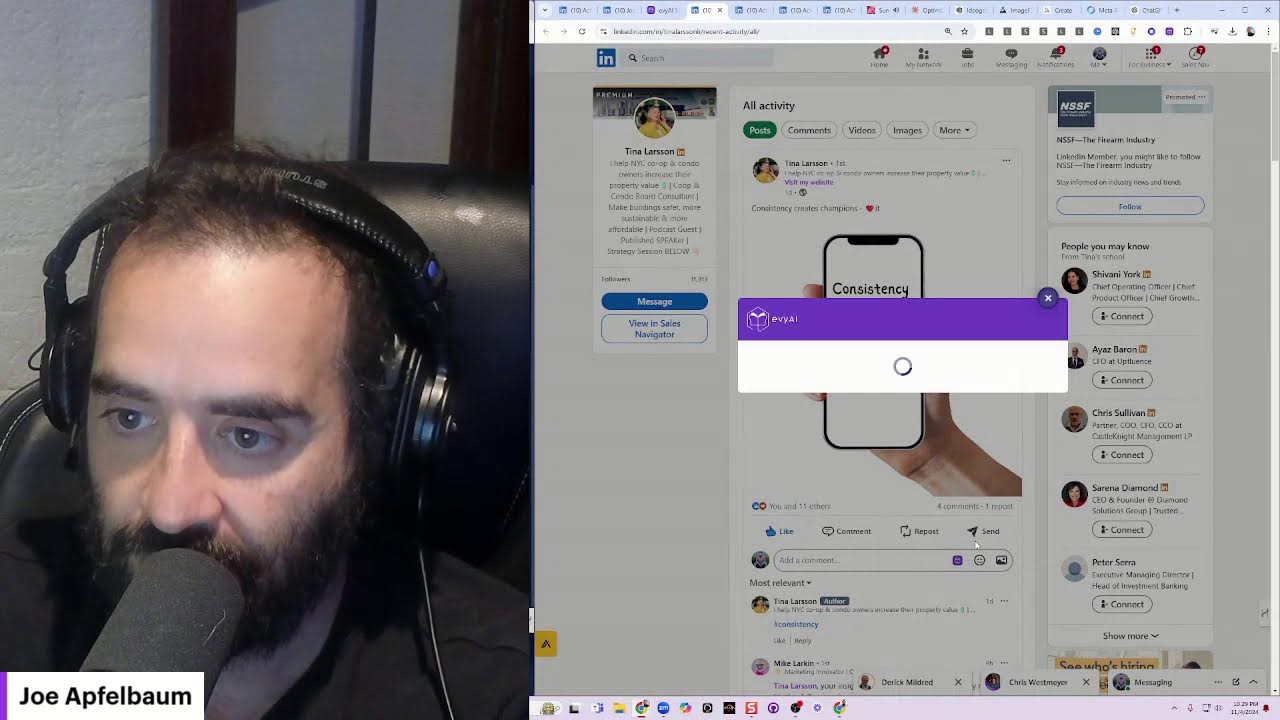
In this live demonstration, Joe Apfelbaum walks viewers through a step‑by‑step process for inviting up to 1,000 LinkedIn users to a LinkedIn event hosted on a Premium company page (Evie AI). He explains how LinkedIn Premium lets him see page visitors, use mutual connections to bypass the "only invite connections" restriction, and bulk‑invite people by filtering on company, location, industry, or school. He shows the practical limits (≈1,000 invites per profile), how to work around them by using multiple LinkedIn accounts, and how to monitor invited vs. attending counts. Joe then integrates the event attendee data into an ActiveCampaign automation via Make.com, demonstrating how first‑name, last‑name, company, and email are pulled from LinkedIn. Throughout the session he uses AI tools (Evie AI for messaging, Napkin, Claude, Midjourney, Ideogram) to generate comments, infographics, and images, and shares best‑practice advice on LinkedIn posting (comment volume, hook, hashtags, avoiding reposts). The session is highly interactive, with live audience chat, spontaneous rap‑style songs, and a focus on using AI to automate repetitive LinkedIn tasks while maintaining a personable, enthusiastic tone.
Chapters
Yo yo, I want to show you the step-by-step process to invite 1,000 people to a LinkedIn event. But the LinkedIn event is happening on a page that only has 500 followers. So check this out. Evie AI is a LinkedIn Premium company page. And with a LinkedIn Premium company page, you have certain premium features. I don't know if you can hear me or not, but here are the LinkedIn Premium features. First of all, you can see who visited your page. Usually you can only see who visited your profile, but now You can see who visited your page. Check this out. I'm going to go here and you can see the human beings that visited the Evvy AI page. You see that? So for example, let's get this guy David. I'm going to pull up his profile. I see that David is transforming financial services with Salesforce. He's the CEO of VantagePoint. So what I'm going to do is I'm going to check out his profile. I see he posted 5 hours ago. I'm going to use Evvy AI right now to leave him a comment. See, I'm going to use this particular profile. Exciting times ahead, David. I'm going to tag David and I'm going to hit comment.
And besides this guy, Alan, who has a thing that says top, I'm the only one that commented on that. Now, one of the things that David might not know is that he put way too many hashtags and he put a link over here. So I'm actually going to send him a direct message.
First, I'm going to click on More, Message, and now I'm going to go to Evie AI and I'm going to talk the message. It looks like your recent post had some things that are blocking your post from getting exposure. If you want me to share some things that might be helpful for you, I'm always happy to share insights. But of course, coaching without permission is criticism. So let me know if you're open to some insights. Congratulations on having over 10,000 followers. Now I can go here and redo this and hit generate, or I could just press insert and then send him this right here, just like that. So I just sent him a message on LinkedIn. He could decide if he wants to respond to this or not, and that's totally fine, but he's a prospect for Evvy AI. Now what I'm going to do is I'm going to invite him to the upcoming event. So there's an event coming up with Evvii. So let me go back to the Evvii dashboard. I'm going to click on events, and this is the event happening tomorrow at 12, which by the way, I hope that you come. Hope you come to this event. I'm going to go here and I'm going to click on share invite, and then I'm going to search for this guy's name. And you're going to see I cannot invite him. Why can't I invite him? Because I'm not connected to him. You see that? I am not connected to him. However, I can find out a mutual connection of mine with him. I have 72 mutual connections, and I can ask one of these mutual connections to invite him. Why?
Because mutual connections, people that are first-degree connections with someone, can easily invite him.
Can easily invite this guy. So let me see which one of my mutual connections I have a solid relationship with. So that I can ask them if they can invite him to the event.
Now mind you, if I go into the event page over here, I can actually see who said they're coming.
You see I have 126 people that said they're coming. You see this? Now let me teach you how to invite 100 people to the event right now, and then we're going to invite 100 more and 100 more and 100 more, and we'll have 1,000 people that we invited. Okay. So let me show you how that works. I'm going to go back to, back to the event page. Now I'm going to click on Manage. I'm going to click on Share Invite, and now I can invite people of a particular company.
I can invite people that, for example, EOS.
I'm going to scroll down. You see all these people are already invited. I'm going to keep scrolling down, scrolling down, scrolling down. Now you can only invite your connections. You can't You can't invite anybody else that's not connected to you. So I'm gonna go ahead and invite all the people from EOS. Boom, I just invited 46 people. Okay, now if I click on share, if I click on manage and manage attendees, I see that 127 people are coming, but we have 910 people that were invited.
So let me show you how to invite 1,000 people to the event.
I'm gonna press share. I'm going to change the company to another company. I'm going to do Sandler. I'm going to press Show Results. It's going to show me all the people from Sandler. See who was invited, who wasn't. Kelly was not invited. I'm going to go ahead and invite Kelly. I'm going to press Share and Invite again. And this time I'm going to invite people based on location. So for example, I'm going to invite everyone in California that I'm connected to. I'm going to scroll down, scroll down, down. Now what I can do is with my mouse, I can hold down the mouse like that.
Let's see.
And it'll just keep scrolling down. You see that? Scrolling down, down, down, down. My hands are right here. See? Still scrolling down.
Now what I can do is I can select all these.
Now if you select too many, it's a problem.
127.
I don't know if it's going to work, but let's see if it works or gets any error. 127 were invited. Look at that. I'm going to click on share, invite. We're going to go back to locations. We're going to go back to California. I'm going to go back to show results. Now we're going to go here and we're going to invite. It's going to scroll down. We're going to open up another 100. And we're going to invite another 100 right now. This is an epic way for you to be able to invite people that you're connected to on LinkedIn to events. So if you only have 1,000 people you're connected to, you can literally invite all of your connections to each one of your events. Most people don't know this, but if you want to invite many thousands of people, what you need to do is you need to create several LinkedIn accounts And then invite many thousands of people. Okay, so I'm going to stop the loading here. Let's see how many I selected. Whoops, I selected and unselected all these people. 177. I hit invite. At one point we're going to error out. 177 people invited. Let me click on manage. Let me go to manage attendees invited. Now we're up to 1,214 people invited, you see. Okay, now I'm going to click on Share, Invite. I'm going to go back. I'm going to click on California again. We're going to scroll down like this. We're going to get till the checkboxes. Once we have a couple of checkboxes, we'll do it again.
And this whole process probably takes about 5 minutes to do.
And you just have to do this a couple times. And then you have all your people. Now, I don't know about you, but events for me have really been a game changer, especially if you're doing it on a company page.
Why?
Because on a company page, you can actually capture their first name, their last name, their company name, as well as their email address and other information about them. I'm going to go ahead, select all these 58 people here. I'm going to invite them. Just like that. You see they were invited. I'm going to click on share. I'm going to click on invite.
Now you can also choose based on a school that they went to.
You can choose based on a specific industry. For example, if I want to invite people in the advertising space, I click like that. You see a lot of these people were already invited. I'm going to scroll down, see if I can find people that were not invited yet. Let's see, looks like all— yep, we got a couple people that were not invited over here. Some of them are also invited and attending. You see, invited, invited, invited. All these people in advertising were already invited. Let's load a couple more. Okay, I'm going to select this 49, invite. Okay, these 49 people were invited. I'm going to pick another industry. Invite, uh, industry. We're going to do professional services. We're going to scroll down, see how many people we can invite over here. Now while this is happening over here, all these professional services are Some people were already invited, it looks like. What we're gonna do is we're gonna pull open another person's profile now and start inviting people from that profile. So I'm gonna go here, I'm gonna invite these 7. I'm gonna open up Tammy's profile. I'm gonna first copy the LinkedIn URL. I'm gonna open up Tammy's profile here. I'm going to do the same thing from this profile because each profile can invite 1,000 people. So I'm going to click register, check, submit. I'm going to press share, invite. Here, I'm going to click this little thing, industry, business consulting. See all these people? All these people were not invited yet. I'll download a bunch of people here. I'm going to press this, 150 people, invite. Boom, 150 people were invited. Share, invite. I'm going to do locations, California, show results. Let me go down, load a couple people. These are all connections of Tammy, and we're going to go ahead and click on the checkbox now. 200 people. Invite. 200 people were invited. I'm going to press share, invite. I'm going to type in David. Pulls up all the Davids I'm connected to. Look at that. See all the Davids? I'm gonna go ahead and select all the Davids. Now I can't, um, do the checkbox if I'm doing it this way, so it's a little bit annoying that you can't do the checkbox, but what are you gonna do? There's another way to do it. You want to invite a specific person or specific person's name. You can just do it this way. Okay, so I'm downloading all the Davids. We're almost done. And then we invite these 46 Davids that Tammy's connected to on LinkedIn. Boom. I'm going to press Share, Invite, and we're going to do locations. I'm gonna do New York, New York. Show results. I'm gonna scroll down a little bit. Let's see how far I can go.
How deep can you go? How far can you go?
Let's see who is— by the way, if you're watching me live, say I'm watching you live right now in the chat.
I'm gonna go pull up the chat right here on the other window. Very nice, Jason Guest said. Thank you, Jason. We have 238 people. I'm going to invite them all. 238 people invited right now. I'm going to press invite. I'm going to go here to industry now. I'm going to go to advertising services, show results. We're going to scroll down here like this. Let's see if we can pull up another 250.
It used to be that you couldn't—
Thank you, Jason. Good to see you, Jason. If you want to come on the live with me, I can make you hop onto the live. I think that would be fun.
Hey, Dharma, what's cooking, good looking?
Oh, you're watching me on YouTube, that's cool. So I have people watching me on LinkedIn, watching me—
anybody watching me on Facebook?
If you're on Facebook watching me live, say hello from Facebook. Somebody today reached out to me and he said, Joe, I want to talk to you. And I said, okay, no problem, let's get on the phone. What's We got on the phone. This is 382 people. Something went wrong, you see? I knew that I was going to get an error. Let me see, 250, 46. Let me see if I just remove a couple of these people. I'm just clicking a bunch of X's. Let's see if we can get down to 300. 347. 342. Let's click invite. Let's see, I got some— oh, 342 worked.
387 didn't work, but 342 worked.
Let's go to manage, manage attendees, invited. Now we're up to 2,214 people invited so far.
Damn, son, that's a lot of invitations.
Damn, damn.
So the question is, how do I integrate this form this into, let's say for example, ActiveCampaign.
So if I go into ActiveCampaign right now, this is my ActiveCampaign.
You could see this automation where people were entered into the automation.
I'm going to pull this up like this.
People were entered into the automation over here.
Um, this is the webinar.
So they have their first name, their last name, their company name, their email address, and all their information. And how did, How did I get all their information?
I got the information from their LinkedIn. And so this integrates with make.com and you're able to easily pull people from LinkedIn into an automation in ActiveCampaign and send them an email or in any tool, Mailchimp, whatever you use.
I'm curious to know what email automation tool do you use?
We use GoHighLevel. We use ActiveCampaign, we use Mailchimp, we use a bunch of them depending on the client and what we're doing. But this is this. I'm also gonna click on these 3 dots. Actually, I'm gonna click here and I'm gonna hit repost to feed. EVI is hosting a Drive Revenue webinar, prospecting, make sure you attend it at 12:00 PM EST. You coming? I'm gonna press post. Now Tammy just posted it. See that? Now I'm going to just one more share. We did 500 and change already. Current company YPO. Select results. Invite all these YPO people. Why not? Invite 21 people from YPO. Okay, so that worked perfectly. I'm gonna do share, invite. Let's see, Empire Works, Sandler, MJH, EOS. Go. We have 32 people. Let's see if we can load more. So we get to the bottom of it. Okay, let's get them all. 135 people. Something went wrong. Remove 1. Something went wrong. Remove 10. Something went wrong. Get to 100 to 99. Something went wrong. Go back. Let's see. Let's remove a bunch more. 91. Something went wrong. I think we already hit our limit. Let's see. 78. Something went wrong. 68. Something went wrong. See, this is when we get to this place where we did too many people. 55. I don't think we can invite any more people. I think we got to our limit. 42. Something is wrong. 31. All right, clear. It's not allowing me to scroll. Guard. Let me go to manage, manage attendees, invited. Okay, 2,229. All right, we got, we got that, we got somewhere, you know, we're getting somewhere. Inviting people to a webinar, not easy. Let's see what Tammy—
hey, thank you so much, have a great day.
Holly said thank you so much, Tammy. I'm gonna say you're welcome. Roger said I appreciate it.
Blah blah blah.
Can I send you? Can I send you a demo? Can I send you a demo? All right, let's see what's been going on. John commented on a post by Evie AI.
Respond.
We're going to respond as Evie AI now. Boom, boom. Thank you. Okay, I registered. Great. Okay, now we're going to register as Tammy. We're going to go in here. I'm going to say, looking forward to this event. And I give it a heart. All right, so we have 126 people that said they're coming to this event. That is pretty awesome. What else do we have going on here? Going into Sales Navigator, check the messaging. Everything is good here. I'd like to learn more. Okay, check out www.evi.ai.com. Let me know what you think. All right, this guy wants to learn more. This guy named Shane P. Tell me, message him in July and he just answered on Friday. How crazy is that? That's insane. So if you send out 10,000 messages, 10,000 messages every single year, Wow, that's $800 a month. Jason West just sent Tammy a connection request. Jason Guest. I'm going to hit connect. Check out his profile. Look at him, total rockstar. Welcome to my network. Boom. Check out his post over here. By the way, I don't know if you know this, but if you, um, if you repost something, it doesn't really help you. Reposting doesn't help you at all. So I do not recommend reposting. I do recommend commenting. That helps a ton. Look how many comments there are. Now I'm going to reply to all these comments using AI. So let's minimize this page here and let's, let's do this now. Let me go into this page here. Let's see if we can view as a regular person. I'm going to copy the link. I'm going to view it as, say, Sarah, let's see where Sarah is. All right, let's rock and roll. All right, let's rock and roll here. So now we're going to click on Manage. 3 dots, details. Let's see if I can hit share, repost to feed. Can I repost without, without thoughts? Discard. Networking.
These are all the people coming to the event right here, you see.
Let's go to the Evie AI company page real quick. You scroll down just a little bit under details, comments. Here's the Evie AI page. This is from a month ago. We're going to go here. We're going to go to the posts. Let's see where the— show all page posts. And we're going to show all the page posts. As a member, view as member. Where's view as member? Here, view as member posts. I don't know why it doesn't show events. So here's the event page. They posted it a month ago. Here it is. Repost. Just plain repost without thoughts. Okay, so this is happening tomorrow. That's cool. It's gonna be an exciting webinar. I hope you guys can make it. If you're watching this live, I hope you can make the event tomorrow. It's gonna be fun.
Let's go to the feed real quick.
Let's leave a comment on Gary Vaynerchuk's post over here. We're gonna leave a typo comment. That's a little promotional. We're gonna comment on Millie's post. Why not? I haven't spoken to Millie in a while. Over here, I'm gonna leave a quote. Actually, I'm gonna leave 20 words. I'm gonna drop a comment on Renee's post. My goal is to post 50 comments every single day. I have no idea how many comments I left today, but what I do want to do is I want to leave 50 comments every day. That's my goal. I can tell you how many I left today. This is how you check. You click on Me, click on View Profile, then you scroll down, you click on Show Analytics, and you can see I left 47. So I got 3 more comments to go for today, and then I get to my goal and I can end the day. I'm gonna leave another comment over Let's see what Perry said.
All right, I just left a comment on Perry's post.
David follows me and is inviting me to connect. I'm going to press accept. Yuri's inviting me to connect. He's the host of the CFO Cast. Andy Good is following me. He's waiting to connect with me as well. I'm gonna click on show all. And here are all the people that are waiting to connect with me. Look at this. Let's see if I recognize any of these people.
I came across Heavy AI and I'm really inspired by your journey.
I want to connect. I read your comments on Lewis Howes Sunday Reminder and thought, smile or anything can change or shift no matter what. Blessings. Partnership clinical psychologist recruitment consultant. Oh, I like that. I'm a subscriber to your YouTube channel and I visited your YouTube channel. You make very good videos. It's actually cool. I'm waiting to be connected. I connected with you.
Uh, I noticed you share a mutual connection for Cody Sanchez.
Interesting. Look at this.
Who are these people? Monica Stewart.
Getting Founders Out of Survival Mode. Hi Joe, mind sharing a link to your book? I want to check it out. I work with leadership books and we publish similar authors. I want to convert it to a course.
Well, you can find a copy of my book by just Googling me in 2 seconds.
I'm not sending you a copy of my book. Your work with AI and business development is inspiring as a fellow entrepreneur, blah, blah, blah. That is, that was created from Evvy AI. I'm a happy subscriber. I'll post results in school. Ooh, that's nice. Let me check this guy out over here. I'm gonna go here. I'm gonna hit message. I'm gonna use FE AI.
Hey, thank you so much for connecting with me on LinkedIn.
Looking forward to getting to know you and seeing the results. Look at that. I just did that. That was epic. Look, Sandra just commented on this post over here. Epic. This is from 3 years ago.
How did she find this post from 3 years ago?
How?
Explain to me how. I am Brian.
I sell Apple devices.
I wonder if he's still selling Apple devices. See, 3 years ago I didn't have the power of Evie AI, so I couldn't reply to all these comments. Now I'm able to reply to all these comments in seconds.
I can go back. Great article, Robert. Learn 5 ways to make an impact. Wow. Let's see who else commented on this.
Casey said, I am a virtual artisan and I provide administrative assistance.
All right, let's see. Reply. All right, now I'm going to go back to my most recent post and just see if anybody has been commenting on my posts. Okay, so six hours ago, twenty eight minutes ago, twenty eight minutes ago is this LinkedIn post. This is an event happening. Party invite. Somebody sent me a party invite from Mally Busman.
Mally Busman?
I don't even know who that is, but I'm not going to join a party now.
Middle of LinkedIn Live, and it's ten o'clock at night, and I'm tired, and I want to go to sleep, but I gotta reply to all these comments on LinkedIn. On LinkedIn, on LinkedIn.
Look at all these people commenting on my video. All right, so Dharma said insightful post. Hard work beats wishful thinking.
I'm going to press reply.
I'm going to reply with every AI because I don't have the brain power to reply with my actual brain and come up what to say. It's so hard to just come up what to say. But with Evie AI, with Evie AI, I don't have to wonder what to say. It just types it all up for me. Built into LinkedIn, it makes my life so easy. It makes my life so easy. And for less than 50 cents a day, you could use Evie AI. Heavy AI, heavy AI.
Look at this, it's ridiculous.
Soon it's going to do all this by itself.
Soon as you can have a robot just going in here and just literally doing this by itself.
But for right now, you got to read it and make sure it makes sense, make sure you agree to it. But it's still super fast. And look how, look how fast I'm replying to all these comments.
This is This is insane.
This is like, oh my God, if you are not using Evie AI right now, you are so missing out because you can, you can acknowledge every single person. I'm just mentioning all these people right over here. Look at that. Look at the way I'm mentioning every one of these people. And done. I replied to every single comment here.
Look how quickly. 300 impressions on this video, 135 on this link. LinkedIn Live so far. All right, let's see. Let's go to this part, posting party. I did this thing about this posting party. I said, who wants to join a posting party? And over here, all these people responded that they want to join this posting party. So, count me into the posting party, Chris said. All right. Let's elevate the game together.
Posting party, po posting party, posting party, po posting party. We're gonna have a party.
Let's make a song right now.
Let's make a song.
Create a song. Posting Party song for posting and engaging together on LinkedIn. Let's have a party and post with Evie AI, AI for LinkedIn in your voice. Network and connect rap song. Network and And connect with Joe. Create. Let's see what that sounds like. Let me put on my headset.
Are you guys ready? Are you guys ready? If you're ready, write, you're ready. Joe, what's the agenda? 2 AM live session.
Man, you are a hard worker.
This is from this morning's post. Do you have a theme song for Evie AI?
We're about to create one. Here we go. Here we go.
Scrolling feeds, hustling, busting out the seams, networking kingpins, living LinkedIn dreams. Put your profile up, show them what you got. Digital roller, what ain't nobody forgot? Push that content, get that engagement. FBI in the mix, no displacement.
Here we go, here we go. Here we go, here we go.
Bossing the flow.
Swipe through connections, every day a blessing. Professional flexing, no second guessing. Algorithm doyens, data point minions. Making waves, crashing down billions. Post that content, get that engagement.
What?
FBI in the mix, no displacement.
What?
Connect with Joe, he's the plug, you know. In the Voice Network, bossing the flow. Office vibes, remote tribe, virtual High five profile, popping opportunities on the fly. From intern to CEO, it's all a go. Skill endorsements, stack them high to the show. Post that content, get that engagement. Every eye in the mix, no displacement. Connect with Joe, he's the plug, you know. In the Voice Network, bossing the flow.
I like the beat.
Awesome flow.
Office vibes, remote tribe, virtual high five, profile popping, opportunities on the fly. From intern to CEO, it's all a go. Skill endorsements, stack them high to the Post that content, get that engagement. FBI in the mix, no displacement. Connect with Joe, he's the plug, you know. In the Voice Network, bossing the flow.
These are all just amazing human beings that are acknowledging my existence. Thank God I don't go viral because I wouldn't be able to handle all these CEOs, CEOs, CEOs, CEOs smoking high. Never lie. ROI. Let's go. Check these guys. Check this flow. Let me show you how to do it from the bottom to the top. Let's go. Let's go. Coming back. Yeah, yeah, yeah. Watch me fly. Let's go to the next song. Here we go. Here we go. Here we go. On the J O E. Let's go.
What?
Busting out the scenes.
Networking kingpins.
Living LinkedIn dreams.
Put your profile up.
Show them what you got. Digital Rolodex. Ain't nobody forgot.
Post that content. Get that engagement.
Every eye in the mix.
No display.
This is so much fun. Yeah, that's that's what I'm talking about. This is a good vibe. Don't you love this song? It's a great song.
Sweet connections every day a busting professional flexing no second guessing algorithm doing data point minions making waves crashing down billions.
It's like, it's like shaking hands and kissing babies, you know?
This is epic.
Just epic.
Evie AI literally makes AI fun again. It makes LinkedIn fun again. Like, if you're not having fun using Evie AI, like, what are you doing? Like, what are you doing? Let's go and find a How to scrape any LinkedIn posts. A LinkedIn encouragement. Let's see what this is. I want to encourage you. I want to let you know that LinkedIn is not something that you do overnight. LinkedIn is 10 years in the making. Success is not 15 minutes of faking. You need to build relationships. I'm telling you right now, posting on LinkedIn correctly with a hook, main points, call to action, 3 hashtags max, no link, no reposting. Don't do that. But leaving comments is essential. The thing is you can leave 10, 15, 20, 100 comments a day without annoying anybody. Ebi AI already formats it for you very easily, but AI is not here to replace you. It's here to assist you.
Yes.
Oh my God, that was a good style. I like that style. Let me go in here and just speak out a post real quick.
What am I gonna say?
I'm gonna say, let me first make this Joe Apfelbaum persona. I used to think that calling someone would interrupt them, and I would hate, hate, just hate calling people because I don't want to bother anybody, you know? Like, I want to get permission to call somebody. I want to text them first saying, are you available? But the truth is, people think that anything is interrupting. They think Oh, I don't, I don't want to bother anybody. And, and, and I don't want to, I don't want to text them. I don't want to WhatsApp them. I don't want to, I don't want to post too much on LinkedIn. I don't want to leave a comment because they feel like they're too much. Let me tell you something. You're not too much. You are freaking amazing. You are an incredible human being. And you calling other people is actually doing them a favor. If somebody's too busy, they're not going to pick up their phone. It's okay. How many times do you call people and they don't pick up the phone when, when they're expecting your call, when you have a meeting with them? You know, so like you thinking that you're interrupting somebody when you don't have a meeting, you can consider that interrupting. What about barging into their house? What about barging into the bathroom while they're in the bathroom? You know, like that is, that is a whole nother level of interruption. But thinking about interrupting people when you're calling them, no. But there are different levels of interruption. There's barging into the bathroom, there's ringing somebody's bell and knocking on their door, there's calling them on the phone, there's texting and WhatsApping them, there's emailing them, there's level of interruption of, uh, running an ad, like a retargeting ad, posting on LinkedIn, commenting on their posts, endorsing them. There are many different levels. So what do you consider an interruption? Let me know in the comments below.
Let's—
oh my goodness.
All right.
What if I told you that the key to unlocking your professional potential lies not in just your hard work, but also the art of connection? In the world where digital marketing and networking are paramount, the ability to maintain a robust professional network can be the difference between stagnation and potential growth. I learned this early on watching my mother struggle to grow her business without a clear strategy. It ignited fire in me, a fi— a passion for marketing and the power of relationships. Today, as a CEO of Ajax Union, I'm going to say CEO of Evvii, I've seen how leveraging platforms like LinkedIn, Can transform careers and businesses. It's not just about sending requests; it's about cultivating meaningful relationships. Here's the thought: Are you treating your LinkedIn connections as mere numbers or actively engaging with them? Engagement is the lifeblood of a thriving network. It's not just to connect, but you have to contribute, share insights, ask questions, provide value. That's where my AI assistant Evie AI comes into play, helping professionals calmer. Remember, creativity, curiosity, and levity are my guiding principles. They're not only fuel, they not only fuel innovations, but also they make networking enjoyable. When was the last time you turned it on? Let's spark a conversation. What strategies to build and maintain relationships? If you found this post insightful, let me know.
Okay.
What if I tell you the key to exploding Okay, today, digital marketing in an hour. All right, that's a good one.
So what should I do? I'm going to schedule this.
For tomorrow.
I'm going to do it now.
I already did enough posts today.
I'm going to do this Monday.
Oh no, today's Monday.
We're going to do this tomorrow, Tuesday. I'm going to do it in the morning.
I'm going to do 7:00 AM, 7:45 AM.
Okay.
I'm going to do next.
7:45 AM. This puppy is scheduled and we have a, we have a post scheduled for the morning.
Okay.
You saw the way I just scheduled that post. Now, what I'm going to say is I'm going to post something.
I'm going to say, why would anyone post at 10 PM EST? Let me tell you, because LinkedIn is in 200. Countries, countries around the world. You feel me? It's not about America. We are in a global economy. Tell me where you are located and what time you saw this post to prove the point. Okay, I'm going to copy this. I'm going to go to napkin, napkin.ai. I'm going to click sign in. I'm going to create a new napkin. Blank napkin, and I'm gonna click on this. Let's see what I could do. It's gonna make me a nice infographic, infographic, infographic. I don't know that it's gonna be able to make an infographic from this post, but. I'm just curious to know like what it's gonna do. By the way, have you guys used Napkin?
Let me know yes or no in the chat. Say yes, I've used Napkin.
No, I've not used Napkin. Look at the little bubbles moving around.
It's really thinking.
It's like, how are we supposed to turn this into a post? Oh no, it couldn't do it.
It failed.
It failed, failed, failed. Claude, give me facts about this post. Ooh, all right, let's try that. Let's try that. Not use napkin, have heard of it. Uh, let's try this.
I was looking into one that makes info.
Yeah, this makes infographics. Oh man, it's having a heart attack now.
Napkins having a heart attack.
Let's see. I took this post and I trying to make a nice little napkin thing here, but it's taking forever.
You should have been done already with your infographic, you moron. What's wrong with you?
Oh my God, generate more.
It's not working.
I'll show you what— okay, it's not working. Let me go to the library. Let me get out of here.
Look at what it did before.
It made all these amazing infographics. Oh, it's broken.
It's always good to save your napkins in case things break.
Look at this, it's not working now. Oh man, it was so beautiful before. Oh, it's all broken. Oh, that's terrible.
That is terrible. It was so beautiful before. Look how horrible it is now. Everything is all messed up.
Look, I'm so glad that I, that I did it before that I did it before it got messed up. Let's see this. I'm going to select this. I'm going to click on this again and see if it works. If not, if it doesn't work, it doesn't work. It's not working. It seems like it's broken.
Too many— either too many people are using napkin or I don't know.
Napkin AI is not working. It's not.
At least Suno's working.
I'm gonna make another wrap. Let's see. Napkin's not working. Make me an infographic about this. Let's see.
It's gonna make an infographic.
Yeah, napkin's not working.
Sorry guys, I can't help you with that right now. Oh, you know what? We can try ideogram.
See, it wants me to wait a minute and a half.
Oh, look at that! A terrible infographic.
Download it. Let's see if we can upload an SVG file to LinkedIn.
I cannot upload a SVG file to LinkedIn.
We got 160 seconds left. Let's go to AI Test Kitchen by Google. Image, image.
We are trying to make Some images, images, images with Google or with Midjourney. Let's see what Midjourney will make for me.
Okay.
Oh, look at that on top. It says LinkedIn.
It says in liked, in liked.
Map of the world.
I don't love it.
Let me go here to creation images. Don't love it. Over here still telling me to wait. Make me a Midjourney prompt about this topic. That is epic. All right, let's see.
Imagine a majestic floating clock tower in space.
Really?
Let's see what that looks like.
A majestic floating clock tower in space.
Let's try it here too. Create. Let's try with Meta.
Meta.ai. Meta.ai.
Let's try ChatGPT as Chat GPT, Chat GPT, chat, chat, chat, chat, Chat GPT.
Ooh, ooh, this is epic! That is cool.
Oh my God, look at this one here.
Wow, this one's even more nice.
I really like this one here.
I'm gonna download this.
Oh, look at this.
This is from Midjourney.
Uh, hello?
What is— how is this relevant? What does this have to do with anything?
Look at this one here.
Oh, LinkedIn got the logos right. Damn, Google got the logos right.
Google got the logos, logos, logos.
Google got the logos right. I like that.
Let's see what Ideogram made. I'm gonna go to my creations.
Okay.
Ah, look at this.
It's kind of screwed up over here.
This actually looks cool.
Uh, East Coast, West Coast, GMT. Not bad, not bad at all.
All right, which one do you guys vote? Which one do you guys like the best?
I like the Google one the best.
I'm gonna choose the Google one, ladies and gentlemen. That's it, the world has spoken.
We're gonna choose the Google one. Next, we're going to post it right now.
Post 10:22 PM. Why would anyone post at 10 PM EST? Let me tell you, because LinkedIn is in 200 countries. You feel me?
It's not about America. We're a global economy. Let me know where you're located and what time you saw the post. Cool post, right?
I just came up with this post idea.
Joe, you always come up with the best ideas.
Indeed, thank you. All right, let's see what we got over here.
Lana said, excited to have you on board, Lana.
Oh, I said that.
Let's see how many posts—
let me see how many comments I left so far.
And that'll be the end of the night because it's 10:23 PM and I'm tired. I'm really tired.
I had a very long day. What?
Did that post not go up?
Oh, it did go up. It just didn't load.
Let's see how many comments did I leave today?
Where are my comments? Where are my comments? Where are my comments?
Where are my comments?
Let me do this again. Show analytics.
76 comments. I was supposed to do 50 today. Ugh.
Ugh.
I failed. I failed to scale. Joe, the global perspective rocks. Jason says it's 2:23 PM here on a Tuesday.
What?
How's it 2:23 PM by you on a Tuesday? Tuesday?
I'm still on Monday. I once posted while my dog was painting the dog.
Alright, lol. That's funny.
I'm gonna give myself a like, and then I'm gonna go to my company page, and I'm gonna give myself another like.
You're gonna be like, what are you talking about, Joe?
Yes, I'm going to go to my company page and I'm going to give myself another like.
Then I'm going to go and I'm going to give myself another like.
I'm going to give myself a comment from the company page. Look at that, the company page has commented.
How cool is that?
Now I'm going to like all of you guys from the company page. Now I'm going to change to another company page and I'll give myself another like. From another company page, and then another like from another company page, and then another like from another company page, and then another like from another company page. Isn't that crazy? You can just keep liking it from so many company pages. That's incredible. What's going on with my napkin? My napkin.
Ooh, this is a song.
Okay, this is the last thing we'll do. Yo, you're about to say goodnight, so keep it tight. Don't let the bedbugs bite.
Keyboard warriors, taps in tracks in exec land. Scrolling through profiles, networks like quicksand. FBI in the mix makes your post grand. Just connecting dots, extending that hand. Link your vibes, it's a digital bash. Post your wins, no need for cash. AI on the beat, got the algorithm stash. Slide into DMs, make connections splash. Profiles like resumes, storytelling spree. Endorsements stacking higher than a redwood tree. Joe's in the feed, post-game MVP. Evie's got the insights, making it all free. LinkedIn vibes, it's a digital bash. Post your wins, no need for cash. AI on the beat, got the algorithm stash. Slide into DMs, make connections splash. PowerPoints popping, slides on fleek. Job hunt grind, Monday through the week. Evie, I spin it, never too meek. Joe's network trending, future looking sleek. Birthday announcements, got your wishes on fleek. Skill endorsements, aim strong each week. Job updates, profiles never weak. Professional playground, reach your peak.
So what I'm doing here is I'm going through all the recent activity from my actual relationships.
AI on the beat, got the algorithm stash. Slide into DMs, make connections splash. Profiles like resumes, storytelling spree. Endorsements stacking higher than a redwood tree. Joe's in the feed, post-game MVP. And he's got the insights, making it all free. LinkedIn vibes, it's a digital bash. Post your wins, no need for cash. AI on the beat, got the algorithm stash. Slide into DMs, make connections splash. Full points popping, slides on fleek. Jaw time grind, Monday through the week. FBI spaying it, never too meek. Joe's network trending, future looking sleek. Birthday announcements, got your wishes on fleek. Skill endorsement.
He built warriors, time setting traps in exact lengths. Land, scrolling through profiles, networks like quicksand. FBI in the mix, makes your post grand. Joe's connecting dots, extending that hand. LinkedIn vibes, it's a digital bash. Post your wins, no need for cash. AI on the beat, got the algorithm stash. Slide into DMs, make connections splash. Profiles like resumes, storytelling spree. Endorsements stacking higher than a redwood tree. Joe's in the Feed postgame MVP. Evie's got the insights, making it all free. LinkedIn vibes, it's a digital bash. Post your wins, no need for cash. AI on the beat, got the algorithm stash. Slide into DMs, make your nation splash. PowerPoints popping, slides on fleek. Job hunt grind, Monday through the week. Evie, I spit in it, never too meek. Joe's network trending, Future looking sleek. Birthday announcements, got your wishes on fleek. Skill endorsements, game strong each week. Job updates, profiles never weak. Professional playground, reach your peak. LinkedIn vibes, it's a digital bash. Post your wins, no need for cash. AI on the beat, got the algorithm stash. Slide into DMs, make connections flash. Core points popping.
All right, ladies and gentlemen, thank you so much for joining me here today. I really appreciate you guys so much. Hope you enjoyed it. Remember to use your Evvy AI wisely and responsibly. If you haven't checked out my collaborative article comment, create a response on LinkedIn collaborative articles. Joe Apfelbaum, CEO of Ajax Union. Background response should include key themes to weave. Also, I've been updating X. So if you look at my Twitter, twitter.com/joeapelbaum, you'll notice that my Twitter has been updated. This is all written by artificial intelligence automatically. Just like a trusty Swiss Army knife, AI can streamline your daily grind. It's time to cut through the clutter and sharpen your workflow. So definitely check out my Twitter.
You're going to see all the stuff created by artificial intelligence.
If you are going to use napkin.ai, Make sure that you download it.
Like, for example, I downloaded this because it turns out the napkin's not so reliable to kind of hang around after a while. It like just dies and everything gets mushed up and disgusting. So if you have really nice graphics that you created, make sure to download them and post them somewhere or save them on your computer, because if you like it, it will get lost or broken. Can't rely You know, once it creates it, make sure to save it.
All right, thank you so much for watching this. Once again, I appreciate you guys very much and have a good night.
I'll see you guys tomorrow. I'll be back live tomorrow.
More from Joe




How to Beat the Algorithm: Remove Hidden Watermarks & Scale Content with evyAI






