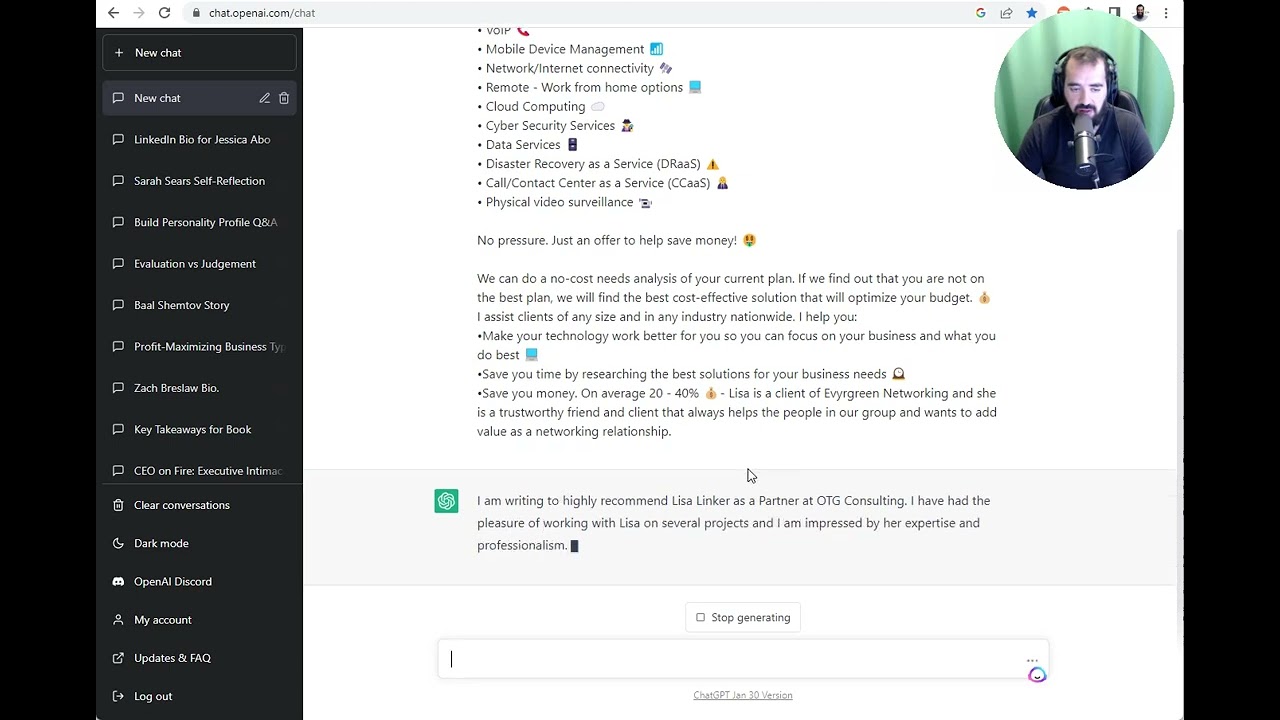
In this tutorial, Joe Apfelbaum demonstrates a practical workflow for writing and submitting LinkedIn recommendations with the help of ChatGPT. He walks through selecting a connection’s profile, copying their name, role, and About section, and feeding that information into a tailored prompt for ChatGPT to generate a polished recommendation. After reviewing the AI‑generated text, he copies it into LinkedIn’s recommendation box, sends it, and explains the approval process—showing that the recommendation appears in his "Given" section immediately, even before the recipient approves it. Joe shares examples of past recommendations he’s written for various contacts, outlines his personal goal of reaching 500 LinkedIn recommendations in 2023, and invites viewers to request a recommendation from him. He also plugs his AI course (newaicourse.com / evergreen.com/ai), describing the curriculum’s focus on AI‑assisted brainstorming, research, strategy creation, content generation, and case‑study development for a wide range of professionals.
Chapters
I want to teach you today how to leave people LinkedIn recommendations on LinkedIn. So if I go to my most recent post on LinkedIn, ChatGPT passed Google coding interview, and I see that Christopher Tarnock, you see, left me a little message. And Key Herman left me a message over here. Lisa left me a message. I want to leave Lisa a LinkedIn recommendation because she's such a great fan of mine. So I'm going to click on her LinkedIn profile. I have her first name, her last name, what she does for a living. I even have some information in her about section that I can consider, and then my own thoughts. If I scroll down here, I can see all the people that left her recommendations. So she has 3 recommendations here from Tina, from David, and from Joseph. I want to leave her a recommendation. I just click on recommend Lisa because I'm already connected to her. I could leave her a recommendation. You see that? I can click on recommend Lisa. But before I recommend her, I first want to take her information and put it into ChatGPT. So I'm going to copy her information from right here. I'm going to go into ChatGPT. I'm going to write, write a LinkedIn recommendation for my LinkedIn connection, Lisa Linker. You see that? I'm going to delete all this like extra little garbage here that I pasted in. Now, once it does that, I'm also going to tell it to consider her about section as well. I'm going to paste this in right over here like this. I'm going to say, also consider her about section on LinkedIn. And I pasted that in. And now I'm going to say, Lisa, Is a client of Evergreen Networking, and she is a trustworthy friend and client that always helps the people in our group and wants to add value as a networking relationship. Okay, I'm going to press that. I'm going to press enter. Now what's going to happen is ChatGPT is going to write a beautiful LinkedIn recommendation, and it's writing it on the fly right now. I'm writing to highly recommend Lisa Linker as a partner for OTG Consulting. And as you can see, it's writing the whole thing. Now I've done this for many people in my network. I did this for Jessica Abo. I did this for Sarah Sears. I did this for Zach Breslau and several other people. And it makes it really easy for me to leave recommendations for the people that are in my network in a very simple way. So I'm going to read this over, over here. You see, I'm gonna read this over real quick. I can just copy this. And by the way, if you want me to leave you a LinkedIn recommendation and we have a relationship, we're connected on LinkedIn, just let me know. Send me a DM. Say, Joe, would you be willing to write me a LinkedIn recommendation? I'm happy to do the same for you. My goal is to get to 500 LinkedIn recommendations this year from people that are my clients or people that are in my world and trust me. And so the way that you leave a recommendation is once you write it using ChatGPT, you press recommend Lisa. You could write Lisa was a client. You could write where she worked when she was a client. And now that I read this, it looks real good. I press send and now Lisa's going to get a notification. Now Lisa has to approve this in order for it to appear in her profile. But even before Lisa approves it, it's already appearing in my profile. So if I scroll down to my profile and I go to my recommendations and I click on given, you see it's already in my given section, even if she didn't approve it. So I've left a recommendation for Ira Zlotowitz, for example, and Ira approved it. So it shows up right in his profile right here. You see, I gave it to him February 10th, 2023. So if you want more recommendations, that's one way to do it. Let me know what you think of this. Leave a comment below and let me know how many recommendations you want to get in 2023 on your profile. My recommendation is for you to get at least 3 recommendations on LinkedIn. And if you want to learn more about our AI course, you can go to newaicourse.com. It takes you to evergreen.com/ai. Where we teach students how to brainstorm with AI, how to research with AI, how to create strategies like marketing strategies and business strategies, how to summarize, how to create content, how to create scripts, how to use social media with AI, how to create emails, email automations, email scripts, email templates, and how to use it from a creative standpoint. And we have lots of tutorials and lots of case studies. And if you purchased the course already and you want me to create a case study for your business, whether you're in business development, in sales and marketing, a CEO, real estate broker, financial services, or anything, just let me know. Let's create case studies together. Boom.