How to use AI with LinkedIn to get Clients with evyAI
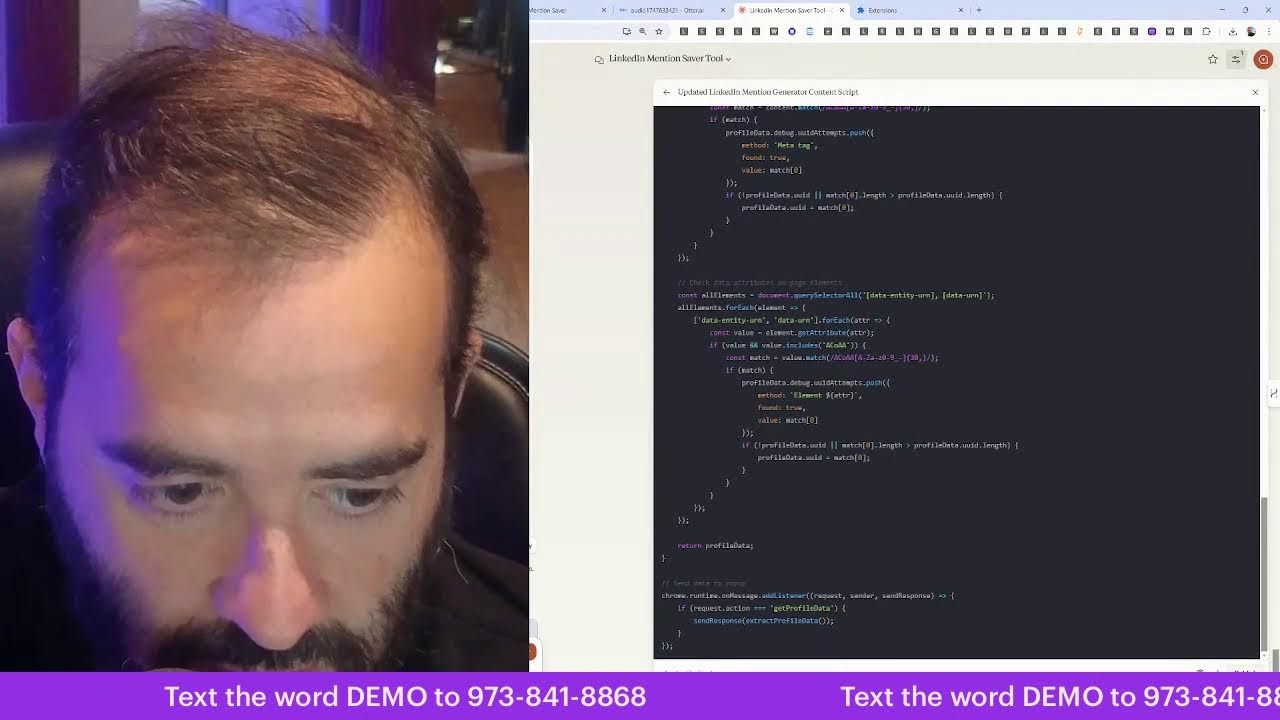
Joe Apfelbaum demos evyAI, a Chrome extension that uses AI to generate LinkedIn comments, posts, and outreach at scale. He walks through saved profiles, engagement tracking, and a B2B sales methodology, then debugs the tool's UUID extraction code live with his co-host.
Chapters
Name is Joe, and I'm the B2B to B2B sales pro. I'm gonna teach you how to build it, teach you how to grind it, teach you how to do all the things that you gotta do to be true to yourself. Because so many people are not true to themselves. They don't know what they're doing. They don't know how to do it. Let me show you how to be with it. My name is Joe. I got every AI. Let me show you how to get an ROI out of LinkedIn. Got you thinking. Let me show you how to stop blinking. Let's go to evviai.com right now. This is a LinkedIn sales assistant. It'll enhance your online presence with Evvy AI. It's a Chrome extension and a web app that supports your sales activities to enrich your connection data, monitor activity, create personas, generate comments, ideas, posts, and 10x your online exposure. If you wanna grow your business, Yeah. you need to have the right systems, the right processes, the right strategies, and the right technologies. You put that all together and you will make more money. Simple as that. It's not rocket science because success leaves clues. You find other people, see what they're doing, and just copy it. So if you sign up to Evy AI, you could sign up for free. I'm going to hit login. I'm going to show you how it works so that you can start doing it yourself. So if you go in here, you'll see on the left side, there's something called saved profiles. I'm going to click on saved profiles. And now what I'm going to do is I'm going to click on this here and I'm going to click on Strategic Forum. I'm going to find the people that I spoke to at the Strategic Forum, which was Um, Ahmed Gamal and then, uh, Salvador Leone. So I'm gonna look at Sal's profile right over here on LinkedIn. And I'm gonna notice that he hasn't really posted lately over here. He reposted something from Citrin Cooperman. So I'm gonna go ahead and leave a comment on this post. I'm gonna use my side panel extension, which will make it go a little bit faster in terms of the comment that I wanna leave, because I do wanna leave a comment on this post over here. But if I leave a comment on this post here manually, it just takes me a really long time. So if I use Evie AI, I just pop open the side panel and then I'm able to quickly leave a comment. Now, the standard Evie AI doesn't have a side panel. This is for pro users only. So if you want to be able to use this type of technology, you have to be able to have Evie AI Pro, which will give you the side panel and it's much more powerful than the regular version. So I hit generate comment. It'll read the post real quick and I will be able to just drop in a comment just like this. Citron Cooperman is evolving on this trend. It's fascinating to see how data centers involve. And I'm the only one that left a comment on the Citron Cooperman post. Now they have 40,000 followers in their company. I want them to be my client, but in order for me to be able to do that, I need to start posting, engaging, and messaging. Nobody left a comment. 100 people like this over here. So what I'm going to do is I'm going to read the post, make sure it makes sense. I like it. Good. Now leave a comment just like it sounds fantastic. I'm going to dive into complexities of hedge funds. I appreciate it.
Situ.
Okay, it's great from here. Looking forward to hearing from James Cantinello on the panel. So now I'm going to tag James Cantinello just like this, and now he's going to get a notification just like this. You see how quickly I was able to leave that comment? Now most people are not doing this. Most people are not leveraging artificial intelligence to stay top of mind with their target market. And that's a big problem. By the way, if you want my hacks, I have 52. I have 99 now. I, I used to have 52, but now I have 99 different LinkedIn hacks. And I'm gonna show you something cool. So if you go to Sheets, Sheets, and by the way, let me know that you're here. Say I'm here. I'm gonna go to sheets.new. Let me know that you're watching. Say I'm watching. I'm gonna click on File, Import. I'm gonna click on Upload, and then I'm gonna drag the file I just downloaded from LinkedIn in here. You see this? Then I'm going to say replace this entire spreadsheet. It's going to replace the spreadsheet and it's going to give me my performance metrics. Now it's going to show me my top demographics as well. You see performance and top demographics.
You see that?
So just, this is my performance for this particular post. And I have all the information about this post right over here. So I'm going to go in here, check out the post. This is the performance for this post right over here. My goal is to get 100 people to say that they're interested in this offer. Otherwise, I'm not going to pull the trigger on the specific offer because unless I have 100 people that are interested in this, I'm not going to do this. Thank you for saying that.
Okay.
So I'm going to go ahead and reply to Anita and I'm going to reply to this comment right over here, just like this. So I have a question for you. I'm going to stop sharing my screen for just a second. Actually, you know what? I'm gonna pull in something else here. Let me just pull this tab out just like this. Take this entire thing and bring it to a different window so you can't see what I'm doing. 'Cause someone just sent me a text message and I wanna see who it is. Reminder that I have a virtual coffee with Michael Filadio, Full Throttle Michael Leads. Let me see who that is. I'm gonna go in here, search Michael Filadio. Full throttle. I have no idea who this guy is. We have 32,000 followers. Amazing. He's in Orlando. And I said, Michael, Ira spoke to me about you. Are you up for having a conversation? And he said, yeah, here's my Calendly. I said, will do. I'm gonna say, uh, looking forward to chatting with you tomorrow.
So I'm gonna do that.
Looking forward to chatting with you tomorrow. It's gonna be a great conversation. I'm gonna press send. And now I just spoke it in and it got created. It's like, you know, the world is magic. We're living in a magical, magical world. So if you're watching this live right now, just give it a like, leave a comment. Let me know that you're live. Say I'm live right now. I'm gonna click on me, view profile. And I love the way people just enjoy watching me do my thing. They just enjoy watching me. So I'm going to go here and I'm going to take a look. And I do see I have a like here. I'm going to check who liked it. Top Rated Pro.
That's cool.
I'm going to go here. I'm going to hit Show All Posts. I'm going to give myself a little heart. And then I'm going to go into Tammy's profile just by going here, going to Tammy. And then I'm going to click on LinkedIn just to go to the LinkedIn homepage. I'm not going to go here. And then I'm going to just pull up some posts here on LinkedIn just to kind of see what comes up. See if Joe Apfelbaum's LinkedIn Live comes up. Always curious to know how long it takes for Joe Apfelbaum's LinkedIn Live to come up. So I'm just loading a bunch of posts in the feed. I'm going to go to the notifications box over here. See if Joe shows up here. Is Joe live? Is Joe not live? So I might not be live on LinkedIn. Let me check what the channels are called. Add a channel. Streaming, streaming, streaming. How to use AI with LinkedIn. Okay, we are streaming live. And it's not sending notifications to the network.
Let me refresh.
Okay, so let me go to Joe's profile and see what's cooking over here. I'm gonna search Joe Apfelbaum. Okay, so Joe comes up. So Joe's not blocked, just his live is not showing up. So this is how I identify what's cooking here. Joe shows up here and it doesn't indicate that he's live. I'm gonna go ahead and give him a like here and hit the repost button. But I'm not— I'll do repost without thoughts so it goes a little bit faster. So I'm going to click on this post just to kind of see what that looks like in real time, but then I'm going to go back, click on this little dropdown, and click on see recent activities. I'm going to close the first tab out so it doesn't take up space. And then I already have the insightful. I'm going to hit repost and just hit repost. So this way Tammy reposted it. So this kind of gets out there a little bit. Now I'm going to click on comment. I'm going to click on Evvy AI and I'm going to hit generate. And it's going to write a thoughtful comment on behalf of Tammy. This approach to leveraging AI is quite insightful. It highlights the potential of blah, blah, blah. What strategy have you found effective? Okay, I'm going to press go. And now Tammy left a comment on this post just like that. So now I'm going to copy this, go here, but I also want to leave a comment with this here just like this.
I'm going to hit reply. Repost and just repost. Wow, these are amazing hacks.
Who would not want them?
I'll press@.
I'm going to press Athena Williams.
I'll press D, Darren, and then here.
Yeah, I'm gonna put a couple of these people here. I'm gonna hit comment and just tagged a bunch of people there. Now there is something called a mention saver. So if you go to strategy.evistrategy.eviai.com/mention I tried this. I just thought of an idea. Slash mention saver.
Oh my God.
I just thought of a crazy, crazy idea. I just thought of a crazy idea. Oh my God.
Okay.
Oh, I just thought of an insane idea to create a directory of grouped mentions and then give out the directory for people that want the mention saver. Okay, hold that thought. That's a great idea. Hold that thought. Let me right-click here, do reopen closed tab. Okay, so we're gonna hold this thought right here so that we can come back to it, because that is definitely an ADD idea that's gonna take me away from what I'm doing here right now. So look at this, Tammy just left a bunch of comments here. She left, uh, a comment on the post, she reposted it. So every single activity that Tammy did showed up in my notifications. You see that? Now I'm going to do the same thing with SD's profile. I'm going to go to SD. SD, SD, where's SD? SD Star, right there. So I'm going to go here, I'm going to go to Joe's recent activity, and then I'm going to like this. I'm going to repost this, and then I'm going to go here like this, and I'm going to say These hacks are incredible, Joe.
Thanks for co-hosting the LinkedIn Influencer Summit with me for the 7th time. Okay. All right.
So I'm going to go in here to notifications just to kind of see what notifications he's been Having you see that sharing the stage and influencers blah blah blah blah blah blah. Now if you go up here, you can see the mentions that she's had. So this guy mentioned, this guy mentioned, this guy mentioned. So I'm going to go in here like this.
This guy over here did this. Thank you for the tag. Press send.
I'm going to go out here to messaging just to kind of see what's been going on. So let's see. The energy and enthusiasm I brought is amazing. Okay, I'm going to go in here. Deborah said thumbs up. Linda says thanks so much for helping me bury me in homework this week. Thanks so much for the clarity. Appreciate all your efforts. Thank you for being there. Okay, I'm gonna copy that, send it to her just like that. Good morning, would you like to drive 20 leads?
Tell me more. Okay, let's see. Keith, smile.
Hi, noticed you connected for a bit, haven't had a conversation. We're doing exciting client lately. Hi, Keith. Have you seen my posts? Okay. Hey, SD, if you're ever looking for a way to be more efficient and save money on the videos, blah blah blah. Have you seen my posts? Okay, so let's just see what happens. Do you have replay?
Yes, you can get the replay on the website. It's $297 for the replay.
Let me know if you want, you want to purchase it.
Okay, let's go into the backend over here. Let's see over here.
Thanks for connecting. Have you seen my posts? Hi, ST.
Thank you for sending the notes.
I look forward to reviewing them. Jasmine, AI presentation really stood out interesting to me.
Rosemary. Okay, put a dollar sign.
Sue, I attended the summit. I invested in the recording.
So much information. I say thank you.
Jane says, ST, we get a replay in the pro as a pro bundle members. When will we get the replay as pro bundle members?
It's already available. Email hello@eviai.com if you are not sure where it is.
Okay.
Hi, great seminar.
Thanks for connecting with me. Thanks.
Craig said, hey, SC, do you want to send out the links to the speaker offers?
I'd like to check them out. Absolutely. You will get an email. If you don't, email hello@sdstar.com and we will.
Okay. Glenn said, thanks for connecting.
Have you seen my post?
Iris said, thank you for inviting me to the link. Summarizing is amazing.
Have you seen my posts?
Hope you're doing great. Feel free to check out my available slots.
Have you seen my posts?
Jessica said thank you. You're welcome. Christy said thanks for sharing. You're welcome. Jay said thank you. Rick says you're welcome.
Blah blah blah.
Ken said thanks for the link. And if this is Joe managing your account, you both did great. Keep in mind that the next year my secret power is not a tool of how to connect, but who to connect. Okay, Deborah. I saw your photos in the summer, and I love the message. The secret of living is giving.
Keep your expertise in growth.
You want to have a quick chat? Have you seen my posts? My first name is attending. Da da da. My first time attending. Awesome. It was a pleasure to share the stage last night.
Would you be? Up for getting on a call? I can send you my cell or you can send me yours.
Okay, Saika said, hey, SD, my first time at the summit and I was impressed. Your energy radiated.
That's awesome.
Thanks, SD.
You're welcome.
We're almost done. You see, look how quickly I'm able to kind of go through that. Lost track of how many attended. Sorry, cannot wait for the party.
No problem.
Jeff said, well done. Thanks, Jeff. I'm a recent addition to your list after I got 100K webinar. Fortunately, I signed up for the Influencer Summit.
I attended the program.
I got so much value. Grateful to you and Joe.
Awesome. Let's see.
Jason, it's an amazing summit. I learned a lot. Thank you for hosting this. By the way, I purchased the recordings. I haven't received them.
Email hello@sd. star.com for the recordings.
Okay, David said, uh, thank you so much.
I want to say awesome.
Okay, so that's it. So that wasn't that hard, that wasn't that painful, only took a few minutes. I went through all her, all her notifications, replied to everybody, and built some relationships. Now I'm going to go ahead and post something on behalf of Esty. So what should we post on behalf of Esty? So what I would do is I would simply go to the article. I'm going to go to her profile. So check this out. This is called repurposing content. So I'm going to go to this Influencer Summit notes here, take Esti's presentation just like this, save this here, save image as. I'm going to call it Esti. And now say, um, Go like this, make friends and build relationships. Just take this part over here. And then over here, I'm gonna go to the side panel with no context, and I'm gonna say, create a LinkedIn post in the voice of SD Star that talks about this.
Make it friendly and casual. Okay, I'm going to press generate and let's just see what happens.
Okay, I'm going to press copy. I'm going to go to Esty's profile just like this.
I'm going to click on start a post.
Engagement is really hard, isn't it? It's so much more than just connecting. It's all about diving into those conversations. All the idea of the 20-cent commenting strategy I shared in the summit last week. Just thought a few thoughtful comments can really boost your visibility. The EIO framework is such a guide. It's a reminder that it's valuable. Once we've sparked those online conversations, it's all about building friendly—
Who else?
What are some of your favorite ways to engage in your network?
Did you get value from the presentation? Or do you want the replay and notes?
Okay, I'm gonna click here, add a photo, add Esty's photo here, and lift this up a drop, hit post, and now Esty just posted on LinkedIn, just like that. I'm going to hit like. I'm going to use Esty's own Better Business School to give her a like as well. And then I'm going to use her Strand Consulting to give her a like as well. And then I'm going to use her Linked Influencer to give her a smiley face like that, and her Breakthrough Podcast.
To give her a like and herself to say, if you want the notes from the LinkedIn—
well, actually, you know what, I could just go in here and grab the notes from the template. You see Influencer Summit notes? I have them right here.
Done.
Add your Influencer Summit notes to Welcome to our community.
Oh, that's the wrong one. That's not the one I wanna share.
Influencer Summit notes.
Add your influencer summit.
Introduce yourself.
Recap of LinkedIn Live. Join me on the LinkedIn Live. Ooh, I like that one.
Join me on LinkedIn Live on February 24th at EST with Joe App.
Apfelbaum. Send. Wow, that's nice. I'm going to click here.
I'm going to go to the recap one.
Go here.
Look at that.
Whoa, wow, 5 comments, 5 likes. Okay.
Nice.
Okay, so let me go into Joe's profile real quick.
I'm going to go here and go to his events. And this is the one. I'm going to click attend. Amazing.
Now I can click share, invite. I can click People in a particular school, in an industry, professional services. Now check this out. I'm gonna do professional services. I'm gonna scroll down. See what I'm doing?
I'm inviting people to this event for Monday.
So you can invite 1,000 people per week to an event. How cool is that? Did you know that? It's one of the many hacks that I teach. I'm gonna invite 210 people just like that. I just invited 210 people to an event.
That, that is just insane. I'm going to click invite more. I'm going to change the—
from professional services, I'm going to do business consulting services. I'm going to scroll down, find another few hundred people, and then invite them. If you want to learn 99 hacks, save Say, I want to learn 99 hacks in the chat. You know what I should really do? I should really set up an automation that says, send the word 99, send the number 99 or the word hacks to my CRM and then get access, get a special deal on the 99 LinkedIn hacks.
Ooh.
That's such a good idea. That's such a good idea.
99 LinkedIn hacks. $10 a hack. I'm so excited. I'm so excited. Thanks for sharing it. Networking.
Oh, 98 people are attending.
That's a lot of people.
There's a lot of people coming to this live. There's a lot of people coming to this live. Live.
There's a lot of people coming to this live. Let's invite a couple more people.
Invite.
Let's invite these people here. You see, you can invite as—
you can check them off one at a time and invite 7 people just like that, you see. Or you can press invite people that are part of a particular company, say for example Synapse Media. Select all the people that are there, 33 people, boom, just invite them all. You could also share invite, and you can invite people that are part of a particular industry. So for example, financial services, show people, and I can go down and invite all her financial services clients. I can also write the industry that I want. In this case, I'm gonna invite lots of financial services people here. You see the way it's just automatically loading all the people?
I'm going to click away. I'm going to hit invite. 193 people.
Just invited 193 people just like that. I'm going to click on my network here just to kind of see who's been wanting to connect with her. Look at all these people that have been wanting to connect.
I'm just going to accept, accept. Accept, accept, accept. Lisa Wood.
A lot of people I already know.
Okay, great. I'm gonna click on messaging.
Enjoy the summit.
I'm happy to connect. Jasmine said, hey, thanks so much. Get my coaching. Anything else? Okay.
Amazing.
So as you can see, very powerful stuff.
Look at Jesse here.
He says, your number one LinkedIn lead generation tip you'll receive today: you don't need more content, you need a system that converts.
Thank you for speaking at the summit last week.
Week.
Okay, so I'm going to press comma just like that. Okay.
Alrighty. It is 12:23 here and I want to go, I'm going to go on a run.
I still gave it a thumbs up.
Laura says, sorry I missed your callback. I already intro, intro my hubby time. Let's catch up during the week, but I'm really not looking to add other programs right now.
I need to focus my time and energy already committed to the AI stuff.
I just Partner with an AI consultant. We ended up getting on a call together and really aligned.
It gave me an incredible deal because he believes in what I'm trying to do. That's my focus at the moment. Understood. Well, give you a buzz during the week to chat more. Thank you for the reply. Enjoy the weekend. All right.
What Scott said, my wife. Let's see what Scott said. My wife and I were just in New York. Now I'm in St. Thomas. What's good in your world?
Oh, look at that. I'm going to go here. I'm going to ask it to help me draft a reply. Let's see what it does.
That Japanese head spa sounds intriguing. I've never been to one. What's your best part of experience? How much are you and how excited are you to see perform?
What musical is she in? You see that?
I sent Scott a message and then he sent me that. So I had AI reply with that. I'd like for you to write me a recommendation on LinkedIn.
No problem.
Look how quickly I'm going to write him a recommendation on LinkedIn. So he requested a recommendation.
I'm going to go here.
I'm going to do recommend.
I'm going to click on Ellie was a client of mine at Evia at EOS, and I'm going to say Ellie is a great coach, leader, and business implementer for EOS. He is a great client. And networking professional is always bringing, bringing everyone up. Highly recommended.
Generate.
Okay, now I'm going to press copy this, paste it in here.
I had the pleasure of working with— I can't say good enough things about him as a professional coach.
He's uniquely— No, no, no.
Not only a great coach, he's a fantastic leader.
No, no, no, no, no. Send. Okay, I'm gonna say done. I'm gonna go back to my messages and done.
Okay, now I'm gonna go to Norma. Oh, I missed that, Joe. Can I trouble you for a link? Uh, would you like a recap on Monday?
So I'm gonna go here. I'm gonna click copy. Paste.
Done. Okay, so I just enter the link. Do you see how quickly somebody asked me for something? I had it ready. Hey, my name is da da da da. I have a few times in February that may seem booked solid.
Brad had great things about to say about you after our chat. He works with elite. Your work with elite performers are inspiring.
I don't remember what he said, but this is definitely someone I want to chat with.
So—
oh my God.
We need a new feature in the side panel. Networking tasks. Oh, networking tasks. To-do list. We should add a to-do list.
And we can relate it to people.
Oh my God.
That's a great idea.
Let me write that suggestion down. Introduction. Hello. Creating a networking, a link, a networking, a sales to-do list inside Evie AI.
I would like to create a networking to-do list inside Evie AI that allows me to be able to add to-dos on behalf of clients for things that they need to be doing.
You know what happened here? Didn't type it up.
I would like to create a networking to-do list specifically for sales, prospecting, networking, branding, marketing, and all the different things. So this way people can just add to-dos, and I can also, as somebody's coach, add to-dos on their profiles, like tasks that they need to do, by when they're going to get it done And this way they can also add tags to those tasks, kind of almost like templates, but it's to-dos. I would like this available on the side panel. So if you're on LinkedIn and there's somebody that wants to talk to you or something, then I want to be able to add it to my to-do list. And this way I can look at it later. This would be a very important feature because I constantly find things that I need to do that I need to get back to, and I don't have the time to like do it right then and There, and then I kind of like lose it after I leave. So I need a place for all my to-dos. This would be an enormous feature that would help me be able to have all the to-dos. And would not take that long to do because it's basically just like a template. You just have another section called to-dos. All right, I just came up with an idea and shared it with the team to make life easier for them. Oh, look at that, she mentioned me.
I'm going to go here. I'm going to reply. Generate. See what this guy wants over here. I really enjoyed the summit. Would love to connect on LinkedIn. All right, let's do that.
Let's get his cell.
I think that's his cell. Right here, but we'll find out now.
All right, let's close this up here and let's keep working. We were in the middle of doing some stuff here. What is this here?
WhatsApp. Okay, I'm gonna close this out. This is a WhatsApp tool and extractor. Uh, close this out. Close that out. Close that out. Close that out. Don't need that.
Oh, I was in the middle of doing this. I was building out a sales optimization script here. This is crazy. So I said, I said, this prompt will guide any AI to produce a comprehensive improved sales sales script that aligns with the strategic content and process improvement suggestion. Below are 10 targeted questions that you can answer to help you be able to achieve your sales playbook.
So let's do that.
Let's answer these questions right now.
We're going to go here.
This is the bundle sales script, by the way.
I'm going to press answer.
Your responses.
I'm going to go in here. I'm going to call this questions for sales script, and we're going to go to here format insert. I do format. Text size, headers and footers. Okay, so we're just going to make this an H2.
Okay, below are 10 targeted questions.
Your responses will be essential, essential context will provide essential context.
Who is the ideal client? Industry and pain point.
Tools.
Check this out. Voice typing. The ideal client for the bundle that we are providing is someone who is a coach or a consultant or an entrepreneur or a sales professional that wants to book more conversations in their target market with their target market using LinkedIn as a tool. Most people are on LinkedIn, but they're not booking conversations. So for example, people in the financial services industry or people in the coaching and consulting industry, or people in any industry that needs to have conversations with their ideal clients, whether they're a freelancer, whether they're offering specific services like healthcare services or financial advice or any type of consulting that they do. People that own marketing agencies, people that are business coaches, people that are sales trainers, anyone that needs to be able to have a brand on LinkedIn because they are offering solutions to business owners. It could be a single person that's just a one-person shop, or it could be an entire sales team that we can help them with. So on the single person, it's just a coach, a consultant, or an entrepreneur. On the sales professional, it's a team of maybe 5 to 50 sales reps, and they each have different pain points. The entrepreneur or a coach or consultant, their pain point is that they're not getting enough conversations with their target market. They're not sure what to do on LinkedIn, and they're kind of just lurking. They're sitting around and waiting for things to happen. For the sales team, is their sales team is simply not having enough calls with their target market, and they're not staying top of mind, and they're not building a professional brand for themselves online, and they're not sure what to do, and they don't have the time to do it. Most, whether you're a coach, consultant, entrepreneur, or you're a salesperson or sales team, you don't have the time to do everything that you need to do. So Evy.ai, our company, we essentially help you be able to get your time back because we help you with templates and systems and processes and strategies And with the bundle, you get also $10,000 worth of training. So it's just a no-brainer.
Okay.
Let's just see value proposition nuances beyond the script. What unique outcomes and benefits do the customers consistently experience to differentiate your offerings from competitors? The main thing that people love is how much time they save by using our systems, processes, shortcut hacks, cheat sheets, scripts, frameworks. It just saves a lot of time. Also, there is an amazing community that they become part of that you can't find anywhere else. These are engaged LinkedIn users that are willing to network. They're willing to engage with your content and they're willing to build real relationships. The quality of the people that are in this network are extremely beneficial. And then people get conversations with their target market. They learn how to network, they learn how to prospect, and they learn how to market themselves in a way That will help them generate a return on investment. People are already spending money on LinkedIn. Our most ideal client actually pays for LinkedIn already. So if you're already paying for LinkedIn, you may as well pay a few dollars more and get a software. But then with the bundle, you also get a ton of training. This is $10,000 worth of training that we're giving out. It's ridiculous. Okay. Common objections and concerns. What are the most common objections and hesitations you encounter? Time commitment, skepticism about AI. The biggest thing is I'm already in a lot of programs. I don't have time for another program. I don't want to be able to buy something else right now. That's a common objection. Hesitation is I bought things in the past and they haven't worked for me. Lots of coaches are swindling people and I've gotten screwed in the past by people that have sold me things that didn't actually work. Um, some people have an issue with how much time they're gonna have to spend. And I promise people that you just have to spend 15 minutes a day proactively and you're gonna get some type of result. The more time you spend on it, the more result you get, but the minimum is 15 minutes a day. And about AI, how's the AI gonna sound like me? We have something called personas. People are concerned that AI is gonna sound too inauthentic or it's gonna hurt them in some way. Most of our features are not artificial intelligence features, but the artificial intelligence features that we do have.
Mm-hmm.
Make it sound exactly like you. So it's just a starting point to help you be able to write posts, content, and information that will help you in your business. In terms of anything else related to pricing, our pricing is really good. It's really just a few hundred dollars a year and you get $10,000 worth of training. So it's really a no-brainer. Some people are like, well, who else is using this? We have 18,000 users in 37 countries around the world, and we have many dozens of 5-star reviews on our Google store. So you could just go see what people are saying. You can even join the community for free to check it out first, and you can even use the software for free. So if you like it, try it out and see what it does for you. And if you want to upgrade to the bundle, just let us know and we'll help you upgrade. What are some key performance indicators used to measure success with each stage of the sales process? Conversion rates, average customer lifetime value? For us, it's really about making sure making sure that people sign up to the bundle and help them be able to implement the technology. Because some people buy technology, they don't use it. Some people buy courses, they don't use it because they don't have the technology that goes along with the course that helps them be able to actually execute. So we measure how many people are signing up for the free version and then getting the demonstration video and then having a conversation or attending a webinar. The average deal size is going to be about $1,000 per customer, and the lifetime value is going to be, we'll just say, 3 years. So $3,000 LTV for each customer that signs up. Can you walk me through the typical customer journey from the first interaction to onboarding? What elements do you want to be critical to be a smooth transition? First interaction is usually on LinkedIn. Somebody sees me, they see my post, they like, they comment on it, they get invited to some type of event. It could be a posting party. It could be they get invited to a seminar or a webinar or some type of workshop, or they somehow watched a demonstration video that's in my featured products. And then they end up signing up for a free account. To be able to kind of test it out and take it for a test drive. And if they like what they see, they'll usually upgrade to premium. And then our goal is to help them be able to upgrade to the professional version, which includes the bundle. And that's typically the journey. And then of course, making them an affiliate and having them bring us at least 10 people so that they can make double back whatever they invested. That's the idea. And that's the ideal journey we want to take people on.
Okay.
Script adaptability. How flexible is your script? The script is actually pretty flexible. The conversation can flow and we don't want it to be like a rigid sales conversation. We want it to be more of like consulting. Hey, what's your issue? How can I help you? What are your goals? So starting with the goals, trying to figure out what they want to achieve, seeing what's holding them back. Why are they not posting? Why are they not leaving comments? Why are they not sending messages? Why are they not booking conversations? What's really holding them back? And part of it's going to be strategy, part of it's not going to be having the right checklist and frameworks and all the scripts, and part of it's them not just not having an assistant. They say if you don't have an assistant, you are an assistant. So be very flexible and improvise based on the prospect's response. And if you see there's a lot of hesitation, just don't be too pushy. The goal is not to be pushy. The good goal is to be helpful. So if they're like, I don't want this, I don't want to buy anything, I don't have any money, say, I totally understand you don't want it. But are you paying for LinkedIn? Because if you're already paying for LinkedIn, it might make sense for you to get another piece of technology that helps you be able to take your LinkedIn experience to the next level. But you be the judge of that. Did you see our demonstration video? Do you even know what we do? Do you see how we can help you? Do you understand why we have 18,000 users in 37 countries around the world using this that are specifically engaged on LinkedIn? Do you want to join our community? You don't have to be a— you don't have to pay to join our community. You can see what other people are saying. Come to a posting party, encourage them to come to something and be part of what we're doing. And then once they're part of what we're doing, they're going to be like, wow, this is super valuable. And they're going to want to jump in further. So don't worry about pushing to try to close a deal on a one-call close, but if you can try to do that as well, but without being pushy. What are some data points, case studies, testimonials, um, that can be incorporated into rebuttals to boost their skepticism? A woman named Sarah came to us because she was sending messages to people, but she wasn't getting any responses. So we looked at her messages and we realized right away she was doing it all wrong. We taught her how to do it the correct way. She bought the Evergreen Networking System. She invested $10,000 in the system, and within 6 months she made $100,000, which eventually turned into $500,000 in revenue in her business. Someone with 20,000 followers on LinkedIn, a consultant in the financial industry, recently told us that he's posting on LinkedIn regularly, but he's not getting any engagement. So we looked at his posts and we said, you're actually missing key elements that are stopping you from being able to rank. And we showed him all the different elements that he was missing from his posts that our artificial intelligence technology automatically puts into the post to help your post be able to rank. And as a result, he started getting dozens of engagements on all of his posts.
Now he's referring clients to us and he's a great affiliate of ours because This really works.
A sales team with 62 sales reps recently came to us because their sales team was just not on LinkedIn, and we realized the reason they're not really using LinkedIn is because LinkedIn can be cumbersome, especially for the older salespeople. So we got them all into our coaching program, and right away they started learning the ways to use LinkedIn. They started increasing their connections. We had one person double the amount of connections that he had within a 3-month period, which resulted into $1 million in revenue.
Okay.
How is your sales team currently structured? What is the training or tools that they already have in place? We currently don't really have a proper sales team. We have one person that's a sales assistant. That's reaching out to people, but we need to have a playbook to be able to hire salespeople and to be able to do what we need to do successfully. What CRM tools or digital tools are you using to track interactions? We currently have a tool called app.ajaxunion.com, which could be really helpful for people, and we can track everything in And there we have pipelines. We also use a tool called ActiveCampaign that allows us to be able to see every new user and every paid user that's in the system. So salespeople will have access to both ActiveCampaign and to the pipeline management tool that we have.
app.ajaxunion.com. Future roadmaps and evolutions.
Our goal is to be able to add features that enable people to integrate with their CRM, to be able to rapidly expand how many connections they have, to be able to understand all the best practices and have a real community of people that they could tap into. And get suggestions around. We have many new features that are on the roadmap that can assist users to be able to do everything that they need to do regarding sales, prospecting, networking, and marketing their business. Our goal is to be a true assistant and a second in command for somebody to really support them with everything that they need to be successful online.
Okay.
All right, let's just see what this happens over here. Okay, so we did that. We got down to the questions. So I'm going to say, here are the questions answered. That's what I'm going to do. I'm going to go in here. I'm going to go to Claude. Oh, I already saved it. started this. Okay, so I can't do this until I do that. So let me quickly do this. Pull this from here. Let me finish this in Claude. I'm going to click here. Open code editor. Control A, Control C. I'm going to say control— here's the code. All right, let's just see what happens here.
Right now it gets messed up.
I don't want to fix. And let's see if we can pull in the data from here. Choices, message, content. And here's the code, and here is the response that came back to step 2. Oh no, I did it incorrectly.
Fix the JSON parsing issue.
Okay. The problem is that you used React, and I need you to use HTML, Java. CSS instead because I am hosting this in a GoHighline page.
All right, look at that.
Look how beautiful this is. Now what we're gonna do is we're gonna go back here and I don't wanna lose this.
So I'm gonna go back here.
I don't wanna lose this. I'm gonna go back. I'm gonna say clone just for now. Clone funnel step. Cloning this funnel.
And that gives me a copy of the whole working thing because it's already working.
Okay, so I have a clone version.
So I'm going to take the original version, I'm going to edit it.
So if it doesn't work, I have the clone there and I can always delete the clone after. Get it? So I'm going to go here to the HTML JavaScript, I'm going to hit open code editor. I'm going to go here and grab all the code from here, copy. I'm going to go into here I'm going to hit Ctrl+A, Ctrl+V. Oh shoot, it didn't finish. I'm going to say keep going, keep going and finish the HTML. Okay, I'll continue the rest of the HTML file.
Okay.
Give me just the script. Give me just the script because something is wrong. Okay, so now I'm going to take this whole thing. Oh, I see what's going on here.
I'm going to take just the styles, copy.
I'm going to go in here and put the styles in here and hit save. Now that I have the styles, I'm going to just take the body from here till the script because Ctrl+C, go back in here, click on custom HTML, open editor, Ctrl+A, Ctrl+V, and then I'm going to grab the script from here. Copy, and that's the whole script. So we're going to go here, script, and then paste the script in here, and then we're going to close out the script. Okay, now we hit save.
Now we hit save.
Now we hit publish. And now we test it out.
Oh boy, let's see if it works.
Let's get someone's LinkedIn URL in here. Let's see if it works. Whose LinkedIn URL should we get?
Tom Beale.
Look up contact. Oh, look how fast that was. Pulled up all his information. Now let's click Get CRM Helper Data. Now let's go here and see what it does. Running.
You see it's currently running.
I love that.
Oh, failed to drag parser.
Tom Beale saying Thomas, blah blah blah. That's what I got.
I got the same error.
I got the same error. Can you just give me the script with the fixed? Oh, hang on a second. Maybe, maybe I didn't do it correctly.
Maybe I didn't save it.
I did save it. I saved it, I published, and I added all the new stuff.
Oh, maybe I didn't refresh it properly.
Let me hit refresh properly. Where's the copy? I don't see the copy buttons. I don't see the copy thing.
The main change should be the JSON parsing is in step 2 handling.
This should make the case it comes back Markdown formatting. OK.
Copy.
Okay, give me updated HTML with copy buttons. Okay, let's just see what happens now. We're gonna go in here, we're gonna go here, open code editor. We're gonna go down to the script section. We're going to press Enter here. We're going to grab the entire script and we're going to paste in the entire script here. You see this is the script, line 73.
Then we're going to get the whole div thing.
We're going to delete it and then we're going to look up The— I'm going to copy just that. Copy that. Paste this into here. Hit save. We're going to hit save. We're going to hit publish. We're going to do refresh. Give me the styles. Give me just the styles. Let's see, it's different. Give me all the styles.
OK.
Let's see what it does. Wow, it's giving me a lot of styles. It's a lot of styles. Copy. Now we're gonna go in here, we're gonna grab the styles, put them on here. Yeah, I didn't see the copy button style in here. Is it more styles now than what was missing before? Save, save, publish.
Refresh.
No, something is wrong. Something is wrong. Copy formatted data. Let's just see what happens. Something is wrong here. First name, last name, email, domain, LinkedIn URL. So let's just do that. Look up one. Yeah, no, it's messed up. Something is not right here. Copy formatted data. Copy data. Step 2. Lookup successful. See, I was able to retrieve successfully.
Okay.
Okay. The HTML is messed up. Ctrl+C. Here is the HTML I have, and it's messed up with those styles. Let's see. Okay, let's see, says— The CSS includes baseline elements grid line.
Oh, here's the HTML I have, and it's messed up with those styles.
Any idea why? HTML is using Tailwind classes, but to convert them to regular CSS, let me provide updated CSS with inline matching intended design. This is an additional CSS wrapper for the content wrapper. Okay. All right, good. Let's copy this. Let's paste it in here before 73 or whatever. Right here, 91. Hit save and then add the additional CSS, the CSS content wrapper.
Right here.
I'll just put it here. Enter. Enter. Save. Save. Publish. And Refresh.
Oh, look at that.
That looks nice. Let's do job lookup. Beautiful. Copy formatted data. Copy raw data. Let's just see. Copy formatted data. Copy raw data. Let's see if it worked, if it copied the raw data. No, it didn't copy anything. Copy raw data.
Nothing.
Let's see copy formatted data if it works. No, nothing still. Let's just see if this works. Get CRM helper. Beautiful. Oh, and then the copy buttons disappear. Maybe it's at the bottom of it. Oh yeah, it's there. Oh, so it's at the bottom of this too. Got it. Let's just see if this works. Okay, copy formatted data, copy raw data.
Oh, look at that.
I copied data. I copied all data. And here I copied formatted data. Only shows the copy formatted data. Copy, copy formatted data. Copy all data. Copy. That's copied. Let's copy all data. Copy formatted data. Format data only. Okay, this doesn't help. Not helping me. Okay, copy. Go back into Claude. Go back into Claude here. Okay, so let's just fix it again. The copy buttons show up all the time, even if there is nothing to copy. And only the copy button on the left works at once. Can you save— can you make 2 changes? One, fix the buttons. Only show when data is present. And 2, Save all info to local computer, so to local memory. So if I refresh the page, I don't have to submit each time I want to test the copy button. Also have a reset button somewhere so I can reset everything. Give me the script in one go and the HTML in another go.
So first, here's the JavaScript.
Okay, here we go. That's gonna give me the JavaScript. Amazing.
This is just unbelievable that I can do this in real time.
Okay.
Let me know if you wanna provide the HTML text.
Next. Yes. HTML.
Copy.
Open code editor, go down to 95, grab the script, press enter and paste. Let's just see what happens here. Let's see if it gave me the HTML. HTML. And here's additional CSS needed for the reset button. Copy. HTML is going to be at 90 and up. Save. And then we need additional reset CSS. So copy. Go to the CSS here. I'm going to add the reset button to CSS. Save. Save. And then publish.
This is epic.
Let's see if this works now. Refresh. Ooh, they have a reset form right there. All right, so let's look up a LinkedIn URL for, let's say, Tom Beale. Let's find Tom Beale real quick here. Copy, paste, lookup. Okay, great. I get CRM data. Wow. Copy formatted data. Let's just see if the copy formatted data thing worked. Okay. Well, it's not really formatted, but that's okay. Copy raw data. I copied the raw data. This Right over here, does this copy the formatted data? Copied. No, it still copies the raw data. Let's see over here if it copies this formatted data here. Copy formatted data. No, it still copies the raw data. All right, I can make it crazy and say, well, it's copying the raw data no matter what I do. But that's okay. We're just going to leave it here. Let me hit reset form. Let's read this about him. This is crazy.
Wow.
I'd like to introduce you to Tom Beale.
Unbelievable.
I want to be able to build this into Heavy AI to make life easier for people. You know, just get all their information just like that.
Unreal, unreal what you can do when you have the right tools. At least we fixed it up. That was the main thing, to fix it up. All right, let's get back on LinkedIn and let's keep hacking away, doing the things that we need to do.
Let's see if anybody has commented on this. Look at that, we have 3 comments.
Tammy, Anita, how do you find the platform?
All right, so let's do that.
Now I had a conversation with Tom, I believe, just now.
Let me just make sure this was it. Yeah, that's it.
Now I'm going to go to otter.ai.
I'm going to go here. I'm going to say import. And then I'm going to upload the conversation here. Go to transcript.
Copy.
And then I'm going to go into here, mention saver.
Now let's try something.
Oh, so that's what I wanted to do. I wanted to create Create a way. Okay, so let's go here. Let's go to Claude. Um, let's see. How do I automatically pull this information that I would need? Oh, look at that. That didn't work. That actually didn't work. Reopen closed tab. Hang on a second, let me just see something. Let me just see if this works on LinkedIn.
Oh, wow.
That did work. But when Tammy clicked on it, it didn't— did it not work for her?
Oh, it does work.
I don't know why it stopped working in there in the moment. Yeah, so if I have all these mentions here, so what I can do is I can create a library of mentions and then save that library of mentions as kind of like a library, and then you can check off who you want to mention, and then it builds you a mention list.
Build a custom mention list.
Holy shit. Build a custom mention list by just saving individual mentions and then using a checkbox to select the ones you want. Mention builder, mention saver, and then we do a mention builder. Let's build a mention builder. And then you can import all the mentions and export all the mentions.
Okay.
So this is the mention saver. We can save groups of mentions, but what if we want a mention builder? I have a mention saver and I want to create a mention builder.
Let's do that now. Let's build a mention builder. Okay, so let's go in here. Let's click on this, this, this. Okay, I created a tech Technology that is called a mention saver that allows users to save mentions to— in groups from LinkedIn because LinkedIn allows you to paste. And mentions to make things go faster, like tagging people. Having to press the@ and put in a name, which is very time-consuming. I want to build something called a mention builder that builds a list of mentions from a list of possible mentions. So for example, I have I put in one person at a time and save them, and there is a checkbox next to each person, and when I select the checkbox for each person, I can press copy and it will Copy all the selected people. I can give each— for each entry a category so I can quickly Select all. Okay. I'm gonna press custom code. Control A, control C. Close. First, review the whole thing, then summarize all the features and everything I want. Wait for confirmation from me.
Okay.
I've analyzed the code and summarized the current features and the new requirements. Comment management, paste dimensions, representational formatting, use lists to save dimensions, data preservation. New requirements: enhance entry system, category assignment to each dimension, checkbox selection for dimensions, create, edit, Categories, assign mentions to categories, quickly filtering, select all functionality within categories, selection and copy functions, individual mention selection via checkboxes, category-wide copy functions, data management, importing from your local storage persistence, backup capability. Let's proceed to building this enhanced system. I'll create it as a single-page application that builds upon your existing Mention Saver while adding the new category management features. Please confirm if this summary accurately captures. Yes. Give me the HTML and the script tag separately. In 2 goes, in 2 generations because it's too big for one. Keep in mind. I'll be pasting this into GoHigh.
Wow.
So I came up with a new idea and I'm going to go into GoHighLevel.
I'm going to go back over here.
I'm going to copy the Mention Saver technology.
Heavy AI Pro. Let's see where the Mention Saver tech is here. Is it even in here? Link share, persona generator, story framework, business voice to chat, profile prompt. Where is the Mention Saver? Oh, right here it is. It's right in my face. Clone final step. Clone this funnel. I'm going to call it Dimension Builder. This is Dimension Builder. Go here, mention, maybe I mention builder. Update step.
Okay, now I named it.
I'm going to go inside here and I'm going to view page. Okay, so my same thing. Close this, press edit. I'm going to go here, open code editor, HTML. Yeah, let me just see. Let me look at this again. Let's see, category name and category, import/export, clear all saved. Okay, move to JavaScript. All right, so now I'm going to copy this. I'm going to put it in here. Mention builder. Ctrl+X, save. Okay, so now this saved the styles. Now I'm going to go back in here, open code editor, and now we just need the tag, the last tag. The we have the HTML. Now we need the JavaScript. Okay, now we have the JavaScript. We're going to add this. The JavaScript in here. We're just going to write script. And then we go in here, and then we just do finish script. So we just basically added the script tag. We press save, publish, and then we click. Okay, category name. Category name is hosting party. Add. I'm going to say cruise posting party. Add heavy AI influencer summit speaker. Add EAYC. Member.
Add.
Who else? For now, we'll just keep those categories. And then select category of posting party. So let's— oh, marketing crews posting party. Influencer Summit, EAYC member. Okay, so let's find somebody that we want to test out this feature. Nadine. I'm just going to call this, uh, this will be AI Circle member category. So it'll be Nadine. I'm going to go to Nadine. I'm going to copy her post. Copy her right here. Press@, 18, copy. I want to go into here, or where is it? I just— this is Dimension Builder. Go in here, paste this here, select a circle member, say dimension. Okay, perfect. If I press Copy. It should work. Oh man, this works. And when I click on this, it should go to her thing. Oh man, that worked. This is the most epic thing ever.
Wow. Whoa.
New category name. So if I export the data, let's see what happens. Let's see what it will show me. Oh, it shows it to me in JSON. So let's see what that JSON looks like. You just, if you want to see what a JSON looks like. Categories. Wow. Okay. Love this. This architecture lets us preserve multiple mentions in a single copy and paste operation, maintaining interactive nature of the comment. User's profile data, unique ID. Mention hyperlink user.
LinkedIn's actual mention structure may vary and can include additional security measures or tokens.
The mention hyperlink class and exact data attributes might change as LinkedIn updates their platform. The system works by capturing the phrase when you mention, when you paste a mention that Contendable div captures and preserves the complete HTML structure.
HTML is stored exactly as received and maintains all attributes and classes.
When copied back, it maintains HTML meme type to ensure the mention structure remains intact. The difference is crucial because the text plain would strip the HTML structure, making the mention nonfunctional when pasted back into LinkedIn. The structure allows for preserving multiple mentions in a single copy-paste operation.
Maintain the interactive nature of the mentions, ensuring mentions remain functional when reused.
Categorizing and mentioning mentions while keeping the mentions reused. Okay. So that makes sense. So if I wanted to, if I wanted to create a mention generator from someone's profile, What info would I need from their profile, and is it available? Okay, you would need their user ID. Data entity user ID. This unique identifier linked and assigned to each profile. Format looks like this. It's not readily visible on public profiles. It might be crucial and challenging piece of information to obtain. Vanity name. This is display their LinkedIn URL name. Vanity name. Is it publicly available? Display name is the actual user's name shown on LinkedIn publicly available. Shows up the ad signal. UID is a key challenge. Is not exposed to public HTML. Dynamically generated managed by LinkedIn, it's essential to mention the function properly. LinkedIn intentionally obscures the user ID to prevent automated mentioning generation. They have additional security features in place. The mention structure usually includes hidden validation tokens. Public display name, so availability public, display name not public, UUID internal identifiers. This is why mention generators aren't commonly available. Critical UUID components, protected by LinkedIn's platform security. The current solutions typically involve copying existing mentions, like our tool, using LinkedIn's official API without limitations, with limitations, and using the platform's native mention interface.
Let me elaborate further.
I would like to create a simple Google Chrome extension that when I'm on a profile, it generates— it looks through the code, looks through the profile info, and it finds the 3 things you are looking for on that profile. And then It makes a copyable mention for that person. Can you build that for me? Let's see what it does. However, however, let me break it down. What did it say? It said something. Oh yeah. I can build a Chrome extension that extracts the profile information and generates a copy of the message. However, there are 2 important factors. Here's the most critical piece we need. Look for the LinkedIn DOM structure. Check network requests. Look for the embedded profile data. Let me see if we get any attempts to extract this information. Okay.
Work with the LinkedIn— work on the LinkedIn profile page.
Tries to extract display name. Generate a copy of all mentionable data found. There's a basic limitation, need adjustments. Okay, UID. Let me see if I can find it. Let me see if I can find it. I go to LinkedIn. I go to someone's random profile. Control U. Oh, there's only 2 of them. And they're the same ones? 1, 2, 1, 2, yeah. All right, well, let's try it out. Let's see if it works. Let's make a Chrome extension right now.
So I'll show you how I make a Chrome extension.
So I use this. I'm going to call the Chrome extension— because I would love this feature. I'm going to go in here, new folder, copy mention generator. Mention generator. We're going to create a new file, manifest.json.
Then we're going to create another file called—
what are we going to call the next file? popup.js and then popup.html. popup.html. Okay, so that's 3 files. Let's see what Let's see what it did here. All right. Let's just see what it does. All right. So we have popup.html, popup.js. That's all we have. Okay.
So we're going to copy this.
And we're going to bring it into here. We're going to put this into here. We're going to cut— oh, we have a content.js too.
Okay.
So we have the manifest, popup.html. So we need the content.js here. Control X, control V, control S. We're gonna grab this. Control X, control S. Ctrl+V, Ctrl+S, go in here, grab this, Ctrl+X, delete all this extra stuff here, Ctrl+S, and then Ctrl+V, Ctrl+S.
Okay, so now we're done. We're just going to remove this icon thing here because that's annoying.
We don't need icons.
Save.
And then we're going to go to Chrome. I'm going to click on the 3 dots here, extensions, manage extensions, load unpacked. We're going to go to final Chrome extension. We're going to go to mention generator. And we're going to select it. And then we're going to find it here. Find it here. Let's see, LinkedIn mention generator.
Here you go.
All right, so now we have the LinkedIn mention generator. We're going to refresh, close Evie AI, and now we're going to click on it. Cannot find all the required data. Copy mention, mention copied to clipboard. So it cannot find the required data. Okay, so it says cannot find the required data. It says cannot find the required data. Can you fix the error handling to show me what data was found and what data is missing, please, so I can help you? Find the right data.
Modify the code to provide feedback on what data is found and what data is missing.
Okay. So now this is content.js. I'm going to go in here, Ctrl+C. I'm going to go to content.js. We're going to hit Ctrl+A, Ctrl+V, Ctrl+S. And then we're going to copy the HTML. Copy the HTML. It looks like Renee's calling me.
Hey, Renee. How are you? Renee, can you hear me? What's going on?
I just got back from a hike in the forest. It was freaking freezing and refreshing. I'll send you a photo.
I would love to see it.
And, uh, I was on— I'm on multiple group chats with this CEO peer group organization I'm part of.
Yeah.
Yep. Robert is a member and he puts out like anybody got he's got a management consulting firm. It's like anybody got suggestions for low cost or no cost CRM and I oh my god hold up and I reached out hold up yeah I don't know how big the firm is they're gonna name the firm but definitely management consulting and I reached out I was like directly I didn't want to shame him in public but I was just like Really just trying to point out, I don't think it's wise to go to a free solution. I was like, what you need to really be looking at is value and making sure that every touchpoint you and your team are having with the outside world is meaningful and something that you can monetize.
FYI, she hasn't done much this year, but anyway, I was like, it's really about value.
100%.
Yes. You have to understand what you do now is going to actually impact what happens for the next three years. Wow. And he's like, yeah, give me the contact details, please. So there you go.
Wow. Wow.
Let me lit up because I'm going to like nine hundred people next week. I'm going to be in front of a thousand people a couple months later. I'm like, fuck Joe, we got to get sorted.
Yeah. Wow, wow, let's go! So easy. Yeah, nowhere, stuck. Wow, wow, that's crazy.
Yeah, it's happening. And I showed you those screenshots. I was getting my— I was getting foot torture with my friend last night, Amy. We did personal budgeting, foot massage, and vegan tacos.
Amazing.
And I was like, boom, ting, ting, ting on my phone. All those people like, oh, are you gonna be in San Antonio? Next week, I want to talk to you about exit planning. Wow! You got me in San Antonio on Thursday. I want to talk to you about exit planning. Like you think you're gonna have a one-on-one meeting with me? There's a thousand people there.
Yeah, yeah.
I said, but what you can do is find me. I'll tell you what's gonna happen next, and I'll tell you the program that I've created because you are amongst many people who need my help.
Wow, wow, for sure. No question about it. No question about it.
Yeah, let's do it.
Let's do it.
I'm excited. I'm excited. This is so good. Right now I'm on LinkedIn Live building a piece of technology that goes overlays on anyone's LinkedIn profile and generates a mention out of it.
Wow.
Like, so if you want to mention somebody in the comments or something and you don't want to have to sit there and right-click them at and look for their name, I want a technology that sits overlays on someone's profile and you hit copy mention, then you can mention them anywhere you want. Or save the mention and make groups of mentions very quickly.
Oh yeah.
So if you're watching me do it, I'm doing it in real time right now as we're speaking. I'm sharing my screen, showing my video, and just building out—
I thought you just paused everything. I'm so sorry.
No, you didn't pause anything at all. I'm live and nobody could hear you. Only I could hear you, but my microphone is on my mouth so everyone could hear me. And I'm just talking because whatever, like, who cares?
Every—
it's like somebody walked into my office and then you called me and I had a call with you. You know what I mean? So I have LinkedIn in my office right now and whoever wants to join can join or can watch the replay later. And that's kind of like how I roll.
I love it.
Yeah.
As long as it's not annoying you.
You're not annoying me at all. I love this. I love talking to you. Anytime you call me, it's a blessing and it's amazing. So you can call me anytime you like and you can talk to me about anything anytime you like. I'm totally here for it.
I'll make my magic and I'll talk to you later.
Looking forward. Take care. Bye.
Bye.
So it went from 121 lines of code down to 90 lines of code just now. And let's just hit save and just see if this puppy now works.
Let's see if this puppy now works.
I gotta re— Do this. I gotta go here and then click on this. Debug cannot initialize, cannot analyze profile.
So let's right-click. Cannot analyze profile. Let me see what it did here. View page source. This content.js worked. Okay. The content.js you just sent me does not analyze the problem.
Oh, wow.
It just says, could not analyze. Can you use this one that works, but add the new place to find the person's name?
Okay.
Copy. And then Ctrl+A, Ctrl+V.
So that's 133 lines of code now from 90.
Ctrl+S. Refresh this. Refresh this page.
Click.
Oh baby.
Copy mention. Mention copied. Posts. Go to her post. Okay, so now it pulls it all together. So now it pulls it all together. Okay, now it pulls it all together, but when I hit copy mention, it does not preserve that. The key is ensuring that we're creating the mention with the correct structure and copying it as HTML.
All right, here we go.
I'll modify the popup.js to handle the HTML copying of the same way the mention saver. All right, let's do that.
Yes, yes, let's do that.
All right, let's see.
Is this popup.html?
Fix the mention HTML matching exact. Added UI cleaning necessary part.
Generate the same HTML copy.
Now try it. All right, so let's see. I'm gonna copy this, put it into here, into popup.js. Control A, control— you know what I'm gonna do first? This actually works to some degree. Actually, it doesn't actually work, so who cares. Control A, control V. Control S. Let's just test it out. Go here, refresh, and then go here and then refresh, reload. Here, copy mention, mention copied. Let's go to her profile, posts.
Let's go to any profile for that matter.
Doesn't matter.
Let's just Ctrl-click and open it up here. Let's just see if it works. Didn't work. Did not work. I'm not sure what's going on here. Found vanity name. Copy mention. Mention copied to clipboard. Let me go here, inspect element. Let's just see the difference between the two. When I hit copy, it gives— it copies. And when I hit paste, it gives me this. What I need it to do is give me this instead. What's this say? All right. Popup.js. Ctrl+A, Ctrl+V, Ctrl+S. Let's go back here. Let's go to mentions. Refresh. Virginia. Refresh. Copy mention. Let's go So close this. Actually cancel. Get out of here.
Ah.
Cannot— post cannot be found. Let's refresh. Post cannot be found. Let me see. Inspect. Can you make Make the debug info show me what is being copied so we can see why LinkedIn is not happy. All right.
All right.
All right, so this is for the popup.
Copy.
Control A, control V, control S. Go here, refresh. Go here, refresh. Go here. Generated expected. Can you compare generated versus expected? Update the patterns and the— Do you see what's going on over here? This is insane.
The amount of work that I need to do in order to get this correct.
Okay. Enhance UID pattern recognition. Added new search methods. Improve pattern searching. All right. Let's just see.
And this is just literally, I'm doing this for fun, literally for test purposes only. So like, this is not a production environment. This is me learning how to code. This is me learning how to build tools with AI. To be able to make my life easier. We're not doing any automation here or anything.
This is me literally just testing out how things should work and how things work in general. Hopefully I didn't screw the whole thing up over here just now.
Sometimes I end up fixing one thing and then I break everything.
So let's just see what happens. Refresh. Let's go here.
Oh my goodness.
Expected. Method pattern. There's a lot of them. Let's see, copy mention. Let's see if it will do it here. Close this out. Okay, so that's the problem. The problem is the UUID Is not being generated properly. Cannot analyze profile. Refresh.
Found display name, vanity name, and UUID.
So copy mention. Well, let's just see which one it actually found. But it didn't add the normal one. Profile should be this.
And it—
the profile is just this. Okay, hang on a second.
Generated is this, and then it should be this.
So why is it only generating that? Let me try to find this. Expected is this. So I can try to find that. Control Inspect. Control F. Okay, so it finds it everywhere. Let's go up to the top, see the first place it finds it. Connections of— I'm going to make this big so I can actually see what's going And also, what do I need this whole thing for here?
So it shows it 28 times.
8 experiences, by referral, show insights, key paths, connections, 500+ connections. So it shows it by the 500+ connections thing and then it shows it randomly. So, oh, on the bottom. So the first place it actually shows it is when you click on connections, 500 connections. Connections of— okay, so that's the place where you need to find it. So I'm going to right-click on this, Edit Attribute, Edit as HTML, and I'm going to say only look here to get the proper To get the proper UUID, please look here. It's the link that shows you their connections. Usually it says 500+, but not Always and has the right UUID. The one you are using is no good because it's still short. Perfect. Exactly the correct UUID. Let me update the content.js to target that specific Okay.
All right.
Now, I'm going to hit added decoding UID, removed all the UID detection methods. I'm going to hit copy. So let's just see. Wow, this is very short.
Much shorter than before.
Let's just see content.js. Control A, control V, control. Now it's 123. That's perfect.
That is perfect.
I'm gonna go here. I'm gonna hit refresh this. Refresh this. We don't need this open. Refresh this. All right. Let's just see if this works now. I'm gonna click on this. Expected. You're missing something.
Not expected versus generated.
It's not taking the dash and then the PB55P. Not taking the full thing.
Okay.
Okay, let's just see if it works. Ctrl+A, Ctrl+V, Ctrl+S. Go back here, refresh this. Go back here, refresh this. Click on this and ta-da!
That worked.
I press copy. Let me go in here, refresh, go down, paste. Oh, did not work. Did not work.
I gotta go. All right, ladies and gentlemen, I'm gonna go for
More from Joe




How to Beat the Algorithm: Remove Hidden Watermarks & Scale Content with evyAI






