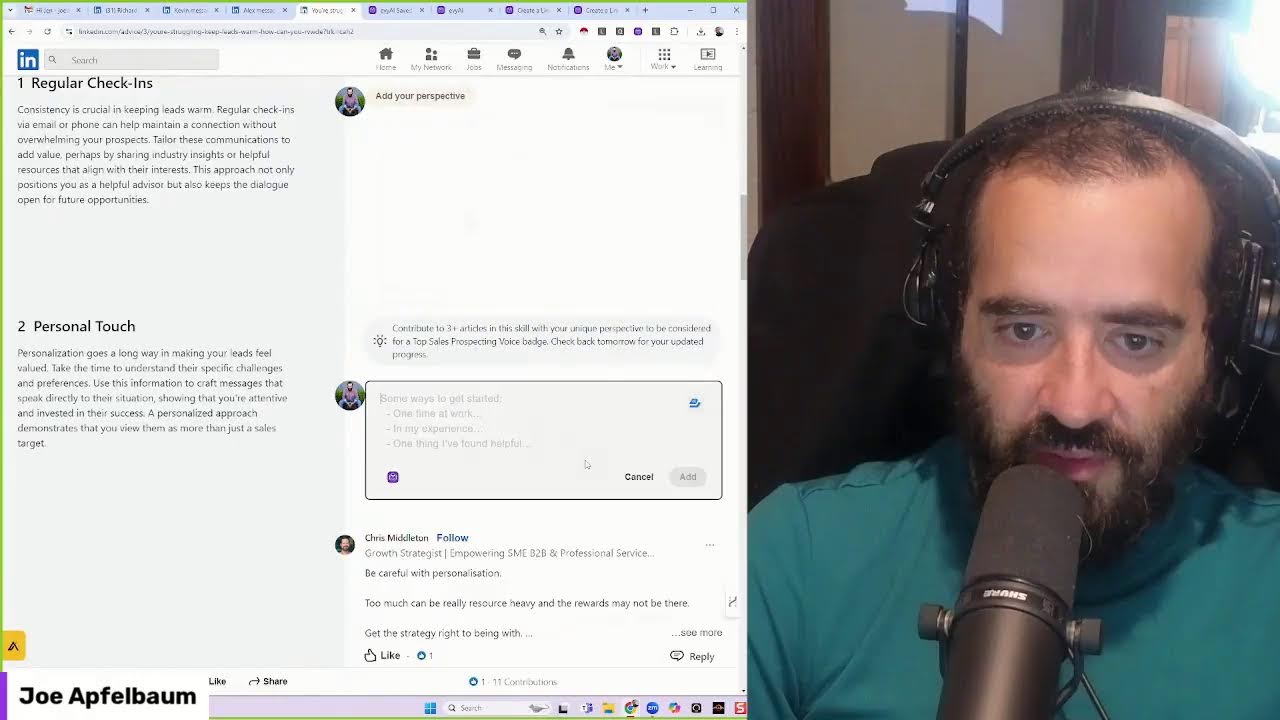
In this LinkedIn Live demonstration, Joe Apfelbaum walks viewers through the Evvy AI Chrome extension and web app, showing how the platform can streamline the three core LinkedIn activities that drive success: posting, engaging, and messaging. He starts by using the Idea Generator and Persona settings to craft compelling, research‑backed posts in seconds, then demonstrates how to publish the post, share it in groups, and immediately follow up with a personalized message containing the post link. Apfelbaum explains the Saved Profiles feature, which lets users create lists of target contacts, monitor their activity, and efficiently leave strategic comments to stay top‑of‑mind. He shows how Evvy AI can draft connection‑request notes, summarize profiles, and generate relationship‑building direct messages, including within Sales Navigator. Additional capabilities highlighted include the Top Voice badge workflow (leaving perspectives on LinkedIn articles), the Learning Hub, Templates, Profile Optimizer, Teams collaboration for whole organizations, and premium features. Throughout, he emphasizes a repeatable daily routine—post, comment, message—to increase exposure, credibility, and meeting bookings, while positioning Evvy AI as a speed‑up tool rather than a mandatory requirement.
Chapters
Ladies and gentlemen, my name is Joe Apfelbaum, and today I'm going to show you how to use an innovative tool called Evvy AI. If you want to be successful on LinkedIn, there are 3 things that you have to do. You have to post, you have to engage, and you have to message. Posting will get you exposure. Messaging will build you conversations with people and commenting will build you credibility. So posting, engaging, and messaging. So you see, I just left a comment on the CEO's profile, David Schnurman. David is a client of Evvy AI, and the way that I stay top of mind with him for him to refer business to me and for me to build that relationship is by me leaving comments on his post. Now he takes the time to post, I take the time to comment on his posts. Now if I want to write a post on LinkedIn and I'm not sure what to do, I just go into Evvy AI, I click on login. On the left side, there's something called an idea generator. I click on the idea generator, and in this case I want to select a persona. So I'm gonna go ahead and select a persona. I have many different personas. Those personas represent who I am to the AI. And then I'm gonna tell it, I'm gonna say the benefits of using empowering language and not judging yourself. It's empowering or disempowering. Not right or wrong. Okay, I'm gonna hit Ctrl+A, Ctrl+C, and I'm gonna hit Generate Ideas. It's gonna generate ideas, but what I could also do is I can just go straight to the idea, uh, the post writer, and just write a post without even generating the ideas. So I'm gonna have it generate ideas in the background. You can see the impact of language, self-judgment versus self-compassion, The neuroscience of language, empowering language. You see it kind of created little prompts for me to use. So I'm going to use this first one over here. The impact of empowering language on team performance. Recent studies show that using positive empowering language can enhance team collaboration. Let's discuss how language shapes the workplace culture and performance. I'm going to press generate post. Now what I'm going to do is I'm also going to take this initial one And I'm going to create an inspirational post related, that's educational, and I'm gonna hit generate. So I'm generating a post over here. This post already got generated. It takes less than 10 seconds to generate a post on LinkedIn. Have you ever stopped to think about the impact of the words you use in the workplace? Recent studies have shown that using positive empowering language can enhance team collaboration and productivity. It's fascinating how something as simple as the words we choose can shape our workplace culture. Okay, I'm going to press copy. I'm going to go to LinkedIn. I'm going to click on start a new post, and I'm going to paste this comment right over here. You see that? Here, da da da da da. And now I'm going to click add media, and I'm going to add a picture of myself. So I have lots of pictures that I saved in folders. You see, I'm going to go here. I'm going to take this picture over here. I'm going to press next, and I'm going to press post. And this is a picture of me. With a post. So I just posted on LinkedIn. Now what I'm going to do is I'm going to copy a link to this post and I'm going to send a message with this link to the people that will engage with my posts on LinkedIn. As you can see, I have several groups that I'm part of where I can engage and let people know about this post that I created. You see that? So I can share this post with these people and then these people will get notified that I posted and hopefully they'll use Evvii AI to engage with my posts. Atlantic. I'm going to just search Atlantic real quick over here. I'm going to go here and put this in here and I'm also going to put this in here. Okay, there you go. So I just shared this post in the groups that I'm part of and hopefully that post will get a couple of likes and people will start engaging with that post. Now you see how I engaged on LinkedIn on David Schnurman's post, but who else can I engage with? Well, if I click on the Evvii logo here, I have something called saved profiles. In saved profiles, it shows me a list of people who I have saved their profiles. So what I can do is I can select a list of people from the select list button, and it will show me a list of people Like for example, ETL Investors. These are people that are part of my engaged thought leadership community. And what I can do is I can easily see the posts that they've left. So I'm holding down the Control and I'm opening it up in a new tab. And this opens up all these people in a new tab and I can see if they post this. I see Jessica hasn't posted. I see Eric just posted 2 hours ago. So I'm going to go ahead and leave a comment on his post. This makes it really easy for me To be able to leave comments on these people's posts because I already saved their profiles to a particular list inside Evvy AI. So I don't have to wonder, did he post? Did he not post? You know what I mean? Everything is already here. So this is, this creates a workflow for me that allows me to be able to easily start commenting on posts strategically on the most important people in my life instead of waiting for things to show up on the feed and hoping for the best. Hope is a great thing. It's just not the greatest strategy. And so instead of hoping, build a list of people, save those profiles into Evvy AI, put them in a particular list, and then you can do what I'm doing here, which is strategically commenting on these people's posts. And that will help me stay top of mind with them, build relationships, and build my business. Using LinkedIn is not rocket science. It's not this like, uh, thing that people don't know what to do. They don't know how to do it. The reality is, Using LinkedIn in a very simple, effective way by posting, engaging, and messaging on a daily basis will get you more exposure, more credibility, and help you book more meetings with people. Now, as you can see, I used Evvy AI to help me be able to do these things faster. You can do these things manually. You don't have to do these things using Evvy AI, but if you want to be able to use Evvy AI to be able to find people's posts quickly, you can use these tools that will allow you to be able to move really fast and be able to see when your target market is actually posting on LinkedIn. And that will enable you to be able to strategically leave comments on their posts. So for example, Rick, who has 14,000 followers, posted an hour ago. I now know he posted because I use the save profile button to save his profile into a list. And now I have all my strategic contacts into a list. That's the thing with LinkedIn. You want to be able to build those relationships and get to know people. But what else can you do on LinkedIn? Well, you can do a lot more on LinkedIn. For example, if I want to be able to say connect with someone meaningful, for example, this guy here, Ted, and I want to send him a connection request, I press connect, add a note, and now Evvy AI will draft the note for me. I don't have to wonder what to say to Ted when I'm connecting with him. I could just have Evvy AI write the connection note for me. It'll look at the relevance of what he has on his profile, how we're connected, and why he should accept my connection request and draft a beautiful note that I can include and hit the connect button. That makes things a lot easier. Here's another thing that you can do with Evvy AI. If I want to get a Top Voice badge, I can go to linkedin.com/advice. And what I can do is I can start leaving comments. On specific articles on LinkedIn, which will help me get a Top Voice badge. For example, if I go to sales prospecting here and I want to leave a comment here, all I have to do is find the article that I want to comment on related to sales prospecting. So for example, over here I see an article that LinkedIn created with AI, and I want to drop a comment. I want to leave a contribution. I just click on add my perspective. I click Evvy AI. I can change the persona to say Joe Apfelbaum 2. I hit generate, and what it will do is it will read this, insert, and boom. And now I just left a thoughtful perspective here, and I just like my own perspective. So what you can do is you can leave perspectives on collaborative articles, which will help you be able to stay top of mind with your network. And help you be able to also get that Top Voice badge. And, you know, you can see you have many different places where you can collaborate. My goal is to leave at least 3 perspectives on collaborative articles each day. And if I can leave 3 perspectives per day, that will help me be able to stay top of mind with the people that are seeing these perspectives, but also stay top of mind with LinkedIn's algorithm that sees that I'm contributing to this particular area inside LinkedIn, which can be really, really helpful. Okay. What else do I do on LinkedIn? Well, I check who looked at my profile. I'm going to go here to the profile viewers, and then I save the profiles of the most important people. So for example, if I say Morel just checked out my profile, I'm going to click on his profile and I see, oh wow, one of my sales professionals clicked on my profile. I'm going to go ahead. And by the way, when he started working with me, he only had a handful of connections. He already has over 200 connections. So it doesn't take much for you to get hundreds of connections. And before you know it, he'll have over 1,000 connections and he'll be way rocking out there closing deals and helping people. So I'm going to go here. I'm going to say Evvy AI. I'm going to click on Evvy AI Premium, add him to here. Now you can also summarize people's profiles. When you save them, you have the ability to click summarize profile and the AI will write bullet points about the person. You see that name, headline, education, experience, skills, personal branding. All that stuff is right there. And this allows you to be able to do many things, save to profile, see recent activities. If I want to check out his recent posts, I don't have to wonder where to go. I can just literally go here and then I can just comment on his stuff by using Evvy AI. Very, very powerful. And there you have it. That's how you use the Evvy AI Chrome extension together with the web app. If you want to be able to customize your persona, just click on personas, click add new persona. You just put in your persona name, your industry, your tone, your keywords, and some background and history. If you want to be able to join our community, we have lots of persona examples in our community, and we also have a cute demonstration video here that you could watch. And we have a learning hub. If you have Evvy AI Premium, you can access this learning hub, which gives you access to many features related to LinkedIn. You see all these features over here? So we have templates, we have the profile optimizer, which you can optimize your profile. Templates is if you don't want to use the AI or you want to save prompts. For example, I have, congrats on making the top of the Inc. 5000 list. Great to see you there. Let's connect on LinkedIn. So if I want to use that template as a connection note instead of using AI, I can save it as a template and I don't have to rely on the AI. And then we have a teams feature that allows you to add your entire team. We just had an organization, a technology organization that has 62 sales reps sign up to EvvAI Teams, and now their entire team, their entire workforce is using EvvAI. While they're on LinkedIn prospecting, networking, building relationships, and so on. So check it out. You can try it for free, evviai.com. Thank you very much for watching this LinkedIn Live. If you did watch this live and you enjoyed it, give it a like. And also in the comments below, let me know which feature you enjoyed seeing the most. I truly appreciate you being here with me. I truly appreciate watching this demonstration video. Check it out. Install the Chrome extension, install the web app. Yeah. Use the web app and start posting content. Remember, every single day you have the opportunity to post content on LinkedIn. And if you post once a day, you're going to get exposure. If you send out connection requests, if you leave comments, if you send out messages to people, you're much more likely to be successful. Before I wrap up, I just want to quickly show you that if you do have Sales Navigator, you have the opportunity to stay top of mind with your prospects. For example, Mark Snyderman just posted on LinkedIn. Oh, cool. He is a prospect for me. I want to be able to close him. In order for me to stay top of mind with him, I can use Evy AI within Sales Navigator to leave a comment on his posts. Then what I can do is I can use Evy AI to send him a direct message right within Sales Navigator, or even save his profile to Evy AI if I want to check it out later. And then if I click on message here, I can easily go here and then just hit generate and it'll write a relationship building direct message. That I can send him right over here. I have Sales Navigator. I was telling a colleague about your product that needed him. Shabbat shalom. Okay, and it's it would be great to connect so we can support each other's endeavors. I'm gonna hit send. So this was May 17th. I said it would be great to connect, and now I'm taking this to the next level with this guy Mark Snyderman, who is a business attorney and entrepreneur. And so I commented on his post. I sent him a DM. I saved his profile. This is the type of way that you can flow.