How to use Sales Navigator with AI - Leveage LinkedIn with Joe Apfelbaum evyAI Webinar Replay
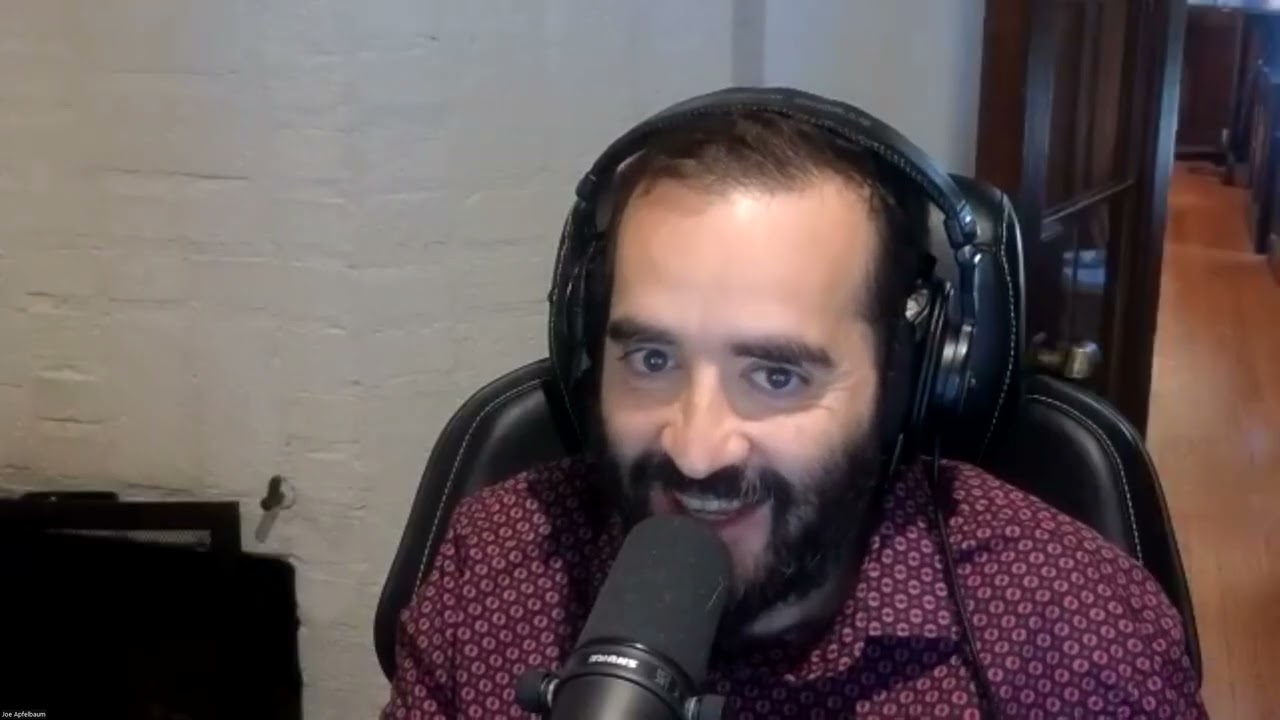
In this 17,000‑token webinar, Joe Apfelbaum demonstrates how to combine LinkedIn Sales Navigator with his AI‑powered Chrome extension, Evvy AI, to dramatically accelerate prospecting and revenue generation. He begins by outlining the scale of LinkedIn (over 1 billion users) and the capabilities of Sales Navigator—saving up to 10,000 leads, sending 800 InMails per month, and accessing open‑profile messaging. He then shows the Evvy AI plugin, which converts spoken input into typed messages, applies templates, adjusts tone, and inserts personalized details (name, persona, links) in seconds. Throughout the session he emphasizes the richness of LinkedIn data (full work history, education, mutual connections, activity) and argues that a LinkedIn follower is ten times more valuable than a TikTok or Instagram follower for B2B prospecting. Apfelbaum walks through a repeatable daily workflow: send 100‑200 connection requests, comment on 5‑10 posts, send 10‑20 direct messages, and log activity in a dashboard. He shows how to save prospects into Evvy AI lists, view recent activity, and use AI‑generated comments or posts (including hashtags, hooks, and calls‑to‑action). He contrasts AI‑assisted assistants (Evvy AI) with full‑automation tools (Linked Helper), warning about LinkedIn’s terms of service and the risk of 429 errors from over‑activity. He shares practical hacks—using the “catch‑up” tab for birthdays/anniversaries, leveraging the 30,000‑connection limit, and using Slack as a unified inbox. The webinar also covers business aspects: pricing of Evvy AI ($34 / mo, $204 / yr), the affiliate program, the AI Business Development Circle community, and the LinkedIn Accelerator bootcamp (6‑hour Sales Navigator training, Inc. 5000 list). He highlights content amplification tactics—LinkedIn newsletters, posting parties, AI‑generated infographics, live streaming while gaming, and cross‑posting to Twitter. Finally, Apfelbaum shares his personal credibility (Inc. 5000 ranking, SEO expertise, speaking for EO/YPO/Vistage) and his mission to help a million people use LinkedIn more effectively.
Chapters
Hello everybody. My name is Joe Applebaum and I'm so excited about this presentation today. It's titled Drive Revenue Growth with Sales Navigator for LinkedIn Prospecting. I don't know if you know this, but LinkedIn right now has over 1 billion users, billion with a B, and LinkedIn Sales Navigator is an upgrade to LinkedIn that allows you to be able to prospect on LinkedIn. You can save up to 10 leads inside Sales Navigator. Did you guys know that you can save up to 10,000 leads and you can send up to 800 InMails every single month? Even if you only have 50 InMail credits, there's a way to be able to sell— send additional InMail credits— InMails without credits by sending it to open profiles on Sales Navigator. So if I see somebody, for example, this guy named Sabbat Elias, and I wanna be able to send this guy Sabbat a message inside Sales Navigator, I can just click on this message button right over here. Um, and over here it says I can't because the person disabled this communication. So obviously I can't message it. So that's a bad example. Let me find somebody else that I could open up and then click the message button. If somebody disables their communication, I can't. So I hit message over here. Now it says open profile. You see this? This guy has an open profile. So if I wanna send this guy a message, I just put a subject line. I'm gonna write Evie AI. And then in the box, I can speak into the box and it'll type up everything I say. But you need to have a plugin called Evvy AI. So here's the, the plugin that you would need to get. It's your AI assistant for LinkedIn. Just like when I say something, I have my in-person assistant type it up. With Evvy AI, um, I have my virtual assistant, my, my, uh, my AI type it up for me. So for example, I'm gonna click on this over here. I'm gonna click on the microphone and I'm gonna say, hello. Uh, hope you're doing fantastic. I would love to tell you a little bit about our artificial intelligence technology for LinkedIn. I've been following your account and I see that you have a gold icon and I'm looking forward to sharing with you what I've built. Are you open to checking it out? Let me know. Do you see the way it typed everything up for me? So I didn't have to actually say it. Now I can use templates. I can have the AI change the goal, the tone. I can have it have a specific persona and rewrite the specific message, or I could just insert this and it's right over here. I'm going to type in Brendan. If I had the AI write it up, it would just kind of type it up with his name and everything. I'm going to press send and now I sent him a DM. So think about how much time you would save. Think about how much time you would save if you did this. I'm going to stop sharing my screen for a second because I want to emphasize something. If you want to get more clients, you need to do more outreach. Not everybody needs more clients. But some people are waiting for other people to come to them. There's a famous saying that I used to subscribe to, which is the saying is, if you build it, they will come. Have you guys ever heard that saying before? If you build it, they will come. I found that not to be true. I built over 1,000 websites for people and nobody was coming to the websites. And I was really embarrassed. This is like 20 years ago when I was building websites for people. And I would say, you, if you build it, they will come. And they would hire me, pay me a couple thousand bucks. I'd build them a website and nobody came. And so I had to learn marketing, the art of doing SEO. Back in the, the early 2000s, SEO was a very popular thing. Search engines with everything. Now with ChatGPT, people are going to ChatGPT and now ChatGPT has search. So people are not— Google's gonna die. Like the whole search engine thing is gonna die very soon. There's not gonna be search engines anymore. We're only gonna have AI robots that we talk to and they give us what we need. But search engines is gonna be like the Yellow Pages. But that was very popular and I got so good, in fact, at making people rank on the top page of Google. That we, our company grew very quickly and we were number 178 on the Inc. 5000. So I got really good at that. I had to learn it. I'm more of a tech guy than a marketing guy. That's, that's why, you know, I like to reverse engineer algorithms and try to figure out how things work. And so when I learned that I can get 10x types of clients from networking offline, you know, where I met Dave Fisher, uh, in a, in a Vistage group, you know, networking and building relationships in such a group. What I realized is that the types of accounts that I get from networking are a whole nother level. And then when Microsoft paid $26.2 billion for LinkedIn, I really started paying attention to LinkedIn. This is back in 2016. I really started paying attention to LinkedIn because if the largest company in the world is investing that much money in a platform, I need to start paying attention. And what I realized about LinkedIn specifically for prospecting is that LinkedIn gives you information that you can get on TikTok. That you can't get on Twitter, that you can't get on Facebook or Instagram. The information you get on LinkedIn is as follows. Could you imagine you have a prospect, they're sitting in front of you and you have their first name, their last name, their company name, where they work, all their previous job experiences, where they went to school, your mutual connections that could walk you in the door, their cell phone number and email address, everything they've commented on. Everything they've liked, everything they've posted and reposted, all the recommendations, their skills. Think about the information that you get on LinkedIn. I believe that a LinkedIn follower has 10 times more value for prospectors than a TikTok follower or an Instagram follower. Like on TikTok, I see BigBetty2573. I know some of you are following her too. Do you get what I'm saying? I don't know anything about this person. I have no idea. All I know is that they post pictures of themselves dancing. But on LinkedIn, I see everything about somebody. I see where they went to school, and I have ways for me to build rapport when I walk into the door. So if I pick any of these prospects that I have inside Sales Navigator and I send 'em a message, or I use automation to send hundreds of these a message every month, I now have a way to walk in the door and have a conversation with them. For example, this guy, uh, Daynell, if I want, I can click on these 3 dots. I can click on view profile. which loads his profile inside Sales Navigator. You see this? I have his phone number right here. I can pick up the phone and call him. I have his, his email address right here. I can email him. And if I save him into Evvy AI with the little Evvy AI box over here, I'm able to then also see all of his recent posts. There's no way for me to see all of his recent posts in here, but if I click on this 3 dots over here, I can click on see recent activity and it'll load all of his recent posts. You see this? Now, if I want to be top of mind with this guy who's a prospect of mine, I see he posted 9 minutes ago. Do you guys see that? Most sales reps are not gonna do this, but if you give your sales reps the tools to start doing this, it's really easy for them to click buttons. Now, all of a sudden they're able to type, they're able to write comments in seconds. You see that? And even include a link to your company if you want. You see, I liked, I wrote a whole comment just like that in seconds. Now I could have spoken the comment, they would've typed it up. But I prefer for me just to click a button and it has a persona built into it that knows who I am. And I gave it specific instructions to include a link to my company inside the comment. You get what I'm saying? So this is extremely powerful. Now I'm curious to know in the chat, you can let me know who is your ideal client? Who do you wanna target? Because let's, let's do some research and try to find those people inside Sales Navigator while I show you how to write a post with Evvy AI. So let's say for example, you're a Sandler trainer and you want to talk about the Sandler method. So I'm gonna type, I'm gonna say Sandler method for LinkedIn. Okay? Now I misspelled the whole thing. I wrote Sandler method for LinkedIn. You see the way I misspelled it? I misspelled it. Let's just see if my AI can still figure out what I said. Unlocking questions, how the Sandler method transforms LinkedIn conversations, drives the art of asking the right questions. Okay? I like this one. Now I'm gonna press generate post on the bottom right, and it's gonna write a hook. It's gonna write main points. It's gonna write a call to action and hashtags. This is all ready to go. If someone visits your profile and you do not have content on your profile, do you think they're gonna trust you? Or you think they're gonna trust you a lot more if you have a solid post on your profile with engagement? I personally have people coming over to me and say, Joe, I wanna do business with you because I see you're such a popular guy on LinkedIn. Now I'm not that much of a popular guy, to tell you the truth. I'm really not that popular. And I also don't want to be that popular. I don't want the whole world to know who I am. You think I want to be a political candidate? No, I don't. On election day? Certainly not. I don't want to get shot at. I don't want to be a moving target. I want the right 1,000 people to see me 1,000 times a year. You guys get that? If 1,000 of the right prospects see you 1,000 times a year, you are going to generate a lot more money in your business. This goes for all salespeople. If you're in sales, if you're a consultant, if you're a coach, if you're an entrepreneur, if you're a sales trainer, what you wanna do is you wanna make sure that you're in front of your prospects. That means you wanna send connection requests to your ideal customers. Say for example, CEOs of the Inc. 5000, EO members, Vistage members, YPO members, Those are the people that you want to be in front of. And if you're connected to them on LinkedIn, they automatically follow you. That's another crazy benefit of LinkedIn. If someone connects with me on LinkedIn, they automatically follow me. So I send out at least 100 connection requests every single week. That's the limit. LinkedIn, if you have Sales Navigator, they'll give you a little more. Maybe they'll give you closer to 200. But if I can send out several hundred connection requests every single, uh, Every single month, that puts me in a position, whether somebody accepts it or not, for me to reach out to them. I always say there needs to be a reason for you to pick up the phone and call someone. And for me, I have literally 30 different reasons for every single person that I can call. Now, if I look at their LinkedIn profile, I could say, hey, I sent you a connection request. Not sure if you got it. Did you get it? I pick up the phone and call people all the time. I say, I sent you a connection request. They're like, hey, who are you? My name is Joe Apfelbaum. You didn't see my connection request? They're like, no, let me check. And then they go and they see me and They see what I do and all of a sudden we're having a conversation on the phone. I build a relationship. Or if someone looks at my profile on LinkedIn, you know, if you have Sales Navigator, you can use a filter that shows you all the people that looked on your profile. Let me show you what that filter looks like. By the way, do you have the free account or do you have the Sales Navigator account? Let me know in the chat. Um, and Jen, we have some people in the waiting room. Please make sure that you, um, are attending to the waiting room properly. So if you have Sales Nav, let me know if you have Sales Nav or if you have the free version. I see. That Judith has Sales Nav and Bobby, uh, Bobby has Sales Nav and we have Sabby has Sales Nav. Sales Nav is an extremely powerful platform. Let me show you the 34 different search filters that we have over here. And, and we did a 6-hour class a couple months ago and we have the recording of that class and we are selling the recording at a discount. So if you're interested in the recording of the— write bootcamp in the chat and I'll send you the details of that. But check this out. If I go here and I say, okay, someone that viewed my profile recently, it'll show me the people that viewed my profile recently inside Sales Navigator. Now, the beauty of seeing it within Sales Navigator is that you can run this filter across all the other filters you have in Sales Navigator. So if there's 34 different search filters, for example, who posted recently, I can select that one. You see that? Who's also following my company? I can see that one as well. So I could see the people that are following my company that also posted recently, that also checked out my profile. I could also see the people that are in particular companies or people that have a certain job title or people that are in a certain geography or people that are in certain lists or that are not in certain lists or that have certain first name and last names. Like somebody recently told me, Joe, I wanna target women. I wanna target women in sales. I was like, why do you wanna target women in sales? Because women in sales need a trainer. They need trainers more than men. Men just kind of go there. They're aggressive. Women are afraid to ask and they just need more training. So I said, okay, interesting. I don't, I didn't know that about, I didn't know that about, you know, the genders, the different genders, but I, I'll take your word for it if you're the expert at it. But I say, he's like, but he's like, how do you find women on LinkedIn? I said, okay, that, that question could go 2 different ways. But I said, okay, the way that you find it is based on what information you have available on LinkedIn. And what you have available is first name. And if I ask ChatGPT, can you review all of my connections and tell me how many women and how many men, it's gonna assume that. people by the name of Susan is a woman and people by the name of Dave and Robert is a man. That's just the assumption that it's gonna make. It's not necessarily true these days, but that's the assumption it's gonna make based on their LinkedIn profile. And then you can have AI also analyze their photo to determine if it's more likely to be a man or a woman or whatever. But if you're targeting a specific gender on LinkedIn or a specific, um, type of person based on whoever they are, there are ways to be able to search. So I told somebody, uh, recently, um, that is targeting Women specifically that are 29 to 39 years old. And she told me there are no women that are 29 to 39 on LinkedIn. They're all using Instagram. And I said, okay, well let's ask ChatGPT how to find them. And ChatGPT suggested the names of the people that are likely to be 29 to 39, because every decade people name the people in a different way. And so he, he said Ashley. I said, okay, so let's check how many Ashleys are on LinkedIn. And it turned out that there were more Ashleys on LinkedIn in Florida where this woman was. That was targeting other women than she could possibly even connect with. Because on LinkedIn, you can only connect to 30,000 people. Did you guys know that? That's your limit. I'm curious to know in the chat, how many people are you currently connected to right now on LinkedIn? And it looks like quite a few people asked for the bootcamp. So we'll make sure that you get that information about the bootcamp, but go ahead. Tell me, how many people are you connected to on LinkedIn? The limit is 30,000. You should all have a minimum of 1,000 connections. And I say 1,000 new connections every year, because you can't follow up with a million people. But you can follow up with 1,000 people every year. So I would say, I would recommend adding 1,000. I have, I keep, I keep removing connections. I remove about 1,000 connections and then I add about 1,000 connections every single year. That's what I do. That's what I'm busy doing. I'll find people who either told me no, not interested, or don't respond to me after a while, or it looks like they're not really using LinkedIn. I remove them even if I have a relationship with them. Like recently I removed my ex-mother-in-law from LinkedIn. I don't really have a relationship anymore. I'm not really married anymore. So I, I don't need her on LinkedIn. Also, she's not really using it very often, but I have people that I haven't spoken to in a while, or I no longer need a relationship with them. That's not strategic for me. So I'll remove them from LinkedIn. And it's really easy to remove people from LinkedIn. You just click on these 3 dots over here and you click on remove connection. So the way that you get to your connections technically is you go to my network and then you can search for anybody here. So for example, if I want to see all the Susans I'm connected with, because Susan's right on my screen right now, I press Susan and I see that I have all these Susans. Now check this hack out. Do you guys want to see this crazy hack? If you look at every person's photo, you can tell if they currently have it on their cell phone and they're available. Look at this little green dot. Have you guys ever noticed that? This means that if you message them, they're likely to respond to you because they recently used LinkedIn. If they have the green dot, that means they're on their computer right now using it. So this Susan right over here is on her computer right now using it. So I'm gonna click on message and I'm gonna see this message. Let's see. Oh, you a Scorpio? Yes, I'm on the 4th. So we're having a conversation about being a Scorpio. Okay, so I'm gonna message over here and I'm gonna send her, hello, fellow Scorpio. It looks like your birthday was yesterday and I totally missed it. I'm so sorry. I apologize. Okay. And I'm gonna go in here. And I'm gonna press send. Do you see that? Hello, fellow Scorpio. Looks at it. I just wrote that whole thing and I typed it up. I put it in there. I sent her this message and she, when this little photo goes down over here, it's gonna show me what time she looked at it. Do you see the little photo on the bottom right of the message? It's gonna drop down to the bottom and show me that. But I wanna show you something crazy that I just built with artificial intelligence. I showed you guys how to create a post with AI. I showed you how to comment. I showed you how to leave voice notes. I showed you how to do all this stuff. But if you go to my profile and you take a look at my recent posts, you'll notice I just sent an email out during this meeting 4 minutes ago. And you guys didn't see me do this cuz it was scheduled from before. I sent an email to over 10,000 LinkedIn connections. You're gonna be like, hang on a second. You sent an email to over 10,000 LinkedIn connections? How'd you do that? I scheduled out this thing called LinkedIn newsletter. Have you guys ever heard of it? Just tell me yes or no in the chat if you've heard of it or have not heard of it. You can say heard of it, have not heard of it. It's called the LinkedIn newsletter. And I put a link to my LinkedIn newsletter, uh, edition that I just emailed and I actually scheduled it out and I wrote, I put it on my LinkedIn Live this morning, how I'm going to do this at 12:15 so that you guys can see the second it goes out what it looks like. Okay. So if you haven't heard of it, I'm going to click on this LinkedIn newsletter. I just shared a link to it. So click on the link if you can, and you can load it on your computer and you can see I have 13,000 subscribers to my newsletter. And this newsletter I created called LinkedIn Posting Parties Best Practices in 2025. So if I click on this, let's just see what this looks like. This is an article that was created, and I created this article on my LinkedIn Live. And to develop this entire article, including all the infographics, it took me about 10 minutes, including every one of these infographics manually, one by one. And if you wanna see how I did this, Say, I wanna learn in the chat because this is an insane, insane, insane new technology that I'm teaching in my AI Business Development Circle. This is just like unbelievable. Look at these graphics created in literally seconds. I was able to create it. And if you wanna see me do it in real time, this has an entire FAQ. This has so many, so much great information here about how to be able to create your own posting party. And so I would recommend that you bookmark this, you save it, and you like and comment on it. Like, I'm gonna like on this and I'm gonna say, check out our upcoming posting party. You see how long it's taking me to type and I'm mistyping everything? I'm just gonna use Evie AI. Check out our upcoming posting party by viewing this link here and voting that you're interested in joining. You see how much faster that is? Imagine me having to type, and this is me being an expert typist that has been typing for decades, and I still don't know how to type. Type properly. Oh, thank goodness for AI. I waste so much time trying to type. And by the way, I actually typed up 5 books. I published 5 books including High Energy Networking and High Energy Marketing and High Energy Purpose and High Energy Secrets, How I Lost 100 Pounds. But for me, speaking things out is like completely the next level. So if you have unfettered access to the AI that speaks and types up inside LinkedIn, You gotta be like, what? I don't know what, what world you're living in not using technology like this. This technology's gonna, you know, I heard somebody say, uh, AI's not gonna replace sales reps cuz AI can, can only do 20 to 50% of a sales rep's job. It can't do the whole job. It's not gonna be able to do it. It doesn't, it doesn't have the empathy, it doesn't have the ability. You can do 20% of your job, but it could only do it. But, and it can do that 20% 1,000 times better. So AI's not gonna replace sales reps. Sales reps that use AI. Are gonna replace sales reps that don't use AI. 'Cause if you have someone that can do 20% of their job 1,000 times better and more efficiently, the hell are you gonna do? Hire somebody who's like in the Stone Ages and, and waste time doing things manually when you can have somebody sit there and be able to build something like this and have a plethora of information here available that Google's gonna suck up. The reason I built such a long article here with FAQs and notes and information and tons of stuff. Is because Google's gonna pick this up and it's gonna rank number 1 on Google for the word LinkedIn posting party best practices. Now I'm gonna Google this right now. I'm gonna go to google.com and I'm gonna search LinkedIn posting, uh, best practices. And this article's not here, but when Google picks up this article, um, when Google picks up this article, and I'm gonna show you how I'm gonna make Google pick up the article right now. Do you guys wanna see that? Just write, yes, I wanna see it in the chat. And I'll show you that. Otherwise we'll move on to the next thing. Okay. So you wrote yes. Okay. So check this out. What I'm gonna do is I'm gonna go to the article. I'm gonna go to the article. Let's see, where did I put the article? Cuz I have a million things open over here. This is the article. Okay. I'm gonna go to the article. I'm gonna press share and it's gonna ask me how I wanna share. I'm gonna share it onto Twitter. You see this? It says Twitter. This is a little hack. I teach a lot of hacks. I'm gonna click on Twitter. It's gonna pop open and it's gonna just literally go here. And it just went to Twitter. Do you see how quickly I published it to Twitter? Was that hard to do? No, that wasn't hard to do. That was easy. Now let me just confirm. Now let me just go to Twitter and just search Joe Apfelbaum to see if they picked it up. Look at that. 14 seconds ago, I'm on the first page of Google with my article. In 14 seconds, I injected it into Google. Do you see that? Yes. That was 14 seconds getting onto Google. Now Google's gonna start indexing this puppy for words like LinkedIn, but, uh, LinkedIn posting best practices. I'm in Google already. Do you see how crazy, how crazy quick that was? If you learn how to be able to do this, you're gonna get max exposure on the things that you need to do. Now, I also have 13,000 people that received an email in their guaranteed inbox with this entire article today. And that happened about 9 minutes ago and it happened automatically. This for a sales rep that's prospecting is extremely powerful. Now here's another crazy thing. When somebody sends you a connection request, even if you don't accept it, LinkedIn sends the person that sent you the connection request an invitation to subscribe to your newsletter automatically. So let's take a look at how many people are waiting to connect with me on LinkedIn because I can't accept more than 8 people say, you see, I can't accept more than 8 people. So if you're in here and we're not connected yet and you'd like to connect, say Joe, accept, and I'll look through this. But if I click on show all over here, if I click on show all and I click on people, if you didn't receive an email, it's possibly because you're not subscribed to the newsletter or LinkedIn is rolling out the email, um, you know, uh, in a, in a specific way. So this person, Judith, is a LinkedIn expert. Blah blah blah. I have 1,100 people waiting to connect with me. You see that? I have 1,100 people waiting to connect with me. I'm gonna accept Judith because she's a LinkedIn expert and I wanna network with LinkedIn experts because I train LinkedIn experts how to use LinkedIn. That, that's something that I enjoy doing very much because I'm such a nerd. I'm total a nerdorama. I'm a proud nerd. Okay. So she has 500 plus. She's in Brisbane or wherever, wherever that place is. 7,000 followers. I see she posted about a week ago. I'm gonna go ahead and, and see she posted in German. See that she posts? It seems German to me. I don't know, but I'm gonna go ahead and like her post and I'm gonna leave her a comment. And instead of leaving a typo comment, I'm gonna leave a comment with under 20, with under 20 words. I'm gonna hit generate. It's gonna leave a comment and it's gonna include my signature boom in there cuz it, that's my voice. Okay, so now I just wrote that little comment and I just commented on her her post just like that. And if I want to book a meeting, oh, Judith said Dutch. Okay, okay. Do we have Dutch? I wonder if we have Dutch. Let's go in here to the languages because we do have a lot of languages here. Let's see if we have Dutch. Dutch. Look at that. Let me see if I can make it in Dutch. Sprechen Sie Deutsch? Look at that. Uh, I don't know how to say boom in Dutch, but neither does AI. But she's like, cool, look, I just wrote that. I didn't even know what I wrote. I hope whatever I wrote was kosher, kosher for Passover. I hope whatever I wrote there was okay for you. But my, the bottom line is that my goal is to help people be able to be more productive on LinkedIn. If you take a look at our website and you click on the Add Evvy AI to Chrome button, what you'll notice is what people are saying about us. It helped me comment with my voice. It's really fast. It saves me time. It's user-friendly. I have 37, 37 countries around the world. People are using this. So this is a real, this is a real solution to real problems that people have. And we have a lot of amazing features and the price, you know, I was telling somebody today, I was like crazy. I was like, I was literally talking to somebody today and she's, she says, Joe, do you know how much I pay my writer to write me a LinkedIn post? I said, how much? She said $200, $200 to write me a LinkedIn post. And I said, I said, do you know how much Evvy AI costs? She said, no, how much? I said, $200 a year for unlimited posting, engaging, messaging, connection notes, everything. And she was like, wow, $200 a year for unlimited and also unlimited voice, unlimited everything. And she was like, that's insane. She's like, I'm literally paying for each post and you can write me a post every 5 seconds. I was like, I wanna recommend writing a post every 5 seconds. I say, start with 1 post a day. Start with 1 post every day. So here, so here's, here's what I recommend every sales professional, every, every professional services person, every consultant should do. 1 post every day. 5 comments. Drop 5 comments every single day. I drive 50 comments every day, and I'll show you where you can see the KPIs in a second, but drop 5 comments every day. Send 10 direct messages every day, send 20 connection notes every day. You do that, you, that you do that with Evy AI, it takes you about 15, 20 minutes to do. It's a workflow. You just do it, put in your calendar. You just do it. If you do that yourself, you don't outsource that. You can outsource additional things and I can tell you all the things you can outsource. But if you do that yourself, 15, 20 minutes a day, even if you're not very tech savvy, you're gonna start seeing opportunities. that you've never seen before because you're touching prospects. You understand what I'm saying? You're like sitting there commenting on 5 people strategically. You literally have what to share with them when you get on the phone next with them. Imagine that. And I save people to specific lists. I'm part of an organization called the Executives Association of New York City. And Dave, I'd love to bring you as my guest. I don't think we have a sales trainer in the, in the, in the organization. And I think you would enjoy coming to the Harvard Club. We meet a couple of times a month. The businesses there are over $5 million in revenue. One of the organizations is called Atlantic Tomorrow's Office. They just signed up for their 62 sales reps to get, uh, Evy AI for their entire sales organization. Um, let me just show you right now how I save people to specific lists. So inside Evy AI, once you save somebody into a list, they just show up right over here. Now, if I wanna see all the Executives Association members, I just click on EANYC and I see all the members. You see this? I see all the members. If I wanna see if any of these members recently posted, what I can do is I can just click on where it says see recent activity, and it loads up all their recent posts right inside LinkedIn. And it notifies them that I looked at their profiles. I get 2 birds with one stone. Now I see he, I already liked and commented on this post from 5 days ago, so I don't need to worry about that. I can just simply close this tab and then I can go and find somebody else that recently posted. So for example, maybe, Mike Kaufman, for the CEO of Cox Printers, one of the largest printing organizations in our area. I sent, I referred a client to him that's doing $1 million a year in direct mail now. I'm going to click on this. I'm going to hit generate a comment and I'm going to drive a comment here. Oh, I did it in Dutch. Let me just remove that here. Hang on a second. I'm like sitting there leaving things in Dutch now. I'm going to go here, change it from Dutch to hablo español. I'm just kidding. I'm gonna hit generate and let's see in 20 words. Boom. Just like that. Now, if I wanted to leave a quote or something, something else, I can happily leave a quote on, on a post. Like for example, Derek Power, I know posts a lot. He's a Blueprint client. We redid his whole entire profile for him and he has a very nice construction company. It looks like I already left a, a comment on that, but I missed a comment on this one. So because I have personas, you can train your persona to have different links in it. Or to do different things. So for example, I have a poem, I have a quote, I have Spanish one. So I'm gonna go ahead and do a quote and it's gonna hit generate. It's gonna write a few words and it's gonna have a quote. You see, success is the sum of the small efforts. You see that? I'm gonna press comment and I just left a quote under his post. So think about the possibilities of what you can do with direct messages. Think about the possibilities of what you can do in comments. Think about the possibilities of what you can do. In with posts that you'll have access to and so on. Um, Judith says, I don't need LinkedIn Helper anymore when I buy Evvii AI. LinkedIn Helper is an automation tool. Evvii AI is an assistant. We comply with all of LinkedIn's terms and conditions. Linked Helper doesn't comply with the terms and conditions. I still teach people how to use it, but it's a separate type of technology. Evvii AI is not there to replace automation. It's there to support you as an assistant. You know the way that maybe you have your assistant draft an email to a prospect for you? Evie AI will draft a DM for you. You know the way that you have your assistant or your assistant writer write a post for you that you could then modify? You know, maybe they'll get it 80% there. Evie AI is not there to get it 100%. It'll get it 80% there, save you a ton of time. Instead of spending 20 minutes coming up with a draft, you spend 10 seconds coming up with a draft and you spend 5 minutes editing it and then you post it. That's the idea behind Evie AI. It's not there to replace you. It's there to assist you. On the other hand, Linked Helper is there to replace you because that's an automation tool that will automatically send DMs. It'll automatically do that, but that doesn't comply with LinkedIn terms. I still recommend it and use it selectively to people and strategically, and I teach it inside our AI Automation Community. So if you go to skool.com/aiautomation, we teach that for 6 hours a month, 4 hours of coworking, 2 hours of training. So we do teach how to use that. Um, and that's the case now. So Jane asked the question, she said, why don't you save in Evy AI and not in LinkedIn? LinkedIn allows me to be able to see insights on people that you can't really see in Evy AI. Like for example, the last time that they posted and also mutual connections and other information. And also they send me recommended leads. So I'll save my prospects into LinkedIn. Okay. Uh, LinkedIn and then also into Evvy AI. But Evvy AI is more for the people that are actually engaging and posting on LinkedIn. So I'm not gonna randomly save somebody into Evvy AI. I'm gonna save people that are actually posting, right? Because the point of Evvy AI is to comment on their posts and I'll save them to specific lists. So those are people that I'm networking, that I'm prospecting, that are my advocates, that are my collaborators. Those are the people that I will save. Now, somebody said, Joe, how can we see more and learn about Evvy AI? Once you register for free, on the left side, there's a button that says demo. Watch that 15-minute video and we walk you through most of the features of Evie AI. There's another button on the left side that says community. We have a community with hundreds of people from all over the world that are asking questions. We have a classroom in the community, we have a calendar, we have events, and so join the community as well. And then we also have lots of tutorials and so on. Okay. Now if you wanna see a demo of Evie AI, you can have my AI send you a text message for Evie AI. So if you send the word demo to 973-841-8868, and I'll put that number in the chat for you, 973-841-8868. You just send the word demo to that number. I'll have an AI send you a link for a demo. And if you want that type of technology, we offer that type of technology from Ajax Union. It's called unlimiteddigitalmarketing.com, which is marketing automation technology. So if you wanna test it out, see what that looks like. We also create AI bots. We all do all types of stuff that will have voice conversations with you and will brainstorm content ideas or will qualify leads for you or whatever it is that you want it to do. Okay. So my question to you is, what did you learn today? What did you learn today? Very powerful stuff. I also shared to somebody, somebody told me, Joe, how do you, how did you get so many people to register for this event if you only have 500 followers on your company page? Let me show you real quick. There is a video that I recently published inside our community. So if you go into Evy AI on the left side, you click on community and you discover our community. It'll take you into this free community that you can join. And if you click on community, you'll see it says over here, invite 1,000 LinkedIn connections to your LinkedIn events. And so I made a little video here tutorial that you guys can go ahead and watch. And I'll put that link in the, in the comments for you guys to bookmark for later. So you can watch that Loom video that I did showing you how I invited people to this event and showing you how you can invite 1,000 people per week to any LinkedIn company event. So it has to be a company page, and then you could also tie it into your CRM. So if you got a LinkedIn If you got a, a note, um, a Google Calendar invite for the event that came automatically using make.com automations. So there's an automation tool that will automatically find the people that register for your LinkedIn event, and then will automatically add it to your Google Calendar and add it to your CRM and add it to automations and do whatever you want with it. You could even send LinkedIn connection requests to people. So there's, there's a lot of technology. That you can use. But again, don't get overwhelmed. Start with getting an assistant for you and your team. Somebody wrote in the chat, Joe, how many team members can I add max to Evy AI? We currently only allow up to 1,000 team members at once. So if you have 1,000 sales reps in your organization, you can sign up. You can just go to Evy AI, just select 1,000, and then just get a license for all 1,000 people at one time. But you can get one for yourself or for whoever. You can get as many as you like. Somebody else wrote, Joe, do you have an affiliate program? Yes, we do have an affiliate program. As a matter of fact, there's a guy named Carlos who's part of our affiliate program. He's also a Sandler trainer and he sends people his affiliate link all the time. And those people sign up and he ends up earning 20%. Uh, Cheryl says, uh, Joe, should, should I do a newsletter? How frequently? My recommendation. If you're starting with a newsletter, start with a monthly newsletter because you're going to get overwhelmed having to create it every day or whatever it is. But wait till you have over 1,000 followers on LinkedIn before you subscribe, before you create a newsletter, but do create a newsletter and have at least a monthly article that comes out and make sure that it's SEO-friendly. Like think about the topics. And if you need help with this, we can actually create your entire newsletter for the entire year. in one shot by doing something called our LinkedIn Authority Blueprint. We can just build the whole newsletter out. We have one, uh, 1-hour session together, then we, our team works on it for 2 weeks, and then we have another 45-minute session and the whole thing gets set up, including graphics and everything. Christian says, can you connect LinkedIn to ChatGPT? As a matter of fact, yes, you can. You can connect LinkedIn to ChatGPT. Um, it depends on what you wanna do. So for example, the backend of Evvy AI. is OpenAI. So we're actually using an API for Evy AI, but you know, ChatGPT is not integrated into LinkedIn. We used a Google Chrome extension to integrate Evy AI into LinkedIn and all of my best practices, cuz I've been training sales reps how to use LinkedIn for over a decade. I don't do sales training. I do LinkedIn training, which means I'm not an expert at closing deals. I'm not an expert at all the things that you guys know how to do. I am an expert at all the nooks and crannies of LinkedIn. Every little detail, I geek out. I was just in LinkedIn headquarters and they told me at LinkedIn headquarters, the product people in charge of the catch-up tab. Do you guys know what the catch-up tab is? So if you click on my network, there's a little button that says catch-up. Let me just show you. Not ketchup, like the thing you dip on that has tons of sugar. Let me quickly show you. How can I sign up for your LinkedIn training? Um, I'll share that as well. If in our community, we have links to that, but let me just quickly show you. Um, if you go to LinkedIn and you click on my network, if you want to, we have 2 different, uh, solutions for LinkedIn training, but here's the catch-up tab. So I, I met with the woman in charge of this tab here, and she's like, Joe, can you teach me how to use LinkedIn? Because it seems like you really know LinkedIn really, really well. So in the catch-up tab, you can have the birthdays, the work anniversaries, the educations of all your connections, and you can see. Every single day I send people happy birthday messages. So let's see what, let's see, on or off. You can turn these things on or off, these as for specific people. Let's go to Michael Goldberg. Michael Goldberg just hired me and I'm gonna be going to Florida this Thursday to, uh, to train his organization on how to use artificial intelligence for business development. So I'm an AI expert as well. So I said, Michael, happy birthday to you. Today's November 4th. It's a very special day. I hope this year, I hope this year of your life brings you more success and wealth of happiness and a wealth of happiness. My goal is to help more people on LinkedIn and keep building my network. Glad that we are connected. Keep up the great work and have a special day. Thank you, my friend. See you soon. I'm gonna say thank you, but do you see that? That was a beautiful, beautiful message that I sent this guy that already hired me. And I send that to the connections that I'm connected to on LinkedIn. I have 30,000 connections. Not all of them share their birthday, but many, many, many, many connections share their birthday. Most people are not doing this. My point is that I know all the little nooks and crannies of LinkedIn, and I 100% absolutely love to teach and train. I don't know if you know this about me, but growing up, my father really wanted me to become a rabbi. You might be like, what are you talking about? Yeah. I grew up in a religious Orthodox household in Borough Park. I don't know if you're familiar with Borough Park, but it's a very religious place. My father is from Brazil. He decided to become part of the ultra-Orthodox world, and he put all his kids in ultra-Orthodox schools, and he wanted all his— his dream was all his kids should become rabbis, except for the girls. The girls should marry rabbis. And my older daughter married a rabbi. She has 10 kids. She lives in San Diego. And I went to school in Israel to become a rabbi, and I had a love for teaching, but not for teaching religious studies. I had a love for teaching technology. So instead of becoming a rabbi, actually, actually got a certification, but I decided to go into business and build one of the fastest growing companies in America. And, you know, Ajax Union on the Inc. 500, all that jazz. But I, I realized, you know, when Google hired me to become a certified Google trainer and train Google clients on how to use, how to do SEO and how to do PPC and all that stuff, I realized that I had a desperate fear of public speaking. And eventually I got over it. And so now this is what I do every day. I'm on LinkedIn Live every day. I'm doing events, I'm doing webinars. I'm getting hired to go down and speak different places for EO, YPO, Vistage. I'm a certified YPO speaker. And so, um, I love training and coaching. So this is like what I do for a passion. Like even if I won the lottery, I would do this, but I do have 5 kids. I do have multiple households because I'm divorced. And so I, I am, You know, looking to make a beautiful, beautiful living, but also doing what I love doing. How do you find the catch-up tab on LinkedIn? Jane, let me teach you a secret. If you have Evvy AI, we have something called the Learning Hub on the left side. Do you see this? This is a secret. Nobody knows about this. You click on quick links and you can see all the different things you can do on LinkedIn. Anniversaries, birthdays, your dashboard. And I promise you guys, I'd show you the dashboard, but if you click on birthdays, it'll take you into the catch-up tab. If you click on anniversaries, it'll take you directly into the anniversaries inside the catch-up tab. If you click on the dashboard, it'll show you how much activity you did on LinkedIn in the past. In this case, in the past 2 days, do you see I published 10 posts and I did 127 comments? Do you think that would be possible for me to do this manually and still do events and still be speaking constantly and still be on podcasts constantly and all the things that I do? No way. It would not be possible. So. I would say 1 post a day. I did 10. That's fine because I'm doing all different types of posts. I'm doing a live and I'm doing videos and I'm doing all— I'm doing polls and doing all types of stuff. But, um, you know, my goal is to kind of teach people how to do this themselves and also how to have your assistant help you do this and make sure that your team is doing this as well. So that's really, really key. Um, but you can go in here and check to see how many comments you left, linkedin.com/dashboard. I'll put this in the chat. You guys can click on that and you can also see, um, you could also see how many comments you left in the past 2 days. Go ahead and let me know what your number is. How do you organize your DMs in your system? The way that I organize DMs is in Slack, believe it or not. So have you heard of Slack? I don't know if you've ever heard of it, but it's like a technology where I chat with my team about stuff. So not all DMs do I have to organize in my system. If you need a unified inbox, we are providing our clients with unified inboxes and we're testing out some technology. It'll put together all your employees into one inbox so you can have one person reply to all the LinkedIn accounts. Um, but, um, so if you need technology like that to manage your stuff and to tag certain conversations, we could do that. But I have a person that's basically just on top of my inbox, and if there's anything that I need to respond to, they'll put it into Slack and Jen, my assistant, will flag that for me. We call it Nika Channel. And we do Nika Channel, uh, multiple times per day. She sends me stuff that people need to do. Maybe I get somebody's cell phone number and I gotta call them or whatever. So, That goes into Slack and that gets organized that way. Judith. Um, Susan says, can Evie AI invite people to an in-person event? Evie AI can help you draft the communication for it like an assistant would, but it's not going to actually make the invite. If you, if you want to, uh, automatically invite a list of people, the first thing I would do is I would make a list of the people you wanna invite, and then I would use an automation tool like Linked Helper or whatever that will automatically invite those people. Um, there are a few other bots you can use, but again, those are not really complying with LinkedIn's terms. So I would just be very wary of when you're using them, how you're using them, and I can advise you separately on, on how to use that because I definitely use automation. I just don't advertise it. I would say privately to you, hey, use automation, but definitely don't advertise it cuz it's against LinkedIn terms. Um, there's about a million people using automation on LinkedIn right now. So LinkedIn is definitely turning a blind eye to it, even though it doesn't comply with their terms because those people are paying for Sales Nav. And if a million people pay for Sales Nav, that's a billion dollars in revenue. And LinkedIn's entire profit last year was a billion dollars. So if they cut all those people off, they're cutting off every single penny they make. So think about that. Um, so they're not cutting it off, but just be careful how you do it, because if you overdo it, you're using more server space from them and they'll just cut you off. So if you use more resources from LinkedIn than what you're paying for, cuz you're paying them $1,000 a year or whatever, they'll be like, this is a losing proposition. Let's just ban this person. So you have to just make sure you're not doing too much activity. So if I'm gonna send, I'll give you another hack. I love hacks. So if I was gonna manually send out 100 messages right now to like David's, for example, I would go in here to my network. Oh shit. I just got a 429 error. You know what that means? That means I did too much activity. I have too many windows open on LinkedIn and that's okay. I'll hit reload in a minute and it'll reload. Okay. So I have to be very careful not to load too many more pages on LinkedIn for the day. 'Cause I did too much activity today. So I'm gonna go take my daughter to vote at 1 o'clock in a few minutes, and then I'm gonna go to Manhattan to meet a client. But, um, but if you click on the My Network tab and you click on Connections, check this out. You can actually load all of your connections in this box over here without doing additional page loads. So if I search, search, for example, Dave, and I do a search for Dave, it's gonna load all the Daves that I'm connected to right now. This is a separate search box. This is a, a search box that most people don't even know exists. It's like a secret search box. If I click on my mouse, does your mouse have a wheel? Just write yes wheel or no wheel in the chat. I'm curious to know. Yes wheel or no. Is there an integration with G, uh, GHL and LinkedIn? Yes, Judith, there is an integration. Um, but not directly. Uh, so check this out. I'm gonna scroll down like this. Okay. So these are all the Daves. that I'm connected to on LinkedIn. So I'm gonna craft a post for all the Daves, and I'm gonna send all these Daves a message. So I'm gonna click on Dave. I happen to know Dave Kerpin, so it'll be weird for me to send him some solicitation or whatever, but he had a birthday in October. Um, I'm gonna be like, long time no speak. How are you doing? Okay. And I'm gonna hit send. I just sent him a little message over here. Long time no speak. How you doing? I'm gonna go into this one over here. He's the president of Gently Ventures. We've never, we've never spoken. Looks like we've been connected for a while here, Dave, and I'm just curious to know, have you seen what I'm doing with artificial intelligence and LinkedIn? I'm happy to send you a demo if you're interested. Let me know. Okay, I'm gonna press insert. Um, I'm gonna press, do you see how quickly I spoke? Yeah. And I'm gonna copy this message so I don't have to generate it again. And I just sent this to Dave. You see that again, I didn't load any additional page on LinkedIn. Did you guys notice that there's not, there's no new URLs loading? This is all within one page and I can see who's online and who's not online. Okay. So I click message again and I, I could just go through this whole list and message all the people. You see, this person never even responded to anything. And eventually what I'm gonna do is I'll just disconnect from these people, you know, if they don't respond to me or I'll call them on the phone and say, hey, I literally, I sent you 20 messages and you haven't been responding. You're probably not getting it, but let me tell you what I do. And then we talk about whatever, or let me tell you, let me learn about your business. Who do you want to meet? Or let me tell you what you, what, if I have permission, let me tell you 3 things that you can do to improve your business, to improve your game. You see that? And so I can go ahead and send out messages. It only takes me about 10 seconds for me to read what happened in the past. You see, 10 seconds to read what happened in the past. And then I hit send and like that, but you could, you see how quickly I can send out 20, 30, 40 messages. To people without loading any additional pages on LinkedIn. And so that will help you be able to, you know, sometimes I can send out 500 messages if I want, but I would use this method to send out messages without loading additional things. And some of the automation tools that I teach use this method so you don't have to copy and paste or do anything. And it'll, it'll go into that page and not do additional page loads and do it that way. You get what I'm saying from a hacking perspective? You don't want to make sure you don't load too many pages on LinkedIn because you're taking up too much of their server. They give you that 429 error kind of saying, dude, you're overdoing it. So I back off and I say, okay, let me, let me go on vacation. Or, or I load up Tammy's account. I load up my mother's account. I load up my daughter's account and I start doing activity on their accounts because they all have Sales Navigator. And so I will go, um, and use their accounts instead because their accounts just like, they're unfettered, you know, when we're not doing so much activity. My account happens to be a very, very active account. Um, I've sent, I've posted over 10,000 times in my career on LinkedIn, and most of those posts I've manually written. Um, and I've, I've, you know, in a year, I sometimes I might send 40,000 messages, you know, like a lot of messages because again, all the happy birthdays, the happy anniversaries, the thank you for connecting, the, the top of mind messages, like, you know, all that type of stuff. So very powerful. Charlene, if you don't have the 3 dots, maybe you're in the wrong place. Make sure that you're in the right place. Go to Evie AI, go to Learning Hub, and just click on See My Recent Connections, and you should see 3 dots. If you don't, if you don't have it— oh, no trackpad, David said. If you don't have one of those wheelie mouse things to scroll down, I'd recommend getting an external mouse that has it because it'll be easier for you to kind of set it to start scrolling down. There's a lot of times where I just need to scroll down quickly. And just let it keep scrolling and scrolling and scrolling and scrolling and scrolling. And I use that little wheel in the mouse. I don't know how to do that with an app, but I think I can build a Chrome extension. And I've been building Chrome extensions with Claude. Have you guys heard of Claude? Claude's powerful. I've been building Chrome extensions with Claude that do specific things. So I think I could build a Chrome extension that clicks the center wheel and drags down for me. I'm gonna— Dave, I'm gonna look into that for you and see if I can, I can build a little hacky Chrome extension where you push a button and it turns into a mouse and then it just scrolls down. That's epic. I built a Chrome extension that automatically goes into Facebook groups and downloads all the members of the groups and then puts it into a spreadsheet and then finds everybody's email address and cell phone number. It's just insane. It's just insane. Um, okay. Andy says, can you mass message? Yes, you can send one message to many people. You can do group messages. Um, you can send individual messages to people. You just have to know how to do it. Anything that you're doing in mass, you gotta be careful when you're doing it. And you gotta do it strategically because again, LinkedIn doesn't like spammers. It doesn't like when you send things out of context. It doesn't like when you're political. It doesn't like when you have nudity. Trust me, I tried. I put a picture of me without a shirt that AI generated and LinkedIn banned that picture. It was like an Egyptian version of me with no shirt. It was just the most epic photo ever. Like, you should see the things that I generate with AI about myself. Obviously I wouldn't, I wouldn't take off your shirt, although with AI you can take off anyone's shirt these days. Um, how much time do you spend on LinkedIn each day, each week? My goal is to spend a minimum of 15 minutes a day. That's like, there's the minimum threshold of activity. Just like I have a minimum, I need to make 3 introductions every day for my network in order for me to get to 1,000 a year. Like in terms of my networking capabilities, like you can measure, you can have, uh, KPIs that you measure of like how many sales you made, or you can have KPIs that you measure of how many calls you made. So I need to make, I need to have at least 10 conversations. If I don't have 10 conversations, I, I, I didn't do anything. I didn't work that day. I need to have every single day, 10 conversations, 5 networking conversations and 5 prospecting conversations. If I don't, if I don't do that every single day, I didn't work. Like some days I'll just keep working until I get those conversations. I'll go through WhatsApp. I'll, I'll make cold calls. I'll do whatever I have to do to get to my conversations. Um, and by the way, we have all of our extensions inside our community. All my like test extensions, I add them to the community. I don't add every single one, but the ones that are are production ready, I add them to the, to the community as a gift for those that are active in the community. Uh, Jane says, how do we get the extension you recently created? Just go to the community, school.com/avi.ai. Um, and you can, uh, put your thing on developer mode and you can use it at your own risk. So how much time do I recommend spending on LinkedIn? It really depends on what your goals are. Are you having fun? You know, I played Fortnite with one of my LinkedIn connections. Fortnite is a billion business. And most Fortnite users are adults. Did you guys know that? More— most Fortnite users are adults, something like 90-something percent. I recently read some statistics that ChatGPT made up. Anyway, most, most users on Fortnite happen to be over 18, and I just joined a community that has 30,000 members of people that are over 30 years old and play Fortnite. And I posted, any entrepreneurs in the group would love to play Fortnite with some of you. And it happens to be the director of sales for Medline. Have you guys heard of Medline? They're, um, they're like a multi-billion dollar or whatever. They're, they're a big conglomerate that sell medical supplies. They have many sales reps, by the way. So one of their top sales reps said, Joe, I'd love to network with you. Can you play Fortnite with me? Because you always save me because I play with my son. And so, so I said, okay, let's play. And so I said, do you mind if I stream it onto LinkedIn? So for 45 minutes, I'm talking to him. We're having a business conversation while we're playing Fortnite and I'm streaming it onto LinkedIn and YouTube and Facebook and so on. And people are watching, prospects are watching me have a conversation while I'm entertaining. This is like the new thing. You know, it's like people are, people want to watch you work. So sometimes I'll just go and I'll, I'll be doing emails and making phone calls and I'll just be on LinkedIn Live and people will watch me and they'll be like, I want to do business with this guy. It's like someone walking into your office and watching you work. You know what I mean? Yeah. Like you wouldn't mind if a prospect watched you work. I mean, maybe some of you would, but I don't mind. So, um, so going online and doing that type of stuff is very powerful in terms of LinkedIn training. If you go to our website, www.evergreen.com, I'll put a link in the chat for that. Um, if you need custom training, we also do custom training for teams. But if you go to evergreen.com, we have 2 programs there that you could look into for yourself or for your team. And there are replays. Um, we have the Accelerator training for those that wanna learn, uh, that wanna learn, um, LinkedIn organic. And this is 6 hours of training plus a course with 9 modules, frameworks, checklists, and cheat sheets. We teach you everything from how to optimize your profile to how to create LinkedIn dashboards to posting strategy to direct messaging strategy and tons of stuff. That's this one here. That's called the Accelerator 1-Day Training Program. And if you hover over LinkedIn Training and you click on Sales Navigator, You can see our bootcamp. That's 6 hours of training, intense training on how to use Sales Navigator A to Z. And we cover every nook and cranny of Sales Navigator over 6 hours. So we're offering this for $2,000 off. It's usually $3K, but we're offering it for less than $1,000. If you guys are interested, it also comes with the Inc. 5,000 list, which is worth $15,000. So, um, if you need the latest Inc. 5,000 list in a spreadsheet and last year's and the years before, it might be worth it for you to invest in the bootcamp. He'll also train you how to use Sales Navigator properly. Okay. You are a whiz kid. Love your energy. I'm interested in your Evy AI product. Where do you start? Really simple, Judith. Very simple. You go to evyai.com. You click on the Get Started button on the top and you register for free. You try it out, you like it, you click on subscription on the top left and you hit buy. And if you choose annual, you get 50% off. We have a sale. Instead of paying $34 a month, you pay $204 for the year. I recommend you get it. Eventually we're gonna charge $300 a month. We're gonna get to a certain place, a certain amount of users. And my goal is to charge $300 a month cuz you know, I'm not gonna sell something for a couple dollars. Like, we're not gonna make a difference. I really wanna make an impact. And we keep adding new features. Like last week we added the microphone. That's why I'm so excited about the microphone. I also happen to like to rap. Have you guys used Suno yet? S-U-N-O. If you guys haven't, Suno is a great AI where you can literally write songs and instantly be able to create any song you want. So for example, I'll just quickly share with that with you because I brought it up. This is my library of music right here that I created myself, and I can actually sell this music. So this is a song. We elevate quality connections. That's our way. Yeah, log into Zoom, it's time to bloom. 5 professionals in the room, got your content locked and loaded. So you can, you can like make songs about anything. I make songs about LinkedIn. I'm a nerd, like I told you. I have LinkedIn vibes rap, you know, like I have like, I have songs like LinkedIn, Mark Zuckerberg meets Drake. Crawling through profiles, networks like creeks and every— It's just insane. Like, it's insane what you can do these days. If you watch my LinkedIn Lives, you'll see the way that I kind of go through things and how my thought process works when it comes to creating automations and AI automations and stuff like that. So I just want to say thank you all for being in my life. I appreciate you very much. My goal is to help a million people start using LinkedIn more often. So is there one insight you got from this? That you're gonna take away from this. We talked about posting, engaging, messaging, connecting, newsletters. We talked about Sales Navigator. We talked about the benefits. We talked about how to talk through your voice with AI. You know, we talked about so many different concepts and we do this on a regular basis. So just stay tuned and join one of these and maybe bring a client with you next time. Maybe bring a friend with you so this way you guys can have an after meeting. And discuss what strategies you got each from it and then implement something. Loved your actions every single day. Remember, 15 minutes a day will change your life. Somebody's like, I don't have 15 minutes. I said, if you don't have 15 minutes, you need to reprioritize your life. Because if you don't have 15 minutes to be proactive and build relationships and take your brand seriously, then you're doing the wrong activities each day. You're in business development. Like, what are you doing? You gotta be Getting exposure, credit. You know, people do business with other people that they know, like, and trust. We all know that. And so knowing is posting, liking is engaging, and trusting, it's about reaching out and building those relationships and getting on the phone. No one's going to trust you if they don't have a conversation with you. And the DM is the way to get a conversation. Inside our LinkedIn Accelerator training, we teach our greeting, feeding, and meeting process. 4 DMs. You don't just start with the pitch. I never start with the pitch because pitches will not get you riches, will get you stitches. What you want to do instead is you want to start with a greeting. Happy birthday. Greeting. Thanks for connecting on LinkedIn. And then go to feeding. There's 3 I's in feeding and so on. So we can get into it, but we're out. We're done. We're done. I'm a little overwhelmed, but very impressed, Susan said. If you're overwhelmed, take a deep breath and realize That the only thing that you really need to do right now is find one thing that you learn from this and implement it. I'm here to show you that there's a wealth of information that I can teach you for 1,000 hours, but you don't need to learn 1,000 hours. Just post once a day. Like if you, if that's all you took, if that's literally all you took from this, that I got to post once a day and leave 5 comments a day, that's enough. Do that. That will change the game for you. Most people are not posting. There's a billion people on LinkedIn. There's a million posts going up a day. That's 1/10 of one. That's like nothing. So if you have 1,000 connections, the chances are very few are posting. Think about that. Thank you very much for being here. I appreciate you, and I'm looking forward to hearing your feedback on Avi.ai. Have a wonderful day and God bless you. Take care, everyone.
More from Joe




How to Beat the Algorithm: Remove Hidden Watermarks & Scale Content with evyAI






