LinkedIn Strategies for Absolute Beginners - 148 LinkedIn Live 2024 with Joe Apfelbaum
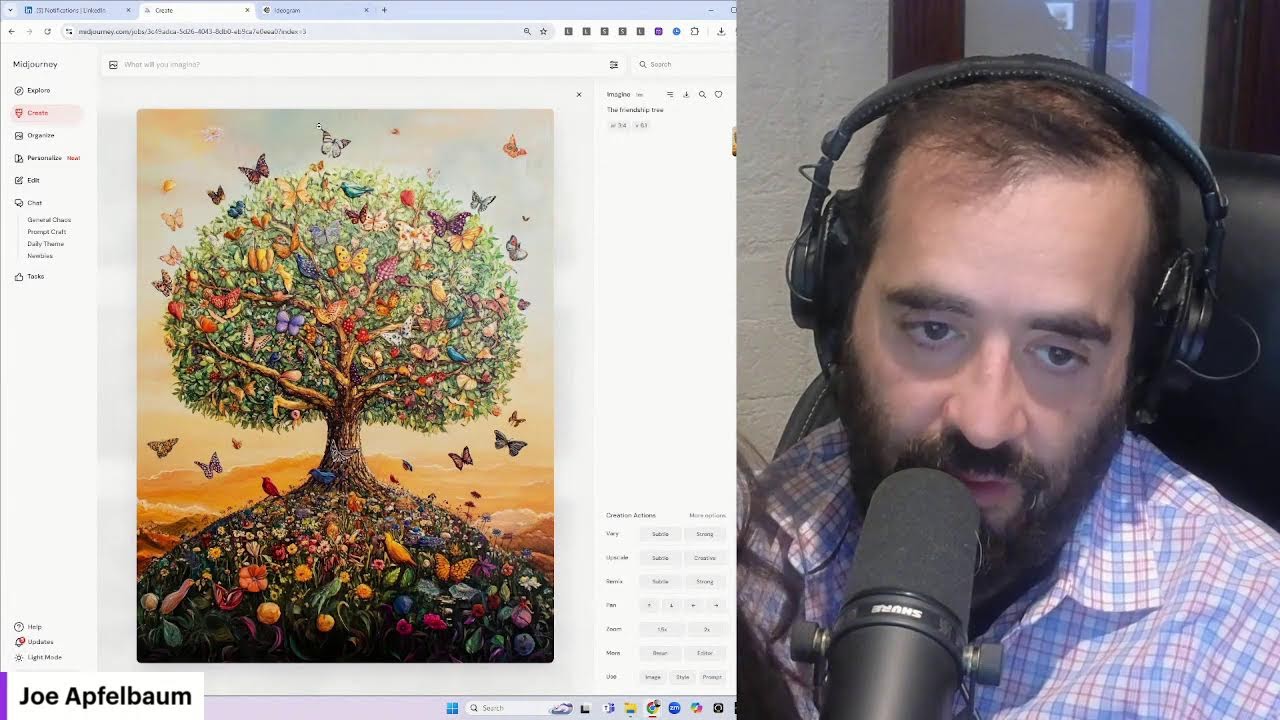
Joe Apfelbaum walks beginners through LinkedIn growth using his Evvy AI suite: optimize your profile photo and headline, generate posts and hooks with AI, reply to comments with voice or text, and engage systematically by saving profiles and commenting on older posts. He shows the full workflow in 20 minutes.
Chapters
If you are an absolute beginner when it comes to using LinkedIn, this is the video you should be watching. My name is Joe Apfelbaum, and I love teaching people how to leverage LinkedIn. This is my LinkedIn profile over here. The first step to having success on LinkedIn is to make sure that you have a solid profile. It's like before you walk into a networking event, you got to be dressed to impress. So that means having a great photo, Like this is my photo, having a decent background banner. This one shows that I am liked by many people and that I have many connections and relationships with people. Explaining to people who you help and how you help them and giving some fun facts about yourself. Making sure your link is there, your location is accurate. Making sure your connection and your education is tagged. Making sure that you have a properly optimized profile URL. And then your about section is really important. I like adding calls to action to each one of the things that I put on here. So most people, they, they just write a very simple about section and they don't, they don't take the time to actually put all the different calls to action for the different things that they want. So for example, I have the AI circle that meets, um, and we're actually meeting tomorrow for 3 hours. We have Evvy AI, we have AI Automation, which where we teach LinkedIn and AI automation. We have the marketing funnel webinar that you could watch. We have the ability to schedule a meeting with me and all this other stuff over here, hire me as a speaker and so on. I have my services page here. I have featured posts, which a lot of people overlook. They don't have their featured posts set up correctly. I like having a video, a PDF, and a newsletter. And then if you want to add more, you can add some more things like valuable tips and tools and so on. And as you can see, these are the ones that get the most likes and comments because I promote these over a long period of time. So for example, this demo video that I created, and I'm going to be creating a new demo video because we updated Evvii AI. This demo video got 10,000 impressions. And this is a demonstration of my software, of my company. This is like a full-on capabilities deck, you know? Listen, it's not the most entertaining thing to watch, and yet I have every single person over the past, I would say 7 months. Look at that. Over the past 7 months, every person that I can get to watch this is going to watch this. And once they watch it, they're like, oh, now I understand the value of using Evvy AI. Now I understand the value. So that's something that's really important that you want to consider. Then what you want to do is you want to make sure that you have a strong network of people that are going to like and comment on your content, that are going to give you recommendations. So if you take a look at how many recommendations I have, you scroll down, you're going to see I received over 500 recommendations on LinkedIn. And so making sure that you're getting recommendations on a regular basis, you don't need 500, but maybe 3. You know, like that would be ideal. I have people in my network, for example, Tammy, that if I send her my LinkedIn profile, she'll go into LinkedIn and she'll see my video and then she'll give it a like, just like this. And then maybe she'll leave a comment and say, this is great for beginners, everyone. Should be watching this video to get the most out of LinkedIn. Okay? I'm gonna hit comment. Now what I'm gonna do is I'm actually gonna hit repost here as well so that Tammy can repost that, but I'm gonna close this out over here. And what I'm gonna do is I'm gonna go back here and I'm gonna respond to that comment. And I'm gonna do this here from the show all posts section.
Okay.
And then I'm going to see there's— I'm going to like my own post, of course, and then I'm going to reply. And I'm going to use my artificial intelligence technology to help me reply. But we're adding a new feature, which is a little microphone. Thank you very much for the comment. Yes, beginners should definitely be watching this video because we're sharing so many pearls. And now what I can do is I can hit generate and it'll generate one with all the gold tone persona, or I can literally just insert it. And it says, uh, Tammy Joy, thank you so much for the comment. Yes, beginners should definitely be watching this video because we're sharing so many pearls. And I hit reply and I had AI type it up, but it was something I said. So it was just much easier than typing. And that's a new feature that we're rolling out. So if you want this new feature, say gimme the new feature in the comments. I'd be more than happy to give you that new feature. Okay, check this out. Um, posting regularly, making sure that you are taking photos with friends, with colleagues, sharing blessings. So my recommendation is posting regularly. So here's, here's a couple things you should do. Number one is post on LinkedIn. So if you're a beginner on LinkedIn, make sure that your profile has some content. Even if you don't have any followers, it doesn't really matter. Because people, when they want to connect with you, they first look to see if you're active on LinkedIn. And if you're posting something valuable, then that is an indicator that you are a person of value and that they actually want to connect with you. So how do you post something on LinkedIn? It's really easy. You go to LinkedIn's homepage, you scroll up to the top here where it says start a post. You see that it says start a post right under the word home. So the URL that I'm at is linkedin.com/feed. You click on start a post, and then it's gonna ask you to share your thoughts. If you have Evvy AI installed, and I'll go to Evvy AI, Evvy AI gives you 2 options. You can add a Chrome extension, which will add a little button over here to many of the different parts of LinkedIn. And then when you click on the button, you have a little blank thing and you can tell it what you wanna write a post about. Or you can go into the web platform, the web app, and on the left side it says, that there is the post writer. So you click on the post writer and then you can type whatever you want here. You hit generate and it'll write a hook, main points, call to action, and hashtags for you just like that. So for example, if I wanted to say write a post, I'll say something like, write a post about the benefits of using LinkedIn if you're looking for more relationships, referrals, and clients. And now what I'm going to do is I'm going to hit generate and what it's going to do is it's going to take this topic idea Including my goal, my tone, my persona, and it's going to write an entire post for me. Are you leveraging LinkedIn to its full potential? If you're looking to build relationships, gain referrals, or attract clients, this platform is a goldmine. First, let's talk about relationships. LinkedIn is not just a digital resume; it's a networking powerhouse. Next, referrals. When it comes to referrals, da da da da. Now let's pick it about clients. With the right strategy, LinkedIn could lead be a lead generator, valuable content insights. To maximize your impact, consider using tools like Evie AI. Remember, the key is to consistency. So if you're ready to transform your presence, you found this helpful. Please share your thoughts. What strategies have worked for you on LinkedIn? I'm going to hit copy and I'm going to paste it right in here just like this. You see that? Just simple as that. I just pasted it. Now I have a hook, main points, call to action, and hashtags. And you want to make sure that you're doing this. I recommend once a day, but you could do it once a week too. Like it doesn't hurt to do it more often. Now, if you want, you can go to like Google and search for an image. Like for example, You could type in relationships and referrals infographic, just like that. And you press images and then it gives you infographics. 3 proven habits that blah, blah, blah. Or look at that. What is a friend list program or relationship marketing? Or look how many different 5 steps to building a referral relationship. You see that? Client building relationships, understanding the needs, feedback. You see, there's all these really cool relationship graphics that exist. 27% of buyers and 28% of buyers find their agents through family and colleagues. I'm going to write LinkedIn stats. And look at all these cool LinkedIn stats. 3 LinkedIn stats you should know. Um, LinkedIn global advertising audience. Let's see. These are stats and trends. Let's see if there's any 2024 stats over here. Number of users over a 14 period of time. Okay. Indeed and LinkedIn are used to find jobs. 900 million users, 2024 under Sprout Social. You see all these cool things. 60% of LinkedIn. Are millennials. Ooh, I like this one. So I'm going to right-click on this image. I'm going to hit Save Image As. I'm going to save it under Downloads as LinkedIn Statistics. Then I'm going to go back to LinkedIn. I'm going to click on the little Add Media button. I'm going to find this little statistic, how old are the majority of LinkedIn users? I'm going to press Next. And now I have this really cool, um, This really cool little report over here. Are any young millennials even on LinkedIn? I kind of tied it into this. M-I-L-L-E-N-N-I-A-L-S. And I'm gonna put an extra N over here. Okay. And I'm gonna hit Post. And now this is going to post the post. Okay. So it doesn't take very long to post something on LinkedIn if you're using AI to help you and if you're using the strategies that I teach. And by the way, we do have classes where we teach all these strategies at this website, evergreen.com. That's E-V-Y-R-G-R-E-E-N.com. You click on LinkedIn training and we have the Evergreen Networking Session. We have, um, the The Sales Navigator. I like the LinkedIn Accelerator Training. It's a 1-day training replay, 6 hours of training plus a course with 9 modules, frameworks, checklists, cheat sheets, and scripts. And we teach you 52 different LinkedIn hacks. So if you want to grab this, we're actually offering a deal on this. So check it out, evergreen.com. I'm going to put the link to this inside the comments of this video on LinkedIn. So I'm going to go ahead and—
Awesome.
Put this right here. See where it says show all posts? I'm going to click on comment. I'm going to say, looking to leverage LinkedIn? Check out our LinkedIn Accelerator training program here. We are actually running a special deal. It's 6 hours of training on 52 LinkedIn hacks, plus a 9-module course with frameworks, checklists, cheat sheets, and more. It's very comprehensive, and it's a masterclass on LinkedIn strategies. That get you clients. Enjoy the replay and the deal. Okay, now I'm going to copy this and I'm going to go into Evvy AI. I'm going to click on templates and I'm going to actually create a new template and I'm going to call it LinkedIn Accelerator Training and I'm going to put it here as a comment. And I'm going to go here and put it here just like that. I'm going to hit save. And now I have it saved as a template inside Evy AI. So if I ever want to use this, say for example, I want to post it on another post, like right over here, I want to post it as a comment here. I click on this little Evy AI box. I click on the template box just like that. And then I click on LinkedIn Accelerator Training and I just insert it just like that. You see that? And now I have a template that I can use under any of my posts. Just like this. Click this, click this, click this, click this, and I'm in. And it's just a couple clicks and I have my template right in there. And so any template that you save in Evie AI— Evie AI has many uses, but you know, every time I leave a comment on LinkedIn, this helps me be able to drop promotional comments Or comments related to my book or comments related to whatever, you know, like, 'cause people keep coming back to it. And so I wanna make sure that I, that people have all the different things that they need. If they need something, I can do that. So I can promote my, my, uh, my community that meets 6 times a month. I can promote my AI training. I could promote my book. I could promote my podcast. I could promote my YouTube channels and I can have templates. For each one. And I'm going to create probably 20 to 30 new templates because I have new things that we came out with that I'm going to be sharing soon. So I'm excited about that. And I'm curious to know if you're creating any templates at all. And if you are, like, what are those templates that you're— that you need to be creating? Put them in the comments or write templates if you want to get my list of templates so you can kind of copy them. How was it going to LinkedIn? Oh, must have been cool indeed. And I'm gonna reply here with my voice. It was actually really amazing and I'm so glad I was able to go. I had such a great time doing it as well, and I'm planning on going back. It's when I press insert, I hit send and you see the way I replied with my voice inside LinkedIn using Evvy AI. If you want that, just write microphone in the chat and I'll be more than happy to have my team add it to your account. 'Cause it's gonna be a pro feature, but we're allowing people to kind of test it out. So if you're interested, just let me know that you're interested. All right, so posting. Now the next thing I always recommend doing is making sure that you're constantly engaging on posts on LinkedIn. So when I wanna engage on posts on LinkedIn, I don't just go to the feed. You can just go back to the feed and then just randomly leave comments. Like I'm gonna leave comments on this guy's post right here. This guy's name is Nat.
Hi.
Great guy, he has 800 comments, so when I comment, a lot of his people are going to see this. I'm going to hit comment just like that. Now what I'm going to do is I'm actually going to click on save profiles, and I'm going to comment strategically on these people's posts. So for example, Casey, Casey's a client of mine, and I want to make sure that I comment on his post. Now I already commented on his post, you see that? So I'm going to go to the next person, Alan Ackerman. I had a conversation with him last week. He just started using Evvy AI. I already left a comment on his post, but maybe I'll go find an older post of his. Let's see, maybe say this one over here, and I'll kind of bring this back up in his notifications by leaving a comment. A lot of people don't realize this, but you know, when you do this from something from 6 months ago, This kind of brings it back up in their notifications and they get notified that I left a comment just like that. So that's been a really, really powerful tool to be able to stay top of mind with people. So for example, Eric Wegweiser, he's part of my Executives Association of New York City group. I see he's constantly posting on LinkedIn, but he's posting as a company page. Company pages don't really get seen very much. So if I do leave a comment, I make sure to tag Eric Wegweiser, and then he will notice me. So he will notice that I supported his company page from 3 days ago, and he'll be like, oh, because he'll get a notification. Because if I just comment on the company page, he's not going to get a notification. But if I mention him in the comment, he'll get a notification. So that's really key. To mention people when you're strategically leaving comments. Now I save people into lists. So for example, I have my EANYC Active list, which are all the members of the Executives Association that are active on LinkedIn. And I'll hold down the Control key on Windows on my keyboard. And when I click, it opens up in a new window. It'll open up in a new window anyway, but it's opening up in the background here. So I'm just going to Control-click on each one, one at a time. As you can see, it opened up in the background. And I see that I already liked it and commented on it, so I'm not going to do it again. I already liked it and commented on it. So I'll go back over here and I can control-click on a few of them at a time, and then I can kind of like load them and see. Now you don't want to do too many at once because then LinkedIn thinks you're using automation or using way too much of their resources. So 5 hours ago he said, happy Sunday everyone, enjoy your day. And I'm going to say I love the fact that you have your beautiful granddaughter playing in the leaves. Happy Sunday. I'm enjoying my time with my children as well, and we are blowing leaves and having such a great time. Okay, now I'm going to show you what it looks like. Now, if I just insert it, I could just insert it and I could just tag Don, uh, Don Celestino, just like that. You see that? And I didn't have to type any of that. That saved me so much time. That's the key of using Evie AI. It saves you hours and hours and hours and hours of time. Okay, let's close this out over here. Let's look at Alexis. Alexis 3 weeks ago wrote something. I already left a comment on it. Let's see who else commented. By the way, I never would have seen that post by Don Celestino if I didn't take the time to do this. I, you know, maybe in like a month or something I would have seen it, but now I'm the first person to comment on it, which is extremely powerful. And so I'm just opening up all these people's profiles here. Again, I did it too quick here. I would not recommend going that quick. But if you do this, these people will notice you. So 2 days ago, he posted this picture of this construction thing here. I'm going to make sure that I'm top of mind with him by leaving a solid comment. And you might be wondering, what is the goal? Provide value. What is the tone? Conversational. What is the persona? I'm gonna explain all that in just a moment. Let me just tag Derek over here just to make sure that he sees this. I tagged him. I'm gonna close this out. John Rafferty posted this thing from Daymond John. I already commented on it. Matt Schwartzberg posted this. I already commented on it. George posted this. I have not commented on this. This is like a generic Vistage thing. So I'm just going to tag him so he knows that I commented on it and kind of Step away from it, and again we're we're like you know twenty minutes into this live, and I have touched so many lives already. It's just incredible how many people I can touch in just twenty minutes. Really really powerful. So I'm gonna do Jesse Berland. I appreciate you. Okay, so now I just commented on this post, but I also tagged the person who reposted. Otherwise, they're never going to see that you commented on it. Okay, now I'm going to— here, 85 Livingston. I'm going to go ahead and leave a comment on this, just like this. Incredible transformation. Again, remember to make sure that you tag the person when you're leaving a comment. This way they remember that you exist. Okay, there you go. Um, Tina posted this 4 hours ago. I'm gonna go ahead and like this here. I'm going to comment. As you can see, she also reposted my last post, which is awesome. I'm gonna say, Tina, this is a fantastic discussion. Living sustainably in New York City is so crucial. Excited to hear your insights on this. Thanks for sharing. You look great on camera.
Okay.
I'm gonna hit comments. So you see, I added my little 2 cents at the end there, but if I just would've wrote, you look great on camera, that, that's not really helpful. But if I tagged her and then I wrote this whole thing with AI and then I added a sentence with my own 2 cents, that adds significant value to the conversation. All right, let's go back to my posts and just kind of see. First of all, if you're watching this, let me know what city you're dialing in from, whether you're on YouTube or Facebook. Or LinkedIn Live or wherever you are, let me know what city you are dialing in from. Put it in the chat. I'm going to check all the comments later, but for right now I want to see who liked this post. So when somebody likes my post, like for example Kimberly liked my post or DeJane or whatever, I will click on her profile and I will check out what she's up to. And it looks like she's in New Jersey. I'm going to go ahead and save her profile into Evvy AI. I'm also going to click on the little dropdown. So I can look her up on, say, YouTube. You see there's a little YouTube thing here and a little Instagram and Facebook thing. So when I hit search, it'll automatically open up YouTube and search for this person, Kimberly Woodruff. It was not able to find any Kimberly Woodruffs here. Okay, that's fine, moving on. Looking her up on Instagram, not really finding much about this person on Instagram. And then on Facebook, I think this might be her. Let's see where she's located. She is in New Jersey. Okay, let me see if I can see New Jersey. Let's see, New Jersey. So I'm gonna just go in here and I'm gonna type in New Jersey. I think that's how you spell New Jersey. Um, it's not letting me do that, but I'll just do Newark, New Jersey. Couldn't find anything in Newark. What was the location of New Jersey? Flounders, New Jersey. Let me see if it finds anything in Flounders, New Jersey. Um, let's see, maybe her name is different. Okay, there are other people. And I look at that, there's a correspondent with 3 mutual connections. I wonder if he's related to her. Okay, moving on. She obviously focusing on LinkedIn. That's where she's— that's where she is. This is obviously not her with 17 friends. Looks way too young to be her. Okay, moving on. I'm going to clear. This list, and as you can see, she's now here. So if I wanna see all her activity, I just click on See Recent Activity, and I can support her in the comments just like this by liking it and by leaving a comment on her post. You see that? Excited to see the creativity in your stories, Kimberly. I'm gonna tag her. And by the way, I wanna create kids' books as well. So let's chat with AI right now. Let's have a conversation with AI. And I want to pop it open and let's talk to it right now. Hello, I would like to, I'd like to write some children's books. Can you gimme some ideas for children's books that are related to business networking?
Absolutely. How about a story where a young animal, like a fox or a bunny, learns the importance of making friends and helping others?
All right, looks like we got disconnected, but we might be online. We might be back online now. My entire stream was turned off by my daughter, and it looks like she wants my attention, so I'm gonna have to hop off. But let me just end off nicely.
No, sure.
I'm gonna have to end off nicely. Okay, so I have a question for you. Uh, could you help me come up with 3 ideas for children's books related to the value of building relationships and networking?
Of course. Here are 3 ideas. 1, The Friendship Tree. This book follows a young tree in a bustling forest. As the tree grows, it forms friendships with different animals, learning how each one brings unique strengths to help each other. The tree learns that by connecting its branches with others, they can create a beautiful, supportive network that shelters and nourishes the entire forest. The Network of Noodles. In a world where different types of pasta live, a shy spaghetti strand learns the importance of connecting with other pasta shapes. By forming a network, they create delicious dishes together, showing that everyone has a special role in making something wonderful. The Adventure Club. A group of young, adventurous animals forms a club where each member brings a unique skill. Through their expeditions, they learn that by working together and valuing each other's talents, They can overcome challenges and achieve amazing feats, all while forming strong friendships.
Okay, so we have 3 ideas. We have the friendship tree. Okay, Rosie, could you help me with something? Can you sit on my lap? I need your help. So I want to write a kids' book about the benefits of networking. Okay, you with me? The benefits of networking. And you don't like this tree? Okay, and I wanna know which of these trees do you think are the best trees that would teach networking? So tree 1. What is networking? So what is networking? Oh my gosh. So let me see if we can get you to understand what networking is. Can you explain business networking to an 8-year-old child?
Sure. Business networking might sound complicated, but for an 8-year-old, you can explain it like making friends and helping each other out. Just like how they might trade snacks at school or help a friend with homework, business networking is about building relationships where people share ideas, help each other, and work together to achieve their goals.
Okay, okay. So this is what, this is what AI said. It says networking is like building friends and people helping each other. That's, that's what networking. So these are, So this is a tree. This is the idea. The idea is that you have a tree and the tree makes friends with all the different types of animals.
Butterflies.
So yeah, what do you see? Butterflies. What else? Birds, bees, caterpillars, flowers. There's fruit growing on the tree. There's squirrels on the tree. So the tree Is kind of like the center of it all, and you want to be like a tree with all your friends and make sure that you help all your friends. The tree supports everyone. It even helps people by giving them shade, right? Does the tree do that? So which tree do you think should be the best tree for representing— like, how would you describe a tree?
This one.
This one? Do you like this tree best? What do you love about this tree?
The friends.
The friends. Oh my God. Okay, so let's make a— let's, let's— oh, it's called the friendship tree. Okay, so tell me what the friendship tree does.
Makes friends.
Okay, friendship tree makes friends. Makes friends. All right, let's just see. Oh, so if 2 people are not friends and they go to the friendship tree, the friendship tree helps them become friends? Oh, how does it do that? That's so interesting.
The tree loves the people.
Friendship tree loves animals and people. Okay, the friendship tree loves animals and people. Does the tree talk to them or just helps them connect with each other? The tree helps them be happy. The tree helps them be happy. So when they're next to the tree, they become happier?
Yeah.
Oh, I love that. I love that. Okay, okay. So let's, let's open up a new window. Let's go to Claude and let's say create a kid's story about a friendship tree that makes people happy and it makes people and animals— people and what? Animals?
Animals.
Become friends with each other or becomes— like people become friends and animals become friends. Makes people become friends and animals— it's the center of friendship. Okay, let's see what it does. Okay, so the Magical Friendship Tree. In the heart of Sunnerville Park stood a very special tree. It wasn't like the other trees with their ordinary green leaves and brown bark. The tree had rainbow-colored leaves and sparkled in the sunlight. Ooh, I like that. Let's make a picture of that. Should we make a picture of that?
Yeah.
Let's try that. The tree had rainbow-colored leaves. One second. It sparkled in the sunlight. You're hungry? Okay, what are the— did you make— did you look at the menu? We made a menu for all the kids. I don't have anything to make a menu with. You like this one? Oh, this one's really nice. What do you mean there's nothing to make a menu with? Here, look, here's a menu. Well, you can pick things from it. We made a menu. We made an Applebaum family menu. Read it, and then just point to what you want. Yes, you can. There's batter. There's no no rice milk, soy milk. How do you know? Okay, so. Okay, so should I go get milk? The milk around the corner. There's a kosher place around the corner that has milk. Can you go there? Yeah, I can go there. Okay, let me go get milk. Ladies and gentlemen, thank you very much for watching our LinkedIn Live and joining our family here today. I look forward to seeing you guys on the next LinkedIn Live, and maybe by then we'll have a book ready. Rosie, you want to help me make a book for them and show them the book that we made? Yeah, we'll make it now.
Okay, okay, we'll make it now, but first let's go get, um, let's go get milk.
An ideogram. This is ideogram where you can make all types of pictures. That shows friendship. How does it show friendship? Okay, you want me to put both? Okay, I'll do that. All right, thank you for
More from Joe




How to Beat the Algorithm: Remove Hidden Watermarks & Scale Content with evyAI






