LinkedIn Strategies for Lead Generation - 067 LinkedIn Live 2024 with Joe Apfelbaum
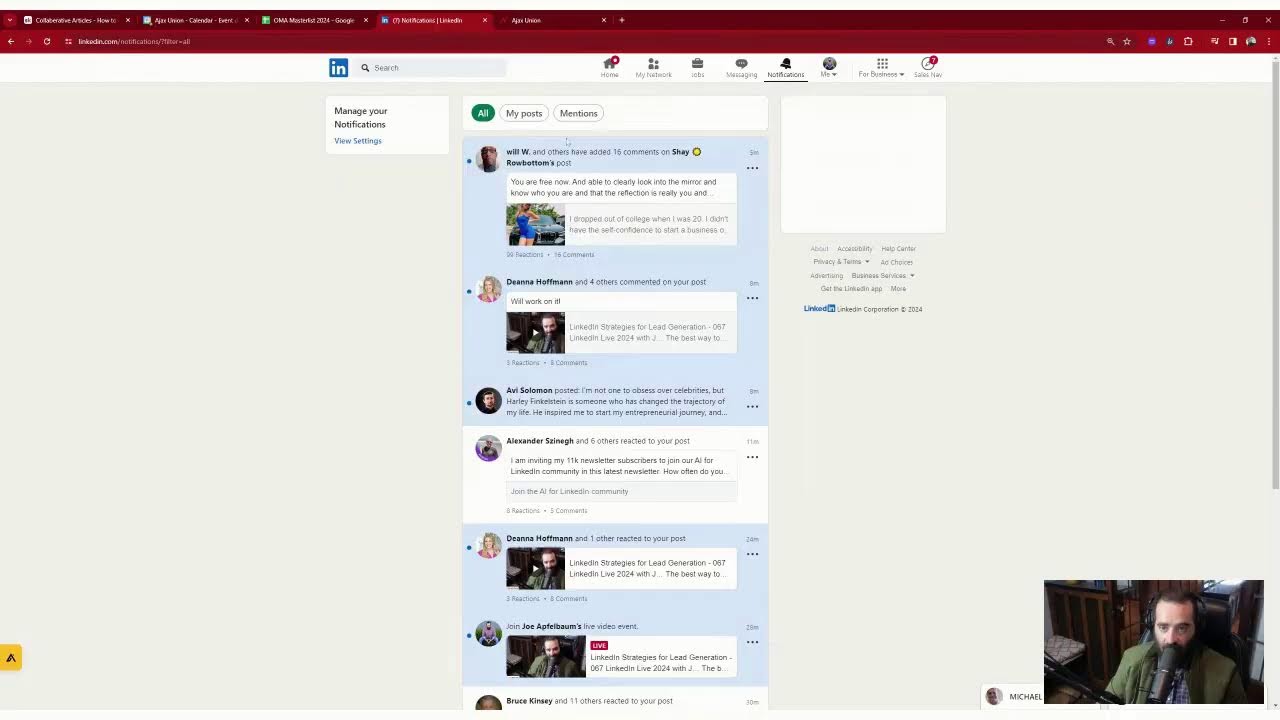
In this 4‑hour LinkedIn Live session, Joe Apfelbaum walks viewers through a complete, actionable system for generating leads on LinkedIn. He begins by sharing his philosophy that thought‑leadership starts with small, courageous posts and one‑on‑one relationship building. He then demonstrates the mechanics of his own LinkedIn profile, explaining the 30,000‑connection limit, how to prune excess connections (using name searches like “Michael”), and how to handle dead or “in‑remembrance” contacts. Joe shows how to use the Evvie/Eviai AI tool to draft personalized comments, messages, and community invites at scale. He integrates these outreach steps with his CRM, records phone calls, and logs interactions. Throughout the demo he engages the live chat, approves community members, promotes his free AI‑for‑LinkedIn community, and announces upcoming events (audio events, webinars, and a May 3 “10x Your Profile” session). He also illustrates how to leverage LinkedIn features such as followers, newsletters, and the “invite up to 1,000 people per week” function. The session ends with a call‑to‑action to join his community, follow his page, and adopt a systematic LinkedIn strategy rather than hoping for overnight success.
Chapters
We're going for 100. No, more. 100? 200. 244 total. It means we have— if you minus 67 off 244, we have something like 180 episodes left. Should I interview more people? I interviewed a bunch of people. I don't know if you saw the interviews that I did, but I did interview a bunch of people. I'm excited about interviewing more people. I think what I'm going to do is I'm going to interview the engaged thought leaders in my community, people that want to be thought leaders. I may as well engage them in a conversation on how they can improve their life and take their life and their business to the next level. What do you think of that? Being an engaged thought leader means engaging on other people's posts. That means posting yourself, sharing your thoughts, having the courage to share yourself online. Most people do not have the courage to share themselves online. But if you do have the courage to share yourself, you have the courage and the humility to start small. So many people are not willing to start at all because they think that if a million people are not going to see it, they'd rather not do it. What if one person saw it? What if you inspired one person? What if you got your first customer? Is that not valuable? Try to get your first customer. Some of you are like, I want to start a business, I need 10 customers today. What if you got 1 customer? What if you focused on that 1 customer and you changed their life? What if that 1 customer introduced you to 3 other people and you worked with maybe 1 more person? Now you have 2 people that are thriving and you get testimonials and you share them. And then maybe you get a 3rd. And then before you know that, you have a book of business. But most people are not willing to start small. If you want to grow tall, you first have to start small. That's how you grow tall. You don't just do it like all of a sudden. Overnight success is 10 years in the making, not 15 minutes of faking. And it's certainly not about waking and baking because that will make you just want to watch Netflix and have the munchies. Do you have the munchies? All right. I want to talk about lead generation strategies on LinkedIn. I'm going to share my screen right now, but I want to know where in the world you're dialing in from. If you're watching this live, let me know that you're live in the chat below. I am looking at the chat right now and I want to make sure that you guys are smashing that like button. You're smashing the, the, uh, the bulb button. And I'm going to show you some LinkedIn lead generation strategies. Let's get right into it. I'm going to share my window and let's review. Okay.
Wow.
Look at this. Look at this. This is magical. I'm gonna stop sharing. I shared the wrong window. That's the problem when you share the wrong window. There you go. And I'm gonna share that window. All right, this is what my LinkedIn looks like. You see it? This is my LinkedIn. This is my LinkedIn. Guys, go ahead and give this a like, leave a comment, let me know where you're dialing in from. So LinkedIn lead generation strategy, let's get right into it. Step number 1, look through your connections. How many connections do you have? I'm going to check my network right now. I'm going to click on my network, click on connections. How many connections do I have? Can you guys see? I have 30,000 connections. I am 100% full. You cannot have more than 30,000 connections. Let's try to add one more connection. Okay, let me go through here, check out the people that are waiting to connect with me. I have over 1,000 people waiting to connect with me. I'm going to randomly scroll down over here. I'm going to find a person, Sharla Walkie or something like that, exploring the implications of AI in business. I'm going to press accept and it's going to say cannot accept it because you've reached your connection limit. I'm going to press learn more and it's going to say LinkedIn members can only have up to 30,000 first-degree connections. To ensure the optimal experience on LinkedIn, we recommend connect with people who you know personally and trust professionally. Follow anyone whose posts you want to keep up with. While there's a limit to the number of first-degree connections you have, the number of people who can follow you is unlimited. People who follow you can view, like, and comment publicly. So if you reach 30,000 connections, follow will become the default option on your profile. You'll not be able to accept any new connections unless you remove connections and keep your network size under the limit. All right, so now what we need to do is we need to remove some connections. So how am I going to remove connections? What am I going to do? I'm going to go to my network. I'm going to click on my network. I'm going to click on connections, and I'm going to search the word Michael. Michael, just like that. I'm going to search Michael. Now I have a lot of Michaels that I'm connected to. How many Michaels do I have? I have a lot of Michaels. Look how many Michaels I can pull up. All the Michaels. You see that? See, way too many Michaels in my opinion. My opinion, there's way too many Michaels over here. So I'm going to go through them one by one. And this is what you do. This is how you build relationships and grow your business. I'm holding down the Control button and I'm clicking on each one and I'm going to open a bunch of them and let's just see what their profiles look like. So this is Michael Goldberg. It says in remembrance. That means Michael Goldberg Passed away. He's no longer alive. I think, I think that— oh my God, this is crazy. I gotta take a screenshot of this. I got to take a screenshot of this. Memorialized his professional legacy. Wow. Wow, look at that. Look at that. Okay, I'm gonna put a little thing over here. I'm gonna press save. As remembrance. I wonder how many of my connections are in remembrance. Have you guys ever seen that? Let me know in the comments if you've ever seen it. Now I'm going to go here, click more. I'm going to refresh the page real quick. I obviously can't message him, but how do you remove a connection that's in remembrance? Oy vey, I can't even remove it. How do you remove a connection that's in remembrance? He's following me here. Is he not? Let me close this up. That is crazy. I can't even remove the connection. He's just taking up a spot. That's it. He's forever taking up a spot. I better remove everybody now before they take up a spot and they're not even alive. That's— hang on a second. Hang on a second. I can't remove a connection from LinkedIn that is no longer with us anymore. What's the point of having a connection that's not alive? How are you supposed to do business with someone? How are you supposed to message them? You're no longer allowed to add— like, that's crazy. What if all my connections die? Then I'm gonna have a bunch of dead connections. That's insane. I gotta contact LinkedIn about this. I gotta, I gotta contact them now. I'll show you how I contact. Someone said, Joe, I have a problem. I said, what's your problem? Let me go to Twitter. Twitter.com. You go to Twitter.com when you got a problem on LinkedIn. You go to Twitter.com. I'm gonna go here and put in @LinkedInHelp. He said his account doesn't work anymore, so I said hit up LinkedIn Help. @LinkedInHelp. @LinkedInHelp. No, that's not it. @LinkedIn help. Let me find LinkedIn help. LinkedIn help. I'm gonna search for LinkedIn help. Is this it? This can't be LinkedIn help. This is @LinkedIn help 1. Oh my God, look at this stuff. Like, oh, let me just take off the 1. @LinkedIn help. Beautiful. Okay, so @LinkedInHelp works, but for some reason it didn't show up. So I'm going to go to Home, I'm going to click here, I'm going to press @LinkedInHelp, and I'll be like, I have a connection that is no longer with us. It's labeled as In Remembrance. How do I respectfully remove that connection to make room for more connections? Okay, so this is what I'm going to do. I'm going to ask LinkedIn help for my— for help with this guy Michael, because this Michael guy is no longer with us and he's taking up a spot. We got to make room for some other live people. Okay, I just hit them up and they're going to reply to me. Pretty cool. That's how you do customer service. That's how you get through to LinkedIn. Okay, let me try this one more time. Report, block, uh, block Michael, block Michael Goldberg. No. Okay, we'll find out. All right, next. Let's go to the next. Michael Spadaro. So who is this guy, Michael Spadaro? Not very active on LinkedIn. Doesn't really have anything going on over here, so I'm going to hit him up. Uh, hi Michael, it's been some time since we last connected. How you been? Okay, I'm going to hit him up like that. Do you use LinkedIn at all? Okay, I just hit him up like that. I'm gonna go to the next one, Michael Zipursky. I know he does use LinkedIn. I'm gonna say, how you been? Since we last spoke. Okay, so I'm hitting people up one at a time over here, building relationships one at a time. Look at this guy, Michael Goldstein from Switch. He's the founder of Switch Pitch. You see, he reposted 3 weeks ago. He really hasn't posted lately. Uh, let's see, you don't really post Much on LinkedIn, right? Okay. And I'm gonna go to the next guy, Michael Wilds. What is going on with you? Okay, he's, he's actually the mayor of a town. He's the mayor of Englewood, New Jersey. So I'm gonna drop a comment over here. I'm gonna write, thanks for sharing. Thanks for sharing. Okay, I'm gonna go over here. Never seen it. Deanna said never seen it. Oh my gosh, never seen it either. That's crazy. By the way, Deanna, welcome to the community. So happy to have you in the AI for LinkedIn community. For those that don't know this, we started a new community. Um, look at this, people want to join. Lou Sabog wants to join. I'll approve him. Chaim Kollitzer. Who's Chaim Kollitzer? Am I connected to him? That name does not sound familiar. Let me quickly go— oh, look at that, he's a transformational coach. Second-degree connection. Now it seems like a nice guy. I'm gonna approve. I wonder why he doesn't have his, uh, why he doesn't have his thing going on. Okay, I'm gonna close that, close that. Michael Simpson from Pennsylvania. Isn't it crazy how you can see everybody's like information over here? It's crazy. It's just insane how you can see all their information. Okay, I'm gonna see— I see you have not posted lately. You still use LinkedIn? Now if he doesn't respond to me, I see that he checked this post over here. If he doesn't— oh, he sent me a recommendation on LinkedIn. That's very nice. That's very generous. Let's look at them, read the recommendation. Go down over here, you go to this section over here, and then you do given. It looks like he gave one to Megan and he gave one to Joe. I just finished Joe's webinars. It's been really amazing. Really have ever been so much value in such a short amount of time. He showed us the exact strategies he uses with his clients and showed us how he organizes everything. His blueprint that he freely gives out shows you the path to follow your success. Here's where you follow up. Fun, full of energy, and actually cares about people. So nice. And this is 2019. He gave me this. That is, that is really, that is really nice. I really appreciate that. Lisa said, from school, thanks for the invite. I followed you over at school. I'm a total newbie to LinkedIn, meaning I don't know what I'm doing. I'm here to learn and grow. Watch me shine. You got this, and I got your back. Uh, interested in our LinkedIn course? You will learn a lot. Let me know. Okay, so opportunity to build a relationship with a chief visionary officer of SkipD.com. She's brand new to LinkedIn and she needs some support. So hopefully I'm going to give her some support if she responds to me. Okay. Michael Wiener. Michael Wiener is Coldwell Banker. Ooh, he's a real estate agent and he just signed up for Coldwell Banker. That's cool. Let's see what he does over here. Oh, he hasn't responded to me ever. I'm going to ask him a question and be like, Michael, Are you doing real estate? Okay, so this is my way of kind of starting the conversation with them. Hey, thanks. First thing I gotta do is learn LinkedIn. Got any pointers, tutorials? Yes, yes, yes. What is your sell? Okay, and I'm gonna send her my school community over here. I'm gonna say, watch this. I'm gonna send her to the classroom. I'm gonna say how to use LinkedIn and AI. And I'm going to send her this video here. Also watch this video. Okay, let's see what Ray wants. Ray said, hey, tell me more. I want to schedule a quick Zoom call between this Tuesday, 4/16. I am flying with my kids to Florida. That day, but I do want to talk to you. Okay. Lisa said, all right, doing it now. Okay. This is great. So this is me building relationships. You see that? I'm reaching. I'm doing outreach. Most people don't take the time to go through their connections one by one. Michael Andronino. Michael Andronino. Let's see. He works at CNN. He's a tech writer. Ooh, this is Really, really good. Oh, he used to work for Ajax Union as a content writer. All right, let's send him a message. It's been a while since we both connected. Congrats on writing about tech at CNN. That is amazing. Okay, so if he's a tech writer at CNN, um, wouldn't it be cool if he wrote about Evie AI? Right, score electronics. Wow! And he also was the editor-in-chief of Tom's Guide, so you can get me in the door there as well. That would be really epic, epic, epic, epic. I want to make sure that I have his contact info here. I do have his contact info right over here. I connected with him back in 2012 when he used to work for me. Impressive. All right, let's go back here. Michael Galick. Michael Galick is from MGNY Consulting. Last time he posted was over a month ago. Have you been leveraging LinkedIn or is it slipping through the cracks?
Okay.
Have you been leveraging LinkedIn or is it slipping through the cracks? Okay, let's see. Michael Simpson responded. Yeah, I'm still using it. So I'm keeping an eye on jobs and seeing what's going on. Much more content here. It's gotten poor depending on the new merger goes. It might be posting more. How's it been? Um, loving life. Thank you so much. I just created a new community. Check it out here. Being that you loved my last webinar back in the day, you will love that community, and it's free. Okay, I misspelled everything, but who cares? All right, I'm gonna go here. I'm gonna look. I'm inviting 11K blah blah blah. Let's see, people are responding. I love that. This was a LinkedIn newsletter I created. This LinkedIn newsletter here has 11,227 subscribers, you see? And so people send me connection requests all the time. Now, if you can't accept somebody's connection request, what you can do is you can actually message them. And there's an actual strategy for how to message people that you can um, connect with and build those relationships and kind of get to know them. I'm curious to know, how many connections do you currently have on LinkedIn? Let me know right now in the chat. Looks like we have a dozen or so people watching this live right now. I'm excited that you guys are watching this live. Let me know how many connections you have on LinkedIn. Deanna said never seen it before. Alive from Atlanta. That's cool. And oh, Shalom Poulter also said live. Welcome, Shalom. Thank you for watching. And I'm going to have my AI send him an invite to school. So check this out. I'm going to send Shalom Polter an invite to school. It's going to say, Shalom, thrilled to see your interest. We're diving deep into AI and LinkedIn. Okay. I'm going to press reply and it's going to actually create a link to the community with the artificial intelligence tool. It's Which is so impressive. So impressive. All right, boom. Just reply to her right here. And I'm going to say thanks. Thanks for letting me know. Okay, let's move on. I don't know if you guys know this, but I did my first LinkedIn audio event. It's almost like a Clubhouse on LinkedIn, really powerful tool. And it actually really went really, really well. Really cool. Deanna said not enough connections. 134 is definitely not enough. How many connections, how many connection requests do you send out a day? Okay, I just sent her a little message asking her a question. Now I'm going to go here and check out Michael Melfi. Michael Melfi has a LinkedIn Premium account. That means he's actually using it and he just posted. Wow, that's interesting. So what I'm gonna do is I'm gonna click on this. I'm gonna click on this. Every man I meet is a master at some point. Okay, good. I'm gonna put here and I'm gonna invite him to the community. You have so many followers. If you want more engagement, let me know. Okay, I'm gonna go here. Avi Solomon posted something. Okay, Michael Russell. Michael Russell works for Monument. He also has a premium account. I love people that have premium accounts. It looks like he posted 8 months ago the last time, so I'm gonna let him know. I'm gonna go like this. Michael, I see the last time that you posted on LinkedIn was over 8 months ago. If you're not leveraging LinkedIn correctly, I'm happy to guide you and show you exactly what to do to leverage your 9,000 followers. Okay, so I just wrote that and the AI typed it up, so I didn't even type that up. That is powerful stuff. Are you guys doing things like that? Are you leveraging tools that allow you to type things up as you speak into LinkedIn? Michael Schwartzberg, it's time to update your LinkedIn banner. I highly recommend it. Have you tried it?
Okay.
Now I'm going to go here, close this out, and I'm going to do one final just to kind of show you, look at who looked at my profile. So I go to my profile, I scroll down over here, who viewed my profile? And then I take a look at who viewed my profile. So Alexander looked at my profile, Michael looked at my profile. Let me see what Michael wants. What does this mean? Jessica looked at my profile, Jennifer looked at my profile, Zerach, Neil. What does this mean? Neil Hunter, Cameron. So Cameron looked at my profile. I'm going to pull it up. He's the CEO of this company. You see he's based in New York, New York. Look at all these emojis. Okay, I'm going to refresh to pull up this message box. Some reason it doesn't load, so I just hit refresh and it's still not loading for some reason. I'm going to refresh it again. It is still not loading. That is so weird. I'm gonna click on contact info and I'm gonna give him a buzz. Let's give him a buzz. Should we call him? Yes, yes, let's call him. Should we call him? Yes or no? Maybe so? You've been signed out.
Okay.
Let's look for him. What's his name? His name is Cameron. Go into my CRM, Cameron. Oh, there he is. Just search Cameron. Uh, what's his last name? Cameron— is it Tooth? Toth. Toth. There he is, Cameron Toth. Put his cell phone number there. And has he posted recently? He posted one day ago, he reposted 3 days ago, he marked his calendar. All right, so let's Let's put his email address also, just like that. And let's refresh this page over here. It's saved now so I can make the phone call and it'll get recorded as well. So let's make a phone call and give him a buzz. This is how it's done, ladies and gentlemen. I'm tagging him right now as well. You can also check out his website. His birthday's coming up July 4th. We connected about a year ago. This is his website right here.
Children and Staffing, Cameron speaking. How may I help you?
Hi Cameron, this is Joe Apfelbaum from Ajax Union. I am your LinkedIn connection. Have you ever seen my stuff?
I have, I have.
Okay, fantastic. I wanted to invite you to a community that I created, but I can't direct message you on LinkedIn because for some reason it's blocked. Do you mind if I send you a quick email with an invite to the AI for LinkedIn community? Is that something that you would want to be part of? There's no charge.
I'll check it out. Yeah, I think I saw something and I clicked on— I don't know if that's why you got an alert to call me or whatever, but I was looking at something that you were— software, right, that you developed for LinkedIn? Yeah, exactly. I built an AI software.
I'll send you an email with the demo as well. But I built an AI software that helps you write posts, that helps you leave comments. Like if I look, you, you, you, you posted 2 days ago, right? So I'm gonna click, or 3 days ago, I'm gonna click on the post that you posted 3 days ago and I'm just gonna generate a comment, but I'm gonna promote my book under the post. It'll kind of read your post and like throw in my book as kind of like a, by the way, I wrote a book, you know, with a link to Amazon or whatever. So you can do that.
Okay.
So I, if you look at the, If you look at the post, you'll see what I'm talking about. If you look at the comments of your post, you'll see what I'm talking about. It kind of just like wrote it and it's really cool. I mean, it saves a lot of time to use Evvie AI. So I sent you 2 emails, one for the free community, one for the tool. You can try it for free. If you like it, we're running a promotion that you get 50% off the year. So it's $29 a month if you pay monthly or it's $15 a month if you pay annually. So it's really, really affordable and it gives you unlimited access.
Do you ever, Do you ever do any networking in Westchester or are you strictly down in the city?
Well, I moved to New Jersey recently, so I'm up for it. I mean, I'm going to Florida with my kids for Pesach. I don't know if you're— are you— do you do Pesach, anything like that, or Passover?
No, I mean, I do so much. I work the event, so I'll be working on Monday. So I'm not celebrating, but Because we, we have so many clients in Scarsdale and Greenwich that celebrate and we serve.
So, who do you want to meet? Do you want to, do you want to come to an event in the city? I mean, like, do you want to be invited to like—
Yeah, I definitely, I definitely need to do more staffing in the city. So, great, great introductions for me or anybody that, that's in the corporate cafeteria, corporate catering. kind of world and venues, or, you know, even sometimes the networking events are held in venues that I want to work with. So that can be at least one guaranteed good connection at any, uh, given event that I walk into. So, you know, those are always great connections.
You know Paul Newman?
I do. Uh, you know, you know, his catering?
Yeah, yeah, no, he's doing Trayscapes now, but he had a lot of relationships doing a lot of that stuff, so I thought he'd be a good contact for you. Do you know Annette?
Yeah, I talked to him. I talked to him probably at the beginning of this year, last year.
If you haven't spoken to him lately, you should talk to him again. He's a very nice guy. If you need an intro, I'm happy to make the intro. But yeah, I'm happy to connect you with people and also invite you to some networking events. So check out my email.
Yeah, yeah. I was going to say, because I know you're promoting this thing with LinkedIn, we do this event called LinkedIn Local Hudson Valley.
I'm happy to do a presentation for it if you'd like. I can come by. I can do—
Well, I was going to say, we have, we have an event May 14th. I'll say, I'll send you the stuff. Let me know if you're interested. But yeah, I mean, I, you know, definitely, definitely open to that in the future. Myself, uh, another gentleman, Pasquale Palumbo and Maggie Carey, uh, run this thing and it's, it's done, done very well.
So—
Send me the info.
I'll definitely take a look at it.
I really appreciate it.
I don't want to take up much more of your time.
Yeah, yeah, no, thanks for calling. Take care.
It's been a pleasure. We'll talk soon.
Bye.
Okay, so as you can see, I literally just pick up the phone and call people that look at my profile, and then it's all recorded over here. So this 4-minute call—
this call will be recorded for quality purposes. Joe's Events Staff and Camera speaking. How may I help you?
You see that? It's all recorded in my CRM. And so I'm just, you know, there's no limit to how many conversations I can have online. There's no limit to how many conversations I can have. So if you want to learn how to be able to do this properly, you need to have a strategy because, you know, the right strategy will save you a decade. Most people are kind of like hoping for the best. Hope is a great thing. It's just not a great strategy. So if you want to learn how to properly leverage LinkedIn, just write, I want to learn LinkedIn and join our community because These are the types of things that I want to do inside the community together with the people. And I want to build those relationships and get people to connect and get to know each other. I actually have a networking event coming up that you're invited to. If you go to linkedin.com/company/eviai, first of all, like the page. Okay, we need a couple more followers. We have 247 followers now, but I'd love to get to 250 followers. So if everyone on this call right now gives 3 people give this a like, we'll get there. I'm going to click on View as a Member. This is what the page looks like. And I'll drop a link to the page in a second. But here's the upcoming event. So we're having an event on May 3rd that I'd love for you to come. So I've been invited to speak at this event. So I'm going to write Accept. And now I'm speaking at this event. I'm going to do Share in a Post. HEI is hosting an event, How to 10x Your Profiles in Just 15 Minutes a Day, attend on May 3rd. Okay, I'm going to press post, and I'm going to be the speaker of this, um, of this event. Now if you want to invite people to an event, you just click on share, invite, and you can invite up to 1,000 people per week. You see that? I can invite all these amazing people. I can invite him, but I can invite all these amazing people to join my event, which is really fantastic. You see what I'm doing here? I'm just sending invites to people that I think would benefit from coming to these events. Oh, Ricky Miller. I'm gonna remove her real quick. I sent an invite, so I just invited 21 people. So let me look up Ricky Miller real quick. She has not been responding to my stuff on LinkedIn, so I'm just going to quickly remove her from there. I'm going to click on More, and I'm just going to remove connection. Boom. I just made space for somebody else. Okay, so if you want to be connected to me and you're not connected to me, I just made room for one more person. Um, I said I would put a link So let me go to my profile. Let me click on view posts and activity. And then I'm going to scroll down right here. I'm going to click on comments. And guys, you can go ahead and like that page. I have to hop on a call now. I have a call starting right now. So I just want to take a moment just to thank all of you for being part of this and allowing me to share my insights. LinkedIn is the world's largest professional social network. And if you want to be able to grow, you need to learn how to leverage it. I have 52 amazing strategies where I walk people through step by step how to do those strategies. If you want to learn how to do it, let me know.
More from Joe




How to Beat the Algorithm: Remove Hidden Watermarks & Scale Content with evyAI






