LinkedIn Strategies for Lead Generation - 067 LinkedIn Live 2024 with Joe Apfelbaum
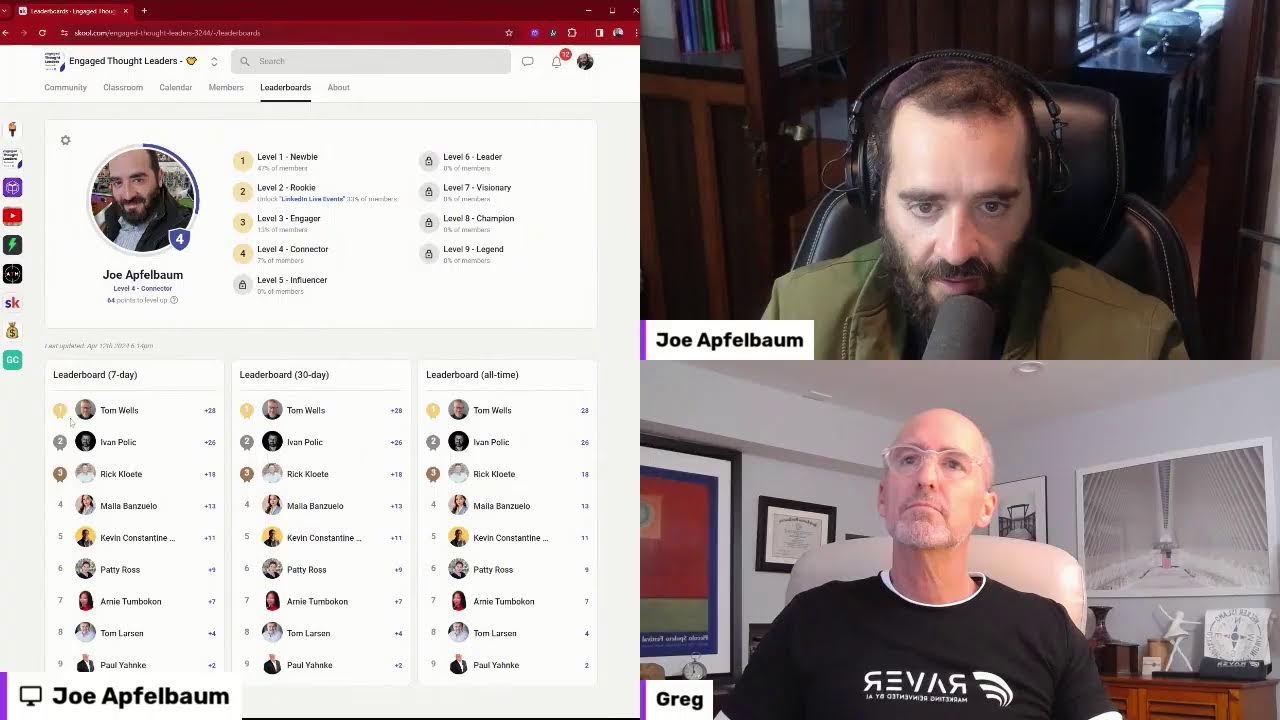
Joe Apfelbaum shows how to run a LinkedIn Live using Restream and Zoom, then demonstrates Evvy AI for auto-generating comments and content. He walks through his paid community Engaged Thought Leaders, which costs $97/month for up to 16 members and includes a social booster, community managers, and tutorials.
Chapters
of LinkedIn Live. This is Joe Apfelbaum with my good friend Greg. And Greg asked me a question. He said, how do we use this amazing tool called LinkedIn Live? And I said, well, the way that you use LinkedIn Live is that you use a tool called Restream. And then he said, well, can you show me? And I said, sure, why don't you hop on to my Zoom and I'll show you. And also what I'm going to do is I'm going to share my screen real quick so I could show him how it looks like when we actually share my screen. So this is me sharing my screen. So I'm showing the people on Zoom what it looks like. This is what it would look like. But on LinkedIn, this is what they would see. If you want to see the 3 of us, you click on this and now you see the 2 of us, one on top of the other, and then the screen on the left. If you want to look at it like this, it'll show the 2 little windows. If you had a bunch of people, you can click on this and it'll show like the presentation in the center with all the people under it. You see that? Um, if you want to show us like this, it'll show us both like that. I'm going to do this one here because I kind of like this because my window's a little small here. So I'm going to keep it like this. And then what I'm going to do is I'm going to start browsing the internet. So I'm going to click on notifications. I'm going to actually go to the actual live. You can see the live is actually loading. Actually going to make it less wide here so it fits into the screen. So people can actually see what I'm looking at. I'm gonna make it less wide, just like, just like that. That makes it perfect. Okay, so now people can see what I see. Make it just a drop wider. There you go. A drop wider and a drop longer too. There you go. That, that makes it nice. Okay. So if you guys are watching this live, let me know that you're watching it live. It looks like we have a few dozen people watching it live right now. Just let me know what city you're dialing in from. Okay, so now I made that like that, and this is how it looks like. Now if I want to be able to see all my— all the people that are commenting, and Greg, you can go ahead and leave a comment if you want, but if I want to see all the people that are commenting, I'm going to go down to where it says Activity. I'm going to click on Show All Posts, and then I can see the comments that are going on here. So I'm going to give it a like. I'm going to give it my own like. I'm just going to write, boom, where are you dialing in from? And I'm going to press post. And now I posted a comment on my own LinkedIn Live. You see that, Greg? Now what I want you to do is I want you to go to the same link and I'll send it to you on WhatsApp so you can do it on your phone or whatever it is. And then what I would love for you to do is drop a comment in there just to kind of see what that looks like. Because if you actually open it up, it's going to start playing and whatever. And also you can't comment on your own LinkedIn Live while you're on LinkedIn Live. Also, when you signed into the LinkedIn Live, you could have also streamed it into your own LinkedIn. That would be what— that was an option that it asked you, hey, do you want to connect your own LinkedIn? You didn't do it, but you could have technically done that. And this way it would have been live on both of our LinkedIns. Okay, so I promised I would teach LinkedIn strategies. This is episode actually 68, not 67. 68. But it does say 67 over here. Let me see if I can edit this in real time. Edit post. I'm going to change this to 68. LinkedIn Live, LinkedIn, I'm going to say LinkedIn Live Strategies. LinkedIn Live Strategies with Greg Boyd. Okay. And Joe Apfelbaum. Best way to use AI with LinkedIn, blah, blah, blah. I'm gonna press save. And now I just kind of change this to number 68. You see that? I change this post to number 68. If I want to go into the actual event, I just click play here. It'll go into the actual event. And now I can all, I should be able to also edit this event by clicking on the dots, edit post, LinkedIn 68. LinkedIn strategies for LinkedIn Live with Greg Boyd and Joe Apfelbaum. Okay, I'm going to press save, and that actually saves this particular post over here. So it kind of saved both of them. Hey Jonathan, good to see you here. He said, good afternoon from Northern Jersey where it's sunny and raining earlier. We're going to pull up Jonathan's profile right over here. Hey, Jonathan. Jonathan is a first-degree connection. He's an analyst in Fort Lee, New Jersey. Welcome. So glad to see you. I'm gonna click on his most recent post. By the way, Jonathan, a quick tip, do not include a link in your post if you want it to rank on, on LinkedIn. I'm gonna press generate using Evvy AI. I think you're a client of Evvy AI, Greg, or you're a user. Um, if you're not, I recommend that you do get Evvy AI because it'll help you comment very quickly. All right, so I just left a comment with my artificial intelligence called Evvy AI. If I want to leave quotes with Evvy AI, I can find somebody's post and I can just change the persona because this is a new feature that we have. I change the persona to quotes and it'll just generate a quote, you see, with Pablo Picasso related to that post. If I want to promote my book or something, I can easily promote my book. I could easily promote my whatever I want to promote. So I'm going to go here. I'm going to go in here and I'm going to change this. I'm going to create a poem. So I created a bunch of custom personas that does all types of things, like creates poems and stuff like that. And you know, for me it's about building relationships. So over here I'm going to promote the webinar, the upcoming Evvy AI webinar that we have coming up with a link to the webinar. And I'm going to press go. And let's see, we're actually hosting a webinar today at 1:00 PM. 1:00 PM passed already. 'Cause when I programmed that persona, I told it that the webinar was gonna be at 1:00 PM. So it thinks it's gonna be at 1:00 PM today. All right, so that's basically what you can do. I mean, there's so much more you can do with artificial intelligence, but using Evvy AI, which is, this is the tool that I'm talking about. This is a really fantastic tool. And we also created something that I sent you, Greg, as well. called a school community. The school community is called Engaged Thought Leaders. And what we do inside here is we have something called a social booster where people post their recent posts over here. And then I click on the post and then I just drop a comment on that post. And I have 3 community managers that are also commenting on those posts. And we also give suggestions on how to improve the post. Hey, by the way, keep in mind when you reshare posts, blah, blah, blah, blah, blah. And then you basically just help the person out and all the community members kind of get involved and support you and so on. So this is, this is really powerful to kind of get involved in the conversation over here. I'm gonna say, boom, well done. And I'll tag him and I'll press comment. So this is a private paid community for up to 16 people that we're putting together. Um, and we run events together and we, um, We interview each other on LinkedIn Live and we support each other's content and whatever. So if this is something you want to join, we do have a spot left. Um, it's $97 a month for this, um, for this program. You see it says $97 a month right over here. And my goal is to put together 16 people, build relationships with each other and so on. And we're almost out of room. We have a classroom that has a bunch of tutorials. We have our Influencer Summit there. With lots of detailed videos on how to leverage LinkedIn recordings and frameworks and notes and so on from all these experts. And we're gonna keep adding more and more information in here to help our members be able to be more successful. We have a leaderboard where the members get ranked based on how well they're doing, uh, and how active they are within the community. Um, so if you guys wanna join this, um, it's just the Engaged LinkedIn Users Community. I'll drop a link to this on LinkedIn right over here. I'll drop it inside the comments of this post. If you're, if you're interested in it, then go ahead and join that. If you want to be part of it, if you don't want to be part of it, totally cool. Just, you know, if you want to be a thought leader, that's probably the place where it will help you be able to be a thought leader and meet and engage and network and build relationships. I'm going to drop a comment right here with a link to this so you guys can check it out. All right, well, Greg said, love it, Joe. I'm gonna reply to him. I'm gonna use Evie AI and I'm gonna have Evie AI promote my book, High Energy Networking, under that post, just like that. So you see it generated it. It'll add an image to High Energy Networking book from Amazon. Cool, right? And I'm gonna press reply and that's that. And that's how we do it. Jonathan said, okay, thanks for the tip. Good afternoon from Northern Jersey. Okay, perfect. Evie AI also helps you respond to messages. So if somebody sends you a message, you know, she's like, oh, have fun, thanks, or anything else, I can actually have my assistant reply to anybody's message with just a click of a button. So for example, this guy over here sent me this whole thing. Oh, your ideal collaboration, blah, blah, blah. I'm gonna reply right here. Um, I'm gonna say not interested. I'm gonna go to Joe Apfelbaum. I'm gonna say not interested. However, check out Evie AI. Generate. And it's gonna actually write an entire reply to him telling him, hey, I'm not interested in your stuff, but check out Evie AI. You see? Um, I'm gonna press send and I just promoted my business to him and, and declined his promotion for whatever he wants to sell, which is really awesome. And I didn't have to write that whole thing. I just use a template and just submitted it. It'll generate, it generates it custom, but I didn't even have to write the command to create the template, which is, I love that very much. All right, I'm gonna stop sharing my screen. If you guys have any questions or need support, or if you wanna join a free community, we have a free community as well. But the free community is not as aggressive as the paid one. Anyway, thank you very much for joining everyone. Thank you, Greg, for joining me today. Super cool.
More from Joe




How to Beat the Algorithm: Remove Hidden Watermarks & Scale Content with evyAI






