LinkedIn Training with Joe Apfelbaum 2025
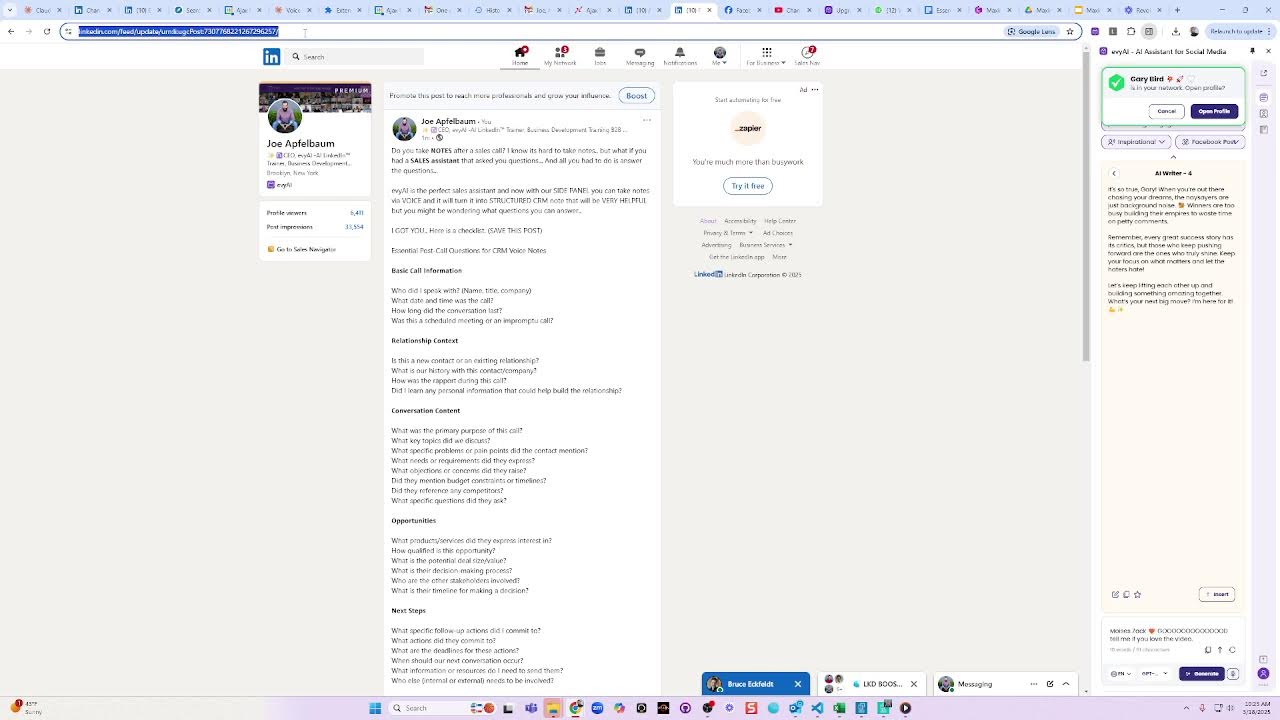
In this instructional and promotional video, Joe Apfelbaum, CEO of Evvii/Evi AI, demonstrates how to create a sales‑focused presentation, record a Loom video, and publish it on LinkedIn using the Evvii side‑panel AI assistant. He walks through the end‑to‑end workflow: capturing unstructured voice notes after a sales call, prompting the side‑panel to transform them into a structured “CRM gold” entry, editing the generated slide deck with Gamma, exporting to Google Slides and PDF, and turning the deck into a Loom video. The demo showcases the AI’s ability to ask standardized CRM questions, generate consistent notes, and enrich them with relationship intelligence, templates, and social‑research personas. He also highlights the broader benefits—time savings, higher data quality, better forecasting, knowledge protection, and stronger client relationships—while offering a bundle deal, a demo link, and a community of 1,000+ sales professionals. The video includes live editing of the transcript, adding overlays, and real‑time interaction with LinkedIn contacts, illustrating how the side‑panel integrates across platforms (Facebook, Instagram, Twitter, LinkedIn, YouTube).
Chapters
I'm preparing a presentation about maximizing sales intelligence and transferring call notes into CRM Gold, because a lot of the times you lose your information with unstructured notes and you're just not sure what happened on the call. So I realized that with our side panel, you can actually talk to it and it'll just type everything up really quickly.
So I'm creating Um, I'm creating technology.
I'm creating a presentation to kind of educate my clients on how this is done. And I'm using artificial intelligence to kind of write it all out for me. So I, in, in the Evvii color, so I don't have to actually design it myself. So you have the conversation questions.
Here's the opportunity to document. Here's the next actions. Here's the strategic insight questions. The voice note problem, formatting consistency, the Evie AI solution. I'm going to AI transformation.
See the way it says AI transformation here?
I'm just gonna, I'm just gonna make it a little bit improve writing, make shorter, simplify language. Let's just see what happens. There you go. AI processing. That's better. I kind of like this slide a lot, so I didn't want to change it.
The CRM persona example, Evie AI prompt.
Where's the prompt? I don't know where the prompt is. The prompt should be right here. Let me get the prompt. The prompt should be right here. Copy. I'm gonna delete all this here. Delete. The ABI prompt. Let's just see. Let me delete this. Delete this. Delete this. Delete this. Delete. How do I delete this? And then let's see, I'm gonna paste this in here. Okay, that's good. And I'm gonna turn it into gold. I'm gonna make the prompt gold. There you go. Okay, and this also gold. All right, perfect. I wonder if I can take this and change the background of this. Let's see. System colors. Is there like a background color here? Okay. I don't see a background color for this or the ability to add a box here. Card color. I wonder if I can— ooh, interesting. Ooh, I kind of like that.
How Evvii works.
Speak transform sample. I talked implementation benefits beyond CRM notes. Request a demo. Perfect. Okay.
So let me do this.
I'm going to turn this into a Loom video that I could use on LinkedIn. Right now. So watch this. I'm going to do present.
Ooh, actually, you know what?
Let me, let me get out of this. Let me hit exit present mode and let me do share as a, um, let me export this to Google Slides. And then once it turns it into Google Slides, Then I'll be able to like properly present because the way it presents here, I just don't love it. I'm also going to save it as a PDF because it's a good PDF. But I'm going to click here and see what happens. Okay, so we got the Google Slides, we got the PDF. I can share it with anybody that has a link. That's good. Done. And now I'm going to go to View in Google Slides. Perfect. Now I'm going to do a slideshow. Ooh, I like it.
Ooh, and the side panels here on the side, which I love.
I love, love, love. I'm going to hit reset. Ooh, this is good. But I don't want these notes to be here. So, uh, because I don't want anyone to read those notes. So I'm going to give an example here.
Just talked to John Smith at Acme Corp about their enterprise needs. He's the VP of Operations. Call lasted about 30 minutes. They're facing challenges with their current workflow automation. Lots of manual steps causing delays. John mentioned the budget concerns. He needs a solution by Q3. And of course, the XYZ competitor is also in talks with them. Need to send case studies and set up technical demo for next week. John mentioned he's on a golf— he's a golf enthusiast. And potential to connect on that. I think he's a qualified opportunity, roughly a $50,000 deal.
I'm gonna hit generate. Let's just see if that works.
Ooh.
Okay. That worked. Okay.
So now I can do the presentation.
I can do the Loom video and then present it. Here we go.
So now let me pull up Loom.
I find Loom right here.
Actually, I turn my camera on for this.
Let's see. I got my camera here. Let's see if it works.
I'm gonna make this into a LinkedIn post after.
Here we go.
I got my camera on.
Hello, everybody. So excited to see you here. Okay. So we're gonna do it like this. Here we go. In three, two, one.
Today, I want to talk about maximizing your. Let me hit restart here. Maximizing sales intelligence, turning— maximizing sales intelligence, transferring call notes into CRM gold. Transform your sales conversations into valuable CRM data with intelligent documentation strategies that capture critical insights and strengthen client relationships. I don't like the way that started at all.
Let's just hit redo recording.
Have you ever wanted your sales reps to turn your post-call conversations into something that's actually intelligent documentation? Well, I have a solution for you. My name is Joe Apfelbaum. I'm the CEO of Evvy AI, and we have a side panel extension that's essentially a sales assistant that will help you Be able to take notes. So what's the, the post-call challenges that most of the time a sales rep has a call and all the information is lost, and within 24 hours everybody forgets everything and nothing happened, or there's unstructured notes that they put into the CRM that's disorganized, and it also creates follow-up confusion and inconsistency within your team. So could you imagine if your team had a solution that would take away the time drain that takes into formatting notes and you had an AI that You can talk to, answer a few questions, and boom, it creates an incredible summary that you could put into your CRM. But why does it matter? Well, first of all, it creates clear responsibility for both parties to ensure the follow-through on commitments. It gives you data-driven decisions to provide critical information for accurate sales forecasting, and it also provides knowledge protection against turnover risks. And of course, it strengthens client relationships through consistent personalized follow-up. So what information do you need to collect? Who did you speak with? What date and what time was the call? How long did it last? And what type of meeting was it scheduled or impromptu? Did you like cold call them or was it a scheduled meeting? And then you want to ask relationship questions like the contact history. Is this a new contact? Is it existing? What type of rapport did you have during the call? What did you learn? Did you learn any personal information about the person? And what was the content of the conversation? What was the purpose of the call? Did they mention any competition? What were their objections? What are the key topics you discussed? What were their pain points? What needs or requirements did they express? And then of course, opportunity documentation questions. When will they decide?
Who else is involved?
How will they make decisions? What is the potential size? How qualified is this opportunity? And what you need is your next steps. Like what next steps? What are the follow-ups? What actions did they commit to? What are the deadlines for these actions? When should the next follow-up occur? And then what information or resources do you need from them? Now, if you're going to create an email, create an email off this note, right? You want to have that note ready. So, your strategic insights question is like, okay, so what could have gone better? What surprises do you have during the conversations? What are your internal resources that you need to move forward? What are the risks or red flags or issues that you should note? And what was your gut feeling about the opportunity? It's good to know. The problem is when, even when somebody has a voice note and they put this blob in, during the conversation, it doesn't work and the format doesn't work. And the amount of time that it takes to do these either manually or have a random voice note is not going to help. So the traditional note-taking is time-consuming, inefficient, and it pulls sales professionals away from high-value activities. So instead, you can use Evi AI voice-to-text. You just push this little button here on the side, you speak into the side panel, And then you push a button and you process the CRM note. And the format is the same every time. You got your client details, your interaction summary, your key details, your next actions, your opportunities. And as long as you answer the questions, then boom, you have it done. So every CRM needs this type of situation and you don't have one. And Evvii integrates literally with every single tool because it's a side panel that sits on the side as your sales assistant. So the Evie AI CRM persona has specialized AI, format transformation, detailed extraction, and relationship intelligence. Let me show you what it looks like. It says like this, please transform my unstructured voice note into a personally formatted CRM entry with the following details. And you build this right into Evie AI, so you don't have to click any buttons or go anywhere. You don't have to like go into ChatGPT or go into Grok or whatever. You just have it right on your side panel. You talk to it, you push a button, it creates it, and it's perfect every single time. So you just go to app.eveai.com, you click on personas, you add this as a persona, you call it CRM voice note, and now you have your voice note. So how does it work? Number one is you complete your call, you open up the Eve AI side panel, which hopefully you have it open because you're gonna wanna have all your contacts in here where you can do deep AI research on each person and look them up on every social platform and all this stuff anyway. And you're gonna wanna have your templates that are ready to go for everything that you're doing.
You have tons of templates that you can use.
But besides that, you finish your call and then you open up the microphone here on the bottom. You click on it and you start talking. And when you talk into it, it'll type everything you say. It'll be a big blob of content. And then you press generate and it'll generate this beautiful notes where you can press copy or insert it into your CRM just like that. So here's an example voice note, which I'll, I'll do right here for you as an example. Just talked to John Smith at Acme Corp about their enterprise needs. He's the VP of operations. Call lasted 30 minutes. They're facing challenges with the current workflow automation. Lots of manual steps causing delays. John mentioned the budget concerns. It needs a solution by Q3. XYZ competitor is also talking to them. Need to send case studies and set up a technical demo for next week. John mentioned he's a golf enthusiast. He has a potential to connect on that. So I think he's qualified opportunity, roughly $50K deal. What I think went well was that he picked up my call and I really like when prospects pick up my call and he was really nice and he knew who I was because I was posting, engaging, and messaging on LinkedIn using a system that I got from this guy named Joe, which is, by the way, an awesome guy and every sales rep needs a sales assistant. So I think the rest of our sales reps also should get a sales assistant because this really helped me on this call to be able to be known by the person even before I got on the call. I also had a bunch of templates ready to go, and I also had tons of AI research that I was able to do. So that was really helpful to have this side panel as an assistant for everything that I'm doing. So by the way, thanks to the sales manager that got this for the entire sales team. I really appreciate it. And if you're reading my notes after for accountability, I just want to say thank you for giving me the resources that I need to be able to do my job well as a salesperson. Anyway, hope you read this.
Boom.
I just hit generate. It takes that entire blob of text, which if I put that into a CRM, it wouldn't make any sense. And look what it tells me. It has client contact details. It has interaction summary. It has key details, next actions, relationship notes, and internal notes with everything that was said here. So if you implement this, you'll have time savings, data quality, higher close rates, collaboration, relationships, and you'll save 15 minutes per call with consistent documentation. So you don't have to sit there and You don't have to create a document, but you could just talk to a side panel, answer a few questions, and there you go. And beyond the CRM notes, there's so much that you could be doing. You could be doing sales forecasting, knowledge sharing, and performance coaching. You already have the recording of the call, so technically you could throw the recording in as well, but you don't have to do that.
You—
the recording will have a lot of fluff. You want the sales rep to spend 30 seconds like I did talking about what just happened, and then boom, you have your notes organized. So if you need a demo of Evy AI, You can get your demo. If you want the bundle, we have a special deal going on. You can send the word bundle to 973-841-8868 and I'll send you details or go to evviai.com/bundle. We have a community of over 1,000 sales professionals that are currently using this and loving this solution. So if you want to learn how to give your sales reps the ability to post, engage, and message in seconds, the ability to save profiles to lists, the ability to do deep research on each contact and be able to find them on all the social profiles, including all their contact information, to be able to use templates to make things go 1,000 times faster, and to be able to use this voice note technology that's built right into the side panel and works on every platform— Facebook, Instagram, Twitter, LinkedIn, YouTube— it'll summarize videos, it'll do anything you need it to do in seconds, well, then request a demo or get the bundle right now. It's on sale.
All right.
Anyway, thank you for watching.
Appreciate you very much. And I'll see you on the next video.
Boom.
Okay.
Now I gotta cut off the beginning of this.
And you see the way it's turning this into a whole thing with, with Heavy AI. Okay.
So I just made this cute presentation.
As you can see, didn't take me that long to do.
I'm gonna click on edit.
And I'm gonna remove—
I can remove— I can edit and remove silences.
Let's see how I can edit this video.
So I want to edit and enhance video. I want to trim it. So I clicked on edit and enhance video, and I'm going to cut out the beginning part where I kind of stumbled just a little bit.
I'm going to go here. I'm going to hit play. Can I hit play here? I can't even hit— oh, got it. Overlays. Perfect. So I'm going to Go here and pull this in just like this. Let me hit play.
The intelligent documentation. Well, I have a solution for you. My name is Joe Applebaum. I'm the CEO of Evie AI, and we have a side panel extension that's essentially—
Okay, let me pull this just a little bit here. Pull this back to the beginning.
Conversations into something that's actually intelligent documentation.
Okay, let me pull it just a little more.
Post-call conversations into something that's actually intelligent documentation.
Pull it just a little bit more.
To turn your post-call conversations into something that's actually intelligent.
Just a drop more.
Did your sales reps to turn your post-call conversations into something that's actually intelligent document?
Right, just a drop more there.
You ever wanted your sales reps to turn your post-call conversations into something that's actually intelligent documentation? Well, I have a solution for you. My name is Joe Applebaum. I'm the CEO of Evai, and we have a side panel extension that's essentially a sales assistant that will help you. Be able to take notes. So what's the post-call challenge?
Okay, that's good. What else can you add?
Overlays?
Add text and arrows?
Ooh, I didn't know you can do that.
Okay, we're not gonna do that right now, but this is, this is amazing. I'm gonna press finish. So I just edited this video. Now I'm gonna click the 3 dots over here.
Oh, it says preparing download.
Okay, 0% because I edited it, so it's kind of like organizing it. So I'm gonna refresh again. I'm going to click on the 3 dots.
Preparing download again. Oh well. That's what happens when you.
That's what happens when you. Let me fix this over here.
Let me tighten this up. Heavy AI. Okay, that's good. Over here, introduction to Heavy AI and introduction to Heavy AI. Okay, there we go. And then I got the transcript here, which I love.
I love this transcript.
I'm going to hit correct the transcript. And I'm going to say Evi, change it to Evi AI. Correct all. Done. Okay.
Now I have the entire transcript.
I'm going to refresh the video, see if I can download it now, see if it's ready. Download video.
Okay, now that I'm downloading the video, I'm going to go to LinkedIn. You ever wanted your sales rep—
okay, now I'm going to go to LinkedIn and I'm going to upload the video to LinkedIn. So where is the video? Where's my post? I have a post ready to go.
Okay, okay, I'm going to press go here.
All right, Nicole, not even important to you. Okay, perfect.
So now I have the video here and I'm going to publish the video. So you saw the way I created a Loom video. I created a presentation with Gamma, which is this presentation here, saved it as a PDF. Then I turned it into a Loom video.
And then I published that Loom video on LinkedIn with a, with a new product, with a new feature of Evie AI that I think could be really helpful.
Yeah, that's what I got going on. Very excited about this. All right, it says upload complete, we'll notify you when the post is ready. Okay, well, let's go to my recent posts and activity over here just to kind of see what's cooking here. Oh, it looks like I'm live here and people are watching me. Who are these people watching?
Let's check them out. Ooh, we got Gary Bird in the house. Gary Bird in the house. Let's send him a message.
Let's see what he's up to. Hi Gary, I saw your article and I thought it'd be helpful.
Congrats on the Inc. 500. Um, I'm going to go here. I'm going to save him.
I'm going to reset this and I'm going to say, wow, my man, I love that you're looking at my LinkedIn Live today. Did you actually watch the presentation that I did?
Okay. I'm going to press up. I'm going to press send.
Do you see the way I easily was able to Just write it with the side panel and shove it right in here.
Oh my God, that makes my life so much easier.
Let's look him up on Facebook.
So how are we gonna do that?
We're gonna click on Gary. We're gonna click on Facebook.
And now, man, I love this. I love looking him up on Facebook.
All right, well, last time he posted was last year. Oh, he pinned it.
Okay, let's see when he posted.
Ooh, 4 hours ago.
All right, let's go ahead and comment on his Facebook. And we're gonna do this with our Facebook persona. Where is the Facebook persona?
We're gonna send it to the side panel and we're gonna hit generate.
I just right-click on the text and boom, there you go. Then I'm gonna click on comment here and I'm like, oh, okay, it's so true, Gary. Oh, I like that.
And I'm gonna tag him here so that he notices me.
And I'm gonna delete the extra word Gary from here.
When you come out chasing dreams, remember to let's keep shining each other. What's your next big move?
I'm here for it. Okay. Now he didn't. He didn't even reply to the people that are there, but let's just let's just say this is epic, epic, epic, epic.
All right, let's see what's cooking here.
Oh no, I'm excited to learn about from you, Joe.
That's good.
I'm excited to learn too.
I use ChatGPT Plus, but I got Artsy.
All right, that's cool.
All right, so that's what we got going on here today. I hope you guys got value out of this. Thank you for watching, and I'm looking forward to helping you guys take your life and your business to a whole new level. You know, LinkedIn has really, has really changed the game for me.
Look at this, the video is successful already. Wow, these are really good stuff. If you love the video, here are a list of questions. I'm gonna post it on WhatsApp.
More from Joe




How to Beat the Algorithm: Remove Hidden Watermarks & Scale Content with evyAI






