LinkedIn Training with Joe Apfelbaum 2025
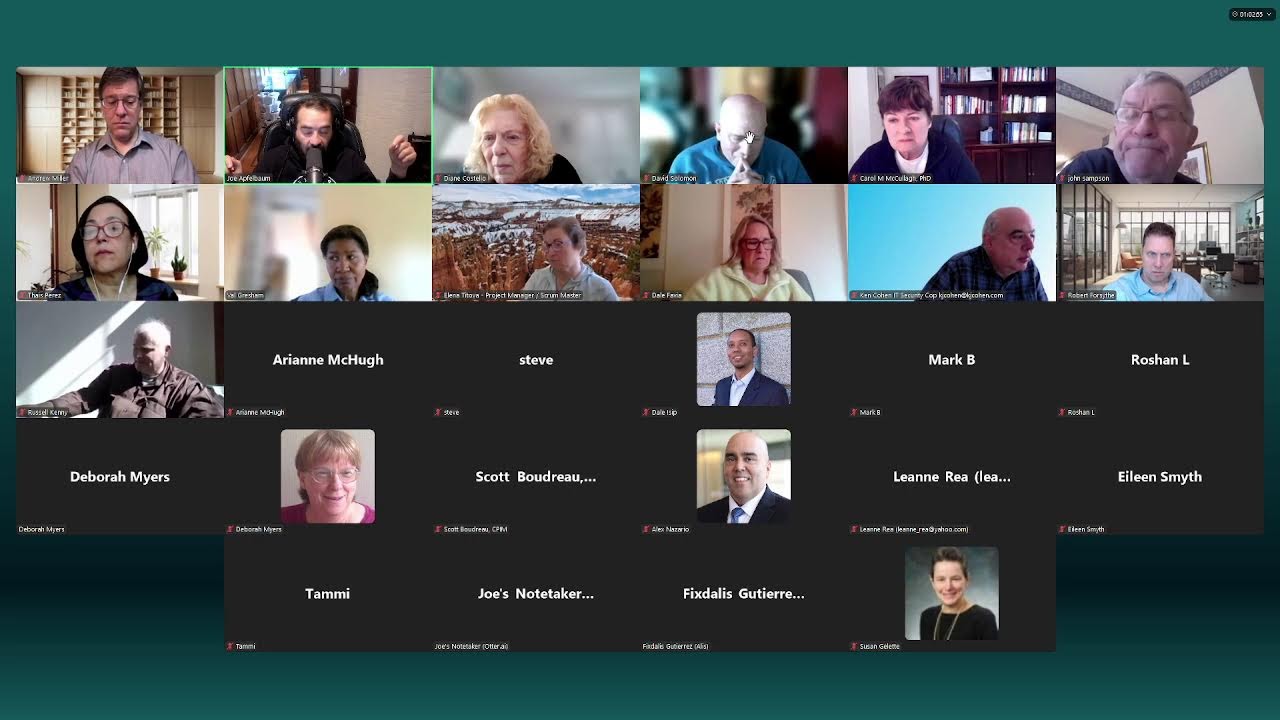
In this live LinkedIn/AI workshop, Joe Apfelbaum (CEO of Evvy AI) demonstrates a suite of AI‑powered tools and workflows to streamline LinkedIn activity for job seekers and professionals. The session begins with a walkthrough of the PostWriter web app, showing how voice input, persona selection, and AI generation produce ready‑to‑post LinkedIn content with hooks, main points, calls to action, and hashtags. Participants then see how to copy, edit, and upload media, promote posts, and share links via messaging. The demo moves to building a shared networking spreadsheet: using a screenshot of Zoom participants, Claude, and the Evvy AI Chrome extension to extract names, URLs, emails, and phone numbers into a Google Sheet, then populating fields like job type, salary expectations, and consulting openness. Throughout, Joe emphasizes the importance of a structured networking one‑sheet, regular data entry, and public accountability. He showcases Otter.ai for meeting transcription, discusses LinkedIn Premium vs. Sales Navigator, and illustrates how AI can draft personalized connection requests, follow‑up messages, and call scripts, pulling data from tools like Apollo.io. The conversation includes Q&A on handling birthday messages, using templates, and scaling outreach (e.g., 5 conversations per day, 1,000 new connections per year). Joe also stresses investing in a modest technology budget (LinkedIn Premium, AI assistants, Canva, coaching) and joining high‑value networks like Vistage. Participants interact, ask about tool specifics, and share personal networking challenges, while Joe provides live examples, templates, and motivational commentary about delegation, creativity, and the mindset of paying attention to AI tools. The later portion of the session focuses on the "bundle" offering: a $10,000‑value training package bundled with the Evvy AI Pro software ($984/year) and access to AI Circle monthly classes, replay archives, and a CRM (UnlimitedDigitalMarketing.com) for $249/month. Joe outlines pricing, affiliate opportunities (20% commission), and encourages participants to save the chat, use the provided spreadsheet, and consider tax‑deductible spending on job‑search tools. The overall narrative blends practical tool demos, business model discussion, and personal philosophy about helping others while accepting that not everyone will like him.
Chapters
I have a meeting coming up and I don't really have the time to post on LinkedIn. So I'm going to pull up my PostWriter. I'm going to click on login to web app right over here. And on the left side, I'm going to click on PostWriter. You see there's a PostWriter here. Now this PostWriter allows me to be able to quickly just talk. So I can click this little microphone here on the right and just talk. Like I just said all this. What if you had the perfect assistant, blah, blah, blah, blah, blah.
So this is going to be more of an educational post.
You see, I can choose educational or provide value posts or thought leadership. And then my tone could be inspirational because this is an inspirational tone. And you just literally regurgitate whatever you want to regurgitate here. And then you hit generate.
And what this will do is, is this will take all this information you have here and turn it into a post that has a hook.
That has main points, that has a call to action, and that has hashtags.
And if you don't like this post over here, what you can do is you can change the persona.
For example, using this posting template, I'm going to hit regenerate, and now the persona will be a little bit different and the post will come out a little bit different. And this particular persona, what it does is it gives a very specific type of persona. Do you see the way it has arrows and and it has lines like that, and it even has bold text. That's called Unicode. And so you can build that persona right into your technology and it'll allow you to do this. And now let's say I like this better.
I'm going to press copy.
And then what I'm going to do is I'm going to go into LinkedIn and then I'm going to just paste this right here, just like that. You see that I pasted it. What if I told you that the secret to soaring in your career Might be found with a little help from your friends, or in this case, your assistant. You see what I'm doing? In a world where we're all trying to juggle a million tasks, it's easy to feel like we're drowning.
But what if you could lighten that load?
Recently, I had a chat with a Rabbi— I'm going to put a capital R here— who felt swamped by the demands of business development and fundraising. I suggested he consider hiring an assistant, maybe an AI tool that could streamline his efforts. Imagine having a trusty sidekick who organizes your thoughts, manages your lists, and preps you for crucial conversations. Here's what I learned. Okay, and then what if the conversational wisdom falls flat? Here's what I found. Delegation, creativity, AI can be your best friend. Delegation's not a weakness, it's a superpower. Creativity thrives on structure. AI can be your best friend, but here's what most people get wrong.
They think they need to do it all.
Trying to manage the details can stifle your creativity. They lose control. They wait for the perfect moment. So I encourage you to lean on the tree of support. Are you ready to embrace assistance? Let's inspire each other.
So now what I'm going to do is I'm going to find a photo of myself leaning on a tree.
Why?
Because I want people—
like, for example, this is the photo. I'm going to download this photo right here. I just took it at 9:38, just a few minutes ago. I'm going to press download.
And now that I downloaded the photo, I can upload this photo right here.
I'm going to hit add media. And there you go. I just uploaded this photo and then I press next.
And you can see I'm still wearing the sweatshirt.
You see that? Now, if I had to sit down and write this post by scratch, it would take me a long time. But as you could see, we're just chilling like villains here for just a few minutes and boom, I finished my run.
I'm ready to go.
And now I could post on LinkedIn just like this. And I'm going to press post. You see? And I just posted this post on LinkedIn in my voice beautifully, just like that.
Now what I can do is I can promote this post.
I can click on these 3 dots. I can click on copy link to post, and then I can go either into WhatsApp or I can go into my LinkedIn messaging system and I can send it to people right over here. You see this? I'm going to go in here and I'm going to send it to people just like that. You see? Sure. Although I think you're trolling at this point. I'm gonna go here, I'm gonna go here, and I'm gonna say, you are the one trolling me. I didn't hit you up. Don't turn the tables. You hit me up.
Remember that you—
I did not. You are the one spamming me. Okay, so he said I'm trolling. However, I sent him a link and I said, you're trolling me. Be respectful.
Okay.
Now I'm going to go here and I'm going to send my message here. I'm going to delete all these UTM tags. You see that? I'm going to hit send and you see the way I sent this message to several people, just like that. And now I could find other groups. So for example, over here, the CEO group. I'm going to paste it in here, hit send. I'm going to click on high-speed networking here, hit send.
Okay.
Now I just thought of an idea.
What if I took a few people, like I go to Tal Navarro and I see that me and her have 343 people in common. What if I took a few of these people that we both have in common and added them to a group? Based on some factor, whatever the factor is. Maybe it's location. Maybe we're both based in the United States. So let's just see how many people we have. 261. Maybe we're both in a particular industry, say, say advertising services. I'm going to show results, and now it's down to 48 people. So what if there are 48 people That both me and her are in it together. And I created a group with those 48 people. So for example, I'm going to control-click on messaging, open up a new message. I'm going to message this guy Michael like this, copy. And then I'm going to click on new message and I'm going to put in Michael's name here. And then what I'm going to do is I'm going to put in a few other people there. Right there, just like that. And then I'm gonna put in Tommy. I don't know why— let's see, status is reachable. Tommy. Let's see who else. What I want to do is I want to find an app that will automatically copy all these names into here. Ooh, that's a good idea, so that I can create groups really quickly. That would be a really good idea. Uh, if I can create an extension that grabs all the names of all the people here, that would be epic. Should we do that now? Should we go ahead and create— I have a call in 9 minutes. I'm not gonna be able to properly create something unless I could. Let's just see. Let's just see. You know, the truth is if I did this in Sales Navigator, I'd be able to get 25 people at once. Oh my God, maybe that's what we should do. I'd be able to get 25 people at once, and then I can create a group with 25 people at one time by just pasting in 25 names, right? Oh, because look at— look how long this is taking here. Tom Mirabella. I'm not going to put David in there. David, no, I know him and I just don't want to add him. So, we're just going to add a few more people. James Heller.
Okay.
Justin Croakston.
Dune McLeavy.
Evan Horowitz. He's spreading joy. Brent Ferguson, Christian Bonier. All right, let's see who else we have. Stacy Jones.
Okay.
Josh Tapp, and then we got Diester Hishasho and Melinda Woodstock. Status is reachable. All right, let's keep going. We're going to do one more page. We'll get Megan Herbert. Let's just see what happens. Megan Herbert. We're gonna try this with Sales Navigator too. Jessica Castro. And what I should really do is I should find all the people with gold icons. Executive Recruiter Aaron Posner. Todd Geller. Todd Geller. Let's say status is reachable. Oh, Todd Geller can't be added? Yeah, he could. I don't know why it didn't let me put the R. Maybe it's a different R. Wendy Stevens.Lung. Dot Long. Wendy, Steve. Let's see who else we have here. Daniel Rezumov. And then Katie Jurick. Katie, and then Darren, Mara, Meg. There we go. All right, and then Tal, of course. I looked at the mutual connections that me and Tal have. All right, let's, uh, support group. All right, let's just see what happens. Okay, so about 30 people are in this group over here, and this guy already saw it. Who's this guy? Joshua Kreitzer. Let's just go through the list of people that are in this group here. I'm going to go here and click on Add/Remove People. Go to Joshua Kreitzer. He's right here, Channel Bakers. I'm gonna message him directly now. He has 13,000 followers. Let's see if I've messaged him recently. I'm gonna click on message. Happy birthday to you. I've sent him many messages and he's never responded to me yet. Let me know if you think that was a terrible idea. All right, let's see what he responds, because he already saw it. So let me click on messaging. Oh, and let's see who else saw it. This guy named Adam Posner. Let's see, Posner. I think I messaged Adam Posner in the past. Here he is.
Hey, Joe.
Was that a terrible idea? Let's see what happens. All right. All right, let's just see what happens here. So this is me live. Let's see if anybody— oh, a couple people liked it. Let me know if you guys are watching me live. Actually, I don't know if anybody's actually watching me live or if this even works. Let's look at Rick's profile real quick. Of course, we got to give Rick some love. Look to see if he has any posts for me to comment on. It looks like he posted an hour ago. He still hasn't received any comments. So I'm going to go ahead and leave him a comment using our side panel extension. I'm going to make sure I have all the right filters on, offer support. We're going to leave him a friendly comment. I'm gonna go in here, I'm gonna click on comment, I'm gonna hit generate, it's gonna generate a friendly comment. I'm gonna press insert. I love the analogy, finding the perfect executive talent is like hunting a four-leaf clover. I'm gonna press send, and I just sent him a message. Oh, you Mass, let's see. I'm sorry, you're referring to— Oh, the Mass group, I'll check it out later. Okay, we are ready for you in the PSG group. The hell's a PSG group? Good morning. Can you link me? Having trouble with the link. Okay, Elena Tititova. Let me see if I could find that link. Looking for the link. What is the meeting?
Let's see.
All right, let's get in the group, baby. Password is success. Uh, the password's not working. Oh, capital S. Let's try that. All right, here we go.
Elevator pitch.
So the password is Success with a capital S. Okay.
Okay.
Hi, Joe. Oh my God. Thank you for having me here.
So excited to be here.
Let me turn my camera on.
We are very excited, um, to have you. Um, thank you to, um, Elena. For making the connection to Joe. Please, anybody, if you hear a speaker anywhere that you think would provide value to this group, please let us know. And, you know, John Sampson will reach out to them and see if they're available to come talk to us on Wednesday morning. Because remember, this meeting is not, you know, what I want to hear. This meeting is what do you need to hear to advance your job search and just to have tools in general so that when you do land, you're up to date on the latest technology. So thank you to Elena for making the arrangements, John and Joe for coming to us. We had a really diverse group, Joe. We are coming to you from 6 states. 6 states.
Wow.
And about every industry and type of position imaginable. So, we are very excited to hear how to find a job using AI and LinkedIn. Thank you, thank you. And the floor is yours.
Wow, I'm so excited that I'm here. Congratulations, Dale, for that beautiful introduction.
My name is Joe Apfelbaum.
I'm the CEO of Evvy AI. We're an AI assistant specifically for LinkedIn, helping people be able to get assistance on LinkedIn. One of the most important things that you need to do is if you want a job is to have a great network, right? Don't your best jobs come from your network, from your relationships? I know every job I ever got and every client I ever got that was worthwhile came from a relationship. And LinkedIn is the world's largest professional social network where you build relationships. And every employer that wants to employ you is first going to check to see if what? If you're on LinkedIn, but first, if you're on Google. So In the chat, go ahead and put your LinkedIn URL in the chat so we can all help each other by connecting with each other. That would be step number one is expand your network because your network is your net worth. So I'd love to see everybody's comments in the chat and I'd, I'd love to see, um, your LinkedIn URL. So your LinkedIn URL usually starts with an HTTPS with a colon slash slash, then it has linkedin.com/ /in/ whatever your username is for LinkedIn. So I highly recommend that you guys go ahead and put that in. Um, go ahead and put that in. I'm, and I'm watching as people are putting their, their LinkedIn URLs in the chat, and I'm actually loving it very much because what I'm noticing is that not everybody has it ready. Not everybody has their LinkedIn URL ready. Some people are maybe fishing for their LinkedIn URL right now. And I'm going to show you how to prepare a template that will allow you not to have to fish for things. Because if you had templates ready with your resume, templates ready with your LinkedIn URL, with your contact information. So when somebody says, hey, I'd love to connect you with somebody, you already have it ready. For example, if you want a job, you might want to create something called a business networking one-sheet. Do you know what a business networking one-sheet is? If you're networking for any position, whether it's a consulting position, whether it's a full-time or a part-time, you gotta inform your network as to what you're looking for with all your contact information, not just a resume, but a one-sheet that describes who you are, what you can do, how to introduce you, right? With a blurb, you need to have that introduction template ready. And so most of us don't have these templates ready. And so I want all you guys to have all this ready and ready to go. And we do have 29 people on this call right now, yet only let's say 10 people share their LinkedIn URLs in the chat. And the reason I want all of you to share it is because I want everyone to be able to connect with each other. Now, some of you might be driving. If you're driving, or maybe you're in the shower, don't worry about it. But if you're available to get your LinkedIn URL, I'm going to teach you where to find your LinkedIn URL now. To enable you to be able to get where you need to go. So I'm going to pull up my own profile on LinkedIn and just kind of walk you through it. And then I'm going to show you how to use artificial intelligence to find the job. Okay. And by the way, tell me in the chat where you're based out of, where you're located, so that I know where in the world you're located. I'd love to see where in the world you're located. Go ahead and put that in the chat. And here's another thing I tell people. Is if you want a job, don't be afraid to share your email and your cell phone number with people. You know why? Because in a world of artificial intelligence and social media, people are often hiding behind their LinkedIn profile. And there's no way for me to contact them if I want to, if I don't have a LinkedIn Premium. So don't be afraid of sharing your cell phone number and email address because If someone, if you're afraid someone's gonna spam you, trust me, they already have your information to spam you. But you gotta make it easy for the non-spammers to be able to reach you and connect with you and build a relationship with you. You guys get what I'm saying? You gotta make it really, really easy. So I'll show you, I have 50,000 followers. I'm gonna share my screen right now so you guys can see my screen and let me know if you can see it. Give me just a thumbs up if you can see my screen now. Hopefully you can see my screen. Right here. Excellent. Okay, so check this out. The first thing I like to do is whenever I'm in a meeting is I like to go to, say, Otter and send Otter into that meeting. Did you guys know that you can do that?
You can send Otter into a meeting. Most people don't realize that you can actually send Otter into a meeting to be able to dictate the meeting and to be able to have a record of That meeting. So if you don't know, if you don't do that on a regular basis, I do recommend sending Otter to follow you around in a meeting.
And that's artificial intelligence that helps you be able to record what's going on in the meeting so that you can send follow-up notes. Because a lot of people, they go to meetings and they don't, they don't follow up from the meeting. And the, they say the fortune is in the follow-up, not showing up and throwing out, but actually showing up and following up.
So let me just open up Otter and just teach you how to do that. So that you guys know.
Do you see on the right side here, it says paste meeting URL and record. So now it's going to send Otter into this meeting and hopefully it'll start recording the meeting once Otter arrives. Okay. And we'll know when Otter arrives.
Excuse me, Joe?
Yes.
There was a request. Could you increase the size of your screen view? People are having a hard time seeing what's on your screen.
Oh, you're having a hard time seeing my— oh, so you want me to zoom in?
We see it. Just increase the size of it.
Okay, you want me to zoom in so you can see my LinkedIn better?
Okay, so let me do that.
And also, Joe, you're okay to do it. I'll approve.
Recording in progress.
People are not allowed to use Otter or record in this meeting, so do not try to do it in this meeting going forward, everyone.
Okay, okay, excellent.
But I want, I want you guys to like know that if you're like in an interview, you can ask permission. Or if you're meeting with someone, a networking meeting, you can say, hey, do you mind if I send my Otter in so that I can have notes for later? And often they'll be like, oh sure, send your assistant in. 'Cause Otter literally is just an assistant. Do you see the way that it's just typing up everything that I say here? So, and if you guys want a copy of this, I can click on share here on top. I can change the restrict mode to anyone with a link, and I can send you a copy of this in the chat just like this.
Oh, cool.
And now you guys have a copy of this Otter. Do you see the way I did that? And this way you can then take the notes of this meeting and then record the notes of the meeting. So check this out. I have, uh, I'm gonna go in here and I'm gonna go here.
Okay.
So do you guys, I'm just curious to know if you look at my gold icon, do you guys see that I'm paying for LinkedIn? Do you guys see that with a gold icon? They say that people that pay, pay attention. I do not see that. I don't know where, where you see that. Oh, Russell, do you see where I'm moving my mouse right under my banner on the top right corner? Yeah, exactly. That gold IN means that my profile is gold. It's premium. Yeah, it's premium. So I'm paying for LinkedIn. When people see that you're paying for LinkedIn, when people see that you're paying for LinkedIn, they, um, they value you more. That's number one. They value you more because they see you're taking it seriously, but also you can actually see who viewed your profile. So if I see that a recruiter viewed my profile as a job seeker, or a social media manager and I want a job with this guy, I'm going to reach out to him and say, hey, thanks for taking a look at my profile, or I'm going to connect with him. Do you guys get what I'm saying? Sometimes somebody will look at your profile and they'll wait for you to connect with them in order to build a relationship, but they are so busy that they forget that you exist. And if you're not the one that reaches out, it becomes very difficult. So paying for your LinkedIn, and it doesn't have to be expensive. LinkedIn Career is a little cheaper than LinkedIn Sales Navigator. I pay for Sales Navigator. It's a few hundred dollars a year. But if you want a job that's gonna make you, you know, tens of thousands of dollars a year, you wanna probably invest a few hundred dollars a year in your technology stack. Do you guys not get what I'm saying? You don't have to invest millions of dollars, but if you put together a budget of $1,000, $2,000, $3,000 for some technology stack to support you to find a $50,000, $60,000, $100,000 opportunity, it might be worth it for you to do that. It might be worth it for you to invest in that. And I think that getting LinkedIn Premium. I don't get a commission when you pay for LinkedIn Premium, just so you know. But I do think that you'll benefit from this immediately by knowing who looked at your profile. And you'll see the past year of every single person that viewed your profile. And for me, that's super helpful. Like for example, if I see that Seth Weisberg, the CEO of Abco Systems, looked at my profile, I can click on contact info on his profile and I can see if his contact info is available. And if it's not available, I could use a tool called Apollo. Have you guys heard of Apollo? Apollo.io. And then I can find his cell phone number possibly right over here. And then I can just call his cell phone number, even though it says do not call. I actually know who he is. He was a former client of mine. So I'm going to— he's on the do not call list, but I'm still going to go ahead and call him. I'm going to try to call him from here. It's obviously not working. So I'm just going to pull up my CRM. And I do have a CRM that allows me to keep track of all my contacts. The one that I'm using is called unlimiteddigitalmarketing.com. So if you plan on doing consulting, you probably want to have some type of client relationship management program that allows you to make phone calls and send text messages. And it's just going to make a phone call just now. So hopefully you guys can hear the phone ringing in the background.
Mm-hmm.
And it just, it got hung up. It said it failed. So I'm going to try one more time and see if it works. And if not, I'm going to call him from my cell phone directly. And just to see if that works, just to kind of show you how that works.
So if I wanted a job there, I would just literally call the CEO directly.
Okay. It looks like it says outgoing call, 4 seconds.
It looks like it was hung up.
973.
It looks like he might have some protection against these types of services.
973-707-707.
2450. I'm going to do 2450. I'm just going to see if it works. Okay. Bloomfield, New Jersey.
Verizon Wireless.
Yeah, his phone is off. Seems like his phone is off.
Okay.
So because his phone is off, that's totally fine. I'm going to try to call his office now and see if his office picks up.
I'm going to hit dial here.
See if that works.
And if that one doesn't work from here, I'm going to try from here. Let's just try from here again.
So you got to make an effort. Sometimes just trying the first time doesn't work, so you got to make an effort and try with different phone numbers. 212-242-7514. Oh, I do see he's in my contacts already.
Let's see if he'll pick up.
Seth Weisberg, it's Joe Apfelbaum. I saw you looked at my LinkedIn profile and I wanted to wish you a happy Purim.
Hey, wow, you're like a stalker.
I'm not a stalker. LinkedIn's the stalker. I'm the relationship builder. There's a difference between being a stalker and a relationship builder. Am I right about that?
You are right. I appreciate where you're coming from. I'm glad to hear from you as well. I do think it's funny, but I'm glad to hear from you. Doing pretty well. Uh, I actually saw like a post and I saw your picture and I was so impressed with your picture, man. You've really done a great job with it for you.
Oh, I appreciate you sharing that. You know, for me, my fitness journey means the world to me, and I love sharing it with other people. So I really appreciate you saying that, and I'd love to catch up with you and connect with you. I probably interrupted you, and you're probably in the middle of doing something, but I just wanted to just—
No, I'm just sitting in a BMW service center right now waiting to get my car back.
Oh my God, you do? Oh, you do the— I do the Acura service center, and I love there. They have the Wi-Fi. I sit down at the guy's place, and I even chat with the sales rep sometimes there.
Yeah, when I go, very nice.
Always networking, always building relationships. How's business? Everything good?
Yeah, we're doing okay. We've got the biggest pipeline we've ever had, but the industry is just— it's slowed down.
It is shifting.
The industry has definitely calmed down a little bit based on just economic uncertainty, I guess.
Amazing.
The last year has been relatively slow, but I have to report that we're doing pretty well. How about you?
Congratulations. I'm actually doing amazing. I have a, a new artificial intelligence technology that I developed called Evvy AI. I'd like to show it to you at some point. Maybe we can do a, a little demo and it just helps be able to do everything on LinkedIn and it's only a few hundred dollars a year. But my point is, you know, imagine having, you have 6,000 followers. Imagine having an AI agent that can research every single one of your connections and can tell you who is who, and it can write up all your posts for you in seconds. And it can basically just help you leave comments on people's posts and messages and all that great stuff for you and all your sales reps if you have any. But it just basically—
I'm very interested in learning more.
Yeah, which is just one of the most amazing pieces of technology that I've ever built in my life. And now we have 20,000 users in 37 countries around the world. So I'm just excited about spreading the word and making a difference for people. And so many people are just so thrilled about this that, you know, with my agency, it's difficult to show results, but with this, Dude, it's so easy to show results with this. You know what I mean?
All right. Okay.
Oh my God. Before we learn more about it, we want to set something up.
You still have my email address?
I do. I do have your email address. You're still in my contacts. So I'll make sure to, I'll make sure to send you an email and set up a 20-minute call with you and we'll, we'll review it.
Okay. All right.
Good luck with the car. How's the family? Everyone good?
Yeah, everybody's doing good.
You're going to do something for Purim? Sorry, you gonna do something for Purim?
No, I don't have any Purim plans. It's not really, um, not celebrating. My folks are in Florida. Okay, amazing.
Okay, so let's keep in touch. I have your information. I'll send you an email and we'll schedule something.
I appreciate you reaching out.
My pleasure. Have a good day.
All right.
What happened?
Who in the chat wants to tell me what happened over there? Can I get a client that will pay me $100,000 a year from reaching out to somebody who called me a stalker? Ladies and gentlemen, he called me a stalker. And then I reframed and I said, LinkedIn's a stalker. Am I right about that? And I'm just a relationship builder. Do you guys remember? Did you guys see what I did over there? My goal is to build relationships. Now, do you want to go viral or do you want relationships? Let me in the chat.
Let me know.
Let me know in the chat, in the chat, viral or relationships? I already got COVID. I don't want to go viral again. This was years ago, but I don't want to go viral again, right? I want to build relationships. The CRM that I use is called unlimiteddigitalmarketing.com. It's by my agency, Ajax Union, and we give you unlimited digital marketing. Um, basically everything from posting, engaging, messaging, everything that you need built into the system. It has workflows. If you wanna see it in action, you can send the word demo to 973-841-8868.
973-841-8868.
You can send the word demo, D-E-M-O, to that number and it'll reply. The CRM will reply with a demo to Evy AI, to my software, to my other software. So my CRM keeps track of stuff. Do you guys—
We have a, we have a question.
Go ahead.
What's your question?
Go ahead, Scott.
Yeah, my original question— there's mega echo, mega echo right now. Is anybody getting it besides me?
Okay, what about now?
Is this better?
Yeah.
Okay.
Okay. My question was back with Otto. Um, I got distracted for a minute. How did you just sign? Just go to otto.com and start right away with the—
Yeah, yeah, yeah. You could start with a free trial.
Exactly.
Okay. Thank you.
But guys, check this out. I have a list of all the participants that are on here, right? Do we have a list of all the participants? We do. So I'm going to take a screenshot of all of the list of the participants right now, just so that I have that list of participants. in my screenshot. Do you guys know how to take a screenshot with your computer? Yes, right? We all know how to take a screenshot. If you're not sure, you can pull out your phone and take a photo. I'm gonna share my screen right now just to kind of show you. Do you see the screenshot of all the participants here on my computer screen? Yes?
Okay, you can see it.
So check this out. I'm gonna copy this screenshot and then I'm gonna go into a tool called Claude. Have you guys heard of Claude?
No.
Okay, I'm going to go to Claude and then I'm going to paste in the screenshot. Do you see I pasted in the screenshot?
Just a paste.
Then what I'm going to do is I'm going to save the chat and I'm also going to take the chat and I'm going to drag the chat in as well so that Claude has the chat and Claude also has the—
The what?
The screenshot of the participants. Then what I'm going to do is I'm going to say the following. I'm going to go into my Evy AI Chrome extension on the side, which is a side panel, and I'm going to say the following: create a numbered table with first name, last name, LinkedIn URL, phone number, and email, and anything else that you find from the chat, like their location, and make me a table with all the participants from the Zoom meeting that I can paste into a Google Sheet. Then I'm going to go ahead and take this information and I'm going to put it right in here, just like this. And I'm going to hit go. And what this is going to do for me is this is going to create for me a sheet, a table with all the information with everybody in this room that is available between the chat and the participants list that I can then follow up with because, you know, the fortune is what? It's in the follow-up. In the what? Let me know in the chat. The fortune is in the showing up? Nope. Not in showing up. The fortune is in the follow-up. So I'm gonna copy this list here. I'm gonna go to this website called sheets.new, and then I'm gonna paste this in here.
I'm gonna hit Ctrl+Z, Ctrl+Shift+V, and then I'm gonna do format.
And there's a way to be able to Um, split the column, split into columns from the, from here, just like that. And I'm going to press Ctrl+B and I'm going to press freeze row 1. Okay. So now I have the list. Do you guys see, I have a list here? Yes or no? You see, I have the list. Now I can share this list with everybody. I'm going to first name the spreadsheet. I'm going to say networking meeting for job seekers. And I'm gonna put in the date. Today's 3/12/2020— what, 2025? Okay, we're already in 2025. What's going on? Then I press okay, save. And then I'm gonna say anybody that has a link can access this link, and I'm gonna press done. Okay, now I'm gonna copy the URL to the link and I'm gonna put it in the chat. Now, as a matter of fact, I can have anybody that has this link can edit it. So you can all go in there and add all your information. And over here I'm going to say, what type of job are you looking for? And then I'm going to say, how much money do you want to make a year? Do you guys see that? So fill up I and J, write what type of job you're looking for, write how much money you want to make a year. Are you open to consulting? Do you see that? Are you open to consulting? In K, just write yes or no if you're open to consulting. You'll find yourself on this sheet. I'm gonna stop sharing my screen. I'm gonna give everybody 3 minutes to find themselves, put in their phone number there, their email address, write what type of job you're looking for. Try to be very brief. And if you're open to consulting, and write wow in the chat if you are amazed by how quickly I was able to do that. 'Cause I'm amazed by how quickly AI can do that. But it wasn't me. It was just like me teaching you a method that I use. Every time I go networking with people on LinkedIn. So put a wow in the chat if you're wowed, and let's fill out that sheet properly so that we all have each other's information and we can network with each other because our network is what? Our net worth. If you want to make more money, you got to build relationships. If you want to build relationships, you got to learn how to use technology. Now I do a training session every single month for 2 hours that teaches people how to use LinkedIn strategically. And we teach hundreds of these little hacks. And we have many tools that we make available to all of our students and all of our clients. And we teach them how to book conversations like the conversation I just got with Seth, right? Did I book a demo of my software where I can technically make $100,000? Now, this is a client from the past that was actually upset at me 5 years ago. He spent $250,000 with my agency. And he decided that the leads that we got him weren't the right leads. And he wasn't even paying attention to the leads. And he fired his director of sales and told us to go fly a kite. He paid us. The director of sales was really upset. But you know what? At the end of the day, the guy's happy with me. I'm happy with him. Everyone's happy. You guys get what I'm saying? He's a good guy. I like him. He likes me. I had a whole story in my head he was upset at me, but he was never upset at me. He didn't even— I don't even know what happened in the background. I'm just— I have a story in my head. We tell stories ourselves about people. He was probably very happy with me. I just told myself a story that he wasn't. We did produce tons of results. We have a case study for his company on our website. But I told myself he wasn't happy. Do you get what I'm saying?
Yeah.
So it wasn't true. The stories that we tell ourselves aren't true. The guy actually wants to do business with me, but I didn't have the guts to reach out to the guy. And now I saw he looked at my profile using my pro, I reached out and I realized, you know what? The guy's a good guy. He likes me, I like him. Let's just keep it clean instead of me telling myself stories based on my ego. Do you know what I'm saying? Do you guys get what I'm saying? I don't want my ego to get in the way of me making a difference for other people. And I love making a difference for people, but I tell myself stories all the time. We tell ourselves stories all the time. So I teach people how to get on the phone with people and how to have meaningful conversations and build relationships and change the narrative. Because we're all going to have a narrative. We all have a voice in our head. We're going to have a narrative. So how do you— what do you need to do on LinkedIn every day? Let me share my screen again. Let's look at the spreadsheet again and see who didn't fill it out. There's public accountability here. We can see. We can see only a few people actually filled it out. So maybe some people just don't want jobs. What type of job are you looking for? Maybe you don't know how to fill in a spreadsheet. Maybe you don't know how to fill in a spreadsheet. I'm gonna, I'm gonna tighten these up over here just a little bit. We do additional information. We're gonna tighten up the location here. We don't need this to be so big. We don't need the email thing to be so big. And we'll actually take all this information here and we'll do data, we'll do format, and then we'll do wrapping, and then we'll do Wrap.
So this way, you know, we don't have to like make it very wide in order for it to wrap. You know, like we could just wrap it like that.
We don't need to pull it to the right because not everybody has very long screens like that. So are you open to consulting? How much money do you want to make a year? Just put it down. Don't be shy. Tell people how much you want to make. Because, you know, somebody will find you an opportunity here. But if you're not willing to fill it in, we have 30 people and most of you are not willing to fill it in right now. It's just, are you guys really serious about getting a job? Maybe you already have a job, so maybe you're open to consulting. Just write yes. At least just put in the K, yes or no, if you're open to consulting.
I'm open to consulting.
I'm open to helping people out.
I'm going to delete the rest of the rows here just to keep it tight.
Okay, let's— this is essential because this is, this is called action taking. You guys get what I'm saying? This is essential, Dale. Dale, do you agree that this is essential?
For people that are in job search, yes.
Yeah, if you're in a job search. If you're not in a job search, just write in the chat, not in a job search. I'm curious to know who's not in a job search. Say, I'm not in a job search. Oh, you might— my volume is low? Okay, let me stop sharing my screen for a second and adjust my volume.
Yeah, thank you. I have it up full.
Okay, uh, yeah, Zoom lowered my volume. I just increased the volume.
Oh, this is much better.
Thank you.
All right, sorry about that, guys. Zoom automatically lowered my volume. Devorah said, how are you going to use this information? Yeah, I don't know what you're doing with my information. Yeah, what am I doing? You know what, Devorah, I have an idea. I have an idea, Devorah. Why don't you hide your information? Hide it.
I deleted it.
Exactly. You should tell us, how are you going to use it? Exactly, delete your information. Delete it. Delete it, erase it, and don't share it ever with anybody. That is the way that you want to approach it, and I'm totally fine. Don't share it. Tell us, how are you going to use our private information?
I don't know where this is going to go.
That's right, so don't share it. I'm telling you not to share your information because you don't know where it's going to go, so delete it and don't share it. Listen, not everybody loves to network. Not everybody loves to share their information. If you're wary about it, it's an option not to share it. That's why there's something called the Do Not Call List. That's why there's something called the unsubscribe button. When networking and looking for a job, but you're not being straightforward on what you're going to use our information for. Correct. I'm not being straightforward. So because I'm not being straightforward, you can hide it. That's all. So now check this out. This is what I want to show you guys. Look at this. You go on LinkedIn, you see somebody's post here. Do you see it says George Murray? George Murray's in the position to refer business to me. So what I'm going to do is I'm going to leave a comment on George Murray's post. Can you guys see that? I'm going to click on the comment box over here, but often I don't know what to say. So what I'm gonna do is I'm gonna rely on my handy AI to help me be able to draft a post just like this. You see, I'm gonna draft the post. I'm gonna press insert and look how quickly, look how quickly the AI just wrote a post for me. Can you guys see how fast that was? Write in the, in the chat fast. Write in the chat fast if that was fast. So I always tell people, Don't worry about the people that are not going to like what you do or how you do it. You got to just move forward. You got to just connect with the right people. When you're in a room with 100 people, 10 of them are going to hate you, 10 of them are going to love you, and everybody else is not going to care. Focus on the people that are going to love you and connect with you and want to work with you with your style. Just like this guy over here, George, he's the type of guy that I want to work with. There's a billion people on LinkedIn. 1 billion. You don't have to make everybody happy. You just have to make the right people happy that will resonate with your energy. So in one word, in one word, how do you want to be seen on LinkedIn? In one word, let me know if you have that. In one word, how do you want to be seen on LinkedIn? Do you want to be seen as an influencer? Do you want to be seen as a lurker, as a person who hides behind the scenes? You do want to be seen as a connector. Do you want to see the one as a giver? Let me know in the chat how you want to be seen on LinkedIn, or maybe you don't want to be seen. Maybe you want to be incognito. Some of you don't want to be seen, and that's totally fine. So Leanne said she wants to be seen as a giver. She wants to be resourceful. I love that. So let's pull up Leanne's information if we can find it here. Look at that. Leanne put all her information on here. She filled everything out. So Leanne's an excellent example of someone. Who's doing it. Who's prepared to take action. Okay, but FYI, my LinkedIn profile is in the midst of being built. Amazing, amazing. That's totally fine. That's totally fine. But I want to give you extra exposure to the people here so everyone can network you. I want everyone to see that you are the queen of action. And if someone hired you, they would be like, damn, son, this woman takes action. Am I right about that, Leanne?
Most of the time, yes.
Yes, most of the time you take action and you're awesome. And I personally want to help you because you lean into it. Not everybody wants to be helped. And if you don't want to be helped, you're not going to lean into it. And I have no problem. There's plenty of people in the world that don't want to be helped. But if somebody wants support, I'm going to support them. The number one thing that I would recommend for you, Leanne, is to post an actual post letting people know who you are, what you're good at. Just introduce yourself to your network. I'm going to take a look at how many times you posted in the past year right now, just by scrolling down through your posts. and seeing how many times you posted. And I see that you're posting.
Right.
You see, I see that you're doing a great job posting, but you might not be sharing with the world who you are and what you're good at. You know what I mean? You might not be introducing yourself to the world. So I would say create an introduction post. And because you already have so many connections on LinkedIn, which is, by the way, congratulations on having lots of connections on LinkedIn, just share more of yourself with the world because People don't care how much you know until they know how much you care. And people want to connect with you. The 940 people that you're already connected to on LinkedIn, they want to get to know you and they want to know what you're up to and they want to know how they can support you. So—
Wow.
Yeah.
940. That's great. The average, the average CEO on LinkedIn has 930 connections. Now, does anyone know what your limit of connections can be? Let me know in the chat what you guys think the limit of connections can be. Let me know in the chat. I'd love to hear from you guys. And by the way, if you guys don't want to engage with me, we can not engage at all and we could just end it right now. That's totally fine with me. But in order for me to continue sharing with you guys, I need your engagement. I need your involvement. I need you to be with me. Because if you're not with me, then I could just go on LinkedIn and be with whoever wants to be with me. Do you guys get what I'm saying? I want to help people. I want to make a difference for people. But if you guys don't want to be helped, And you don't want to engage, then say, I don't want to be helped by just being quiet and not sharing with me in the chat. And we can end it and have a good day. That's all. So 30,000 is the limit, correct? You can add up to 100 new connections every single week. If you're not adding 100 new connections every single week, you're missing out on an opportunity to expand your network. And I always recommend expanding your network strategically. Expand your network strategically, which means have a connection strategy. In our program, we teach people how to create a connection strategy. And we teach people based on your goal, you need to have a goal for what you want to achieve with LinkedIn. Then you have a very specific type of connection strategy that would allow you to expand your connections. And I recommend adding at least 1,000 new connections every single year. And you can do it because you can add 100 new every single week and there's 52 weeks. And if you got a 20% acceptance rate and you sent out 5,000 connection requests per year, you would get 1,000 net new connections. And hopefully if you're using Evvii AI— Andrew, I saw you raise your hand for a second. Did you wanna say something?
Uh, yeah, I was gonna ask, you're saying 1,000 new connections, but those are just clicks. Don't you want to get to know the people you're connecting?
You definitely want to get to know people that you're connecting, Andrew. You definitely want to know that.
So it becomes a question of time and where you're putting your time because if you're connecting to 1,000 people and you want to, let's say, spend 15 to 30 minutes getting to know them, you've got to really figure out how to maximize time and value.
100%.
Like, what's real— what's realistic?
100%. What's realistic in time and value? I always tell people, I think if I was looking for a position, if I was looking for a job, or if I wanted to network, I would probably feel comfortable speaking to 5 people a day. Andrew, would you agree with that?
Yeah, that's about right.
5 conversations like the one I had with Seth, right? They don't have to be these long, drawn-out conversations. I don't know how long that conversation was. I can check in my CRM how long it was. I can click on conversations and I can see, I can just check to see how long it was. But bottom line is I would just kind of go back and try to see, okay, how many conversations did I have with my target market? What did I do? How did I build those relationships? And I would, I would, I would say 5 a day, I think is a good number, Andrew. 5 a day is a good number. So 5 a day, that's how many a week, Andrew? 5 a day, 5 days a week, 'cause we're not working on weekends.
What is that?
5 times 5 is what?
25.
And in a month, let's say a month has 4 weeks. It doesn't really have 5 weeks. Some, some have 5 weeks, but let's just say 4 weeks to be safe. So what would that be per month?
If my math is right, it's 100.
Excellent. 100. And in the chat, in the chat, if we're taking 2 months off to go to the Bahamas, taking 2 months off to go to the Bahamas, and we're doing 100 a month, how many, um, how many, how much is that per year? How many conversations is that per year?
Well, that would be anywhere between 1,000 and 1,200.
Correct, correct. So it's possible to have 1,000 new conversations per year with people that you're connecting to, and many of the people you're connecting to might not be available or they might not be real. You know, you connected with them and they're not available for it or they're not interested or whatever. But if you add 1,000 new connections, chances are a large percentage of those, let's just say 60% of them, You'll be able to engage in some way, and maybe 30 or 40% of them you'll be able to get on the phone in a conversation. So that's just a few hundred new conversations per year, and that, if you're doing it in the right target market— Andrew, for example, in your case, if I took a look at your sheet over here, it says that you're looking for a communications job and you're open to consulting, correct?
Correct.
So if you're looking for a communications job and you're open to consulting, which by the way, thank you for filling this out. You are awesome for doing that, and we're both in New Jersey, by the way, so We should totally hang out sometime. Um, but if you're looking for a job in communications, probably you want to connect with CMOs or like, you know, those types of people. And so what I would do is I would go on LinkedIn and I would simply just click on where it says, uh, search. And I would literally search for CMO. And my, my goal would be to connect with CMOs that are maybe second-degree connections. You see, it says second-degree. I clicked on second. You see, you could connect with first-degree CMOs or second-degree CMOs. And then I would pick my location currently. If I want to build relationships with people and I'm in New Jersey, I would do New Jersey, right? Because you're located in New Jersey and I would just select New Jersey and I would hit show results. And I'm open to consulting, right? So I got 1,200 CMOs in New Jersey that are second-degree connections that I can build a relationship with. So what I would do is I would open them one at a time. So I'm going to open these one at a time just to kind of show you. And I would look at James's profile and I'll be like, oh my God, he's a VP CMO. He's also a consultant. I could network with him and find an opportunity. And he only has 700 followers. That means he's not very active and he reposted 10 months ago. So I'm gonna connect with him. I'm gonna press connect and then I'm gonna press add a note. Do you see that, Andrew? I hit add a note. And now in the note, I might not be sure what to say in the note. That's where artificial intelligence comes up. So I could say write with AI and I could just say introduce yourself. And you know, the AI will write something. Hey James, I heard you had a productive week. I admire your marketing expertise. I'd love to connect with you. potential collaborations I could use. I can make it casual. You see that?
So yeah.
Make it formal.
The AI, is that something that you're using or is that native? That's not native to LinkedIn.
No, the one I'm using here is native to LinkedIn because you're paying for premium. So you get this AI, but if you don't wanna pay for LinkedIn's AI, what you can do is you can use our AI, which is much more sophisticated. And when I hit generate, you see it says invitation on top here. It automatically recognizes that it's an invitation. And then it says, hey James, I'm really impressed by your success in increasing applications at WAUSM. I'd love to connect and share ideas for marketing strategies and growth. Looking forward to it. Do you see the way it was much more robust and it mentioned stuff from his profile? 'Cause LinkedIn's AI is not reading the profile, but our AI takes the entire profile into account. So if I'm gonna send him this connection request, it's much more likely that he'll accept it because I'm using a much more robust artificial intelligence than LinkedIn's built-in one. Do you get that, Andrew?
I hear it.
And so I can also pick up the phone and call James because I have Apollo built over here. I pay, I don't know, you can access it for free, but if I say access email, it'll show me, um, often it'll show me his email in case it didn't. I'm gonna press gimme his cell phone number, see if it pulls up his cell phone number. It does research, tries to find his cell phone number. And if it finds his cell phone number, he's obviously on the do not call list, so I don't want to call him there randomly. But I'm going to call him here on this number, on the direct number, and see if he picks up. And if he picks up, that's great. That one's not on the do not call list. See if he picks up.
Hello?
Hi, you've reached Sandy Dean, Director of Digital Communications at Montclair State University.
Okay. So it obviously is the wrong phone number for this person here, but I would call from my regular cell phone number. I'd call his cell phone number, not from my business number, because I don't want to get flagged for a do not call list. But what I would simply do, Andrew, is I would just say, hey, you know, I noticed you on LinkedIn. I sent you a connection request. Not sure if you got it. But I wanted to connect with you and learn more about you. I know I just interrupted you here and I called you randomly, but I just wanted to take a moment and say I wanted to introduce myself. Do you have 30 seconds for me to tell you what I'm up to and see if there's a way that we can support each other? Because I love to be a giver. And the guy might say, I'm not interested. Then you can withdraw your connection request and be like, oh my God, yes, I didn't realize you sent me a connection request. I'd love to connect with you. And then you see where the opportunities are because you're not looking for a job with him necessarily, but he might say, hey, I'm looking to hire someone exactly like you. I like you. You want to come in for a, for an interview? Send me your information. You get what I'm saying? That you do that a few times a day. I'm telling you right now, you're going to find opportunities that you've never thought was even possible. But if you're afraid about things and you're allowing your fears to stop you from taking action, you're not going to get results. Uh, Elena, I see.
Yeah. A couple of questions, Elena, and then Scott.
Actually, Scott should be first. He's been— he had his hand up for a while.
He may have had his hand up from before when he asked his original question. I don't think it went down. So can the moderator lower Scott's hand? And if Scott still wants to— oh, he has a new one. Okay, go ahead, Scott.
Okay, it's actually not related to what you're saying, but it is in a way.
Okay.
Um, I've been swamped with taxes. Actually wasn't going to come on this meeting. I didn't realize you were speaking. I'd forgotten. So I'm awful glad I did, even though I'm not getting work done. It was my birthday last week and I happened to get— I haven't been on LinkedIn even at all because I'm doing taxes, but I got on and I noticed like 200 and something birthday messages.
I love that question. I see where you're going.
Ignore them.
I love the question. Love the question.
Clicking 200 messages is not in my timeline right now. Is there a way to use AI to— yes, I don't want to not individualize them, or I don't— I think it's better than not ignoring. I don't want to ignore them.
Let me teach you. Let me teach you something. You guys ready to learn this? This is powerful. This is one of the most powerful things I teach. This is a non-AI hack. But I teach a lot of non-AI hacks. Russell's giving me a thumbs up. I love that, Russell. Thank you for the— Russell, I see God is shining on you. Is that God or is that the sun? Something is shining on you, Russell.
You're welcome. It is the sun coming from the left side.
I don't know really what to do.
I gotta do something with it.
No, no, don't. You look like you're like, you look like you're like, ah.
This side is dark. That's the thing. So, and I need a real strong enough light to—
Nah, you're good. You're good. You look perfect. I love it. I love it, Russell. You look really good there. Okay, I'm gonna share my screen real quick and I'm gonna show you guys a little hack. So if I go into Evie AI, I have something called templates. Remember I shared with you guys how important it is to have templates and have templates ready? So for example, I have a template for my Facebook. If I want to share, I want to say, hey, connect with me on Facebook, blah blah blah. I can just here share my Facebook. I have a template for my bundle. If I want people to get the bundle and I want to give you ten thousand dollars worth of training for free, I have a bundle template that I can share in the chat or whatever. You guys can look at that. I have a template about a LinkedIn tip or. You know, I have different categories of templates. So for example, I have templates related to messages that I send out. So I can click on message, I hit apply, and it shows me all the different types of messages that I have. I have a Purim greeting. If anybody celebrates Purim, by the way, do you guys celebrate Purim? Write happy Purim in the chat. If you celebrate Halloween, say happy Halloween in the chat. So I have one called happy holidays. I have one called happy belated birthday. Um, and if I go through this, I can see all the different messages that I have. And of course I can search through them as well. You see, I have how you been. I have happy Mother's Day, new connection. I'm just going to search birthday. And instead of doing messages, I'm just going to do clear and I'm just going to do birthday. Happy. I'm going to do happy. I don't know why it's not picking up.
Let me, let me refresh the page and I'm going to search happy birth.
Happy birthday.
Okay.
So I have the happy birthday right here. It's under message. I don't know why it didn't come up when I searched for it, but it's right here. Now today's what? Today's 3/12. Okay, so I'm gonna hit 3/12.
I'm gonna save it.
So now I have this little birthday message. Happy birthday. I have this little birthday message that says, I just wanted to wish you a happy birthday. May you be blessed with lots of happiness, love, a wonderful day on 3/12. Hope you enjoy it. Thanks for being my connection on LinkedIn.
Boom.
By the way, doing anything special? You see that? So that's a very personalized message. It has a date, today's date in it. I'm gonna press copy. You see, I copied that. Then I'm going to go into the Learning Hub. Then I'm going to go to Quick Links, and then I'm going to click on Birthdays on LinkedIn. You see it says Birthdays on LinkedIn here? I can do Birthdays on Facebook or Birthdays on LinkedIn. I'm going to click on Birthdays on LinkedIn, and it's going to load all of my connections' birthdays. Now, this is very overwhelming if I had to send a birthday message to all these people, but let's put the timer on and see how long it takes me to message every single one of my connections that are celebrating birthdays today. And if this takes me more than 30 seconds, I'm doing it wrong. Do you guys see what I'm doing? I'm copying and pasting, but I'm not putting in the default message. I'm literally putting in a birthday message like this for each person, and I'm sending them each happy birthday, which helps me be able to stay top of mind with them. Now I can go back into my messaging over here, and then on the left side you can see I wished all these people a happy birthday. I can add to it by adding a GIF, and I can take a few more seconds adding this like dancing monster over here. It's not monster, it's a cat, or I can add a candle, or I can add some other thing here, or I can add whatever it is that I want to add to wish all these people a happy birthday in a very meaningful way, in a very customized way. And people are like, damn, son, you took the time not only to send me a beautiful blessing and a happy birthday, but you take the— you took the time to also send me an animated GIF. You really care about me.
And that's what I'm sure a lot of them did to me. But how do I respond to them quickly?
With a template. The same way. You just paste a template in. You use a template. So if it's your birthday, so if you're taking the other approach, you're on the other side of the game and it's your birthday. Let's say it is your birthday. And by the way, you can, I'll show you guys how you can put your birthday in LinkedIn. You go to linkedin.com, you click on your profile, you click on view profile, and it's your birthday. Let me just see when my birthday is. I'm going to click here, scroll down. To where the birthdays are. Oh, you have to click on edit contact info. Then you scroll down over here and you see it says birthdays.
Let's see where it says birthdays.
Um, I don't see birthdays here. Oh, March 12th. You see it says March 12th there. I'm going to change my birthday to November. Uh, actually I'm going to change it to, let's say what's coming up. I'm going to change my birthday to like April 1st.
Okay.
I'm going to press save. So April 1st, all my connections will get notified that my birthday is now April 1st. And on April 1st, what do you think is going to happen? I'm going to get an avalanche of 500 posts, 500 messages. What I'm going to do is I'm going to prepare a template saying, oh my gosh, thank you so much. Thank you so much for the message. I really appreciate that. Can you take a look at my business networking one sheet and read it and leave a comment on that post? And here's the link for my birthday. And then you just reply to all 500 messages with that same template. You saw how quickly I replied with the message to send happy birthday. I would just send that same message to every single person and use a template.
My question is, using Evvy AI, you are able to select birthdays on LinkedIn?
Correct. You're able to find other people's birthdays, but you're also able to reply to people when they message you. You can reply a custom reply with Evvy AI. Or you can reply with a template, which makes it very, very fast.
Okay. So you can reply to messages because I was doing it directly through messages.
It's too slow.
And while I was doing a cut and paste, but it was probably tripling the time it took because that, uh, after clicking on it, the little popup would come up and then I would have to close that one, go to the next one.
You want to do it through messages. You don't want to do it through the popup because that takes forever, but through messages, it goes very, very, very quick.
Gotcha.
Thank you, Scott. Elena, go ahead. First of all, Elena, thank you so much for being the one to bring me here. So could we all give Elena a round of applause for bringing me here? For those of you that are happy that I'm here, for those of you that are angry, you know, don't worry about it.
I'll worry about it later then.
Yeah, yeah.
Thank you for coming. I'm looking for a job. So I'm looking for how— I have trouble finding, uh, who would be hiring manager for me. Uh, I work as a project manager or Scrum Master somewhere on a director level. I run the whole project either in whole, uh, hardware or software development, preferably in R&D and preferably in medical devices. I have a list of my target companies with Stryker being the top of it, and I'm having trouble figuring out who should I connect with.
Excellent.
So this is what I would do. If I were you, this is exactly what I would do. You guys ready for this one? I'm going to show you guys because we're almost done with the meeting. But I want to show you something crazy. Watch this. I'm going to go to your profile. I'm going to click on the more button and I'm going to press on save profile to PDF. You see that? Because we're already a connection on LinkedIn, I could find your profile, save it to PDF. Then I'm going to go to strategy.eviai.com/pdf/pdf-to-summary.
You see that?
I'm going to take the PDF that I downloaded from LinkedIn, just drag it into Eviai. And then it's going to take the entire PDF and all the contact information. I'm going to say process PDF. And when it processes the PDF, it's going to send it to artificial intelligence and it's going to start making sense out of it. It's going to say your name, your one-sentence description of what you do, who you help, and what problem you solve. It'll have your calendar link. It'll have your LinkedIn profile. It'll have your website, your email, your cell phone number, your resources available. It'll literally have everything that you need. You see this, all this information here, Elena? Everything is here from your LinkedIn profile. It even has a networking introduction. It has an optimized bio for your Zoom calls. Whenever you're on a Zoom call, it has your networking blurb for referrals. I'd like to introduce you to Elena. She's a program manager, Scrum master at Siemens, blah, blah, blah. She excels at blah, blah, blah. You see that? And then value proposition template, and then simple promotion plan of promotion template on how to promote yourself and all that. I'm gonna hit copy JSON. I just copied this JSON. I'm gonna go to a tool like Claude or whatever it is, and then I can chat with Claude. I can paste this in, I can paste in your profile into here, and I can chat with it and I can say, I can ask it questions. So I'm gonna use Evie AI to help me type up the question. I'm gonna say she wants to find a job. And she's having trouble getting through to decision makers. Could you make her a list of 3 decision makers that she should be connecting with on LinkedIn every single day? Give me the name, the title, the location, and any other pertinent search filters that might be important for her to include so she can expand her connections and build relationships. Also include a note so she can use as a template to connect with those people and also include a message and maybe even a sales script for when she calls them. Okay. I'm going to take all this information over here, paste it in here, and I'm going to press go. And let's just see what it does with all the information that Evy AI prepared along with your LinkedIn profile. Do you see, Elena, how it's helping you fill out the exact filters that you need to use on LinkedIn in just a few seconds? Do you see the way it's writing you your connection requests, your follow-up messages, and your call script? In just seconds like this. By the way, I'm gonna stop sharing my screen for a second. Is this helpful in the chat or is this not helpful? I'm just, I'm just curious to know if this is helpful or not helpful.
Were you covering how to respond as, as what Scott was saying, how to respond to all these messages?
All the templates that Evie AI produced for her in a few seconds were the templates that you could use to respond to all the birthday messages. Those are where you get your templates. So yes, I answered Scott's question, but I also answered Elena's question with how to be able to create the right messaging and how to pick the right target market.
And that's only in the paid side, right?
On the paid side of LinkedIn? No, it's not on the paid side of LinkedIn. This is just using artificial intelligence tools that you can use. But I do, again, people that pay, pay attention.
Mm-hmm.
So I would, I would tell everyone here, set aside a budget, a small budget. Doesn't have to be millions of dollars, but set aside $2,000, $3,000 for yourself to spend on things like LinkedIn Premium, on an AI agent or assistant like Claude or ChatGPT or whatever. Like if you, if you need some support, maybe spend $10 on Canva to help you design things. Like just, just invest a few dollars Get a coach to help you get, you know, get some help because you can't do it all yourself. And if you want a job like Elena, that's—
she's gonna—
she wants to make $150,000 a year. Like spending a few thousand bucks to help you be able to find a job like that and getting the support that you need is essential to making sure that you get that job. Just hoping that you'll be able to figure it all out yourself. Hope is a great thing. It's not the right path. I built several multimillion-dollar businesses and I did not do it myself. I'm just attending Vistage seminars. Do you guys know what Vistage is? V-I-S-T-A-G-E. It's a group with 20,000 CEOs globally. To enter is $25,000 a year tuition just to be part of it. But the things that I learned by being around the table of CEOs that have multimillion-dollar businesses and the network that I had paid for itself in so many, in so many ways. I'm part of a networking group that costs $6,000 a year to be part of.
Okay.
I want you guys to really realize this. Again, people that pay, pay attention. Invest in yourself. Napoleon Hill, in his book Think and Grow Rich, says, know what you want. Whatever you can conceive, you can achieve. Whatever you believe, you can achieve. And you can conceive, you can— but you have to know what you're giving for what you want to get in the world. You guys get what I'm saying? You reap what you sow. So what are you giving? What are you putting into the world? Val, go ahead. You have a question?
Yes.
You'd said—
sorry.
Hi.
First, yes, this is wonderful and it's very fast.
And you mentioned that you had some training that you do for some people. How could we get that?
Yeah. If you send the word bundle, I typically charge $10,000 for my training, but for people like, you know, for people that don't really have $10,000, they don't have a corporation, whatever. I'm making my training available on me. There's no cost to my training. The only request that I'd say is buy my software so that you at least have a piece of software that can support you. Otherwise, you're not gonna be able to execute on the training. You're not gonna be able to do all the things I tell you to do if you don't have the software. So the software right now, the pro version is $984 a year. It's typically $2,000 a year, but it's $984 a year to buy the software. So if you can swing that, Then you would get $10,000 worth of training along with that. Again, it's not for everyone. I call it the bundle where I'm bundling it in. So if you want information about the bundle, just send the word bundle to 973-841-8868. That's 973-841-8868. I'll put it in the chat. 841-8868. Send the word bundle just because you asked. B-U-N-D-L-E. And it'll reply with a link to the bundle with information that you could find to get that deal where you get the $10,000. And also, you know what, you know what I do to learn how to use LinkedIn? I interview influencers, the top influencers of LinkedIn. I've been doing this for 7 years. They teach how to use LinkedIn because I'm not the biggest expert in the world. Yeah, sure, I train LinkedIn employees, I'm a certified Google trainer, whatever, but I'm not the biggest expert in the world. So I go find the biggest experts, I bring them in front of 1,500 people, and I try and I say, tell me all your secrets. And they all share all their secrets. And then the replay of that's a few hundred dollars a year to get the replay. To get the replay each year, we charge a few hundred dollars a year for the replay. So to come to the event is free, but in order to cover the cost of the event, we charge a few hundred dollars for the replay. For all of you that get the bundle, you'll get the replay for this year and last year at no additional charge. It's on me.
Okay?
And the— it happened a few weeks ago. So if you wanna watch 4 and a half hours, it's on me, including notes, including all the resources, including all the free gifts. that come with it. Okay. What's the cost of the CRM? The CRM, if you go to unlimiteddigitalmarketing.com, it's $249 a month for that CRM. So that's a separate CRM. You don't need to get the CRM to be successful, but if you're doing consulting, you probably want a CRM. And instead of paying for MailChimp and for Calendly and for like ClickFunnels and for Hootsuite and for all the different things that that particular CRM does and paying $1,000 or $2,000 a month for it, You pay $249 and you get unlimited contacts, unlimited users, unlimited pipelines. It's like Pipedrive. It's like everything. It's like a whole tech stack, all included. We call it UnlimitedDigitalMarketing.com. There's a 7-day free trial. And if you're interested in that, you can go there. It's 2 Ds in unlimited. Unlimited and then digital is 2 Ds in case you're wondering. 'Cause some people put 1 D in there and they're wondering why it doesn't work. But that—
UnlimitedDigitalMarketing.com?
Yeah. That's for our CRM, the one that makes phone calls and sends text messages and the one that's replying with the information about the bundle. So when you send the word bundle to 973-841-8868, the Unlimited Digital Marketing CRM will reply with the information about the bundle.
I just put bundle, like, 'cause I said like, thanks Joe bundle.
I don't know if that's good or not. Yeah, if you write thanks Joe, I don't know if it'll work, but if you write just bundle, it might work. But regardless, I'll be able to see it and I'll be able to, You know, work on—
work it.
Don't worry. Um, you know, bottom line is like, for me, for me, I love helping people. I love making a difference for other people. You see what I do on LinkedIn. I— if you guys are watching me on LinkedIn, I love making a difference for people and showing up for them. My goal is just to make 3 introductions every single day, but not everybody likes my personality. You know what I mean? My ex-wife doesn't like my personality. She liked it at one point, but she no longer likes it and we're done. You know, I did a lot of personal development and I realized, I came to a conclusion that not everyone's gonna like me. And I'm okay with that. Because if everybody liked me, I'd be clamored by everybody and it's okay. I don't need a lot of friends. I have enough friends. I have enough clients. I'm literally here to impact you guys deeply and to make a difference for you. I'm not getting paid for this. And for the training that I'm offering you with the bundle, I'm not getting paid for that either. And I give a year's worth of training. So I'm just letting you guys know it's 2 hours every single month of live training. In addition to that, every single week we do accountabilities on Tuesdays at 5:00 PM. In addition to that, we have 1,000 engaged LinkedIn users that are part of the community that we network with. We do posting parties. So you guys get access to all that stuff. And I'm from Brooklyn. I spent 40 years in Brooklyn. You know, when I was in Brooklyn, the only grass we had in Brooklyn is grass that you can smoke. If you guys know what I'm talking about, you know what I'm talking about. But in Jersey, I have grass I could stand in. I have grass I can run in. I have grass I could swim in. It's amazing. So yeah, I love New Jersey. I don't know, just there's plenty of grass in Marine Park, but I think it's fake grass with tons of pesticides, by the way, David. I don't put pesticides on my grass outside my house, and the park here doesn't either have pesticides.
sides.
So I like that. Go ahead, Val.
Okay.
What is Otter?
I mean, you said a few things. You said Otter, you said Claude, you said MEAI, you said— Evy AI. Evy AI. E-V-Y-A-I. What is Claude? Claude is a technology that is like ChatGPT. Val, do you know what ChatGPT is? A little bit about it. Yeah. And by the way, if you guys want a free 3-hour class on how to use artificial intelligence, Yeah. You can go to, I'll just use my templates to kind of show you where you can go to get it because it's gonna be hard, but I'll show you how many templates I have. Do you guys see all these little templates on the side over here?
Yeah.
I have tons of templates. So anytime somebody asks me for anything, I can pull up one of these templates and send it, whether it's information about, you know, our AI automation community, whether it's our AI for LinkedIn community, our Sales Nav Bootcamp, my marketing book. I wrote a book. About marketing, just like that. So I have just like that. I have my YouTube channel that people can go to. I have my Twitter posts, my webinar replays. So if you want to watch our last webinar on how to leverage LinkedIn, I just put the webinar replay in the chat. I have a promo link for my polls. I have a template article on all my different templates that I have. So if you want to see a list of all my templates, you can go to this template article and it'll give you a list of all my templates. I have information about the Marketers Cruise if you want to come on a cruise with me. I have information about my Business Networking One Sheet. That's how to, you know, how to learn about what I'm up to. I have information about Unlimited Digital Marketing here for people that want info on Unlimited Digital Marketing right there. I have holiday greetings. I have so many different things. But if you want that AI training, I meet with a group, a small group of people Every single month we meet on Zoom for 3 hours and we do training on how to use artificial intelligence that we call the AI Circle. Have you guys heard of the AI Circle?
No.
So if you go to evergreen.com/aicircle, I think I have it here somewhere as a template. Let me see. AI Circle.
Okay.
For some reason I don't have the AI Circle here. I thought I put it in there, but it's not coming up. So I'm just gonna give you guys the link over here. And I have a 3-hour example class here that you guys could watch for free.
Okay?
It's totally on me. Scroll down here, you'll see this 3-hour class. If you wanna sign up to our live classes and see the replays of the past 50 hours of AI training, we charge $249 a month for this, for this program, which includes a course on how to use AI and so on. But if you want the free sample class, it's 3 hours of training right here that you could watch. At no charge. But if you want to sign up to it, it's $2.49 a month. Okay, guys, do you get, do you get what I'm doing here? Do you get what I'm up to? I want to add value to other people's lives. There's a famous saying, people don't care how much you know until they know how much you care. And there's another saying that says you can get anything you want in life if you help enough people get what they want. That's why I created that spreadsheet, because I want to know what you want. Because I want to make a difference for you. And not everybody filled it out. I get some people are wary or some people are scared or some people are concerned. And that's totally fine. Don't fill it out if you're concerned. But if you are not concerned, just put your information in there and see how everybody can help each other out. That's the reason I put up the spreadsheet so everyone could get to know each other. Everyone can connect with each other and everyone can build a relationship with each other. That's the key. That's my key for everybody. My key for everyone is Realize that I'm here to give you whatever I can give you while I'm here in the short time in the world. I want to be thoroughly used up while my light is shining. And then I'll come back as something else. We all keep coming back. No, don't we come back?
Yeah.
Russell's like, yeah, I'm coming back. I'm coming back. All right, guys, any additional questions? Because we have to wrap up. I have another meeting that's starting in just like 2 minutes. So guys, what did you get out of this? Diane said she lost the spreadsheet. No problem if you lost the spreadsheet. I'll put it back in the chat right now for you guys.
There you go.
There's a spreadsheet. Make sure to bookmark it. You can also save the chat. There's 3 little dots on the top right corner. Then you click on save chat and you can save the chat. I just saved the chat. Um, and yeah, look, I'm here for you if you guys need anything. Somebody said, Joe, do you guys have an affiliate program? Do you pay commissions? Yes, we have a 20% affiliate program. If you know somebody that needs this, you know, like for the bundle or whatever it is, then we pay 20% commission. You can go to evviai.com/affiliate and you can get our affiliate program. Yeah, anything else that you guys need, I'm here for you. Feel free to reach out. My cell phone number's on my LinkedIn and yeah, I appreciate you guys very much. Thank you for being here.
Yeah, thank you.
Thank you very much. Thank you for offering so much stuff. Everybody, nobody forget to save the chat. I will remind everybody at 11:25 to do that. Look at these different programs. What Joe said about spending some money, maybe Scott can correct me here, but not as a financial advisor, but I'm telling you that I believe anything you pay for in job search can be tax deductible. So remember that, you know, you're spending money to earn. So, you know, again, I know we aren't all independently wealthy, but, you know, making a few expenditures can be worth it in the long run to help you with your job search. So do—
Not only that, some people are not even willing to travel to go to an interview, you know, set up a budget for traveling to your interview. There's gas, there's cars, there's traveling, there's whatever, you know, like just Think about that. There's, there's a budget that you're gonna have to spend. You got to spend some money to make money. So just think about that.
Yeah. Yeah. So thank you very, very much, Joe. We truly appreciate you spending your valuable time with us. And, uh, happy curing.
All right. Take care, everybody.
God bless you. I love the point about you don't have to— you don't need everybody to like you. And I just— while we were on it, I was sending it to 2 others that are not, not on this call. I said, you I don't need you to like me.
Good. Okay.
So it's kind of fun.
Thank you very much.
If you don't like me, you're doing me a favor. Less people to follow up with. Boom.
Thank you, Joe.
Thank you, everyone. Bye.
Thank you. Thank you, Joe.
More from Joe




How to Beat the Algorithm: Remove Hidden Watermarks & Scale Content with evyAI






