Posting Party happening LIVE NOW skool.com/evyai
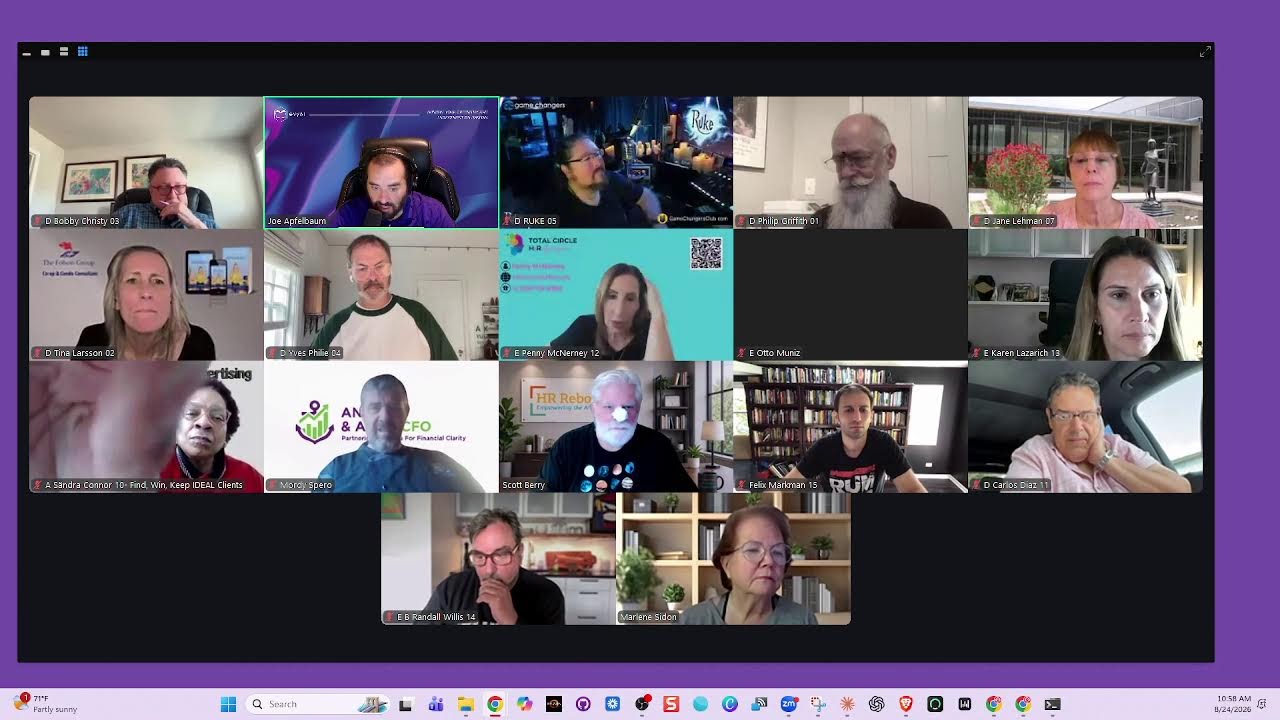
Joe Apfelbaum demos Evvy AI tools for LinkedIn automation, including bulk link opening, comment saving, and prospect list generation. The live session shows keyboard shortcuts and Chrome extensions for workflow automation, birthday outreach, and email sequences. Community members share pitches and the group discusses building genuine relationships through network sorting and referrals.
Chapters
Drop your latest story. Watch the new thread, man. Yeah, we come from different cities, same room, same screen. You show me what you're building, I show you what I mean. No fake small talk, we get right to it. What you posting today? Yeah, go ahead, do it. We share the wins, we share the lessons too. One post, one night, now the room feels new.
You're up and in jail? Yeah, still.
Say your name out loud. Let the whole room know. We're building something real, line by line, post by post.
One connection at a time, that's the Recording in progress.
Yeah, you bring that fresh perspective and the whole room's on fire. Yeah, from first hello to follow-up, that's how trust gets made. You don't need a grand speech, just the truth you gave. Every link, every lesson, every face in the feed turns into a real one when you water the seed. So pull up to the table, bring your best ideas. We don't just chase attention, we build from here. Bring your people in, let the circle grow. Say your name out loud, let the whole room know. We're building something real, line by line, post by post. One can Connection at the time. That's the part we told. Posting party, bring your friends. Posting party, we grow again. LinkedIn Live, together forever. That's how we roll. We roll together. Posting party, hands up high. Posting party, do or die. LinkedIn Live, we build it better. That's how we roll. We roll together from the first post to the next. We keep the energy right.
Hey, hey!
Yeah, you don't have to do it solo, not in this room tonight.
Hey, hey!
Say it loud, say it proud.
Let them hear your name.
When we show up for each other, nothing stays the same. Posting party, bring your friends. Posting party, we grow again. LinkedIn Live, together forever. That's how we roll. We roll together. Together, posting party. Hands up high, posting party. Or die, LinkedIn Live. We build it better. That's how we roll.
We roll together. All right, welcome, welcome to the posting party. So excited.
I had to jump in with that, dude. That's awesome.
Oh, thank you so much for joining, and thank you for the kind words. Really appreciate all of you being here for the 17th posting party of the year. We're counting them down. As you guys know, we do these posting parties on a regular basis as part of our community. That's what we enjoy doing is getting together. And somebody said, Joe, why don't you just do an engagement group on WhatsApp? You know what I said? I said engagement groups on WhatsApp are fun, but they don't really end up working long-term. Do you want to know why? Anyone guess why they don't work long-term? The reason they don't work long-term is simply for this reason, because people didn't really build a real relationship with each other. They didn't really get to know each other. That's really the crux of it. The crux of the problem is that if there's— and by the way, team, I keep— if we keep taking a note-taker and putting it in the waiting room, And you guys keep putting it back in. We're just playing volleyball here. You know what I mean, team? So whoever on the team is doing that, please take a look at that. And was that the helper?
Okay. Yeah, I got it. Thank you. Can you make me host?
I will make you host. Let me see.
Thanks.
Okay.
I just made you host, Jen. That means I'm no longer host. So Um, so I want you guys to think about that for, for, from the perspective of how can we help each other out by really getting to know each other and really supporting each other. We are continuously building new tools to help people be able to make the most out of Evie AI. And I don't know if you know this, but we have over 60 different tools inside our community. Um, under the classroom, under the library, in a place called the links, but we're moving those out and we're putting them into— we're rebuilding them. I'm rebuilding all the tools. So if you guys saw me use the bulk link opener today, the— not the bulk link opener, but the post URL cleaner today, I used a different version of it that does a little bit of a better job. And also it helps you be able to clean multiple links at the same time. And then there's the mention savers. I'm going to show you guys some of the new tools that I've been building. And also what I would love each person to do is anyone that's sharing their video that's here, I would love for you guys to kind of introduce yourself briefly, especially if we have new people here. I think most of the people that are here already know each other, but would love people to introduce themselves and kind of get to know each other a little bit. See what, see what you guys are doing. See how you guys are going. And so on. Um, we'll start with Bobby and then Rukh and then Arlene. Bobby, you want to introduce yourself?
Sure. I'm Bobby Christie, uh, founder and CEO of TW3 Marketing in Atlanta, and we help business owners turn their expertise into proof that customers and AI can find, follow, and trust.
Amazing. Thank you, Rukh. Go ahead, you're next.
What's up, you beautiful humans and your robots? Because I know you're listening. Um, I am Rukh. They tell me that I help entrepreneurs win every day. It's my greatest pleasure to do so. Um, I did put a post in there that we network on Tuesdays. Love for y'all to come and play, build some relationships, do some cool stuff. And I am thrilled to be here. You're amazing, all you, including Joe.
Amazing. Go ahead, Arlene.
Hi everyone. Good morning. Happy Monday. I'm Arlene Torgerson from Los Angeles. I do executive search, leadership advisory, and coaching, and I partner with growth stage companies to hire executive leaders by aligning their leadership capital and business strategy to grow and move their organization forward. So happy Monday, and it's 7:00 AM here in Los Angeles.
Amazing.
Amazing. I'm gonna show you guys something really interesting. I'm gonna go ahead and share my screen over here. So hopefully you guys can see it. And by the way, if you're watching the LinkedIn Live, you're only gonna see everybody else's video. You're not gonna actually see my screen right now. So just FYI, everyone on Zoom can see my screen. So if you're on LinkedIn Live and you wanna see my screen, come to the next posting party. This is a way for me to get you to see my screen, 'cause I'm showing LinkedIn Live with the video of me and all of my friends here. But if you wanna actually see what's going on on my computer, then, you know, come to the, come to the LinkedIn, come to the actual event itself. And you can find that event at skool.com/eviai. That's skool.com/eviai. So as you guys can see, this is the 17th posting party of 2026. This is where we all share our links. And one of the things that we created was something called a bulk link opener. So if I select all the links that are here and I press copy, I can go to Evy AI's new bulk link opener right over here, this bulk link opener, and then you paste in all the links, you press add URLs, and now they're all here. You see that? So we have all the URLs right over here and you can open them one at a time by clicking on the open button and it keeps track of what you opened. Now what I like to do is I like to right-click on the open button. Let me see what it is. Okay. So I like to click on the open button over here. It opens it up in a new one. And if I go back over here, it tracked that I opened it. You see that? So this way I can keep track of what I opened and what I didn't open. And then what I do is I open up the Evvii Chrome extension on the side over here, and I can just simply like it, click into the comment box, and then I click on these 3 little dots on the side, which writes a thoughtful comment under this post. I read it, make sure it makes sense, and then I press comment. This saves me a ton of time. So for those of you that aren't doing that process, you're missing out. I do press Ctrl+W. And Ctrl+W closes the tab. Okay. So when I press open right over here, it opens up the tab. I go ahead, like it, leave a comment. Oh my God. This is our live. We're live right now on live. Oh my God. That's insane. Is it actually working? Is the live working on live? Let's see. 13th posting party of 2022. Oh yeah, it is working. The live is working on live. That's crazy. We're live on live. Are you guys gonna go ahead and repost that live? You feel free to do that. I'll share the live on live in the chat, in the Zoom chat for you guys to see it if you missed it. But I'm gonna press Ctrl+W. Let's see, Ctrl+W. And then if I press Alt+W, it opens up the next one. And then Ctrl+W and then Alt+W and then Ctrl+W and Alt+W. Do you guys see what I did there? So Ctrl+W opens up Alt+W opens up the next one. So that helps me be able to have this workflow that makes it really, really quick. You see? So I'm going to press Ctrl+W, closes it. I press Alt+W, opens up the next one. I don't even have to click open anymore. Do you understand what I did, Yves? On the Bulk Link Opener, I can just use keyboard shortcuts to open and close the tabs. Makes my life so much faster and so much easier. So that's a powerful technology right there. The other powerful technology I wanna show you guys is, and we put all our tools in one place here and kind of separated them into 3 sections, links and productivity, LinkedIn savers, and then writing and posting tools, and then image and video prompt, and then file converters, and then prospecting and strategy. We put a lot of tools here. You're not gonna have time to go through all of them, team. But what you can do is you can go through the ones that matter. So for example, the Engagement Saver. You guys ever heard of the Engagement Saver? The Engagement Saver saves everyone who liked a specific post. So for example, if I see I have an influencer or if I see someone liked all my posts here and I want to save all these people, I can select all these people here, copy this, Ctrl+C, go into the Engagement Saver, Paste it in here and it pastes all the people here. You see that? And it tells me if there was a praise, if it was a like, if it was an empathy, and then I could save it as a CSV file. I can copy it as a table into Excel, or I can send it from here right into the bulk link opener. And it'll open all of them up. Do you get that, Penny? Penny, do you get what we did here? So what I'm trying to do is I'm trying to rebuild the tools and make them talk to each other. So I pasted in all the people who liked it. It turned it into a table for me with everybody's photo, first name, last name, headline, reaction, and then the profile URL. And if it's a person or a company, because you can have people or companies like a page, and then you can download it as a CSV, copy it as a table, or send it to the Bulk Link Opener. That's pretty cool, right? Go ahead, Jane. Jane asked a question.
Yeah, when you open these in a bulk link opener, what is it opening to, their profile?
Yes, yes, yes, it opens to their profile because it wasn't the post, it was literally just them liking. So what I like to do now is I like to go and find a competitor. Let's say for example Gary Vaynerchuk. Okay, so Gary Vaynerchuk, he'll have a lot of likes, you see, on his post. So for example, I'm going to go to his most recent post. I'm going to click on his likes of his most recent post. And you'll notice 21 people hearted it, but 198 people liked it. So if I want to analyze all these people, all I got to do is scroll down to the bottom here, grab all these people. Now I can select them all and turn this into an actual spreadsheet for myself.
Mm-hmm.
Or I could use the bulk link opener and then open them all and so on. But I like looking at the people who took the time to give it a round of applause, or to give it a heart because those people are actually more engaged than the people that are just giving it a like. You know what I mean? So that's kind of powerful right there. Okay, let's stop sharing my screen for a second and let's see who we have over here. Okay, so we did Bobby. Okay, Yves, do you have a question?
Yeah, does it do the same for the comment? Because sometimes if people comment, it's more, you know, they're more engaged.
So I created an engagement saver, a comment saver, a mention saver, and I also created a poll saver, a search saver, and a Sales Navigator search saver. And they're all rebuilt and all tested and updated because the old versions broke. Because if LinkedIn changes their stuff, it breaks. Again, this is no scraping. There's no automation. There's no robots. There's nothing. All you need to do is to get access for the tools. If you have an Evy AI subscription, which we recommend everyone having an Evy AI subscription and paying for Evy AI, if you pay for Evy AI, then you get access to these tools and you get support on these tools as well. We'll support you and hold your hand and teach you how to use them. We meet every day. Our clients meet every day, twice a day at evyai.com/success. So I highly recommend you get an Evy AI subscription by going to evyai.com and signing up and subscribing. And this way you'll get access to the tools and you'll be able to use them and get support on them. Thank you, Yves. Yves, while you're at it, do you want to do your elevator pitch?
Yeah, well, first I'm happy to be here on a Monday because usually I miss it. I took vacation from my customer for 2 weeks, so I'm starting my vacation with you guys, so it's a good way to start. So I'm Yves Filly. I'm from Montreal, Canada, and I'm helping RIAs, registered investment advisors, implement AI and govern AI in a way that they would improve their EBITDA.
Amazing, amazing. Awesome. Thank you for sharing that. By the way, I'm going to share with you guys what Yves asked about before. Yves asked about comments, right? So let's say, for example, Cassandra and Honoré and Asif and all these people are leaving comments. All I gotta do is select all these comments like this. You guys see I selected all the comments? Go down, select all the comments. Once I picked up all the comments, I press Ctrl+C, copy. I go to this tool here under Tools. You click on, Comment Saver. This is My Network Saver, Sale Occasion Saver, Comment Saver. Do you guys see it says Comment Saver Rebuilt? You click on Comment Saver, you paste the comments in here, and now you have all the comments here. You see first name, last name, headline, profile URL, and then you can send it to the Bulk Link Opener and open up all their profiles and connect with them. Now Jane did ask a question. She said, would it flag LinkedIn if we opened up too many URLs at once? The answer is yes. You don't want to open up too many URLs at one time because that will definitely flag LinkedIn. But if you do it like a human does it, you're much more likely not to get flagged. Now the other thing is, do you guys know my first name strategy where you go in here, you type in, for example, Tina? I'm going to search Tina because why not? Because Tina's here. I'm going to search Tina and now I have all the Tinas here, right? Now if I want to message all these Tinas, I got to keep this This open here in order to message all the Tinas. What ends up happening is when I click message, it goes to the message section and they end up losing my list of Tinas. So what I built was a My Network Saver. So I'm going to copy all the Tinas from here. You see, I copied all the Tinas, Ctrl+C. Then I go back in here and I click on My Network Saver. Do you guys see it says My Network Saver here? And then I paste in all the Tinas here, and now all the Tinas are organized here. So if I click on message from here to Tina, It'll automatically open up LinkedIn's message and not even open up her profile. Tina, thank you so much for being in my life. Okay, so I just said, Tina, thank you so much for being in my life. I can go to the next Tina and do the same thing. I can click on message and I can do an unlimited amount of these.
Why?
Tina, thank you so much for being in my life. I really appreciate you being my connection over here. Tell me something special you did this summer. Okay. So I just sent a message to Tina, but I never opened up Tina's profile. The problem is, is having too many profile views on LinkedIn will flag LinkedIn. But if you open up the message directly, that doesn't flag LinkedIn. So I built this special technology that allows me to go right into the message here. Tina, it's been a really long time since we last connected. Do you have any special projects that you're doing this year?
Okay.
And so I can go off and just talk to all these Tinas. Or I can send the same message to all the Tinas and I'm good to go. I could also save it as a spreadsheet. I can copy the table or I can just copy the URLs out, or I can send it to the bulk link opener and open them up one at a time on a timed sequence. Pretty cool, right? That we did that and that we built that out and you guys are privy to getting access to all these tools. All right. Um, so Eve's already went. Philip, did you go yet? You want to go next and then Jane and then Tina? Go ahead.
Sure.
I'm Joel Griveth. I'm your photo legacy guide, helping you create and pass on a photo estate that preserves your photos, stories, values, and family legacy for future generations.
Amazing. Thank you for being here. You are incredible. Jane, take it away.
Jane Lehman in Boerne, Texas, where it's going to be 100 and something today. Uh, I work with— this is Jane Lehman Consulting, I should say. Thank you. Every time I see Bobby in the screen, I know to say that. I work with independent insurance professionals, helping them add value to their clients by providing legal and identity theft protection. And Joe, I have one question and I forgot what it was, so I'll ask later.
Amazing. Let's look at, let's look at, uh, Jane's profile. Do you see the way she wrote insurance agents who love adding value to their clients love me? You guys see that? See that right here? So somebody knows an insurance agent. Is it someone from Allstate or from anywhere? Is it property and casualty?
No, they would be independent insurance. So Farmers, Allstate, those are often captive agents. They have to be independent agents.
Okay. And if somebody's an independent agent, like for example, Gordon. Uh, let's see, what's Gordon? Gordon Coyle. This is a guy you want to meet?
Sure, yes.
I'll send you his profile so you can connect with him, take a look at it, and I'll see if I can— I'll make an intro to Gordon.
Thank you. And Joe, while we're here, I remembered I'm putting in the chat so everybody knows we have at 1 PM today the Mindful Commenting Party. Where we can slow some of this stuff down.
Here's another thing everybody can do is if you guys are in the prospecting party, which I know many of you are, you can scroll down to a section over here. Um, there's a section called Your Network. You see, in Your Network, you can search, um, over here for the word insurance, and it'll show you all the people that are your insurance people at one shot. And then you could sit down with Jane and you could say, hey Jane, do you know any of these people? And then you could even filter by people that you know well, you see, by adding labels. Um, and then you could tell her, hey, do you want to meet Julian Friedman? Do you want to meet Keishon Ramsay? Do you want to meet Ken? Do you want to meet Angela? Do you want to meet— and then I can introduce you to all these people. I can make 20, 30 introductions. I personally want to meet executive recruiters. So if anybody knows an executive recruiter, you can do the same thing. Type in recruiter here or headhunter recruiter. You see, I have all these people here that are recruiters. I have so many of them. It's incredible, but I'm always looking to meet more. So if you know somebody that's a recruiter, that's— I would love to meet them, but that's the idea. The idea is having your entire network. Think about how long it would take you to search through LinkedIn. And be able to pull that information. If I searched insurance on LinkedIn, I would have to click on insurance. Then I have to click on people. Then I would have to go to my first degree. Then I can only see 10 at a time over here. You see, now I could still save these 10 at a time by selecting them all like this, Ctrl+C, copy, then going over here to search saver. You guys see it says search saver? And then I can paste them in here and then I could send this list over to her. You see, but I have to do this 10 at a time. Do you see the way it shows first name, last name, headline, the degree, the location, how many, who the mutual connections are, an AI summary of the person? That's pretty cool. I didn't know I did that, but that's nice. And then it basically shows you the whole thing and you can download it as a spreadsheet or you can send it to, for example, if I wanna send this to Jane, I can download the CSV file. And then send the CSV file to Jane and say, Jane, which one of these do you want to meet? But it's much faster if you do it through the prospecting party because you have them all, every single person in insurance instantly in front of you. Go ahead, Yves. You have a question? Yeah, sorry.
I'm in catch-up mode now and I don't want to slow anybody, but how did you get to the prospecting party?
If you're not inside the prospecting party, just go to prospectingparty.com/qualify. And my team will, will let you in. Um, I'll put it in the chat for you so that you have it. Um, also you can come to office hours and we'll teach you how to use it. Um, one of the key things about the prospecting party is that you can play a game called the sort. If you guys haven't played, you can see how many times I play the sort. But the way that you play the sort is you look through all of your connections and you identify the ones that you haven't sorted yet. And then you kind of sort them out to identify who you know and who you don't know. And it happens really quick with keyboard shortcuts. So for example, I know him and he's open for intros. I don't know him. I don't know him. I don't know him. I know him. So I can go through this pretty quickly and then identify who I know and who I don't know, and then organize it in a meaningful way. It's very important for you to know who you know and who you don't know, and then focus on following all the people that you already know right now. Because that's your low-hanging fruit. Most people never even sorted their connections by who they know and who they don't know. So, and once you're done, it'll either automatically end in 5 minutes or when you hit 120 or when you press end the round. So I just pressed end the round and now I can further label them if I want and so on. But this just makes your life much easier. I built an extension that does this for Facebook as well. So for those of you that use Facebook and you love Facebook and you want to be able to use Facebook more effectively, Let me know. I'm giving out that beta extension to certain people. So if you're obsessed with Facebook, just like I am, just like I'm obsessed with LinkedIn, let me know. Tina, you're next. Go ahead and give us your elevator pitch.
Thank you, Joe. Hi everyone. So I'm Tina Larsson. I am a co-op and condo consultant. And what does that mean? I help New York City co-op and condo board. Those are the volunteers who run their own buildings. That's basically like an HOA for the rest of the country. So co-op and condo boards in New York City who want to get their time back and improve the quality of the, of the lives of the people who live in a co-op or condo.
And Tina came to our Claude Code masterclass together with many other people like Arlene and Rook and, and many other people that were here, and Morty. Um, and she learned so much about how to use Claude Code to create AI employees in her business, which is awesome. Thank you. And if anybody wants the replay of that, write Claude in the chat. We are making the replay available for people who wanna purchase it. So just write Claude in the chat and we'll send you details about how you can get the replay of our 6-hour Claude Code masterclass. Um, okay, Morty, do you wanna do your 30-second elevator pitch?
Thank you so much, Joe. I so appreciate you. That class, boom. Um, I am a fractional CFO in the cannabis industry, and I'm right now in Whitefish, Montana, doing a little project here. I plan on going to Glacier Park today. I'm gonna do some, uh, sightseeing. It's gonna be great. And I appreciate all you and being part of this family. It's great.
Amazing. Thank you for being here. Now, a lot of people don't know this. A lot of people don't A lot of people don't know this. Safe trip back, by the way. I want— a lot of people don't know this, but did you know that you can take a screenshot of who the participants are in a Zoom meeting? Then you could log on to evviai.com. I'm going to go into evviai.com. And when you log in, we have something called custom generators. Are you guys familiar with what custom generators are?
No.
So we have the, the post writer, the idea generator, and the image generator, right? Those are the 3 main generators, but then we have custom quick generators on the bottom here. We have many of them. You can go through them later and take a look at them, but one of them is called image to text. So if I click on image to text and I paste in the participants list, and then I click on pull all the names from this Zoom screenshot into a numbered list, and I press generate, it's going to take all the people that are on the Zoom participants list and turn it into a numbered list for me. You see that? So for example, if I want to look up, say, Karen, I can select her name. Who's right over here. I can click on Evvy AI and I can say, find her on LinkedIn. And Evvy AI will then find Karen on LinkedIn. Do you see that? How easy is that? When you're in a Zoom meeting, you want to capture who's in the Zoom meeting and then look them up on LinkedIn to connect with them and build a relationship with them. So that's a really fast tool to use. The other thing I want you to consider is we have another generator here. And by the way, once you save it, it gets saved in your in your history here. So you see it's saved on the bottom where it says your work under content. It says your work. So it's already saved here. The other generator I want you to see is called the LinkedIn search playbook. So for example, if I search, for example, I want to find executive recruiters on LinkedIn, right? So I say executive recruiters and I press generate. What it's going to do is going to create 3 levels of titles. So there's the core title. There's a high-value addition or variation, and then there's the Boolean search string. The Boolean search string, for those of you that use Sales Navigator, is executive recruiter or executive search or executive search consultant or headhunter or suite recruiter and talent acquisition consultant, recruiter, and so on. And so it kind of combines the title with the addition together and makes a Boolean for for any type of search. This is extremely, extremely helpful for people that are looking for specific titles on LinkedIn, because when you search just the word recruiter, you're not gonna find, or the word assistant or whatever, you're not gonna find everything you can find. But if this gives you a list of all the proper titles, you'll be able to find customers that you never even thought you could possibly find using LinkedIn. So again, we made this as a custom generator for you. We keep adding new features to Evvy AI every single week. And so we're going to discuss through these posting parties, some of the new things that we're adding. But if you come to our daily office hours that happen at 12 and at 7, you will learn a lot about these new features that you could implement that will save you time and help you make more money. Carlos, give us your 30-second elevator pitch and then Penny and then Karen and then B. Randall.
Uh, good morning everyone.
Carlos Diaz, Vulcan Business Solutions. We're a managed IT service provider. I'm on site with a client. I had— I'm working from the car. But, uh, mind you, just so you know, we help technology—
we help business owners with their technology challenges.
Carlos Diaz, Vulcan Business Solutions.
Thank you. Awesome. Thank you so much for being here. Um, and I see Barbara is not on camera, but she's listening in. Barbara, do you want to say hello to everybody? Barbara is in the comments. Barbara, you could— you don't have to show your camera. You could just say hello, everybody in the background and tell everyone how amazing your meeting was on Friday. Oh, hey.
Hey, everyone. Friday's meetings are just— they're fun, Joe.
It's—
you never know what kind of conversation you're going to get, but it's always really very meaningful. And I invite every single one of you who haven't been there before, or they just kind of come every once in a while, be there because it is a fun party and we really get— we go deep. To get to know each other. And that's number one, if we wanna leave really good comments for each other.
Amazing. Amazing. Thank you so much, Barbara. Yes, it is number one. And this is why you build a community. You see somebody on LinkedIn and you actually know them. It's much more likely that you'll wanna leave a comment on their post as opposed to just seeing a stranger that you don't even know who the person is. And that's how you build real community on LinkedIn. And that's how we're gonna get to having 1,000 people that know, like, and trust each other and support each other every day. People say they pay for the technology, but they stay for the community. That's really the key here. The key is staying, building relationships, and getting to know each other. So thank you, Barbara. Penny, take it away. Penny, give us your 30-second Orange Theory elevator pitch.
I was at Orange Theory this morning at 6:15, Joe, in Newark, Delaware. So I'm calling in from Delaware today. I'm Penny, and I'm an HR consultant, and I help small business owners with anything that has to do with their employees.
Amazing. Thank you so much for sharing. And Penny was talking to Peter. If you guys haven't tried out—
what was—
what did Peter talk to you about? What did Peter tell you?
Peter asked me about 20 questions that I answered. And then yesterday, he sent me an email and said, okay, we'll start on your listing construction.
Wow.
So I'm waiting for Peter. I didn't hear from him this morning.
Well, Peter told me he was fishing for construction companies for you, and then today he's going to be sending you all the plumbing, all the plumber plumbing supply.
He was plumbers. Yes, you're right, Joe.
Yeah, Peter, Peter, I don't even know. Peter told me he was fishing for you in the, in the river, in the river of prospects. For those of you that don't know what we're talking about over here, I'm going to show you guys what we're talking about. We created something called Pipeline River that allows you to be able to join the waitlist. And then when you join the waitlist, I'm just going to go to the admin section if it lets me in. I don't know if it'll let me in.
Okay.
It looks like it let me in. I could see in the background all the stuff that's happening, but we have a whole waitlist of people that are kind of like waiting for us to invite them into the pilot. Um, but you can see who the— you could see each person and what, what exactly it is that they, that they requested. We built this whole system. Um, and then it'll send you a list of prospects to look at each day to kind of review. And you can kind of go in there and say, okay, well, do I want— is this a good client for me or not a good client? And so on. And so I'm able to kind of see Penny's, Penny's dashboard as well and see if Peter sent her any, any leads yet. And it looks like he's waiting for me to approve the leads. He's like, before I send Penny her first leads, can you please approve them? So I actually need to approve the whole pipeline of leads that he has going on over here. And then once I press approve, then Penny will get them. So I'm going to review them first just to make sure they're okay before he sends you the first batch of leads. But the idea is we have AI agents. One of the things that we're trying to do here at Evvy AI is we're trying to create workflows that do things for you as opposed to you having to do everything yourself, because we know that we're all very, very busy. So for our clients, we created a website called eviai.com/workflows if you want to see all the workflows that we're going to be creating. So you see, we already have one workflow live called Scheduled Posts where Eviai will write up your posts for the next week, month, or year, and then it will schedule those posts out for you. But we're going to be adding many more and we need your help actually. If you guys can help us out with this, that would be really awesome. What we need to do is I brainstormed 45 different workflows yesterday, and I thought to myself, which of these workflows will the community appreciate the most? Which of these workflows would the community appreciate the most? And so we have different prototypes for them. For example, the industry news brief, it kind of explains to you what the thing is, and then you can vote that you want this one or you don't want this one. And again, this is, these are AI agents that are being built. But we need to know which of these 45 we should prioritize for you. And these are gonna be workflows where the agents do things for you on a daily basis, like an AI employee. So I put the link in the chat for you guys to look at. But the idea is, you know, we'll send you industry news, we'll send you 10 companies in your niche with AI research. We'll send you a relationship deck from your connections, 10 people a day to touch base with. Rotating a deck of 50 max. Influencer comment queue. We watch the top voices of the industry, of your industry, and we send you their best posts to comment on each day. Active prospect of the week. We tell you which prospects you should be focusing on that week. Calendar meeting finding finder. We find you people in your ICP that have a calendar meeting on their profile, and then we send you the calendar meeting, or we even just book it for you inside their calendar. So maybe you just want to be booked directly into their calendar with your calendar. So we'll have to find out a way that your calendar could play with their calendar automatically. And we'll just drop, you know, however many meetings you want every single day in your, in your profile, in your thing. So there's many, many, many, many, many, many ideas here. You can go through them and vote for the ones that you like. And then the ones that get the most votes, those are the ones that we're going to start working on the fastest, the first, I should say. Um, uh, Yves, you have a question?
It's me again. I just want to say I'm jealous because Peter is spending so much time with Penny, he doesn't have time to work for me. So thank you, Penny, for grabbing Peter's time all the time.
Uh, thank you for sharing that. Don't worry, we'll make Peter available for everyone while we're building out. That's why we have a waitlist, because Peter's taking a long time to do things sometimes because he wants me to approve things in the background. So it doesn't just send a bunch of trash. So I need to actually go in there. It's really me. I'm the bottleneck, not Peter. Peter's waiting for me to approve things. So that's really what's going on in the background, Yves.
Um, don't worry, I'm just kidding.
Oh, thank you. I appreciate you very much. All right, Karen, you want to do your 30-second elevator pitch?
Hello, I'm Karen coming to you from Ohio. And, um, we just launched last Monday True Record by putting up a new banner and, um, all those fun things. We have an app that takes all the scattered information in high school sports and puts it into one app on the phone with a user profile for athletes, parents, coaches, and the school gets all the information downloaded per sport at the end of each season for their records to create a legacy. The next phase is to work on all the schools' legacies so that it's no longer Threatened by being lost at the next coach's retirement.
Awesome. Well, that is a beautiful thing to do, and I hope that you meet all the high schools and all the schools in the United States. And I'm looking forward to connecting you. If anybody has any kids in high school or know any high schools, please connect them with Karen so Karen could help those people out. Or you have any ideas of how she can get into more high schools, that would be awesome. Thank you, Karen. B. Randall, B. Randall, give us your 30-second elevator pitch.
Good morning, everybody. Nice to see you. I am the founder of Right Angle. We work with founders, CEOs, business leaders, and department heads who are not satisfied with the results of their sales and marketing initiatives by creating what we're calling recommendation marketing, which is a system designed to make sure not only that humans recommend each other, but also that the AI agents and the algorithms find your brand and make sure that you are making this shortlist as humans at the helm, for humans at the helm.
Awesome. Awesome. Thank you so much for sharing that. That is epic. One of the problems that we faced is a filter problem where, you know, Evvy AI wasn't properly filtering stuff. Do you guys remember that? That, you know, we were asking it to filter by how many employees people have and whatever. And so I decided to, if you go in here, there's a section called filters. You see find companies by filter. So inside the community app, now you can filter by like 11 to 50 employees and by technologies they use or by so many different things here. So if you press show companies, it'll actually make you a list of all the companies that are filtered by that specific filter. So check that out. That's the new filter under the companies page. We still haven't implemented companies into Evvii AI. That's something that the design team is working on and the development team is prioritizing right now to add companies. But in the meantime, you can definitely see who works at all these companies and you could use the filters within the companies page. So definitely try this out in my little beta site. I'm— I started just, for those that don't know, I just started building things out myself until my team gets around to actually implementing it into Evvii properly. So all of our clients can definitely use use this technology and then be able to find out who works at those companies into Evvy AI.
You know, I love, I love how you, your mindset is I'm building things to make it easier for you. And yet it's so overwhelming the amount of things that you're building. It's like, it's, it's just awesome. It's awesome.
Yeah.
It just solves one problem at a time. So for example, if, if you have a problem and you need a filter of a specific company, Now you have the ability to have that filter. So as people have problems, I just go ahead and solve those problems. So if I show you all the problems that I solved at one time, it could be super overwhelming, but just look at it as one problem at a time. And when you have that problem, you know that there's a filter somewhere and everything everybody searches actually gets shown here live. So you can go through and get ideas for what people are searching. Like for example, people wanted companies in New York that are 11 to 500 employees that are Series A funding. that have just gotten funded in Series A. And so we have that list. You see that? So we have a bunch of different lists and we also upgraded the EvvAI database to add 480 million people into the database.
Cool.
So now instead of only having 280 million people, we added an additional 200 million people. And then what we also did was for those that want, we added the Inc. 5000 list. So I think some of you already got, uh, I think it's called The List. Let me see. The Ink List. I think it's The Ink List. Hang on a second. Let me see. Um, The Ink List. Let's just see. I don't even know if it'll let me in now because I think I signed in from the other computer. Oh, look at that. It does let me in. Do you guys see this? Do you guys know what the Ink 5000 list is?
So I put it in the chat. I put the link in the chat.
Oh, thank you, Jane. So you have to get a special— you have to get a special password to access this. This is for Evie AI Pro members only. So if you're an EVAI Pro member or you have the Bundle Plus, you'll get access to this. This is a list that has verified emails for all the CEOs on the Inc. 5000 list. We also have direct phone numbers, LinkedIn profiles, and everything else. And then we tell you how many years they were on the list. You can filter for who was on the list in 2024 and 2026. So these are the fastest growing companies in America. So I'll give you an example. Let's say, for example, I want to see all the HVAC companies on the list. This I did for Jane. So she wanted to see HVAC companies on the list. So now I click on this and I can find, let's say for example, Atlantic Air. And I see this, this is the first time that they were ever on the list. They're doing $5 million to $10 million in revenue. They had a 125% 3-year growth. They were founded in 2016, 10 years ago. They had a 125% increase in headcount over 3 years. This is the CEO's LinkedIn and phone number. And when you click on his LinkedIn, you can pull up his LinkedIn right here. And you see that he's in Toms River, New Jersey, and he's the president of Atlantic Air Systems. And he desperately needs Evvy AI to help them with his brand. So I'm going to be reaching out to him directly myself. You could see that they are running a GoDaddy on GoDaddy and they're using Google Apps. So that's what he's using for his email. And I can tell where his north— he's a private company. I can tell how many, how many ways I can contact him. And then I can ask Evie AI information about them, or I can copy them directly into my, um, into my system. So you get access to these 5,000 companies that basically just came out last week, and we put it together in this way. I'm gonna be adding the rest of the Inc. 5,000 lists for the past 10 years to this as well. So that's gonna be coming soon where you're gonna have a repository of every company. There's 34,000 companies that were on the Inc. 5,000. of every single company that was ever on the list. Um, we already have it in our system. It's just not organized in a way where you can filter and sort by category, by industry, by repeat honoree, by state, by revenue, by software they use, by funding. And we're gonna be adding a lot more stuff to it. So I'm super excited about that. So if anybody wants access and they still didn't get access, come to office hours. Jane, you have your hand up.
Yeah, Joe, with all this talk, we've— there's so much going on. I think from now on, on my posting party, when you have a posting party and later in the day I have one, we're gonna go through some of these things. Like, we'll, we'll take, uh, we'll do a, uh, what do you call it, the networking recap. Yeah, well, no, no, no. Yeah, yes, a recap, but we'll take one or two and go into depth on them for people. Um, I'm gonna make it more structured, if that makes sense.
Yeah, it makes total sense. Absolutely. I mean, and that's what Rick does on Ask Rick Anything. Sometimes he'll go through and find one tool or 2 tools, and then based on those tools, he'll be able to, you know, just teach something that we're doing, you know, how to use a specific tool.
We'll do a prospecting party. That's what I was looking for.
Oh, amazing. Amazing. Yeah.
And Jane is so wonderful because she slows everything down because Joe does it so fast.
Absolutely, absolutely. Thank you, Jane, for slowing things down because I do things so fast. I appreciate that very much. All right, um, let me just quickly send Penny her username and password because she asked for it in the chat and she's like, I need it. So I just emailed you username and password, Penny. Okay, so now you have it. Um, okay, we got Scott Berry here and we have Felix. Good to see you, Felix and Scott. Go ahead, Scott, do you want to do your 30-second elevator pitch? It looks like you're wearing Something on your face. It might be whipped cream, or you might have gotten surgery.
It would— no, I just had a basal cell carcinoma cut off my nose, so I'm in a great mood because he didn't kill me and he didn't make me terribly ugly. But I can't tell. I only saw it briefly. Uh, what am I— what's my pitch? We, uh, uh, I gotta, I gotta develop a better elevator speech. Uh, HR Rebooted has just launched governance First, which is an AI operating platform designed to promote use of AI through providing proper governance and keeping things within the guardrails without putting the brakes on adoption.
Oh, wow. Thank you for sharing. Appreciate you. Okay, and Felix, go ahead. Good morning all. My name is Felix Markman. I provide Salesforce consulting services specifically targeting revenue operations. So I build out different agentic workflows and help companies do stuff faster. My ICP is sales operations and revenue operations at companies that have maybe 500 or more people across industries and I, I love Heavy AI. Oh, thank you for saying that. I appreciate you very much, and thank you for being a client. By the way, this Inc. 5000 list will be gold for you because all these companies over here, um, you know, you can see exactly how many employees. So if it's 500, you just check off 500 here and you'll, you'll be able to see all the companies that have 500 to 1,000 employees. Outside of the HVAC segment, because over there, and then I have this feature, Felix, that you'll love. If I press sprint these, I'm going to do Try Love Embed. It actually loads their companies right in front of you. Can you see that?
Yep.
And then you can say, is this a prospect, a vendor, interesting, follow-up, or something else? If it's a good lead or not a lead. And then you can go to the next company. And if it doesn't show up, you can take a screenshot of it. You can pull a screenshot. Um, some companies block the website from showing up. You can actually click on it to open up the website if they block it. Let me see. I'm going to press open on the top right over here. So if they block it, then you can just press open and open it on another page. But if they don't block the live embed, you can actually see the live embed and see their website right in there and classify them if they're an ideal client or not. Um, which is really nice. And it shows you all the information about them and the CEO's information on the left side. You see that?
Mm-hmm.
Okay.
And so you can make yourself a list of leads here that you really like and kind of just sprint through these. Do you know what I mean? Mm-hmm.
Gotcha.
I'll get access during the office hours. Yeah, definitely. And these— this is a brand new feature, right? This is a brand new feature for Evvy AI Pro members, or if you have the Bundle Plus. And you see on the top right, it's counting down.
Mm-hmm.
So it's automatically gonna go to the next website in 25 seconds. So it gives you 25 seconds to kind of go through this and get organized about it and figure out if it's a good lead or not or whatever. But you could set it for 2 minutes, 60 seconds, or 30 seconds, or turn it off.
Mm-hmm.
Pretty nice, right?
Absolutely.
I could press exit sprint and then I could sprint a different segment of companies. So these are just ideas for the things that we're gonna be building into Evvii AI. None of this is actually built into Evvii AI. It's kind of separate on my own server. That I'm building myself just to make your lives easier. As we're building out new features, I want to make sure that these features are available to you guys right away. And so I just build it myself. And then it's not something that's super scalable. You can't have a million people use this at once. So we're only making it available for EvAI Pro members or Bundle+ members. So if you're not currently a Bundle+ member and you need access to this, just let me know. I'll be happy to share with you how you can get access to everything. Um, okay. So I have a question for you guys. Um, do you guys know, do you guys know, like from your connections, who are the 5 people of all your connections that are the people that are in the position to refer the most clients to you? I want you to think about that for a moment today. Who are the 5 people from all of your connections? That are in the position to refer the most clients to you. And then what I want you to do, I want you to ask yourself, how often do you actually look at their profile? How often do you go to their profile and just look at it and just be with it? I started asking myself that question. And one of the guys who came up, his name is Jeff Goldberg, he's a sales trainer. And he ended up Referring me at least 5 customers this year alone that turned into Bundle Plus clients this year alone, just because I think about the person and then I call them, I text them, I email them, I refer them, I invite them, I introduce them, and I spend my time on those people. So I want you to think about for yourself, who are the plants that you want To water. And don't think about 1,000 people because 1,000 people is very difficult to think about, but think about 5. Everyone could think about 5 people in their life. I have 5 kids. I think about 5. So I want you to think about 5, 5 people that you could bless on a weekly basis, maybe even on a daily basis that you could think about consistently that refer business to you on a regular basis. And then try to figure out a way that you can go deeper with those people. I see we have Otto. He said, Joe plus 4. Otto, do you want to do your 30-second elevator pitch? I missed some people here, so I apologize if I missed you. If you're in— No problem. My camera has been acting weird, so it's on, but for some reason it doesn't show my image. It's probably because I haven't turned off my computer in a few days. But yeah, I can go ahead and do it. It's not going to be 30 seconds, but my name is Otto Muniz. I am a commercial real estate broker and investor. I work with anyone interested in selling, buying, or wanting to finance their commercial real estate in Houston, Texas, and around it. And that's just me. There you go.
That's my profile.
So for those of you that don't know, I'm going to pull up Otto's profile. You have the opportunity to save people into Evvy AI. So if you click on the network tab over here, you can click on this little check tab button. It'll check the actual tab. Let me just, if you have multiple windows with Evie AI open, sometimes it'll kind of screw up. So I'm going to turn this off here. So sometimes it doesn't work if you have multiple tabs open. Okay. So I see I have him already saved. I open it up and you can see his email address is already saved. Now, if I didn't save his phone number yet, I can go to his contact info, select all his information from contact info. And then go here and press add a note. And then I can tell Evy AI to go through the notes and pull his contact info from the notes and organize it. And what Evy AI will do is it'll find his phone number inside the notes that it pulled from here and automatically add it here. And then I can dump it into GoHighLevel. You see that? So I just took his phone number from LinkedIn and put it into GoHighLevel. You guys understand what I just did? Yeah. But I didn't have to sit there and start adding his email and his cell phone number and all that stuff in here. Now, if I click on resources, you'll notice that his Hotmail is also in resources. You see that? It's not his main email, but it's still an email that we pulled from here. So any resources that we find here automatically get added to resources. Like for example, he has linkedin.com. As a resource. And so I'm actually gonna delete that because I don't need that to be there. But resource deleted. Let me open up his card again by clicking on this little arrow. Now, for those of you that don't know, we have an AI agent that researches each person. Did you guys know that we have little AI agents that research people? When you click on the AI agent to research them, Evvy AI's AI agent uses web research. To research everything there is to know about the person, and it uses 7 different agents to research the person. So it does take about 30 seconds or so to research the person online. Once it's done researching them, it compiles everything there is to know about the person, their target market, who they help, their social profiles, their email, conversation starters, all of his achievements. He enjoys music, films, sports, workout. History, architecture, travel, food and culture. It gives you a bunch of websites to look him up at. And it also gives you additional research that you can do, like review his current listings on CREXi and LoopNet for active inventory in Houston, Netherland, and surrounding submarkets. And now I can copy this information and then I can add it as a note into Evvy AI so that I have this for later. You see that? And then if I click on the insights tab, I can tell Evie AI to go through the notes and write an intro for Otto that I can use to introduce him to other people. So do you see the way it wrote a beautiful introduction? So I'm gonna copy his intro and put it in the chat for you guys to read. This way you guys could get to know him a little bit better, but it also writes you a summary. It writes you company and role. It writes you target market. And it creates an email draft for me to be able to send Otto an email draft. I don't know if you guys knew this. There's a lot inside Evie AI that you maybe you didn't know about. This makes your life easier. And here's something else I want to share with you guys. We are in the process of integrating email to be able to send email from Evie AI, because I think it's important for us not to leave Evie AI to have to send an email. So I want to integrate email into Evy AI. So my developer's talking to Google right now to make an integration that allows us to be able to just send an email directly. And so what that will end up— my vision really, like when I started Evy AI, is I really wanted something that can do things on your behalf where you don't have to do anything yourself, save you time, but really find you customers and then contact those customers for you. Reach out to them and then try to book them on a meeting automatically without you having to go and do all this stuff. And so that's kind of like where we're kind of been trying to get to, a place like that. But I, I always say automate your tech, automate your tech, not your relationships. Like really get to know people and call them and build a relationship with them. But if it's Tina's birthday, I can have my tech send her a birthday message automatically. You know what I mean? Like if it's Tina, like I don't have to. I don't have to like worry, oh, did I wish Tina a happy birthday or whatever? Speaking of happy birthdays, did you guys know that inside Evy AI we have a special link that shows you everybody's birthdays on LinkedIn? I'll show you where that is. So if you log into Evy AI and you click on the Learning Hub, we have something called Quick Links. You guys see it says Quick Links over here? Link number 2 is birthdays on LinkedIn. But check out what I built. So do you see it's Jerry Ann's birthday today? What I can do is I could scroll down to the bottom and it'll show all the people that I missed their birthdays. You see tons and tons of people. So I'm not going to be able to get to everybody's birthdays today, but I want to be able to capture everybody's birthdays. So what do I do? I then select everybody from here. This is how— whoops, I clicked something and I lost it. I'm going to scroll back to the bottom, load everybody's birthdays. Okay, now it loaded everybody's birthdays. Now what I'm going to do is I'm just going to select everybody's birthdays like this, Ctrl+C, copy, and then I'm going to go to my tools. Remember I made tools available for you guys here. And there's one over here called the, um, the occasion saver. Where is it? Uh, poll saver, company saver, profile saver, occasion saver. You see that? I'm going to click on occasion saver and then I'm going to paste in the birthdays. And now I have all the birthdays right here. You see, I have 99 occasions saved. Literally LinkedIn gave me 99 birthdays that I have to catch up on. You see? So what I'm going to do is I'm going to click on each one, for example, Jerri-Ann, and then LinkedIn is automatically going to open it straight to her thing with the happy birthday thing in there. You see? I don't have to like go back and forth within LinkedIn. I could leave LinkedIn, have everything saved here. So if I want to do this later, I can do this later. Now I can also push a button from here and send all these birthdays to the bulk link opener. So we could open it up automatically every 60 seconds or every minute or 2 minutes and so on. So this will save you a ton of time as well. So if you guys are not using these tools, I highly, highly, highly recommend you do. And don't forget, today at 12:00 PM, we have office hours with, um, with Juan and Tammy and Fernando and James. And Habiba and Lori and Christine, and we're all there to support you. And then we have at 1:00 PM, we have a special event with Jane Lehman that you guys can check out inside our community. Now, don't forget to read all the text that I put here inside the community post. I put a ton of text that has all the resources that we spoke about today, the tools, the workflows, the filter, our Claude masterclass, the creator's page, the company's page, the prospecting party. And all these other tools that we make available. So carve out some time to be a little more intentional and look at what's going on. It looks like Marlene is here now. Marlene, you want to do your 30-second elevator pitch?
Oh my, just got back from the gym, but sure, let's go. I'm Marlene Seiden. Hi everyone. I'm in Metro Atlanta and I help remove the barriers that get in the way of healthcare providers from— for their staff, the team, and their doctors.
Thanks.
Great to see y'all.
It's great to see you. Thank you all for being here. Really appreciate every single person that's here in the room and all of you as clients and friends and referral partners. The reason why we're building this business is for you. We're building this to support you, to help you with your goals and your participation within this community by referring business, by being active in the community will help us keep adding more features And motivating us and inspiring us to keep building our community and our technology to help you be able to take your life and your business to the next level. They say a network's only as strong as the weakest person in the network. So get stronger. Let's, let's be more engaged. Let's get more involved in the community. We have almost 2,000 people in our school community. Did you guys know that? And now Evvy AI works inside Facebook, inside school, inside Twitter, and inside YouTube. Did you guys know that we work inside YouTube? You can go to a YouTube video right now, click in the comment box, and Evvy AI will draft a comment automatically under that video. That's pretty insane. Same thing with school. Find the school communities that you're involved in and let those people know that, hey, Evvy AI now could leave comments inside school. You just click into the thing, Evie AI reads it, and boom, the comment is generated. Same thing with writing posts. It's really next level. So I want everyone to test it out. Test out Evie AI in these different places and let us know what you think of it, how it works on Facebook, how it works on LinkedIn, how it works on Skool, how it works on Twitter, how it works on all the other platforms that we're making it available to, and we're adding more features to it. So thank you once again for being clients. Thank you for being friends and we'll see you guys on LinkedIn. You guys are amazing. All right.
I like your haircut.
More from Joe




How to Beat the Algorithm: Remove Hidden Watermarks & Scale Content with evyAI






