RENT Community LinkeDIn Training - 2-27-2025 How to use AI with LinkedIn to get Clients with evyAI
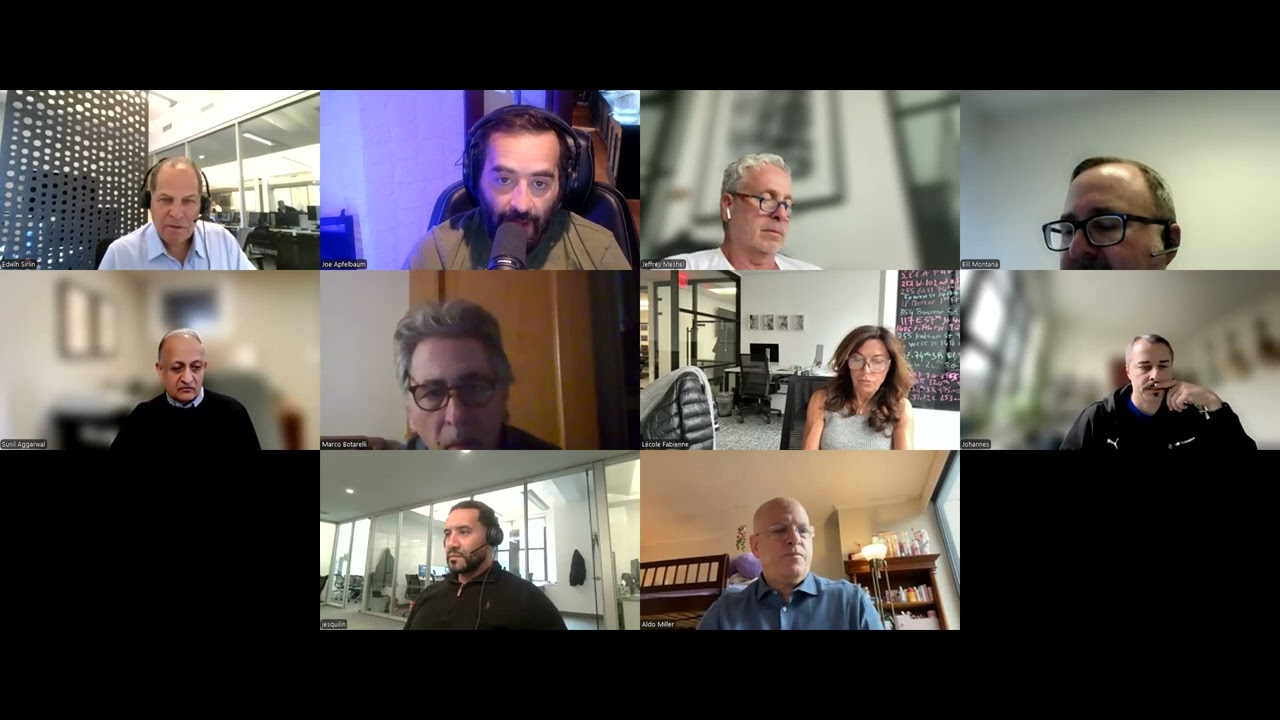
In this live RENT community webinar, host Edwin introduces Joe Apfelbaum, CEO of Evvy AI, who demonstrates how to use LinkedIn combined with AI tools to generate leads and build relationships. Joe walks participants through practical steps: sharing LinkedIn QR codes, optimizing profiles, creating personas and templates, using AI (Claude, ChatGPT, Perplexity, Grok) to draft comments, posts, and recommendations, and enriching contact data via Apollo. He shows how to save profiles, organize them into lists, and automate research with spreadsheets and AI agents. The session includes live demos with participant Yoongi, showcases the Mention Saver for bulk tagging, and outlines a daily LinkedIn routine (connect, comment, post, message). Joe also discusses the “ladder of success” framework (absent, lurker, networker, influencer), the importance of strategy over tools, and offers a free template generator and pricing for Evvy AI Premium and Pro plans. Throughout, he emphasizes AI as an assistant, not a replacement, and encourages participants to adopt systematic, strategic LinkedIn practices to scale client acquisition.
Chapters
I'm not gonna kick anybody. I'm just kicking off. Okay, so welcome to the RENT Next Level of LinkedIn training. For those of you who are at our RENT meeting on Tuesday, I won't repeat myself, but there are a few of you that weren't there. So after what I'm about to say, if you want to jump off, please do so. This is not LinkedIn training one-on-one. If you don't use LinkedIn training, if you don't use LinkedIn, Please hang up this call right now. All right, this is Next Level LinkedIn. These are for folks who are using LinkedIn and want to learn about AI and how we can change your world with it. So we're about to go into the next stratosphere. So please hang on. And, uh, introduce you to Joe Apfelbaum, which I'm sure everybody knows. We met him during COVID and he was so gracious and kind to help us during those times. So here we are. There are, we're still missing a few people. Oh, we got 17 people here. Okay.
Amazing.
I think we're only missing one and, and that's all good. All right, Joe, take it over. Here we go.
Hello everybody. My name is Joe Apfelbaum, CEO of Evvy AI. If you guys can, in the comments below, just put in your LinkedIn URL. It usually starts with https://www.linkedin.com/in. Slash, it could be, for me it's Joe Apfelbaum. For you, it might be something else. But if you go to your own profile and you find your LinkedIn URL, put it in the comments of the box. Whenever I'm networking or on a Zoom, I like to share my LinkedIn URL with people so that I get more connections. Now on LinkedIn, every single connection you get also becomes a follower. And did you know that you can have up to 30,000 followers? connections on LinkedIn, which means you can build 30,000 followers just by adding connections. So that's a quick hack. Make sure that you put your LinkedIn URL in the chat anywhere you go. Put it in your signature. I'm just gonna mute everyone for now, and you guys can unmute yourself if you wanna speak, but put it in your signature, put it on your website, put it in your collateral. As a matter of fact, whenever you go to a networking event in person, and I know Jeffrey goes to a lot of in-person networking events. Make sure that you know where your QR code is for LinkedIn that people can scan and then go to your LinkedIn. So for example, I recently was at a, I was flying to Los, uh, Los Angeles on United and I was, saw a guy who was really, really dressed up really nicely in the lounge. And I walked over to him and I said, hey, you look really nice. And we started having a conversation, but it was a personal conversation. It wasn't a business conversation. I went to my phone, I pulled up my LinkedIn, I clicked on the search button inside LinkedIn. On the top right corner, it showed me an icon. That icon, when I clicked on it, it loaded a QR code. I said, hey, could you mind scanning this QR code? I'm trying to see if this new feature on LinkedIn works. He pulls out his phone, scans it, and then it pulls up my profile instantly. Now, I didn't care if he looked at my profile or not. He's like, yep, it works. I can see your profile. And then he puts his phone away. What I wanted to know was what the guy does for a living. Now, the fact that he looked at my profile helped me be able to see what he does for a living, because on LinkedIn, you can see everyone that looked at your profile. So if I get someone in a first-class lounge to look at my profile, now I know their first name, last name, company name, where they work, how many employees they have, their cell phone number and email address. I basically know everything about the guy. And I don't even have to ask him, so what do you do? And make the conversation a little weird after we're connecting personally. Instead, I can kind of tie that in to what I do in a very sweet way. So this is a very powerful strategy that you can all use that right now is my little gift to you. The other gift I want to give you is that whenever you go anywhere, you need templates. And I spoke to Edwin about this in a different, uh, session. You need templates for exactly what to say. Now, artificial intelligence can help you generate templates for your business. You just have to tell it. Your name, your company name, your cell phone, your email, who you help, how you help them, and all that stuff. If you guys want a template generator, I'm happy to give you as a gift, put it in the chat. I'll give you a template generator. Say, I want a template generator in the chat, and I'll give you a template generator. But let me walk you through a quick presentation just to educate you on the power of LinkedIn and what LinkedIn can do with AI. Of course, where's the QR code?
Can you tell me again, where's the— where do you find the QR code?
Where do you find your QR code on your iPhone or on your Android? You open up the mobile app, you click on search, and then a little icon will appear on the top right corner.
Okay.
Sunil, are you able to click on search? Yeah. On, on your— so click on search inside the LinkedIn app and tell me if you see a little icon on the top right corner of the search box that appears suddenly. Yeah. When you click on that icon, do you see a QR code appear?
Yeah.
Take a screenshot of that QR code. And if you wanna put it in the chat, you can put it in the chat or just, you know, share it on LinkedIn, share it wherever. People scan that and all of a sudden you'll get exposure. Thank you for, for asking that question. So this is what LinkedIn looks like when you log into LinkedIn. Correct. You know, this is called the feed. It's linkedin.com/feed. So if I click on linkedin.com/feed and I wanna leave a comment for this person here named Kristen, I don't really know what to say. Do you get what I'm saying? Do you ever go and you wanna comment, but you're not sure what to say, or you don't have the time to think about it? That's where AI comes in. You can use artificial intelligence to push one button. It'll read the post and based on your persona, your goal, and your tone, You can generate something that will take a second to just press insert and comment, and you just left a comment and was top of mind with a person named Kristen. If you want, let's say you find Ruth and you know Ruth is a chief revenue officer at a major consulting firm and you wanna be top of mind with Ruth. So you see she got 21 comments. You wanna generate a comment on her profile. You press generate, it'll read her post and it'll say, your insights consistently are, are super valuable, blah, blah, blah. Now, if you wanna tighten up the comment and make it shorter, You can tighten it up, go like that. Or, you know, this happens to be a really good comment, but I'm just gonna put the first sentence and I'm just gonna tag her here and I'll be like, you are, you are adding so much value. But even me writing, you are adding so much value, took me longer than to have to write that whole blurb. Do you guys get what I'm saying? So if you wanna, if you're, if you're networking, if you're building relationships, what you need to learn to do is to leverage an assistant that will help you draft things for you. That was a big—
as it relates to that, sorry to interrupt. Could we pick a member in the group and maybe test your, your concept of what you're talking about now?
Yeah, I'll, I'll pick a member right now from the group. So watch this, watch this. There are diff— and by the way, there are different ladders of success when it comes to using LinkedIn. So I'm gonna pick a member right now, but I just wanna show you some people are absent on LinkedIn because they don't know the power of LinkedIn. They don't realize that LinkedIn has a billion members. I'm gonna show you the power of LinkedIn in just a moment. Some people are lurking. It's because they don't have a strategy. They don't have the right plans, the right hicks, the right hacks, the right skills. Some people are a networker. They're dabbling. It's because they don't have accountability and the people they're hanging out with are not really hanging out there. And some people are an influencer status about giving back. So where are you? I'm just curious to know where you guys are in the ladder of success. Are you absent where you have a profile, but you don't log in? Are you lurker where you log in, but you don't really do much with the platform? Are you networker where you do stuff, but you're not consistent with it? Or are you influencer status? Where are you on the ladder of success? Put it out in the chat. I'm curious to know where you guys are at right now. And don't be ashamed. There's no shyness. This is my 9-step strategy that walks you through from step to step. And I'm gonna actually build a persona for someone in the group today just to kind of show you and give you that gift. But I need to have a little information about you before that, and I can pull it right from LinkedIn. So I'm gonna show you something really, really cool that you guys could do. Let me go up here and just see if anybody wanted those template, the template generator. Richard says AI template generator is available to everyone. Yes, it's available to everyone and there's no charge for it. You are quite quick pickup artist. You're impressive. Okay. Thank you. Okay. I'm gonna show you guys a couple of hacks, a couple tricks, so hold onto your seat. But check this out. You need to have the right strategy. You need to have the right assets, and you need to have the right action every day on LinkedIn. What is a strategy? A strategy is what is your business plan, marketing plan, LinkedIn plan? Who are the people that you're targeting? Who are your centers of influence? Who, what, what exactly do you need to say to them to be successful? And when you have all that, you can develop a persona. Once you have a persona, then you need to optimize your profile that match that persona. And you can use AI to create the persona. You can use AI to optimize your profile, and you can use the AI to come up with ideas. So, so check, and, and it's just insane what you can do with that. And then you can use AI to generate your posts. You can optimize by creating lists and putting people into lists. You could create templates with AI, and I'll show you how that works in just a moment. And then using the right technology, establishing the right community of the right people around you to engage with your content, and then doing all the right activities, you'll be able to be successful on LinkedIn. Okay? So let me show you something cool. I'm gonna pull up someone's profile right now, and if anybody wants to volunteer themselves, just write volunteer in the chat, and I'm gonna pull up their profile right now. Okay, so if you want me to volunteer, volunteer. It looks like Yoongi wants to volunteer. So I'm going to pull up Yoongi's profile because Yoongi put her profile URL in here. So I'm going to go ahead and pull up her profile. Okay, so check this out. You guys see this? This is Yoongi's profile. If I want to save Yoongi's profile, I can save her into a list. Now, where are you going to save her into a list? You can save her a list into your database, or you can use this tool Click on login. There's a few different tools you can use, but here's one that you can use. You click on login, you click on saved profiles. I have all my saved profiles here, and then I click on manage lists and I can add a new list. So you guys part of, part of the rent group, right? It's called R-E-N-T, rent group. Okay. So I'm just gonna call it rent group, press save. And now this is called the rent group. I have a new list called the rent group, and I can add Yoongi to that list. How am I going to do that? Well, there's a couple of different ways to do that. I'm going to use the side panel extension to add her to that list. So if I go to my profiles here, I can just, it's going to load. It's going to say, do you want to add Yoongi to the list? I press save. It saves Yoongi's profile here. And then I can click on the dropdown and I can click on Rent Group. And now Yoongi's in the Rent Group. If I want to look up Yoongi on Facebook, I just click on Facebook because it's important to look up people in different places. And for some reason, I don't know, maybe you're not on Facebook or whatever, but it doesn't come up first when I search Yoongi Han on Facebook. Or I could search you up on Google with one click of a button over here. And it shows me that you work at H2 Architects and all this information. But check this crazy thing out. If I want to pull up a full profile on her, I can click on summary here, click on generate summary, and then I can generate a full summary of everything about her, including her email, her phone, her address. Everything about her is being summarized right now with AI, which will save me a lot of time if I'm doing networking with Yoongi. So for example, I can see all her information right here, and I'll put this in the chat so you guys can see this in real time. And then it tells me her career highlights. So for example, she, um, I could see everything she did here. I could see her key achievements. I can see her core competencies, architecture, interior design, renovation, problem solving. I could see business intelligence about her, customer insights, target market, growth areas. I can have conversation starters with her. For example, professional, discuss trends in sustainable architecture, or personal, discuss public speaking and the importance of storytelling and so on. So what I can do now is I can really get to know who she is, and I even have a way to introduce myself to her, um, if I wanna introduce myself to her and many, much more information. But the beauty with this is, is that if I wanna see all of her recent activities, I could load up all of her recent posts. And now I see she hasn't posted in 5 months. So Yoongi hasn't posted in 5 months. So what I would do if I was Yoongi, I would go into a tool like this and I would click on idea generator, and then I would say something like architecture. Okay. Spelled completely wrong, but that's fine. I'm gonna architecture in New York City. I'm gonna press generate ideas. And one of the things that I'm gonna need to do is generate ideas how New York City's architecture landscape is adapting to the climate and change. You see that? I got 4 ideas. By the way, which idea do you guys like, um, the most? Do you guys like this one? 1, idea 1, the rise of Bilophopic design in New York City architecture. 2, exploring the impact of remote work or commercial architecture. 3, or the role of community input in shaping New York City architecture. Which one of these ideas do you guys like the best? 1, 2, 3, or 4?
1.
1. Okay, so I'm gonna hit 1. I'm gonna hit generate post. Now every post requires a hook. To be effective requires a hook, main points, a call to action, and hashtags. Now you can sit there and spend 20 minutes trying to produce the post yourself, or you can have Evie AI write it for you and it won't be 100% there, but 80% is good enough for me. It's a lot easier for me to edit a post than it is for me to write it. And if I create a persona that's a Yoongi persona instead of a Joe Apfelbaum persona, it's gonna sound much better. So I have personas that we can quickly generate. And the way that you create a persona is the same play, same way you create a template. You give it information about who you help and how you help them. So if you go to this website here, this template generator website, which I'll give you guys as a gift, now let's create our own little templates. And off that we could do our personas. Okay. Joanna said, where do we sign up? Don't worry. Edwin's gonna send you where you can get a special deal after. I'm not gonna do any self-promotion over here today. We're not gonna share how you can sign up to anything. So don't sign up to anything right now. Edwin's gonna give you guys a special deal later and he'll talk to you about it separately, right, Edwin?
That is correct.
Okay. So there's no promotion today. There's no discounts. There's no nothing.
No promotions.
Okay, good. Excellent. Because somebody asked that in the comments, I wanted to just let everybody know this is a non-promoting event where I'm just teaching here. So check this out. Do you see where it says template generator? I want you guys to fill up all the answers to these questions. Now I can manually fill it up, or what I can do is I can go to Yoongi's profile. I can click the more button here. I can scroll down and hit save as PDF. Do you guys see I said hit save as PDF? It'll basically download her entire profile as a PDF for me. And you can do that on your own profile by clicking on resources and then download as PDF. And then you could use your favorite tool. So for me, I'm gonna use Claude. I don't know if you guys heard of Claude.ai, but I use Claude. I like Claude a lot. It's my, one of my friends. After I got divorced, I have new friends, ChatGPT, Claude, Grok, you You know, I have new friends I do funny things with. They help me with all types of things personally and professionally. So I just drag her PDF into Claude, and then I can just tell Claude something like this. That's like this. I'm gonna say, I'm gonna grab all the questions here with all the example answers, and I'm gonna go into Claude and I'm gonna say the following. Please create the answers to these questions as they would be For Yoongi Han. Look at the LinkedIn profile that I sent you that has all her information, and then answer these questions appropriately for her on her behalf. You can use the example answers that Joe gives in his answers, but make sure that they're catered to her profile. Okay. Now what I'm going to do is I'm going to press enter. I'm going to paste all the questions into there. Um, and I'm going to make sure her name is spelled correctly. Y-U-N-G-I, um, H-A-H-N. I'm gonna correct the T into a Y, and then I'm gonna press— because the AI didn't understand me— I'm gonna press go. And now what it's gonna do is it's gonna read her profile and read the questions and answer all the questions quickly. Do you see that? Yoongi Han, president and founder of da da da da, and answered all the questions for her. So now she just needs to copy and paste all this information. Into the landing page that I gave her. And by the way, you can just manually fill out all your information, but if she wants, she can copy and paste all this information. I'll give this to her on LinkedIn as a gift. So this way she doesn't have to type everything up, but you guys can go ahead and type everything up for a minute. I'll just paste it into LinkedIn so she has the answers, but check this out, guys. What's more important to you, time or money? I want you to think about that for a minute. Because a lot of people aren't willing to spend the time to learn how to be more effective, and they end up wasting time doing things. You saw how fast I do things. I do things fast because I do them a lot, very, very often. So if time is more important than money, then write time in the chat. If money is more important than time, then put a dollar sign in the chat. I'm curious to know what's more important, time or money. For me, I know my time is limited. My money's replaceable. So I'd be willing to spend a few dollars to invest and some time to invest my time and a few dollars to get LinkedIn Premium, for example. So you can see who looks at my profile. That saves me time instead of me having to get a business card. Do you get what I'm saying? If you see someone famous or someone successful, they're gonna be on LinkedIn. Everyone's gonna be on LinkedIn. When they look at your profile, you're gonna see it. But if you're not paying for it, then you're wasting time and you're wasting money. If you're on LinkedIn, you're not paying for it, then you're not using the main feature, which is caller ID. Let me ask you a question. Do you remember a time when there was no caller ID? I don't know about you guys. I might be aging myself here. I might have a black beard, but I grew up in the '70s when there was no caller ID. And in the '80s when there was no caller ID, I remember when caller ID came out. I don't remember exactly what year it was, but it was in the '90s, I think. Am I correct? Does anyone know? We can go into AI and ask, when did caller ID came out? But when it came out, it came out as a separate device. First call waiting came out, then caller ID came out, and then they integrated it into the phones. You— but it was an option. You would have to pay an extra $12 a month for caller ID or whatever it costs. It was a ridiculous price. I was like, $12 a month for caller ID? I'd rather not know who's calling me. It's like the same thing. It's like you could pay $12 a month for LinkedIn or $100 a month or whatever, just to have the caller ID feature to know who's looking at your profile. Because if you do that, you're much more likely to be successful. Then you can put them into lists, organize them, and know what's going on. Most people are not doing this correctly. They're not using LinkedIn correctly. They're not posting. Do you saw how long it took me to write a post? How long did it take me to write a post? In the chat, let me know. How long did it take? I'm curious to know how long you saw it took. I, because you may have not seen that. Maybe you were multitasking, doing something else, and that's okay. But if you're multitasking, you're gonna miss all this stuff. You might as well just leave. Don't multitask. Stay here with me and let's learn something that you can apply to your business. Because multitasking is not real. If your, your mind is somewhere else, you're not really listening. You're not here with me. So I want you guys to really pay attention to this because this has helped me be able to acquire 18,000 users in 37 countries around the world over the past 2 years since I, since I made the corporation last January. So it wasn't even 2 years. So January, I started the corporation because of LinkedIn, because of the power of LinkedIn. I have 19,000 people that have tried Evvii, and I've generated hundreds of thousands of dollars in recurring revenue directly from this. And my goal is to build this to be a $200 million business directly because of LinkedIn. For the past 15 years, I've run an agency. Most of my clients have come As a result of my networking activities off LinkedIn, but then as a result of it on LinkedIn and people noticing me. Over 10 years, we've generated tens of millions of dollars in my marketing agency as a result of using LinkedIn. This is a very serious thing that will help you in this, in this, what you're doing today and in anything that you're doing. And if you have self-limiting beliefs around, oh, I'm getting spammed on LinkedIn, I don't like it. Well, you get spammed on email, you still use it. You can spam the shitload more on email. I'm sorry for using my French, but the reality is you get a lot more spam on email and you're willing to tolerate it. Tolerate the spam on LinkedIn. Learn how to leverage it. Learn how to go in there and not make excuses for why you're not posting, why you're not connecting, why you don't have 1,000 new followers in your target market. Someone said, Joe, facilities managers are not on LinkedIn. I said, really? I went skiing with a facilities manager last March. He has 5,000 friends on LinkedIn. The guy manages 25,000 apartments and he was brought by Jesse Berlin from Safety Facility Services, which has a $100 million business, who is serious about LinkedIn and hired me to redo his LinkedIn. I want you guys to think about that for a second. One facilities manager, 25,000 units the guy's responsible for, and he's a huge fan of LinkedIn and uses it and has 5,000 followers. You don't need every facility manager. Sure. Jose, the super in your place is not gonna use LinkedIn. He's on TikTok. But that's not who you really want to connect with. Who you really want to connect with is the people who are corporate, the people who are big time, the people who have influence. And by the way, 3 new members are joining LinkedIn every second, every second, 3 new members. And Microsoft, one of the largest companies in the world, they own LinkedIn. They paid $26.2 billion for LinkedIn. And their CEO announced that they want to get to 3 billion users from a billion. So it's going to 3x and all the young generation, they're all coming on. From TikTok and Snapchat and Instagram. They're all coming onto LinkedIn. So LinkedIn is very powerful. And if you guys are not taking it seriously, then start, get education, learn how to use it, spend 15 minutes a day proactively. Here are 4 things you need to do every single day. I'm gonna walk you through them. Number 1 is you need to add new connections. Most of you do not have enough connections on LinkedIn. I would download all of your Facebook connections and identify which one of your Facebook people you're not yet connected on LinkedIn that are business people. I can do that now. I have the tech to do that. I can download everything from your iPhone and tell you who from your iPhone you're not connected to on LinkedIn. I can do that right now with my technology. We can do that with our LinkedIn connections dashboard. We can have an AI agent research each person, tell you everything about them with a click of a button. Do you want to see that in real time? This is the— it's insane what you can do in real time these days. I'm going to show you another hack that's going to blow your mind. Watch this. I'm going to take a screenshot of all of us here. Not all of us have our cameras on, only half of us have our cameras on, but if you want to be in the screenshot, put your camera on. Check this out. How'd you get people's cell phone numbers? I'll show you how to do that as well. So check this out. Put on your camera, we'll take a photo together if you want to, if you're dressed. If you're not dressed above the waist, please do not put on your camera.
There we go.
Thank you very much. PSA, we don't need to know what you look like. We have the internet for that. Okay. I'm gonna hit capture. Smile. Look at the screen. Okay. Got your cute picture. I got your mugshot. I'm gonna, I'm gonna take a screenshot of it. I'm gonna share the screenshot with you guys in the comments of Zoom so that you guys can create a post later about this and you can tag everyone in the room. Okay. And that's something important that you need to do. You need to post. You can say, hey, we were just at an event with Joe Apfelbaum. Tag me. I'll comment on it and then tag Jeff. Tag Edwin, tag Bill, tag Sunil, tag Marco, tag Johannes, tag Richard, tag—
Joe, you're gonna cover tagging?
Yeah, I'm gonna cover tagging. I'm gonna cover tagging.
Okay, good.
But tag, tag everybody in this room, and then everyone sees it and they all comment on it, and then the entire network around all of you can see it. That's crazy. But let me show you what I'm gonna do that's more powerful for while you're in a meeting for follow-up. Check this out. I'm gonna share my screen right now. I'm gonna go a little fast, but I have a tutorial on my Facebook that's free that you can check out. I'm gonna go a little fast just for the sake of time and hit start new chat in Claude. Then I'm gonna paste in the picture. You see, I pasted in the picture into Claude. And then what I'm gonna do is I'm also gonna paste in the chat. So I'm gonna go ahead and save the chat and I'm gonna paste in the chat. Where am I gonna get the chat from? I'm gonna go here. I'm gonna hit Ctrl+A, copy the entire chat, copy. And then I'm gonna say, please review.
Review.
The list of participants in the Rent group here today on Zoom and create a table that is numbered with first, last, LinkedIn URL, and a note. And that's it. First, last, LinkedIn URL, and a note. With what they said. Here is the chat from the Zoom.
Boom.
Okay, let's just see what it does. So I'm going to create a list of participants from the Zoom chat, including their names. How long did it take me to do this?
22 seconds.
22 seconds. Thank you. Now I'm going to go here and I'm going to create a new sheet. I'm going to go to Sheets.new. Okay, so this is a brand new sheet. You know what a spreadsheet is? A spreadsheet allows me to do funky, funky, funky things. So now that I have this entire list, I'm going to download the list. I'm going to copy the contents. I'm going to paste the contents into here. You see the way I copied everything and I pasted it into here? I'm going to change the fonts from 24 down to something that you guys can actually read and doesn't look weird. Okay, do you guys see I have notes? I have all the stuff. I can take the notes and I can format them. I can wrap them properly so that you can actually read them in one page. Rap. You see that? Yo, yo, yo, my name is Joe and I'm the B2B to B2B sales pro. I got AI. Okay, now we're not gonna rap. So check this out. I'm gonna have this over here. I'm gonna click on this. I'm gonna make this a little smaller. We don't need the whole thing to be so big. I'm gonna make it B, Ctrl+B. And now what I can do is I can start researching each people a little bit more. So I can open up Bill, I can open up Johannes. I can start building these relationships. So let's say for example, I have Bill and I want all of Bill's information. What I would do is I would find my reverse search tool. I have a reverse search tool, um, strategy.vi.com/reverselookup. And then I would just put in his LinkedIn URL here. Let's say he didn't share his name, and then I would do look it up. And then I would just kind of pull up all his information. You see this? Now this is tapping into Apollo's API. So I can easily use Apollo's API to pull up all of a person's ID. Now, if I don't have a cell phone number and I want Bill's cell phone number, I would use this website called apollo.io. Apollo. Do you guys know what Apollo is?
Apollo.
.io. I would log in, create a free account, log in, and then what I would do is I would click on people, and then what I would do is I would look for Bill specifically here. Okay, so Bill's already here. He's an RSEA member, it looks like, 'cause I'm here, I already have him tagged, and I have his cell phone number right here. But if I didn't have his cell phone number, I would just request it here. I would click on the plus sign and I would say enrich phone number or enrich email. Do you see that? It says enrich phone number, enrich email. And this I pay $99 a month for because I get a phone number that I can click and call, whatever. But you can try it for free and you could all— they also have a $49 version or whatever. But this helps me get information about people very quickly. Now I could also use Perplexity to research the person. I don't know if you guys are familiar with Perplexity, but it's a search tool that allows you to basically search anybody. And what I can do is I can have AI write me code, which is what I do for my clients, that will automatically take the person's first name, last name, LinkedIn URL, and do an AI agent search that pulls up all the information about the person. And in the backend, it prepares tons of stuff, and that tons of stuff can enrich my CRM with information. This is very powerful. So if you're in a firm and you have multiple people, I wanna down I want to download everyone's LinkedIn stuff, put it into a dashboard. I want to download everyone's Facebook stuff, put it into a dashboard, and then download everyone's iPhone stuff, and then just kind of see where you need help and what we can do for you. And that would be very powerful for people that have teams, even if you have small teams. But look at this, all this information about the contact, about their company, who their ideal client is. He wants to work with corporate businesses looking to invest and manage real estate efficiently. Fun facts about them. He loves the outdoors, Montana, and blah, blah, blah. Education, skills, email intro, personal, other details, questions I should ask them when we're chatting. So there's an unlimited amount of things that you can prepare about anybody if you learn how to use these tools, but it's not going to happen overnight. Even me teaching you how to do this right now, just showing you one thing, how I made a spreadsheet in just a few seconds, just like that. And then I can put an agent to start searching up each person and tell me what they do for a living. That's a powerful thing that you guys can do today. Do you guys know how to take a screenshot? If you don't know how to take a screenshot, go ahead and take a screenshot right now. Take a picture with your phone if you have to. Sometimes I'll go to an event and I'll take my picture with my phone of the attendee list, and then I will put it into a tool like Evie AI that will help me be able to do the research that I need to be successful, or like Claude, or like Perplexity, or like ChatGPT, and it'll type everything up for me in seconds. You guys get what I'm saying? You don't need to type things anymore. You can take pictures of things and the AI will type it all up for you. This is extremely powerful, extremely powerful. Now AI also has vision, so you can open up your ChatGPT app and it can see what you're looking at. I was at a door— I was at a store with my daughter. We went to an Asian store. My oldest daughter is 18, she lives with me. We went to a store that sells Asian goods and we walked around because she wanted to Create some type of Asian dish for me, and you know now she she lives with me, so she cooks for me, and she loves showing her culinary skills to me, which I love very much because after I got divorced, my ex had the kids all the time. But now I have the old as soon as she turned 18, she's like, "I'm moving out." I'm moving with you, Dad. I'm like, "Yeah, all the kids are going to do that when they turn 18." So so she lives she lives with me now, and we have a great time together, and we go places, and we have dinners all the time. We have such a great time. So we went there, and she's like, "Dad, I need this type of mushroom," and I was like, "It's all in Chinese. How am I supposed to read it?" So she's like, can't you use your AI to tell me what these mushrooms are? I was like, actually, ChatGPT just came out with vision. It can see what I see. So I turned on the app, put the vision on, and started looking, and it told me every single mushroom what it was, and it found the right mushroom for me. And it told me it's not the exact one that she wants, but it tastes the same and looks the same and has the same species. So use that mushroom. And she's like, damn, son, that's crazy. And then I'm sitting with my sister and my brother and we're having dinner on Saturday night. We're having something called a Malava Malka. I don't know if you guys know what that is, but Anyway, I come from an Orthodox Jewish family and we have dinners on Saturday night together and we have all types of stuff. So my daughter, my sister who has 10 kids came from San Diego. We sat, we celebrated her and we had a good time. We do this once a year. And my sister, my other sister who lives in Crown Heights, she said, can you have the AI tell me how much water's left in this bottle? I turned it on. I showed, I showed the AI the water. I was like, how much? She's like, I see. That she's holding a Poland Spring water and it's usually 8 ounces according to the thing, but this one here is a 16-ounce one and I see it's halfway done, so it's approximately 7.8 ounces. And I'm like, should we pull out a measuring cup? And they're like, no, this is crazy. I can't believe this is actually happening right now. But this is the reality. So if you want to, if you're afraid of AI, it's not gonna help your business. If you're afraid of AI, it's not gonna help your business. You can't be afraid of it. It's gonna, if it's gonna kill you, it's gonna kill you eventually. Like the Terminator, it'll happen, but it's not here to kill you. It's here to assist you. It's here to help you. So learn how to leverage it instead of being afraid of it. 60% of people that I poll at events are afraid of AI. So learn to leverage it. Let me show you something else you can do with AI. Check this out, guys. So let's say you wanna leave somebody a recommendation. Okay? It have to be a connection of yours. This is very powerful. So I'm gonna leave. Jeff Michelle, a recommendation. I'm gonna pull up Jeff Michelle. So I'm gonna, I'm gonna go here to the spreadsheet, see if it pulled up Jeff's information. Um, I'm gonna look him up just real quick. I'll quickly look him up on Google, see if he comes up. Let's see, Jeff Michelle. Let's see if this is him. It looks like him. It looks like it's this photo. I don't know if it's him or not, but I see he has thousands of followers. That's awesome. I see the last time he reposted something was a month ago, so he hasn't really been active. Even even though he has thousands of followers, okay? And I can look at the last time he got a recommendation from anybody, and I can see he's never ever received a recommendation. He's a virgin. He's a virgin. He's a recommendation virgin. Okay, so this is what we're gonna do. I'm gonna save him to my to my Evie AI, and then I'm going to click on more here. So I'm gonna click on the generation. I'm gonna click on more here, and I'm gonna click on recommend. This is how you recommend people. By the way, I recommend that you all recommend each other. Leave a thoughtful recommend. If you did business with each other, why not? No. Yes. Are you guys in for it? Do you're in for recommending each other? Right. Yes. If you're willing to recommend at least one person in the room.
If you say so.
Yes. Recommend one person in the room. It could be. It could be me that you want to recommend if we're connected to. It could be Edwin because he put this together. It could be Jeff because he's such an awesome guy and he knows that trust is a double-edged sword.
But Joe, you want us to pick a person on LinkedIn and go to their profile? Yes.
Yeah. Pick a person. From this group, go to their profile.
Okay.
Click on the more button. Here, I'll discard this. Click on the more button, then click on recommend. Let's do that now. Click on the more button, click on recommend, then select your relationship with them. Maybe your relation— my relationship with Jeffrey is that Jeffrey's a client of mine. So I'm going to do Jeffrey's a client of mine because he hired me for his groups to teach them. So I'm going to go here. I'm going to click on position at the time. I'm going to say board of advisors, Capital Partners, Lux Miami, Divorce Force, Signature Bank. I could find one of these. I'm gonna look for the one that's right. I'm gonna do the strategic form.
Mm-hmm.
Okay. That's the one I'm gonna leave him a recommendation for. Now, I don't know what to write here. Do you guys get what I'm saying? I don't know what to write. I don't know what to say. So I know what to say in my mind, but to actually write the recommendation, that's gonna, that's gonna be hard for me. So I'm gonna tell the AI, my goal for the recommendation is something about his professional expertise. I want it to be friendly and I want it to be me. And then I'm gonna speak to it. I'm gonna say something like, Jeffrey's a really awesome guy. He's an amazing thought leader, a speaker, a great friend, but most importantly, he's a mensch. He's the type of guy that you can call on his phone, he'll pick up, and he'll do whatever he can to help you. Unfortunately, he's been through a lot in his life, but fortunately, that has made him stronger as a father, as a CEO, and as a partner. I highly, highly recommend that you speak to Jeffrey and you work with him and you join his networking groups. And you get involved with what he's doing, because if you want to take your life and your business to the next level, there's no better person than Geoffrey to have in your life. Now I'm gonna turn that into something that actually is not as romantic, but is nice. I'm gonna press more professional. I had the pleasure of working with Geoffrey Michel, and I can confidently say he's an exceptional thought leader and a true mensch. His ability to connect with people and fostering meaningful relationships is unparalleled. As a board member for blah blah blah, his journey has shaped him to be a resilient leader and supportive friend. I highly recommend reaching out to him and collaborating with blah blah blah. Much much more professional rather than the romantic thing that I said that people like hang on is he going to get married to him now? Okay, now I'm going to press send, and now Jeffrey's going to receive a notification on LinkedIn saying Joe Applebaum has recommended you, and now he has to accept it. If he doesn't accept it, it doesn't work. So he has to receive it. Go to his profile. Go to the go to the messages. You'll get a message from LinkedIn in your messages box, and then you just have to accept it. But if you had to write this manually, this would take a long time, and it would for me at least because I'm a yeshiva booker from back in the day. It would sound like total trash. It wouldn't sound as good as as what I actually wrote sounds, and it wouldn't look as good on Jeffrey's profile. Now Jeffrey can accept that. It'll show up on his profile. So if anybody views Jeffrey's profile, and he's a famous guy because he has five. 30,000 followers already. He'd be more famous if he was actually posting or using Evvy AI or getting help with posting because it's a missed opportunity not to post when you have thousands of followers. But you can have 30,000 followers if you just added more connections with the right people. And you can find real estate investors, you can find GPs, general partners at real estate. You can find people that are CEOs in Miami and New York, people that you want to connect with that are over a certain size, or people on the Inc. 500. But whoever you want to meet, you can just connect with on LinkedIn. It's really simple. People in YPO, EO, I see how many people are on there. I have all the lists for all the big organizations. Vistage, they're on LinkedIn. They might not be using it as much because of that paradigm. You know that paradigm where you have the lurker, the influencer, the networker? They're on the bottom of the rung. They're watching. They're not creators. They're consumers of information right now. There's only 22 million people that posted on LinkedIn. There's a billion people on LinkedIn. Only 22 million people posted, period. That's it. And most of them posted one time a month. I'm posting 3 times a day. I get, in the past year, I got 3.8 million views. You know how much that would've costed me if I would've spent it in advertising? Probably based on what I'm looking at right now, the figures that I'm looking at in advertising would probably cost me $1 million to get that type of exposure. $1 million in advertising and I got it for free. Now, it did take me some time and I'm using artificial intelligence to help me write posts and to come up with ideas and to leave comments and recommendations. I've been working this for a decade. This is not overnight success, is 10 years in the making, not 15 seconds of faking. You guys know that relationships take time. How many years have you been in the Rent Group? In the chat, tell me. 1 year, 2 years, 5 years, 17 years. Put it in the chat. This is not a fly-by-night thing. This is a commitment to the next 12 years, like Richard, like Edwin, 18 years, at least 10 years. Think about that. How long did it take you to build the relationships that you have where you can get 7-figure deals done, where you can get 6-figure referrals, when you can get 5-figure massages? Alan Cohn said 14 months. I want you guys to think about this for a second and realize that overnight success is not 15 seconds of faking. But 10 years in the making, and then occasionally waking and baking. But not me. I want to be productive. Bill Montana likes that. He's my guy right there. I see him laughing and reacting. He's like, listen, we're going to be buddies. He likes my humor. Some people get a little allergic to it. It's okay. It's okay. That's what happens when you try to put some humor into it. By the way, if you guys like my humor, say I like it. If you hate it, say I find it offensive. I want to know who I should stay away from. Uh, thumbs up. I like it. Okay, cool. Guys, I want you to think about this. People do business with other people that they know, they like, and they trust. And people will know you if you exist, if you start posting. So here are the 4 things you want to do every single day.
4.
Number 1 is you want to be connecting with at least 20 people a day, 20 people either in your network or in someone else's network. Okay. 20 people a day. That's number one. How long does it take to connect with someone? If you're not sure what to say, let me show you how long it takes to connect, to write a connection note. So I'm going to go to Tammy's profile because I'm already connected with everyone. So I'm going to go to Tammy's profile, which is my business partner, Tammy, right over here. And I'm going to ask Tammy to look up Ed Nguyen. Um, Sterling.
Okay.
Tammy's already connected to him. Jeff, Jeff Michelle. Okay. She's not connected to Jeff. So if she wants to connect to Jeff, she goes to his profile. Now it only says follow. It doesn't say connect. So how do we connect with Jeffrey? You have to click the more button. The more button's your friend. Do you see the more button? And then Tammy can connect, click on the connect button. Do you see it says connect here? When Tammy hits that connect button, it pops open a window. It says, do you wanna add a note? Now she can send it without a note, but if she clicks add a note, Then she can use AI to automatically write a little note for her. You see that it adds a little note and I press insert and it says, Jeffrey, I admire your work at Priscilla's Orchestra, blah, blah, blah. I'd love to connect with you. And I press send. And now Tammy sent a connection note to Jeffrey with a custom note related to what he does in his business and the likelihood of him accepting that will be much higher. Now Tammy can also save his profile into her Evvy AI by clicking on the save profile. Using the regular extension. You see it saved it. And if she had a little thing called Rent, she can search on Rent. But if she wants to search the profile on Facebook, she can click on Facebook and she can click Search. And then it will just search him on Facebook. But it looks like she's not logged into Facebook, so it's not gonna find him. But if she wants to do a Google search on the person, she clicks on Google and it does a Google search and it finds out all his information over here about his team, about everything related to him, and so on. Very powerful. Very, very powerful thing. So I have a question for you guys. I'm going to stop sharing my screen for a second. I have a question for you guys. Did you get value today? Just write value in the chat. Write value in the chat if you got value. I'm curious to know if anybody got value because we did talk for about 40-something minutes and I want to make sure that I respect all of your time and that I give you time to ask questions.
Okay.
Lots of value. Let me go up and see if I missed any questions because sometimes I miss a question. How long does it take me? I spend 15 minutes a day on LinkedIn. I have a specific list. I'm part of the Executives Association of New York City. I have a list of all the people there that are typically posting. I load the list. I'll show you how I do it very quickly. I'm gonna share my screen. So this is what I would do in 5 minutes. I would go to my Evvy AI. I would click on login. This is what I do. And can I do this from my phone too? Yes. I click on save profiles. I already saved all these profiles, so now I'm gonna go in here. And I'm going to type in EANYC active. So these are the active members of EANYC that are actually active on LinkedIn. So not all are active, but many are. You may notice some of these people. For example, Don Celestino, he has 6,000 elevators under him. Derek Power, John Rafferty, he's the largest security company in New York City with thousands of people that work for him that are security guards. So let's say I want to see if he posted anything. I hit recent activity. It'll just load up all of his posts with one click of a button. And I see that a week ago he posted something. I could leave a thoughtful comment manually, or what I can do is I can have Evvy AI just draft, just draft a thoughtful comment for me just like this. I'm gonna hit generate. It's gonna think of what to say. It's gonna put it in just like that. And I could just go like that. John Rafferty, your commitment to this cause is inspiring. You see that? Supporting Tunnels to Towers is a fantastic way to give back. So I, I just commented very quickly. Now I close this tab. And I can check out Vincent Malizia, who is a very, very large family-owned business roofing company all over New York City, does commercial roofing. I see he posted 2 days ago. I still haven't commented on him, so I'm going to go ahead and leave him a reply to that. And then I go in here and I just say, Vinny, I'm going to say Vincent. I'm going to tag him by pressing the@ sign here. Do you see the way I press the@ sign? Can you guys see that? I press the@ sign for Vincent. And I press okay. And then I press on comment. And now I just commented just like that. You saw how easy I was able to comment on Vincent's profile and tag him. So if I wanna tag, for example, all of you, what would I do? How would I tag all of you? So let me go to my, um, I'm gonna go to, I'm actually, you know what? Should I show you how I write a post about this event right now? I'll show you how I write a post about this event. So I'm gonna go to the post writer. I'm going to select provide value. The tone I'm going to do is going to be inspirational. And then I'm going to press the microphone so that it types up what I want to say. I just did a workshop for a dozen or 2 dozen people that are part of a real estate organization in New York City and in Florida. And they showed up virtually and they showed up to learn how to leverage LinkedIn. And I showed them how LinkedIn can generate Hundreds of thousands of dollars in revenue in their business if they just do it correctly. I said that overnight success is not 15 minutes of faking, it's 10 years in the making because most people are trying to get rich quick or lose weight fast. And I believe that building relationships takes time. And so if you invest 20 minutes a day on all the right activities, whether it's connecting, commenting, Posting, messaging, and you do it strategically with the right community, it's gonna change your life. So what do you do on LinkedIn in just 15 minutes a day? Yeah, I'm gonna hit generate and let's see what it does. But do you see, this is not a post that I can post on, but Evvy AI will take that and turn it into a post. Do you see it says success doesn't happen overnight. It's a journey built on consistent effort. Recently I had the privilege of leading a workshop for a dynamic of real estate professionals in New York City and Florida. Now what I'm going to do is I'm going to take the— remember the screenshot that I have? I'm going to save it on my computer. I'm going to just press Save As, and I'm going to do Rent. I'm going to call it Rent. I'm going to save it in my photos. I'm going to close this out. I'm going to copy this post. Do you guys know how to copy a post? I just pressed the copy button. I copied it. This also works on your mobile phone. And then I'm going to go to LinkedIn, and then I'm going to press Start a New Post. I'm going to paste it in. I'm going to select the image from my photos. Remember I have photo gallery. I called it Rent. So we'll go in here, press R till it goes to Rent, and then I press next, and then I can just simply just go there and do this. Now what I want to do is I want to tag a few people. So I'm going to go here and I'm going to tag Jeffrey, Michelle. You see that? I tagged Jeffrey here. Who else should I tag? I'm going to tag Sunil. सुनील के अगर वाल सुनील के या ओके डेट्स यू ओके गुड आईम गन्ना टैग एडविन टैग एडविन ओके हु आल्सो शुड आई टैग आईम गन्ना टैग मार्को और बाय द वे गाइस एस्क्वेश्चंस वाइल्ड आईएम डूइंग दिस अ कपल ऑफ़ क्वेश्चंस ऑन द चैट वेर डू यू See this, uh, Evy AI extension? Where do I see it?
Uh, is it LinkedIn or is it separate or, or is it an extension?
Yeah, it's, it's a Google Chrome extension. So it's a separate web app and a Google Chrome extension.
Thank you.
Now here's something cool that I created. I created something called a Mention Saver. Have you guys ever heard of our Mention Saver?
Where's that?
Is this you, uh, Aldo Miller, with no line under it?
Yes.
Okay, it looks like you. Okay, good. And then Ra— Richard Lobel. Okay, that's you. I think we're connected.
Nicole Babine.
L-E-C-O-L-F-A-B-I-E.
There you are.
Okay, good.
Real estate broker. Okay, so there's a couple of you that are here. I'm gonna copy this right over here. I'm gonna copy this and I'll tag the rest of you in the comments, or you can tag other people that were here. I'm gonna press post just to kind of see how it shows up on your thing. And then I'm gonna go to my mention saver. And I'm gonna save you guys in the Mention Saver. Now, in the Mention Saver, this allows me, here are some Rent Group friends. It allows me to save these mentions so that if I ever wanna mention this group of people again, I just press copy, and then I can go to any post on LinkedIn. Let's say, for example, Jeffrey's post. You see Jeffrey's post here from God knows when? I'm gonna comment here and I'm gonna hit comment and all you guys will get notified.
Oh, cool.
That you, that I mentioned to you in this post. And you can, you could do this for 30 people at a time. So if you have a group of 30 people that you wanna mention on any post, you can use our Evie AI Pro Mention Saver, and then boom, you can mention people. But now you don't wanna overdo the mentioning thing because that'll piss some people off if you're randomly mentioning people. But if you wanna notify the 30 people in rent or the 19 people in rent That a new post happened on somebody else or something's going on like an event or whatever, I can just quickly just hit copy, paste, done. And I, and I mentioned everybody. You saw how long it took me to first mention each person, like to build the mention, press@, search for the person, can't find them, blah, blah, blah. Every single time I'm gonna do that, I'm never gonna mention. But I love hacks. I love hacks. That's what I love. You see how fast I do things? When you learn how to do these things quickly and you get access to the right tools, it changes lives.
Okay.
All right. Any questions that you guys have? I didn't get your post. Okay. I don't mean to be negative or a naysayer, but how much do people actually lead read? Okay. It's okay. So Jungi said, Jungi, do you want to tell me more about that? What you're what you're saying?
Yeah, I don't want to be like I'm not you know like here to be an asshole or anything like that. But you know how people read less. Everyone has ADHD. They're not reading, but now we're responding via AI to an AI post, for instance. So I just wonder how effective it is. It ties also back to something I had asked earlier about, and maybe I answered my own question, but it's like, okay, so if you sell copy machines, you maybe need to, I don't know what the numbers are, but maybe you need to sell 1,000 a year. But if you're a real estate developer, you don't need to develop 1,000 projects a year, right? So do some businesses, are they better for AI? I mean, not for AI, for LinkedIn, because it's like a bit quicker, you know, like a less of a spending a few thousand is different from spending hundreds of thousands or hundreds of millions. You, you know what I mean? I'm just, it's like a, it's a question generally on effectivity. I realize I have a free account, so I can't really do everything. So I've actually been valuing money over time when actually I do value time over money. So that's a really good point. And I mean, I'm learning a lot, but it's just, you know, this is what I would say.
This is what I would say. LinkedIn is just a tool.
Yeah.
AI is just a tool. Okay? LinkedIn is just a tool. Without a strategy, it's a waste of time. Energy without strategy is a waste of time.
Yeah.
So you need to have a strategy. What is your strategy for your business? What is your business plan, marketing plan, and LinkedIn plan? And how does AI and LinkedIn fit into that plan for each person in a customized way? The way that I view LinkedIn is I don't view LinkedIn as a piece of technology. I view it as a 24/7 global conference where everyone is showing up globally, 24/7. So if I post at 9:00 PM, someone in Australia is seeing it. And they have networks in New York now because the world is just a small little circle right now and everyone's globally connected to each other. And I just got introduced to somebody in Denmark to somebody in Brooklyn. Okay, this happens all the time to me. So the idea is we're a small world right now. If you get 1,000 of the right people that you connect to that are connected to the right people, you don't need more connections.
Yeah.
But you need to be top of mind with those people. So instead of calling somebody every time you wanna be top of mind with them, You post something on LinkedIn, they might not read the whole thing, but they see that you posted, they skim it, and they might leave a manual comment. 99% of people are not gonna use AI, period. No matter what, they're just not gonna use it. Just like a lot of people, they're, they don't have assistants, they don't have systems and processes. 80% of people are living paycheck to paycheck. The reality is most people are not savvy enough. A, 60% of people are afraid of it, so they're never gonna use it. And they're gonna use people that use it and Instead of— because they're going to be like, oh, you do it for me. I don't want to deal with it. So the 40%, out of the 40%, many of them are just not active networkers and they're just going to— people are very passively just consuming information. You're a quick entrepreneur with the program. Don't have time to read a bunch of mumbo jumbo bullshit. And that's how your brain works. You're smarter than most people, but most of the people that you're dealing with that are just online are not at your level of intelligence. They don't have your degrees. They don't have your attention span. They're not you. So when you're marketing yourself and you're putting yourself out there, think that most people that you're marketing with are not you. And a percentage of your network doesn't mind reading the whole thing, getting to the end. They're not even gonna know it's AI. Most of the time they don't. You happen to know, you're really smart. You can detect an AI thing in a second. But most people don't even realize that things are AI. Most people don't. Some do. Some smarty parties do. But most people, if you don't tell them it's AI, they don't know it's AI. And some people, they think everything's AI. I'll write something manually and they'll be like, ah, that was AI. That was AI.
You used AI.
And I was like, dude, I'm on LinkedIn Live, literally writing it myself. Too bad it's AI anyway. You're AI. Everything's AI. Mother effing AI. I hate AI. So I'll write something literally manually by hand on LinkedIn Live and somebody will comment under that, that was AI. And I will be, and I will link to the video and I'll be like, go to minute 22 where I wrote it. And they're like, holy shit, I'm wrong.
But I have to say, you can spot AI texts, just the patterns, how it's written often. And if you don't review it, if you don't take time as the person posting it or writing it to put your own spin to it, to give it a last quick look, you can get yourself quite some trouble because depending on who your network is, because the network that you have may scrutinize you much differently depending on where you operate, who are people you know, versus just what you're saying, the world. We're talking about LinkedIn where you have professional connections. I love that.
I love that. I agree with you 100% with what you're saying, and that's why I clearly said this: AI will get you to 80% there, not 100%. It's never going to be 100%. So you get to 80% there, just like your regular assistant will write something for you on behalf of a client. You're not just going to send it. Your assistant is not you. They know you pretty well, so they'll get you 80% of the way there. You make some modifications. You're like, no, no, no, don't say that their father just died, or they're an alcoholic. Don't say that. You know what I mean?
Yeah.
Don't, don't, like, you're gonna look at it so you don't get in trouble. And that's why I'm not unleashing an agent on you. I have agents that I can unleash, but I'm not telling you about the agents. I'm not showing you how things are updated automatically. I'm telling you to do an assistant. The difference between an assistant and an agent, an assistant just provides you with assistance. It'll give you a draft of something, and then you put your magic on it to make it sound real and good and better. And you—
I can only agree with you on that one. I use AI every day. It creates— for generative AI, it creates like, yeah, 70-80% of the content I put out for work. So for rating corporate entities, but It's exactly what you're saying. You have to really keep an eye on it, how the prompts are being generated, where it leads you because there's a path dependency and where it then goes from it and sometimes you have to yank the chain to get it right back on it depending on what you do.
100%. So there are 3 things that you guys need to learn to do. Number one is you need to learn to train the AI to make your persona sound like you. That's number one. Number 2 is you need to generate your templates. Hopefully you use the template generator that I sent you guys in the chat. If you didn't, you can always message me and I'll send it to you. Number 3 is the third thing that you need to do is you need to create your lists of people that you can strategically comment on and build your relationships with the right people. Because I don't want you to just randomly do things. I want you guys to be strategic. In our Evergreen Networking System, we teach people step by step what to do, how to do it. We will give them all the frameworks, checklists, cheat sheets that they need to create a plan, to create, to identify the people and their centers of influence, to make sure they have the right messaging, to make sure they're doing the right stories. Everything is set up. Properly. Richard said you missed the template generator. Missed the template generator.
Okay.
I did not see it either. You can resend it. It'd be great. I'm going to show you guys how quickly I'm able to pull this up. I'm going to go here, scroll down here. You see this? I'm going to, I'm going to look for the template generator. So you see how many templates I have over here? I have lots of different templates. So everything that I do, everything that I need to do, somebody is like, Joe, what are you up to? I have a whole thing of what I'm up to. If somebody says, Joe, can you introduce me to your thing, your template generator? I press copy on the template generator here, and then I just paste it into Zoom. And now you guys have access to the template generator. You see that? Here's my simple template generator that will help you create a few simple templates. Remember when I did it for Yoongi before and I sent her all the stuff? I took all the information from that, put it into AI, put her LinkedIn in there, and I said, answer all these questions. And then it answered all the questions. I sent it to her. It was probably 80% of the way there. It probably wasn't accurate. So she'll go in there, make the modifications, put it in the template generator, and it'll make 12 templates for her. And those templates will be 80% of the way there. And then you can take those templates and save them into wherever you save your templates. I like saving my templates into Evvy AI. It just makes my life easier. But you can, might save them on Word and just use them from Word or whatever. You know what I mean? I just have it integrated into LinkedIn, Facebook, Instagram, Twitter, and everywhere else. So for Evvy AI Premium, we only work with LinkedIn. For Pro, we work with everything. We work everywhere.
That's the idea.
Excuse me, Joe, we have 1-minute warning. All right, thank you so much. Guys.
What's the pricing for, um, the premium and the regular one? And just, you know, can you go through that quickly?
Yeah, it's right, it's right on the website. If you check out the premium thing, it's a, it's $180 a year for premium. For pro, it's $984 a year. But we have a special that we're gonna be sending to Edwin called the bundle, which will give you $10,000 worth of LinkedIn training, frameworks, checklists, cheat sheets. If you go with pro for $984 a year, For each of your users. Let's say you have 5 people internally, we'll train all of them. But $984 a year will give you access to basically unlimited posts, unlimited comments, unlimited messages, and training that happens. Our next training is March 5th at 10:00 AM for 2 hours. We're gonna go deep into how to use LinkedIn strategically. So we do that every month, and then we have weekly accountability and we have posting parties and we have all types of stuff. So that's called the bundle. Um, and if you go to evai.com/bundle, You can see information about the bundle and you can get started there and get that $10,000 bonus that we're giving out, $10,000 worth of training for $984. Edwin didn't want me to share any information or make any offers, but so I'm not really making any offers to anybody, but I'll send the link to Edwin and he'll deal with it.
By the way, do you use different AI? Like you use Claude for some things, you use ChatGPT. So how do you discern that?
I use Claude for development. and like deciphering things. And I use, um, and I use ChatGPT for like more creativity. And I use Grok for very complicated research that I need to do. So Grok 3 is the latest AI out there. Um, it's integrated into, into X. So x.ai/grok. Um, my team's telling me that I have to go now, but guys, I do this all the time. Send me a message, call me. My cell phone number's 917-865-7631. You can text me, WhatsApp me anytime. It's on my LinkedIn profile too. What is the phone number again? Uh, 917-865-7631.
Thank you.
Thank you very much.
I'm actually, I'm actually doing another event right on this Zoom, uh, with Ronda. I think it— no, it's on, it's on Ronda's Zoom. We're doing an event on Ronda's Zoom called the, the, the posting, um, the profile optimization party. You guys can all come to it. If you want to come to the profile optimization party, that's where me and some of other people are going to give people tips on how to optimize their profiles. So if you guys want to join that, there's no charge to join. It's happening right now. And I can give you guys a Zoom link in the chat if you want to join that and feel free to. I don't know if you have some time to join that, but if you do want to join that, I just put the link in the Zoom, the link in the comments. If you want to join that, that's where I, that's where I need to go next. So if you guys want that, did you guys get the link that I put in the chat? Yes, we do little parties. We do template creation parties, profile optimization parties, posting parties, and that's all for EvAI Pro members typically, but you can all come for free. This was awesome, Joe.
Thank you. Um, Ed, do we—
you recorded this?
Will we be able to see the recording?
I'll put it up. Yeah, I'll put it up online and send it to Ed together with the information that Ed wanted. Thank you, Ed. Take care, everybody. God bless you.
Thank you.
Thank you. Bye.
More from Joe




How to Beat the Algorithm: Remove Hidden Watermarks & Scale Content with evyAI






