Sales Navigator Strategies 076 LinkedIn Live 2024 with Joe Apfelbaum
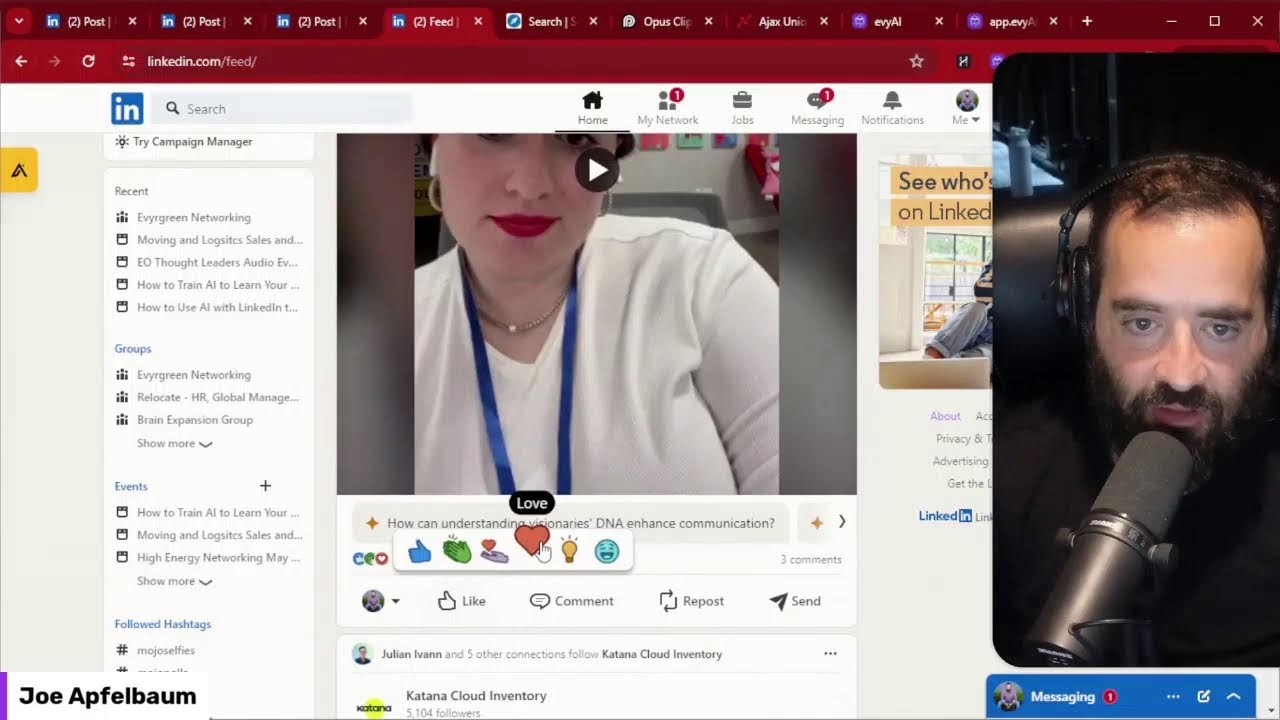
In this live YouTube session, Joe Apfelbaum walks viewers through a comprehensive, hands‑on demonstration of LinkedIn Sales Navigator and how to combine it with AI tools, a CRM, and cross‑platform publishing to scale personalized outreach. He explains the distinction between LinkedIn’s organic and sales layers, shows how to use the 34+ filters in Sales Navigator to target second‑degree connections who have viewed your profile, and builds messaging campaigns that stay under spam thresholds while achieving high response rates. Joe then demonstrates uploading a video to his media library, generating a post copy with Evie AI (using a custom persona and GPT‑4o), scheduling and cloning the post to LinkedIn, Twitter, Instagram, and TikTok, and leveraging support‑group chats to amplify content. Throughout, he models engagement tactics such as commenting, tagging, sending personalized connection requests, and reviewing profiles for social proof. The session emphasizes using AI to overcome writer’s block, automate repetitive tasks, and maximize the ROI of LinkedIn prospecting while maintaining authenticity.
Chapters
Jeez. If you're not familiar with Sales Navigator, Sales Navigator is the prospecting part of LinkedIn. LinkedIn has the organic part, which is this part over here. This is the organic part of LinkedIn where people post posts and you're able to leave comments. And if you use Evvy AI, you can drop comments very quickly. And then there's the part of LinkedIn that's more sales related where you're able to prospect people and send more direct messages. So if I click on messaging, you'll notice that we have lots of messages that I've been sending out over here. So 6/5/17, 5/16, 5/15, 5/13, 5/12, 5/10. And these are specifically to CTOs with a very strategic message to those CTOs to kind of just build a little bit of connection with them. And these are CTOs that I'm currently not connected with, but that have posted on LinkedIn in the past 30 days. So they're actually active on LinkedIn. And so I'm able to specifically strategically message these people. And most people can only message 50 people, but as you can see, I've messaged way more than 50 people. And most people, most people can only message 50 people per month. And I've messaged hundreds of people every single week. using Sales Navigator in a non-spammy way, because I'm very strategic with the way that I'm messaging these people. And I get a nice response rate. Not every single person's interested. Not every single person replies right now. There's a long shelf life to this because this also comes in as an email. I don't know if you're familiar with that, but this also comes in as an email. So if you're watching this live right now, take a moment and let me know where in the world you're dialing in from and let me know what version of LinkedIn you're currently using. I'm going to check to see if there's anybody actually watching this live or leaving comments for me. But if you do leave a comment, that would be awesome. And I'd love to see you if you're actually here watching this live. And if you're watching the replay, let me know that you are watching the replay. Are you watching the live or the replay? Okay. I'm going to press post just like that. And as you can see, I am live over here. Now, my thing is that when I use Sales Navigator, I'm looking to be very strategic with the filters that I'm going after. So there's 34 different filters that you can choose from. And in our Sales Navigator bootcamp, we walk people through all the different filters that they could be using, which ones they should be using, which ones they shouldn't be using, the best ones to use depending on what they're trying to achieve. So I want you to consider Who's your prospect? Who are the people that are most likely to do business with you? Who are the people that are your centers of influence? The people that you can build a relationship with and kind of get to know. So you see, they have recent updates, mentioned in the news, people that viewed my profiles. If I want to see all the people that viewed my profile recently, I can go ahead and do that. You see that? I just checked all the people that looked at my profile. There's over 3,000 people that looked at my profile recently. That are in Sales Navigator over here. And what I can do is I can save them. I can reach out to them. I can build a relationship with them. I could also see which one of these are actually my first-degree connections versus my second-degree connections. That means the people that are connected to me directly versus the people that are not connected to me directly, but they have a mutual connection with me and the people that have mutual groups with me and so on. So for example, if I want to see all the people that looked at my profile recently, that I'm not yet connected to. I'm going to press second-degree connections. And this will populate a whole list of people that are second-degree connections that have looked at my profile recently. And what I can do is I can identify which of those people I want to start messaging, and then I can create a messaging campaign to message those people that looked at my profile that I'm not yet connected to, are on LinkedIn. And, you know, I can say, okay, I only want to message the people that recently posted on LinkedIn too. So I'll see the people that recently posted on LinkedIn that are my second-degree connections that looked at my profile. Think about the power of that when you reach out to somebody. I can start a connection campaign with those people as well and say, hey, I noticed that you recently looked at my profile. I'd love to connect with you on LinkedIn. Are you open to connecting on LinkedIn? I know that they recently connected with me on LinkedIn. I can also say, okay, well, I want people that have a certain job title. For example, I want to see all the CEOs that looked at my profile recently that are second-degree connections that posted on LinkedIn that whatever. And then I can also pick ones that are in a specific area. So I see with the word CEO, I have lots of people with the word CEO that recently looked at my profile. And I can message them. And these people are just not connected to me on LinkedIn, which, listen, most people on LinkedIn are not going to be connected to you on LinkedIn. That's the reality of the situation. Most people are simply not going to be connected to you on LinkedIn. So you can run campaigns to find out who the people are that you're connected to that are not really responding to you, because you can run messaging campaigns to people. I recommend not sending more than 100 or 200 messages a day to your connections because you're going to start triggering some spam stuff, but send out 100 messages a day to your connections. If you sent 100 messages a day to your connections, how many messages is that a month? That's over 3,000 messages. If you sent 150 a day, that's 4,500 messages. That's a nice amount of messages to send out to your connections. So let's take a look at my messaging over here and look at these, look at the relationships. I'm actually building relationships. with actual people that are customers, that are real people. So over here, hey Joe, I have not decided yet. I'm still figuring out what I want to do in the comments. Brand new community, still finding my way around. What about you? I am building LinkedIn automations. Would love to learn more about your goals. Okay, so I'm doing that. Um, I booked a meeting with this guy. He said, I see it on your calendar. What are the biggest things you could wish you see different right now? Um, I would love 30,000 people To be using Heavy AI Premium just like you every day. Okay, so there you go. So I just sent him that message over there. So look how many messages, look how many conversations, look how many messages, look how many things going on on my profile here. You see all the, you see all the things going on? Most people are not going to show you in real time their profile. They're afraid. They're afraid of other people's opinions. They're afraid of what people are going to say. But I just want to be totally transparent with you and kind of just, just show you what I have going on over here. There's nothing for me to hide from you. You know, like I'll show— tell me what statistics you want to look at. Tell me what you want to know. Pop it in the comments. I'm happy to have a conversation with you that's a real conversation and just show you what's really going on. I'm going to like my own post. Why? Because I like myself. I do. There's nothing wrong with liking your own post. Sales Navigator strategies, heavyai.com. Just like that. Boom. What else am I going to do here on LinkedIn? Okay. So we talked about some Sales Navigator strategies. I showed you some ways and some ways to do that. Um, I want to show you how I post on LinkedIn. So I use this tool called Opus. This is an Opus tool right over here. And in this tool, I'm able to find like webinar replays. I'm able to find things that people said that are really nice about me. So let's go find one of these videos and watch it in real time. And when you are able to be the best version of you, you're able to be more creative. You're able to be happier. You're able to add more value to your clients. Look, at the end of the day, those people that have something called writer's block, They end up suffering. And I don't want people to suffer. I want people to have a voice. If you can have AI do the hard work to come up with a comment for you, then you can actually build the relationship and get to know the person without stressing out. And you can do that 10x. So talk about winning the hour of winning the day. You know, like in an hour, what you can do on LinkedIn now is what it would take somebody a day or 2 days to do. And when you are able to be the best version of you, you're able to be more creative. Yeah. Okay, so now what I'm going to do is I'm going to take that and I'm going to log into my CRM. So I'm not going to go directly to LinkedIn, okay? I'm actually going to go into my marketing section in my CRM over here. And actually, I'm going to go into sites and I'm going to go into media. Go into sites, media, open up media library, and I'm just going to dump this file. Into my media library. Okay, you see I just dumped this file into my media library. So now I have this file called Unlock Your Creativity to Build blah blah blah, whatever. Okay, Unlock Your Creativity to Build blah blah blah. So if I click on this, I can grab the link. So I just copied the link to that. Okay, so now I uploaded this video to my media library. Now what I'm going to do is I'm going to go into marketing, and then I'm going to create a new post. See, it says create new post. I'm going to create a new post. I'm going to create my social account, which is going to be the Joe Apfelbaum LinkedIn account, just like that. You see that? And what I'm going to do is I'm going to add the video right here. So I'm going to click on video. I'm going to click on this. I'm going to press upload a file. Actually, I pressed that and that should be that.
Back.
Did it not load? What's going on? Okay, I double-clicked on it now. Okay, so now it uploaded that video. Now what I want to do is I want to create a, a, uh, a post. So how am I going to create the post? So I'm going to use Evie AI. So I go to evieai.com, I click login on the top right. On the left side, I'm going to click post writer. Then I'm going to take the little synopsis here of the video like that. I'm going to copy that. I'm going to paste it in here so that it— this is not a good post right over here, but I'm going to make it informational. I'm going to make it inspirational. And then the persona, I'm going to use the Joe Apfelbaum 2 persona. And now I'm going to use the GPT-4o. I'm going to press, um, I'm going to press generate and it's going to generate a hook, main points, a call to action. Ever felt like you're running a marathon just to keep up with your LinkedIn connections? Imagine this, in just 1 hour you can achieve what used to take days. How? Okay, so now I'm going to go here, press copy. I just press copy. I'm going to go back into my scheduling tool and I'm going to paste it over here just like that. Okay, so now that I pasted this like that, I can just press post over here and I can schedule it for later or I can post it now. In this case, I'm going to post it now. So you might say, why don't you just post it on LinkedIn? The reason I wanted to post it through here is if later I want to clone this and send it to Instagram as a reel, I just click the 3 dots here and I press clone. You see that? I press clone. And now what I can do is instead of sending it to LinkedIn, I can swap it out of LinkedIn and then throw it into, say, Twitter. Okay, I'm gonna go to Twitter here, or to Instagram, or to TikTok. Yeah, I just uploaded a TikTok, so I'm not gonna put it on TikTok. As you can see, ever felt like you're running a marathon, blah, blah, blah. This is Twitter. By leveraging the power of AI, check out Evie AI at www.evieai.com.
Okay.
Or I'll just write evviai.com. Okay. It's not letting me do that. Um, ever felt like you're running a marathon just to get with your LinkedIn connections? Imagine this, in just 1 hour, in just 1 hour. Okay, let me delete that. I'm gonna say in just 1 hour, blah, blah, blah. Learn more at evviai.com.
Okay.
I don't know why it's not letting me type in .com here. Okay, I'll just do that. I'll just write eva.com. All right, so now what I'm going to do is I'm going to press post and I'm going to post it right now to Twitter just to kind of show you how that would work. And I just posted this to Twitter, so it's posted on LinkedIn. So apparently it's posted on LinkedIn. Let's go check on LinkedIn, see if this works, see if it worked. We're going to go into LinkedIn right now. And there it is. There it is, ladies and gentlemen. We now have a video on LinkedIn that I'm going to like. I'm going to put in the demo of Evie AI just like that. You see that? I'm going to post the demo there. Now what I'm going to do is I'm going to copy the URL of that video. I'm going to go to messaging and I'm going to say you're welcome, and then I'm going to send this the message with my latest video. And then I'm going to search group, see what comes up. I'm actually going to go into my DMs, and inside my DMs I'm going to search messages for support group and see what comes up for the word support group. All right, so we got a couple of support groups here. So these are great support groups. That enable me to— let's see what this says over here. Scroll down, I'm going to press send. So I'm sending this to these support groups that can support this video if they want to. You see that? I'm just going to copy and paste it into all these different groups over here that I created over the years. I've created many little support groups. And these are places where people can kind of support each other. And now, of course, I'll go in there and support some people as well. Brad Willey left this conversation. That's okay. Sometimes people leave conversations. See if there's any other support groups here. I'll send this to Joseph. Let's see what else we have over here. What other support groups we have? Let's pop it in here. Let's pop it in here. This is the trends video that I created. This is the accelerator program. This is the JK Moving support group here. This is the Beltman support group. This is the other LinkedIn accelerator training. This is another support group here. See that? That's why these groups are here. SalesNav Boot Camp. Here's another one. Another support group. Over here, nobody answered that, so it's okay. I'm gonna scroll down, see if I could find— so that's what the importance of calling your groups a specific name is, so that you can kind of go ahead and just let people know, hey, I posted this. I'm just gonna— this guy, I haven't messaged the guy since 2023. I'm gonna send it to him. I'm gonna say, what do you think?
Okay.
And now I just did my thing. I sent it to a bunch of people. So I created a post, I promoted the post, I used my CRM to do it, and that makes my life so much easier. And let's see, anything else that I can share with you guys? It looks like Jane supported this, which is very nice of her. Thank you, Jane. I'm going to click on Mike's profile. This is what I do. I see Mike is a B2B trainer, not a crisis hostage negotiator. And now I'm gonna click in here, click More, and I'm gonna click Message Mike. And look at this, I can message Mike. So I'm gonna say, thanks for the like. Loved reading your profile. You really paid attention to detail. Did you watch— Oh, that's nice. My whole life. Let me know. I'm going to press send. So I just sent him a little message over here on LinkedIn. Now I'm going to explore his profile a little bit. I see he has 19 5-star reviews. That's amazing. That's really impressive. I see he has 3,000 followers. So he's really taking LinkedIn seriously here. I don't think I've ever seen someone yet with 19 5-star reviews on their services page. Which I absolutely love that he's really fixed up his services page. It's rare to see someone with a very tight services page like that. I'm going to be making a video for my services page. I didn't make one yet. Hey, good to see you on here for a while. I just wanted to say you're doing great. Okay, good. Thanks, Mike. Nice to see you on here. So what I'm going to do is I'm actually going to drop a quote. I'm actually going to drop a quote here because this, Here's an inspirational post. I'm going to give him an inspirational quote. Your resilience is inspiring. You see that? Tough times never last, but tough people do. Ooh, what a quote. What a quote. I love that. I love that. So he does negotiation training. He teaches people how to negotiate. And you get turned on to somebody and you check out their stuff.
Let's see.
Let's see, recommendation. This is a recommendation that someone gave. Oh, I didn't know you can share recommendations on your, on your featured items. That might be new. That wasn't there before. I see he has a link here and he has a post. So let's watch this 2-minute video here. He shares a 2-minute video, might as well watch it. Let's play this.
Here are 2 key negotiation lessons: getting over your fear of negotiating and trying. Studies show that most people are Afraid to negotiate. Some are petrified. And miss 5 to 7 opportunities to negotiate every day. They miss them because they're not about price, so they aren't paying attention. This video is about my wife and her fear of negotiating. Don't worry, I got her permission. Specifically, she said fine. The first clip is us in our kitchen preparing to negotiate with Costco over their return policy. Why are you nervous about this? Look at me, look at me. Why are you nervous about this?
Because I'm afraid they're gonna say no.
The second clip is us in the parking lot moments prior to the negotiation. What are they gonna say?
They're gonna say no.
Are you sure?
Yeah, stop.
She asked me to stop, but I won't stop because I'm me. They say no, are they going to kick us out of the store?
Probably, and I'll cry.
You'll cry if they say no?
Go away.
Will they not let you shop here anymore?
No.
Are you sure?
They'll let me shop here, but they might laugh at us.
Okay, they might laugh at us. Okay, now post-successful negotiation. Okay, how'd we do?
Good.
What'd we get? Our money back. Why'd we get it?
Because we asked.
And were they gonna— were they gonna kick us out?
No.
They were nice, right?
Yes.
Okay, thank you. Remember when I said people miss opportunities to negotiate because they're not about price? We wanted an exception. To the return policy, the Costco teammate saw it as a binary yes, no. They missed an opportunity to negotiate back. They could have asked us for a favorable Google review, or if we'd recommend a Costco membership to our friends, but they missed it. Always have an if yes, if or no, but if okay. Okay, one last fun clip. It's my wife and the voice in her head thinking about how she'd be alone in a negotiation.
Group, how would stutter?
How would you be?
That's how. And he just ends the video right there. Okay. All right. He ended the video. Cute. Cute. Love that. Oh, and look, Bruntelman even liked this over here. That's awesome. So let's go check out Brynn Tillman's post. So you see, somebody likes my post and I go check 'em out and see what they're up to. So let's see what she's up to. Let's see her most recent post. I'm gonna click on posts on her profile. You see over here, she posted this thing about artificial intelligence. I'm gonna give it a like. Now I'm gonna see if I commented on this. I haven't commented, but I did do this thing. So I'm gonna drop a comment here. And in this case over here, I'm going to do a 20-word comment just like that. Thanks for sharing, excited to contribute. Boom. And I'm going to say done. And I'll tag her and I'll press go. And as you can see, that's me supporting her. Now often what I'll also do is I'll check out who are the people that actually liked those posts. You see that? I'll check them out. Head of sales at Lead to Win, outbound sales strategies, CEO of Sales Fuel. So I like that. I like anybody that's in sales. I want to check this guy out. He has 4,000 followers. I'm going to message him and I'm going to say, Noticed you liked a post recently and checked out your profile. I love what you are doing. Well done. Okay. I'm going to press go. And I just said, noticed you liked a post recently, checked out your profile, love what you're doing. Well done. That's me opening the door to have a conversation. I'm basically greeting this guy. I don't know him from Adam. He doesn't know me from Adam, but I dropped something nice. I said something nice. Now I see he posted a featured post and he has one comment. Now you can be sure that if you post something and you feature it and you have thousands of followers, that people are going to see that post. And he's the only one that commented on his own post. So I'm going to go ahead and I'm going to leave him a comment, a 20-word comment. Great insights, Lee. Protecting your brand's tagline is crucial. Your article is a must-read for entrepreneurs navigating trademark issues. Okay. So I'm going to tag him so he notices that I did this. I press post and now I have real estate on his profile right here under where it says Here, now there's 2 comments, 1 heart, I gave it a heart, 2 comments, just like that, I got real estate on his profile. How cool is that? Now if I want him to notice me again, I'm going to go here, the post that he posted 3 hours ago, I'm going to say, nice job. Okay, I'm going to press go, and I just left another comment and tagged him again, so he'll get another notification that I commented on his next post. As well. So when you, when you comment on a post, you want to make sure that you are tagging people, which can be really, really helpful for you. Okay, now I'm going to go to the bottom and see if he has any recommendations. And I do see he has 11 recommendations on his profile. And now what I do is I go to the people that leave recommendations for other people, I click on their profile, and then I see what they're about. So I see Hannah works for D Skills Inc. from Asheville, North Carolina, where teens learn new digital skills. Wow, that's cool. I'm going to click on message, and I can't message her because I have no more credits and she doesn't have an open profile. That's fine. I'm going to go to her profile. I'm going to see her recent posts. She didn't tag any posts up here. But I see she posted this 2 days ago. I'm going to go in here, and now I'm going to go down here, and I'm going to click here, and I'm going to press @Hannah, do you teach teens how to use LinkedIn? And I'm going to press post, and now I can have a conversation with her in the comments. That is cool. Now I'm going to message this guy over here. Are you open to some new LinkedIn tips? Just like that. And that's kind of like how I maneuver around on LinkedIn. And I see Bob celebrated this comment. So I commented on this and Bob celebrated the comment, which I absolutely love. Okay, so there you go. I'm going to just go back into my posts real quick just to see what's going on, see what others Things people are liking and commenting on. I see you got Brynn, I got Mike, I got Rob. I see all these amazing people here. Which teleprompter do you recommend? I'm going to go in here and I'm going to respond. I recommend, I recommend the one in CapCut. Okay, I just tagged her just like that. You see that? I responded to her. I'm going to press notifications. I'm going to press mentions. I want to see what mentions I have. So he mentioned me here, she mentioned me here. You see that? These are the people that are mentioning me in my own comments. But if somebody mentions me on a post somewhere, I'm going to go ahead and make sure that I notice that by going to my mentions. And most people don't even review all their mentions, but I like reviewing my mentions to see what's going on. So I'm going to click on this from 3 days ago where I was mentioned. You see my name was mentioned right here. And then what I'm going to do is I'm going to control-click on some of these people here to see who they are. Okay, see you on Sunday. Okay, I'm going to press send. I'm going to go to the next person. This guy's name is Ellie Weber. Ellie Weber from the podcast. I'm going to click message Ellie and say see you on Sunday. Now Joseph, I'm going to say see you on Sunday. See that? And now Danielle, I'm going to see if I can message her directly over here. Yep, I can message her. See you on Sunday. And then this guy, Dr. Jonathan, I don't think I'm going to be able to message him. I think it'll open up in Sales Nav and say you have no more credits. Okay, that's cool. Over here, he posted 7 months ago. So in this case, I'm going to hit the connect button and I'm going to say, see you on Sunday. Let me know. If you want to connect, Joe. I press send, and that's my way of connecting with him. And I'm going to talk to him about the fact that he hasn't posted in 7 months. WTF, what's going on? Then this guy Yolish right over here, he posted 7 months ago too. It's an embarrassing thing when someone doesn't post. Let me see if he has an open profile. Chances are he doesn't. He does not. That's okay. Over here, I'm gonna go here. He reposted this, he didn't even post it. Over here, he posted 10 months ago, and I'm gonna tag him, and I'm gonna do this this way. I'm gonna say, see you on Sunday. You see that? So I tagged him over here, and he's gonna get a notification. See you on Sunday. You see that? Just like that. Let me see what else is going on. Wow, insightful session about Cybersecurity. Oh, that was Casey because I left her a comment on the feed. All right, and here's Rachel Leibowitz. Rachel Leibowitz is not getting a lot of comments on this post, so what I'm going to do is I'm going to drop a comment. I'm going to show her the love just like that. And that's what I got going on, and that's 30 minutes of work. Do you see how much I got done in 30 minutes? Well, I just want to take a moment to tell you I appreciate you. Thank you for watching this. If you enjoyed it, just give it a like, leave a comment, let me know that you enjoyed it, hit the repost button.
More from Joe




How to Beat the Algorithm: Remove Hidden Watermarks & Scale Content with evyAI






