The Best LinkedIn CRM with Automation - 170 LinkedIn Live - Joe Apfelbaum
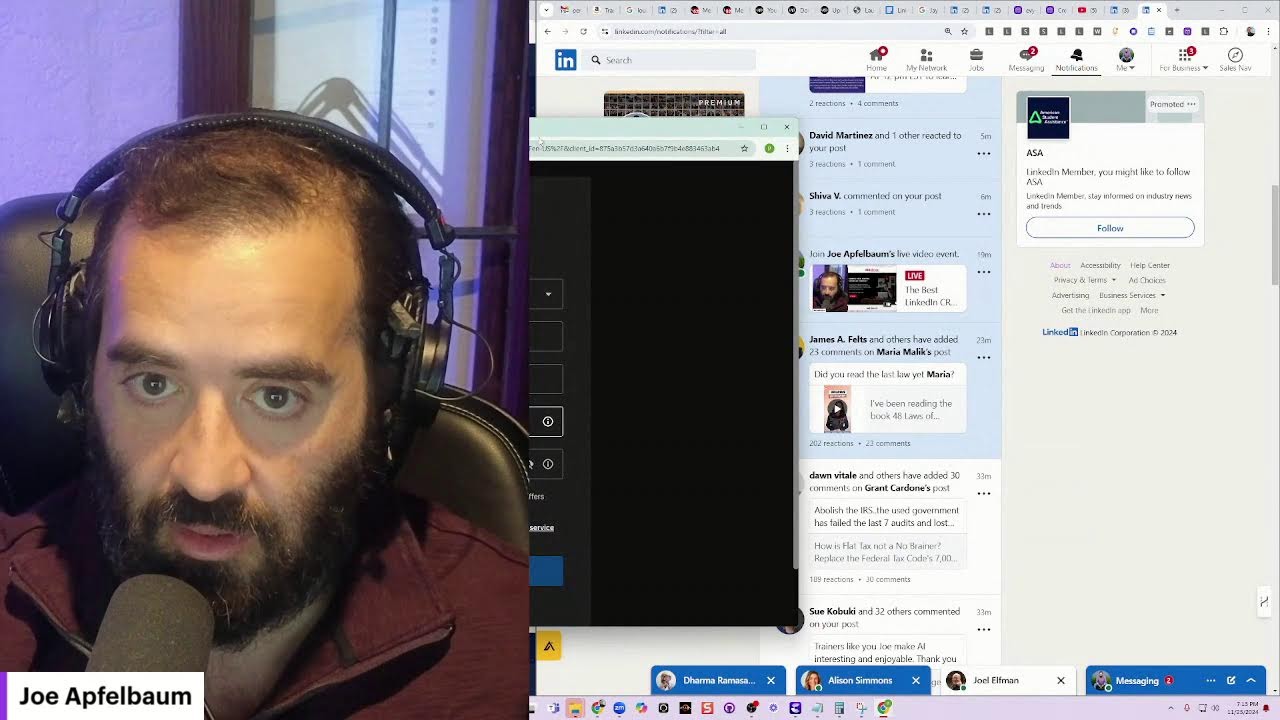
Joe Apfelbaum shows how to build a LinkedIn CRM from scratch: filter prospects in Sales Navigator, enrich their contact info with Evie AI or Apollo.io, then automate outreach and scheduling in the Unlimited Digital Marketing platform. He walks through a real example with Chase, covering email harvesting, LinkedIn messaging, and webinar promotion.
Chapters
So you wanted to chat with me about, about what? Remind me of what you wanted to chat with me about. I think you wanted to chat with me about automation. Am I right? Like, uh, CRM?
Spot on.
I wanna find, um, brand managers from LinkedIn, their name and email address to reach out to 'em. Okay. So what I would do is I would put them into a CRM like this. this CRM right here. So the first thing you want to do is let's go into Sales Navigator. And by the way, this CRM includes social schedule and CRM pipeline management, automated workflows, chatbots, multichannel marketing, landing page builder, appointment scheduling, review management, all this other stuff, integration with Make.com. So let me, let me go into Sales Navigator real quick. So if you go to linkedin.com— Mm-hmm.
/sales.
And by the way, our Black Friday special, Chase, is going to include, um, access to a Sales Navigator bootcamp. Um, so we're going to be launching a Black Friday special that includes a 6-hour class on how to use Sales Navigator. So I'm in, I'm in here. I'm going to click on lead filters. Do you see where it says current company? Remember you sent me a list of companies?
Yeah.
So I'm going to go ahead and put in the name of the companies in there. So I click on Nature's Fast Foods, I press include. I put Annie's Hometown, Annie's Homegrown. Let's see if I could find it. LinkedIn's having a heart attack now. Um, basically, if they don't have that company, we're going to— I don't know, it's not pulling up. It's not doing— it's not like pulling up the name of the company in here. So I'm just gonna— oh, was there, but whatever. Akashi Company, whatever. Let's just search these 2 for now just to make things fast.
Cool.
Um, and then you see on the right side, it shows you the list of all the companies. It shows you there's 63,000 people. So you would look for the specific function. In your case, you might wanna do— what'd you say it was? Social media marketing? Yeah, social media marketing, uh, brand managers. So marketing manager, let's say. So we'll search marketing manager. There's one result. You could do brand managers. Brand manager. You got a couple of results over here. So you see, these are the people that you want to see. These are all brand managers for Nature's Path. Brand manager, brand manager. Brand manager is a good, is a good, um, is a good thing. So you also type in social media.
Yeah.
Social media manager, social media coordinator, social media marketing manager. You see that?
Mm-hmm.
You want to include all of it. And then what you do, what you do, you can export the list of all the people that have those titles. I'm just going to remove some of these just to kind of see how many people total. We're talking about 637 people. I would basically just pull all the people from all those companies. And then I would, you know, remove the ones that don't matter. And then I would enrich it. And that's essentially how I would do it. I would pull all their emails. You know, it's not going to take much time for you to find all the people for all these companies and just put them all in here. You know, you can do a custom search like this and then even get notified when new people come into that search.
Awesome.
Okay. Yeah, so this is, and this is the best way to be able to find people, uh, right now. And now there are other tools. Have you heard of Apollo?
I haven't.
So you can do the same thing in Apollo. You can search for a list of companies and pull all their emails just like that. So apollo.io, you click login. On the left side, you click on companies. You can search company names. I could put in Applegate Farms LLC, Applegate Farms, just like that. I could do Nature's Path, Nature's Patch Foods, Annie's Homegrown. This is working a little bit faster than—
Wow.
Sales Navigator too. Hashi Company, Amy's Kitchen, Eden Foods. And you can make a list of all these companies and then target the— like, you scrub your search against this particular list, you know. Um, Stony Brook Farms Produce, Applegate Farms. Clif Bar and Company. Maybe it's just called Clif Bar. Clif Bar right here, cliffbar.com. Lundberg Family Farms, Bob's Red Mill. Okay, now that we have this entire list over here, you can save this search or you can add all these companies to a particular list. Select page, apply, and then you can just say create, add them to a list. I'm going to call this Chase Brands. Create a new list, add to lists, and now I have a list called Chase Brands. You see, these are all the lists. Now you can see how many employees they each have, and then you can do a custom search for people that are in this list. So I go to People, I click on Lists, I click on Companies, I click on Chase Brands. You see that?
Yeah.
Wow.
Now I'm only searching through this. So if I want to say, for example, a certain title of a person, so I'd look for a certain title. Let's see. I'm going to go here and look for a title, more filters. Let's see what I have over here. I have time zone, source, name, company, job titles. You could do— look how many different Boolean things that they have here. Departments. So I want everyone in marketing.
Wow.
So now I'm going to hit 139 records. It's going to pull up all 139 here. I'm going to select all these 139. Select 25 at a time. You just select all. I'm going to hit Apply, and then I'm going to save them to a particular list. I'm going to hit Add List. I'm going to call it Chase Leads. I'm going to hit Create New Lead List, Save. And it took these 25, and it's going to pull all their emails for all these people. Now I'm going to do— I'm going I'm gonna do this 5 times and it's gonna pull all 139 because you have to do them 25 at a time.
Mm-hmm.
Let's see, let's see if I'm gonna see if it'll let me add this. Chase leads, it's not letting me add it, so I got to refresh the page. That's an— that's what's annoying about this. Okay, I'm gonna do here, select 25, apply, lists, add to list, Chase Leads, save. So now I just added 50 to that list. I'm gonna add a few more and then we're done. And then if you want to see the actual list, let's say we want these 75 now. Add to lists, Chase Leads, save. Then we just go to search up here. Go back to home. We can quickly filter this back out because we already saved all the lists. I'm gonna click on lists.
Yes.
Chase Leads. Now I have all my leads over here, you see?
Wow.
And I can see the ones that have an email address and the ones that don't have an email address. So I can filter for all the people on this list that have an email address. I can export the whole list, put it into a spreadsheet, upload this to my CRM. So I would upload this into Unlimited Digital Marketing and start marketing to them right away. And by the way, we're going to be running a Black Friday special for a year access of Unlimited Digital Marketing for people who sign up to Evie AI Pro. And I'm going to be able to get you 1,000 leads like this. I'm going to take this path, have a conversation, find out who are the 1,000 leads that you need and get you 1,000 leads with email addresses and then put them all into Unlimited Digital Marketing for you as part of it. As part of like the promotion for Evie AI Pro. But look at this.
Wow.
Look at the person's email right here. You just email them. If you want their phone number, we can get their phone number too. It just takes credits. So if I click on request mobile number, now I have this person's mobile number.
You see?
I want their LinkedIn. I want to look up Kyle on LinkedIn, see if it's accurate. You see, he's a product development strategy analysis brand manager for Amy's Kitchen. He has 500 followers on LinkedIn. I could just call Marcel and have a conversation with him. So that's the route that I would take, Chase. I know you have a call starting at 7.
7.
Um, so I'm gonna let you go, but I appreciate you joining me here and you asking me about that. Was, was this what you were looking for?
Absolutely, man.
This was incredibly helpful. Thank you, Joe. Appreciate you. All right, guys, we're gonna be doing a training tomorrow. So if you guys want to attend our training, Chase, you can go if you'd like, but we're going to be attending, doing a training tomorrow, eviai.com/webinar. I'm actually going to post about it right now on LinkedIn. So I'm going to go here. I'm going to stop sharing my screen here. Let's see what he wrote. He said, gotta go. Okay, good.
I'm going to hit done. Great.
So let me quickly show you how I, post this right now. So I'm going to go— first of all, he says sure. Well, sure, X demo. I just sent him a demo video. But let me go to— let me go to Evie AI and write a post right now. Let me go to the post writer, and I'm gonna promote an event. So I'm gonna do promotional friendly, and I'm gonna go to evieai.com/webinar. I'm going to copy the text of the webinar here. I'm going to paste that into Evie AI so it writes me a post about it. In the meantime, I'm going to start drafting a post on LinkedIn. I'm going to click media. I'm going to find an image from my screenshots, which is this image right here, which is the image of the landing page. Then I'm going to go to Evie AI. I'm going to copy the image, copy the text from Evie AI, paste it in here.
Okay.
Together we'll explore. You'll learn how to fill out the form in the comments to register. Okay, I'm gonna hit paste, post. And I just hit post. So I just posted, join me tomorrow at 12 PM EST to learn the potential of AI to transform your LinkedIn, blah, blah, blah. Let me see Renee.
One of the things I've come to love most about being an exit planning advisor is that it turns out it's truly a team sport. I grew up an athlete, and I learned from the age of 4 years old the power of a team. And everybody playing their role, bringing their unique skills to the table. As an exit planner, when I help business owners get exit-wise, one of the things we look at is the power of their advisor bench.
Powerful, powerful, powerful, powerful. Anyway, I hope you guys enjoyed that. I'm going to go out with my daughter now, but I appreciate you very much. If you want a recording of this, you can go to youtube.com/@JoeApfelbaum. Click on live, um, both on LinkedIn and YouTube. Look at that, look how powerful this is. Let me message this person over here. I message this person over here as well. All right, so what I'm doing was I put up a poll here on a Facebook group and I asked which one of these people are going to be on the cruise, and some of them responded to me. Like, for example, Deborah responded, Marie responded. So I'm going to take this message and I'll send it to the rest of the people here that responded. I'm going to go ahead and send a message. And I'm also going to go ahead and send a message.
Send.
Send. Happy to add you to WhatsApp. What's your number? If you will be on the cruise. If you will be on the cruise. You see that? Happy to add you on WhatsApp if you're going to be on the cruise. And so what I'm going to do is I'm going to create a little WhatsApp group with all the cruisers and then build relationships with them. Isn't that cool? Let's see, more people messaging me. She hearted my message. Okay, this is fantastic. I'm going on a cruise, guys. Either snooze— if you snooze, you lose. That's the saying. But I'm going on a cruise. I like the way that sounds. Will do. Sure, send me the link. This is me. This is me doing outreach, and then my outreach gets responses every time, you see. And then I respond like that. Amazing, looking forward to it. And then I'm going to leave another comment over here saying the webinar, uh, please register. We only have room for 100. People, and it gets booked up fast.
Boom.
This is so good, dude. Just today alone, just today alone, I generated so many incredible leads. But if you take a look at my analytics just for the day, you'll notice something insane. You'll notice that I have 4,645 profile viewers, and you can see exactly who's looking at my profile, like Rachel S, Shiva V, Miriam, Grant, Michael. So if I want, I can I can send this Michael guy a message over here and I can say congrats, just like that. And then I can say, thank you so much for looking at my profile, looking forward to supporting your journey. You see that?
Jeremy Levinson.
Gary Perman. I appreciate that you took the time to look at my profile. Hopefully you found something beautiful there. Let's see who else we got. Joshua Scheinberg. I noticed you looked at my profile today. Let me know if there was something specific that you were looking for. Did you want to try out our artificial intelligence technology for LinkedIn? Look at this guy over here. Your photo is so interesting, a little trippy if you ask me. Let's see, Shelley. Oh, Christina! Hey you, long time no speak. How you doing? That's crazy. Something definitely was wrong with my microphone. I'm sorry about that. Let me know when you want to do a do-over. Look at all these incredible people. Too bad we didn't connect yet, but I'm looking forward to connecting soon, Allison. Let's see, Frank. He's in business development. I'm gonna accept the connection request. Oh, look at that, he only has 79 connections. I love that. Looks like you're just getting started with LinkedIn. You have less than 100 connections on the platform. Tell me about your goals. All right, let's just see what else is going on. Lots of love. Let's see what Dharma wrote here. Thanks, Joe. Get Sales Navigator, focus on DMs. Once you sign up to our pro version, you're gonna get a A six-hour class on how to leverage Sales Navigator, which you're gonna love. All right, let's see what my son wants. Hey, sweetie.
Hi, Rosie.
Hi, Rosie. Is Parrots around? I'm trying to sign him up to. I'm trying. I want to know if he wants me to make his his screen name for Fortnite Hyper Pretzel. Because I was, I was busy on the phone. I couldn't answer. Could you ask Pretzel? Could you ask Parrots if he wants me to make him Hyper Pretzel? Where is he? What is Pretzel's nickname? Let's make him a nickname now for Fortnite. What should it be? What should what should Parrots's what should Parrots's nickname be for Fortnite?
He wanted it to be.
What did he want it to be, Ro?
He wanted it to be Pretzel Apple One.
Are you sure?
Yeah, and I was texting. Why did you say parents are either there? I'm sorry, I was not on the phone. I and I texted Rosie and he didn't answer.
Um, no, that's because that's because I couldn't.
Like now, now, can we talk on Gmail now?
Yeah.
Okay, thanks.
Do you know what his password is? Oh. It looks like he already has an Epic account. Look at that.
Alright.
Let's try it again. Forgot password. Okay. We're gonna— we're gonna grab his password. I'm making him an Epic Games account. All right, let me see what his username is. Oh, Happy Pretzel, that's what it is. All right, that's what it is. All right, so anyway guys, back to what I was talking about over here. Um, hopefully you guys learned something today. I appreciate you very much and I look forward to talking to you guys again soon.
Boom.
It looks like my daughter's calling me. Hang on. Hey sweetie, what's going on?
I told you to text me and you're not. I literally sent like 30 messages. I don't know how much, but can you read them?
Oh, I see them now. Okay, I see where you sent them to me. You wrote a cheese stick. I just sent you a message. Did you get it? Rosie?
I love you too. Yeah, okay, bye. I'm gonna talk to you on Messenger.
Okay, let's see. Somebody wrote, what is this about? Let me just see. What is what about? Let me see what he's talking about. Shiva said, what is this about? Uh, from the UK. Look at you, Shiva. We're talking about how to build relationships and grow your business using Evie AI. I'm gonna drop a comment on Shiva's post. Hey Shiva, I'm gonna delete the extra V. See, I just left him a comment about personal branding. David, oh, David connected with me. Allison said, can you Wednesday? Let's see, Wednesday at 10:30, possibly at 11. Booking meetings, baby. That's what you got to do here online.
More from Joe




How to Beat the Algorithm: Remove Hidden Watermarks & Scale Content with evyAI






