The LinkedIn Daily Checklist 050 LinkedIn Live 2024 with Joe Apfelbaum
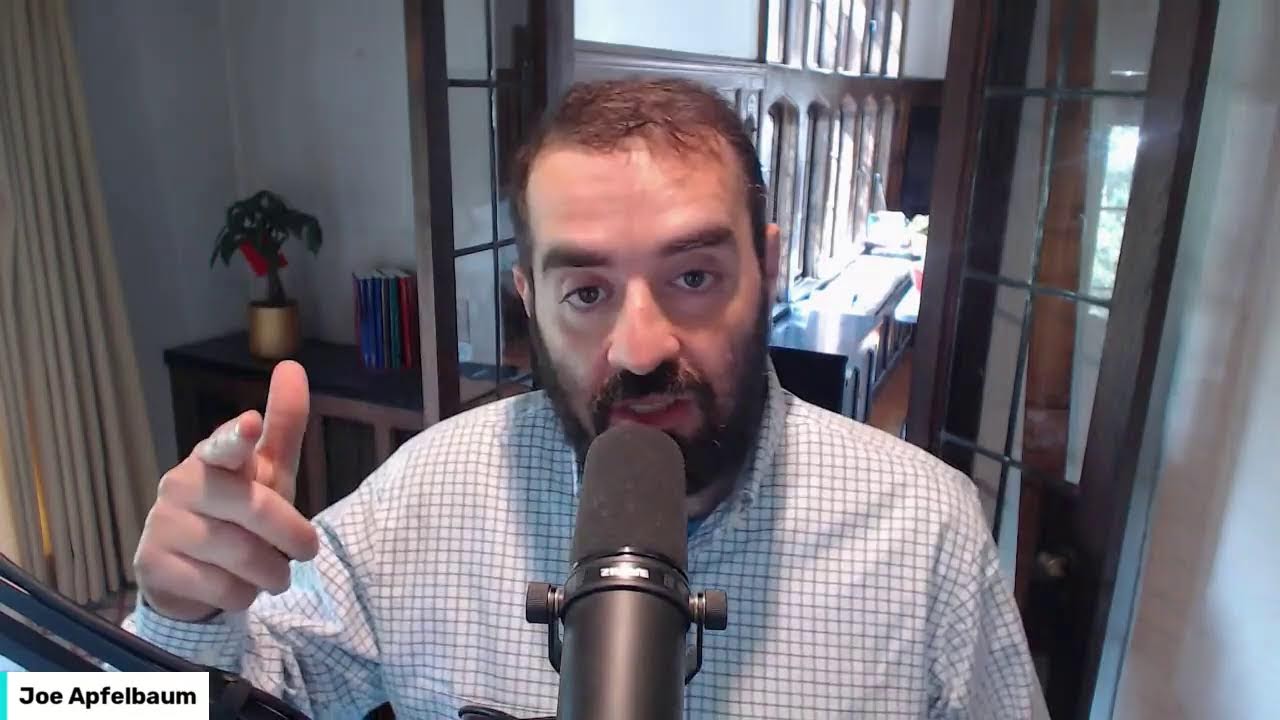
In this 15‑minute LinkedIn Live session, Joe Apfelbaum walks viewers through a practical daily LinkedIn checklist designed to grow visibility, credibility, and client acquisition in just 15 minutes a day. He breaks the checklist into three pillars—Expand (new connections), Build (authority through content and engagement), and Nurture (maintaining relationships). Throughout the demo he shows how to use his Evvy AI platform to automate and personalize connection notes, comment generation, post writing, profile summarization, and message replies. Using a real‑world example targeting New Jersey real‑estate agents, Joe demonstrates LinkedIn search techniques, how to filter first‑ and second‑degree connections, and how to reach out with AI‑crafted messages. He also illustrates posting with AI‑generated copy, tagging, and sharing, and stresses the importance of daily engagement (5 comments, profile view checks, KPI tracking). The session is interspersed with live audience prompts, calls to action for his Evergreen Networking course, a 6‑hour class, and an AI mastermind group, and repeatedly invites viewers to request the full checklist, strategy resources, or join his training.
Chapters
Hello, my name is Joe Apfelbaum and I'm gonna be your host today on this amazing LinkedIn Live. We are streaming live today and I don't know what happened, but when I just streamed a few minutes ago, my stream completely disappeared. And apparently, hopefully it's live now. I don't see it on LinkedIn. My account doesn't say that I'm live, but it kind of does say that I'm live. So if you're watching this live and you can see me, Say hello, let me know that you're here. I never know with these lives if it's working or if it's not working unless I get engagement from people. And so if you're tuning in, let me know that you are tuning in and that you are live here right now. I'd love to hear from you in the comments below. Honey, everything okay? You know, Mommy found you an apartment, but if you're busy, we'll talk later. Okay. So I'm going to join live myself right now, and I want to encourage you to leave a comment on this particular post over here, and hopefully I'll be able to see that you are live with me. It does look like we're live. Okay, good. People are commenting. Give this a heart as well if you're here with me, or give it a light bulb, or give it a round of applause. And let me know that you are here. Okay, so the LinkedIn checklist. What is the LinkedIn checklist? Well, essentially the LinkedIn checklist is a list of activities that you need to be doing every single day, even if you only have 15 minutes a day. If you wanna be successful on LinkedIn, you gotta use a checklist. A LinkedIn daily checklist is a way to figure out what you're gonna be doing in advance to be able to get that exposure, to build credibility, and ultimately to book meetings that help you be able to get more results. So if you want to use this checklist, break the checklist off into 3 separate parts: expanding to get— be able to get more connections and more followers; building to be able to build more authority and more trust; and nurturing to be able to get people to know who you are over time and to go deeper with them and actually have a conversation with them. Each part has a few activities on the checklist. And if you want the full checklist written out for you, just write checklist in the chat and I'll send you the checklist because I actually wrote the whole checklist out and I have it right here, but I can hand it to you through the chat. So if you want it, let me know in the chat that you want it. I'm on a mission to help people be able to leverage LinkedIn daily, but you need systems and processes. In our LinkedIn course, Evergreen Networking, we give our clients lots of resources like frameworks, scripts, templates and much more. We're actually having a 6-hour class on Wednesday where we're walking people through how to do all this stuff. And with artificial intelligence, namely Evvy AI, we give you access to the most advanced tools to write content with AI, leave comments in your voice, and help you reply to direct messages quickly. So today I wanna provide you with a simple checklist that you can use every day to help you leverage LinkedIn in just 15 minutes a day. And if you do this correctly, you're gonna get more followers, more exposure, more connections, more credibility, and this'll lead to you getting more clients if you do this consistently. So why is a checklist important? I'm reading a book by James Clear and he says, if you don't, you don't rise to the level of your goals, you fall to the level of your systems. And I'm a big believer in systems and processes. Back in 2013, I was quoted saying, micromanage the process, not the people. The way that I built Ajax Union to be one of the fastest growing companies in the US was not by manifesting a goal, but by having the right systems, strategies, processes, And taking consistent action. It's really hard to be consistent when you're doing random activities on LinkedIn. So begin by setting the right strategy. Know what is your plan, what are the metrics that you're going to measure, and if you're moving in the right direction. You need something called key performance indicators to determine what are those numbers that you're actually— that are actually moving you forward or moving you back. Are you moving in the right direction or are you moving in the wrong direction? The right strategy will save you a decade. So if you need help with a strategy, just write strategy in the chat and I'll be happy to send you some resources related to building a strategy for LinkedIn. The checklist is not gonna be overcomplicated. It's gonna be broken down into 3 separate parts. You spend 5 minutes on each part and use AI to help your activity. So number 1 is send out 10 new connection requests every day to your ideal target market. Now you can use Avi AI to help you customize a note for each person that you're connecting with. And you also have to learn how to search to be able to find those people that you want to connect with. My recommendation is to monitor and see how many people in your target market even exists on LinkedIn. And is it growing or is it becoming less? And, you know, picking the right target market is a huge component to success because there are 1 billion people that are currently on LinkedIn. And so you have a choice to decide who you're going to be targeting, and that choice will determine whether you're going to be successful or whether you're not going to be successful. So for example, if you're targeting real estate agents, well, you can search on LinkedIn, and I'm going to show you how to search on LinkedIn right now. You can search on LinkedIn to see if there's any real estate agents that are currently on LinkedIn. Someone recently said, Joe, real estate agents don't use LinkedIn. And I said, all right, well, let's search for some real estate agents right now. Let's go into LinkedIn. First of all, give me a like on this post and let me know that you are with me. Let me know where in the world you're dialing in from. It looks like Rob Bliss is ready to learn. He does the Purple Cow branding. I'm gonna pull up his, him right here. He has 5,000 followers. Well done, Rob. I'm gonna take a look at his most recent post from 2 days ago. I'm gonna click on this and for me to stay top of mind with Rob, all I have to do is hit generate and it's gonna read his post. And it's going, I'm gonna tag him just like that. And I, boom, just like that, I just tagged him. If I wanna save him into my Evvy AI, all I gotta do is on the right side over here, just click the save button. It saves him into the account. If I wanna get a summary of his profile, I just click on summarize profile and it goes ahead and summarizes his profile just like that. And now I'm able to really understand who this person is. You see, I can read these notes about him. Purple Cow Branding, founder of The Meeting Place, blah, blah, blah, digital marketing growth. He started The Meeting Place, a community workspace fostering networking, boom, boom, boom. Okay, excellent. I'm gonna copy this. I could save him into my CRM and now I have information about him. I could also put him into an automation. Really cool. Building out the right automations is essential when it comes to staying top of mind with people on LinkedIn. So real estate agents, let's get back to it. I'm going to type in real estate, real estate agent. Okay. Now what I'm going to do is I'm actually going to quote this right over here. You see, I just quoted it, real estate agent. It's doing a quick search on LinkedIn to determine if there's any real estate agents. I'm going to press posts and it looks through different posts and I can leave comments on these posts. If I want, what I can do is instead of posts, I can search for people. In this case, I'm just searching for people. You see there's almost a million people on LinkedIn. I'm going to look for people in a particular area. In this case, I'm going to look for New Jersey. I'm going to type in NJ or New Jersey. New Jersey. I'm going to press show results. And with the word real estate agent alone in New Jersey, there's 17,000 Real estate agents in New Jersey, just like this. If I want to see which ones I'm currently connected to, I just click on first degree, show results. And now I can see the people that are first-degree connections in New Jersey that are real estate agents. I can send them all messages and I can say, glad we are connected on LinkedIn. Are you still A real estate agent. Okay, I'm gonna press send. Glad we're connected on LinkedIn. Are you still a real estate agent? As you can see, I'm gonna send this to all 37 real estate agents that I'm connected to right here. Let's see, this person I really— I sent this to recently. Let me just Make sure I'm gonna press go. Okay, so if you guys are not doing this type of activity, sending people messages, building relationships with them, connecting with them, getting to know them, asking them questions, then you're missing out on a major opportunity to grow your network. You see, I'm connected to all these people here. Now, if I want to connect to more real estate agents in New Jersey, I can easily do that. Instead of messaging my first-degree connections, I can message my second-degree connections and use Evvy AI to help me be able to do this relatively quickly. Okay. So now what I'm going to do Is I'm going to finish sending messages to these people over here. Now, some of these people I haven't messaged in quite some time, so hopefully they'll all respond to me pretty quickly. You see how long it's taking me to do? A lot of these people, I sent them happy birthday messages and they have not responded to me yet. But these are all the people in New Jersey that I'm currently connected with, that I'm sending them messages just like that. Past— this guy was a real estate agent in the past. I'm going to ask him if he is still one. He's currently a real estate agent at HomeSmart. This guy does properly— property management. It's so interesting how people are real estate agents and they do other stuff as well. So she's an administrative assistant in Toms River, but she's also a real estate agent. That's super interesting to see what people are doing. This guy has a company called Reset Locations. He's a film broker. I'm just going to write, what's cooking, to this person over here. This guy's definitely a real estate agent. Now I'm going to just check to see if there's anybody else. We got a couple more people here. As you can see, he's Legacy Realtors. I don't even know what that is. Interesting. Yeah. Just because somebody was a real estate agent doesn't mean they still are. I'm going to go back over here. Now each, each day you can decide what you're going to be doing on your checklist. As you can see, I messaged all these people already, so I'm done. Now the second thing I'm going to do is I'm going to go to my second-degree connections. I'm going to expand my network over here. And I'm going to look for people. I have 1,300 people that have mutual connections with me that are in New Jersey that have the word real estate agent on their profile. You can see that right over here on top. Here's the number. You see that? So now what I'm going to do is I'm going to find the ones that I want to build a relationship with. I'm going to go through them and I'm going to find the ones that are the most ideal for me specifically and based on different criteria. So I take a look at to see what they have written on their profile. So for example, Devora, She works at Coldwell Banker. I'm going to pull up her profile over here. I see that she has 184 connections and the last time she reposted was 5 months ago. She's not very active on LinkedIn. However, I want to find someone that has verified with their verification, with their ID. So this person here, Akea, she actually verified. She's based in Jersey City. She has a verified profile. The last time she posted was 2 months ago. This is perfect for me. I'm going to add a note and I'm going to use the AI to help me type up my connection note with her. As fellow creators in Dynamic Fields, and I'm going to say, P.S., are you still a real estate agent? I'm going to press send and hopefully she'll hit that yes button. We'll connect and have a conversation about her team. I see that she's an agent over here for a year and 6 months. Before that, she worked for 15 years as an audience service manager for a roundabout theater company. Very interesting. And she graduated college back in 2003, and she graduated— she got a graduate degree in 2009 from Pratt. So she's into the arts. Interesting person. Now, if I wanted to also call this person, I can click on contact info, see if there's anything there. In this case, she doesn't have anything there, but you know, the beauty is when you're targeting real estate agents is that they will typically have their information readily available on Google. So you just Google any real estate agent just like that. And as you can see, her landing page comes up right here. Her cell phone number is right over here. I can just add her to my marketing system, quickly send her a text message. Or just call her and ask her if she, if she, if I can send her a demo of my software. And just like that, build a deep, meaningful relationship with someone, getting to know them, building a relationship, but starting on LinkedIn. You see, that's the key. The key is start on LinkedIn. You gotta start by looking for who, who's doing whatever, whatever it is on LinkedIn. And then connecting with them and getting to know them. You see, I see Shlaimy's over here. He's commercial furniture space planning to the last detail all over the US. He has 12,000 followers here. He does not have a verified account. He's not paying for it. We are first-degree connections on LinkedIn, as you can see. And I see he reposted something and he posted something one day ago, turf privacy for your workspace. So what I would do is If I were him, I would actually write more content here. And you can use Evy AI's post writer to write more content. So if you guys are not using Evy AI, you can go to evyai.com, click login, evyai.com, click on the post writer, and now you can start writing posts over here. You can choose the persona that you want. In my case, I might choose Joe Applebaum. I can choose a tone or a goal. Now what I like to do is I like to write posts based on the stuff that I already have. So I, I already wrote this here. You see that? I'm going to write this here just like this, and I'm going to do an informational post. I'm going to press generate. And what this is going to do is it's going to write a hook. It's going to write main points. And it's gonna write a call to action. So I just copied and pasted a part of my recent LinkedIn article, and AI takes that and turns it into a powerful post. You see, did you know that your LinkedIn connections are also followers? That's right. Each connection will make, uh, you make as a potential audience member for your content. You can have 30,000 of them. So I'm gonna press copy and I'm gonna go onto LinkedIn. And now what I'm going to do is I'm going to start a new post. So I'm going to show you how I do this. I click on media. I'm going to upload a picture of, let's see, I'm going to go into Evergreen. I'm going to click on this right over here. I'm going to press next. I'm going to press paste. And I'm going to say, did you know that your LinkedIn connections are also your followers? That's right. Each connection you make as a potential audience member for your content. SEO, I deeply understand marketing and personal development. Discover the transformative power of expanding your LinkedIn network. Now I'm going over here. I only have room for 200 more connections. OMG. Did you know that your LinkedIn— okay. SEO and entrepreneur, deeply immersed in the world of marketing. I've discovered the transformative— so you see that way I'm reading this out? Imagine you're thinking, Joe, I got over 1,000 pending connection requests. Can't possibly accept them all. You're right. That's why customization is the key. With Evvy AI, my assistant, you can create a customized connection note. In our LinkedIn Accelerator training program, we delve into more hacks. See the graphic below. That describes what we teach and our process. Imagine having over 1,000 connections each year. Might not seem like a lot compared to them, but ask yourself, can you truly engage with over 1,000 new relationships? Okay, I'm gonna say, PS, how many connections do you have right now? And how many would you like to add this year? Let me know. Okay, I'm gonna press post. And I just posted on LinkedIn just like this. I'm gonna copy this post right here, copy the post. Now what I'm gonna do is I'm gonna go to my messages and I'm gonna go to Patrick. Happy birthday. And I'm going to say, Check out my new post. Hope you enjoy it. Okay, so I just sent this to a connection of mine named Patrick, who by the way is celebrating a birthday today. You see it's his birthday, and the last time he posted was one year ago. You see he posted one year ago, but I still sent him a message today wishing him happy birthday. And he responded. Now I sent him my latest post. So whenever you're posting on LinkedIn, you wanna make sure that you send your post to people in your network so that they can view it and they can engage with it and you can build additional relationships with them. So let me know in the chat where you're dialing in from. Curious to see you guys in the chat right now. Go ahead and let me know. I just showed you how to post using AI. I'm gonna stop sharing my screen for just a moment. Hello, hello, hello. This is Joe Applebaum. I'm getting ready for the AI Business Development Circle, and I created this video that I'm gonna have AI then edit for me, and I'm gonna show everyone how I edit this video using AI. But more importantly, what I do is I write a post using artificial intelligence, and then I use that post also as like the script for my video, and it guides me as to what I need to say. For example, one of the things that I like to do every single day is engage on at least 5 posts in my target market. There are many ways to engage on posts. The key is to do it daily. Every time you leave a comment on a post, you get exposure and you expand your network. So if you leave 5 comments each day, you're gonna find that you're getting more inbound connection requests as well. So there are 3 ways to find posts quickly. I'm gonna show you these 3 ways, but first I'm gonna tell you what they are. Number 1 is you find posts on the LinkedIn feed. That's where you log into LinkedIn and see posts that load up based on the LinkedIn algorithm. Make sure you spend at least 1 minute leaving comments on the feed. With Evvy AI, you can leave a handful of comments in just a minute. This will increase the activity on your profile and give you massive exposure. The second way is to save profiles strategically. I showed you how I saved somebody's profile today. When you save somebody's profile, later you can go into that list that you built. For example, you might have a list of influencers like Gary Vaynerchuk, who has 5 million followers, and leave a comment on his posts. You're going to get a bunch of new followers and connections that are also checking out Gary Vaynerchuk's stuff. Consider commenting on the profile of people who have a following with your ideal target market. You have a list of people that you want to leave comments on daily. The 3rd way to leave comments strategically is by looking up hashtags in your industry and looking up posts related to those hashtags. For example, I look up content related to LinkedIn or ChatGPT, but if I was in the relocation industry, I would look up posts in logistics relocation and leave comments So more people in my industry will notice me. The next thing you want to do each day is check out who looked at your profile. So I don't know if you guys noticed, but the information that I just gave is not new information. This is not information that's like, oh, brand new information, but it's information that we all need to apply to our business if we want to be able to be more successful. And using Evvy AI, you can improve your credibility and engagement on LinkedIn. So let me show you how that works on the feed. So I'm on the feed right now. I'm just going to refresh the feed here just to see what comes up. I see Jim Stevens, who's a client of mine and a friend. I'm just going to go in here. I'm going to drop a comment on his post just like that. You see how quickly I was able to do that? Hey Jim, boom, boom, boom. I'm going to tag him right over here inside this, inside this comment. I'm just going to tag him. I'm gonna press post, and now I'm staying top of mind with him, just like that. I'm gonna go back down. I'm gonna stay top of mind with Tammy, drop a comment just like this. Now the key is to edit the comment. That's the key. Your enthusiasm is contagious. Here's to growth and learning. Okay, I'm gonna press post, and I'm going to move on. I'm gonna see Derek Power. Derek Power ran the marathon. Look at that. I had no idea he was running. The marathon 2024 goal off the list. New York City. I had no idea he was running. Okay. Derek, your dedication to preparation of both marathons truly resonates with me. See you in November. Amazing. Okay. It's good to know. You see that? I'm going through here finding people that I want to build a relationship with, people that I want to support. And dropping comments on their profile just like this. You see that? I'm gonna press go. I see over here somebody sent me a message. I do referrals in New Jersey. Do you have someone that you need an agent? Not at this time. Just reviewing which one of my connections are still Agents. I'm gonna press generate. Okay. Now what I'm gonna do is I'm gonna go in here. See the way Ken said, yeah, baby. People are already responding to me. I'm gonna go here and I'm gonna reply. You see how many people I have to reply to comments? If I wanna reply to comments on people, it's much, much easier for me to reply using Evvy AI than it is for me to write up an entire reply. There's so many people I wanna reply to, but I don't have the time to reply to everyone. That's where Evvy AI comes in. It saves me a ton of time. And leaving replies to people who leave comments. So there you have it. If you want to be successful online, you have to start using technology to help you be more successful. Technology is not here to replace you. As a matter of fact, a lot of the times it's not going to give you a perfect answer. The key is for you to read what it gives you and use it as a first draft to help you be able to get more done and to be able to get it done quicker. Thank you very much for watching this. I encourage you to check out evyai.com, E-V-Y-A-I dot com. And I'm gonna continue this checklist a little bit later. I gotta hop onto my business development meeting that I'm having. I'm training a group of professionals on how to use AI for business development. If you'd like to join me in my AI mastermind, just let me know, I wanna learn AI in the chat and I'll send you details. We're gonna be learning now for the next 3 hours. I'll see you soon.
More from Joe




How to Beat the Algorithm: Remove Hidden Watermarks & Scale Content with evyAI






