The Seven AI Mistakes That are Costing You Sales and How to Fix Them Fast!
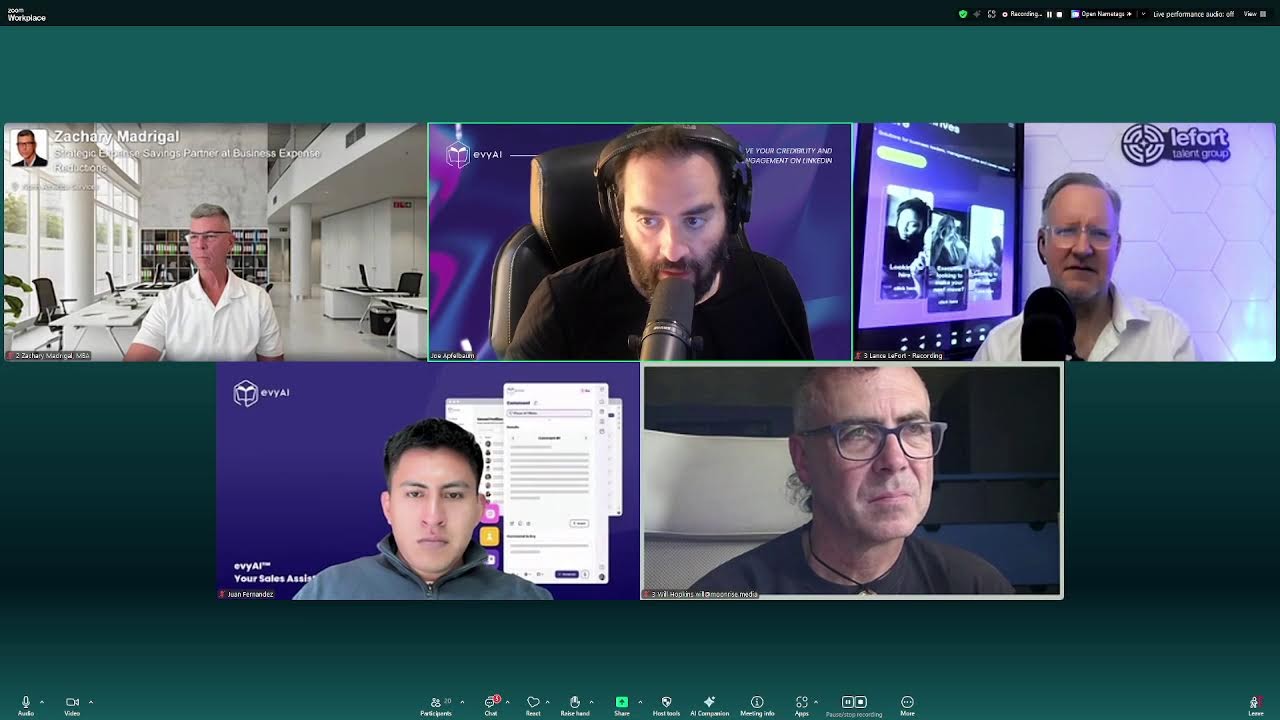
In this live webinar, Joe Apfelbaum demonstrates Evvy AI, a LinkedIn‑focused sales assistant that automates content creation, messaging, commenting, image generation, and prospect research. He walks the audience through creating a LinkedIn post with a chosen goal, tone, and persona, editing the AI‑generated copy, adding images, and publishing in minutes. He then shows how Evvy AI can draft personalized comment replies, connection notes, and follow‑up messages, and how it can generate a custom "one‑sheet" (a concise networking profile) using AI‑filled templates and Canva. The session includes real‑time sign‑ups, community building, pricing offers (annual unlimited access, a special $99 "99 Hacks" deal, and a bundled package with training, influencer summit, and CRM integration), and live Q&A where participants test the tool on calls, birthday messages, and ad performance. Joe shares metrics from recent ad campaigns (cost per lead $1.93, 382 new opportunities) and outlines a step‑by‑step checklist for LinkedIn success: post, comment, message, and birthday outreach. The webinar blends product showcase, sales pitch, and interactive coaching, highlighting how AI can eliminate manual sales tasks while preserving authenticity.
Chapters
Now, Evvy AI is a sales assistant that can help you be able to get clients. One of the ways that we help you get clients is if you go into the feed and you click on start a new post, maybe you want to post something. So you can go to the AI assistant on the side of your browser called Evvy AI. You can click on the microphone and you can tell it what to write about. Using artificial intelligence to get clients is something that is very important, but few people know how to be able to do that. It's not about using robots, but it's about leveraging technology to help you be able to do things more effectively. For example, if you want to write a piece of content in your voice, you can try to do it yourself, or you can have artificial intelligence do it. For example, if you want to leave a comment, you can have artificial intelligence hear what you have to say and then type it up in an organized way and then help you publish it. Or even if you want to send somebody a connection note on LinkedIn and customize it, you can have AI know exactly what you want to say because it understands your voice, it knows the context, and it knows what the person wants to hear. And of course, sending messages to people can be really easy if you have AI prepare several messages for you, for you to always have what to say when you're messaging people. You see, conversations is what creates connectivity and conversations is what creates conversions. So if you want more clients, have more conversations, be authentic, but use technology to help you be more effective and efficient. Okay, so I said all that, AI typed it up. Now what I'm going to do is I'm going to choose my goal. In this case, I'm going to be informational. I'm going to choose my tone, which is motivational, and I'm going to choose my persona, which is going to be the Joe Apfelbaum, CEO of Ajax Union persona. Now, Jen, Do you hear that? Jen, what are you going to do about it? Thank you.
I'm going to put it in the email.
Excellent. So now I'm going to hit generate right there. And once I hit generate, it's going to ask me, do you like this piece of content that you wrote? Because it wrote a piece of content with a hook, main points, a call to action, and it even included a few useful hashtags. So now I press insert and it inserts the content into LinkedIn. Once I have the content in LinkedIn, I'm just going to delete this world in the fast-paced whatever. I don't like that. Many people think of AI as a robotic entity, but it's really about enhancing your capabilities. Imagine crafting the content to sound like you, but with the help of AI. Instead of spending countless hours trying to find the right words, let technology do the hefty lifting. You see that? Now, by the way, in the chat, tell me where in the world you're dialing in from. I'd love to hear from you. And tell me how often you post on LinkedIn. I'm curious to know as well how often you post on LinkedIn. So as you can see, I'm sitting here reading this post, making it sound a little more authentic, spending the time. Amazon, if you like, share your thoughts in the comments. So what's stopping you? What do you think about using AI in an authentic way. Okay, so now what I'm going to do is I'm going to add an image of me walking down the street. So I'm going to use this one right over here. Let's see if it works. Waiting for it to load. Okay, so that's me walking down the street. I'm going to take this one right here and And I'm going to press post. And I just posted on LinkedIn. And as you can see, it didn't take me 2 hours to post on LinkedIn. It took me maybe 2 minutes. I'm going to click the 3 dots over here. I'm going to press copy link to post. I'm going to share it with you guys now in the comments of Zoom, because I would like you guys to do something bold. I would like you guys to all comment on this post right now. So I just shared the post with you in the comments. I see we have people from Philly, from Fairfax, from Scottsdale, Arizona, from England. Welcome, welcome. Go ahead and click on that link and tell me if that post is actually live on LinkedIn, or if this is just a video of Joe Apfelbaum just chilling like a villain. Like, what is it? Did you see the way I quickly was able to build out that post and create it so fast with just a click of a button? It saves me a lot of time. So I want to know from you guys, were you able to leave a comment? Now, maybe you didn't have the time to leave a comment. That's where artificial intelligence can be really, really helpful. Maybe you're not sure what to say in the comment. That's where artificial intelligence could be really helpful. Artificial intelligence will help you know exactly what to say, and it'll help you. So for example, Zachary left a comment, Kishore left a comment, and Blaine said, smooth post. Blaine, I appreciate that very much. That was a smooth comment.
I'm here for you, man.
Aw, you're so sweet. So I'm gonna go ahead and share my screen again and show you something else that's super interesting. I want to reply to Blaine. I want to reply to Kishore. I want to reply to Zachary, right? But maybe I don't know what to say. So Evie AI can help me be able to craft a reply. So I have DM reply options, comment reply. So I'm going to use comment reply. I'm going to go in here. Evie AI knows that it's a reply because I have a word reply on the top right. I'm going to use a keyboard shortcut in here and it'll draft a reply that says, appreciate the engagement here on LinkedIn. It's great to see how, hey, I can blah, blah, blah. Okay. So I just added that. Now over here, if Kishore encouraged me, I'm going to say, appreciate the engagement on LinkedIn. And I just left a nice little thought process over here. And the same thing with Blaine. I'm going to respond to him. So often I'll get like 20 or 30 comments. And it takes time to respond. And if you don't respond, it becomes problematic. So I want to make sure that I respond to every single person that likes and comments on my post. By the way, Mike Davis, it's so nice to see you here. I appreciate you showing up for this session today. And I'm looking forward to talking to you more. Me and Mike had a brief conversation earlier today. So welcome to the club. Welcome here. So I'm here just kind of sharing. I reply to Murray. I reply to Will. Now, if you're not leveraging this technology right now, you're really missing out because this will save you a ton of time. Most people don't realize how many comments you're able to leave on LinkedIn and the speed you're able to leave comments on LinkedIn when you're using this type of technology. And it actually sounds authentic if you train it to sound authentic. So it knows that I'm responding. It has the word, I appreciate the engagement here, and so on. Very, very powerful. The other thing that I like to do is I like to use templates. So for example, if I want to take my photo or anybody's photo, we'll take Blaine's photo for a sec, for example. Why not? May as well use Blaine. As an example. Blaine, should we use you as an example? Let me see where you are.
Go for it.
Okay, I'm going to take Blaine's photo right over here. I'm going to save it. I'm going to call it Blaine, B-L-A-Y-N-E Ross. Okay, I'm going to press save. So now I have his photo saved on my computer. What I'm going to do is I'm going to go to my templates and I'm going to select a template called image prompts. And what I can do is with my image prompts is I could, for example, prompt a tool that allows me to be able to say, okay, I want to take his photo and just drag it in here and hit generate. And then I'll have a photo that I can share with him if he ever decides to accept my connection request. And by the way, you don't have to accept my connection request. I have almost 30,000 people, but I did remove somebody. So that I can connect with you. I'll do it.
I'll do it.
I'll do it.
Oh, you're so sweet. Thank you. All right. My point is I love getting to know people, and the way that I get to know people is by using agents. So this AI agent will tell me everything I need to know about Blaine. And as it's doing its research over here, I'm gonna check to see if my image was complete. And wow, this is a very nice image of Blaine. So I'm gonna go ahead and send Blaine this little image as a gift. If he accepts my connection request, let me refresh here and see if he did already. He didn't yet. In this case, I'll just maybe put it in the comments of the post over there on my most recent post on LinkedIn so that he can grab it from there. I'm going to go to my most recent post over here on LinkedIn. I'm going to drop the post. I'm going to drop this thing. Let's see if it'll work. Uh, it did not work. Let me go in here and click on this image thing. And I hit generate. So now he can grab it from here if he wants it. Isn't that nice? That little image that I created of Blaine, and I used a prompt from within Evie AI. So Evie AI is a powerful engine that allows you to be able to create very nice images of yourself that look like you. Doesn't it kind of look like him?
You see?
It looks like him, but I know everything about him. I can tell he's a creative entrepreneur, CEO of ShoreLock, a sustainable coastal erosion technology, and blah, blah, blah. I know all this information about him. How do I know this? The reason why I know this is because of the technology that I'm using here. I even have his email address, phone number, LinkedIn, Instagram, company, notable achievements, and it gives me conversation starters to have a conversation with him. Now in the chat, I'm curious to know, would it be helpful for you to have an agent doing all this research for you instead of manually doing all this? In the chat, just write helpful if that would be something that you would find as helpful for you, saving you a lot of time, effort, energy, and giving you the intelligence you need to close more clients. Now most people charge by credit, you know, like you get AI credits to use this technology. We have a different way of charging. We give you unlimited access for a small annual fee. Okay, so we give you unlimited access for a small annual fee to have unlimited access to research all 1.2 billion people on LinkedIn. I used to have to pay $180 for every post that was written on my behalf by a copywriter, but now I no longer have to do that. I just have an AI assistant that knows my voice and that can draft unlimited posts for me. And it's just a few hundred dollars a year. So if this is something that you're interested in getting for yourself, I can give you a special deal today. Just write deal in the chat if you would like a deal for this technology. Some of you like Gary Perman has already been using it. I see Gary's here. Nelson has already been using it. Murray has already been using it. Colin just signed up today. Congratulations, Colin, on signing up. So if you're interested in joining the program, we have 1,200 different people in our community that you'll have access to. And we love connecting people with each other. So as soon as you sign up, we'll give you access to 140 of our top clients. And I'll give you access also to my 30,000 LinkedIn connections that you can review. Anytime you like. And you can connect with the ones you want to connect with. You could even use my name if you like. And we'll also give you access to our Influencer Summit, which is a recording that's 2.4— 4.5 hours of the top LinkedIn influencers sharing all their secrets about LinkedIn. So not only are we going to give you all the agents, not only are we going to give you all the posts, all the comments, all the messages, but we're going to give you education, training, and community. I'm part of many communities. Some communities I pay $1,500 a year. Some communities I pay $6,000 a year. Some communities I pay $10,000 a year. I'm part of many communities, but I've never bought a piece of software that gave me access to a community of engaged LinkedIn users that will automatically help me be able to get out there. I never joined a piece of software that will automatically give me access to the CEO's LinkedIn connections. on a spreadsheet and the 150 top clients that they have with all their calendar links. So if you're interested in getting started, just write I'm in in the chat and I will throw in an extra something for those of you that sign up right now. I see my team is sending you the link to sign up. So if you're ready to sign up now, go ahead and claim the deal. It's for a limited time only. It's usually $2,400 a year plus $10,000 for the training. But right now we're offering a special deal. It's only a few hundred dollars a year. Go ahead and claim that deal right now. And I will do something beautiful for those that sign up during this call. If you sign up now, I will do something beautiful for you. I will create a business networking one sheet and show everyone as I do it for you. So Blaine said he's in. So Blaine, go ahead and do it. Sign up right now, and I will start building out your business networking OneSheet right now. So watch this. Let's watch Blaine do it. While Blaine is signing up, I'm going to click on the more button here, and I'm going to download the PDF. This PDF gives me access to everything he has on his profile. Okay, so I have everything that he has on his profile saved in a PDF. Now, for those that don't know, we have many different hacks that we teach people and we have several communities. So as a bonus for you signing up today, we're also going to give you access to our Thought Engaged Thought Leader Community, which is usually $1,000 a month. So if anybody signs up today, they're going to get this special community as well. Now what I'm going to do is I'm going to search in the community for the one sheet, and then I'm going to go into the one sheet. This is a 1-hour video that you'll get access to, Blaine, because you decided you're signing up. So you're going to get access to this and anyone else that signs up as well. There's a custom GPT and a Canva template. I'm going to open up the custom GPT that we're making available for you, and I'm going to drag your profile in here and I'm going to say, make him a one sheet. Now I don't have to give it much information about you, Blaine. All I have to do is say, make him a one-sheet, and it starts making you a one-sheet. The one-sheet will include your email, your cell phone number, about you, contact information, links to learn more, your current projects, who you want to meet. So this is who Blaine wants to meet. How to introduce Blaine to people in their network. His skills, experiences, and passions. And then we can design all this for him using our Canva template. So our Canva template is really easy. We just click on this little button over here. We do view template. We open it in the editor, and now we can just drag his image in there. I'm going to say no thanks to this. I'm going to grab his image that we generated, go in here, pop it in just like this. And you could see, we have his thing here. We can change it to the colors of his brand. I'm going to call this Blaine— did I even spell your name right? B-L-A-Y-N-E. Okay, Blaine Ross.
Got it right.
Okay, good. Ross One Sheet. Now Blaine, I'm going to share this with you right now. I'm going to click on anyone with a link, and then I'll copy the link, and then you'll be able to go in here and add the text that I have in here. Into here if you want and change the colors and whatever, but you already have, you know, we could remove this logo. You don't need this logo here, but whatever. You get what I'm saying? It's all ready to go. You just put in your stuff and then you save it and send it out to your network. When we create these one-sheets for people, we usually charge $1,500 to make this one-sheet, but today it's all included for you guys. There's no additional cost and you'll get all that plus many, many more bonuses. But that's the idea. The idea is we want to support you. We want to help you. We want to take your life to the next level. So that's what we're doing. Anyone have any questions so far? Let's see. Let's make sure that you guys get in on the deal because this deal's available for a limited time only. Let me click here. Let me answer some questions now. So somebody says, do I have to pay for LinkedIn in order to use Evvy AI? Nope. You could use a free version of LinkedIn. However, if you pay for Sales Navigator, we do have additional features. That you can get as a result of using Sales Navigator.
Okay.
Any additional questions that you guys have? Blaine, congratulations on signing up. I see that your payment went through. So welcome to the club. Blaine, do you want to share with us what made you decide to get started right now? Well, this is the 3rd time we've had a chance to chat and I've enjoyed content coming from you each time, which is often not had in communities. So I appreciate that consistent giving and want to support and participate. Oh, that's so sweet of you. Thank you. And thank you for being here. Do you want to tell everybody a little bit about maybe your goals or what you're trying to achieve? Sure. For me, LinkedIn has been very underutilized. And I am trying to develop a community to take a very large project that I'm working working on forward on a national policy level. And the only way to do that, I think, is going to be building a professional network that is far outside of a face-to-face network workshop that I've been doing. Amazing. Well, congratulations on doing that. And it looks like we have a few more people that have signed up right now, including Lance and Ken. So welcome, welcome. Let me show you guys something interesting. Somebody said in the chat, He said, why would I want a one-sheet? Okay, so let me show you what the power of the one-sheet is. So Blaine and Lance and Ken and you guys that want the one-sheet, check this out. I have a one-sheet right here on my profile. As you can see, I have 180 likes and 150 comments on this one-sheet. I'm going to send you the one-sheet so you guys can read it on your own computer because it might be a little small here. So I'm gonna go ahead and send it to you so you can read it on your own computer. I put it in the chat. If you open up the one sheet on the bottom, there's a PDF file. You can take that PDF file. And what you can do with that PDF file is you can read it, you can zoom in, you can download it once you make it big, and you can send it to people. You could also like and comment on that post so people will notice you. Because if there's 100 people that commented on a post and you comment too, all the people that commented previously will get notified that you commented on the post that they commented on. Commented on. You get what I'm saying? So that gives you exposure right then and there. So it is recommended to comment on a popular post because I notice every time I comment on a popular post, I get a bunch of new followers. So go ahead and leave a comment on that post and you're going to see what happens. Now that post is from 6 months ago. I only post one one-sheet every year. And then I allow that one-sheet to marinate throughout the year. You get what I'm saying? People notice it on my profile. They read it. I send it to people and people intimately get to know who I am. They intimately get to know me. And that's the beauty of the one sheet, because most people, they go to your profile. They don't really know what you do for a living. They don't really know who you want to be introduced to. They don't really know how to introduce you, the actual text to use to introduce you. You know what I mean? And now when you have this one sheet, which like I said, it usually costs $1,500 for us to prepare it. I figured out a way to do this much faster using my IP, using my intellectual property. And so now I'm able to prepare a one sheet for you in a matter of seconds. And then you just edit it a little bit, use our templates and boom, you have a one sheet. Now, Ken May, are you here?
Yeah, I'm here.
Congratulations on signing up to the bundle. You, you were already a premium client and you decided to jump to the next level. What made you decide to jump? Congratulations. Uh, the guy that I thought was doing this, some of this stuff for me, I don't see him doing anything, so I'm gonna learn to do it myself. Boom, boom. And you'll save a ton of time as well. And I don't know if you know this, but we meet with our clients every day. So you can join us at 12 o'clock and Fernando will meet with you and Fernando will help you with anything that you need, even if you want to make a steak sandwich, right, Fernando? Actually, Joe, I meet with Ken every now and then because he's also paying for tech support.
Wow.
We should mention tech support about.
Wow.
So we have something that if someone needs a little bit extra help using their computer or using the internet or making a sandwich, Fernando can meet with you even more. So Ken happened to have gotten 10 hours of tech support from Fernando at an affordable rate. So now Fernando meets with Ken regularly to help him be able to do things like set up his bookmarks, use zip files. copy and paste stuff on his computer, print things, whatever he needs to do. Really powerful. And he said he's helping him set up his GoHighLevel software, which is a robust marketing automation software. That's powerful. Um, Nelson wants to know if Fernando can help him grill a steak. I think he could help you grill a steak, especially if you want to create an MVP for a piece of technology that grills steak, because He writes in Python. Very powerful. And he said he can do some good arepas as well, 'cause he's from Venezuela. Okay. In all seriousness, making money on LinkedIn is not about getting lucky. It's certainly not about trying to do a lot of things. It's about doing specific things intentionally, very intentionally. So the things that you need to do intentionally, I'm going to show you a few of those things. You guys saw me write a post just now. Okay. That's something that I already did. You saw me do it. That's one of the things that I recommend doing at least once a week, but maybe even more often than once a week. Now, Lance, I saw that you signed up as well to Evvy AI. I'm curious to know what made you decide to sign up.
Yeah, uh, just coming out of, uh, I'd say about a 20-year sleep. We didn't have to do any, uh, business development because we were in an area that where calls just kept coming in, and that all changed about 2 years ago. So I'm seriously on the client acquisition side now, looking and learning lots of new AI tools and data enrichment tools and things like that. So this is right up my alley in the sense that Anything about connecting and networking and finding new clients. And I've been on LinkedIn since it started, but as you know, it's, it's a whole other highway now, a lot more traffic on it, and I'm trying to use it more effectively. So I think this looks great. And anything that can automate processes and etc., you know, I'm a small shop, so automation is, is the way to be. Otherwise, we're exhausted all the time.
I love that. And I just sent you a connection request just now. So I don't know if you saw that, but I just sent you one and I don't know if you noticed, but I use AI to write the note for the connection request using a keyboard shortcut. So Lance, as you're connecting with more people, you're going to save a lot of time with Evvy AI helping you be able to connect effectively. Now I'm also going to save your profile by clicking on the more button and then clicking on save profile to PDF. And that allows me to then be able to go back in here, click on this GPT, and be able to throw your one sheet in there so that I can, you know, give it, give it the information that it needs in order for it to get everything going. Now, another thing that a lot of people don't realize that Evy AI does is that once I connect with someone on LinkedIn, I'll get extra access to their contact information within the contact info tab. So sure, I have his website here and his information, and sure, I can use an AI agent to research him all over the internet. As a matter of fact, this AI agent's extremely, extremely powerful because it'll research dozens of websites. As you can see, all the different sources it's pulling information from, and then you can combine this information into your one sheet as well that it finds online. So I'm going to go ahead and use some of this information as well from here. And that'll help me be able to properly use that information within the one sheet here. So I'm gonna click in here, I'm gonna say, make him a one sheet, and then I'm gonna paste in the info that the AI agent found online about you with all the different sources. And it's gonna go make an even more robust one sheet than before. You see the way it's doing it?
Yeah.
Um, and it's not pulling all your information because I'm still not connected to you. If I was connected to you, it'd pull a lot more info. But in this case, you see how it's easily finding this information. Now, one thing for you, Lance, is I would make it really easy for people to email you. I noticed that you have your email front and center on the top here, but you don't have your email necessarily in other areas like in your About section. So I would make it really easy by adding your email and maybe, do you have a calendar link that people can book a meeting with you?
Yeah.
So I would definitely include that so people can easily book a meeting with you. Now, is it true, Lance, that you work with people that are looking for retained executive search and companies in creative tech sector, digital entertainment and animation?
Yeah.
Excellent. Excellent. So what we're also going to do for you and anybody else that signs up today is we're going to download all your connections for you. And the way that we're going to do that is once you sign into Evvy AI, you're going to click on the little picture of the house on the top right of the extension, and you're going to click on the Learning Hub. And when you go into the Learning Hub, you're going to see a section that says Quick Links, and the 4th option is called Download Your LinkedIn Connections. So go ahead and go to the Learning Hub. I'll send you the link in the chat so you can access that. Ken said he also has Sales Navigator. Congratulations on getting Sales Navigator. That is an awesome tool. And Evvii definitely works within Sales Navigator as well. And it looks like we also have a new client that just signed up, WP Hopkins. Congratulations, Will. They say if there's a will, there's a way. Will, what made you decide to sign up to Evvii today? If you're here and you want to share, feel free. There's Will.
Um, because I had a meeting earlier today with an agency that's been doing some LinkedIn posts for me and outreach and this kind of thing. We stopped doing the outreach because they were using an automated system and I was getting flagged up every time I logged on to LinkedIn. We suspect you're using a bot. So we stopped doing that. And they were using a bot to do that outreach. And it wasn't very good outreach. There weren't very good connections. So I've kind of stopped that with them.
Okay.
Having this tool is going to really speed up my ability to do it myself. And then not have to pay quite so much money to the agency.
I agree with that. So check this out. If I want to connect with people manually on LinkedIn, usually it would be really hard for me to be able to do this. But in this case, I just click on the more button. I press the connect button, and then I press add a note. Now, Evie AI will simply write the note for me so I don't have to think about what to write. And then I just press send. It makes it really easy in a non-automated way to have additional assistance.
Yeah.
Right now you have 1,400 followers. We're going to download your 1,400 followers if you follow that same link that I sent Lance. Ken and Blaine, you'll be able to start the process of downloading your connections. When you click on this link over here, download your connections, it will take you to a special place where you can check off this and then press request archive. In 15 minutes, you'll refresh this page and the download will be available, and then we'll send you additional instructions on what to do next for us to convert that into a dashboard for you. Now, Will, what I'm going to do for you is I'm also going to leave a comment on your post by clicking on this magic um, autofill button, it automatically adds your recent posts to Evie AI. So if I just click on this blue thing here, Evie AI will load up all of your recent posts. And then if I want to leave a comment on any of the posts that you've recently posted, for example, maybe this one over here, I can just use a keyboard shortcut and AI will read your post and leave a comment. And it's not automated. It's semi-automated because I still have to click on the comment and I still have to hit Alt+G and I still have to read it. And if I like it, I can press comment just like that. And if I don't like it, I can always go back to the content generator section. And then what I can do is I could change my goal. For example, maybe provide feedback, my tone, maybe professional, and then maybe my comment, my persona, I can have something called contrarian, a contrarian comment. And in here I can leave you a contrarian comment. So right here it's writing a contrarian comment from a different way to look at things, considering how the challenge of distilling such diversity and artistry can blah, blah, blah. Pretty cool, right? Now keep in mind, for those that want, we have a community called School. And in our School community, we have 1,200 people that are in this community right now. So I'm going to check to see who is pending requests. And I always make sure to check to see if these people are real people and people that we can trust. And as you can see, Constance R is paying for LinkedIn, but the red flag for me is that they don't write what city they're based in. You see, it says United States. So that's a little bit of a red flag for me. I'm also going to check Constance's profile here, and I see that they're part of these various free communities, but they're in a paid community, so I kind of like that. And her photo matches the photo on LinkedIn, so I'm going to let this person into the community because they're paying for LinkedIn. And I can kind of go through these later, but the idea is we curate every single person to make sure that they're real and that they can add value. So Nikki said she's looking to join a blah blah blah, so people are going to go ahead and like and comment on that. We created something called Evie AI Pro Forums for people that want to join a forum and go deep with other people. So these are all the people here that want to join a forum. Forums are where members get together with each other and build relationships with each other in Zoom meetings and really go deep and get to know each other. We also have a classroom with lots of videos and lots of tips. And for those of you that want to buy the 99 Hacks course, we also offer a separate course where we have 99 1-minute videos that teach you how to be able to use LinkedIn. This is a separate product that's not included in the bundle. However, we were offering it for $99. Now it's $1,000. But if anybody here still wants to get the $99 deal for the 99 Hacks, just write 99 in the chat.
99.
And we'll spend— send you the, uh, the link already expired, but we'll make a special link for you, um, to purchase the 99 Hacks for $99. If that's something that you want, um, we can make that available. And we have many, many hacks. I'll show you hack number 44, which is my favorite hack, so you can see what it's like to experience some of the 99 Hacks. Check this one out. Find pages of people with— Let's talk about hack number 44, the Calendly meeting hack. If you wanna book more calls on LinkedIn, this one's a goldmine. Here's the move: search the word Calendly on LinkedIn, filter by first-degree connections, and boom! You'll see a list of people who already have a booking link on their profile. Wanna go next level? Head to Google and type site:linkedin.com calendly.com sales trainer. You'll find pages of people with Calendly links right in their profiles. Click through, find their booking page, and instantly schedule a call. It's the fastest path from scroll to sales conversation. Use this to start warm permission-based outreach and book meetings without the awkward back and forth. You've got the meeting. Now let's talk about the next hack. So what that means is if you go to LinkedIn and you simply just search Calendly, and then you decide that you're looking for people, and then you decide that you're looking for people in the first degree, that means your connections. And I go to any of these people's profiles, I might be pleasantly surprised to see that this person has a Calendly link available for me to book a meeting with them. Now, isn't that an impressive little hack where you can easily book meetings with all your connections? They are your connections. You're not trying to sell them anything. So imagine if you had 5 meetings a day, what would happen to you? Well, what happened to your business if you booked 5 meetings every day for the rest of your life? I've been doing that for 10 years. I've generated millions of dollars in revenue just from having meaningful conversations with people. I had a conversation with one guy today and I introduced him to 3 people. And I said, I just— he's like, what do you need, Joe?
What do you—
I said, I don't need anything, but if you're asking me what I'm looking for, I just want you to read my business networking one sheet right now. That's, that's what I said. I said, can you read it and read it out loud for me? So he's like, okay, I'll do that for you. He opens up my business networking one sheet and starts reading it. And when he gets to the place of who I want to meet, he sees that I want to meet sales teams. And he's like, dude, I'm connected to like 10 sales teams. I had no idea you wanted to meet sales teams. I was like, do you know how many times over the past year I told you I wanted to meet sales teams? He's like, it never hit me until I read it on your one sheet. It says it in my bio on LinkedIn, Blaine, but until you read it in an organized, formatted way, it doesn't click for you. So for this guy, he asked me, what can I do for you? I said, just read my one sheet. I could have said, refer me to people, and he wouldn't listen. He wouldn't hear. But it's a different energy when someone's reading your business networking one sheet. They're coming into your container. To help you and they're reading the manual of how they can help you. Don't you want a manual of how people can help you? Don't you want to have a strong foundation? So that's why for the people that sign up to Pro and you get unlimited posts, unlimited messages, unlimited comments, unlimited templates, unlimited AI agents with research, a dashboard with all your connections, All the things that I showed you here, plus the LinkedIn Influencer Summit, plus the Evergreen Networking System, plus the one sheet, plus we'll meet with you every day, plus all the recordings of all the sessions we've ever done, everything organized. We have a 9-module course with frameworks, checklists, cheat sheets, scripts, templates, prompts. We hand you everything and we give it to you for a few hundred dollars a year. It's not rocket science, but we're doing a good job at what we're doing because we have 23,000 users in 40 countries around the world and people are raving about us. You know, one of the things I heard my business partner Tammy said, she's like, Joe, for 10 years plus that I— she knows me for 10 years. I've been watching you service customers and no matter how good work you did for them, doing marketing for them, they always found something to complain about. Maybe the content wasn't perfect. Maybe the graphics weren't exactly what they wanted. You did a good job. You delivered everything you promised, but there was always some lack in their expectation. You know what I mean? Especially if I'm not the one doing the work, we have employees doing the work and it's not always gets done perfectly the way the client wants it because the client changes what they want. That's just what happens after servicing 1,100 clients doing marketing. Some clients are just happy with anything and some clients are not happy no matter what you do. So she's like, I've never seen you offer something where every single person loves, loves, loves your product. I've never seen anything like this because of the value that you deliver. And we see client after client using it nonstop and they just become addicted to it because it's such a valuable piece of technology. Now it's really hard and very expensive to build technology. Very, very expensive. But you don't have to pay to build the technology because I already invested the money and I've given it to you to use. So I'm so excited that you guys decided to join in with me and want to use this. Now, the difference between being successful and failing in your business will often mean the difference between having conversations and not having conversations. I recently started advertising. Because I'm getting ready to scale. I'm getting ready to serve 10,000 people. My goal initially was to serve 1,000 people. In the first year, we helped 1,000 people. We're about to launch a whole new version of Evvy AI that's going to have agents do some incredible things in the next few months. The price is going to double. So if you want to get in now, now is the best place to get in because we'll grandfather you in. Now I started testing out some advertising, so check this out, the results of my advertising campaign just in the past week. I'm going to open up my pipeline just to show you guys the details. This is just the advertising pipeline from the past week. I'm going to click on opportunities and I'm going to show you the pipeline since I launched the 99 Hacks. This is the pipeline. We have 382 opportunities of new leads that literally just came in the door. We have contacts attempted, 57. People that we got through, 15. Nurturing, 5. People that said they're going to pay, 3. Clients that actually paid, 3. Okay, so this is just in the past few days. After Labor Day, we started advertising. And we're not spending that much money. We're only spending a few dollars a day. Now check this out. Because I have the right technology, I'm able to push one button And it starts ringing. I don't know if you guys could hear the phone ringing, but this is the phone ringing. Now, as the phone is ringing, I'm going to pull up the person's profile. I'm going to open up their profile here, just see if it's them.
Hello?
Hey Howard, this is Joe Apfelbaum. Can you hear me?
Yes, Joe, I can hear you. How are you doing?
Wonderful. I'm doing fantastic. I saw that you requested some information about our 99 LinkedIn Hacks. Are you in Jacksonville, Florida with a 917 number and 10,000 LinkedIn connections?
That is correct.
Oh my goodness. And you're an MBA?
Yes.
Unbelievable. So anyway, you requested information about the 99 LinkedIn Hacks. Am I right about that, or did I get that totally off base?
I was, I was taking a look at that. I saw your name popped up with it, and then I was in the middle of 3 things. That was one of the 3 things that I did click.
Well, I ran your name through one of my agents, and they told me that you work with sales teams, Seeking skill development and performance improvement. Am I right about that or is it completely wrong?
Nope, that's correct.
And on my business networking one-sheet, I write, I'm looking to meet sales trainers. And so I wanted to know what inspired your transition from media and sports to sales coaching, but we can talk about that at a different time. I just want to know, like, if you have a few minutes and you want to check out my technology, I'm happy to show it to you. I'm happy to show you how you can access everything at a crazy price. But I just want to build a relationship with you because I think you're speaking to the people that I want to speak to. That's the most important thing. Okay.
Um, would definitely like to do that. Now is not the right time. I was about to hit send on a call that I'd have to make, but— Should we talk?
Yeah, go ahead.
We definitely should continue to talk. I can send you a link to my calendar. We can find a time that works for you.
Okay, that'd be wonderful. I'm gonna send you a connection request right now so this way that we're connected on LinkedIn and you can spy on me a little bit if you're into doing that. And then send me your calendar link and I'll go ahead and do that. I just sent you a connection request, so you'll see it come in. Enjoy your call, Howard. We'll talk soon.
Thank you.
Goodbye.
All right, take care. Bye-bye. Bye-bye.
All right, I'm gonna stop sharing my screen right now. What did you guys just notice? What did you guys just notice? Lance, I want to hear from you for a second.
Yeah, Joe, I was thinking that was a fairly fluid call. In the middle of this seminar webinar, you're reaching out to someone and it was cool how you just sort of engaged and you had relevant stuff. And he clearly knew you knew who he was in a roundabout way. I thought that was a great call because it was very fluid. It wasn't really bumpy. You didn't run into any bad doors and went, oh, I can't figure out how to get out of this. But no, it was good.
I also didn't know what to say because all Facebook gives me is a first name, last name, and phone number for the most part. So I had no idea who the person was. So what I did this morning is I installed an extension that I created with AI that when I push it, it opens up his LinkedIn profile or it does a search for him. And I wasn't sure which one was him. So I first verified that he's a 917 number, but he's from Florida. So now I knew who he was once he told me yes. And as soon as I knew who he was, I deployed an agent, Lance, and the agent told me everything I needed to have, including conversation starters, rapport builders, and everything. And I also sensed from his voice that he was a little busy.
Yeah.
So I didn't want to interrupt him. So he offered his calendar. So what's better than that? You know, what's better than getting his calendar and setting time where he can think And he can hopefully not just become a client. That's besides the point. That's besides the point. I don't even care so much about that. I want his sales teams. I want all his clients to become my clients, and I want to pay him like I want to pay Zach. You know, Zach is trying to get me in with 60,000 sales reps, and he's gonna do it. I know he's gonna do it. I'm very confident. I already see the people coming in and And signing into the community from his thing. And I see no one paid yet, but you know what? I can see he's working the magic and people are noticing what he's doing. So I'm 100% confident that me and Zach are both gonna make a lot of success together because we're already successful. We're already exchanging things. But I wanna work with this other guy, Howard, and I wanna pay Howard more than I want him to pay me. I wanna give him value and I want all of his sales teams to thank him for using our service. So that's kind of like the idea behind it. And then, and I mentioned my business networking one sheet, which by the way, I'm going to send him as well once he accepts the connection request. So he sees who I am and he sees what I'm about. Do you understand what I'm saying?
Yeah, no. And, you know, and I think linking that one sheet is a perfect example because then he's got the bullet points right away. Who am I talking to? What are we doing? Right. Why am I doing this? Yeah. It's a great, it's a great kind of, it's much more than the business card.
And the fact that I have 100 likes and 100 comments on that one sheet shows a lot of authority for who I am. So what if it was from 6 months ago that I posted it? That doesn't matter. The fact is, I have my most important piece of content front and center. That's, that's a powerful power. By the way, if you guys thought this was powerful in the chat, write powerful. I'm curious to know if anybody thought that was powerful. Write powerful in the chat if you thought that was powerful. Go ahead and write powerful in the chat. Kishore said powerful. Will said powerful. Lance said powerful. Blaine said powerful. It's not rock— what I do is not rocket science. I'm just on a mission to help people and I'm using the right technology, i.e., Evvy AI, to help me be able to do things effectively. Now somebody said, Joe, what CRM are you using? I'm using one called unlimiteddigitalmarketing.com, which is built on GoHighLevel. If I'm sure you heard of GoHighLevel before, but we build a platform on top of it that makes it more effective for us to be able to help people use it. And we give a free trial for anyone that wants to try Unlimited Digital Marketing. You could just go to unlimiteddigitalmarketing.com. There's 2 Ds in there. So unlimiteddigitalmarketing.com, and we can set you up with the pipeline. We can set you up with the calling, with the texting, with the AI agents, with all that stuff. If that's something that you need help with, you could just go there and sign up for a free trial and Michael will help you out. Michael on my team will help you out. Okay. Anything else that you guys are thinking about? Anything that stood out for you? Anything that you'd like to see? I can show you some more things, but I also don't want to overwhelm you. I know some of you already maybe are a little overwhelmed, But there's a checklist for what I want you all to follow, which is number one is I want you to post because if you're not posting, people are not noticing you. Okay? So that's post. That's the first thing. The second thing I want you to do is I want you to start commenting on people's posts because just like you commented on my post, people will notice you. When you comment on other people's posts, you get noticed even more. The third thing I want you to do is send messages. For example, Let's call it happy birthday messages. Would you guys like to see how I send happy birthday messages to people in a meaningful, authentic way? Would you like to see that? Yeah.
Okay.
Will wants to see it, so we're going to show it. Will wants to see it. By the way, we still have room for a few more people to sign up before the deal expires. So if you're still interested in the deal and you didn't sign up yet, just say interested in the chat so we can help you get started and we can give you the special deal. But let me share my screen right now and show you what I'm talking about. If I go to Evvy AI and I click on the little house, just write interested in the chat if you're somewhat interested, even a little interested. If you're not sure if you're interested, but you want a demo, just write demo in the chat and somebody will reach out to help you with a demo.
Okay.
I'm going to go in here and I'm going to click on Learning Hub. Okay. I'm going to click. I clicked Learning Hub. Now that I clicked Learning Hub, I'm going to click Quick Links, and then I'm going to scroll down to where it says Birthdays on LinkedIn. Okay, it's right here, Birthdays on LinkedIn. Now that I have all the birthdays on LinkedIn open inside the Learning Hub, I can then simply go to my templates, and instead of using image prompts like I did to get Blaine's image, I'm going to use DM greetings. Okay. Because I have a process called greeting, feeding, and meeting. Now I'm going to double-check my birthday greeting and make sure it has the correct date because I add my date to it. And today's 9/9, which is a special day, by the way, 9/9. And then 2025 is 9 also because 2 plus 2 plus 5 is 9. So today's triple 9, by the way, guys, if you're ever going to sign up to Evie AI, you want to sign up on a triple 9 day. Okay, 'cause that's the truth. I'm gonna go in here and send a triple 9. I'm gonna send another triple 9, but do you see the way I'm just simply pushing an up arrow and the template is being injected into LinkedIn? This works on Facebook as well. I'll show you how it works on Facebook as well in just a moment, but I'm gonna spend exactly 30 seconds sending out several birthday messages to people. I'm not gonna overdo it. And send it out to too many people, but I'm going to send it to just enough that if all these people respond to me, I'll be able to actually have a meaningful conversation and potentially book a meeting with each one of those people and actually build a relationship with them. Because my goal is not to be spraying and praying, but to actually be building an actual relationship. Now, if I miss somebody's birthday, I have something called the belated birthday, which in this case, it's going to be 9/8. 9/8. So I'm going to go ahead and send Penny this message for a belated happy birthday message. Instead of just saying happy belated birthday, I say, I see I missed your birthday on 9/8. Same thing with Kim. I see I missed your birthday on 9/8. Same thing with Jenny. I see I missed your birthday on 9/8. But do you see how easy this becomes in order to be able to do these activities where you don't have to like work very hard? Now we're going to switch over to Facebook and we're going to go and do some 9/9s on Facebook over here. We're going to go to see more and we're going to go to birthdays on Facebook right over here.
9/9.
And we're going to do the same thing. Once the birthdays on Facebook load, I'm going to hover over Lauren Cohn, for example, and I'm going to send her a DM on Facebook. And I'm going to go ahead and say happy birthday. Now I have not sent her a message since January. You see that? But now it's her birthday, so it's time for me to reach out again. Same thing with Holly. I'm going to go ahead and send her a birthday message just like that. I said, did you get home safe? I don't know. I don't know what our conversation was about, but this was in January. Oh, I think this was related to the, uh, to the cruise that she went on.
Okay.
But do you guys see the way that I'm connecting with people, building relationships with people, getting to know them, wishing them a greeting? It's such a nice greeting, such a nice thing to do. And I'm not only doing it on LinkedIn. I'm also doing it on Facebook, and I'm also doing it on Instagram, and I'm also doing it on several other places. Oh, it looks like it's Lauren Boyer's birthday as well. Lauren Boyer is going to Nerve. I just messaged her via text today. Um, and look at this guy. This guy's also— he's got— this guy's not going to Nerve, but I know him. Um, me and him were in Entrepreneurs Organized, but look how fat I was. Oh my God! Holy crap! Do I look different now, guys? Do I look different now? I lost a hundred pounds, guys. A hundred pounds. Isn't that crazy? A hundred pounds. I can't believe you guys saw that. I can't believe you guys saw that. All right, I'll show it to you again. I'll show it to you again. This is crazy. I should post that. I should post that. I'm gonna go here. I'll be like, oh my God, I'm gonna wish happy birthday. Look how much I weighed. Oh my God, I'm gonna do create a photo, create a post. OMG, I can't Believe this was me 10 years ago. Ted, happy birthday. Okay, I'm gonna go this and I'm gonna go this. I just posted it. It's embarrassing. I gotta tell you the truth, it's embarrassing. Oh my God, look at me. Look at that belly. Look at those. Look at those titties.
Titties.
I got some titties. Um, yeah, that was a little shocking. I'm a little shocked right there. 100 hacks for 100 pounds. I should do the 99-pound hacks. Pounds are better than dollars, they say these days.
Okay.
He's like, yep, they are. They're worth more at least. Why don't we automate? Because it's against LinkedIn's terms. Yeah, we don't automate because it's against LinkedIn's terms, but we do automate on GoHighLevel. On GHL, we automate there. We'll automate text messages. We'll automate AI calling bots. We'll automate emails. Just the LinkedIn DMs, you don't want to automate. You want to keep those manual. But you could tag people's birthdays inside your CRM and have it automatically send out text messages during their birthday. You know what I mean? That's something that we can do. That's pretty easy to do. Evvy AI had the lawyers of LinkedIn review it to make sure it complies. So, you know, LinkedIn, because, you know, we're, we're not even on LinkedIn. We used to be on LinkedIn. Now we work on Facebook, Instagram, YouTube, ChatGPT. We work everywhere now. But LinkedIn told us, can you please get off LinkedIn? We don't want you inside LinkedIn. Remember there used to be a dot in LinkedIn, the heavy AI dot. We took off the dot and we put it on the side and we said, we're not even in your property anymore. We just left your property. Now we can open up your property, interact with it just like anybody can, right? Just like a browser does, right? A browser interacts with it. Google Chrome interacts with it. So we're just an extension of Google Chrome now. We just sit right on the side. And we do things for you. We help you do things fast. Um, and that's why we changed it from being a LinkedIn AI assistant to a LinkedIn, just to, to a sales assistant. So you just have, you get Evvy AI, you now have an assistant, a full-time assistant, and it's less than what, 10 cents an hour? What is it? What, like, you know, think about it and it works 24/7 for you. That's a powerful thing. That's a good deal.
Okay.
Lance put a chat. He said, what do you write over there?
He said, um, I just did a screen grab, Joe. It was like your automated message when I accepted your request on LinkedIn.
Okay.
So that wasn't an automated message. That was my actual connection note. That was the note that I included manually. And you saw me do it manually on screen. I manually hit connect and I manually hit write a note. And my AI manually wrote the note and I manually pressed connect, please. And then when you accepted, that's the message that appeared as the first message. But that wasn't a message that I actually sent to you. It wasn't an automated message. It was the actual note still, just FYI. Now I will send a message saying thanks for connecting separately, but that will come from a template or that will come from AI, but that won't be sent automatically because before something gets sent, I need to verify that I want to send it. You know what I mean?
Okay.
All right. Any other questions that anybody has? Comments? We're about to wrap up in just a few minutes. And I want to make sure that I honor all of you because I'm going to be going to have dinner with my kids. And I want to make sure that the couple of you that still want the deal can grab the deal. Lance, congratulations on getting the 99 Hacks. Because Lance just got the 99 Hacks, he got the deal for $99 instead of $1,000. You got a really good deal there. Smart man. Someone's a smart man. If anybody else wants the 99 Hacks, now's the chance to get it 'cause the price is really $1,000. So if you want it. Now, I don't know if you guys heard the rap, but if you haven't heard the rap, you can always go to 99hacks.club and there's a rap there that goes like this. Yo, you guys with me? Uh, somebody give Will the hacks. Will the hacks, yo. Scrolling through the feed, algorithms playing chess. 99 hacks, Joe Apfelbaum blessed. Connections popping, got my DMs on fire. Optimized my profile, now I'm the one they hire. Swipe left, swipe right, endorsements on stack. SEO my headline, keep the clicks coming back. Network like a ninja, stealthy and slick. Turning views into deals with one clever trick. Could you guys know who made that song? You know who made that song?
Is that in Suno?
Correct, correct, yeah, correct. But I made like 100 versions of that song before I got to that one. I had to listen to a lot of ones that were terrible songs, like literally the worst songs ever. And that one came out and I was like, this is everything.
It's—
I think it was about $100 a year subscription. I bought it a few months ago. We've been building all sorts of funny comedy songs, but Of course, I should have used it for the business. So thank you for showing that. I'm gonna go make some songs tonight.
And not only that, Lance, we made an ad. Our highest performing ad on Facebook has that song playing. So we made many ads to try to get to the place that we are, where we're trying to get to sub-$2 per lead. So that conversation I had with Howard, That conversation cost me $1.93 to book that conversation. $1.93 because of the AI and all the different things that we're implementing. We also tested many times with things that cost us $100 and we got a crappy conversation, but now we nailed it down to that place. And so I want to create 50,000 of those this year.
That's amazing. I just started a Meta Facebook campaign a couple weeks ago and We're just doing static ads. So the fact that I could add a song, that'd be great. Yeah.
And if you use HeyGen, H-E-Y-G-E-N, you can clone yourself and then you can have AI be able to look like you and sound like you. And then you just layer on that music in the background while you're, while you're, while your avatar's talking. That works really well right now. That's kind of like what we did. Um, and if you go to LinkedIn, Facebook's ad library, you can search Evvy AI and you can see my ads that are active right now. In case you're curious. If you just search ad library, you can find that on anybody's ads. I love monitoring my competitors, so I do recommend doing that. Like, before you run ads, just see what other people are doing and then just copy them. Colin says, can I take the template message? I think you're— thank you for connecting. Okay, so yes, you can take my template message, but let me show you where all the templates are, Colin. We have all our templates in our community. So for all of our clients, guys, look at this. You go to the classroom, you click on library. Can you see it says library in the center? When you click on library and you scroll down towards templates, Ken and Colin, I have templates for comments, templates for messages, templates for prompts, templates for connection notes, templates for snippets. So if you scroll down, these are the templates right here. These are the comments. These are the direct messages. So here are all the scenarios, and then here are the actual messages. So when somebody visits your profile, here's the one when someone visits your profile. So I'm going to send this to you in the chat so you can have it, Colin. I don't know if this is helpful for you, but Colin, if it's helpful, just write helpful in the chat so that I know this is helpful. And, um, and yeah, I, I really appreciate you guys jumping on board and, um, and just being here today. I'm very, very grateful that you guys see the value in what we're doing. And, um, thank you, Colin. Colin wrote helpful. And we're just here all the way with you. We're here all the way to support you all the way home. So, um, my team is gonna make sure to send you our directory of our top 150 clients so you can add yourself in there, and you can also book meetings with all our top clients. Um, we'll make sure to get those out to you. Um, in addition to that, We're also going to send you my 30,000 connections so that you can go through them and connect to anyone that you want and use my name if you'd like. If you need to expand your connection strategically, that might be a good idea. I have over 10,000 CEOs in there that I'm connected to. Um, and you'll also get access to our course, the Evergreen Networking System. It has 9 modules, frameworks, checklists, cheat sheets, Look out for an onboarding email from Diana and Tammy. They're going to send it to you. If you have questions, we have live chat and we meet every day at 12 PM Eastern. And we're going to start rolling out office hours in the afternoon as well so that you can join us live on Zoom in the afternoon. Ayan, I'm training Ayan right now at 7. I think he's going to do 7 to 8 daily, 7 PM to 8 PM Eastern daily. And we have several other people that want to run office hours, so we're training them as well. So if you guys have any questions, comments, concerns, we're here for you. Um, I have my developers calls that's starting now because the developers want to show me the new updates. They want to add something called Nano Banana. You guys know what Nano Banana is to Avi.ai? They want to add the ability for you to take anybody's face and be able to make photos out of it perfectly. So let's say, for example, you want to make a photo of yourself sitting around on a couch. Sipping a mojito and it looks like you. We're going to be integrating that. So I'm working with the developers now on that, and my developers are calling me now telling me that I'm late for the call. So I appreciate you guys being here. Remember, we meet every day and we're here for you. So thanks for signing up, and if you need anything, just hit us up and we'll be more than happy to help you. All right, we'll talk to
More from Joe




How to Beat the Algorithm: Remove Hidden Watermarks & Scale Content with evyAI






