Unlimited Content Idea Generation 008 - Joe Apfelbaum
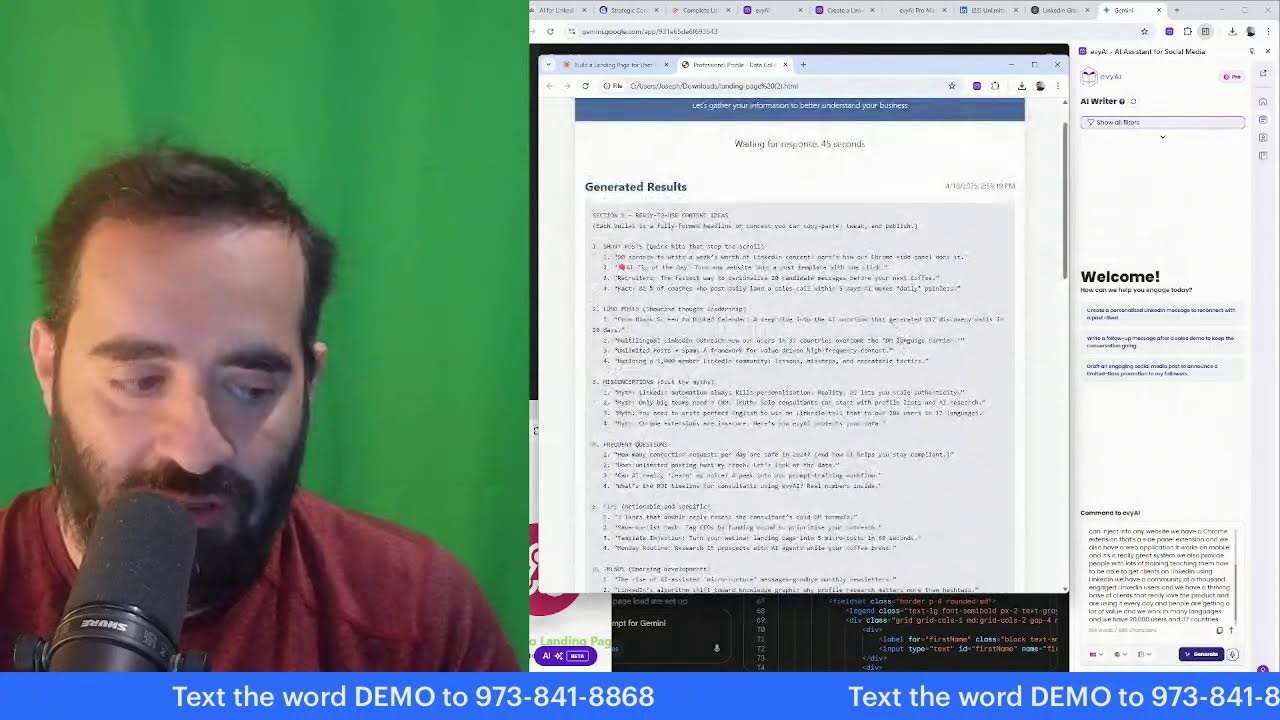
Joe Apfelbaum breaks down a ten-theme system for generating LinkedIn content ideas, from personal branding to client wins. He shows how to use Evvy AI to turn keywords into posts and articles, then repurpose one piece into dozens of variations across platforms.
Chapters
Welcome to my LinkedIn Live. My name is Joe Apfelbaum, and today I want to discuss the complete list of content ideas for LinkedIn and professional networking. So if you're watching us live right now, let me know that you're live. Let me know where in the world you're dialing in from, and also let me know, uh, what industry are you in? I'm curious to know what industry you're in right now. So the complete list of content ideas for LinkedIn and professional networking include different themes. So for example, we have a theme called personal branding and story. We have another theme called industry insights and expertise. We have a theme called knowledge sharing and tips. We have a client-focused theme where we highlight client relationships. I'm going to be reviewing each one of these themes here to help you really understand how to properly leverage your network and properly leverage your experience and properly leverage your personal reflections and your resources and recommendations and promotional content. And we're going to break down many ideas so that you have a plethora of unlimited content. That's my goal here today is to give you unlimited access to all the right content so that you never have to like wonder, Um, what should I post about? That's really a question that a lot of people ask. What should I post about? What is something that I should actually post about? So go ahead, let me know where in the world you are dialing in from. I'm going to be checking the comments for the most recent comments here. It looks like we have Jane from Chicago, live from Indiana. We have Deidre. We have James live from Columbus, Ohio. We have Rick live in Nashville, Tennessee. Tara, North Dakota. So what would you say when, if I said, okay, come up with a list of topics for your business, what would be your process for coming up with a list of topics for your business? What I tell people is the first thing you need to do is figure out, um, what is your business plan, your marketing plan, and your LinkedIn plan. Once you have that in order and you know, uh, what you want to achieve, then you figure out your target market. And having a very clear target market will allow you to be able to create content that resonates with your target market. So I created an actual keyword generator today, and I posted this in our school community. So if you go to evviai.com and you click on login right here, you click on login, and then on the left side you click on community, and then you click on discover our community, and you click on the community tab here, you're going to see we have something called the keyword generator prompt. So here's an amazing new prompt that you can use inside Evvy AI, and you put in the AI writer and then you see what it does. It makes, make sure that you customize it with your brand name. So this would be your brand name, this would be your industry, this would be your product title, this would be your target audience description. So it's important for you to understand your business, what you're offering, and then your target market. And then you say generate a comprehensive keyword list. So let me show you what the results are if I use the keyword generator. So I would go into content. Which is the AI writer. I would use the little template box here. I would type in keyword, which is K-E, keyword. So I have the keyword generator right here, and then I just hit generate, and it'll take this prompt and generate keywords for Evvy AI related to the industry of LinkedIn networking and prospecting for the product of Evvy AI, the sales assistant AI research tech and content generator tool for engaged Thought leaders, engaged LinkedIn users. So check this out. It gives me top of the funnel keywords. It gives me middle of the funnel keywords. It gives me bottom of the funnel keywords. Then it gives me keyword questions, then statement keywords, emotional trigger keywords, content-specific keywords, and additional suggestions. So all these keywords you can use. So let's say for example, you want to be able to use the words, Buy Evvy AI or buy AI assistant. You know, these are the bottom of the key— bottom of the funnel keywords or sales tools. So check this out. I'm going to copy the word sales tools, which is a keyword that I want to use now. Then I'm going to go into our community. I'm going to click on classroom library URLs. And then at the bottom, I'm going to click on question generator. I'm going to put this keyword over here, sales tools, as the question. And now I have lots of different questions that I could use for content. So sales tool, why, uh, what is a sales tool? What do sales tools mean? How do you define sales tools? Why use sales tools? What is sales tools used for? What are the benefits of sales tools? What are the problems? How do I use sales tools? How do I get started with sales tools? How do sales tools work? How do you set up sales tools? So these are all content topics that will give you unlimited content. So what would you say is your, a keyword that you want to explore with the question generator? And I'll make sure that for all those that want the question generator, that I'll go ahead and send it to you as a DM. So say, I want the question generator if you don't already have it. If you have it, just say, I have it in the chat and I'll know that you have it. Um, but what I want to encourage you to do is to think about the keywords that you can use in your business that will actually help you be more successful. Um, because at the end of the day, if you know who your target market is, in my case, it's coaches, consultants, entrepreneurs, Uh, people that are engaged on LinkedIn, you can use the questions that they would typically ask to give you a list of topics. So I highly recommend identifying what are all the questions that people would ask. And then this question generator, um, we can definitely come up with a very good starting point for questions that people might ask or statements that they might make, like sales tools for small business, sales tools disadvantages, sales tools advantages, and so on. And so for your business, what would you say? I see we have Dr. Kara here. We have Jeffrey. Welcome. We have Anita, Michael, Gary, Julie, Jane, Deidre, James, Rick, and so many more amazing people here. I see Tara from North Dakota, Eugene. Okay. Welcome. Welcome. Welcome. So excited that you guys are here. So if you want unlimited pieces of content, you really have to get to know your target market. And you also really have to get to know yourself. I created a gamma. Do you guys know what gamma is? Gamma's like a presentation. I created this presentation and this presentation essentially, I, I took 44 different topics and I made them into a presentation using artificial intelligence. And effective content strategy is essential for building your personal brand on LinkedIn. And this presentation explores Ideas to enhance your personal, your professional presence, to demonstrate your expertise, and to foster meaningful connections. Now, once you have some ideas, and I would suggest having an idea bank for yourself with all the different ideas and saving those ideas for yourself. And by the way, inside Evvy AI, we have an idea generator. So if you haven't used the idea generator, I highly recommend you set up a persona. In my case, I have the Joe Apfelbaum persona. And then you come up with a topic that you can have an idea for. You can even use a microphone here. So I'm going to say something like sales assistant for LinkedIn, and then I'm going to hit generate ideas and it's going to come up with 4 topics related to sales assistant for LinkedIn. You see that? And I can pick any of these ideas that I want. So how a sales assistant can streamline your lead generation process and save you valuable time. I'm going to hit generate post, and this is going to write a post with a hook, main points, a call to action, and hashtags in just a few seconds. You see that? Are you looking to enhance your lead generation process without sacrificing valuable time? A sales assistant can be a pivotal asset in streamlining your efforts. And this is a really great post. But if you want content that is very unique to you, let's review some of the ways that you can have personal brand and story. So for example, your professional journey. Where have you been? What are some key milestones that have shaped your path? We actually have a framework that we give our clients where we teach them inside the Evergreen Networking System. We have a module called Story and we teach you how to go through your lifeline to figure out your professional journey. So if you go to strategy.evi.com/lifeline, I think it's lifeline. Um, you'll be able to write your story down inside this framework, this personal lifeline framework, and you can add different moments in your life, the year that it happened, whether it was a high point or a low point, and then a title, description, the impact, and the lessons that you learned. And for each entry that you enter in here, you then later can export it as a JSON, export as HTML, or send it to a webhook, which will turn it into an entire life Story for you. It's powerful for you to capture the stories of your life. So, can you think of a story that you had in your life that you would want to share? Maybe a key milestone. So, what was a key milestone in your life? I'm curious to know. Go ahead and share that in the comments. For me, I had many key milestones in my life. One of them was when I went from being a rabbi—I learned to be a rabbi—to. Um, doing— becoming a web designer. So I went from a rabbi to a web designer, and I went from a web designer to an entrepreneur, and I went from an entrepreneur to a, a LinkedIn coach and a sales and marketing and business professional speaker, and, and I went from there to an author. And so I kind of have different milestones in my life when different things happen to me. So I highly recommend that you, in the comments below, you let me know what was a milestone for you? What was a pivotal moment? So sharing key milestones that shaped your career path, creating a connection through authentic storytelling behind the business, offer a glimpse into what drives your professional passion to build relatability for your audience. Describe how you transform fear into achievement by conquering your biggest professional obstacles. Demonstrate how your core principles guide real professional decisions and showcase authenticity. So these are all really great ideas for content related to your personal and brand story. Then there's the industry insights and expertise. So for example, you have industry insider perspective. Share what most people don't know about your business. You can share industry forecasts. You can predict things that will happen, emerging trends reshaping your field. And you can talk about myths versus reality, and you can clarify common industry misconceptions. As a matter of fact, when you go to our AI writer, we have lots of different topics here that you can select for the content that you want to create. For example, addressing concerns, addressing misconceptions, asking questions, building rapport, building relationships, encouraging action, encouraging debate. These are all goals that you can set for the content that you want to create. And so these will also give you an unlimited amount of ideas, whether you're sharing news, sharing your opinion, sharing stories, showing empathy, showcasing your values, sparking curiosity. This is the goal for what you want to choose for the AI writer. Now, you could also share tips, resources, guides, market intelligence, productivity frameworks. Everybody needs to be more productive. So there are systems within your industry and ways of you— things that you do that you can share. You could also make it about the client and focus on a client success story or share how you build lasting relationships or discuss your ideal client profile or discuss the typical pains that your clients might have. And so if you go through that and you think about those things, you can be extremely successful at coming up with really great topics for your content. And sometimes I like having people interview me. So if you'd like to get interviewed, just say, I would like to get interviewed in the chat and let me know what topic you would want to get interviewed for. So that would also be a great piece of content that, uh, that you can share. So Jane said, I played the French horn for 30 years. Very cool. Anita said, I used my professional knowledge as a teacher to entrepreneur. Awesome. Rick said, Jane, Jane, I did not know you were a musician. Nice. Anita said, I switched from solo entrepreneur to working with an agency. Devora said, I switched from law to tech. Uh, Meghana said, I achieved a lot in life starting from sales to customer service, to compliance, to marketing. I had a whole roller coaster along the way from aviation to the marketing. And now LinkedIn is very transformative. Love that. Rick said, let— got let go from a job due to corporate moving HQ to another state, and I couldn't relocate at the time. I was placed in a job transition and had to learn how to navigate that. Wow. These are, these are really powerful stories that I'm reading here in the comments. Tara said, I had cancer twice and utilized my supplemental insurance and it saved me financially. Jane said, I switched careers from professional musician to certified mediator. Oh, wow. So this is really powerful. Um, I do recommend using AI-generated content on LinkedIn, but doing it thoughtfully and methodically because I had a post that had 4 million views by me using artificial intelligence. So don't be afraid to use it, just use it correctly. Engagement and interactions, another theme. And I have 10 different themes that I compiled and I made a little napkin out of it. This is a tool called napkin.ai that I teach inside the AI Business Development Circle. And so I created a complete list of content ideas. I'm going to review each theme first, and then we're going to uncover each theme layer by layer. And you can tell me which one of these themes resonates with you the most. The first theme is personal branding and story, where you share authentic insights into your personal identity. And by the way, if you want to share a fun fact about yourself, go ahead in the comments, share a fun fact about yourself. I'd love to hear a fun fact that you have. The next one is industry insights and experience and expertise. Demonstrate your knowledge and position yourself as a thought leader by sharing valuable industry perspectives. The next one— is knowledge sharing and tips, where you share tips and knowledge and information. And I'm going to share a bunch of different ways that you can do that. The next theme is client focus, where you highlight your client relationships and outcomes to demonstrate your impact with client-centered approach. Theme number 5 is about engagement and interaction, where you invite conversation and you build community by actively seeking input from your professional network. So, so far, if we had to pick 1 through 5, and I'm going to go through the next 5, which one of these do you like the best? Do you like engagement, client focus, knowledge sharing and tips, industry insights, or personal branding? Let me know which one of these 5 resonate with you the most. I'm curious to know. Go ahead and let me know in the comments below. And this is also my way of kind of making you part of the conversation because I'm not the only one here presenting. You guys are also presenting in the comments. So if you're quiet and you're not saying anything, that actually shows, and we can all see that you're here and we can see that you're not commenting. So go ahead and leave a comment and, and add to the conversation by sharing a fun fact about yourself and also sharing which one of these themes, whether it's personal branding, industry insights and expertise, knowledge sharing and tips, client focus, engagement and interaction. And we're gonna go through a few more. But which one of these right now resonate with you the most? I'm curious to know. Go ahead and let me know in the comments below so that I can see you commenting and I can acknowledge you for leaving a comment. I see Devora said overcoming challenges. James said engagement. Eugene said insights. Tara said engagement. Fun fact, Devora said, I was competitive figure skater for 3rd and 8th grade and had to quit due to injury. So what's interesting about that, Deborah, is that that makes you real. That makes you very, very powerful and very connected. Rick said, Joe's AI Business Development Circle helped me learn and use AI so much faster than doing it myself. Thank you. And if anybody's interested in our AI Circle, it's 3 hours of training every single month where we teach you how to use AI in a very deep way. So just write AI Circle in the chat and someone from my team will communicate with you and help you. be able to, uh, get more information about that. Okay. So theme number 6 is professional development. This is a big one, and I think it applies to everybody on LinkedIn. Are you into personal growth? Let me know in the chat if you are into personal growth or if you're not. Say, no, I'm perfect. You could write you're perfect, but if you're into personal growth, that means you have room to grow. I think that human beings are either growing or dying. And so sharing your learning journey to inspire others while positioning yourself as someone committed to growth. Is something that my ideal target market would resonate with. I don't know if your target market is into growth, but if they are, this is a very good theme. Um, another theme is networking and collaborations. If you're on LinkedIn, probably you're interested in showcasing your professional relationships and collaborative mindset to attract more opportunities. And so having a theme of networking and collaborations is really important. Um, personal reflections, share thoughtful observations about your industry that demonstrate critical thinking and authenticity. I'm going to share a bunch of topics related to that. Resources and recommendations. Prove yourself as a valuable resource by sharing tools like Evvy AI, which I highly recommend you all write a post about it and even do a demonstration video of yourself using it, especially as you're becoming more competent in using Evvy AI. I would recommend joining our affiliate program and then making a video about how you use it. You can make a video on how you use templates. You can make a video how you use the AI writer. You can make a video how you use the research tool or how you organize your contacts or how you use the community. So make a series of videos related to tools that are useful to you. It could be books, it could be recommendations, and I'm going to go through the different ones within theme 9. And theme 10 would be promotional content like visual insights, screenshots that reveal effective practice, tastefully highlight your offerings and events While emphasizing the value you provide. And I think this is a really important one that a lot of people miss out on. They don't promote themselves at all. And as a result of them not promoting themselves, nobody really knows what they do. So you do need to promote yourself, but there are 9 other things you can do that are non-self-promotional that can really help shape your audience and help make you seen relatable and as a real person. And by the way, if you're getting value from this so far, just write value in the chat. I'm always curious to know if people are getting value. Or if they think this is a complete and total waste of time. So let me know in the chat what you think about this, and I'd be more than happy to start sharing more with you guys. So I'm going to check the comments real quick just to kind of see what people are saying. And it looks like Devora said, Barbara, sorry to hear that. My injury was short-lived and prevented me from being competitive. I'm very interested in personal growth. Deidre said networking and collaboration, personal growth. Fun fact, I picked up and moved myself across the country in my 20s. Very interesting. Rick said industry and networking collaboration. Amazing. Committed to continuous growth. Yes, yes, yes. Growth, growth, growth. Uh, dream country. Okay, good. So I, I see, I see a lot of people are into this. James is interested in the AI circle. Thank you, James. I'll send you some details about that. By the way, just so you know, I do have templates that I use for everything that I do. So for example, I have promotional templates. Promo links, I call them. And in the promo links, I have information about our AI circle. So I simply just click on promo links and then I just paste it in the comments. And now I'm able to just paste it right in the comments. And I just send James information about our, uh, our AI circle. What I could also do is I can click on his name, pull up his profile, and I can also send him a quick little link here, a little, uh, uh, DM, a direct message. with that information. So I'm curious to know, do you need templates or do you have templates? Let me know in the chat because we have a weekly template party every single week that I highly recommend that you attend and you watch the replay of our template party. If you just go in here and you search template, you're gonna find information about our template party. You're gonna see a post by, um, by Steve Green. He posted one recently. Let me see where it is. I'm just going to search template party. Template party. He did 2 of them. It's right here. Template party was a big success. And this is from a day ago. There's a debrief with a Fathom video that explains everything that we discussed. Um, we have a lot of really cool stuff going on in our community. So if you do attend the community and you click on the classroom, you're going to see all the different things we have going on. This is the Unlimited Content Idea Generation for LinkedIn webinar that we're doing right now. It's a LinkedIn Live. Um, and we are going to be doing many more things. So for example, on Monday at 10:00 AM, we have a posting party. Um, and we're going to be networking and building relationships. Make sure you come to that. We're starting to have office hours every day with Carlos. So if you guys need help, um, you can join our office hours. We have, uh, an AI automation thing. We have, Business development circle, which is oh my God! It's happening on Monday. The business development circle. Woo hoo! I'm so excited. I have so much to share. I have so many really cool tools to share with you guys. So I'm really excited about that. Okay. So I'm going to close this up over here. This is our question generator, which we already reviewed. We do have an advanced question generator. If you want to check that out later, I'll be happy to show it to you. I showed you the story, the lifeline thing. I want to share with you, um, the actual content ideas and kind of break them down. But what I also want to do is I actually want to give them to you. So the way that I can give them to you is by creating a LinkedIn article and showing you how I turn this into an actual LinkedIn article. So what I'm going to do is I'm going to hit Ctrl+A, Ctrl+C. So I just copied all the text here. I'm going to go into, um, content. In the side panel here, and I'm going to select newsletter. I search newsletter, and now I have the LinkedIn newsletter creation. I'm going to paste the text in here, and I'm going to hit create. And what this is going to do is it's going to take the 791 words that I created with the different themes, and it's going to turn it into an entire LinkedIn newsletter. And as you can see, there's an entire LinkedIn newsletter here that I created. You see this? I'm gonna copy this LinkedIn newsletter and then I'm going to go to strategy.evaai.com/cleaner. And then I'm gonna paste the, the, I'm gonna clear the input. I'm gonna paste the markdown here that I got, and I'm going to do strip markdown. And I have a version of this now that doesn't have any of these hashtags or stars or anything. It's really clean. Now I'm gonna hit copy as plain text. I'm going to— that means I copied all this information as plain text. Then I'm going to go to LinkedIn and I'm going to share this as an article. So how do I do this? I click on write an article, then I paste it right in here. And now I have a new article, Mastering Personal Branding Strategies for Authentic Connection. So I'm going to paste this over here and introduction. In today's competitive landscape, personal branding is not just a buzzword, it's a necessity. Did you know that 70% of employers use social media to screen candidates? This statistic highlights the importance of curating professional identity. And as a LinkedIn newsletter creator, I'm just going to say, as a LinkedIn expert, um, expert, I've seen firsthand how authentic storytelling can foster deep connections. But what I'm actually going to call this is I'm going to delete the introduction. Um, I'm going to say, I'm going to say master. I'm going to call this something else. Unlimited content ideas for LinkedIn so you never have to have writer's block again. Okay, so I'm going to call it Unlimited Content Ideas for LinkedIn So You Never Have to Have Writer's Block Again. What I'm going to do is, um, I'm I can take this content and even go to say ChatGPT and make a graphic, create a graphic for a LinkedIn newsletter that is 2,000 by 600 wide. Cover image. And I'm going to paste this in here and let's see what it does. And I'm going to say red background. I'm going to hit go and let's just see how it creates a graphic for my LinkedIn newsletter that is 2,000 by 600 wide with a cover image, red background that says unlimited content ideas for LinkedIn so you never have to have writer's block again. So this way I can use it here. Now it really wants it to be 1920 by 60 by, by 1080. Um, but I wanted to make it a little bit wider and a little bit tighter. So let's see what it creates for me by me saying that. Um, I also have an image prompt generator. So if you go into the classroom and then you click on here where it, by the way, do you have a LinkedIn newsletter or do you need a LinkedIn newsletter? Let me know in the chat right now. Say I have a newsletter or I need a newsletter because we're going to be covering soon how to be able to generate your own newsletter. But look at this. If I want a cartoon or a character image or an image prompt generator library, I can pull this up and look at the type of things that I can do. I can put a format, which would be a flowchart decision tree. I could, or I can do a meme, a reaction image. I can do dimensions. It could be LinkedIn 16 by 9. See that? I could do style, could be minimalist, corporate. Color scheme, I can do purple and yellow. I can do typography, handwritten style or elegant serif. I can do layout. We can do top-down, circular, whatever, right-to-left progression. We could do visual elements, 3D isometric objects. Branding, I can just do no branding. Tone, I can do educational, informative. Audience, marketing professionals. Call to action, I could say no call to action or visit website or save or limited time offer or scan QR code, download, subscribe to newsletter. That'll be the one. And then the prompt name and the description would be, I guess I'll grab it from here. I'll call it Unlimited Content Ideas for LinkedIn. So you never have to worry about content again. So I'm gonna go in here to the prompt, the image prompt generator, and then I'll put this as the thing. Um, and then, okay. And then I'm gonna hit generate prompt. And I went ahead and generated the prompt. Now I'm gonna copy the prompt and then I'm gonna paste the prompt in here. I'm gonna say create this image. And now it's gonna use this entire prompt to create this image. So by the way, prompts could be, content for you. You can use this prompt as content telling people, hey, I created this image and this is the prompt that I used. Feel free to reuse it to create your own version of this image. And if you guys want this prompt, say I want this prompt and I want the prompt generator. Let me know in the chat and I'll be more than happy to send you this prompt generator. Um, very powerful prompt generator, by the way. Um, so let's go look. We have 171 comments right now. Let's see. Thanks, Tara. I need a newsletter. Okay, it looks like people need a newsletter. If you do need a newsletter, come to our event. We have an event on a regular basis. We'll teach you how to build your own newsletter, especially if you have Evie AI Pro. And if you don't have Evie AI Pro and you want $10,000 worth of training, just say, send me the information about the bundle, or say, I have the bundle. Let me know if you have it or if you need the bundle information. But I'm about to send this newsletter. to 15,000 people as an email. So I'm going to click on Frustration to Motivation. You see, that's the one I used. And then I'm going to go back to LinkedIn, Unlimited Content Ideas for LinkedIn. You see that? Um, and now what I'm going to do is, because it kind of got cut off here, I'm going to say, looks like it got cut off. Please make it inside a computer with a border. and give me a more realistic image of a person in the graphic. Okay, now I'm going to press go and let's just see what it does. Now let's go through these ideas one by one. So personal branding and story. My personal story, my personal journey, key milestones. That's an easy one. Behind the business, a glimpse what drives you. Your professional path. A day in my professional life. How you structure success one hour a day, one hour at a time. Your fear of achievement. How you overcame your biggest professional challenge. And by the way, you can have lots of these. Uh, how I became— how I overcame public speaking fear. How I overcame my fear of networking. How I overcame my fear of writing. And by the way, write in a fear that you overcame. What's one fear that you guys overcame? Let me know in the chat. I'd be curious to know what's one, uh, fear That you guys actually overcame. And I'm gonna click on the chat box here and I'm actually gonna overlay it on the side here so we can see all the chats coming through, uh, live, whether you're on YouTube. And by the way, let me know, are you on LinkedIn? Are you on YouTube? Are you watching this on Facebook? Are you watching this? I think it's even on Twitter. Let me go to Twitter. I think I'm putting it on Twitter right now. Yeah, we're live on Twitter. Look at this. I am live on Twitter right now. Do you guys use Twitter? I'm curious to know if you guys use Twitter. I'm gonna go ahead and repost this. I just reposted my own post. I only have one view on this little Twitter thing here, but I'm curious to know if you guys use Twitter, um, or if you're only using LinkedIn or Facebook and so on, because we actually work on Twitter really, really well. Um, let's see, let's see what people are writing here. I'm gonna, I think I have to scroll down to the bottom to see the latest ones. Okay, so LinkedIn, LinkedIn, LinkedIn, public speaking, need the prompt generator. Jane said, Jane, I'll send you the prompt generator. Andrew said, I have the bundle. Now show me how to use it. Awesome, Andrew. I have the bundle. I have the pro bundle. I need a newsletter. Okay, awesome. By the way, we have office hours every single day now, so you just have to attend one of our office hours and you'll learn everything that you need to learn. Okay, Tara says, no, I haven't used Twitter. No to Twitter. X. No Twitter anymore. Only Blue Sky, somebody said. LinkedIn only. Okay, cool. All right. I just wanted to show you how I kind of went live to both places and I'm using a tool called restream.io to do that. Okay. Celebrate growth. Maybe you had recent milestone worth sharing to your network. What's a recent milestone for you? For me, it was a recent milestone was that we added, um, we added AI agents to Evvy AI. That's a massive milestone for me. So if I take a look at any of, any of your stuff. Let's say, for example, I'm going to look at anyone. By the way, give this a light bulb. If you guys can hit that light bulb button, I'm curious to know what it would look like if we all hit the light bulb button at the same time. So try to find the light bulb and hit that light bulb button. I'm not afraid of public speaking, but English isn't my first language. I get super nervous when I speak. By the way, you speak perfectly English, just so you know. But hit that light bulb button. I want to see a couple of people that hit the light bulb button. I'm going to pause up Dr. Kara Cruz's information over here because she just hit the light bulb button. And if I open up her profile, you'll notice that I can easily click on networking and I can click on this information. And all this information came from me doing AI research on Kara's profile. You see this? I did AI research. And if I click on introduction, I can easily click one button and introduce Kara to this entire network. It'll write up everything that it can find about her online. With a click of a button, and now I can introduce Kara to everybody in the comments. So you see that meet Dr. Kara, a naturopathic doctor with Healing Institute based in Austin, Texas. She specializes in empowering women entrepreneurs to balance their hormones, blah blah blah blah blah. With expensive expert with extensive expertise in nutrition and holistic health, Dr. Cruz is dedicated to helping her clients retain control over their well-being. Those looking to enhance their healthy journey, blah, blah, blah, and her LinkedIn URL right there. Isn't that nice? So if I wanted to introduce her to somebody, I have a cute little introduction that I could use. And now we have little agents on the bottom. So if I wanna search her in Copilot, I can have Copilot, for example, start doing research. As you can see, I'm not even logged in. You get unlimited credits for doing as much research as you want. I have her website, her YouTube, her LinkedIn, her conversation starters. how she helps clients, who she helps, women entrepreneurs seeking for holistic solutions, and so on. This could be really helpful. And now we could also inject a personality analysis as well. So I have this little personality thing here as a prompt that you can easily inject. So I have this personality prompt, I can do research on her. So you see, I just inject this prompt into Copilot and it's going to check out her Myers-Briggs, her DISC assessment. So if you want the personality assessment prompt, just write personality assessment, then you can see. It's doing research on Dr. Kara and doing a DISC assessment, the Big Five assessment, the Myers-Briggs assessment, and then giving me specific language recommendations to be able to speak to her. And the different agents will do different research on Dr. Kara and give you different pieces of information that I can then store into her account under notes, where I click on networking and I click on notes, and I can see all the information here. Um, and store all this information, uh, in a very reasonable way. Um, I could also click on the awareness tab and click on Facebook, Instagram, Google, YouTube, and so on and find her in all these different places. Okay. I have a question for you guys. Did you guys hit that light bulb button yet or not yet? I'm curious to know if you hit it. Look at the way it made it real. I'm going to download it now and put it into a laptop. Um, let me see if you guys hit that light bulb button. Let me see how many people hit it. I'm going to go to the button. I'm going to say, oh, we have 13 people that hit the light bulb button. Very nice. Okay. So I love that. And by the way, I can save all the light bulbs using the Engagement Saver. So we have a piece of technology right over here called Engagement Saver. So I can take all the people that did the light bulb just to kind of show you this. This is actually pretty amazing. And then I can paste all their names in here. And then I can process this list. And now I have a list of all the light bulbers. You see that? These are all the people that did light bulbs, and I can then copy the table and put it into a spreadsheet and then, um, review all these people's profiles one by one. Um, I think it's pretty cool that you can do that. Um, that you can save engagement like that. So if you guys wanna learn more how to use these tools, definitely attend one of our sessions. Um, gratitude spotlight, a mentor who transformed your personal outlook. Do you guys have a mentor, someone that you look up to? I'm curious to know. The light bulb is when you hover over the like button, you can just click on the light bulb button. Um, when you hover over the like button, you can change from heart to, uh, to light bulb to whatever you want. Um, so gratitude spotlight is another idea. Career pivot story, how you successfully transition between industries and what you learned. Values in action, a real example of how your core principles guide your professional decisions. And by the way, I have a question for you guys. Do you know what your core values are? Do you know what your core values are? Say not sure or share one of your core values. For me, one of them is curiosity. That's one of my core values. Through our goal-setting masterclass, we actually teach people how to come up with their own goals, their own goals. and their own values. Because if you set your values and you don't know— if you set your goals, but you haven't set your values, you're not going to be motivated to achieve your goals. So if you're interested in our goal setting masterclass, say goal setting in the chat, and we'll send you more details about that. And if anybody gets the bundle, I'm happy to share with you the goal setting masterclass as a bonus. Just FYI, we have that available. It's inside our Thought Leaders Community. Um, I think I put it into the Thought Leaders Community. So I can double-check that right now for those of you that want to wait a second. I'm going to go into the Engaged Thought Leaders Community. I'm going to click on Classroom. And then right here we have the Goal Setting Masterclass, which is actually a really great class. And I highly recommend you watch the Goal Setting Masterclass. And we have a section here on identifying your passions, your values, your strengths, your agreements. Very, very powerful work. that people should be doing to be able to be more successful. All right, let's get back into it. Let's get back into it. We got ethical integrity, honesty. By the way, if you're just ethical integrity and honesty, I don't think that those are really values. I think that those are more permission to play. Like, it's like you have to have integrity and, and and, uh, and honesty in order for you to play. So what's a value that you value that not every single person in the world values, like integrity and honesty? Something that really is unique to you, not a permission-to-play value. Do you get it? If you get it, write got it. Write got it in the chat if you get what I'm saying. Let's identify another value that's not a permission-to-play value. Okay. So let's go to edit the article. Let's click on upload from computer. Let's upload this ChatGPT image. And now we have a beautiful image that we can then use. Now the problem is, is that it screwed up the word for LinkedIn. So let's tell it, did you spell, did you spell for LinkedIn right? So now I ask it the question, Good catch for LinkedIn. So LinkedIn, you want me to regenerate the image with the right spelling? Yes. And make, and make the back background red. Okay. Yes. And make the background red. So I put it in a computer screen, make the background red, and let's just see what it does. Um, so we're gonna delete this image here and we're gonna wait for it to gimme the next image. And we're gonna keep training you on the best practices. So we, we covered theme 1 ad nauseam. Um, let's move on to theme 2. Theme 2 is about industry insights and expertise. So demonstrate your knowledge and, uh, position yourself as a thought leader by sharing valuable industry expertise and perspectives. So current industry challenge, how top professionals are navigating this obstacle. What's one challenge in your industry that you can share in the comments below right now? Go ahead. In the comments below, share one challenge that people have. So for me, people are, don't have, don't have what to post about. They don't have topics to post about. They're not sure what content ideas they should be posting about. And so they need me to help them. And that's why I'm even doing this entire piece of content right now. That's an hour-long webinar teaching people how to, how to come up with topic ideas, you know? So that's a big problem I have. So what's a problem in your industry? Go ahead and share in the comments. What's a problem that you have in your industry that you want to share right now? And while you're doing that, I'm going to pull up my mother's LinkedIn profile just to kind of see what happens if she goes into the feed. So she went into the feed and she sees Right over here, she sees a profile by Joe. She sees a post on her feed by Joe. She just gave it a like. I'm going to say, thanks for sharing, Joe. And you see, she just liked this post over here. And as she goes down the feed, she sees a post by Tina Larson. And as she keeps going down the feed, she sees a Barbara Corcoran post, which is actually very cute. This is a great topic here. I'm excited for this. And let's see, you keep going down, you're going to see more LinkedIn topics. Now there is LinkedIn News. This news is actually really powerful. If you start leveraging LinkedIn News, and it usually shows up on the top of the feed, and you write posts related to the news, then LinkedIn may show you in the news. And if they show you, as a post related to the news, then you typically will get a lot of exposure. But it doesn't always give you a ton of exposure, but it would be nice to get featured in the news. And some people leave comments on these 'cause they want exposure related to these things. So here's a great interesting thing that a lot of people don't even notice. If you click on this, these are the top days professional news stories and conversations. And these are all the people that are posting with things related to this. And they're using specific topics like retail strategy, tariffs, consumer spending. And you can see all these people are using specific hashtags. And you can see the unique hashtags they're all using. It's all related to tariffs. So tariffs, tariffs, tariffs. For the most part, they're using words like tariffs. In their thing. So if I just search the word tariffs, you can find posts from today. So you do posts and then you can sort by past 24 hours. And then you can see all the keywords related to this. And if you click on all filters, you can even filter it just for first-degree connections. And you can see, I only have one post related to tariffs. I'm going to do latest. One post related to tariffs in my first-degree connections. But if instead of first-degree connections, I do people I follow, it also shows only one. And if I do show results in general, I'm going to have many more posts. Now you could use a post collector. I have something called a post collector where you can download all these posts into a spreadsheet and then go through them one by one. Um, if you want information about the Post Collector, definitely come to our AI Circle, cuz I'm gonna be teaching you how to be able to take all the posts that show up here in one fell swoop as a CSV and create the most ideal content related to this topic. So you can literally pick any topic, download all of these posts into a CSV using artificial intelligence, So if you want to come to the AI circle that we're doing on Monday, it's a 3-hour event. I'm going to teach you how to be able to do this using AI. Okay, let's move on. So industry insights, current industry challenge, myth versus reality. So share a common myth. Do you guys have a common myth? A common myth is that LinkedIn is just for job seekers, right? That's a common myth. So for you, what's a common myth in your industry? Lead gen doesn't know how to create quality leads. The news cycle making everything look like gloom and doom. Great stuff. Thanks, Joe. I do need to run for now. Okay, no problem. You can always catch a replay. All right guys, is this too much info? Write TMI, or if this is perfect, write perfect in the chat, 'cause I can keep going or I can stop if it's TMI. I went ahead and I downloaded this header for my article now. I'm going to click on upload from computer and I'm going to grab this here. If it's TMI, write TMI. If it's great stuff, write great stuff. We want more. I'm going to say unlimited content ideas for LinkedIn, unlimited content ideas for LinkedIn. So you never have to have writer's block again. Unlimited content ideas and topic ideas for LinkedIn. Posts on LinkedIn. So I'm I'm specifically making this be SEO friendly. Deirdre said the new cycle. Jane says lawyers are only for the rich. Oh, I love that. Perfect. Okay. So in today's competitive landscape, the buzzwords is necessary. Dina said percent of social media screen candidates. This statistic highlights the importance of curating professional identity stand out. That means you need to post often. But who even has post ideas? Well, I did a LinkedIn Live and I spent an hour helping you find unlimited Post ideas. Here is the live that you can watch right now, and below are resources. Okay, so let's get the LinkedIn Live from YouTube. So we're going to go to youtube.com/joeapplebaum/live. We're going to grab this LinkedIn Live right here. We're going to click on share. And we're gonna copy the link to this YouTube video. We're gonna close this YouTube video right here. And then we're gonna go in here and we're gonna click on embed and we're gonna embed this video right now. So we just embedded this video. And so the LinkedIn Live that I'm doing right now is gonna get published with the article. Say OMG in the chat. Say OMG in the chat if you think this is incredible. And you can do a separate O, a separate M, and a separate G. O, enter. G, M, enter. G, enter. I want to try to get volume here, baby. Let's go for the OMG volume. Let's go for the O, M, G, G, G, G, G. I want to see everybody doing OMG. Let's wait a minute. So over here I wrote, as a LinkedIn expert, I witnessed firsthand the authentic storytelling can foster deep connections. In this newsletter edition, We will explore the actionable strategies for building a personal brand through storytelling and engagement because we want to take you from frustration to motivation. Boom. You will learn effectively share your journey, showcase stories. Okay, I'm going to say the importance of personal branding. Okay, so we're going to bold this, Ctrl+B, and you can actually bold things like this. Personal branding. And I'm going to say, by the way, you can learn with us daily by getting the bundle at www.evi.ai/bundle. We have daily office hours, monthly trainings, And unlimited access to content, networking, and support. Okay, so let's let's go. The importance of personal branding. Personal branding. Da da da. Sharing strategies for your brand. Share professional journey. Key milestones. Overcoming challenges. Highlight your passion. Behind the scenes. Engage with your audience. Practical examples. Visual support. Conclusion. We're going to delete the conclusion. Building a personal brand is da da da, but you want more, right? So let me break this down. Okay, now what I'm going to do is I'm going to add some images. I use napkin.ai to create incredible amounts of images. So I'm going to use, and each one of these images is a complete and total incredible standalone article, a standalone post. So this is a build a personal brand. I'm going to go get the content from right here. I'm going to do theme 1, and I created this image with theme 1. So now what I could do is I can add each theme here. Theme 1, personal branding. Then I'm going to go and grab the next image, which would be theme 2 at 10:47. You see that? And this is now theme 2. I'm going to grab theme 2, the complete list from theme 2, which is this one here where we discuss industry insights and expertise. And I'm going to paste it right here. Then I'm going to do theme 3. I'm going to go enter, enter. I'm going to go here, grab the image. Um, the last one we did was 1047. This one's 1048. The first one of 1048, I press next. I'm going to go back to napkin, grab theme 3. But do you see how easy it is for me to compile this really high quality article? Um, this makes it easy. Because until now you would think to yourself, oh, this is really hard to do. How am I gonna produce a really, really good article? I don't have the time to do this. But if you use artificial intelligence to help you come up with all the right graphics and all the right content, and by the way, you saw the way Evvy AI wrote this article. It wrote most of this article. So joining us. and getting the training that you need on how to do this on a regular basis can really become a game changer for you to help you be able to achieve major, major, major success in your life. So we did theme 1, theme 2, theme 3. We're going to do theme 4, which is client focus. We're going to go ahead and grab all the client focus stuff that we mentioned before in theme 4, copy. And then we're going to paste Theme 4 down over here. Let's see where it is. Paste Theme 4. And then we're going to copy Theme 4 into the captions of this, just like this. And client success stories, testimonials that remind you why you do what you do, that's powerful. By the way, do you have testimonials or do you need testimonials? One of the things that I love telling people is get recommendations on LinkedIn. And I have many recommendations. How many recommendations do you have on LinkedIn? How many did you get this year and how many do you have? So write, I have X amount and this year I got X amount. So maybe you got zero, maybe you have zero, maybe you only have 3, maybe you have 20. I have on my profile, Over 500 LinkedIn recommendations. In the chat, let me know how many do you have on your profile? I'm curious to know how many you have. We're going to do theme 5 now. Theme 5 is engagement and interaction, which is essentially what I'm doing right now is I'm engaging with you and interacting with you. So we have 1, 2, 3, 4, and then 5. 5. So we're gonna go ahead and add 5 here, which is engagement and interaction. Uh, so professional engagement, which is questions that you ask, um, questions that you answer, concerns in your industry, share your thoughts on an industry development, vision expansion, how we might approach this challenge differently, unpopular opinion, maybe a contrarian view on common industry practice. What's your take? And ethical dilemmas, how you should handle professional situations with things that you just don't like. Um, Tara said, need testimonials. Barbara says, I have testimonials. I have 3. I got one this year. 16 recommendations, Jane said. The easiest way to get a recommendation is to ask somebody, what did you think about my presentation? What did you think about my post? What did you think about my content? And then from there, they'll tell you something positive, hopefully. And what you can do is if they tell you something positive, you can simply say, would you mind writing that as a recommendation for me on LinkedIn? And chances are they're going to say, yes, I don't mind doing that. I'm on LinkedIn Live. I'll call you back. Chances are, they're going to be so happy to support you and help you out and help you get what you need in life. People actually want to help you. People actually want to support you. People actually want to help you take your life and your business to the next level. So if you do take the time to connect with people, to build relationships with them, I'm gonna download the cycle of professional engagement now because I put the wrong one in there, the wrong image. So I'm gonna add this image over here, the one I just downloaded now. I'm gonna press next, and then I'm gonna add the text for this image after it. And then I'm gonna do the cycle of professional engagement. And by the way, every single one of these is a post. So a great hack for you to write 20 posts at one time is to do what I'm doing right now. And to make a list of things that you want to be able to share, um, in different themes, and then post one really long article and then take that article and create dozens of posts out of that article. If you think that's a great idea, right? Great idea. And, and this is, this'll give you unlimited content. 'Cause if you write one article a month, that entire article Could be shared throughout the entire month. All this is great content. So how many articles have you published on LinkedIn this year? Maybe you don't have a newsletter, but you can simply write an article even if you don't have a newsletter. So you write one article for the month and that article could have 40,000 words in it. And using Evvy AI, you can write your article very quickly and then you can write a bunch of posts that fit into that article. And then you can do it in different themes. So you see, I have professional development over here, but I got to do the cycle of professional engagement. So let me go back and get the cycle of professional engagement. I don't know what that is. Networking and collaborations. Why do we do theme 6 twice? Did we do theme 5 already? Okay. So I have theme 6, theme 5, engagement interaction, theme 6. And I've seen theme 6 again. So weird. I don't know why I have theme 6 twice. Um, theme 5, theme 6. Let me do theme 7 over here now. Let me go grab theme 7. Professional Bridges theme 7. Okay, now we have theme 7. We're gonna do enter, enter. We're gonna go grab theme 7. 1, 2, 3, 4, 5, 6, 7. That's it. Professional Bridges. And then we're gonna grab Networking and Collaborations. Then we're gonna do theme 8, and we're almost done. So I like personal reflections, which is an industry trend that deserves more attention, a gratitude moment, a challenge that we should address together, an evolution reflection, business practices that we have outgrown, you know, and, and business practices that we've outgrown. It's like, for example, how many of you remember the fax machine? Like, what is something that you remember that you did in business I remember my parents used to use typewriters and fax machines, but what is something that you used to use in business that you no longer use in business? That's a really, really good, um, thing to chat about on LinkedIn. Things that you used to use in business that you no longer use as a professional reflection. I'm curious to know if you guys remember anything, maybe a rotary phone, maybe a Rolodex. Right. Think about that. What's something that you used to use in your business that you no longer use? Maybe you have how you redesigned your approach to work-life balance and creating boundaries in your life. Maybe purpose check-in, reconnect with why you chose your professional path, right? We all have reasons of why we chose our professional path. So thinking about that. Um, car phone. Oh my God. Corded phones. Yes. Or even the cordless phones, the 2.4 gigahertz or whatever. Do you remember that? Remember the time where we used to use those 2.4 gigahertz phones and we had a Panasonic one and it was so cool. And who even uses Panasonic for anything anymore? I didn't even know what, what, what, like, what is Panasonic doing for a living right now? Did Panasonic go out of business? Um, I don't know if it did or it didn't. But here are some resources and recommendations. And then the last one. So resources and recommendations is like a tool recommendation, a book insight, a thought leadership spotlight, spotlighting someone, you know, like Gary Vaynerchuk or a mentor or someone that's valuable in, in your industry, like Tony Robbins, inspirational words, hidden gems, uh, showing a platform or professional resource that few people even use. Or learning investment, the course or training that delivered the highest ROI for your career. Um, and then finally, the last thing is, um, about promotional content, which by the way, most people just only focus on promotional content. And for me, I think it's a huge missed opportunity where you have many, many, many other pieces of great content that you could use that is not necessarily professional promotional content. But that builds a lot of clout with your audience. By the way, are you compelled to comment on someone's posts if it's professional content? You know, like, I don't know. I don't know about you, but I personally would rather comment on posts that are either resources and recommendations, personal reflections, networking and collaborations, professional development, engagement interactions. Client focus, knowledge sharing, ideas, themes, personal stories. I'd rather do all that than to, um, to do, to do the latter. So now I'm gonna put resources. Um, here are some resources and I'm gonna do, um, my question generator. I'm gonna insert it here. So I'm gonna click here. I'm gonna press insert. Actually, I'm gonna press copy and paste so I can get it in this exact place that I want it. Um, so I put the question generator there for those that want it. Um, I'm also gonna put in my mistakes article with the common mistakes that people have on LinkedIn. Um, I'm also gonna put in my template generator. I have a, a quick template generator that you guys can use to create templates, cuz some of you said you need some templates. Um, I'm also gonna put in, Our next posting party, which I want you guys to show up to, which is Monday. I'm gonna put in my Jack, my featured Jack videos. Maybe you guys could comment on that. That would be lovely. I'm also gonna put in my webinar replay from 4/1, which is a great webinar replay, which I think you guys should watch. I'm gonna put in information about our bundle in case you want details about the bundle. I'm gonna put in, um, a replay of a live that I recently did that I think you would find very valuable. If you like this live, you might like that live. Um, I'm gonna put in my image prompts article where I have 165 prompts for images that I think you could benefit from. I'm gonna put in a vibe coding replay as well, a class that you can watch, um, related to vibe coding. And then I'm gonna put in our demo video for Evie AI, and I'll put in some text related to the demo video. I posted an Evie AI side panel with the 5 agents. I'm also gonna post a link to our AI Circle so, so you guys can get the AI Circle. The way that I'm gonna do that is by simply going up to the top here and then clicking on Promo. Promo, post promotion, uh, promo links. And then I'm gonna share the AI for LinkedIn community so you guys can join the community in case you want it. Then I'm gonna share, do you see how easy it is for me to be able to share this? I'm gonna share my networking book in case you guys wanna buy my book. I'm gonna share information about Ajax Union Services in case you guys need a marketing agency. I'm gonna talk about our AI Circle. In case you guys want the AI Circle. And of course I'll do an Evy AI promo at the very end in case you guys want to learn more about Evy AI. Like, OMG, that was a lot of resources that I just dumped over here. So for me, like, this makes my life so much easier. Now I can write a post about this. So how am I going to write a post about this? I'm going to use Evy AI to write a post right now. I'm going to click on Content, and then I'm gonna click the microphone on the bottom right, and I'm gonna say the following. I just wrote an incredible article for my newsletter, my LinkedIn newsletter called Frustration to Moivation, and I want to inspire you guys to have unlimited content ideas. So if you ever run out of ideas for LinkedIn or for your content, I shared many themes. Actually, I shared 10 themes below that will help you be able to quickly understand how to properly post content in a way where you just have an unlimited amount of ideas. But the key is you have to know your plan, your target market, and your message in a positive way. Okay, so where's this all going? I'm going to put it as a LinkedIn article right now. I'm going to publish it right now. But first, what I'm going to do is I'm going to write a post. I'm going to click on posting template. I'm going to hit generate. And this is gonna take what I just said in the microphone and it's gonna turn it into an actual post. I'm also gonna, I'm gonna create another version of this, which is I'm gonna go to the post writer here. I'm gonna hit new post and I'm gonna paste this in and I'm gonna hit generate. So I'm gonna try to generate a post on this side and just kind of compare which one I like better. I feel like creativity hit a roadblock. If it happens, the best of us. What if I told you that takeaway embrace your journey? What are the themes? Okay, you found yourself staring at a blank screen, struggling to come up with ideas. In my recent newsletter, Frustration to Motivation, I shared ten themes. Oh wow, this is really good. Future predictions. Okay, by focusing on these themes, if you found this helpful, please like. Okay, I like these ten themes. So what I'm going to do now is I'm going to use this particular post, and then I'm going to go ahead. I'm going to press next. I'm gonna post this post right over here. Have you ever found yourself staring at a black screen struggling? Kind of. You're not alone. My freezing article presentation to Mojo. Mojo-vation. I shared 10 themes. Then get out first step. Um, I'm gonna say see the attached article for the 1-hour video and all. 10 themes with 64 different ideas and a question generator, generator on the bottom of the article. Okay, here are a few themes to consider. If you found this helpful, please like this post and share your thoughts in the comments. What themes have worked for you to generate ideas? I'm going to hit publish. And when I hit publish, this is gonna get emailed to 15,000 people. So you just received an email. If you're subscribed to my newsletter, Frustration to Motivation, you just got an email from LinkedIn. Now I'm gonna press share on X and I'm gonna share this article into X. I'm also gonna share it onto Facebook. I'm gonna hit share on Facebook. I'm also gonna share it right onto Facebook like this. And in Facebook, I'm actually gonna use, I'm actually gonna use the content from here. So this is the other post. I'm gonna share this one right here. And I just used the post from, from the side panel for Facebook. And I used the post on LinkedIn from the Evvy AI content writer from the dashboard. Anyway, I spoke enough today. I need a rest. I haven't eaten in 3 days, so I'm fasting and I still have a lot of energy, because I'm eating electrolytes, which is basically salt and minerals, and I'm drinking water. But I do want to go for a 3-mile run now, even though I'm fasting. So if you're interested in the bundle, just hit me up and let me know. I'm always happy to help. And if not, I'll see you at the posting party on Monday. Have a restful weekend. I'm gonna be doing a lot of meditating this weekend and a lot of relaxing. I hope that you do as well. I wanna bless you to have a, a blessed weekend. And remember, check out Evy AI, uh, make sure you get your affiliate link and let people know to watch this video. If you got value from this, let me know what was your insight? What was the most unconventional idea that you came up, that we came up with today, um, that you're gonna start using? I just got Joe's post on LinkedIn. Have you ever found yourself staring at a blank? Wow. Uh, amazing. Thank you very much. Um, hope you guys hit that repost button. On this video if you like it, and also on the article so that you can share that article with other people because you guys saw me build out the article from scratch. You saw how I created the images and everything that I created. I also have an entire presentation here that I can share that was created with artificial intelligence that has everything that I mentioned in detail. Um, so if you guys want access to this presentation, I can make this presentation available. Um, let me know, where is the recording? Andrew, the recording is on LinkedIn. Literally, the recording is on LinkedIn. If you go into my articles, so check this out, you go to my profile and you scroll down to my recent activity, you're gonna see this post that I posted. When you click on this post and you go into the article, you scroll down into this article, you're gonna see the replay right here. You just click play and you can watch the replay right in here. Plus you get all the content and all the ideas. They're all right over here. You can grab them all right now. You know, I really, really, really wanted to vibe code something, and I know it's late. Do you guys want me to vibe code something? Happy Easter, everybody. I know a lot of you got to go now, and I'm tired myself from all this mumbo jumbo, me nonstop talking. But I did wanna vibe code something today, and I thought it would be helpful for me to vibe code something related to ideas. Um, what do you guys say? Would you want me to vibe code something or not vibe code? Do you know what vibe coding is, by the way? Do you guys have any idea what it is? Have you ever heard of the term vibe coding before? I'm curious to know if you guys ever heard of that before or have not heard of the word vibe coding. Or have you ever seen me vibe code anything? I'm curious to know. Let me know in the chat. I'm gonna go through my chats just to kind of see template and tag categories ideas, enhanced question generator with advanced features, generating engaging LinkedIn post topics. Let's just look at it. Ooh, look at this. Generate a comprehensive set of LinkedIn content ideas for professionals based on the following frustration. Do you want to see me create, do you want to see me create a, you want to see me vibe code something right now? Okay, I'm going to vibe code something right now because you guys are so nice. You never heard of vibe coding? Okay, so check this out. I'm going to go to Gemini. I was going to save this for, I was gonna save this for Monday, but let's, let's just get into it right real quick. Let's just see what Gemini 2.5 can do. I'm gonna say the following. I'm actually gonna use Avi.ai to talk to it. I'm gonna go into the, the, the generator here and I'm gonna say the following. Create a simple HTML, CSS, and JavaScript landing page where a user can answer 3 questions. What industry and profession they're in, what is their target market, and what is the primary service and benefit that their clients get from the service. You can also ask them for their first name, last name, LinkedIn URL, and email address so that we have it. And then once they hit the submit button, it goes to a Make.com webhook. And the webhook will then process the information and give back a result. And that result should be shown in a box that has the date and the result. And you basically show all the content that it got, whether it brings it back as JSON or brings it back as Markdown or however it brings it back. I just wanna be able to show everything that it brings back as is. And then I have the ability to copy that information or save it as HTML. And then each time I generate based on me changing my target market, my primary service value, or my industry, it creates a new generation, but it saves the previous generation to local storage. Make sure that you have debugging information in case the webhook is down or something, that it tells you the webhook is down and make all the debugging information Inline. I also want to be able to have a count-up timer as we're waiting for the— for the webhook to respond, that it starts counting up. And when you get a response from the webhook, it actually displays it on the landing page. Okay, do you guys see the instructions that I gave it? Now I'm going to copy the instructions. I'm going to paste it in here. So this is all the instructions I wrote with Evie AI, and I'm gonna say, here is the webhook. Okay, now I'm gonna go to make.com and I'm gonna build out a webhook really quickly. I'm gonna click on login. I'm gonna log into my username and password. And I'm also gonna, by the way, be discussing agents, uh, cuz they have a new section called AI Agents. So if you go to AI Agents, you can do agents, but we're gonna create a new scenario here. We're gonna click create scenario and we're gonna create a webhook. We're gonna do a custom webhook, and then I'm gonna create a new one right now. I'm gonna create it off to the side here. I'm just gonna press add new webhook. Um, I'm gonna call the webhook, um, content ideas for LinkedIn, and then I'm gonna press save. And it's going to go ahead and save the webhook. I'm going to copy it. Okay, so now the webhook is saved right here. Okay, so I have a little webhook. I'm going to right-click on this and I'm going to say get. I'm going to call it get content, uh, get info from landing page. Okay, I'm going to press okay. And so that now this is gonna wait. I'm gonna hit run and this is gonna kind of sit here and just wait for the data. So I'm gonna make this a little bit smaller while I do this. Then I'm gonna pull Gemini to the side for a second so I can give it the webhook and I am going to then hit submit. Now Gemini's gonna start working. Okay, so Gemini's working. It's gonna write the whole thing for me. Let me, Okay. So now we're gonna, it's gonna write the whole, all the JavaScript logic. Now the thing is, I forgot to tell it something. I forgot to tell it to make it all on one page. So now it might end up making it on multiple pages, but as you can see, it's kind of like working out here. Um, it looks like it's doing it all on one page. Oh, that's really cool. All right. So now once this is done, once this is done, I'm gonna open up an IDE. I could do this in Notepad, but I'm going to open up an IDE called Visual Studio Code, which is basically like a text editor for code. You see that? And then I'm going to create a new document. I'm going to create a new document and I'm going to call it, what should we call this? We're going to call it content-idea-generator.html. So this is just a file. It's an empty file. I just had to put text in here into this file. So again, this is like Notepad basically. And once this is done writing up this thing, it's gonna say done. Then I'll have to copy the code from here. So it was done. Now I'm gonna copy the code. I'm gonna click on code. I'm gonna copy this code. Okay. I don't know what the code says, uh, but we'll figure it out. I'm gonna paste the code into here and I'm gonna hit save. Now I am getting an error. It is telling me that there's an error, but let's just see. I don't know where the error is. Oh, it looks like at the end there's some type of error at the very, very end. I don't even know what the error might be, but I'm just gonna save it. Ctrl+S. Even though the IDE is telling me there's an error, I'm still gonna open the file path. I'm still gonna open up the file. So this is what the file looks like. Okay. So I'm gonna put in my name, Joe Applebaum, LinkedIn URL, email address. My profession is marketing. My target market is, um, marketing directors at B2B companies. to B companies. And then over here, I'm going to say, we, Ajax— at Ajax Union, we provide digital marketing services to small businesses in the B2B space, giving them an ROI. SEO, SEM, social strategy, LinkedIn marketing, prospecting, and much more. Okay, I'm just going to do it much more. I'm going to hit generate content. Let's just see if it goes to the webhook. It did not go anywhere. Create a blob. I don't know what happened here. I'm going to say there's something wrong with the code. There is something wrong with the code. It just says create a blob. Let's see what happens. I don't know why that happened, but sometimes it gives you bad code. Now what I'm going to do is I'm going to have, um, I'm going to have Claude do the same thing. So I'm going to go to Claude. So sometimes Claude does a better job. So I'm going to go to Claude and then I'm going to take the same prompt that I put into Gemini, I'm gonna give the same prompt to Claude. So I'm gonna hit copy, paste. See, I pasted the same exact prompt in here. I'm gonna go grab the, uh, the same webhook. So I'm gonna hit stop webhook. I'm gonna open up the webhook, and then I'm going to copy the webhook to clipboard. I'm gonna say, here is the webhook. And I'm gonna ask Claude to do the same job. Okay, now Claude is doing the same job. As you can see, Claude is working really hard to prepare the whole thing. And let's just see if Claude does a better job. Last time I did it with Gemini, it came out really well, but this time it's coming out like crap. The changes should make a save HTML feature more robust. Let's see what it says. It seems like the code you pasted got cut off, but there's context and save results. Let's refine the save results function. I'll update the code block with these changes. I'm going to say, please review the whole thing code for errors as the IDE is read. I said read. Instead of red. So let's just see what happens. So I'm essentially telling it to do that. Okay, so Claude was done. Let's see what Claude prepared for me. I'm gonna hit the file here and I'm gonna hit download. And let's see what Claude has for me. Let's see if Claude's version works. Okay, so I have Claude's version right here. This is Claude's version, um, and I'm going to turn the webhook on again because the webhook is off, just to kind of see if this works. Joe Apfelbaum, email address, LinkedIn, industry, profession, Target market, engaged LinkedIn users. I'm just gonna say test service just to kind of see if it actually goes. Submit information. Okay, it looks like it worked. So this actually worked. So now what do we need to do here? How do we need to make this actually bring back an actual generation? So the way we're gonna do that is we're gonna actually attach ChatGPT to this. And we're going to use a ChatGPT model and we're going to say use a specific model. So for example, the model that we're going to use here is going to be 03, 03 system. We're going to say 03 system. And then what we're going to do is actually, you know what, I'd love to use 4.1, but okay, we'll use 03. And then in the message, I'm going to write a prompt, but check this out. I'm gonna give it 10,000 tokens max. And then in the message, I'm gonna use a specific prompt. It looks like Jen's calling me. Hang on a second. Hey Jen, what's going on? Joe, 7 minutes to your next call. Just FYI. Okay. 7 minutes to my next call. Okay. All right. Thank you. I'll be done in 5 minutes. Okay. So now what we're gonna do is we're gonna produce the role as user, cuz that'll be me. And then I'm gonna say generate a comprehensive set of LinkedIn ideas, blah, blah, blah. I have this prompt over here that I prepared. And then for industry, we're going to pick industry, which is industry. For target market, we're going to select target market. And then for services, we're going to select services. So we have target market, industry, services. I don't know what this profession is. We're also going to say profession here. Target market, industry, profession. Okay. Generate comprehensive list of LinkedIn content ideas for professional based on the following information. And then prepare organized in 2 main sections. Uh, okay, so we're gonna just do save like this. We don't need to send who it's for. We're gonna hit save. 2 main sections. Each section should make it specific. Highlight the author, blah, blah, blah. Format the outline in a clear section, numbered lists, easy to reference. Okay, I'm gonna press save. And now what I'm gonna do is I'm going to click on add another module. And we're gonna add a webhook so it returns the information back. And then the body is gonna have the information from, uh, from ChatGPT. Okay? So we're gonna write this. We're gonna say create, we're gonna call this create content ideas. And this one we're gonna call send back to landing page. Send back to landing page. Page. Okay, now we're gonna call this whole thing LinkedIn Content Ideas Idea Generator. Okay, now what we're gonna do is we're gonna hit save. We're gonna turn this on so it always works. I'm gonna hit save again. Now we're gonna run it once just to kind of see the data come in. Okay, so now what we're gonna do is We're gonna create a new generation. Do you guys see what I'm doing? Great value, gotta go. Joe Apfelbaum, joe@evi.ai. What industry are you in? We're gonna say LinkedIn marketing. AI assistant for LinkedIn. What is your profession? AI sales assistant. SaaS called Heavy AI. And then who is, who is your target market? I'm gonna say coaches, consultants. Um, we can barely see the screen you're working on, Michael said. Let me delete the comments. Hang on, let me remove the comments from here. Chat. Okay. Is this better? I removed the, I think I removed the chat. Hide chat overlay. Is this better? Let me know if this is better. I'm going to click on chat for me. Oh, chat for me. Okay. I think this is better. Um, what primary service you give your clients? I'm going to go in here. I'm gonna hit the reset button on this. And I'm going to say the primary service that we provide for our clients is that we give them the ability to write unlimited posts, unlimited comments, unlimited messages. We also give them the ability to save profiles to lists, and we also allow them to research those profiles with AI agents. And we help them be able to have templates that they can inject into any website. We have a Chrome extension that's a side panel extension, and we also have a web application. It works on mobile. And it's a really great system. We also provide people with lots of training, teaching them how to be able to get clients on LinkedIn using LinkedIn. We have a community of 1,000 engaged LinkedIn users, and we have a thriving base of clients that really love the product and are using it every day. And people are getting a lot of value, and we work in many languages, and we have 20,000 users in 37 countries around the world. Okay. And we're going to go here. Go back here, paste this. We're going to say coaches, consultants, recruiters, recruiters, marketing agency, sales reps, business developers. Speakers, authors, thought leaders, CEOs, entrepreneurs. Okay, so now I'm gonna engage LinkedIn users. Okay, so now I'm gonna hit submit information and let's just see what, what happens. Oh, look at this, it's doing the generation here, you see? So it came in from the webhook, it went to ChatGPT, it's producing the information, and then this is counting up with a timer, and then it's going to send it right back to this. And once it's finished generating all the ideas, it's going to go ahead and send it back to the landing page. And we're gonna see everything that it did. So far it took 39 seconds, 40 seconds. And hopefully we'll— oh my God, look at all these ideas! Wow, wow, look at these ideas! Oh my God, so good. Okay, good. Now I need to host this, but I can't do this now, um, because I have to go. But if you guys wanna watch the rest of this, come to the AI Circle. We'll be doing things like this for 3 hours long on Monday. All right, see you guys soon.
More from Joe




How to Beat the Algorithm: Remove Hidden Watermarks & Scale Content with evyAI






