Create Content Like A Pro Featuring Kay Mcnellen
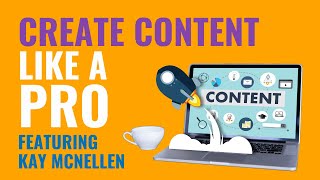
Kay Mcnellen walks through content types and platform specs: video lengths, pixel sizes, and how to turn one blog post or video into multiple posts. Pick a few formats you can actually make consistently.
Questions this video answers
1080 × 1080 pixels.
1200 × 675 pixels.
1080 × 1920 pixels.
Less than 30 seconds.
Less than one minute.
Chapters
Let's talk about different types of creation once again. This is where it start. Kind of might start to get a little overwhelming. There's a lot here, There's a lot that can be created. You don't have to create all of this. This is just an idea of what you could be creating and what the options are out in the world right now. All right, after we have curated all of our content, after we have this nice big list of what's performing out there, of things we want to create, things we want to reshare, things that we want to mimic, we know how many, you know, postings we want to make a day. That's when we start to get into creation. Creation is the act of making, editing or modifying assets, pairing them with copy and getting them ready for distribution. This is an example of some of the memes that we've created for John and for Neurojim. Let's talk about different types of creation once again, this is where it's starting to. Might start to get a little overwhelming. There's a lot here, There's a lot that can be created. You don't have to create all of this. This is just an idea of what you could be creating and what the options are out in the world right now. So, first of all, videos in the video category, we have reels. Reels are vertical. Less than one minute, and they can go on TikTok, Instagram, Facebook and YouTube. Then we have stories. These are also vertical. These are less than 30 seconds. Those can be on Facebook, Instagram, TikTok and YouTube. Portraits are horizontal. They are more than one minute. And these are meant for Facebook, Twitter and LinkedIn. IGTV is almost exactly like a portrait, but it's in vertical and it's just for Instagram, for IGTV, and then of course, YouTube. YouTube is horizontal. It's more than five minutes, preferably more than 20 minutes. YouTube is a long form teaching platform. Doesn't mean that you can't post something under five minutes. It just means recommended more than five minutes, preferably more than 20. But if you're sitting there and the only content you have is two and a half minutes, absolutely. Get that on YouTube. It's better to be posting than to not be posting. So I would still recommend putting it on those platforms. You can also put less than 1 minute on YouTube with the rollout of shorts. They have shorts now, which is their answer to TikTok and reels and all of that good stuff. Just to kind of clarify what some of these are. If These words seem foreign. Reels are the videos that you're seeing on Instagram right now. If you click on the middle part that are less than a minute, they mimic the TikTok version which is a less than a minute video. So stories are videos that you see when you click on that circle in the top of Instagram. They're also on Facebook. Many people don't realize this, but YouTube also has a story function. You can post stories to YouTube. YouTube does not have the functionality to get you from stories to a CTA. So there's no link click ability on YouTube, but you can post stories on YouTube. I know it's strange. I put TikTok there as well because TikTok does not have a story function. But less than 30 seconds is actually a great format for TikTok. So you should absolutely be using that on TikTok as well. Portrait is for Facebook. It's generally sort of like a square. It's in terms of like how it looks because it's horizontal, but it's like still a little vertical. It's hard to explain but it's a square. It's four by five. And that's primarily the what they want on Facebook, Twitter and LinkedIn. You do not have to post in a portrait format. You can also just post your horizontal video if you don't have an editor. Don't worry about it. Horizontal videos are great for Facebook, Twitter and LinkedIn. And YouTube. IGTV is Instagram's long form video. Uh, it is not as popular as reels, but it is still very successful. These are going to be longer than a minute, generally shorter than 5. And then of course YouTube. YouTube is horizontal always. Um, there's some really good best practices for YouTube that I believe you guys are going to get to learn with Evan Carmichael. But I'm just going to say some, some quick words and then if you want to research them later, you can. If you want to get into YouTube right now, you want to highlight up at the begin. So you want to put, you know, your best of the best up top and then at the end you want to call to action. So just look those up. YouTube makes it pretty clear what those are. Graphic creation. So in terms of graphic creation, there are a lot of options. Most of them are size options that are being created for specific platforms. Some of them are types. So we obviously have the square. That's the majority of your content is going to be in square. I like to do 1080 by 1080 in terms of pixelization. That's the Optimized size on social media. That's primarily for Facebook and Instagram. The next is a rectangle, which is a longer form of the square. Clearly, 1200 by 675 is the optimized size for Twitter and LinkedIn stories. Stories are vertical. Longer rectangle on its side. Basically it's 1080 by 1920. Those go on YouTube again, YouTube does have stories. Facebook and. Oh, not LinkedIn. Instagram, that's typo. Infographics. Infographics can be either, you know, they can be made into a square, a rectangle, or the vertical story type, but they're going to be a combination of images and text for communication. So something that's sort of telling a story through imagery, probably a lot more informative. It can be like the five steps of. As opposed to a meme, which is just sort of a quote meme, text communication carousel meme, which is multiple text communications in a row that you're swiping through. That's a very popular format on Instagram right now, gif, which is a meme, but it's a video. So it's like a video that's about five seconds long. It's animated. And then promotionals, which should come in all size. And the promotional is what we're looking at in the back there. It's just a straight promo for your offer for your event. And that can come in square, rectangle and stories. You want to make sure you're making promos in all three of those sizes so they can be distributed everywhere. So those are the types of creation for graphics. Last but not least is copy. So types of creation for copy, obviously you have blogs. The optimized size of a blog is 1000-1500 words. For SEO right now, there's newsletters, which should be 500 to 750 words. That's the way that we keep people in our ecosystem right through a newsletter that offers value captions. This is the text part of a post. This is the thing that goes above your image or video. Those can be in both short or long form or not at all, depending on the post. Lead magnets. Optimized size for a lead magnet is anywhere from 10 to 20 pages that can run you 2500 to 5000 words. And then of course, just straight text posts, which do very, very well on social. And I think a lot of people forget about. But just posting a text post to social, that is all of the different types of copy that you can create. Once again, lot of options. Not all of them are going to work. For your audience, not all of them are going to be able to be created by you. Absolutely. Okay, if you pick like three or four of these that you love and you feel like you can prod very quickly. Perfect. Do it. So let's go back a little bit to the idea of you already have a lot of content that you're sitting on that you don't know about. Let's say four years ago you wrote a blog because you got really excited and you were like, you know what? I'm going to, I'm going to start a blog. And it's incredible. And you only wrote five of them and now you haven't kept it up. No problem. Me too. I've probably done that like three or four times. But those blogs are just sitting there with all of your ideas, your direct quotes, and a ton of content for you. That blog can be turned into a newsletter. It can be turned into a meme or a copy for a meme, multiple memes. So like one blog can easily be turned into like five to ten memes or text posts or stories or all three. An infographic. You might be able to get like three infographics from a really nice, really nice blog. And then this is a story. So you take, you know, when you have a thousand words, even 500 words, what you're looking for is the one line or the five lines that, that are the best, that really draw you in. You're taking that out and then you're turning it into a meme, a meme story and a text post. If it's an infographic, you're taking that infographic, you're turning it into a square, into a rectangle and into a story. Right? We're starting to get this idea. So what you are sitting on, even if it's just one blog, even if it's just three blogs, even if it's just that one video you filmed that one time, that was five minutes long. That's a ton of content that can be created from that blog with very little effort. It's a copy paste, right? So that's a blog. What about a video? So let's say that you created a five minute training one time or a ten minute training, or an hour training. What can you turn that into? Well, that five minutes, even if it's just, let's just say hypothetically, it's only a five minute video. So first you're going to get a transcript of that video. So now we have the text from that video, which is basically a blog, and the video itself. That video can be shortened into a reel under one minute. So you take the best one minute of that video, you turn it into a reel. It can be turned into a portrait video. Either you leave it as is, or you edit it down to two or three minutes. It can be turned into an IGTV just simply by changing the format and making it vertical. And it can be turned into a TikTok, which is the same as a reel or a story, which is another 30 seconds. You could probably in one five minute video, hypothetically, that's 10 stories if you broke every minute down, or more likely five really good 30 second stories. With that transcript, with that text, you can do exactly what we do with the blog. You can create a meme, you can create an infographic, you can use that for a caption, you can use it for whatever you want. There are a lot of options. You can use it for a blog, you can use it for a newsletter. So whatever you're sitting on, it can be used multitudes of ways. It's just about being creative and establishing a process where you can paralyze this content very quickly.
Hey, this is John. And if you like that video, watch the next video because it is packed with things that you can do right now to achieve success way faster than ever before.
More from John




Millions of individuals around the world are grappling with various mental & emotional health issues